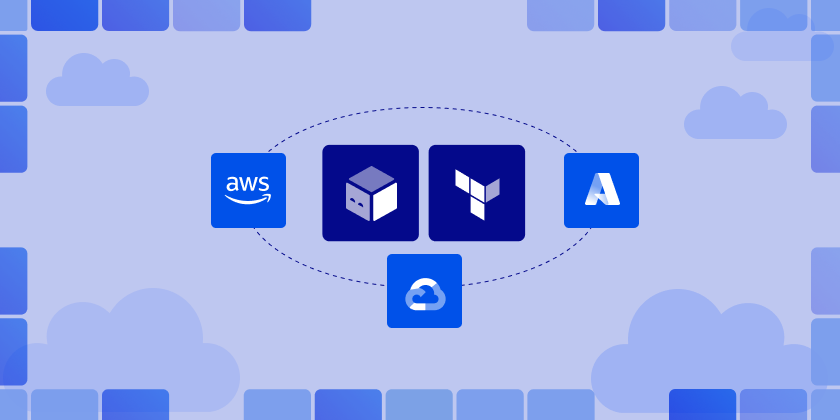
Managing infrastructure across AWS, Azure, and GCP gets messy fast when every team uses different patterns, state layouts, and release processes. Terraform and OpenTofu give you a consistent way to provision resources across clouds, including OpenTofu AWS, OpenTofu Azure, and OpenTofu GCP workflows through providers.
The hard part is operating that IaC at scale: preventing drift, enforcing standards, and keeping deployments safe across dozens of accounts and subscriptions.
ControlMonkey adds governance, visibility, and automated guardrails on top of Terraform/OpenTofu so multi-cloud doesn’t become multi-chaos.
Why is multi-cloud challenging?
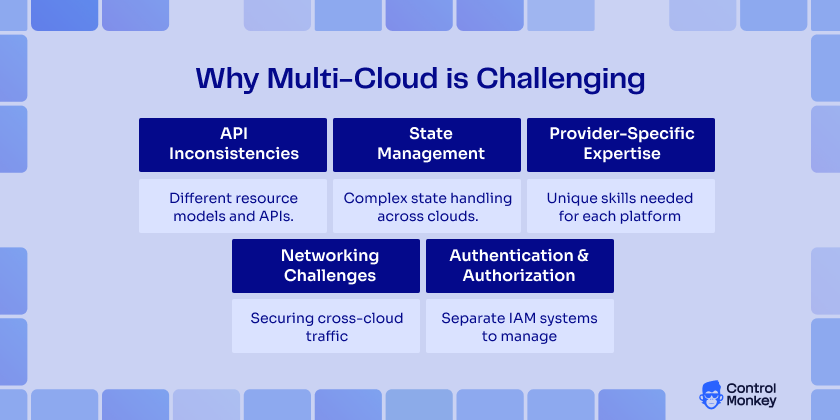
Managing multi-cloud infrastructure has its complexities. Some of it include:
- API Inconsistencies: Each cloud provider has unique resource models, naming conventions, and capabilities. AWS’s EC2 instances, Azure’s Virtual Machines, and GCP’s Compute Engines serve similar purposes but have different configuration parameters, lifecycle management, and integration patterns.
- State Management Complexity: When managing stateful infrastructure and a resource utilization path involving multiple cloud providers, the complexity of the environment is increased. For example, dependencies across provider resources, dealing with drift/failure scenarios, and other consistency during updates can present challenges in orchestration.
- Provider-Specific Expertise: Teams need deep knowledge of each cloud platform’s behaviors, limitations, and best practices. Missing experiences within the provider stack can result in security misconfigurations, over-provisioning cloud resources, or inconsistent architectural patterns.
- Networking Challenges: Establishing secure, performant connections between resources across different cloud providers requires an understanding of each platform’s networking model, VPN capabilities, and peering options.
- Authentication and Authorization: Each cloud provider has distinct identity and access management systems, requiring separate credential management, role definitions, and security policies.
How OpenTofu and Terraform Supports AWS, Azure, and GCP – Provider abstraction and compatibility
OpenTofu and Terraform architecture provides excellent multi-cloud support through its provider system. Each cloud platform is supported by dedicated providers that abstract the underlying APIs while maintaining full feature compatibility.
AWS Provider Configuration:
terraform {
  required_providers {
    aws = {
      source  = "hashicorp/aws"
      version = "~> 5.0"
    }
  }
}

provider "aws" {
  region = var.aws_region

  default_tags {
    tags = {
      Environment = var.environment
      Project     = var.project_name
      ManagedBy   = "ControlMonkey"
    }
  }
}

# AWS resources
resource "aws_vpc" "controlmonkey-vpc" {
  cidr_block           = "10.0.0.0/16"
  enable_dns_hostnames = true
  enable_dns_support   = true
}
Azure Provider Configuration :
terraform {
  required_providers {
    azurerm = {
      source  = "hashicorp/azurerm"
      version = "~> 3.0"
    }
  }
}

provider "azurerm" {
  features {
    resource_group {
      prevent_deletion_if_contains_resources = false
    }
  }
}

# Azure resources
resource "azurerm_resource_group" "control-monkey-rg" {
  name     = "${var.project_name}-rg"
  location = var.azure_location

  tags = {
    Environment = var.environment
    Project     = var.project_name
    ManagedBy   = "ControlMonkey"
  }
}
Google Cloud Provider Configuration :
terraform {
  required_providers {
    google = {
      source  = "hashicorp/google"
      version = "~> 5.0"
    }
  }
}

provider "google" {
  project = var.gcp_project_id
  region  = var.gcp_region
}

# GCP resources
resource "google_compute_network" "control-monkey-network" {
  name                    = "${var.project_name}-network"
  auto_create_subnetworks = false
  labels = {
    environment = var.environment
    project     = var.project_name
    managed_by  = "ControlMonkey"
  }
}
Best Practices for Multi-Cloud Projects – Organizing your codebase
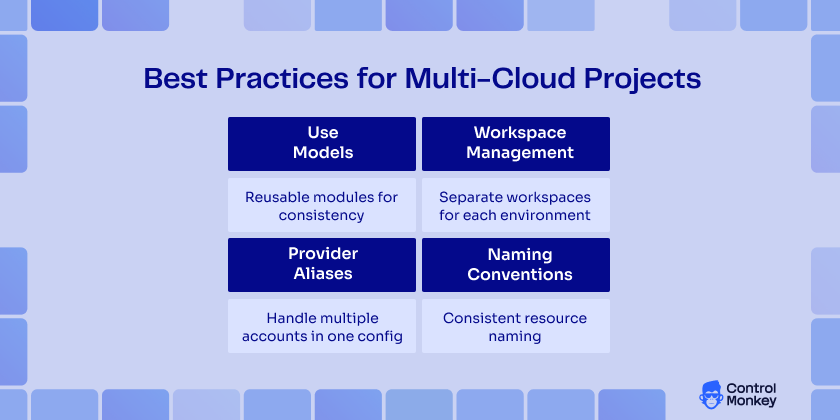
When you’re working with multi-cloud IaC, organizing your codebase logically and effectively is paramount.
So, here are some best practices for multi-cloud projects:
- Use Modules: OpenTofu recommends using modules to reuse code. Modular code allows you to share code between different cloud environments very easily. For example, a module to deploy a virtual machine can easily work in AWS, Azure, and GCP with very few changes.
module "vm" {
  source = "./modules/vm"
  cloud_provider = var.cloud_provider
  instance_type = "t2.micro"
}- Workspace Management: Use workspaces to manage development, staging, and production environments. This helps separate configurations and states for various environments.
# Use workspaces for environment separation
locals {
  workspace_configs = {
    dev = {
      instance_count = 1
      instance_size  = "small"
    }
    staging = {
      instance_count = 2
      instance_size  = "medium"
    }
    prod = {
      instance_count = 5
      instance_size  = "large"
    }
  }
  config = local.workspace_configs[terraform.workspace]
}- Provider Aliases: Employing provider aliases when managing resources on multiple clouds assures that you can easily differentiate between AWS, Azure, and GCP resources in the codebase.
# Configure multiple AWS regions
provider "aws" {
  alias  = "us_east"
  region = "us-east-1"
}

provider "aws" {
  alias  = "eu_west"
  region = "eu-west-1"
}

# Use aliased providers in resources
resource "aws_s3_bucket" "controlmonkey_us_backup" {
  provider = aws.us_east
  bucket   = "${var.project_name}-us-backup"
}

resource "aws_s3_bucket" "controlmonkey_eu_backup" {
  provider = aws.eu_west
  bucket   = "${var.project_name}-eu-backup"
}- Naming Conventions: Also, take the time to define consistent naming conventions for resources across cloud providers. This way, you instantly know what a resource is if you need to manage infrastructure in a multi-cloud context.
Real-World Use Cases – Scenarios where multi-cloud IaC is the right fit
Multi-cloud strategies solve specific business challenges that single-cloud approaches cannot address effectively. Here are the key scenarios where multi-cloud becomes essential.
Disaster Recovery and Business Continuity
Organizations adopt multi-cloud to eliminate single points of failure at the provider level.
For example, the financial services and healthcare industries typically run primary workloads on one cloud and keep staging backup infrastructures on another. This method protects from provider-wide outages, regional disasters, and political or geopolitical events that single cloud strategies can’t protect against.

Learn About ControlMonkey DR Solution
Rollback with time machine to the previous state to fix mistakes or in case of disaster
Regulatory Compliance and Data Sovereignty
Global organizations face varying regulatory requirements based on geography and industry. Some companies use Azure for GDPR-regulated data while leveraging AWS for non-regulated workloads. Banking sectors often separate customer data (strict regulations), analytics systems (relaxed requirements), and development environments across different providers based on compliance needs.
Vendor Lock-in Avoidance in multi-cloud IaC
A multi-cloud approach provides negotiable leverage and options. Customers will be in a more favorable position at the time of renewal, with insurance against pricing increases or vendor service discontinuance. This approach often results in better pricing and service levels while reducing dependency on any single vendor’s roadmap.
Performance Optimization
Providers have varying strengths across regions and services. For example, some gaming companies use AWS in North America, Azure in Europe, and Google Cloud in Asia for best overall performance. Likewise, content delivery companies will use the strongest provider in a given region for the lowest latency and best user experience.
Cost Optimization
Organizations exploit pricing variations between providers for significant savings. Batch processing runs on Google Cloud’s preemptible instances, steady-state applications use AWS reserved instances, and storage-intensive workloads leverage Azure’s competitive pricing. This strategic approach can save 20-40% compared to single-cloud deployments.
Best-of-Breed Services
Each provider has developed specific strengths. Data analytics companies use Google Cloud for BigQuery, AWS for application hosting, and Azure for Microsoft integration. This allows organizations to leverage each provider’s innovations without being constrained by single-provider limitations.
3 Multi-Cloud IaC Mistakes that slow down multi-cloud projects
1. State Management Anti-Patterns
- Pitfall: Using a single state file for all cloud providers
# Single monolithic state file
terraform {
  backend "s3" {
    bucket = "controlmonkey-terraform-state"
    key    = "controlmonkey-infrastructure/all-clouds.tfstate"
    region = "us-east-1"
  }
}- Solution: Separate state files by environment and provider
# Separate state files
terraform {
  backend "s3" {
    bucket = "controlmonkey-terraform-state"
    key    = "icontrolmonkey-infrastructure/${var.environment}/aws.tfstate"
    region = "us-east-1"
  }
}
2. Over-Abstraction
- Pitfall: Creating overly generic modules that obscure provider-specific features
module "generic_compute" {
  source = "./modules/compute"

  provider_type = "aws"
  compute_size  = "medium"
}
- Solution: Provider-specific modules with clear interfaces
module "aws_compute" {
  source = "./modules/aws/compute"

  instance_type     = "t3.medium"
  placement_group   = aws_placement_group.cluster.name
  enhanced_networking = true
}
3. Inconsistent Naming Conventions
- Pitfall: Different naming patterns across providers
# Inconsistent naming
resource "aws_s3_bucket" "control-monkey-s3" {
  bucket = "control-monkey-s3"
}

resource "azurerm_storage_account" "control-monkey_storage_account" {
  name = "control-monkey_storage_account"
}

resource "google_storage_bucket" "gcp-control-monkey-bucket" {
  name = "gcp-control-monkey-bucket"
}- Solution: Standardized naming conventions
# Consistent naming pattern
locals {
  naming_convention = "${var.project_name}-${var.environment}-${var.component}"
}

resource "aws_s3_bucket" "control-monkey-s3" {
  bucket = "${local.naming_convention}-aws"
}

resource "azurerm_storage_account" "control-monkey_storage_account" {
  name = replace("${local.naming_convention}-azure")
}

resource "google_storage_bucket" "gcp-control-monkey-bucket" {
  name = "${local.naming_convention}-gcp"
}
Ready to scale multi-cloud IaC without losing control?
See how ControlMonkey helps teams govern Terraform and OpenTofu across AWS, Azure, and GCP from a single dashboard. Request a demo and take control of your multi-cloud infrastructure
Why ControlMonkey helps in Multi-Cloud IaC
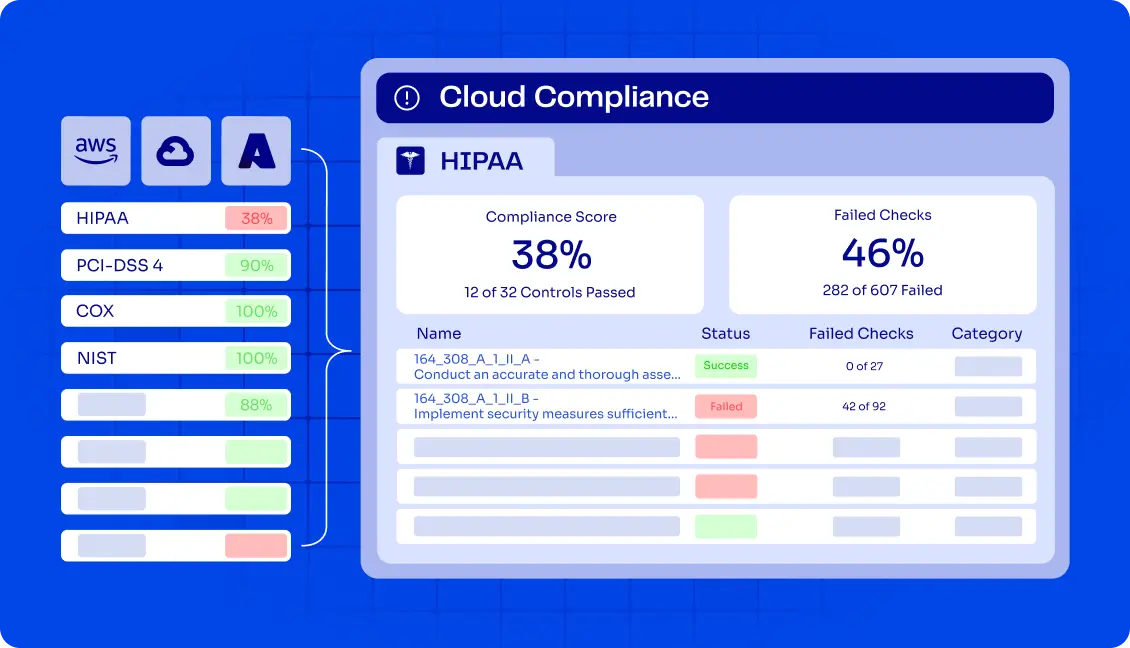
Running multi-cloud IaC with Terraform and OpenTofu gets harder as environments grow. What starts as a few shared configs quickly turns into multiple states, inconsistent standards, and limited visibility across AWS, Azure, and GCP. Keeping changes safe without slowing teams down becomes a real challenge.
ControlMonkey sits on top of Terraform and OpenTofu to help teams keep multi-cloud IaC under control. It adds a governance layer that makes deployments easier to track, policies easier to enforce, and changes easier to audit – without forcing teams to change how they write infrastructure code.
Instead of stitching together scripts and manual checks, teams use ControlMonkey to standardize multi-cloud IaC, catch risky changes earlier, and scale across cloud providers with fewer surprises.
Ready to streamline Atlantis plan multiple directories with ControlMonkey’s automation
FAQ’s
OpenTofu uses each provider’s native authentication methods. You can configure credentials through environment variables, credential files, or IAM roles. The best practice is to use cloud-native credential providers like AWS IAM roles, Azure Managed Identity, or GCP Service Accounts.
While it is technically possible to use provider version constraints, it’s recommended to use consistent OpenTofu versions across your infrastructure to avoid compatibility issues and ensure predictable behavior.
Use outputs from one configuration as inputs to another or leverage remote state data sources. Consider using external data sources or custom providers that query cloud resources for complex dependencies.
Use cloud-native secret management services (AWS Secrets Manager, Azure Key Vault, GCP Secret Manager) and reference them in your configurations. Avoid hardcoding secrets in your infrastructure code or state files.

A 30-min meeting will save your team 1000s of hours
A 30-min meeting will save your team 1000s of hours
Author