Have you been looking for the best network configuration backup solutions to protect critical device and cloud network configs, speed up disaster recovery orchestration, and maintain network compliance across your infrastructure?
I’ll explore the top 10 network backup solutions that can help you safeguard switch configuration data, automate backup scheduling, and perform reliable configuration restores when something breaks.
TL;DR
- The best network backup solution on the market is ControlMonkey, which provides cloud network configuration backup and covers VPCs, subnets, security groups, routing tables, DNS, CDN edge configs, and load balancer settings as deployable Terraform or OpenTufo code, not just device running configs.
- Although tools like SolarWinds NCM, ManageEngine NCM, BackBox, and Skylar Compliance are great for backing up physical device configurations from routers, switches, and firewalls, they don’t capture or version cloud network infrastructure like VPCs, IAM policies, or SaaS platform configs.
- Oxidized, Unimus, rConfig, and RANCID are strong open-source or budget-friendly choices for teams that need reliable device config backup without enterprise pricing.
Disclaimer:
This guide covers both traditional device-level NCM tools and cloud infrastructure configuration backup.
Why should you have a network configuration backup solution?
Network configurations are the invisible foundation that everything runs on.
Every routing table, firewall rule, security group, and DNS record exists because someone configured it.
And when those configurations disappear or get corrupted, the network doesn’t slow down. It stops.
The problem is that most teams don’t realize they have a configuration backup gap until they need to recover:
- A misconfigured ACL takes down production traffic.
- An accidental deletion wipes out routing policies.
- A ransomware attack scrambles firewall rules.
And suddenly the team is rebuilding configs from memory, under pressure, with no reliable configuration baseline to restore from.
But the gap goes deeper than physical devices.
Modern infrastructure extends into cloud networking: VPCs, subnets, security groups, CDN edge configs, load balancer rules, and DNS records that live in AWS, Azure, GCP, and SaaS platforms like Cloudflare and Okta.
Traditional network backup software protects the router configs and switch configs sitting in your on-prem racks.
It doesn’t touch the cloud network layer.
A traditional NCM tool wouldn’t address cloud network configuration loss, which might leave your critical cloud resources vulnerable.
An infrastructure disaster recovery solution would ensure continuity of operations with instant restoration of your entire cloud environment to a known-good state.
Network backup solutions help teams protect and restore critical network configurations, but modern resilience requires more than device backups alone.
For example, ControlMonkey extends this approach by backing up and recovering broader cloud infrastructure configurations, helping enterprises reduce operational risk across networks, identity, and cloud environments.
Without proper backup retention across both physical and cloud layers, your team might lose the configuration baseline they need to recover quickly.
And without visibility into what’s actually protected, the gaps stay hidden until an incident exposes them.
What factors to evaluate when evaluating network configuration backup providers?
#1: Multi-cloud and SaaS platform coverage
Your backup solution must cover all the platforms where your infrastructure lives, including multi-cloud environments like AWS, Azure, and GCP, as well as critical third-party services.
To be fair, some SaaS providers offer limited native backup or retention.
But it’s often time-limited, not controlled by you, and not designed for full environmental reconstruction.
Many organizations rely on SaaS configurations from providers like Datadog, Cloudflare, and Okta for identity, networking, and security, but all of them require backup protection.
A solution that provides end-to-end coverage across different vendors makes sure that no blind spots exist in your disaster recovery strategy.
#2: What is actually backed up: device configs vs. cloud network configs
This is the most important distinction in the category.
Traditional NCM tools back up device running configs and startup configs from routers, switches, and firewalls using SSH, SNMP, or Telnet.
They’re excellent at what they do.
But they don’t capture cloud-native network resources like VPCs, security groups, route tables, CDN edge configurations, or DNS records.
ControlMonkey protects the cloud network layer by capturing infrastructure configuration as deployable Terraform code.
That means every backed-up resource can be restored programmatically, not just viewed.
#3: Recovery capability: RPO and RTO
Recovery Point Objective (RPO) and Recovery Time Objective (RTO) determine how much configuration data you can afford to lose and how quickly you can restore operations after an incident.
A good network configuration backup tool should offer daily or continuous configuration snapshots to help you minimize potential loss between backup intervals.
The ability to restore entire environments with one-click rollback, rather than manual scripting and intervention, can directly impact your RTO and ensure you meet critical SLA compliance targets.
Backup retention matters just as much as backup frequency.
If your tool only keeps the last 7 days of configuration snapshots, a slow-moving misconfiguration that went unnoticed for two weeks is unrecoverable.
Look for tools that let you define retention windows long enough to catch configuration drift that accumulates over weeks or months.
#4: Compliance auditing and vulnerability scanning
Network compliance isn’t optional for teams in regulated industries.
Your backup solution should be able to validate configs against frameworks like PCI DSS, SOC 2, ISO 27001, HIPAA, and CIS Benchmarks.
It should track every change, flag unauthorized modifications, and produce audit-ready backups that prove what was configured and when.
Some tools handle this natively. Others require bolting on third-party compliance engines.
Check whether compliance auditing is built into the platform or requires additional licensing and integration work.
Beyond compliance, you should consider whether the tool establishes a configuration baseline for each device or cloud resource.
A baseline gives your team a reference point: the known-good state you compare against when diagnosing drift, validating change management workflows, or preparing audit-ready backups for regulatory review.
What are the 10 best network configuration backup solutions in 2026?
The best network configuration backup solutions in 2026 are ControlMonkey, SolarWinds NCM, and ManageEngine NCM.
Here’s a breakdown of the best network backup software solutions we shortlisted:
| Tool | Features | Pricing |
|---|---|---|
| #1: ControlMonkey | Automated daily cloud network config backups as Terraform code, one-click recovery via Time Machine, SaaS config backup across over 30 vendors, and real-time DR readiness dashboards. | Custom pricing |
| #2: SolarWinds NCM | Automated device config backup, compliance auditing against DISA STIGs, FISMA, PCI, and HIPAA, vulnerability scanning, and bulk config deployment across multi-vendor networks. | Custom pricing. Free trial available. |
| #3: ManageEngine NCM | Multi-vendor config backup, change tracking with real-time notifications, firmware vulnerability management, and compliance monitoring for PCI, SOX, and HIPAA. | Custom pricing |
| #4: BackBox | No-code network automation across 180 vendors, AI-powered vulnerability intelligence, compliance auditing with DISA STIGs and CIS Benchmarks, and automated OS upgrades. | Custom pricing |
| #5: Oxidized | Open-source config backup with Git-based version control, support for over 130 OS types, RESTful API, and syslog-triggered config fetches. | Free (open source) |
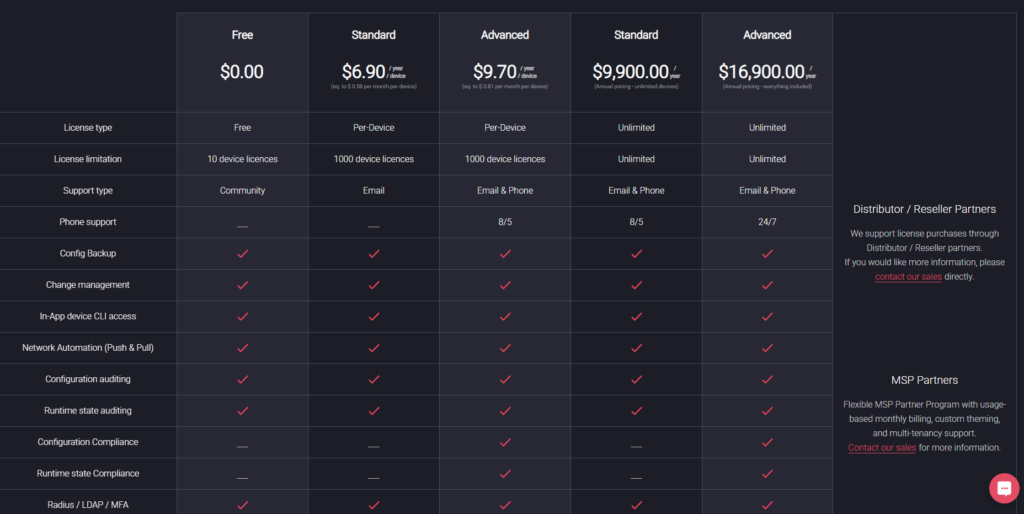
| #6: Unimus | On-prem NCM with automated config backups across over 450 device types from 160 vendors, graphical diff change tracking, compliance engine, and built-in device CLI. | Free for 10 devices. Starts from $6.90/device/year. |
| #7: Auvik | Cloud-based network management with automated device discovery and topology mapping, config backup with side-by-side comparison, traffic analysis, and remote device access. | Custom pricing. |
| #8: rConfig | Open-source core with automated config backups, compliance management, multi-site deployment, and AI copilot for config review. | Has a free plan and then €2,499/license. |
| #9: Skylar Compliance | Script-free automation for over 100 vendors, one-click config recovery, automated compliance auditing, and built-in web terminal with session recording. | Starts from $12 per device/month. |
| #10: RANCID | Open-source config backup using CVS, Subversion, or Git, support for Cisco, Juniper, and HP, and email notifications on config changes. | Free (open source). |
Network Configuration Backup Solution #1: ControlMonkey
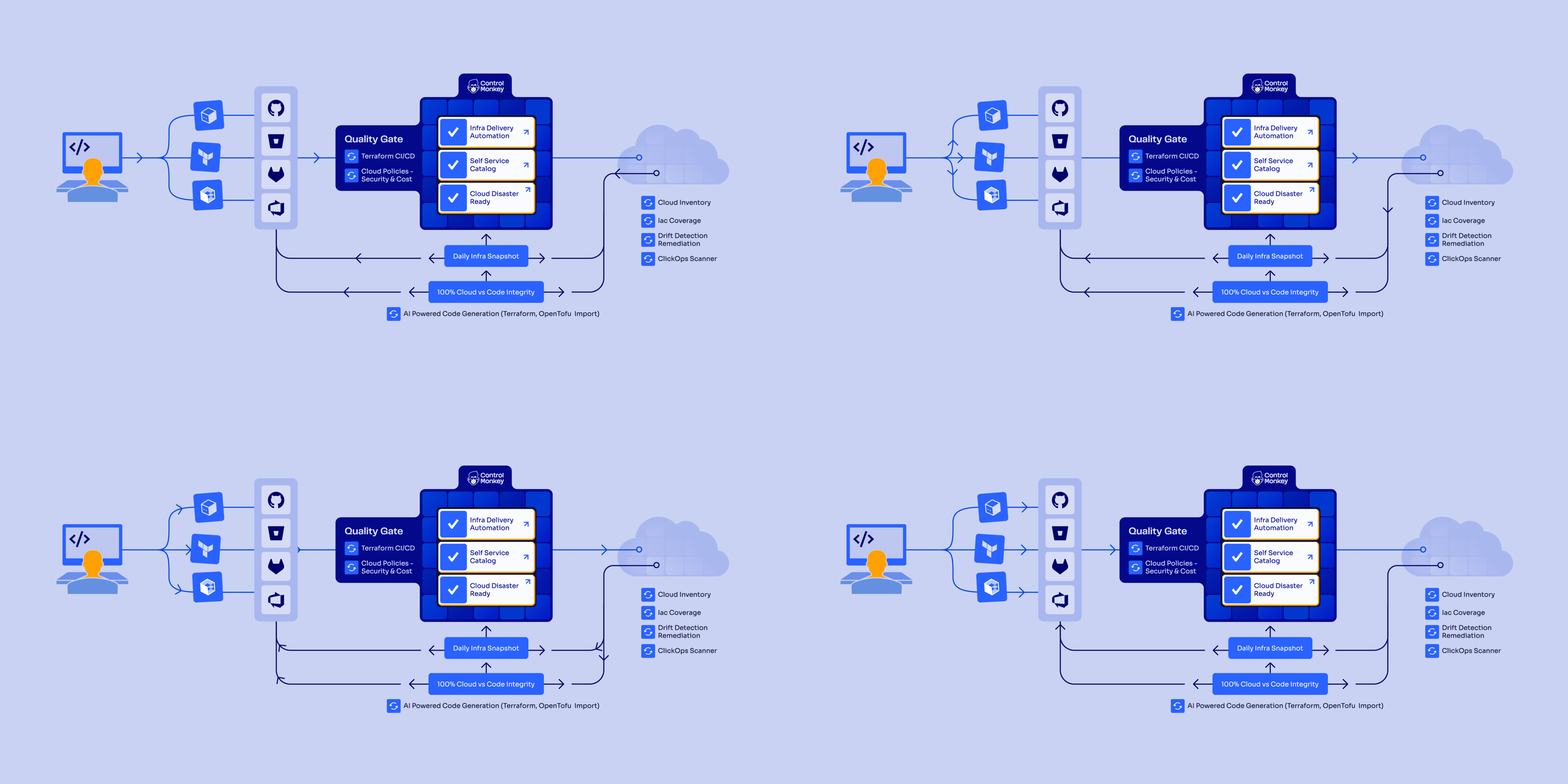
ControlMonkey offers the best network configuration backup for cloud environments with its automated daily infrastructure snapshots, DR readiness visibility, and one-click rollback capability.
But ControlMonkey is not a device-level NCM tool like SolarWinds or ManageEngine: it’s a cloud infrastructure disaster recovery and governance platform.
Our focus is on cloud network configurations: VPCs, subnets, security groups, routing tables, DNS records, CDN edge configs, and load balancer settings. Not physical router and switch running configs.
ControlMonkey captures cloud network configurations as deployable Terraform code, version-controlled and committed to your Git repository.
Every snapshot is a restorable infrastructure state, not a static config dump.
Disclaimer:
Even though ControlMonkey is our platform, we’ll try to provide an unbiased perspective on why it’s the best network configuration backup solution on the market in 2026.
With outages at AWS, Azure, and Cloudflare becoming regular events, we know that cloud infrastructure resilience has become a priority for Cloud teams, CISOs, and CIOs.
It’s often the case that organizations find out too late that their disaster recovery plans had a massive infrastructure-shaped hole.
Let’s go over ControlMonkey’s network configuration backup capabilities to show you why enterprises like Intel, Block, and Comcast can’t imagine their cloud without ControlMonkey:
Automated Daily Cloud Network Backups
Blind spots in cloud network coverage tend to stay invisible until an outage forces them into the open.
The VPC that nobody documented. The security group rule that was created via ClickOps six months ago. The CDN edge config that drifted from what’s in your Terraform code.
These gaps are normal in fast-moving cloud environments, and they’re exactly the things that turn a 10-minute recovery into a 10-hour one.
ControlMonkey eliminates these gaps by scanning your entire cloud footprint and generating Terraform-based configuration snapshots on a daily cadence.
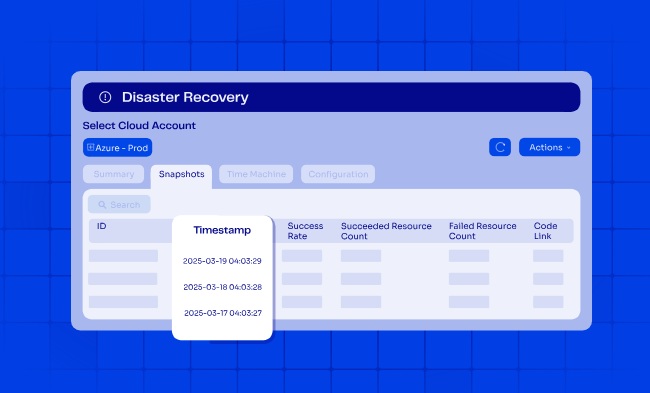
Here’s what happens on each cycle:
The platform captures the actual state of every cloud network resource across all accounts and regions, converts each resource into a deployable infrastructure definition, and commits the result as a versioned record in your Git repository.
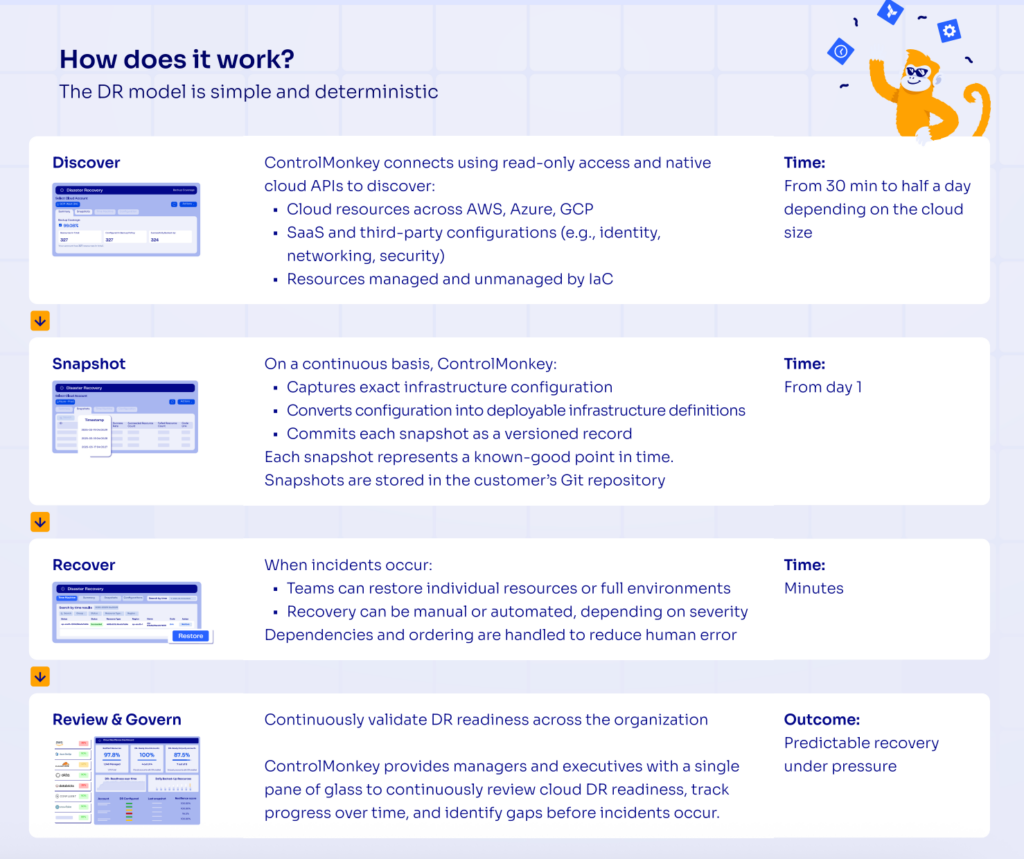
Snapshot frequency is configurable, ranging from hourly to daily, depending on the size and complexity of your cloud.
And because snapshots live in your Git repo (not a proprietary vault), your team can browse, diff, and audit them using tools they already know.
Each snapshot also serves as a configuration baseline for your cloud network.
When something changes unexpectedly, your team can diff the current state against any previous snapshot to pinpoint exactly what moved.
This can help you turn backup retention into an active diagnostic tool, not just a safety net.
Instant Cloud Network Recovery (Time Machine)
From our experience, when incidents or cyber attacks occur, speed determines whether you face minutes of disruption or days of downtime.
Infrastructure teams waste hours in firefighting mode trying to figure out what changed, when it changed, and what the working configuration looked like before everything broke.
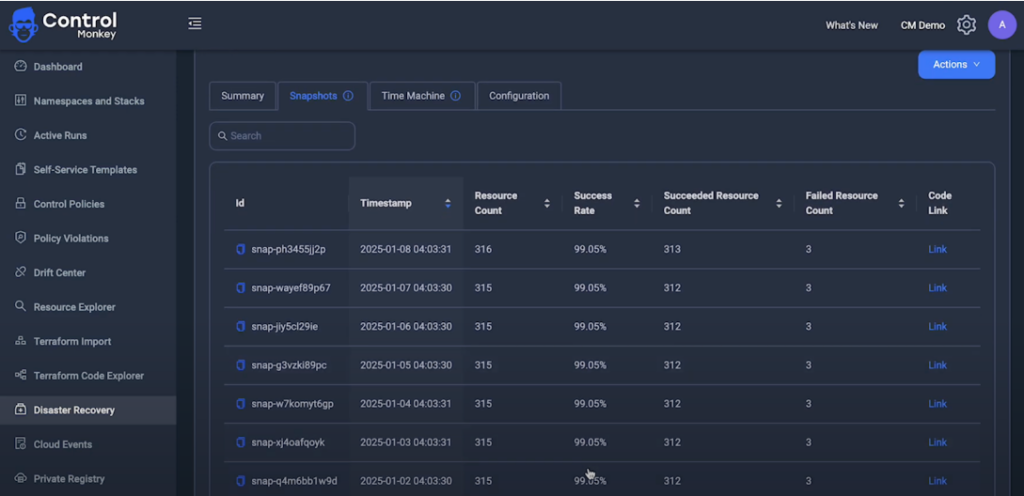
ControlMonkey’s Time Machine capability lets you track back to any cloud network configuration from previous days.
That configuration already resides in your version control system, written in Terraform and ready to deploy.
All you have to do is click the restore button, and you’re back in business.
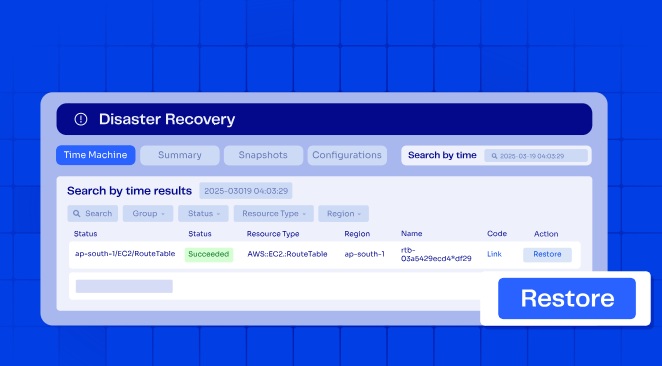
Your team can restore individual resources or full environments using any previous known-good state.
The recovery itself can either be manual or automated, depending on severity: critical incidents trigger automatic rollbacks while routine fixes can be reviewed before deployment.
SaaS and Third-Party Network Configuration Backup
Your infrastructure doesn’t stop at AWS, Azure, or your on-prem racks.
Critical configurations live across dozens of third-party platforms: DNS rules in Cloudflare, identity policies in Okta, monitoring setups in Datadog, CDN edge configs in Akamai.
These configurations change constantly, and most changes happen outside Infrastructure as Code.
Traditional disaster recovery plans don’t account for this.
Configuration drift in third-party platforms creates blind spots that only surface during an incident, exactly when you can least afford them.
ControlMonkey supports infrastructure disaster recovery across AWS, Azure, GCP, and over 30 third-party vendors, including Cloudflare, Fastly, F5, and Akamai.
What’s more, our platform’s coverage extends beyond networking into:
- Identity provider configurations (users, groups, roles, permissions, and application assignments).
- APM setups (alerts, dashboards, monitors, and monitoring policies).
- Database and analytics configurations.
- Version control system settings (repos, projects, and permissions).
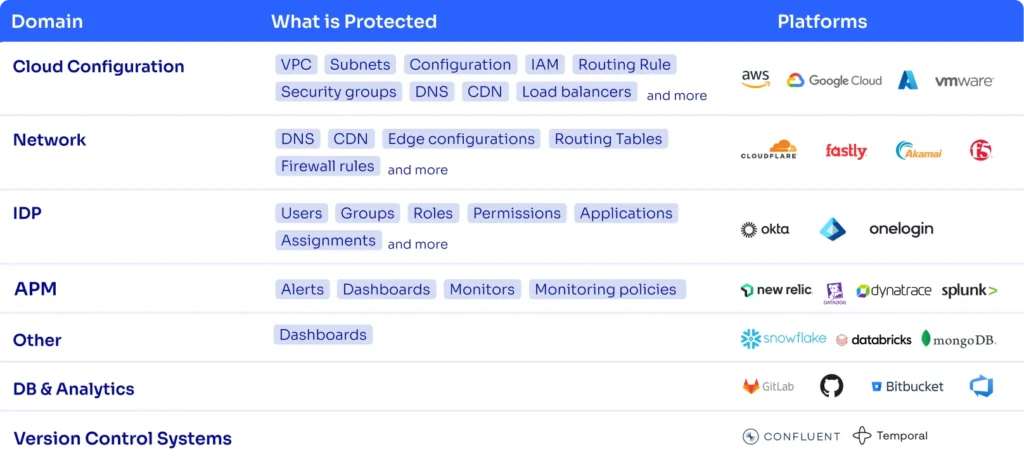
Every configuration is captured as deployable Terraform code and versioned in your Git repository, with consistent rollback workflows regardless of the vendor.
If a Cloudflare DNS record gets misconfigured or an Okta identity policy is accidentally deleted, ControlMonkey can restore the last known-good configuration in a single click.
Consider what recovery looks like without this coverage: hundreds of Datadog monitors deleted in a ransomware attack, or Cloudflare routing rules wiped with no backup to restore from.
Most teams would rebuild manually (under pressure) from memory. ControlMonkey eliminates that scenario.
Complete Visibility Into Network DR Readiness
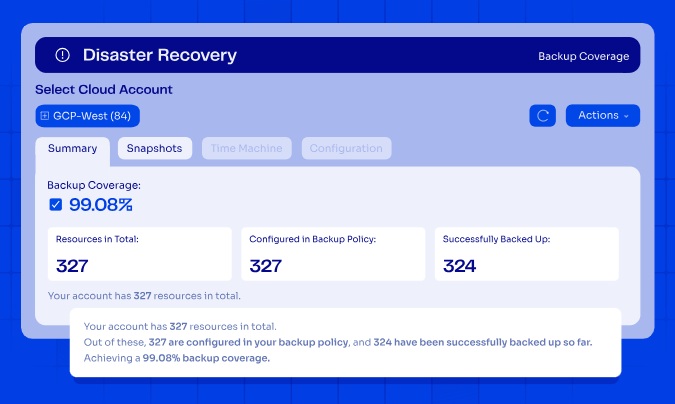
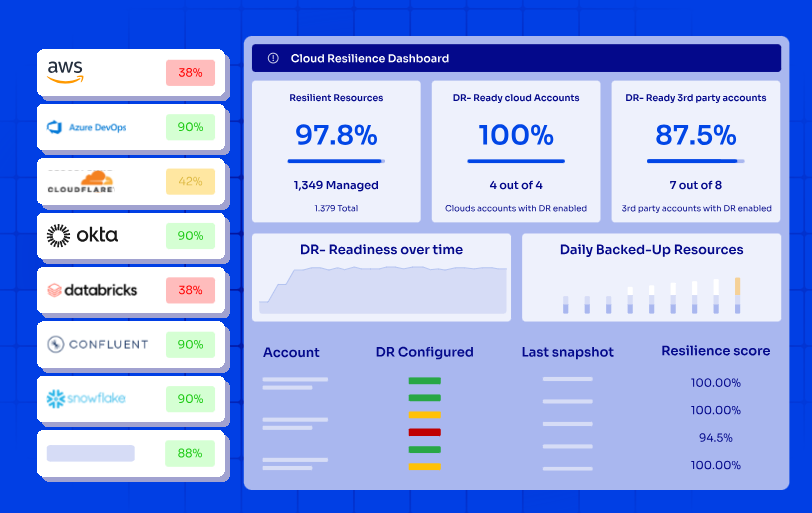
ControlMonkey connects using read-only access and native cloud APIs to discover every asset across your infrastructure footprint.
With zero manual effort, your team will be able to see what’s covered by IaC, what isn’t, and what’s ready for the next disaster.
Our platform provides real-time network visibility into:
- Cloud resources across AWS, Azure, and GCP with account and region coverage.
- SaaS and third-party configurations, including identity, networking, and security platforms.
- Resources managed and unmanaged by IaC, so your team can identify coverage gaps before disasters strike.
This isn’t a one-time audit:
ControlMonkey gives you a single pane of glass to continuously review cloud DR readiness, track progress over time, and identify gaps before incidents occur.
Check out a sample Cloud Governance Risk Report to see what a real assessment covers: DR readiness per environment, governance posture, security exposure, and cost accountability.

Discover Your Cloud Recovery Gaps
Identify hidden risks from accidental resource deletion, cloud outages, and configuration drift with our Free Cloud Resilience Assessment Report.
ControlMonkey vs. Traditional Network Configuration Backup Tools
The main difference between ControlMonkey and traditional NCM tools is that traditional tools focus exclusively on protecting physical device configs (leaving your cloud network configurations exposed), while ControlMonkey treats cloud infrastructure configurations as code.
With ControlMonkey, every VPC, security group, routing table, DNS setting, CDN edge config, and SaaS configuration is captured, versioned, and stored as deployable Terraform code in your Git repository.
This means you can restore not just your device configs, but the entire cloud network environment that connects your applications.
When your load balancer settings are accidentally changed or your VPC configuration breaks, standard NCM tools will offer zero help because they never captured that cloud infrastructure state in the first place.
Traditional NCM tools (SolarWinds, ManageEngine, BackBox) protect physical device configs. ControlMonkey protects cloud network configs. They’re complementary, not competitive.
We’re not trying to replace your device backup tool. We’re filling the gap it can’t.
This difference becomes critical during real incidents when every minute of downtime costs your business money and damages your reputation.
Our platform continuously validates DR readiness to support audit requirements within SOC 2, ISO 27001, PCI DSS, and other frameworks.
ControlMonkey extends the traditional approach to network configuration backup by covering what device-level tools were never designed to reach.
Where an NCM handles switch configuration backup and device discovery for on-prem gear, ControlMonkey handles disaster recovery orchestration for cloud infrastructure to help your enterprise reduce operational risk across networks, identity, and cloud environments.
Block, for example, achieved 100% infrastructure disaster recovery readiness and approximately 90% faster configuration recovery time through automated snapshots and versioned records, with full production coverage deployed in around 2 weeks with minimal engineering effort.
Pricing
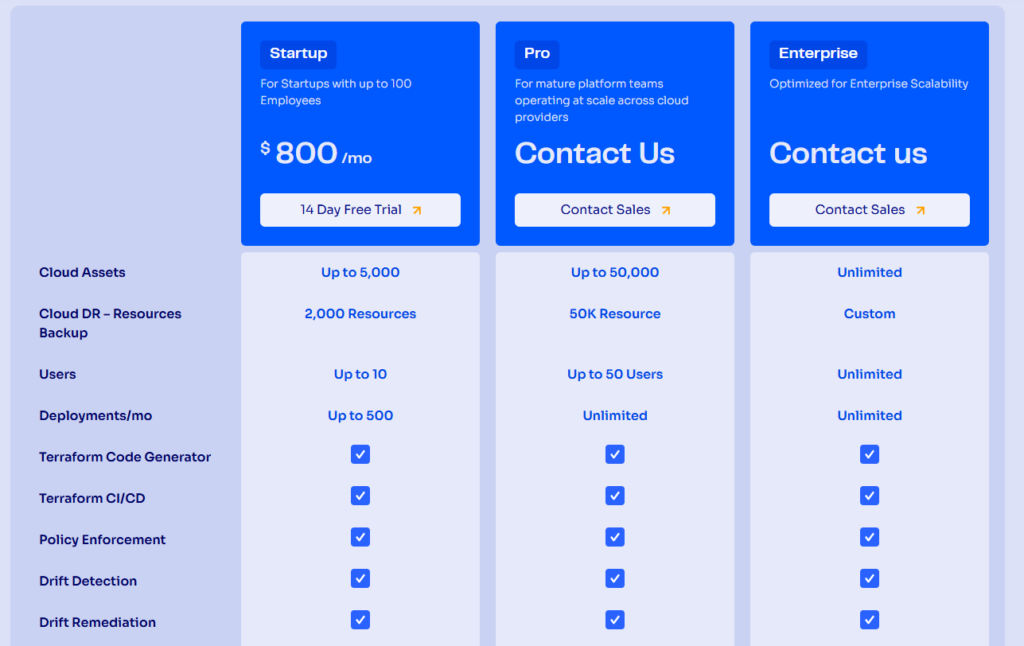
ControlMonkey offers three plans:
- Startup: $800/month for up to 10 users, up to 5,000 cloud assets, cloud DR backup for up to 2,000 resources, and up to 500 deployments/month. Includes Terraform Code Generator, Terraform CI/CD, Policy Enforcement, Drift Detection and Drift Remediation.
- Pro: Custom pricing for up to 50 users, which adds up to 50,000 cloud assets, cloud DR backup for up to 50,000 resources, unlimited deployments per month, and specialized support.
- Enterprise: Custom pricing with unlimited users, cloud assets, and cloud DR backup resources.
Pros & Cons
✅ Automated snapshots back up cloud network configurations across AWS, Azure, and GCP.
✅ Backs up SaaS configurations from Cloudflare, Datadog, Okta, Akamai, and over 30 platforms.
✅ Real-time dashboards provide complete visibility into DR readiness and IaC coverage.
✅ One-click recovery and daily configuration snapshots reduce RTO and RPO.
✅ Continuous compliance validation for SOC 2, ISO 27001, and PCI DSS keeps you audit-ready.
✅ VIP support available 24/7 through Microsoft Teams, Slack, email, and ticketing.
❌ Focused on cloud infrastructure and SaaS configurations rather than physical device backup for routers, switches, and firewalls. If you need both, you can pair ControlMonkey with a traditional NCM tool.
Network Configuration Backup Solution #2: SolarWinds NCM
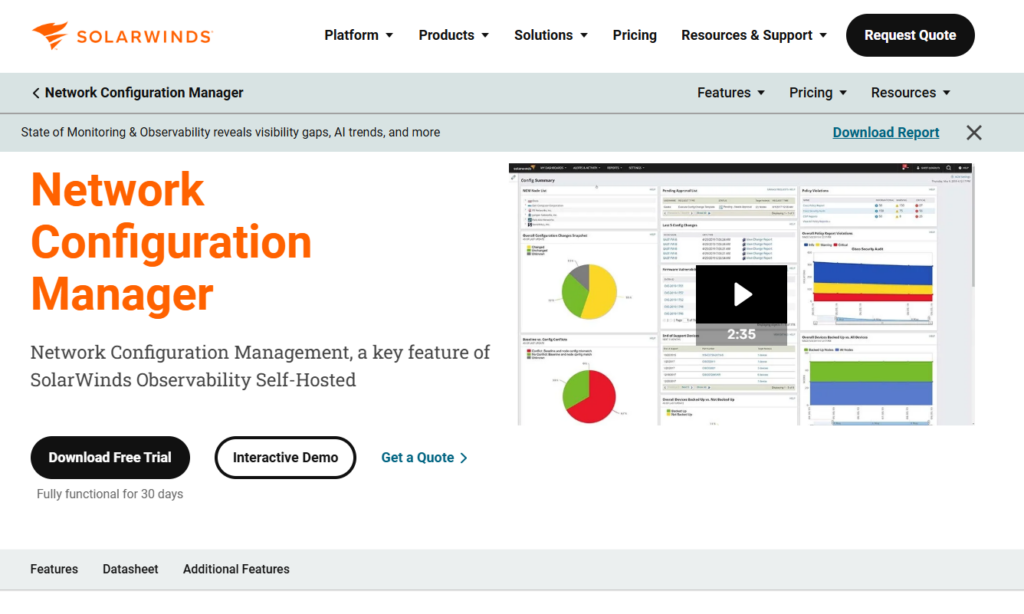
SolarWinds Network Configuration Manager is built to automate config backups, compliance auditing, and change management for physical network devices.
The platform integrates tightly with the broader SolarWinds Orion ecosystem, which means teams already running NPM, IPAM, or NTA can add NCM as a module and manage everything from a single console.
SolarWinds NCM Features
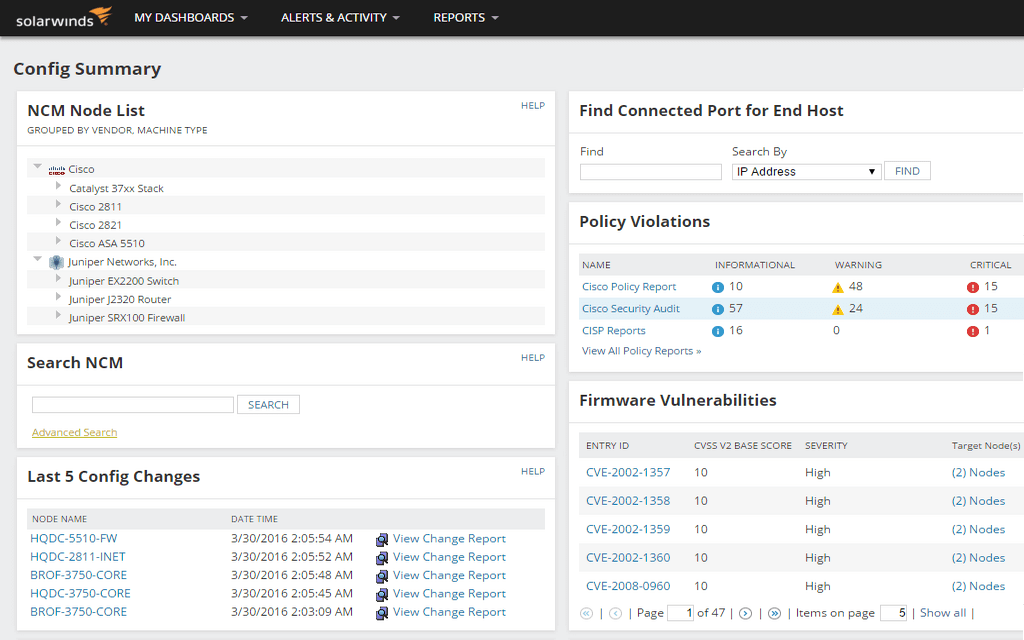
- Automated config backup and restore: Schedules automated backups of running and startup configurations from routers, switches, and firewalls.
- Compliance and vulnerability scanning: Continuously audits device configs against standards like DISA STIGs, FISMA, PCI, HIPAA, and SOX, as well as custom policies.
- Change management and alerting: Monitors for unauthorized changes, compares before-and-after configurations with visual diffs, and sends real-time alerts when modifications occur.
SolarWinds NCM Pricing
SolarWinds NCM’s pricing is custom, so you’ll have to contact them to get a quote.
SolarWinds NCM Pros & Cons
✅ Deep integration with the SolarWinds Orion ecosystem for unified network management.
✅ Strong compliance auditing with DISA STIGs, FISMA, PCI, and custom policy support.
✅ Detailed change tracking with user attribution and before-and-after config diffs.
❌ Expensive for smaller environments.
❌ Does not capture cloud network configurations (VPCs, security groups, DNS, CDN) or version them as deployable IaC like ControlMonkey does.
Network Configuration Backup Solution #3: ManageEngine NCM
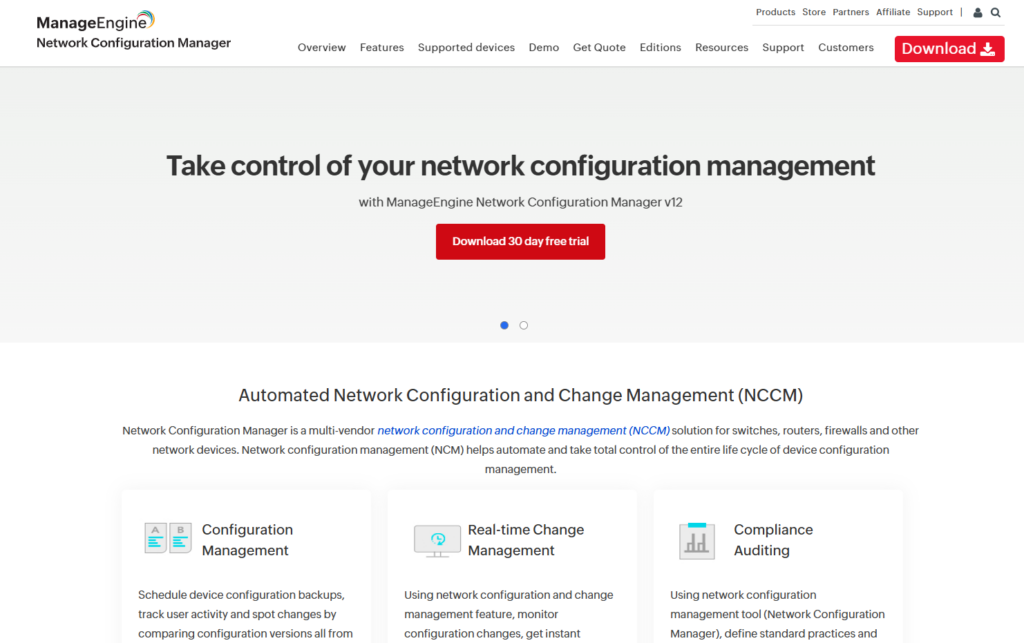
ManageEngine Network Configuration Manager is a cost-effective, multi-vendor NCCM solution that handles configuration backup, change tracking, network compliance monitoring, and firmware vulnerability management for routers, switches, firewalls, and access points.
It’s a popular choice for mid-market teams that already use other ManageEngine products like OpManager, since NCM integrates with the broader ecosystem and can be purchased as an add-on at a 20% discount.
ManageEngine NCM Features
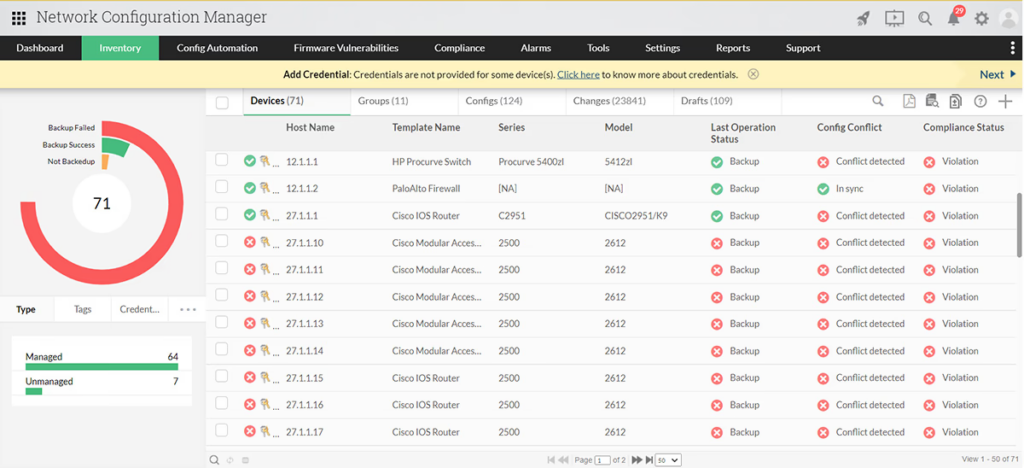
- Scheduled configuration backups with versioning: Automates bulk backups across multi-vendor devices with full version history.
- Compliance monitoring for PCI, SOX, HIPAA: Ships with built-in compliance policies and lets you create custom rules.
- Firmware vulnerability detection: Scans network device firmware against known vulnerabilities and helps you prioritize patching based on risk severity.
ManageEngine NCM Pricing
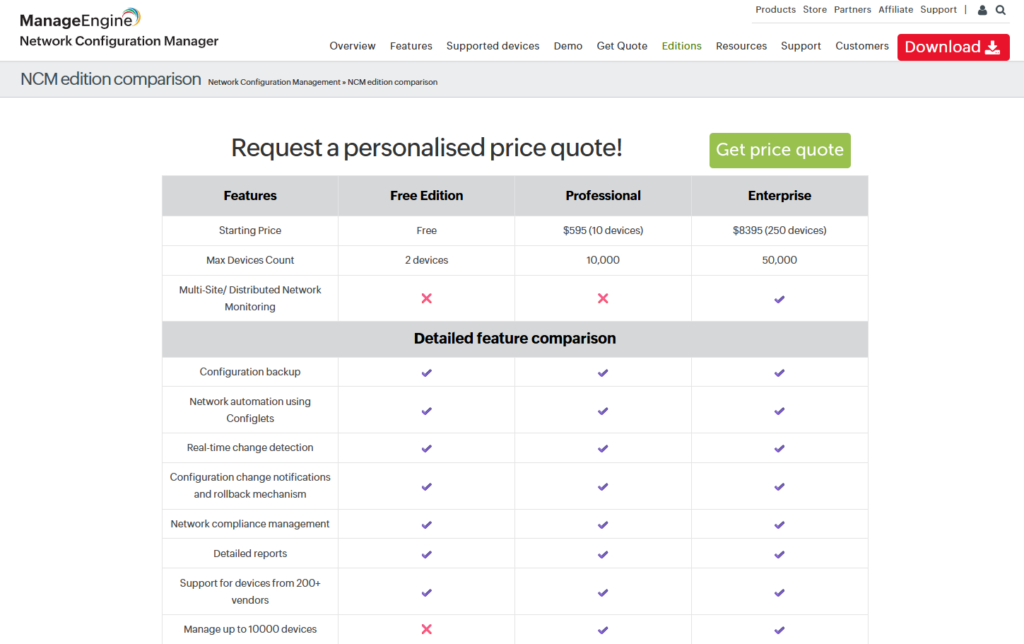
ManageEngine NCM starts from $595/year for 10 devices, although it has a free plan for up to 2 devices with configuration backup, network automation using Confliglets and real-time change detection.
The platform also offers an Enterprise plan that starts from $8,395/year for 250 devices that adds Multi-Site/Distributed Network Monitoring and automatic data sync between all probes.
ManageEngine NCM Pros & Cons
✅ Affordable pricing that undercuts most commercial competitors.
✅ Strong compliance and change management features with built-in PCI, SOX, and HIPAA policies.
✅ Integrates with the ManageEngine ecosystem (OpManager, ServiceDesk Plus).
❌ UI feels dated and can be slow during large-scale config pushes across many devices.
❌ No IaC capabilities or visibility into which cloud network resources are protected and ready for disaster recovery.
Network Configuration Backup Solution #4: BackBox
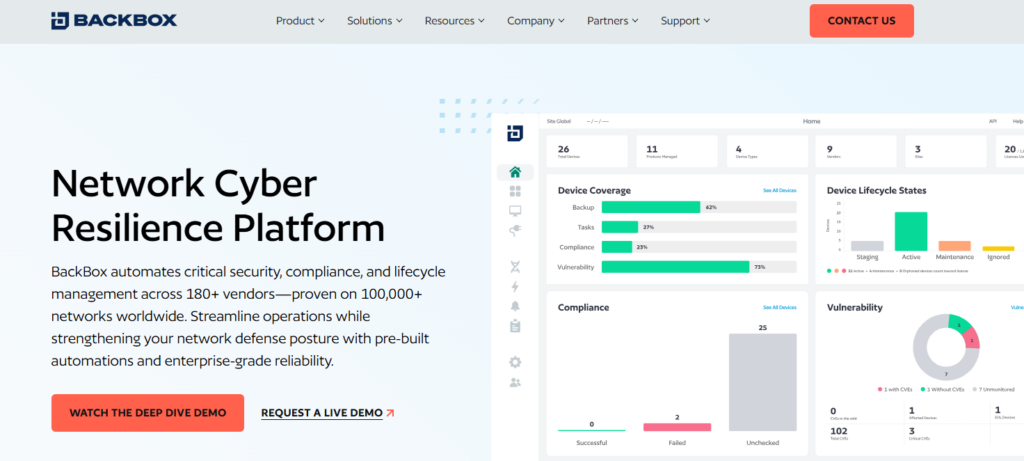
BackBox is a network automation platform that goes beyond simple config backup to deliver full lifecycle management for network and security devices.
The platform differentiates itself with a no-code approach to automation: you don’t need Python, YAML, or scripting skills to build and run automations.
BackBox Features
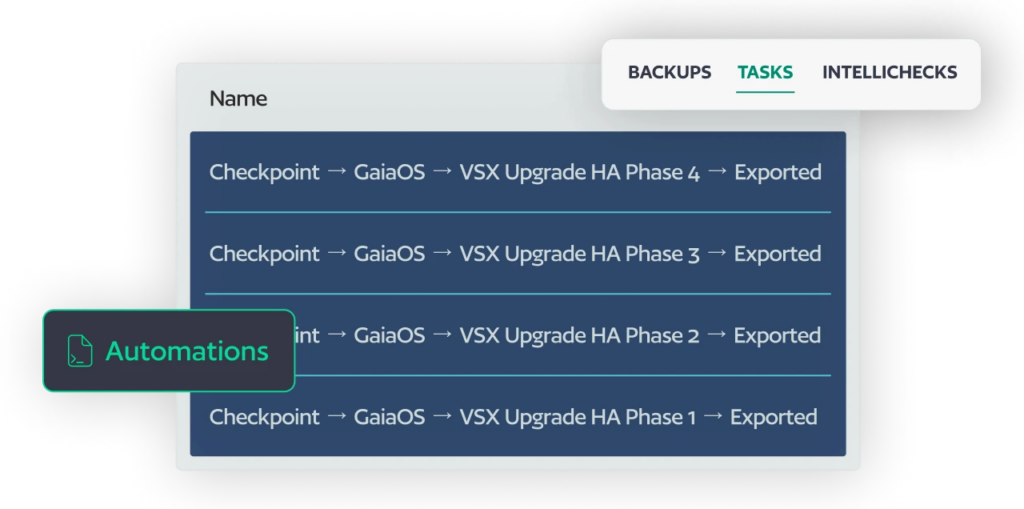
- AI-powered vulnerability intelligence: Maps your network device inventory against CVE data and security feeds to prioritize patching based on actual risk to your specific network, not generic severity scores.
- No-code automation library: Many pre-built automations for backup, restore, OS upgrades, compliance checks, and configuration changes.
- Compliance auditing and remediation: Built-in automations for DISA STIGs, CIS Benchmarks, DORA, and custom policies.
BackBox Pricing
BackBox uses subscription-based pricing determined by the number of managed devices and the selected feature set.
BackBox Pros & Cons
✅ Broad vendor support (180 vendors) with thousands of pre-built automations.
✅ AI-driven vulnerability intelligence tied to your actual device inventory.
✅ Good customer support.
❌ Can be expensive for smaller organizations.
❌ Focuses on physical device automation.
Network Configuration Backup Solution #5: Oxidized
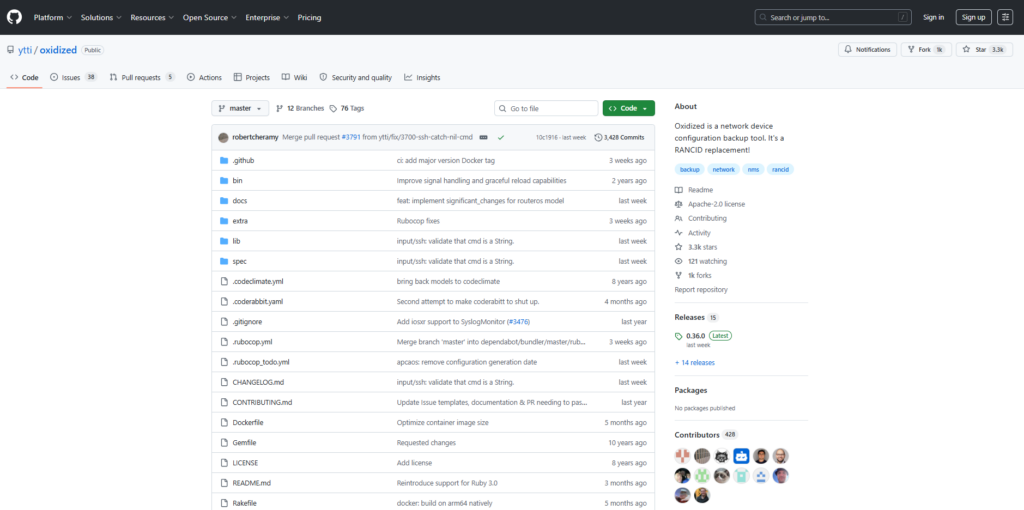
Oxidized is a free, open-source network device configuration backup tool written in Ruby, built as a modern replacement for RANCID.
It’s lightweight, extensible, and supports over 130 operating system types with Git as its primary storage backend.
Oxidized Features
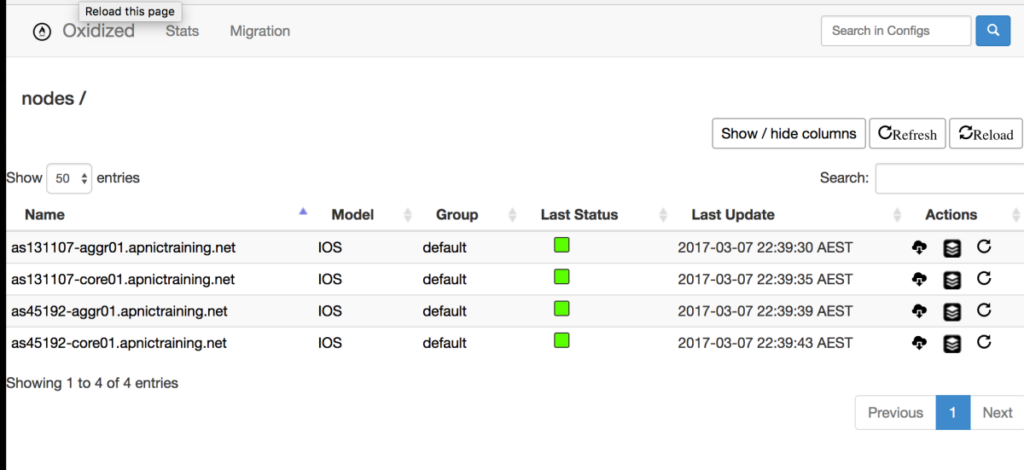
- Git-native version control: Every configuration backup is committed to a Git repository, giving you full diff history, rollback capability, and integration with existing Git workflows.
- Event-driven config fetches: Supports syslog hooks to trigger immediate config backups when a change event is detected on IOS or JunOS devices.
- Flexible source backends: Reads device lists from CSV, SQLite, MySQL, or HTTP sources.
Oxidized Pricing
Free and open source. No licensing costs.
Oxidized Pros & Cons
✅ Completely free with no licensing restrictions.
✅ Git-native storage with full version history and blame tracking.
✅ Active community and Docker deployment support.
❌ No GUI or web interface out of the box (oxidized-web is a separate install).
❌ No cloud network configuration coverage or IaC-based recovery.
Network Configuration Backup Solution #6: Unimus
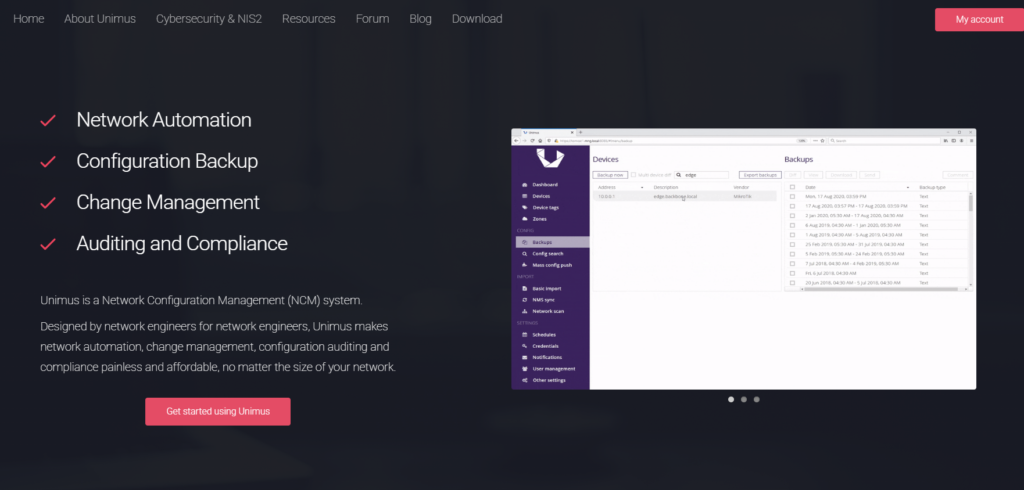
Unimus is an on-premises NCM solution built for rapid deployment and simplicity.
The platform supports over 450 device types from 160 vendors and can go from zero to fully backing up a 1,000-device network in about 15 minutes.
Unimus Features
- Graphical diff change management: Detects configuration changes across devices and presents them as visual, color-coded diffs.
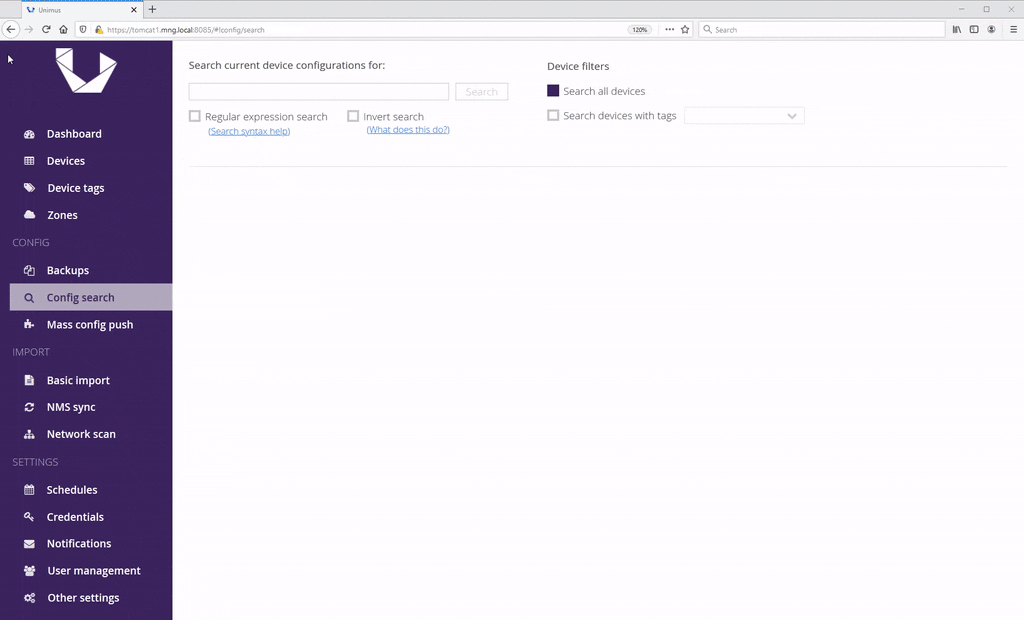
- Network-wide configuration search: Search across your entire network’s configurations in seconds to find specific settings, validate compliance, or troubleshoot issues.
- Built-in device CLI: Includes an integrated terminal emulator with a remote access gateway.
Unimus Pricing
Free for up to 10 devices with no time limit.
Per-device licensing starts at $6.90/device/year (Standard) and $9.70/device/year (Advanced with compliance features).
Its Advanced plan costs $16,900/year with everything included.
Unimus Pros & Cons
✅ Fast deployment.
✅ Generous free tier and affordable per-device pricing.
✅ Broad vendor support (over 450 device types, 160 vendors).
❌ Limited third-party integrations compared to larger platforms.
❌ No cloud network configuration coverage. Strictly physical and virtual network devices.
Network Configuration Backup Solution #7: Auvik
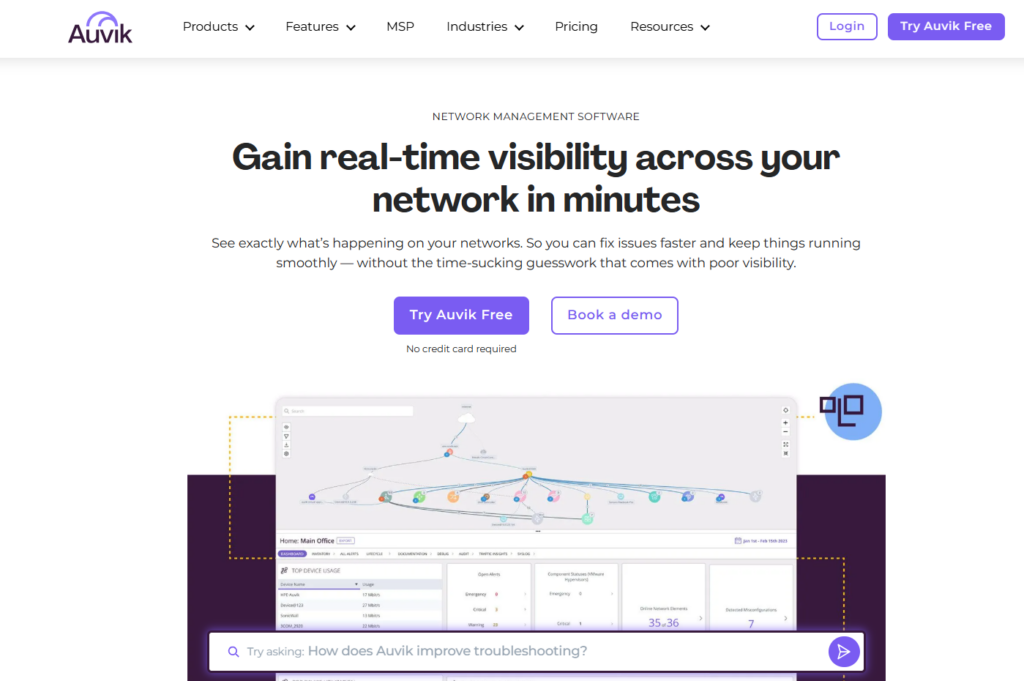
Auvik is a cloud-delivered network management platform that combines automated device discovery, topology mapping, performance monitoring, and configuration backup into a single SaaS product.
The platform is particularly strong for MSPs managing multiple client networks and IT teams that need real-time network visibility across distributed sites.
Auvik Features
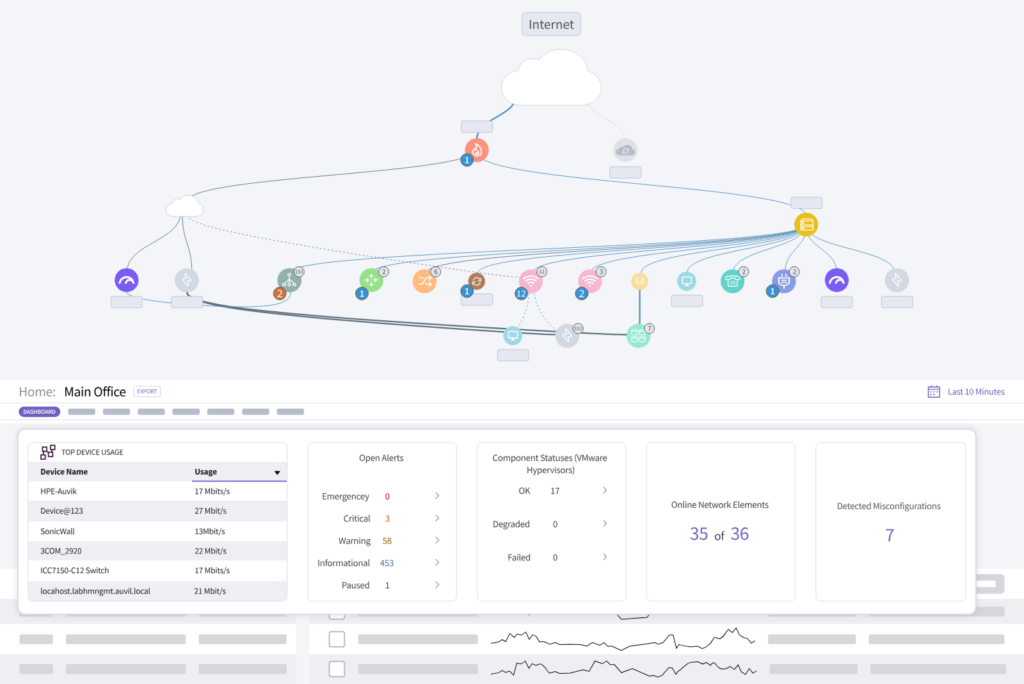
- Automated network discovery and topology mapping: Auvik scans your network and builds visual topology maps that update in real-time as devices connect or disconnect.
- Config backup with side-by-side comparison: Automatically backs up device configurations and tracks changes over time.
- Remote device access: Includes an in-app terminal, remote tunneling, and a remote browser for SSH, Telnet, and web interface access to devices.
Auvik Pricing
Auvik uses per-device pricing across two tiers with volume discounts. Many device types (access points, printers, UPS, IoT) are monitored for free. You’d have to contact Auvik for a custom quote.
Auvik Pros & Cons
✅ Cloud-native SaaS with zero on-prem infrastructure to maintain.
✅ Excellent automated topology mapping and device discovery for network visibility.
✅ Strong MSP features with multi-tenant support and unlimited users.
❌ Pricing can escalate quickly for larger device counts.
❌ Config backup is secondary to monitoring, with less depth on backup retention and compliance than dedicated NCM tools.
Network Configuration Backup Solution #8: rConfig
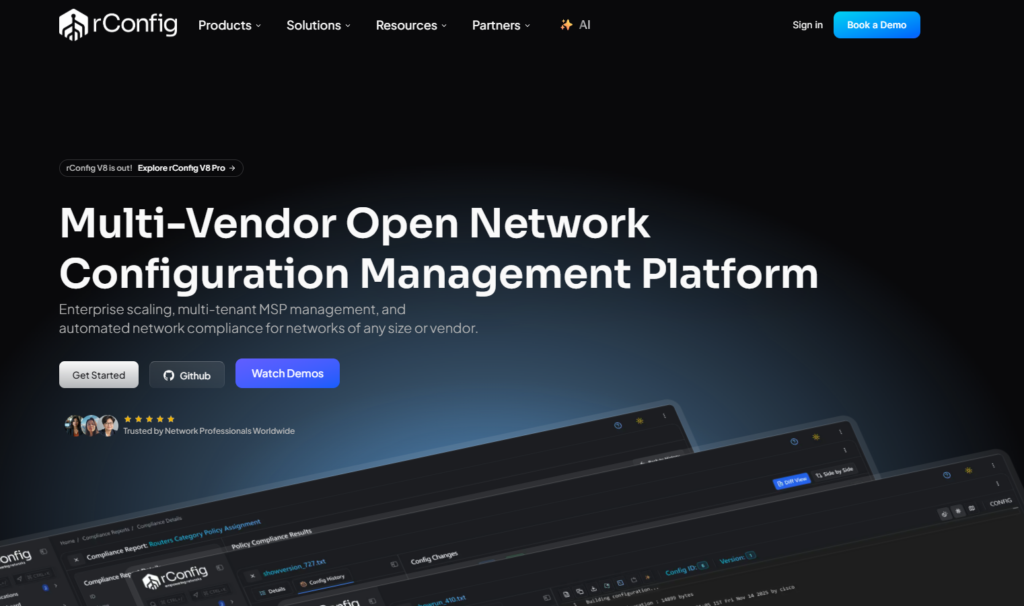
rConfig is an open-source network configuration management tool with over 14 years of development history.
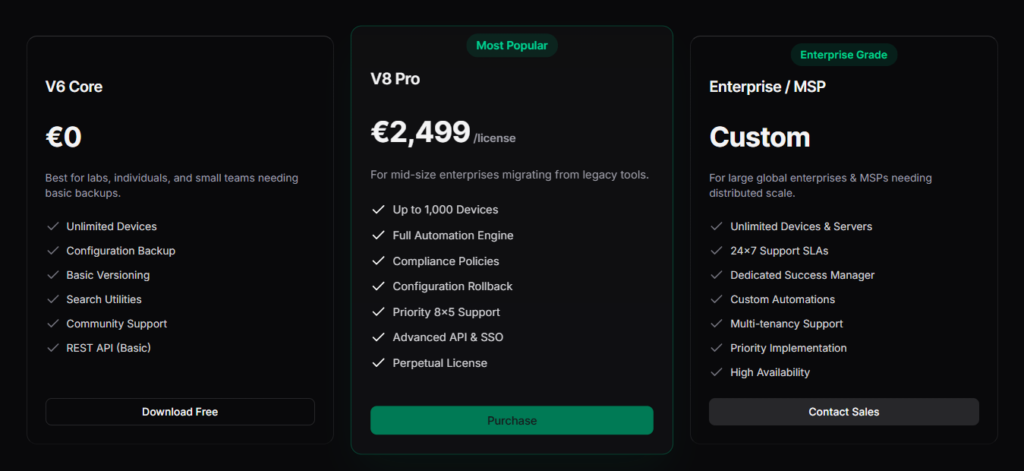
The V8 Core edition is free and open source, while V8 Pro and Enterprise editions add compliance, AI copilot, and enterprise-grade features for larger networks.
rConfig Features
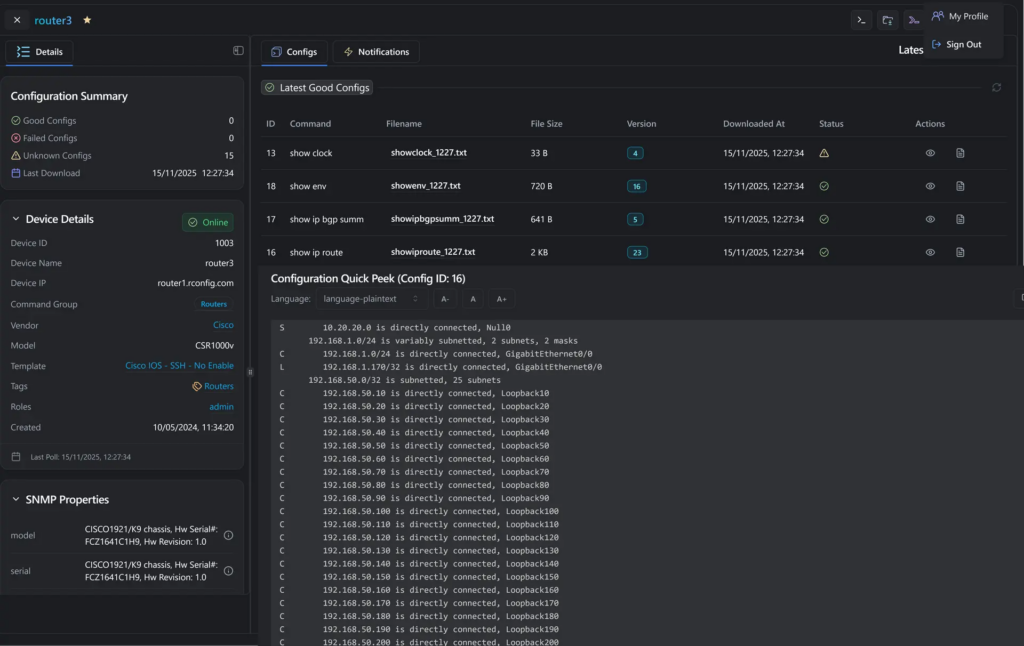
- Open-source core with no device limits: V8 Core provides automated config backups, version diffs, and automation-ready workflows with no licensing costs and no restrictions on the number of devices or vendors.
- AI copilot for config review: V8 introduces AI-powered assistance for reviewing configurations, checking compliance, and executing safe automated changes.
- Multi-site deployment with high availability: V8 Enterprise supports distributed deployment across multiple sites with real-time synchronization, failover protection, and SNMP trap management.er to another in emergency scenarios (Okta to Entra ID, for example)
rConfig Pricing
- V8 Core is free and open source.
- V8 Pro is a paid annual subscription for networks up to 1,000 devices, costing €2,499/license.
- V8 Enterprise is custom pricing for larger deployments, MSPs, and regulated networks.
rConfig Pros & Cons
✅ Free open-source core with no device or vendor limits.
✅ 14 years of active development with a modern V8 architecture.
✅ Supports IP, OT, and IoT networks.
❌ Pro and Enterprise features require paid licensing.
❌ No cloud network configuration backup or IaC-based disaster recovery for cloud environments.
Network Configuration Backup Solution #9: Skylar Compliance (Restorepoint)
Skylar Compliance provides script-free network automation for over 100 network, security, and storage vendors.
Deployed in less than an hour, the platform helps organizations substantially lower their exposure to security, compliance, and availability risks.
Skylar Compliance Features
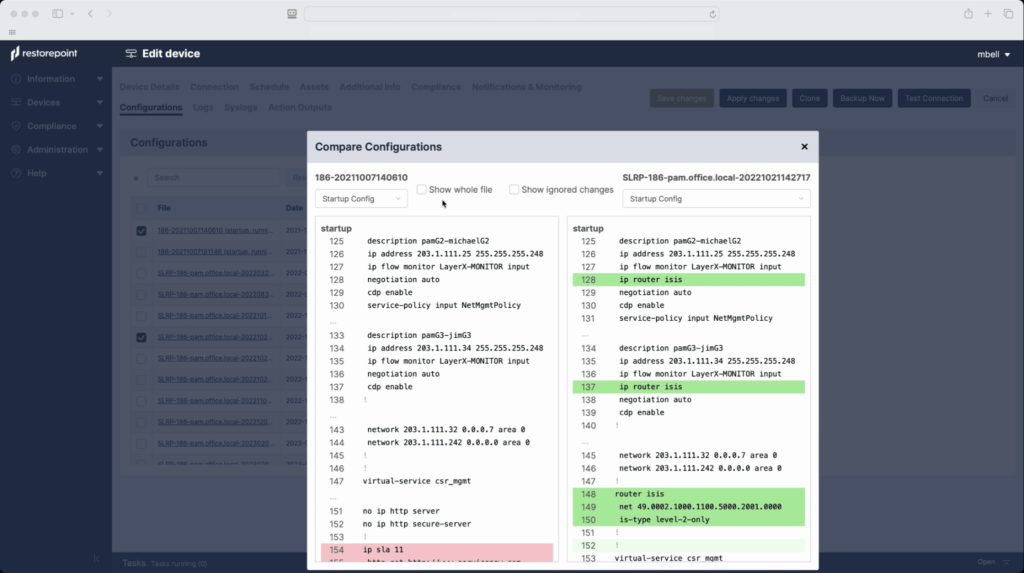
- One-click config recovery: Centrally backs up all network device configurations and provides one-click disaster recovery.
- Automated compliance auditing: Monitors devices against internal policies and external standards like PCI, GDPR, NIST, SOX, ISO 27001, and HIPAA.
- Universal Console with session recording: Acts as a single access gateway to all devices, controlling, monitoring, and recording access to network equipment.
Skylar Compliance Pricing
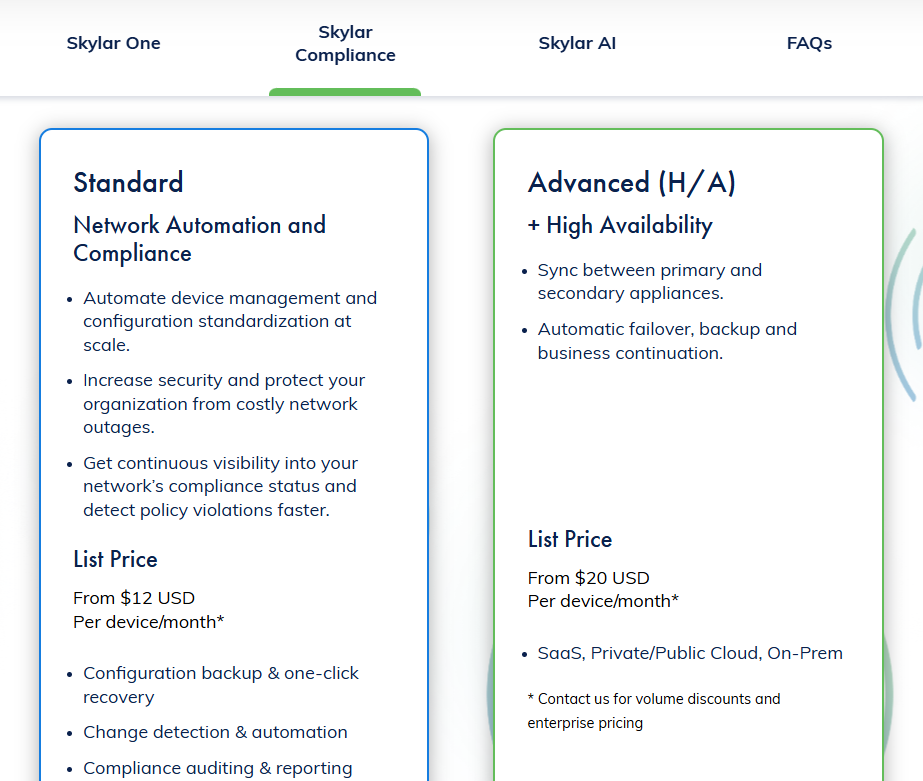
Skylar Compliance has 2 plans that you can choose from:
- Advanced: From $20 per device/month, which lets you sync between primary and secondary appliances.
- Standard: From $12 per device/month, which includes configuration backup & one-click recovery, change detection & automation, and compliance auditing & reporting.
Skylar Compliance Pros & Cons
✅ Deploys in under an hour with script-free automation.
✅ Strong compliance coverage (PCI, GDPR, NIST, SOX, HIPAA, ISO 27001).
✅ Built-in Universal Console for session recording and access control.
❌ Smaller vendor ecosystem compared to some alternatives.
❌ No cloud network configuration coverage. Full cloud environments after configuration failures would require separate tools like ControlMonkey.
Network Configuration Backup Solution #10: RANCID
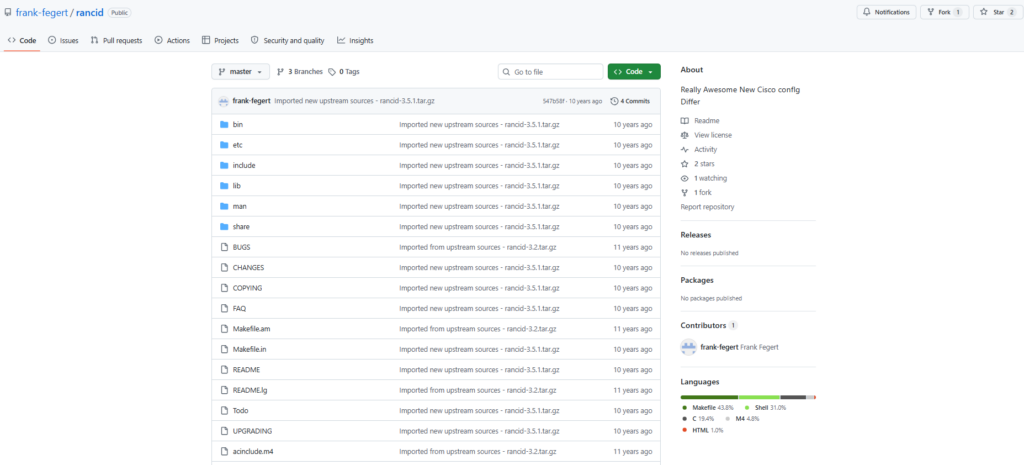
RANCID (Really Awesome New Cisco config Differ – not the rock band) is one of the original open-source network configuration backup tools, using CVS, Subversion, or Git to store and version device configurations.
It’s been around for some time and remains in production at many organizations, although most teams have moved to Oxidized as a modern replacement.
RANCID Features
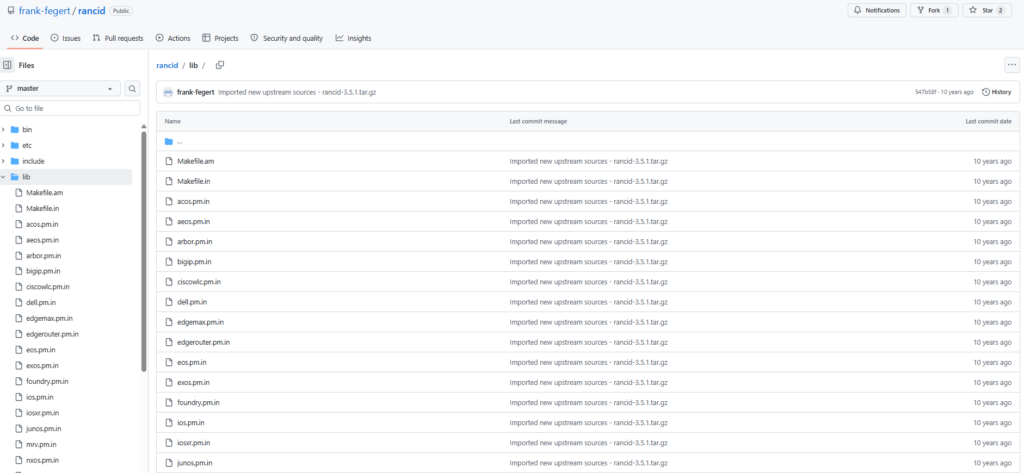
- CVS, Subversion, and Git version control: Stores all configuration snapshots in your chosen version control system, providing complete change history with diff-based tracking of every modification.
- Multi-vendor support: Supports Cisco IOS, JunOS, HP, Foundry, and several other vendor platforms. Custom scripts can extend support to additional device types.
- Email-based change notifications: Sends configuration diffs via email whenever a change is detected, keeping the team informed without requiring a dashboard or web interface.
RANCID Pricing
Free and open source. No licensing costs.
RANCID Pros & Cons
✅ Proven and battle-tested over decades of production use.
✅ Completely free with no vendor lock-in.
❌ Aging codebase with no web interface, no compliance engine, and no REST API.
❌ Cannot capture, version, or restore cloud infrastructure configurations.
Enable your cloud network infrastructure to withstand failures and recover quickly with ControlMonkey
Traditional network backup solutions give you device discovery, configuration snapshots, network security policy backup, and compliance auditing for your physical infrastructure.
ControlMonkey extends that foundation into the cloud, adding backup retention for every VPC, security group, DNS record, and SaaS configuration alongside the change management visibility that modern hybrid environments demand.
To be fair, the NCM tools on this list are good at what they do:
- Backing up router configs.
- Tracking switch changes.
- Auditing firewall compliance.
But none of them will help you when a VPC gets deleted, a CDN routing rule gets overwritten, or an Okta identity policy vanishes during an incident.
As more of the network moves into cloud providers and SaaS platforms, the percentage of your infrastructure that traditional NCM tools can actually protect shrinks.
Your device backup covers the physical layer. Nothing covers the cloud network layer. Until now.
We designed ControlMonkey to close that gap.
Our platform treats every cloud network configuration, every SaaS setting, every identity policy, every routing rule as an asset worth protecting.
Each one gets captured daily, converted into Terraform code, and committed to your Git repository as a versioned, deployable recovery point.
When something breaks, your team doesn’t open a runbook. They don’t guess at what the previous state looked like.
They don’t spend hours reverse-engineering a VPC from Slack messages and CloudTrail logs.
They pick a point in time. They click restore. Dependencies get handled automatically. The environment comes back exactly as it was.
That’s the difference between a backup strategy and an actual recovery capability.
ControlMonkey isn’t on this list because it backs up more device configs than the other tools.
It’s here because it protects the part of your network that none of the other tools can reach: the cloud infrastructure that connects everything.
If your physical devices are backed up but your cloud network layer isn’t, your disaster recovery plan has a gap you can’t afford to discover during an incident.

A 30-min meeting will save your team 1000s of hours
A 30-min meeting will save your team 1000s of hours
Author