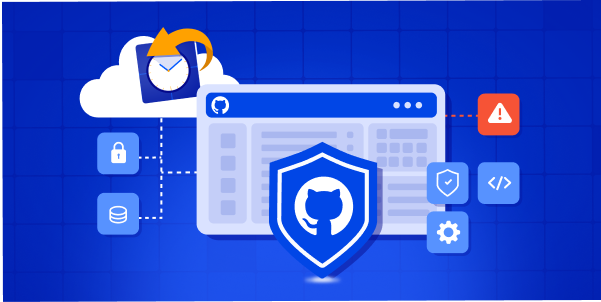
If the recent Grafana Labs incident caught your attention, it should.
Grafana Labs disclosed that an unauthorized party obtained a token with access to its GitHub environment and downloaded its codebase. The company said no customer data or personal information was accessed, and it found no evidence of impact to customer systems or operations. The attacker later attempted to extort Grafana by demanding payment to prevent the release of the codebase.

The issue? For many R&D & DevOps teams, GitHub is no longer just a source code repository.
It is where infrastructure is defined, deployments are triggered, workflows are approved, and cloud changes are controlled. Terraform files, GitHub Actions workflows, branch protection rules, repository permissions, deployment environments, webhooks, and GitHub App integrations all sit inside or around GitHub.
That means a GitHub incident is not only a code exposure event. It can become a recovery event.
If your GitHub environment is compromised, deleted, misconfigured, or held hostage, restoring the repository is only the first step. You also need to restore the configuration that makes the repository usable, secure, and ready for deployment.
Tomorrow, take these 5 practical steps to protect your GitHub configuration from ransomware-style incidents and recover faster.
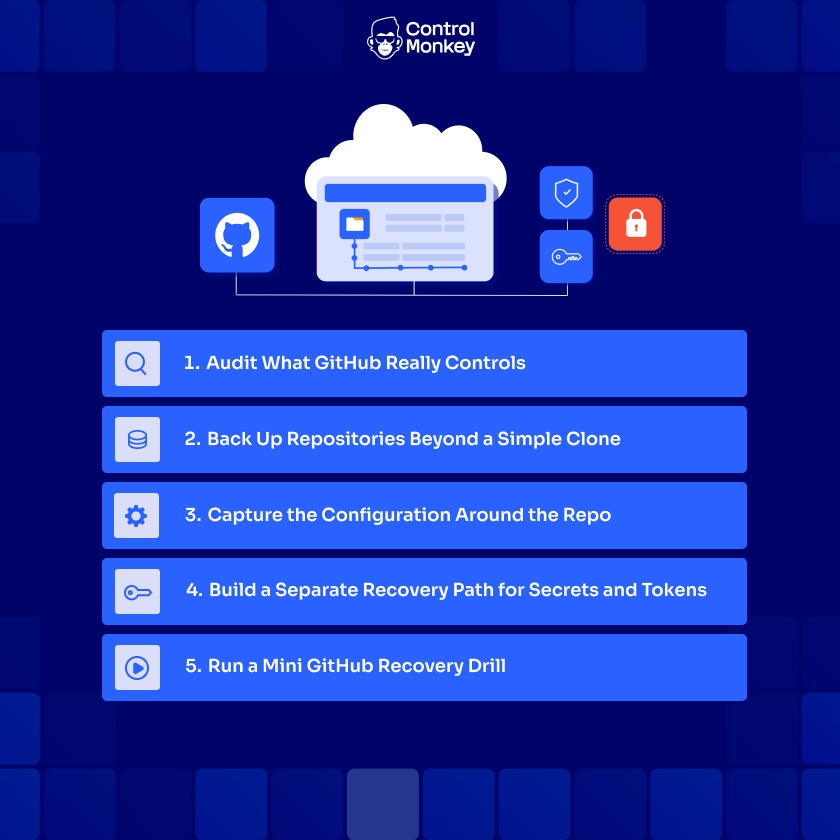
1. Audit What GitHub Really Controls
Start with visibility. Most organizations know which repositories hold application code. Fewer teams know which repositories control production infrastructure, CI/CD workflows, deployment approvals, cloud permissions, and security policies.
That gap matters during recovery.
If a GitHub token is compromised, your team needs to know which repositories are business-critical and which systems depend on them. A small internal tool repo may not require the same recovery priority as the repository that controls Terraform modules, production workflows, or deployment pipelines.
Tomorrow, map your GitHub environment by recovery priority. Identify the repositories that control:
- Production IaC
- CI/CD workflows
- Deployment scripts
- Security policies
- Cloud account access
- GitHub Actions workflows
- Environment approvals
- Shared modules
- Operational runbooks
This gives your team a clear recovery order.
Without this inventory, recovery becomes guesswork. Engineers waste time deciding what matters most while the incident is already happening. In ransomware-style incidents, that delay can increase downtime, slow containment, and create unnecessary pressure on DevOps and security teams.
A GitHub DR plan starts with knowing what GitHub actually runs.
2. Back Up Repositories Beyond a Simple Clone
Once you know which repositories matter, back them up properly.
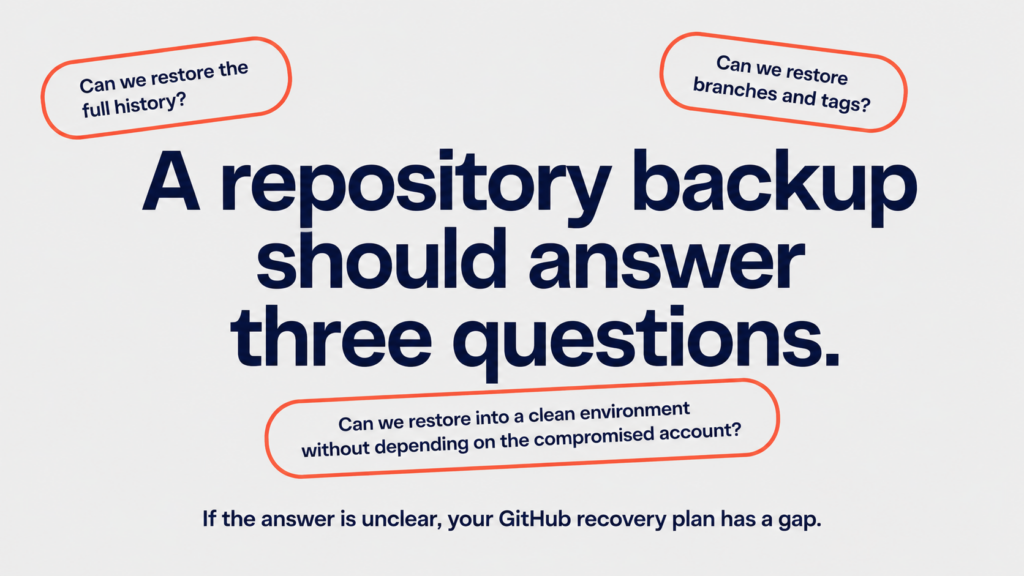
A regular clone may help an engineer continue working locally, but it is not enough for a complete recovery plan. Critical repositories should be backed up with full mirror copies that preserve branches, tags, refs, and repository history.
If your team uses Git LFS, those objects must be included as well. Otherwise, you may restore a repository that looks complete but is missing large files, binaries, or important assets used by pipelines.
Tomorrow, create external mirror backups for your highest-priority repositories. Store them outside the same GitHub organization and identity boundary. If the same compromised token, user, or GitHub organization can reach both your production repository and your backup, the backup is not isolated enough.
This is the same principle used in cloud disaster recovery: backups must be separate, restorable, and tested.
3. Capture the Configuration Around the Repo
Repository backup protects your code, but not the GitHub settings that make the repo usable. Branch protections, rulesets, deployment environments, Actions permissions, variables, webhooks, team access, and GitHub Apps all live around the repo. If they are changed or missing during recovery, your code may be restored, but deployments, reviews, and permissions can still break.
Tomorrow, pick your most critical production repositories and export the GitHub settings around them. Store these exports as versioned snapshots outside GitHub, so your team has a known-good reference if the repo configuration is changed, deleted, or compromised.
During an incident, engineers should not have to rebuild branch protections, permissions, and webhooks from memory. Manual reconstruction is slow, risky, and easy to get wrong under pressure.
Restoring code is not the same as restoring operations.

Can you recover your GitLab configuration after an incident?
Your GitHub environment includes workflows, permissions, secrets, webhooks, and deployment controls. ControlMonkey helps teams back up critical Git-based configurations and recover fast from known-good states.👉 ControlMonkey helps automate GitLab backup and recovery.
4. Build a Separate Recovery Path for Secrets and Tokens
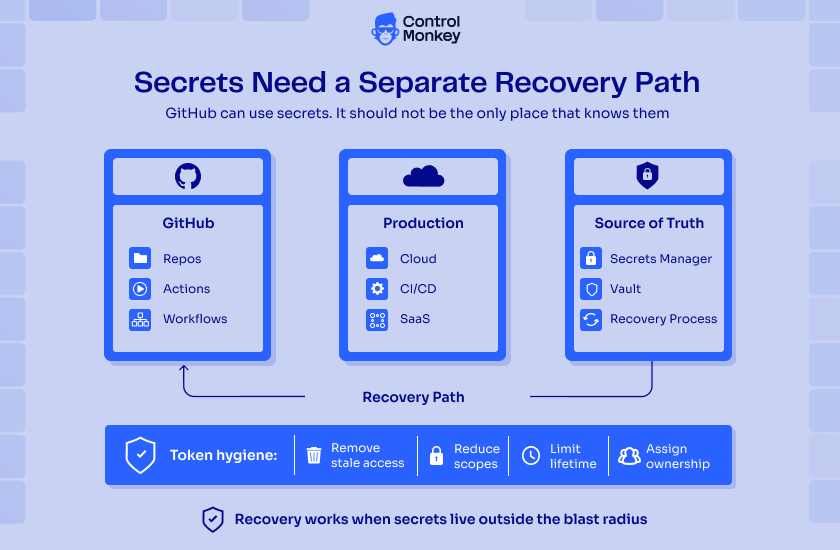
Secrets need a different recovery plan. GitHub secrets are critical for CI/CD and deployment workflows, but GitHub is not a complete backup source for them. Teams may be able to see secret names or metadata, but they cannot simply export the secret values back out of GitHub.
That means GitHub should not be the only place that knows the credentials required to rebuild your workflows.
Tomorrow, review the secrets and tokens used across your GitHub environment, especially the ones connected to production systems: cloud provider credentials, deployment keys, container registry credentials, webhook secrets, GitHub App private keys, CI/CD service tokens, security scanner tokens, and SaaS integration credentials. Each one should have an external source of truth, such as a secrets manager, vault, or controlled recovery process.
This is also the time to reduce token risk. The Grafana incident started with a compromised token. If a token has broad access, the blast radius grows quickly. Remove stale access, reduce scopes, limit token lifetime where possible, and make ownership clear.
Never let one token become the single point of failure for your GitHub environment.
5. Run a Mini GitHub Recovery Drill
Do not wait for an incident to test your GitHub recovery plan.
Pick one critical repository tomorrow and run a small recovery drill. The goal is not to simulate a full company-wide breach. The goal is to prove that one important repository can be restored into a clean, trusted state.
Restore the repository from backup. Reapply its branch protections and rulesets. Recreate deployment environments. Reconnect webhooks. Re-seed secrets from the external source of truth. Run a GitHub Actions workflow. Confirm that the right teams have access and the right approvals are enforced.
This drill will expose the real gaps.
Maybe the repository restores, but the workflow fails. Maybe a webhook secret is missing. Maybe the branch protection rules were never backed up. Maybe a GitHub App was installed years ago and no one knows who owns it. Maybe only one engineer knows how to reconnect the deployment pipeline.
That is exactly why the drill matters.
A backup is only useful if the restore works.
For DevOps teams, recovery should not depend on memory, screenshots, or one engineer who understands the setup. It should be documented, versioned, and repeatable.
Why GitHub Recovery Is Now Part of Cloud Disaster Recovery
Traditional backup strategies often stop at the repository. But in a real incident, missing GitHub configuration can delay recovery, break deployments, and create compliance risk.
The Grafana incident is a reminder that modern disaster recovery needs to protect both the code and the configuration around it — workflows, approvals, permissions, webhooks, and deployment controls.
ControlMonkey helps DevOps teams strengthen Cloud Configuration Disaster Recovery by continuously capturing infrastructure configuration, detecting drift, and enabling fast recovery from known-good states. Because modern recovery is not just about restoring files. It is about restoring control.
👉 Learn how ControlMonkey helps automate Cloud Configuration Disaster Recovery and keep critical infrastructure configuration ready to recover.

A 30-min meeting will save your team 1000s of hours
A 30-min meeting will save your team 1000s of hours
Author