Today ControlMonkey is pleased to announce that we have reinforced our Terraform Import Engine with the ability to Import AWS Direct Connect resources to Terraform.
AWS Direct Connect is a networking service that provides an alternative to using the internet to connect to AWS. Using AWS Direct Connect, data that would have previously been transported over the internet is delivered through a private network connection between private facilities and AWS.
ControlMonkey now supports one-click Terraform Import of the following Direct Connect resources:
ControlMonkey solution for Terraform CI/CD acts as a quality gate for any changes performed to the infrastructure in the Git repository, so whenever someone pushes new code, we run a procedure called ‘Deployment’ that validates the code change and runs ‘Terraform Apply’, in case all tests pass successfully.
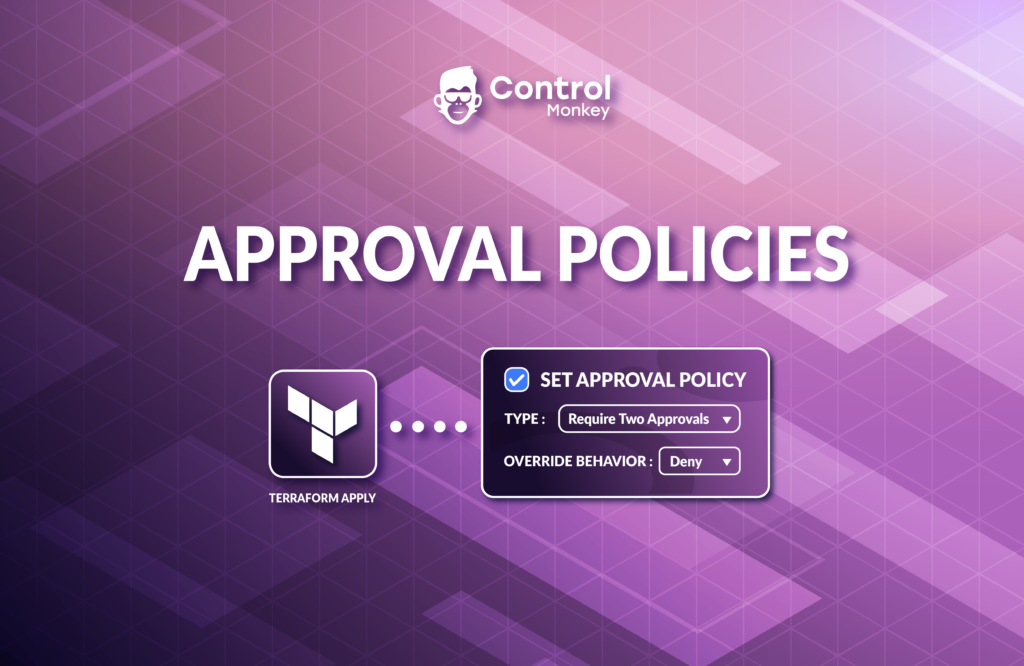
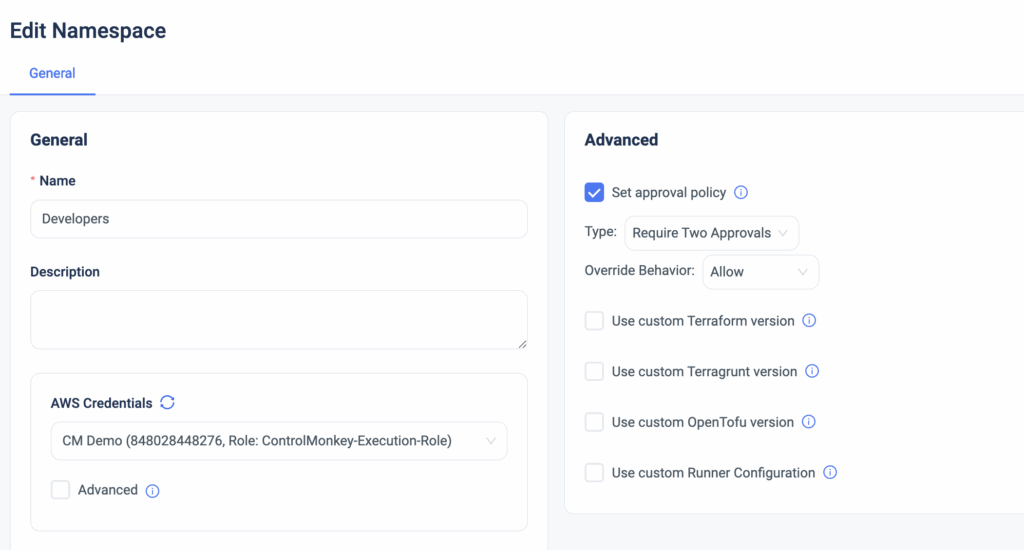
Today we are pleased to announce that we have enhanced our CI/CD solution with Approval Policies, an additional validation mechanism for any infrastructure change done in your Git repository. Starting today, ControlMonkey users can set approval policies that require the review of any requested infrastructure change. These approval policies can be applied to a namespace or to a specific stack for that extra layer of granularity.
Setting approval policies introduces a manual approval step before the ‘Terraform Apply’ command actually runs. By default, Every deployment requires manual approval.
Types of approval policies:
Auto Approve
Require 1 approval
Require 2 approvals
Changes to production are always risky, but with ControlMonkey Approved Policies, you can add an extra layer of control and prevent costly misconfigurations before every ‘Terraform Apply’ is executed.
Approval Policies are predefined and are available out of the box, so no manual policy writing is needed here. Interested to learn how ControlMonkey streamlines every infrastructure change and helps companies like yours in their Day 2? Our team is waiting to speak with you!
A 30-min meeting will save your team 1000s of hours
A 30-min meeting will save your team 1000s of hours
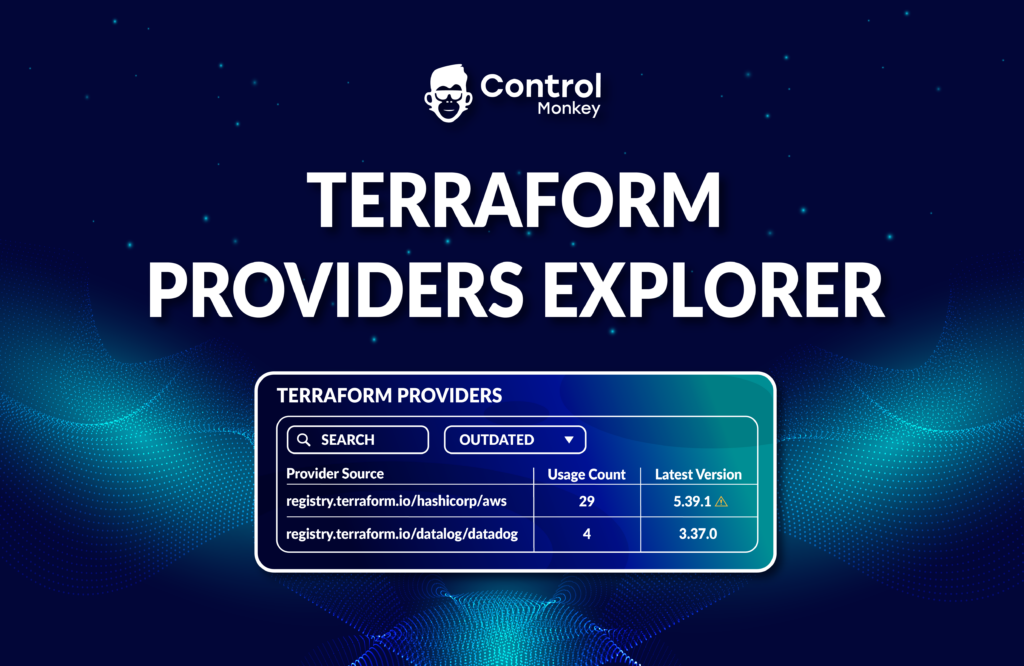
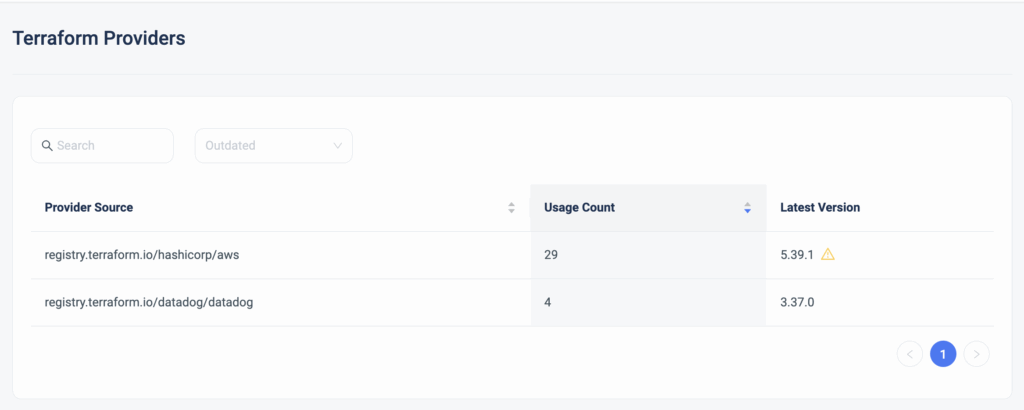
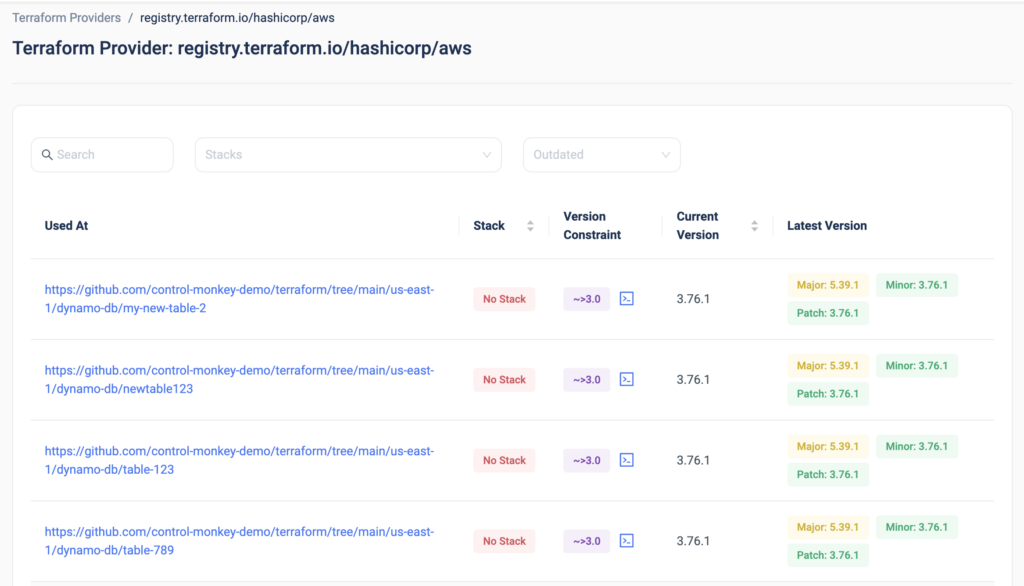
Today we are happy to announce the release of the latest enhancement to our Terraform Insights product, Terraform Providers Explorer.
DevOps teams leveraging Terraform don’t have any real visibility into which Terraform Providers are being used in their Terraform code, where are they used in the code, and whether or not they are not the latest version is being used.
Moreover, once you click on one of the providers, you can drill down into each provider and gain visibility into:
The code path in which the provider is being used
Which ControlMonkey stack is that provider related to
What is the version constraint
What is the used version
What are the latest versions available
Want to upgrade your Terraform provides? The days of scrolling through 1000s lines of Terraform code to discover which providers are being used and with which versions are over.
With ControlMonkey you get end-to-end visibility of everything related to Terraform Operations in a single dashboard so you will never be left in the dark.
Interested in learning more? Join our Live Product Showdown next week to see our platform’s capabilities!
A 30-min meeting will save your team 1000s of hours
A 30-min meeting will save your team 1000s of hours
Lorem ipsum dolor sit amet, consectetur adipisicing elit. Animi architecto consequuntur dicta dolor, excepturi ipsam iste laudantium, magnam molestiae obcaecati odio quam quas repellendus sed, sint magnam molestiae.
IaC Posture cross AWS Accounts in a Single Holistic View
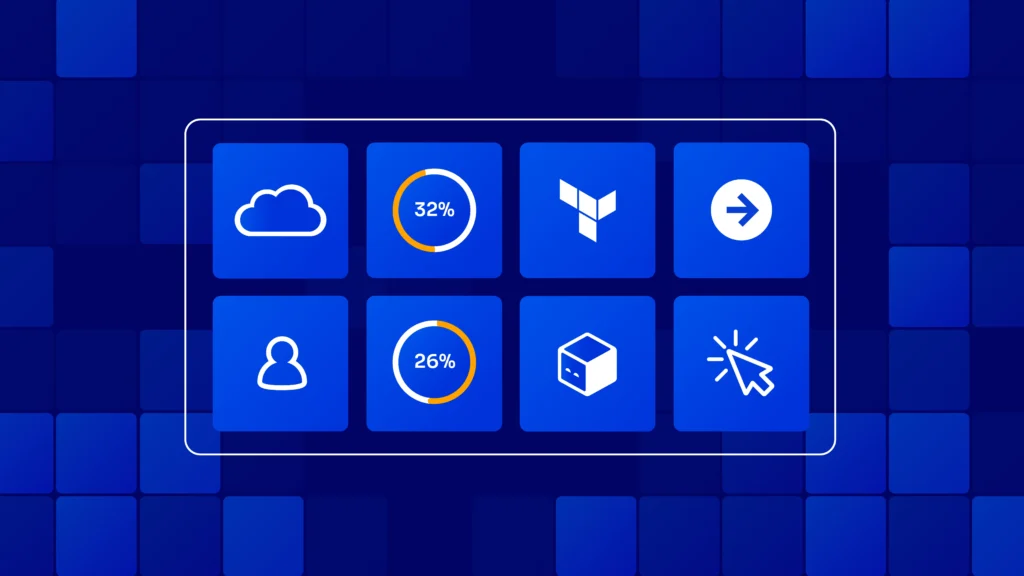
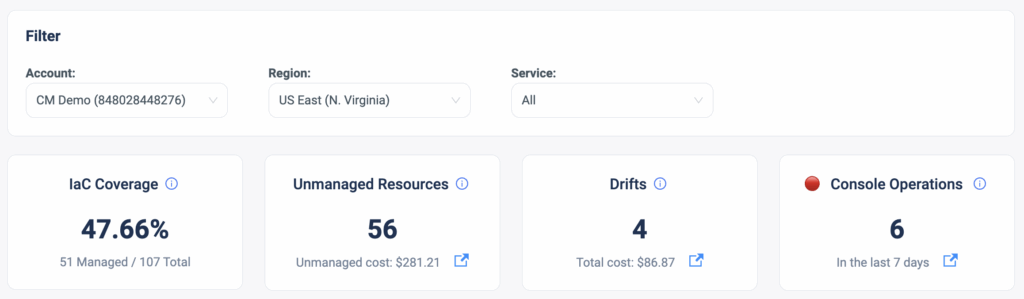
As part of the main dashboard view in the ControlMonkey platform, our users gain visibility into several metrics of interest that provide an overview of the AWS account’s status in terms of IaC coverage, Unmanaged Resources, Terraform Drifts, and Console Operations (ClickOps).
About IaC Posture Dashboard
These metrics help our customers understand the level of control they have over their cloud accounts and point out the gaps that require resolution. For example, Console Operations are a source for Terraform drifts that can potentially cause misconfigurations.
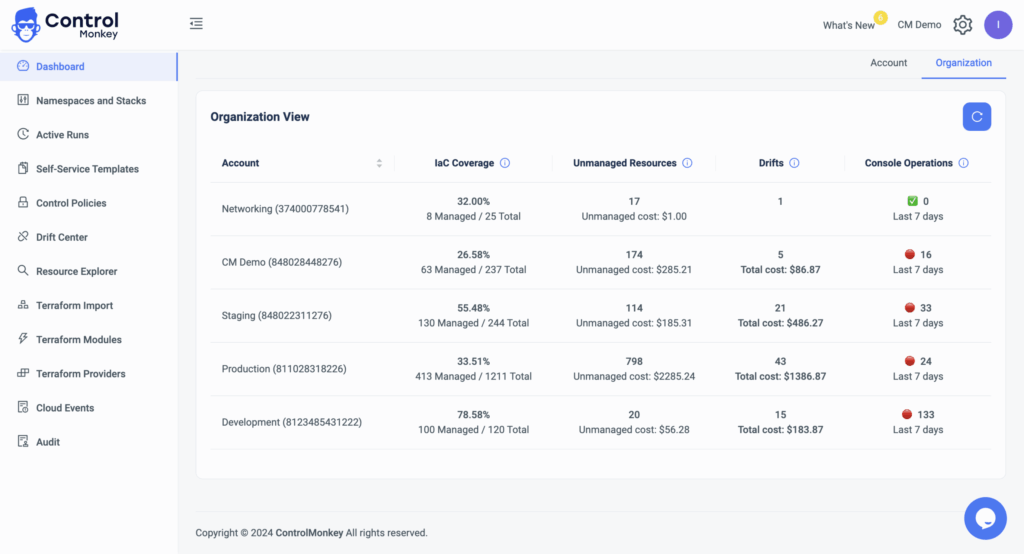
However, our large customers who hold dozens of AWS accounts requested a holistic view that will help them oversee the bigger picture of their organization. Meaning, that rather than toggling between accounts to get the environments’ status, they wanted to get a 30K feet view of all their accounts in one dashboard.
So today we are pleased to announce the latest enhancement to our Cloud Inventory dashboard, Organization View.
Organization View: IaC Posture Dashboard
The Dashboard Organization View is a Cross-organization visualization of all your AWS accounts, with the option to drill down into any specific account, with a click of a button. This dashboard provides DevOps with a clear and general view of all their AWS accounts so they can understand the gaps and level of control they have over their cloud.
Do you have dozens of accounts and are interested in learning how ControlMonkey helps you manage them more efficiently? Our team is waiting to speak with you !
A 30-min meeting will save your team 1000s of hours
A 30-min meeting will save your team 1000s of hours
We are proud to announce the release of our latest enhancement to ControlMonkey Terraform CI/CD solution, Managed Cost Policies.
Our Terraform CI/CD solution enables DevOps to set proactive Control Policies on any new pull request. Up until today, ControlMonkey users easily created proactive cost policies that enforced their organization’s budget control on new deployments, and now with this release, these policies are available out of the box.
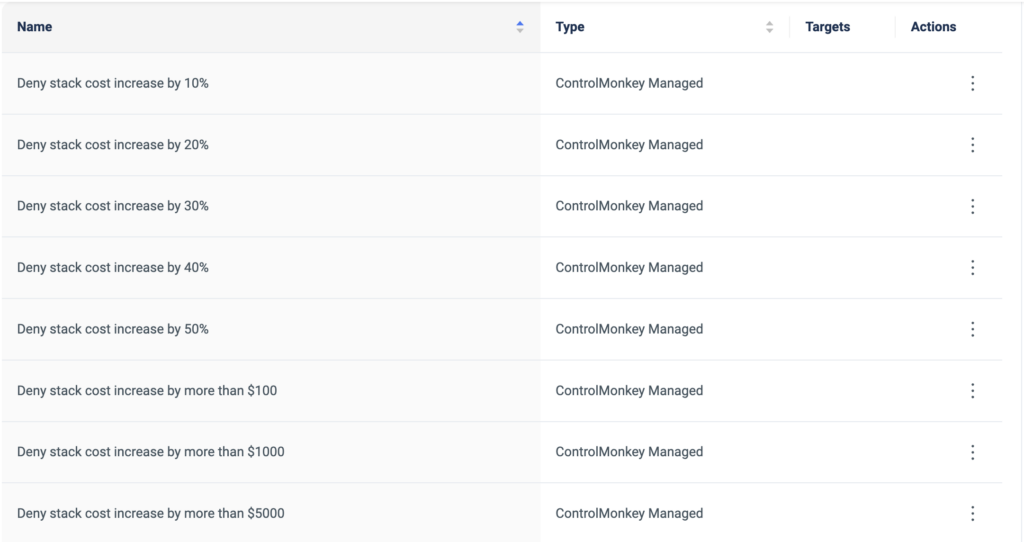
ControlMonkey’s managed cost policies are predefined policies, which are managed and maintained by ControlMonkey. Rather than writing and maintaining common cost policies from scratch (with OPA or any equivalent language), we are now offering proactive cost policies to enforce the stack’s budget during the CI/CD.
Additionally, DevOps teams can choose on which namespaces or stacks these policies will be enforced, and also the enforcement level (warning or block). So if you need to separate and divide your policy enforcement across environments, you now have the deeper level of granularity to do so.
The advantages of the ControlMonkey Managed Cost Policies:
You get a library of pre-defined cost policies to select from, straight out of the box.
Save time on writing, managing, and maintaining these policies, ControlMonkey does all the heavy lifting for you.
By shifting left your FinOps, you are:
Preventing budget deviations before they reach production
Educating the DevOps team on the organization’s FinOps standards
This feature came as a request we got from a few of our customers, so we are glad to see this come to life. We are proud to collaborate with our customers on designing and building the ControlMonkey platform.
Want to Shift Left your FinOps efforts and always remain cost-efficient? Our team is waiting to chat with you!
A 30-min meeting will save your team 1000s of hours
A 30-min meeting will save your team 1000s of hours
Today ControlMonkey is pleased to announce that we have reinforced our Terraform Import Engine with the ability to Import AWS Code Pipeline resources to Terraform.
AWS CodePipeline is a continuous integration and continuous delivery (CI/CD) service provided by Amazon Web Services (AWS). It automates the build, test, and deployment phases of your release process for software applications.
AWS CodePipeline is commonly used to automate the software release process, ensuring that code changes are tested and deployed quickly and consistently, thus reducing manual errors and speeding up the delivery of features to end-users. It promotes best practices such as infrastructure as code, version control, and automated testing.
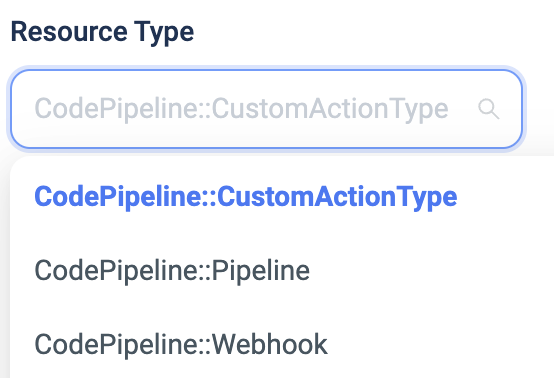
ControlMonkey now supports one-click Terraform Import of the following Code Pipeline resources:
Managing AWS CodePipeline with Terraform offers several benefits:
Infrastructure as Code (IaC): Terraform allows you to define your CodePipeline configuration in code, which can be version-controlled, reviewed, and managed just like your application code. This enables you to maintain consistency and reproducibility in your pipeline configurations.
Consistency: With Terraform, you can ensure that your CodePipeline setups are consistent across different environments (e.g., development, staging, production) by using the same Terraform configuration with appropriate variables for each environment.
Versioning and Rollbacks: Since Terraform configurations are version-controlled, you can track changes made to your CodePipeline setups over time and easily roll back to previous versions if needed. This helps in maintaining a history of changes and troubleshooting any issues that may arise.
Do you have Code Pipeline resources that you would like to shift to Terraform? Feel free to book an intro meeting with us to learn more!
A 30-min meeting will save your team 1000s of hours
A 30-min meeting will save your team 1000s of hours
Today ControlMonkey is pleased to announce that we have reinforced our Terraform Import Engine with the ability to Import Network Firewall resources to Terraform.
AWS Network Firewalls are leveraged in order to prevent malicious attacks on the application by defining multiple allow/deny rules on the networking layer.
However, in large-scale cloud environments with a lot of moving parts, the chance for mistakes misconfigurations rises. For example, downtimes can be caused for your application’s users by blocking your VPC to legitimate connections, and on the other hand, misconfigured firewall rules can expose your application to malicious attacks. On top of that, you would also want to track all the changes made to your Firewall rules and have the ability to roll back at any given moment to the previous state.
Therefore, managing your Network Firewall configuration with Terraform is highly important and is considered the ideal solution for scale. But what if you already have a running firewall that you span up manually from the AWS console? How do you import that to Terraform?
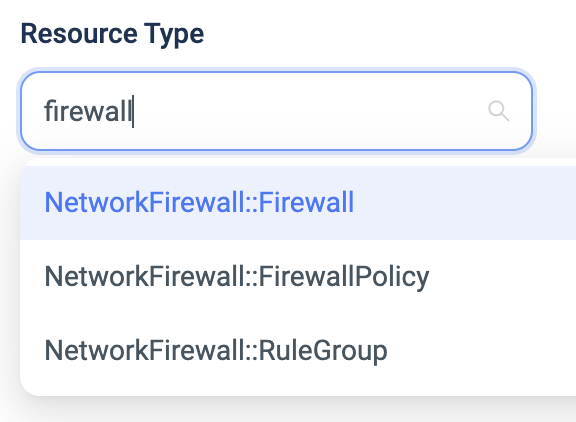
Luckily, ControlMonkey now supports one-click Terraform Import of the following Network Firewall resources:
ControlMonkey automatically generates the Terraform code + the Terraform state file so you can shift your Network Firewall management from ClickOps to GitOps in a few minutes with absolutely zero effort.
Managing AWS network firewalls with Terraform code offers several advantages:
Infrastructure as Code (IaC): Terraform allows you to define your AWS network firewall configurations as code, making it easier to manage, version control, and replicate across different environments (such as development, staging, and production). This approach enhances consistency and reduces the risk of configuration drift.
Automation: Terraform enables you to automate the provisioning, configuration, and management of AWS network firewalls. This automation can save time and reduce the potential for human error that may occur with manual configuration changes.
Scalability: With Terraform, you can easily scale your AWS network firewall configurations up or down based on changing requirements. You can dynamically adjust rules, add new firewall instances, or modify existing configurations as needed, without the need for manual intervention.
Visibility and Auditability: Using Terraform, you can maintain a clear and documented history of changes to your AWS network firewall configurations. This enhances visibility into your infrastructure and facilitates auditing and compliance efforts.
Collaboration: Terraform code can be easily shared and collaborated on by teams of developers and operations engineers. This collaborative approach promotes knowledge sharing, improves communication, and fosters best practices in managing AWS network firewalls.
Integration with CI/CD Pipelines: Terraform can be integrated into your continuous integration and continuous delivery (CI/CD) pipelines, allowing you to automate the deployment of changes to your AWS network firewall configurations as part of your software delivery process. This helps streamline the development lifecycle and ensures that infrastructure changes are tested and deployed consistently.
Overall, managing AWS network firewalls with Terraform code provides greater control, automation, scalability, and visibility, leading to more efficient and reliable infrastructure management in the cloud.
Terraform Drifts occur whenever there is a discrepancy between your desired configuration state (The Terraform Code) and your actual configuration state (Running configuration of the resource).
These drifts pose a security, compliance, and cost risk to your environment.
Just a few weeks ago we announced our Drift Source capability that helps to investigate who created the drift, but the main challenge we heard from our customers is the time it takes to actually remediate the drift. They asked us if we could automate the entire Drift remediation process, and that is exactly what we did.
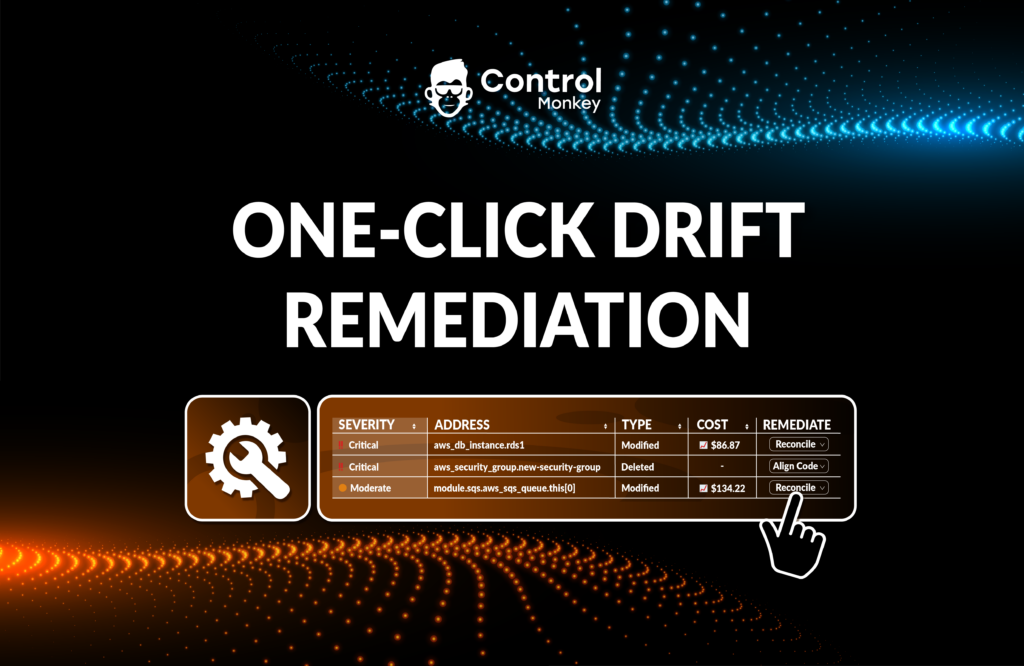
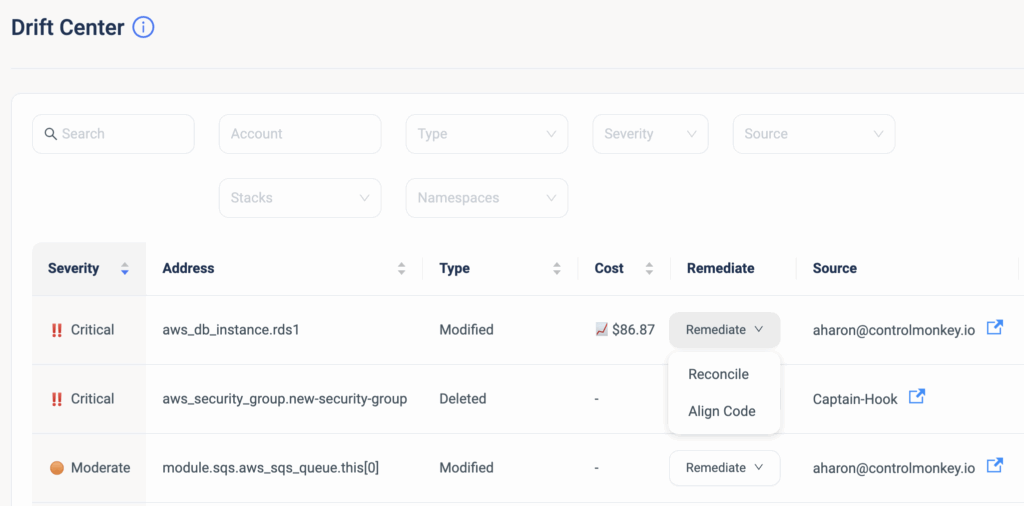
Starting today, we are enhancing our Drift Center’s capabilities and providing our users with the ability to remediate against Terraform Drifts, with One-click Drift Remediation.
This means that you can seamlessly resolve Terraform Drifts, directly from the ControlMonkey dashboard, saving your DevOps time and preventing unnecessary risks to your production environment.
ControlMonkey offers two methods to remediate Terraform Drifts:
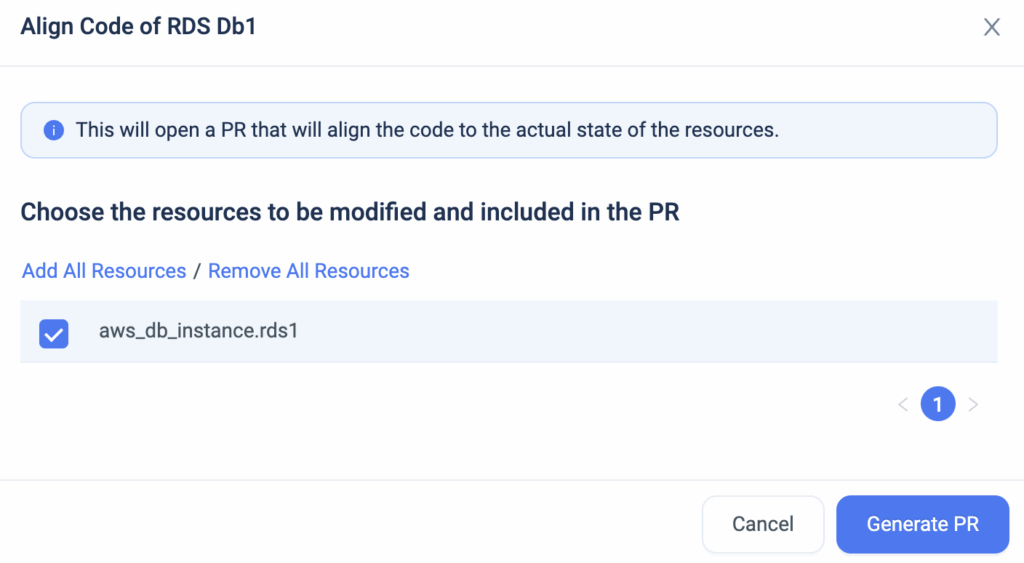
Remediate with ‘Align Code’
In cases where you are certain that the running configuration is the right one, you can use this remediation action to align your Terraform code to what’s running in production. Yes, that’s right, ControlMonkey is going to alter your existing code to match the resources’ actual state. When you resolve the drift with the ‘Align Code’ option, ControlMonkey creates a new PR (Pull request) in your Git repository and provides a fix to your Terraform Code which is 100% validated.
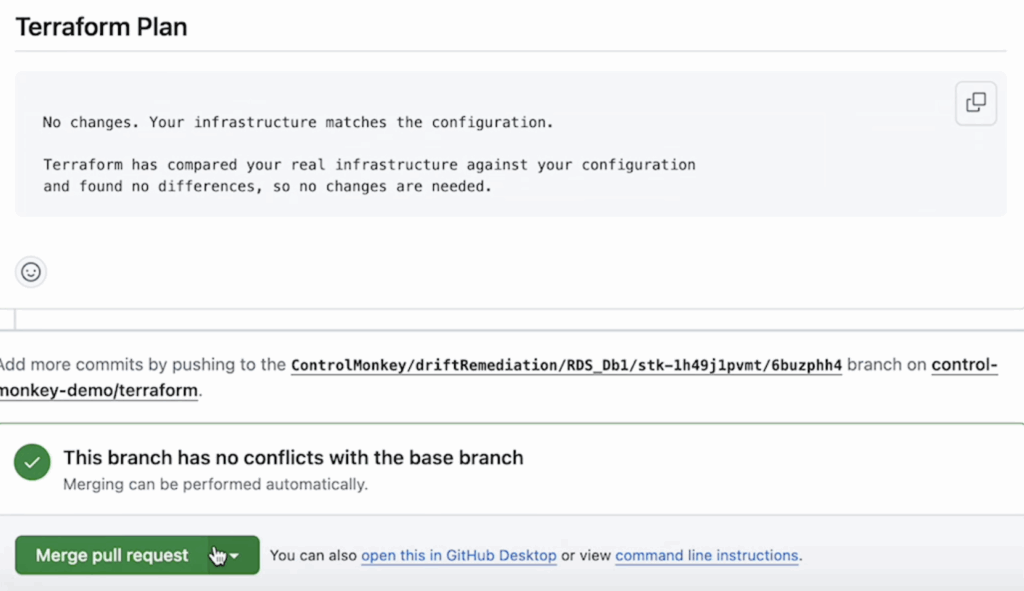
ControlMonkey opens a new branch in your Git repository, and whenever the PR is ready, you get a 1-click link to view the new PR. ControlMonkey also supports fixing the code when you’re using Terraform Modules. Say there’s a drift due to a variable in a module, ControlMonkey will sort it out by fixing the value of the variable that’s sent to the module:
As part of our Terraform CI/CD pipeline, whenever a new PR is created, we automatically start a ‘Terraform Plan’ to the branch of the stack. After the Terraform Plan is completed and the drift is resolved, you can then merge the PR to your main branch.
Remediate with ‘Reconcile’
In cases where you are certain that the Terraform code is the right configuration, you can use this remediation action which performs a ‘Terraform apply’. When you resolve the drift with reconcile, ControlMonkey updates the resources’ configuration in production and overrides the running configuration to what’s configured in the code.
To summarize, ControlMonkey Drift Center is now the one-stop-shop to detect, investigate, and seamlessly remediate Terraform drifts.
A 30-min meeting will save your team 1000s of hours
A 30-min meeting will save your team 1000s of hours
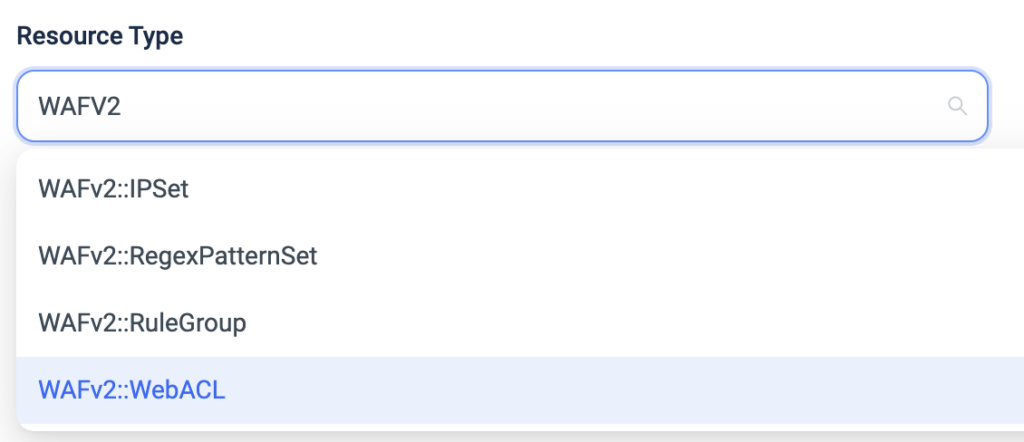
Today ControlMonkey is pleased to announce that we have reinforced our Terraform Import Engine with the ability to Import WAFV2 resources to Terraform.
AWS WAF is a web application firewall that lets you monitor the HTTP and HTTPS requests that are forwarded to various AWS services and also lets you control access to your content.
Managing WAFV2 in a manual ClickOps methodology and not through Terraform Code increases the risk of misconfigurations which may lead to security incidents.
With ControlMonkey, DevOps can easily import and manage their WAFV2:
Modular Deployment: Terraform allows for the creation and management of AWS WAFconfigurations in a modular and reproducible manner, making it easier to deploy and manage security policies across different projects.
Code Reusability: Using Terraform, you can define WAF configurations as code, making it possible to reuse these configurations in multiple projects. This is particularly useful when dealing with both global and regional WAF instances, allowing for efficient code reuse and consistency.
Improved Visibility and Monitoring: Terraform enables the definition of CloudWatch metrics and sampled requests for better visibility into web traffic inspection. This allows for improved monitoring and analysis of the effectiveness of WAF rules.
Flexibility in Scope Definition: Terraform provides flexibility in defining the scope of WAF configurations, such as specifying whether it is for CloudFront (global) or regional resources (e.g., API Gateway). This flexibility ensures that WAF configurations align with the specific needs and architecture of different services.
Terraform Modules dramatically reduce the amount of code you have to write for similar infrastructure resources and are considered the most efficient way to replicate services across your AWS account.
However, DevOps teams leveraging Terraform modules have no visibility into which Terraform Modules are being used, if their source is a registry or local Git repository, where are they used in the code, and whether or not they are running on the latest version.
A crucial part of staying on top of your Terraform Operations is having that visibility, so today we are proud to announce the latest enhancement to our Cloud Inventory solution, Terraform Modules Explorer.
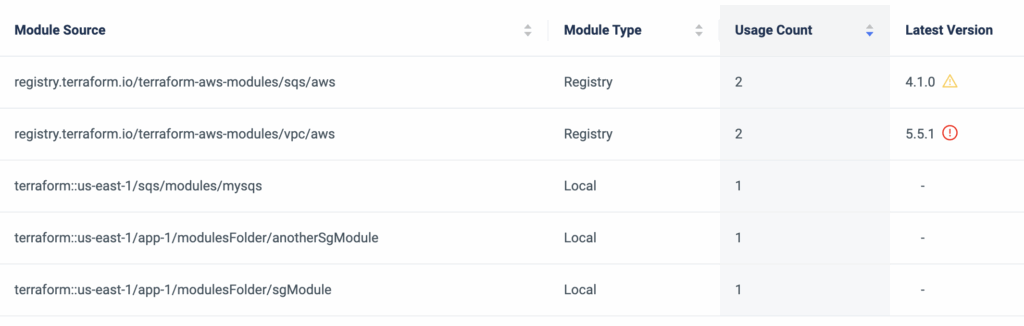
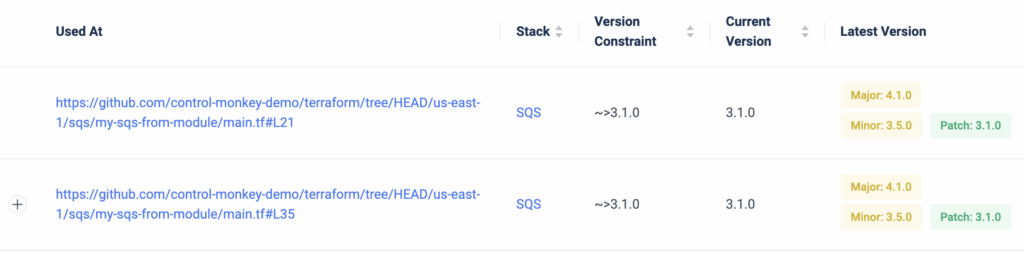
ControlMonkey scans your entire Terraform repositories for Terraform Modules and provides a dashboard view where you can investigate your Terraform Modules SBOM (Software bill of materials), and understand exactly:
What Terraform Modules are being used by you.
The source of the modules – Registry or a local Git directory.
How many times are they being used and where exactly they are used in the code.
The version constraint you’ve set and whether or not you use an outdated version.
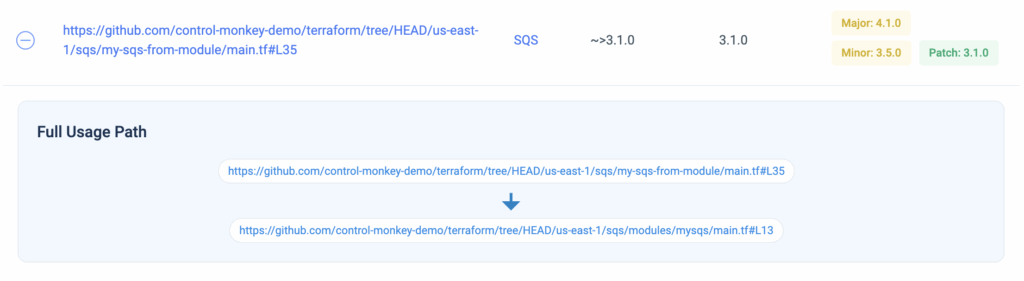
Besides providing a holistic view of Terraform Modules, ControlMonkey also enables you to drill down on any Terraform Module to see exactly where it resides in the code and provides a 1-click link to the specific line in your Git repository. Consider the time you could save in identifying all usages of a module when planning an upgrade. Moreover, you also gain visibility into which Constraint Version is being used and whether or not it’s outdated.
In some cases, multiple Terraform Modules are used in the same piece of code (main module and sub-modules), so ControlMonkey also provides a view of the full module path.
With Terraform Modules Explorer you can also export the Terraform Modules SBOM in cases of compliance audits or security questionnaires where you need to provide this information to a security officer or auditor.
To summarize, Terraform Modules Explorer solves the challenge of staying on top of your Terraform Modules, makes modules upgrade much easier and provides DevOps teams with full visibility into what was once unknown or unclear.
A 30-min meeting will save your team 1000s of hours
A 30-min meeting will save your team 1000s of hours
Lorem ipsum dolor sit amet, consectetur adipisicing elit. Animi architecto consequuntur dicta dolor, excepturi ipsam iste laudantium, magnam molestiae obcaecati odio quam quas repellendus sed, sint magnam molestiae.