Join our next Live Demo on Feb 12th!

Resource Blog News Customers Stories

Updated: Aug 24, 2025 Upd: 24.08.25

3 min read

One-click Terraform Drift Remediation 

Tal Sten

Tal Sten

Head of Sales

One-click Terraform Drift Remediation 

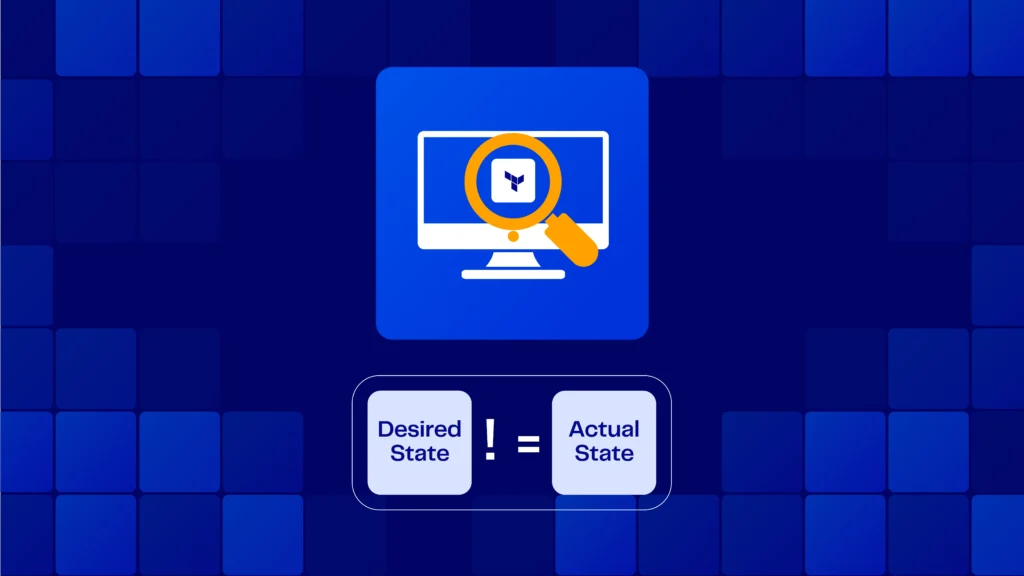
Terraform Drifts occur whenever there is a discrepancy between your desired configuration state (The Terraform Code) and your actual configuration state (Running configuration of the resource).  

These drifts pose a security, compliance, and cost risk to your environment.

Just a few weeks ago we announced our Drift Source capability that helps to investigate who created the drift, but the main challenge we heard from our customers is the time it takes to actually remediate the drift.
They asked us if we could automate the entire Drift remediation process, and that is exactly what we did.

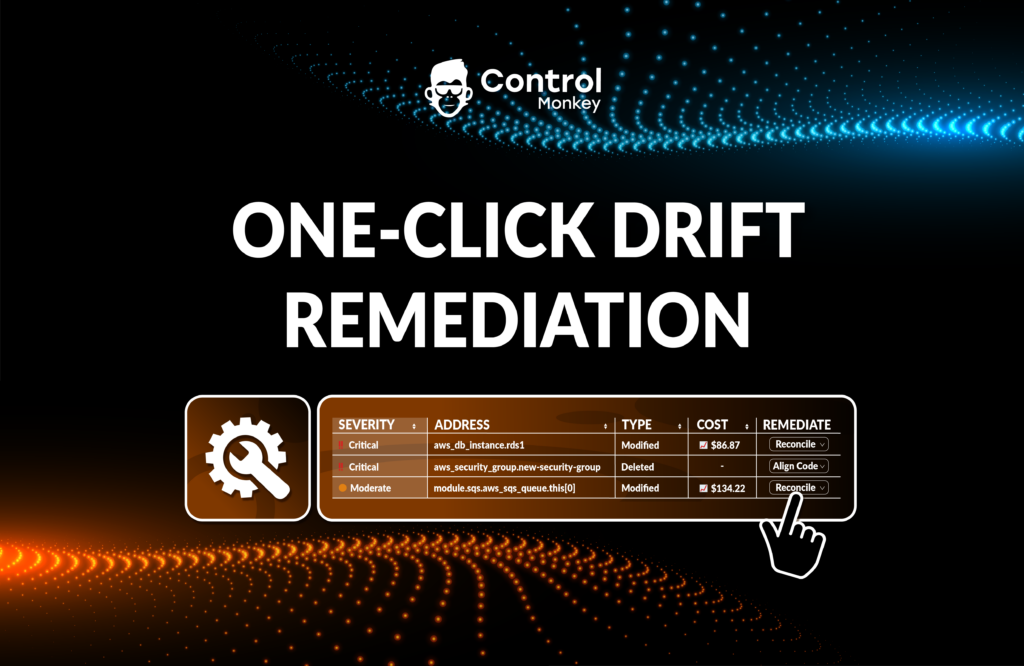
Starting today, we are enhancing our Drift Center’s capabilities and providing our users with the ability to remediate against Terraform Drifts, with One-click Drift Remediation

This means that you can seamlessly resolve Terraform Drifts, directly from the ControlMonkey dashboard, saving your DevOps time and preventing unnecessary risks to your production environment. 
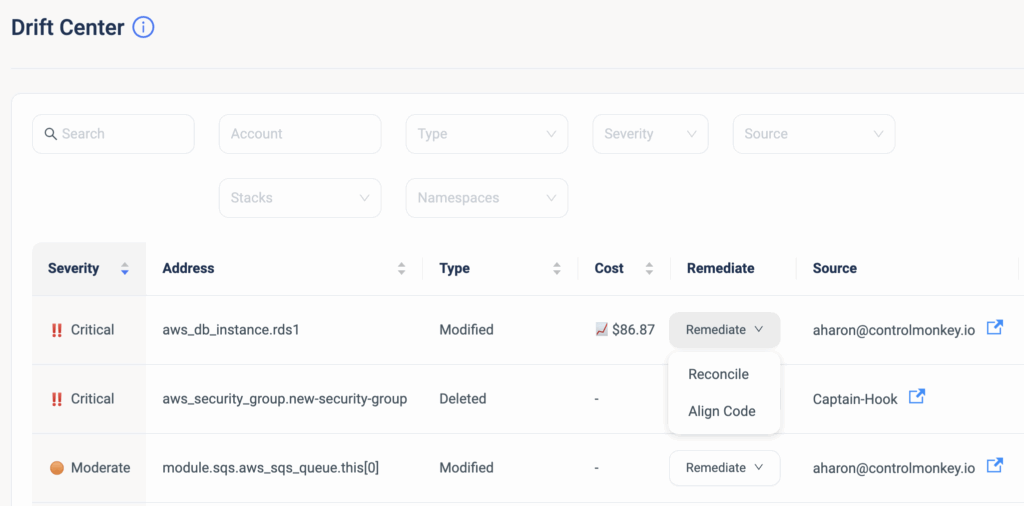
ControlMonkey offers two methods to remediate Terraform Drifts: 

Remediate with ‘Align Code’

In cases where you are certain that the running configuration is the right one, you can use this remediation action to align your Terraform code to what’s running in production.
Yes, that’s right, ControlMonkey is going to alter your existing code to match the resources’ actual state.
When you resolve the drift with the ‘Align Code’ option, ControlMonkey creates a new PR (Pull request) in your Git repository and provides a fix to your Terraform Code which is 100% validated.
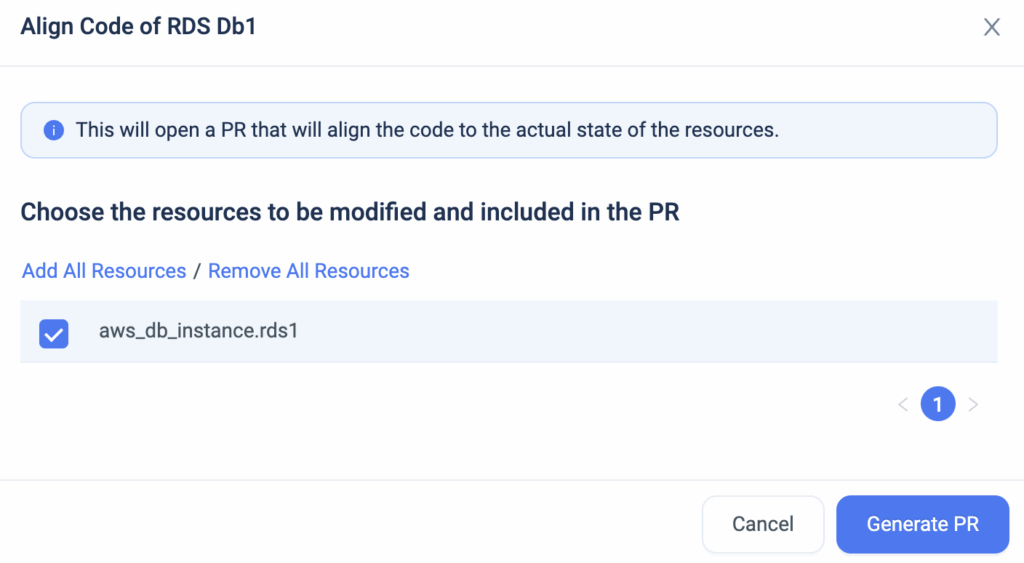
ControlMonkey opens a new branch in your Git repository, and whenever the PR is ready, you get a
1-click link to view the new PR.
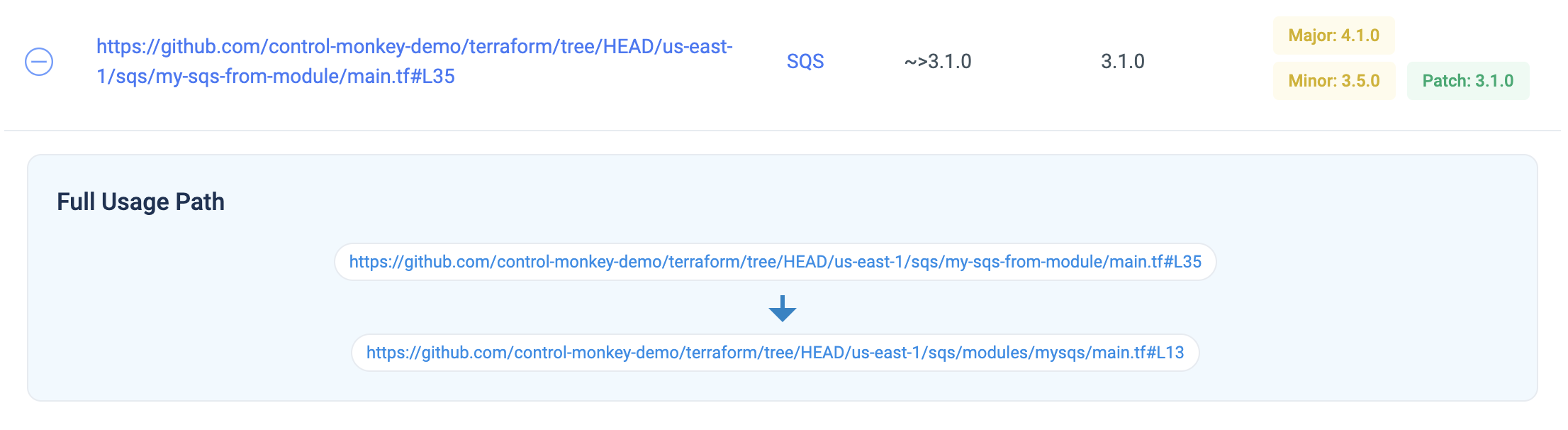
ControlMonkey also supports fixing the code when you’re using Terraform Modules. Say there’s a drift due to a variable in a module, ControlMonkey will sort it out by fixing the value of the variable that’s sent to the module:


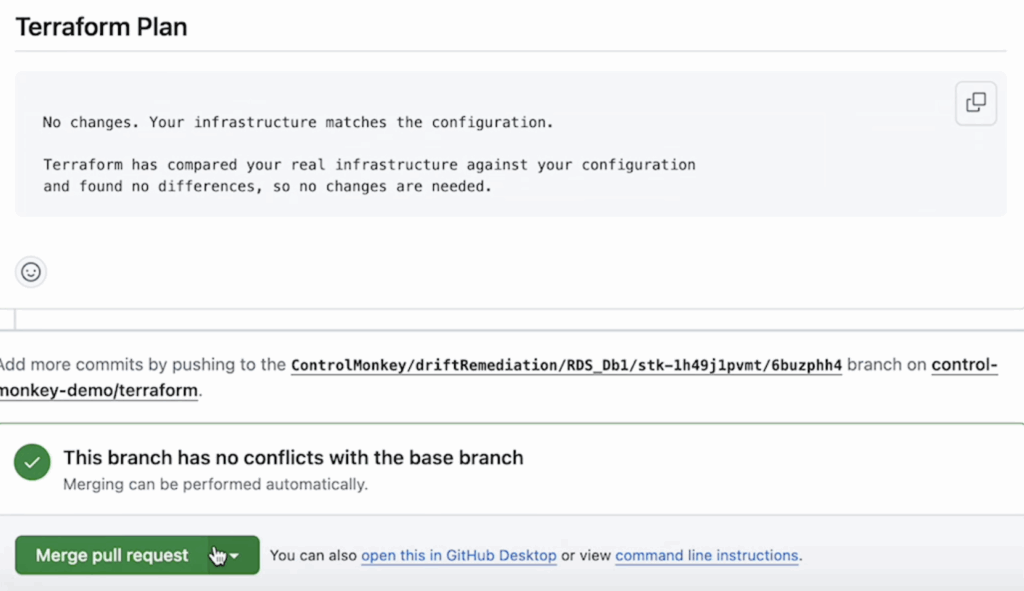
As part of our Terraform CI/CD pipeline, whenever a new PR is created, we automatically start a ‘Terraform Plan’ to the branch of the stack. After the Terraform Plan is completed and the drift is resolved, you can then merge the PR to your main branch. 
Remediate with ‘Reconcile’

In cases where you are certain that the Terraform code is the right configuration, you can use this remediation action which performs a ‘Terraform apply’.
When you resolve the drift with reconcile, ControlMonkey updates the resources’ configuration in production and overrides the running configuration to what’s configured in the code. 

To summarize, ControlMonkey Drift Center is now the one-stop-shop to detect, investigate, and seamlessly remediate Terraform drifts. 

Bottom CTA Background

A 30-min meeting will save your team 1000s of hours

A 30-min meeting will save your team 1000s of hours

Book Intro Call

Author

Tal Sten

Tal Sten

Head of Sales

    Sounds Interesting?

    Request a Demo

    Resource Blog News Customers Stories

    Updated: Sep 04, 2025 Upd: 04.09.25

    2 min read

    Drift auto-sync

    Zack Bentolila

    Zack Bentolila

    Marketing Director

    Drift auto-sync

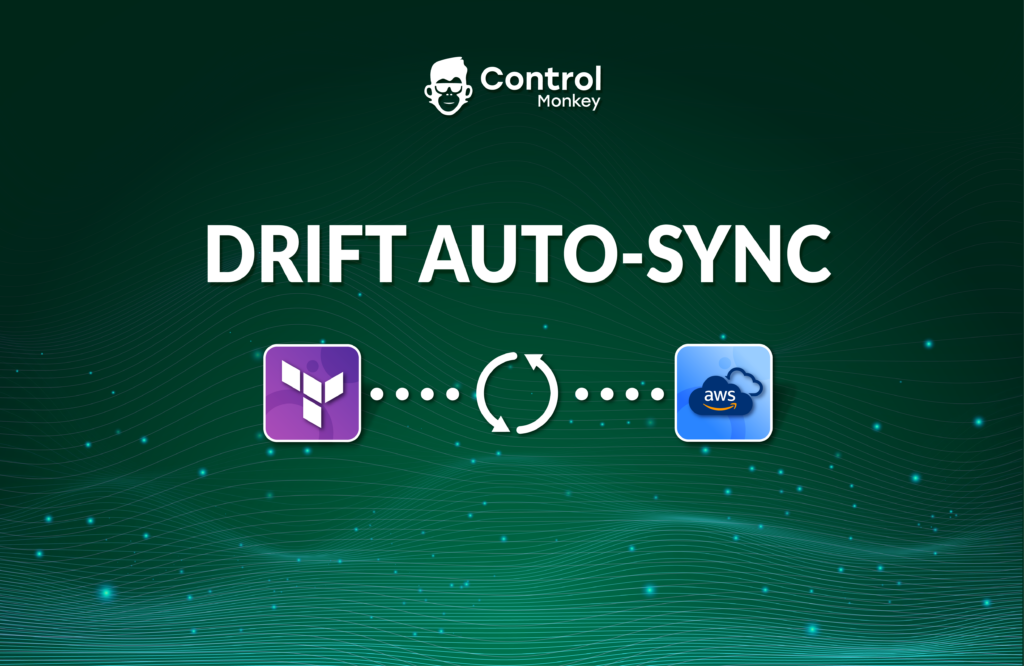
    Today we are excited to announce the latest enhancement to ControlMonkey’s Drift Center, Drift auto-sync.

    What is Drift auto-sync?

    Our Drift Center helps DevOps teams identify and address discrepancies. These lie between the specified configuration in the Terraform, OpenTofu and Terragrunt code and the actual state of resources in the cloud environment.

    Whenever a drift is detected and ‘Drift auto-sync’ is enabled, ControlMonkey will automatically trigger a deployment (reconciliation). This is to align the AWS resource (The “Actual State”) to the Terraform Code (The “Desired state”).

    This feature is very similar to ArgoCD reconciliation capability.

    The new capability is a checkbox configuration that is part of the stack’s configuration. This capability is included to all levels of subscription.

    Drift auto-sync supports 2 types of Terraform Drifts:

    1. Drift that originated from a configuration change that was made from the AWS, GCP or Azure console. This change was not from Terraform Apply.
    2. Drift that originated from a change to a Terraform Data Source.
      e.g An auto-scaling group configuration fetches an image ID from a Data Source and that image ID has changed. This occurs since the last deployment, causing the Auto-scaling group to drift because it has the old image.

    What next?

    So if your stack is heavily dependent on data sources and you want to validate that you are always using the latest values, then the Drift auto-sync is the ideal solution. It will automatically reconcile the resource and save you the trouble of manually resolving the drift.

    Join our Product Showdown this week to see it in action

    Bottom CTA Background

    A 30-min meeting will save your team 1000s of hours

    A 30-min meeting will save your team 1000s of hours

    Book Intro Call

    Author

    Zack Bentolila

    Zack Bentolila

    Marketing Director

    Zack is the Marketing Director at ControlMonkey, with a strong focus on DevOps and DevSecOps. He was the Senior Director of Partner Marketing and Field Marketing Manager at Checkmarx. There, he helped with global security projects. With over 10 years in marketing, Zack specializes in content strategy, technical messaging, and go-to-market alignment. He loves turning complex cloud and security ideas into clear, useful insights for engineering, DevOps, and security leaders.

      Sounds Interesting?

      Request a Demo

      Resource Blog News Customers Stories

      Updated: Oct 20, 2025 Upd: 20.10.25

      2 min read

      Terraform Drift Source

      Terraform Drift Source

      We are pleased to announce the latest enhancement to ControlMonkey’s Drift Center, Terraform Drift Source!

      The Drift Center helps DevOps teams identify and address discrepancies between the specified configuration in the Terraform code and the actual state of resources in the cloud environment.

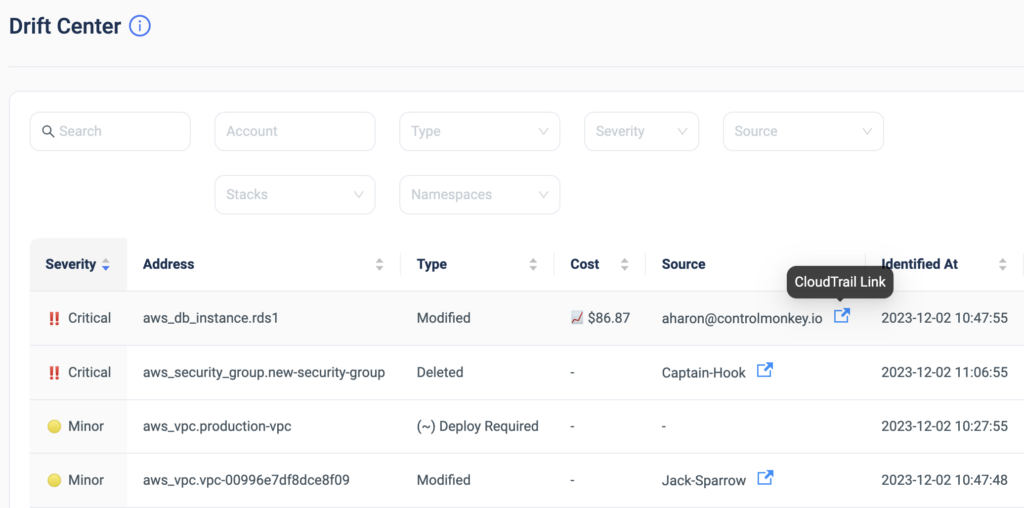
      Starting today, ControlMonkey users can detect who is the AWS user/role that modified the resources’ configuration not through Terraform and caused the drift.
      Understanding immediately who or what is responsible for the Terraform drift significantly lowers the time to resolution of the drift.

      This amazing capability is a perfect example of how powerful it is to have your Terraform Operations platform fully integrated with your cloud account!

      The drift source can be a remote DevOps team member, a developer, or a 3rd party tool.
      So finding the source can be a long and irritating process.

      Our algorithm automatically matches between Terraform drifts and CloudTrail events and indicates who is responsible for the drift.

      Drift Center

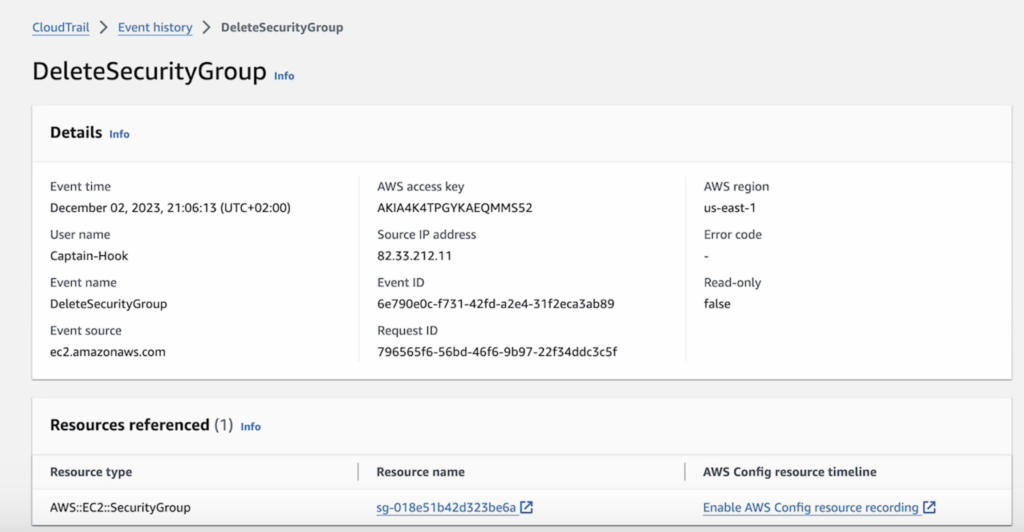
      Besides providing the drift source, ControlMonkey also offers a one-click link to the CloudTrail event of the configuration change to streamline the investigation process even further.

      CloudTrail event

      ControlMonkey’s ‘Drift Center‘ is the only solution that provides DevOps teams with valuable cloud insights that help them resolve drifts faster, and more efficiently.

      Detecting and resolving Terraform Drifts faster helps keep your cloud secure, compliant, and cost-efficient.


      Bottom CTA Background

      A 30-min meeting will save your team 1000s of hours

      A 30-min meeting will save your team 1000s of hours

      Book Intro Call

        Sounds Interesting?

        Request a Demo

        Resource Blog News Customers Stories

        Updated: Oct 20, 2025 Upd: 20.10.25

        2 min read

        Terraform and OpenTofu Drift Cost Optimization

        Terraform and OpenTofu Drift Cost Optimization

        ControlMonkey is excited to announce the release of the new Drift Cost Optimization for OpenTufo, Terraform. and Terragrunt.
        This new capability now offers users the ability to see the exact cost implications of each drift in real time.

        What do you mean by Drift Cost Optimization for Terraform and OpenTofu?

        Drift refers to a discrepancy between what is specified in your Terraform code and what is happening in your AWS environment. A drift in cloud infrastructure can result in increased costs due to unplanned resource modifications from the AWS console. Previously, identifying the exact financial impact of a drift required manual calculations and analysis, making it a time-consuming and error-prone process.

        Terraform and OpenTofu Drift Cost Optimization Support by Controlmonkey

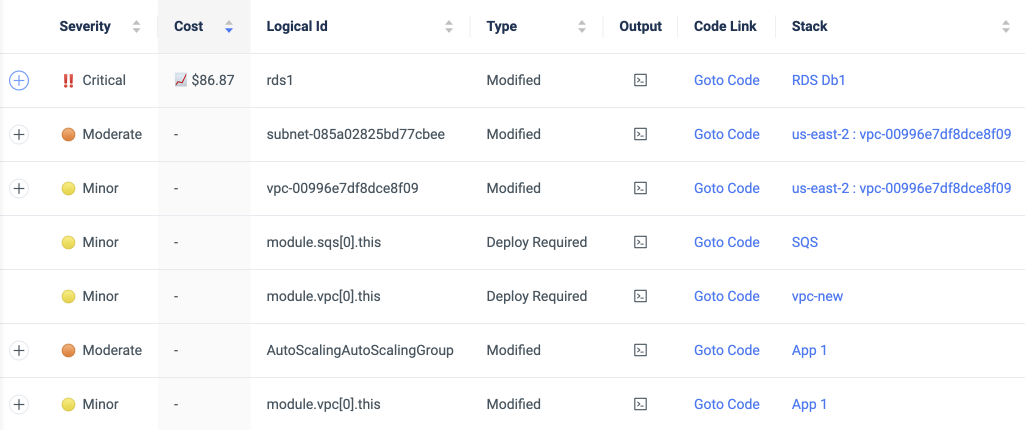
        ControlMonkey now provides an intuitive and convenient solution with the introduction of the Cost Implication Feature. When ControlMonkey detects a drift within a cloud environment, the Drift Center now conveniently displays the exact amount of the cost implication, enabling users to precisely observe the financial impact of each drift.

        By providing real-time visibility into the financial consequences of a drift, ControlMonkey empowers businesses to run their cloud efficiently and minimize unnecessary expenses.

        Furthermore, users are now able to efficiently address and fix these drifts seamlessly.

        Benefits of fixing Drift Cost Optimization

        The user-friendly Drift Center interface provides clear and precise visuals that identify the specific part of the code responsible for the drift, along with comprehensive guidance on the necessary fixes. Additionally, a convenient one-click link is available to take users directly to the relevant code section that drifted. This integration allows users to make the necessary changes and align the code effortlessly.

        In a rapidly evolving cloud landscape where cost optimization is crucial, with the addition of the Drift Center Cost feature, businesses using ControlMonkey can now proactively control their cloud costs, saving valuable time and resources.

        Bottom CTA Background

        A 30-min meeting will save your team 1000s of hours

        A 30-min meeting will save your team 1000s of hours

        Book Intro Call

          Sounds Interesting?

          Request a Demo
          Cookies banner

          We use cookies to enhance site navigation, analyze usage, and support marketing efforts. For more information, please read our. Privacy Policy