Join our next Live Demo on Mar 16th!

Resource Blog News Customers Stories

Updated: Oct 08, 2025 Upd: 08.10.25

4 min read

GCP PAM Integration with Terraform: Can You Automate It?

Yuval Margules

Yuval Margules

Backend Developer

GCP PAM Integration with Terraform: Can You Automate It?

When your delivery pipeline relies on Google Kubernetes Engine, GCP Terraform authentication is the key link that keeps your Git commits secure and your production stable. Automating identity and certificate handling with cloud governance tools removes copy-pasted secrets, eliminates role sprawl, and keeps every Terraform apply reproducible. For a quick start, see how the ControlMonkey GCP Terraform Import Engine finds unmanaged resources. It turns them into code and shows cloud cost-saving opportunities. No manual state changes are needed.

If you are looking for a getting started guide on GCP and Terraform – learn more here

Why GCP Terraform Authentication Matters for Security

Human user accounts may seem convenient, yet they often come with browser cookies, forgotten passwords, and unclear audit trails. Terraform runs belong to machines, so treat them that way. Purpose-built service accounts deliver:

  • Narrow, least-privilege IAM roles
  • Rotatable machine credentials
  • Cloud Audit Logs tied to a single workload

The result is a stronger gcp terraform authentication and gcp terraform security posture that also supports ongoing cloud cost optimization without compromising delivery speed. Need a broader policy view? Check out ControlMonkey’s guide to Terraform cloud governance best practices.

More about GCP and Terraform

Authenticating Terraform with a Service Account

Creating and Scoping the Identity

gcloud iam service-accounts create tf-gke-deployer \
  --description="Terraform GKE deployer"
gcloud projects add-iam-policy-binding $PROJECT \
  --member="serviceAccount:tf-gke-deployer@$PROJECT.iam.gserviceaccount.com" \
  --role="roles/container.admin"

The least-privilege model mirrors the AWS IAM best-practice principle of “grant only what’s required.

Passing Service Account Credentials to Terraform on GCP

gcloud iam service-accounts keys create tf-gke.json \
  --iam-account=tf-gke-deployer@$PROJECT.iam.gserviceaccount.com
export GOOGLE_CREDENTIALS="$(cat tf-gke.json)"

provider "google" {
  credentials = file("tf-gke.json")
  project     = var.project
  region      = var.region
}

This Terraform authentication on GCP flow keeps long-lived keys out of repos, rotates them on your schedule, and aligns with broader cloud governance best practices.

Generating PEM-Encoded Cluster Certificates

  1. When Terraform provisions GKE, it stores the cluster’s CA root in cluster_ca_certificatea base64 PEM string. 
  2. Downstream modules that expect a Terraform GCP cluster certificate PEM-encoded value can consume the output directly—no extra fetch is required, which streamlines pipelines and reduces costs. 
  3. Guard the PEM + valid token carefully: in tandem with a token, it grants API-server access.

Common Misconfigurations in Terraform GCP Authentication

Even with solid gcp terraform authentication in place, four slip-ups surface again and again:

1. Hard-coded service-account keys.

Burying JSON keys in repos or CI variables that never rotate hands attackers a permanent backdoor and undermines your terraform gcp authentication strategy. 

Follow Google’s guidance to rotate keys at least every 90 days and prefer short-lived tokens whenever possible. For step-by-step remediation, which walks through vaulting and automatic key rotation.

2. Over-broad IAM scopes.

Granting the roles/owner hammer where a tiny wrench would suffice violates least-privilege principles, inflates spending, and magnifies the blast radius. 

Google’s IAM docs recommend assigning the narrowest predefined or custom roles required for a task, Terraform’s google_project_iam_member resource makes right-sizing trivial—use it.

3. Expired or mismatched PEM certificates.

A stale cluster_ca_certificate leads to x509: certificate signed by unknown authority errors that brick kubectl and Helm. Whenever you rotate GKE control-plane certs or recreate a cluster, refresh the PEM in state (or output) so downstream modules stay in sync.

4. Local developer credentials sneaking into CI.

Builds that rely on a laptop’s gcloud config break the moment that machine is offline and leave zero audit trail. Always export GOOGLE_CREDENTIALS from a vetted service account in the runner, and consider enforcing terraform validate checks that block plans using user tokens.

Secure GCP Terraform Authentication Best Practices

By codifying gcp terraform authentication from tightly scoped service accounts to refreshed PEM certificates, you transform identity management from an anxious manual chore into a repeatable, auditable control. The payoff is crystal-clear change history, faster incident response, and a security posture that scales with every new GKE cluster.

Ready to apply these patterns across your estate? See how ControlMonkey automates drift detection, policy enforcement, and key rotation in one unified workflow book a ControlMonkey demo today.

Bottom CTA Background

A 30-min meeting will save your team 1000s of hours

A 30-min meeting will save your team 1000s of hours

Book Intro Call

Author

Yuval Margules

Yuval Margules

Backend Developer

Yuval is a software engineer at ControlMonkey with a strong focus on DevOps and cloud infrastructure. He specializes in Infrastructure as Code, CI/CD pipelines, and drift detection. Drawing from real-world conversations with engineering teams, Yuval writes about practical ways to automate, scale, and secure cloud environments with clarity and control.

    Sounds Interesting?

    Request a Demo

    FAQs

    GCP Terraform authentication is the process of allowing Terraform to securely access Google Cloud resources. Instead of relying on manual user keys, Terraform uses service accounts, IAM roles, and short-lived credentials to deploy and manage infrastructure safely.

    Hard-coding JSON keys in repositories or CI variables creates long-lived secrets that attackers can exploit. A better approach is to rotate keys regularly, store them in a secure vault, or use short-lived tokens with Google’s authentication flows.

    Yes. ControlMonkey automates service account key rotation, drift detection, and policy enforcement. It ensures that Terraform authentication on GCP is secure, compliant, and reproducible across all environments.

    Resource Blog News Customers Stories

    Updated: Nov 18, 2025 Upd: 18.11.25

    3 min read

    Azure AKS Terraform Tutorial: Fast Kubernetes Cluster Setup

    Daniel Alfasi

    Daniel Alfasi

    Backend Developer and AI Researcher

    Azure AKS Terraform Tutorial: Fast Kubernetes Cluster Setup

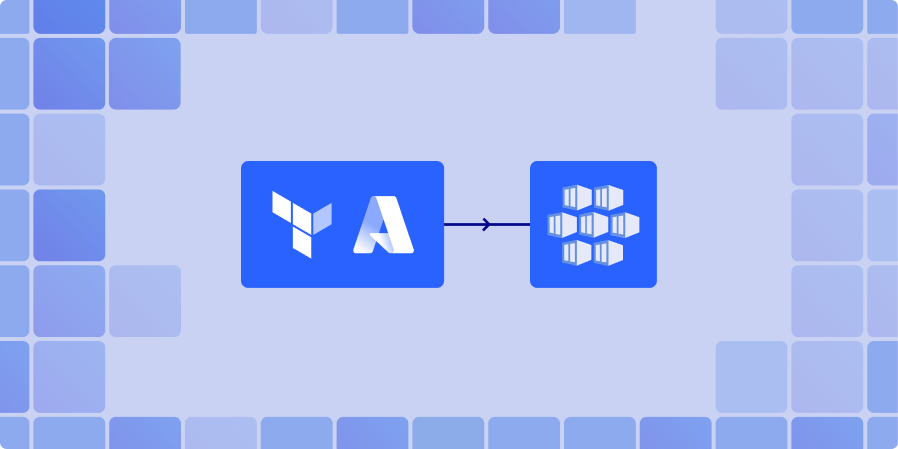
    Azure Kubernetes Service (AKS) is Microsoft’s managed Kubernetes platform, designed to simplify deploying and managing containerized applications. Need a fast, repeatable way to spin up Kubernetes on Azure? Azure AKS Terraform workflows give you that superpower. By declaring your cluster as code, you avoid click-ops, reduce errors, and can version every change. In short, azure aks terraform lets teams clone environments in minutes instead of hours while keeping costs and configurations under control. If you want a hands-off, reliable Terraform on Azure AKS pipeline, read on.

    Prerequisites for Azure AKS Terraform Setup

    Before touching code, make sure you have:

    1. Azure CLI – authenticated to your subscription.
    2. Terraform (≥1.6) installed locally or in CI.
    3. A service principal (or managed identity) with Contributor rights.
    4. Basic access to an Azure subscription where your terraform azure cluster will live.

    With these four pieces in place, you’re ready for a smooth terraform azure cluster rollout.

    More on Azure and Terraform

    Minimal Terraform Config for Azure AKS Cluster

    Below is the tiniest file that still gives you a working azure kubernetes deployment terraform:

    # providers.tf
    provider "azurerm" {
      features {}
    }
    
    # main.tf
    resource "azurerm_resource_group" "rg" {
      name     = "demo-aks-rg"
      location = "East US"
    }
    
    resource "azurerm_kubernetes_cluster" "aks" {
      name                = "demo-aks"
      location            = azurerm_resource_group.rg.location
      resource_group_name = azurerm_resource_group.rg.name
      dns_prefix          = "demo"
    
      default_node_pool {
        name       = "system"
        node_count = 2
        vm_size    = "Standard_D2s_v5"
      }
    
      identity {
        type = "SystemAssigned"
      }
    }

    Run terraform init, terraform plan, and terraform apply – in under five minutes you’ll have a basic azure kubernetes deployment terraform. Key fields are the default_node_pool, which define compute, and identity, which wire up RBAC for your terraform azure cluster.

    Using the Terraform AKS Module for Azure Kubernetes

    While the direct resource definition works, most teams prefer the terraform aks module. This official module abstracts away repetitive configuration and enforces good defaults, making your azure kubernetes deployment terraform easier to maintain. The terraform aks module wraps networking, role assignments, and monitoring into sensible defaults. Because the terraform aks module has some main benefits.

    • Cleaner configuration files.
    • Built-in defaults for networking, RBAC, and scaling.
    • Easier upgrades and maintainability.

    Customizing the AKS Cluster with Module Parameters

    Here’s a richer azure kubernetes deployment terraform that sets node size, count, tags, and Kubernetes version, all via the module:

    module "aks" {
      source  = "Azure/aks/azurerm"
      version = "7.4.0"
    
      resource_group_name = "demo-aks-rg"
      cluster_name        = "demo-aks"
      kubernetes_version  = "1.29.2"
      location            = "East US"
    
      node_pools = [
        {
          name            = "system"
          vm_size         = "Standard_B4ms"
          node_count      = 3
          max_pods        = 110
          enable_auto_scaling = true
          min_count       = 1
          max_count       = 5
        }
      ]
    
      tags = {
        env  = "demo"
        team = "platform"
      }
    }

    With just a few variables, you now have an autoscaling terraform azure cluster ready for workloads. Tweaking the module’s inputs lets you match any production spec while staying inside a tidy, reusable azure aks terraform codebase.

    Conclusion

    Provisioning a reusable Terraform codebase for AKS clusters eliminates manual setup and ensures consistent deployments across environments. With Terraform and the hardened AKS module, you define clusters as code, gain version control, and recreate environments on demand.

    Whether you start with a minimal config or leverage the terraform azure cluster module, Terraform gives you repeatability, scalability, and maintainability for your Kubernetes workloads.
    Book a demo with ControlMonkey to see how its Azure AKS blueprints add policy guard-rails, drift detection, cost insights, and automated remediation without rewriting a single HCL line.

    Bottom CTA Background

    A 30-min meeting will save your team 1000s of hours

    A 30-min meeting will save your team 1000s of hours

    Book Intro Call

    Author

    Daniel Alfasi

    Daniel Alfasi

    Backend Developer and AI Researcher

    Backend Developer at ControlMonkey, passionate about Terraform, Terragrunt, and AI. With a strong computer science background and Dean’s List recognition, Daniel is driven to build smarter, automated cloud infrastructure and explore the future of intelligent DevOps systems.

      Sounds Interesting?

      Request a Demo

      FAQs

      The quickest method is to start with the official Terraform AKS module. It provides preconfigured defaults for networking, RBAC, and scaling. With just a few lines of configuration, you can provision a secure AKS cluster in under five minutes.

      Yes. AKS clusters defined in Terraform can be deployed from GitHub Actions, GitLab CI, or Azure DevOps pipelines. Storing configurations in Git enables version control, automated testing, and repeatable deployments across multiple environments.

      Absolutely. Modules allow you to encapsulate and reuse resource configurations. For example, you can create a reusable module for a storage account or a virtual network and call it across multiple environments like dev, staging, and prod.

      Instead of clicking around the Azure Portal, Terraform lets you declare everything in code. That way, changes are versioned, reviewed, and repeatable. It’s easier to track what’s running in each environment, and governance becomes part of the pipeline instead of an afterthought.

      ControlMonkey adds automation and guardrails on top of Terraform so AKS clusters can scale safely. It handles drift detection, policy enforcement, and cost insights automatically. That means your team spends less time fixing issues and more time shipping features, while knowing every AKS cluster follows the same standards.

      Cookies banner

      We use cookies to enhance site navigation, analyze usage, and support marketing efforts. For more information, please read our. Privacy Policy