TL;DR
- Disaster recovery and business continuity should not be treated as separate or competing priorities.
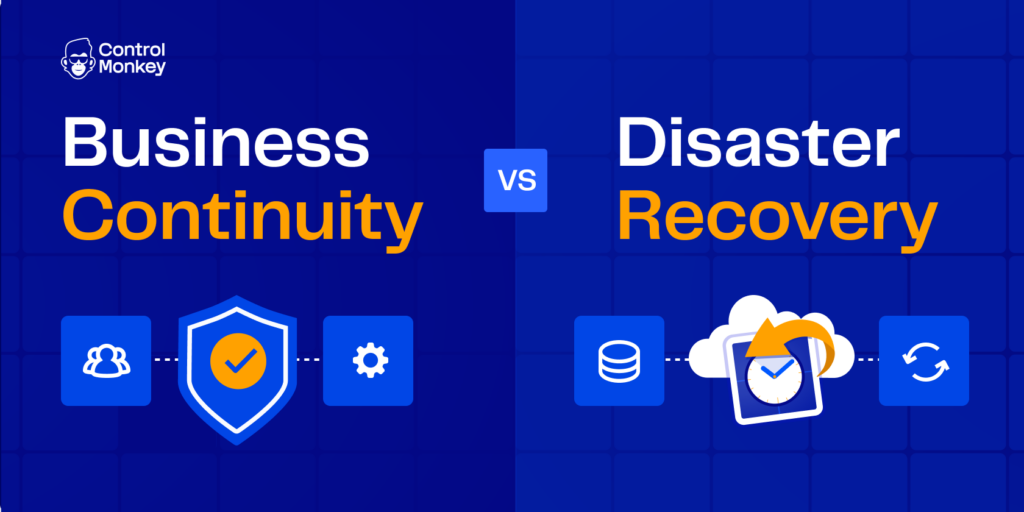
- Business Continuity focuses on keeping critical business operations running through people, processes, and continuity procedures, while Disaster Recovery focuses on restoring data, workloads, and infrastructure to meet recovery targets.
- A strong business continuity and disaster recovery plan brings both together, and ControlMonkey supports that connection by helping teams recover infrastructure state faster and with less guesswork. AWS defines RTO as the maximum acceptable delay between service interruption and restoration, and RPO as the maximum acceptable amount of time to the last data recovery point.
- This is why DR must be designed, tested, and validated regularly rather than documented once and left unchanged.
Business Continuity (BC) and Disaster Recovery (DR) are often mixed up, but they are actually different. BC is about keeping the business going when something goes wrong. DR is about fixing and restoring the systems and infrastructure behind the scenes.
This difference becomes clear when cloud outages happen and affect more than just the technical parts. Even if the system is fixed, the business might still face problems if customers aren’t told what’s happening, approvals get delayed, or if the key backup steps are not clear. That’s why planning for continuity should include communication, daily operations, and what to do first, while IT recovery is just one part of the bigger response
Business Continuity vs. Disaster Recovery: Key differences
The best way to understand disaster recovery and business continuity is to look at what each one protects during a disruption. One keeps the business working, while the other restores the systems behind it. ControlMonkey fits on the recovery side by helping teams restore infrastructure and configuration faster when disruption turns into recovery work.
BC vs. DR becomes easier to understand once the discussion shifts from definitions to operational pressure. One is about keeping the business usable during disruption, while the other is about restoring the systems that make normal operation possible.
| Area | Business Continuity | Disaster Recovery | ControlMonkey |
|---|---|---|---|
| Goal | Keep essential operations running | Restore systems and technical services | Restore known-good infrastructure and configuration fast |
| Scope | People, process, communications, vendors, technology | Data, workloads, infrastructure, connectivity | Configuration DR for IAM, DNS, routing, policies, and SaaS settings |
| Owners | Business leadership, operations, IT, risk | Platform, infrastructure, SRE, security | SRE, platform, and security with shared recovery visibility |
| Time focus | During and after disruption | From outage to restoration | Readiness before incidents, faster recovery during them |
| Success measure | Operational continuity | RTO/RPO achievement and safe restoration | Readiness before incidents, faster recovery during them |
BC asks, “How do we keep serving customers?” DR asks, “How do we restore systems and data after a disruption?” A payment team might keep high-priority transactions moving manually for a few hours even if the approval system is down. That is business continuity. Disaster recovery is when the platform team restores the application stack, database, and network path before that manual process runs out.
The difference between business continuity and disaster recovery also shows up in how each one is measured:
- Business continuity – how long teams can operate in a degraded state, how much backlog builds up, and how much revenue or regulatory exposure is at risk
- Disaster recovery – whether the team met RTO, whether recovered data stayed within RPO, and whether failover or rollback happened safely
AWS also recommends setting recovery targets by workload instead of treating the whole environment as one priority level.
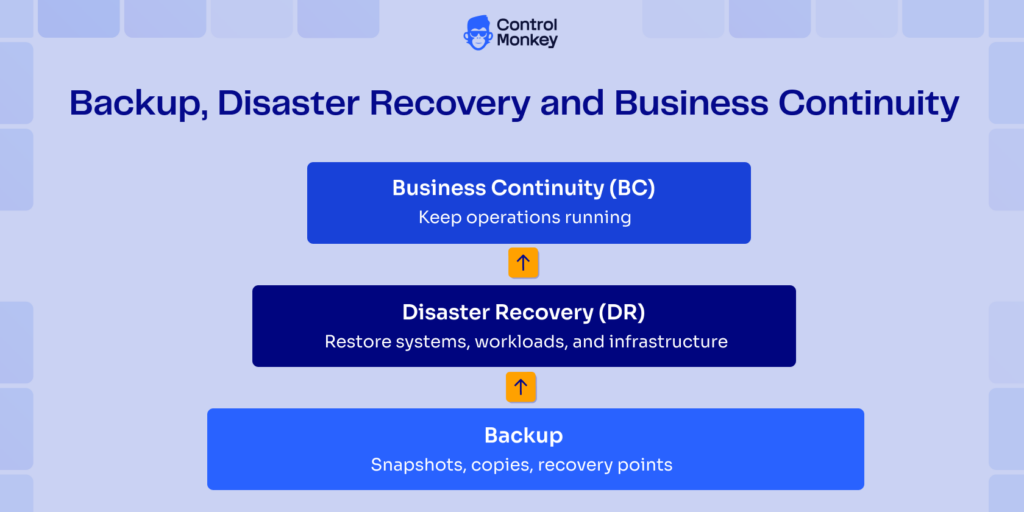
What DR includes (IT execution layer)
DR includes three parts: Data Recovery, Workload Recovery, and Infrastructure Recovery. ControlMonkey enables teams to operationalize all three layers by backing up and recovering not just data, but also workloads and full cloud configurations – including IAM, networking, and dependencies.
Many plans stop after data and workload recovery. Teams may be able to restore data and redeploy workloads, but still rely on tribal knowledge for identity setup, routing, firewall rules, edge configuration, or undocumented vendor changes. That is why DR plans often look complete on paper but fail under real conditions.
National Institute of Standards and Technology, especially in contingency planning frameworks, emphasizes structured recovery procedures, system priorities, dependencies, and preventive controls. The key idea is that DR must be operational. It needs to be tested, versioned, visible, and tied to clear decision-making processes. An untested plan is not a recovery strategy.
How ControlMonkey Expands Disaster Recovery
Data and workloads are usually the first hotspots in traditional DR planning. That makes sense because data loss is immediately visible, and application downtime has a direct financial impact. However, infrastructure recovery is often overlooked.
Disaster Recovery vs Business Continuity highlights restoring systems versus maintaining operations. ControlMonkey connects both by backing up cloud and SaaS configurations, detecting drift, and enabling fast infrastructure recovery, reducing downtime while supporting continuous business operations across AWS, Azure, and Google Cloud environments.
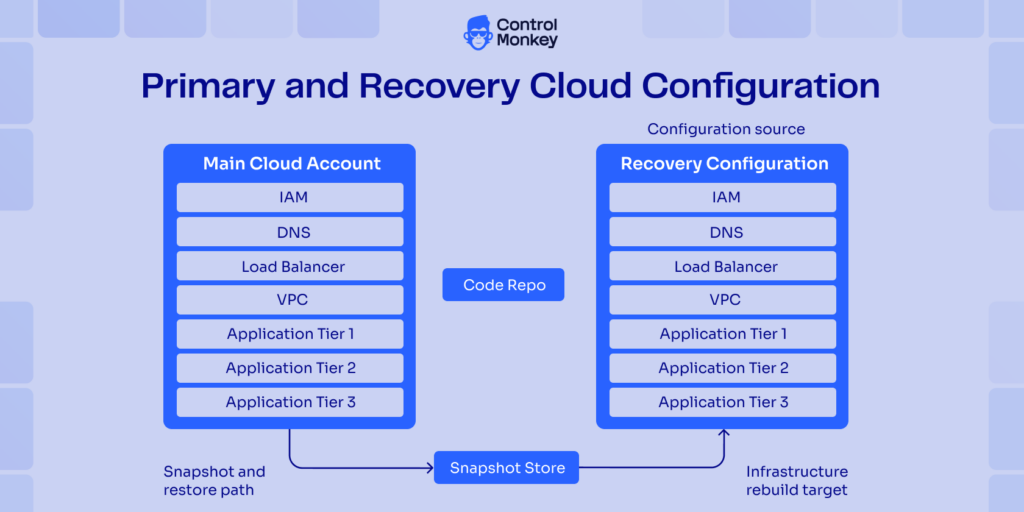
Platforms like ControlMonkey highlight this gap by extending recovery beyond data and workloads to include cloud infrastructure configuration. This includes managing and restoring settings for security, identity, and networking. Its approach involves capturing infrastructure state through tools like Terraform, enabling teams to revert to a known stable configuration across environments such as AWS, Azure, and GCP, as well as selected third-party platforms like Cloudflare and Okta. This shifts the DR conversation by reducing reliance on undocumented manual changes and individual knowledge.
This becomes critical in real world scenarios where incidents are not limited to data loss. IAM policies may be overwritten, DNS records can go missing, or network rules may be altered during a response. Data backups alone are insufficient in these cases. Recovering and validating infrastructure configuration becomes just as important as restoring data and workloads.

Business Continuity vs. Disaster Recovery – Are You Covered on Both Sides?
Most teams back up data but still struggle to recover infrastructure and maintain operations during outages.
What BC includes (beyond IT)
BC has a broader scope, including people, processes, and technology. But technology is usually not the most difficult part.
A real continuity plan has escalation paths, decision points for executives, ways to talk to customers and employees, vendor dependencies, staffing gaps, manual workarounds, and the order in which services will be cut back or kept. Emergency plans should include communication, IT support, incident response, recovery, and continuity of services. That is also why backup business continuity is a misleading phrase: backup matters, but it does not keep operations moving on its own.
When creating BC, you need to address questions such as which vendor’s outage will you be experiencing in 30 minutes? Which reports can wait until tomorrow? Which approval chain breaks down if one manager isn’t available? What promises do you have to keep to customers even when the system isn’t working right?
How ControlMonkey Prevents Operational Downtime When Systems Fail
ControlMonkey makes it easier to recover and stabilize cloud environments. Its resilience and continuity features include infrastructure configuration snapshots, rollback capabilities, drift visibility, and infrastructure coverage reporting. That gives teams a clearer picture of what can be restored, what is already protected, and where recovery still depends on manual effort. This helps teams prepare for failures and recover more efficiently when incidents occur.
It allows organizations to measure recovery readiness across cloud accounts and related platforms, rather than relying on manual tracking. This directly impacts downtime, helping to lower it, because business continuity depends on confidence in recovery capabilities. If the business knows that the platform team can restore environments, configurations, and validate coverage, leaders can make more informed decisions about operating in a degraded state instead of shutting systems down prematurely.
If your team struggles to understand ownership or resource relationships during incidents, the Cloud Inventory feature in ControlMonkey can be used alongside these capabilities to improve visibility.
Most disaster recovery plans fail because infrastructure isn’t recoverable.
👉 See how ControlMonkey rebuilds your cloud – not just your data
What is the difference between BC and DR?
The main difference between Business Continuity (BC) and Disaster Recovery (DR) is the scope each one tries to address. BC focuses on maintaining critical business operations, while DR focuses on restoring the applications, data, infrastructure, and connectivity that support those operations after a disruption.
BC defines priorities, decision paths, contingencies, and responsibilities at the business level. DR defines how technical recovery will be carried out to return systems to a safe and operational state, which is where ControlMonkey fits by helping teams restore infrastructure and configuration faster. This is why business continuity planning and disaster recovery should be handled together, but with clearly separated business and technical responsibilities.
Are BCP and Disaster Recovery the same?
No, a Business Continuity plan (BCP) and a Disaster Recovery plan (DRP) are not the same thing. A BCP covers staffing assumptions, communication flows, alternative processes, supplier dependencies, and operational thresholds needed to keep the business running during disruption. A DRP focuses specifically on restoring technology and data after a disaster, and this is the side ControlMonkey supports through infrastructure and configuration recovery. The DRP should be integrated into the broader BCP as a subset of it. They work together as part of the same business continuity & disaster recovery strategy, but still have different scopes, owners, tests, and metrics.
BCDR Plan: Best Practices
People think that a good BCDR plan will be more interesting than it actually is. In practice, it comes down to making decisions clearly, understanding dependencies, and testing repeatedly.
Teams often look for disaster recovery and business continuity plans with the best practices, but templates mostly help with structure. Templates help with structure, but they do not define priorities. A practical approach starts with business impact and then maps the technical steps required to meet those expectations, which is also where ControlMonkey helps by making infrastructure recovery more repeatable.
Here are some business continuity plan best practices that work in real environments:
- Not all systems need the same RTO or RPO. Start ranking workloads based on business impact.
- Map dependencies beyond the application, including IAM, DNS, queues, CI/CD, observability, vendors, and edge services.
- Define clear escalation paths and decision ownership to avoid delays during incidents.
- Document degraded operation modes and plan manual workarounds in advance.
- Use measured recovery times from tests or past incidents instead of assumed targets.
- Ensure you can restore or recreate all critical components required for recovery, including code, configuration, network, identity, and key third-party settings.
AWS guidance emphasizes setting recovery goals based on workload criticality rather than applying uniform targets. NIST guidance similarly focuses on defining priorities, resource requirements, and tested contingency and recovery procedures instead of relying on general resilience statements.
How ControlMonkey Strengthens Your BCDR Plan and Reduces Downtime
ControlMonkey helps when the team needs a fast way to recover from incidents and to restore infrastructure to a known good configuration. It also makes recovery less risky under pressure, since you can do it with the press of a button. Prior to restoration, the ControlMonkey platform shows a Recovery Plan so teams can see exactly what will be created or changed. That creates awareness of the changes supposed to happen and helps avoid another mistake during the fix. ControlMonkey focuses on infrastructure and configuration recovery, governance, and preparedness. It tracks infrastructure configuration, including DNS, redirects, firewall rules, etc., across different cloud providers.
How ControlMonkey fits into BC + DR workflows
ControlMonkey continuously tracks the infrastructure state changes. During an incident, it helps teams to identify previous successful configurations and restore to a known good state. This avoids the time it takes to restore the service, helping to troubleshoot the issue without the rush. Since you know the resource configuration it restored, troubleshooting becomes more focused and efficient.

A 30-min meeting will save your team 1000s of hours
A 30-min meeting will save your team 1000s of hours
Author