
Looking for a Cloud Rewind Backup alternative that can bring your identity and SaaS configuration back after ransomware or a bad change?
I checked each vendor’s documentation and pricing page for this guide and sorted the 10 best Cloud Rewind Backup alternatives in 2026 into five types: configuration recovery, enterprise data protection, native cloud backup and DR, SaaS application backup, and MSP platforms with backup.
TL;DR
- The best Cloud Rewind Backup alternative on the market is ControlMonkey for the cloud configuration layer, as our platform continuously backs up and recovers cloud and SaaS configurations (VPCs, IAM, security groups, DNS, Okta and Entra ID settings, etc.), including the identity and observability configuration outside the cloud account that application rebuild and data backup leave exposed.
- Rubrik and Cohesity are the stronger picks for enterprise cyber recovery across hybrid and SaaS estates, and Veeam fits teams that want one portable per-workload license.
What are the 10 best Cloud Rewind Backup alternatives in 2026?
The best alternative to Cloud Rewind Backup is ControlMonkey for teams whose recovery gap is configuration, and the other nine range from IaC-based configuration backup to enterprise data protection platforms and AWS’s own services.
I only included tools that restore something a Cloud Rewind buyer could lose in an incident, from cloud configuration down to a single user’s mailbox:
| Tool | Type | Features | Pricing |
|---|---|---|---|
| #1: ControlMonkey | Configuration recovery | Daily and policy-based snapshots across more than 50 environments, identity provider recovery for Okta and Entra ID, restores in dependency order, and Snapshot Changes Over Time with KomoAI. | $0 Free Resilience Assessment, with quotes for Pro and Enterprise. |
| #2: Rubrik | Enterprise data protection | Immutable backups for hybrid and SaaS data, Autonomous MVB Recovery, Identity Resilience for Microsoft directories and Okta, and Rubrik Agent Cloud. | Quote-based. Foundation, Business, and Enterprise editions, licensed by TB or per user. |
| #3: Cohesity | Enterprise data protection | Cohesity DataProtect and NetBackup, FortKnox cyber vaulting, Cohesity Gaia AI search, and SaaS or self-managed deployment in the major clouds. | No prices on Cohesity’s pages. Core, enterprise, and advanced editions (advanced coming soon). Free trial. |
| #4: Veeam | Enterprise data protection | Portable per-workload Veeam Universal License, recovery orchestration in Premium, Veeam Vault managed cloud storage, and Veeam Kasten for Kubernetes. | Quote-based per workload. Foundation, Advanced, and Premium editions. Free trial. |
| #5: AWS Backup and AWS Elastic Disaster Recovery | Native cloud backup and DR | Policy-based AWS Backup with CloudFormation stack backup, logically air-gapped vaults, restore testing, and AWS DRS server replication with point-in-time recovery. | AWS DRS at $0.028 per source server per hour, plus EBS and EC2. AWS Backup priced per GB-month. |
| #6: Semperis Ready1 | Enterprise data protection | Fully managed backup for endpoints, data center workloads, public cloud, and SaaS apps. DruAI with Dru MetaGraph, identity backup for Microsoft directories and Okta, AI Resilience for Claude and Microsoft 365 Copilot, and the $10M Resilience Guarantee. | Quote-based. Enterprise workloads consume Druva credits. Free trial. |
| #7: Acronis Cyber Protect Cloud | MSP platform with backup | Image and file backup for over 30 workload types, Acronis Active Protection at no extra charge, native Acronis RMM and Acronis PSA, and disaster recovery with isolated test failover. | Quote-based for service providers. |
| #8: Keepit | SaaS application backup | Independent, air-gapped cloud without outside sub-processors. Retention up to 99 years on always-hot storage. Coverage for 18 SaaS workloads, Entra ID and Okta among them. | Per seat, storage included. Every tier is quoted by sales. |
| #9: Cove Data Protection | MSP platform with backup | TrueDelta for 15-minute backup intervals, isolated immutable copies by default, automated recovery testing, and Cove DRaaS. | Flat rate per server or workstation and per user for Microsoft 365. Quote-based. |

Ready to close the cloud recovery gap?
Join us in our bi-weekly live demo to see how ControlMonkey makes cloud and SaaS configurations recoverable with versioned snapshots, known-good recovery points, and automated recovery.
Cloud Rewind Backup Alternative #1: ControlMonkey
ControlMonkey is the strongest Cloud Rewind Backup alternative when the thing you can’t afford to lose is configuration, as our platform snapshots cloud and SaaS configuration daily and restores it in dependency order.
The risk is that configuration breaks in ways a data restore can’t fix.
A ransomware operator with cloud credentials can rewrite it, and so can a hijacked Okta admin, an over-permissioned AI agent, or an engineer fixing something in the console at 2 AM.
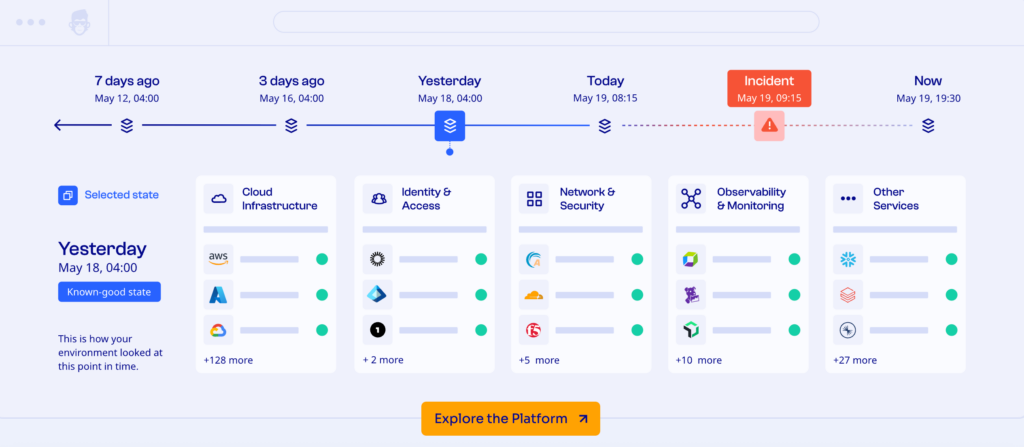
Restoring your databases afterwards leaves every one of those changes in place.
Commvault Cloud Rewind tackles part of this by rebuilding applications inside your public cloud accounts, down to their VPCs, IAM, DNS, security groups, and route tables.
But what it leaves open is configuration managed outside those accounts, such as DNS and CDN rules in Cloudflare, Datadog monitors, identity provider policies, and network settings held in SaaS consoles.
Those settings decide whether a rebuilt application can serve anyone, and whether the identity provider stops letting people sign in. A perfect rebuild still has zero users.
Our platform covers that outer layer along with the cloud accounts themselves, so one set of versioned snapshots spans cloud infrastructure, SaaS, identity, network, and observability.
We call the category Cloud Configuration Disaster Recovery, and Block, Veolia, Comcast, and Intel are among the companies running it.
Three capabilities do most of the work:
Backup across cloud, SaaS, identity, network, and observability
Most DR plans were written around the cloud account and the data inside it, and a real recovery needs far more configuration than that.
ControlMonkey fills the gap by reading configuration through read-only API connections to more than 50 supported environments and storing every snapshot as a versioned restore point.
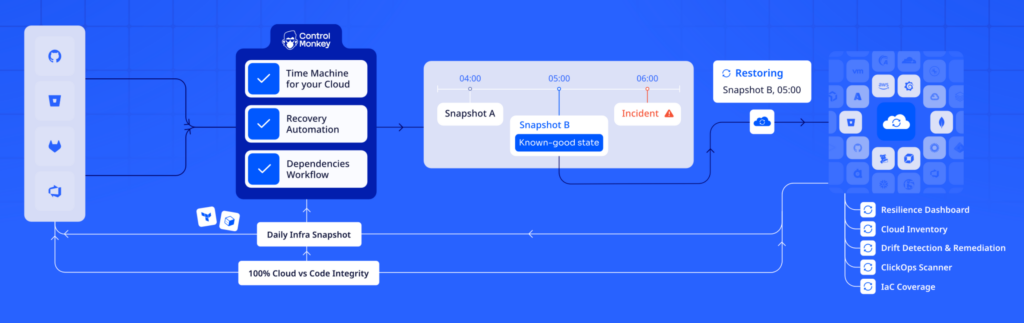
Each snapshot covers the layers an application needs before it can serve users again:
- Cloud infrastructure: VPCs and IAM policies across your public cloud accounts are captured with the rest of their configuration.
- Identity: Okta, Microsoft Entra ID, OneLogin, Ping Identity, and JumpCloud are all covered, because a restored environment is useless if nobody can sign in to it.
💡 Here’s how you can restore identity access fast with ControlMonkey:
- Network and edge: DNS and CDN settings in Cloudflare, routing tables, firewall rules, and security groups come in together, which gives you network security policy backup without buying another tool.
- Observability: Datadog dashboards and monitors are included, and the team running the restore needs them to confirm it worked.
None of this depends on how a resource was created.
Console edits, one-off scripts, pipeline API calls, and AI-assisted changes all land in the configuration snapshots, whether or not anyone codified them.
That’s deliberate, because incomplete IaC is a key reason recovery plans fail, and a snapshot of live state doesn’t depend on what made it into code.
Backup scheduling combines daily snapshots with policy-based ones, and that history is already in place when an incident starts.
Dependency-aware recovery to a known-good state
Having the snapshots is half the job, as configuration restores usually break on sequencing.
ControlMonkey brings resources back in the order they need to exist, from a single resource up to an entire environment.
That order is easy to get wrong by hand: an Okta app assignment is useless until its group is back, and a security group rule that references another group fails until that group exists again.
With our platform, you pick the known-good recovery point and the scope, and dependency-aware recovery takes care of much of the sequencing.
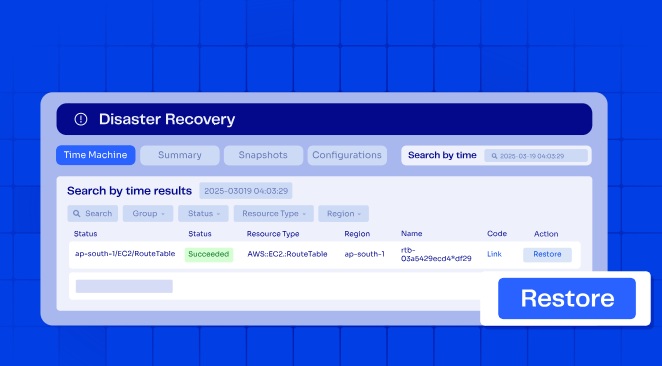
That’s what disaster recovery orchestration looks like for configuration.
It cuts down the manual rebuilds under pressure that turn a bad afternoon into a lost week, along with the human error that tends to come with them.
For on-call teams, the payoff is a lower RTO for configuration.
See what changed before you recover
Knowing how to restore still leaves the question of which state to restore, and the answer depends on what changed and when.
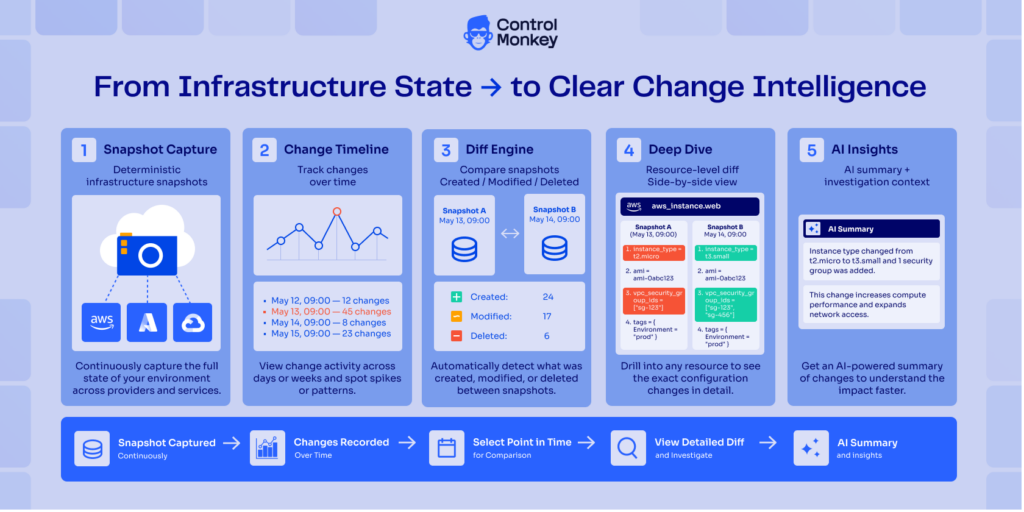
ControlMonkey keeps every configuration version from your cloud and SaaS environments, so teams can spot changes that look malicious or accidental and go back to an earlier known-good state.
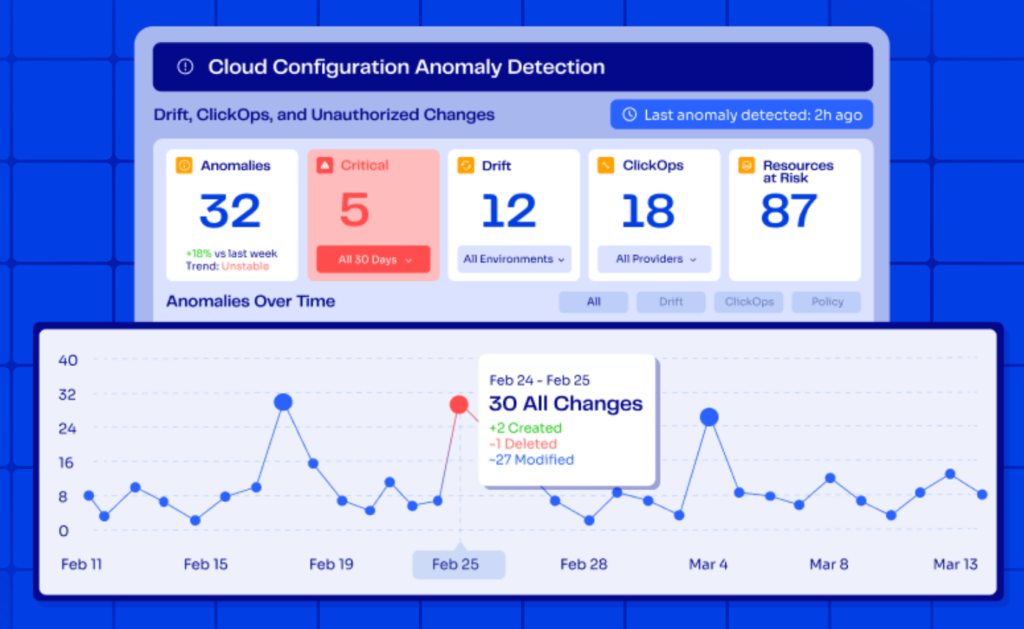
Suppose an attacker loosened an Okta sign-on policy on Tuesday, and on Wednesday an engineer fixed an unrelated DNS record.
Rolling everything back to Monday would undo the attacker’s change and the engineer’s fix at the same time.
With the change history in front of you, the Okta policy can be restored on its own while the DNS fix stays in place.
A few change signals help narrow down that decision:
- Snapshot Changes Over Time: Compares snapshots side by side, showing which settings moved between one recovery point and the next.
- KomoAI: Flags the deltas that look risky, which shortens the search for the change behind an incident.
- Drift detection: Compares live configuration with its configuration baseline, a quick way to spot changes that went around change management before things broke.
- ClickOps Scanner: Surfaces changes made by hand in the console, since those rarely leave a trace in code or tickets.
As the history spans SaaS and identity platforms as well as cloud resources, network visibility and recovery readiness visibility come from one recoverable view.
After the incident, the same versioned history doubles as audit-ready backups of configuration state for network compliance reviews.
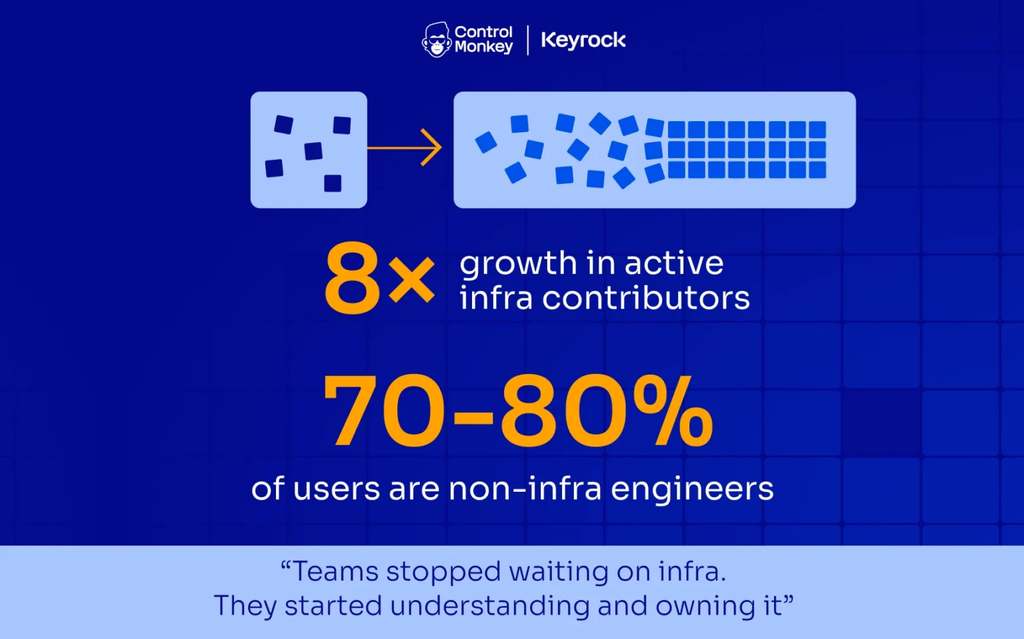
💡 💡 Keyrock went from 0% to 100% visibility into ClickOps and drift with ControlMonkey, so changes made outside its central infrastructure team no longer go unseen.
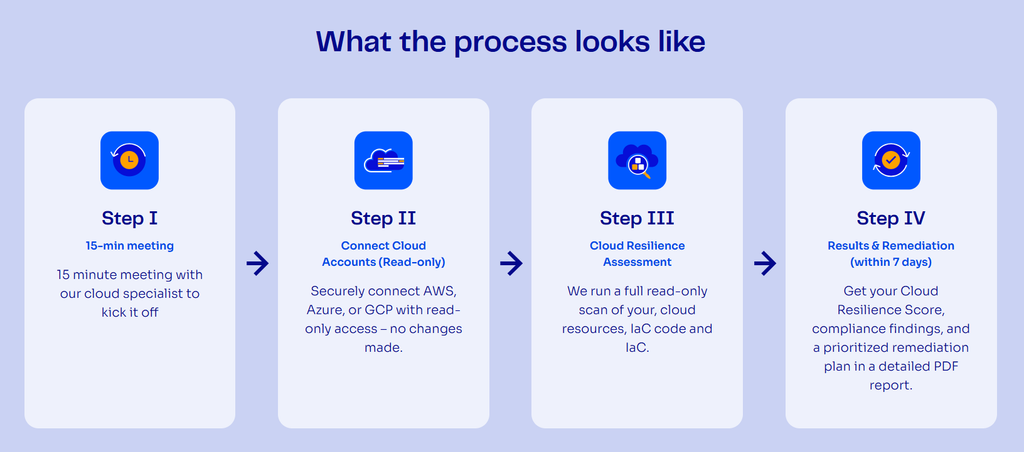
Our Free Cloud DR Assessment will show your configuration recovery gaps before you shortlist anything.
It connects read-only, with no agents and no production impact, and discovery can begin in 30 minutes to half a day, depending on cloud environment size.
How does ControlMonkey complement Cloud Rewind Backup?
ControlMonkey complements Cloud Rewind Backup by recovering the configuration held outside the cloud accounts Cloud Rewind rebuilds.
The truth is that we’re not trying to replace Cloud Rewind. The work splits like this:
- Commvault Cloud Rewind: Rebuilds cloud-native applications and their data inside your cloud accounts in dependency order, working with other Commvault Cloud solutions to find a clean restore point.
- Commvault Identity Resilience: Sold separately, it covers Active Directory and Entra ID, with Okta support announced in 2026.
- ControlMonkey: Adds Cloudflare DNS and CDN rules, Datadog monitors, network policies set in SaaS consoles, and identity providers outside Commvault’s list, such as Ping Identity and JumpCloud.
- Your network configuration backup tool: Keeps handling device discovery and switch configuration backup, the job backup solutions for enterprise network hardware were bought for.
Data recovery alone is not business recovery, and neither is an application rebuild with identity missing.
Network backup software and other enterprise network backup solutions protect the hardware, while ControlMonkey extends that model to the broader cloud infrastructure configuration and lowers operational risk across network, identity, SaaS, and cloud environments together.
What is the difference between Cloud Rewind Backup and ControlMonkey?
Cloud Rewind Backup rebuilds cloud-native applications and their data inside the cloud account, while ControlMonkey recovers configuration across that account and the SaaS, identity, network, and observability platforms around it.
Let’s take a look at how that looks head-to-head:
| Capability | ControlMonkey | Cloud Rewind Backup |
|---|---|---|
| Primary recovery target | The cloud and SaaS configuration required to operate, restored from versioned known-good states. | Cloud-native applications and their data, rebuilt using dependency maps and immutable backup copies. |
| Coverage scope | Cloud infrastructure, SaaS, identity, network, and observability in one recoverable view, across more than 50 supported environments. | Cloud environments and the components inside them, including virtual machines, containers, networks, subnets, security groups, IAM, DNS, and serverless functions. |
| Identity provider recovery | Configuration DR for Okta, Microsoft Entra ID, OneLogin, Ping Identity, and JumpCloud. | Outside the documented Cloud Rewind scope. Commvault sells identity recovery separately through its Identity Resilience suite, covering Active Directory, Entra ID, and Okta (Okta support announced in 2026). |
| SaaS and observability configuration | Captures configuration from SaaS, network, and observability platforms such as Cloudflare and Datadog. | Focused on cloud-native application environments, with third-party SaaS configuration outside the documented coverage. |
| Change intelligence | Snapshot Changes Over Time and KomoAI show what changed between snapshots and which recovery point to select. | Drift analysis flags configurations that deviate from what’s expected, and a time-machine store of infrastructure metadata keeps earlier configuration states. |
| Recovery granularity | Dependency-aware recovery, from an individual resource up to a full environment. | Restores the cloud estate in one action from its dependency maps and data backups, can recover across regions and accounts, and offers a configuration-only recovery mode for AWS. |
| Recovery testing | Recovery readiness validated against daily and policy-based versioned snapshots. | Rebuilds environments on a daily schedule for testing, with isolated cloud sandboxes used for threat scanning and fault-injection tests. |
| Ecosystem dependency | Runs standalone across cloud and SaaS environments. | Draws on other Commvault Cloud products to pick a clean restore point, and fits best alongside the wider Commvault stack. |
| Deployment model | Read-only connection with no agents and no production impact. Discovery can begin in 30 minutes to half a day. | SaaS connected to your cloud accounts with no infrastructure to deploy, delivered within the Commvault Cloud portfolio. |
| Pricing model | Free Resilience Assessment ($0), Pro (custom), Enterprise (custom). | Custom pricing, quoted through Commvault. |
Here’s how the full disaster journey looks with ControlMonkey:
Pricing
ControlMonkey has three plans, and only the first has a public price:
- Free Resilience Assessment ($0): A session with our team covering your resilience score and recovery gaps, based on configuration discovery and detect-only drift findings.
- Pro (custom): Covers as many as 50,000 cloud assets and the same number of protected resources, with Snapshot Changes Over Time, drift remediation, the ClickOps Scanner, and RBAC included, plus specialized support.
- Enterprise (custom): Limits on assets and protected resources are negotiated per contract for large, complex estates.
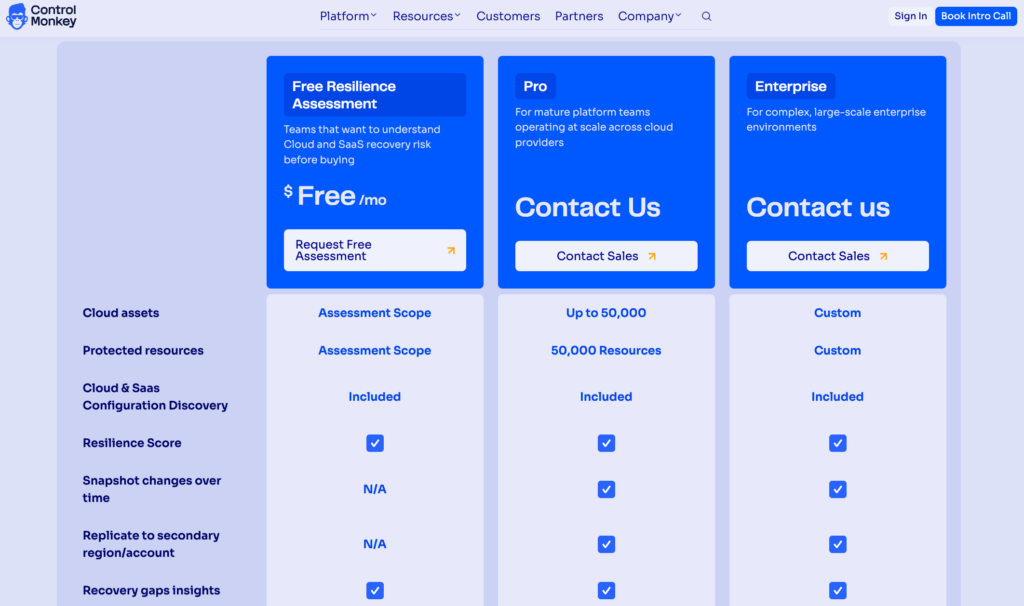
Paid plans add replication to a secondary account or region, and there’s an optional self-hosted agent for security teams that ask for one.
Pros & Cons
✅ Versioned known-good states for cloud and SaaS configuration.
✅ Okta, Microsoft Entra ID, OneLogin, Ping Identity, and JumpCloud are all covered.
✅ Restores run in dependency order, from one resource to a whole environment.
✅ Change history shows what moved before you pick a recovery point.
✅ The free assessment is read-only and agentless.
❌ We don’t back up data, so databases and object storage still need Commvault or another backup platform.
❌ Teams that only need Cisco Meraki or Cloudflare backed up will find a point tool a better fit.
Cloud Rewind Backup Alternative #2: Rubrik
Rubrik Security Cloud combines backup and cyber recovery for hybrid and SaaS data with identity recovery and AI agent governance.
The platform makes the most sense for organizations that want cyber recovery and identity resilience from one vendor, especially those running Okta alongside Microsoft directories.
Rubrik Features
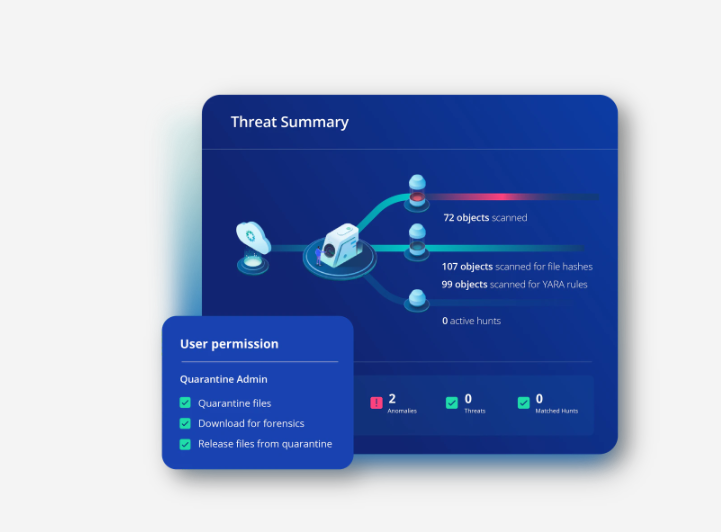
- Autonomous MVB Recovery: Dependencies are mapped automatically, so the applications a Minimum Viable Business needs come back first, in priority order.
- Identity Resilience: By correlating change signals across Microsoft directories and Okta, Rubrik can roll back malicious identity changes while keeping legitimate ones.
- Rubrik Agent Cloud: AI agent actions are checked against intent-based guardrails before they run, with the option to reverse destructive changes an agent makes.
Rubrik Pricing
Rubrik Security Cloud is licensed by capacity (TB) or per user, and every deal is quoted through Rubrik sales or resellers, with no public list prices as of September 2026.
Rubrik Pros & Cons
✅ Air-gapped, immutable backups with access controls.
✅ The Preemptive Recovery Engine identifies clean recovery points before an alert fires.
✅ Critical applications come back in business priority order.
❌ The Utility consumption model comes with a 36-month minimum term.
Cloud Rewind Backup Alternative #3: Cohesity
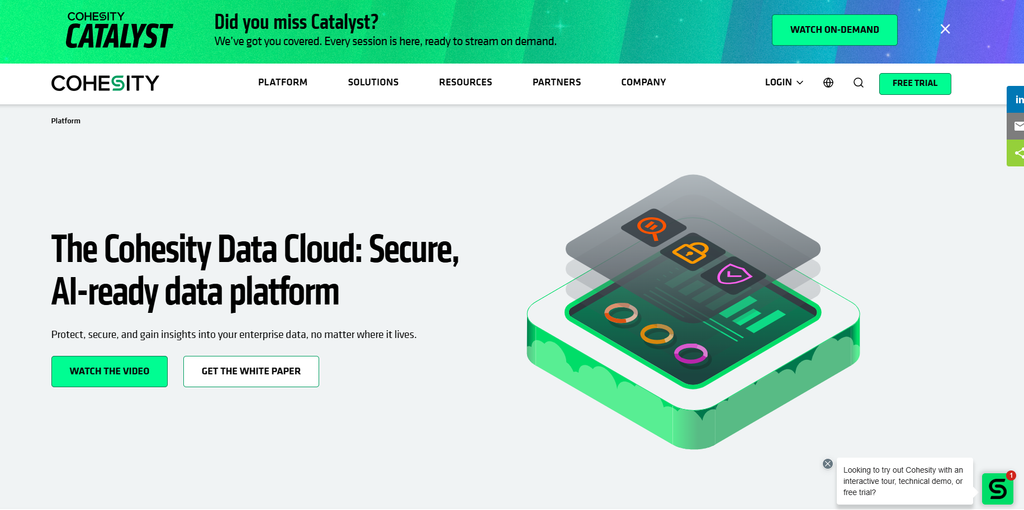
Cohesity Data Cloud brings Cohesity DataProtect and NetBackup together on one data platform for hybrid and multicloud estates.
It fits organizations that want backup and data security from one vendor, plus some choice over how the platform is run.
Cohesity Features
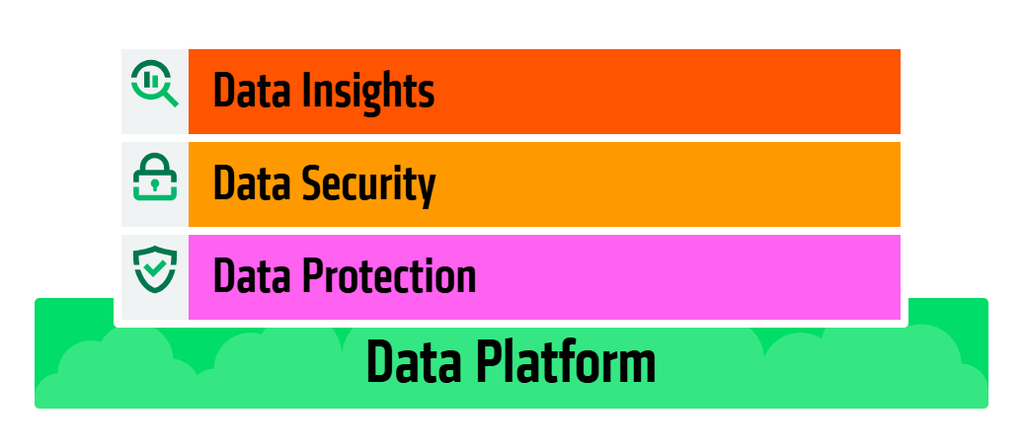
- DataProtect and NetBackup: Cohesity restores files and VMs to any point in time from fully hydrated backup snapshots, while NetBackup covers more than 1,000 data sources and 1,000 storage targets.
- Cohesity Gaia: AI-powered conversational search lets teams query protected data in natural language.
- Flexible deployment: Cohesity is available as a managed SaaS service or as software you run in your own cloud tenant or data center.
Cohesity Pricing
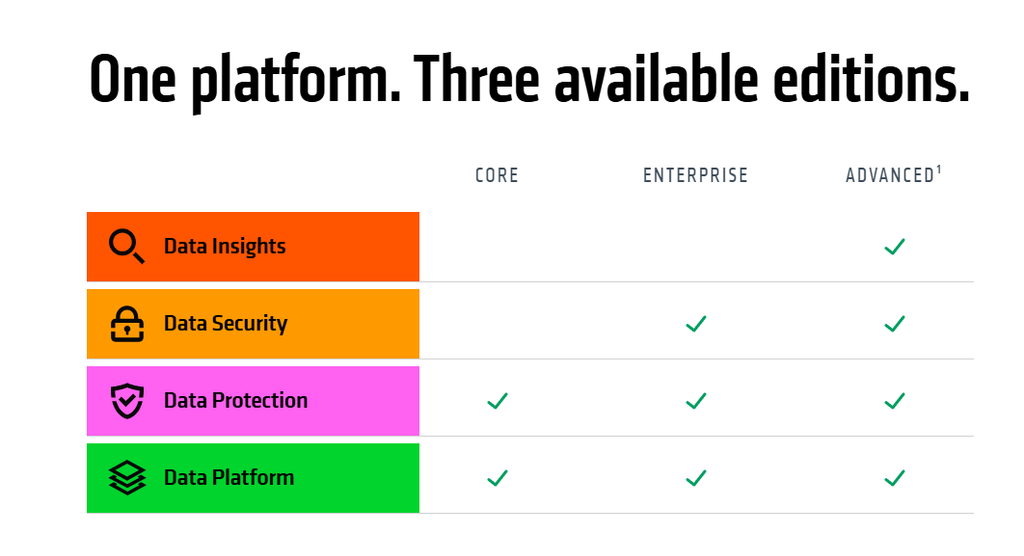
Cohesity Data Cloud comes in core, enterprise, and advanced editions (advanced is marked coming soon), and Cohesity’s platform pages showed no prices in September 2026.
Each of the three largest public clouds sells Cohesity through its marketplace, customer-managed or as SaaS, and Oracle Cloud supports customer-managed deployments.
A free trial is available.
Cohesity Pros & Cons
✅ Sovereign-by-design architecture across more than 24 cloud regions.
✅ Policy-based tiering moves cold data to cheaper cloud storage and can replace tape for long-term retention.
✅ FortKnox provides SaaS-based cyber vaulting for critical data.
❌ The advanced edition is still listed as coming soon, so the top tier isn’t available to buy yet.
Cloud Rewind Backup Alternative #4: Veeam
Veeam Data Platform handles backup and recovery for hybrid workloads, from on-premises hypervisors to the major public clouds, under one portable per-workload license.
It’s a good match for hybrid estates that want licenses to follow workloads between platforms, and Veeam sells SaaS and Kubernetes protection as separate products.
Veeam Features
- Veeam Universal License: One portable license moves with each workload between on-premises and cloud platforms, so a migration doesn’t mean buying new licenses.
- Veeam Vault: Veeam’s own managed cloud storage works as an offsite backup target and supports cloud DR, including clean room recovery.
- Veeam Data Cloud: Microsoft 365 and Salesforce data can be protected as a service, with no backup infrastructure to run.
Veeam Pricing
Veeam Data Platform is quote-based and licensed per workload through the Veeam Universal License, and Veeam’s packaging page lists three editions with no public prices as of September 2026:
- Foundation: Core backup and recovery.
- Advanced: Foundation plus observability and AI-powered threat detection.
- Premium: Advanced plus recovery orchestration and GRC and compliance reporting.
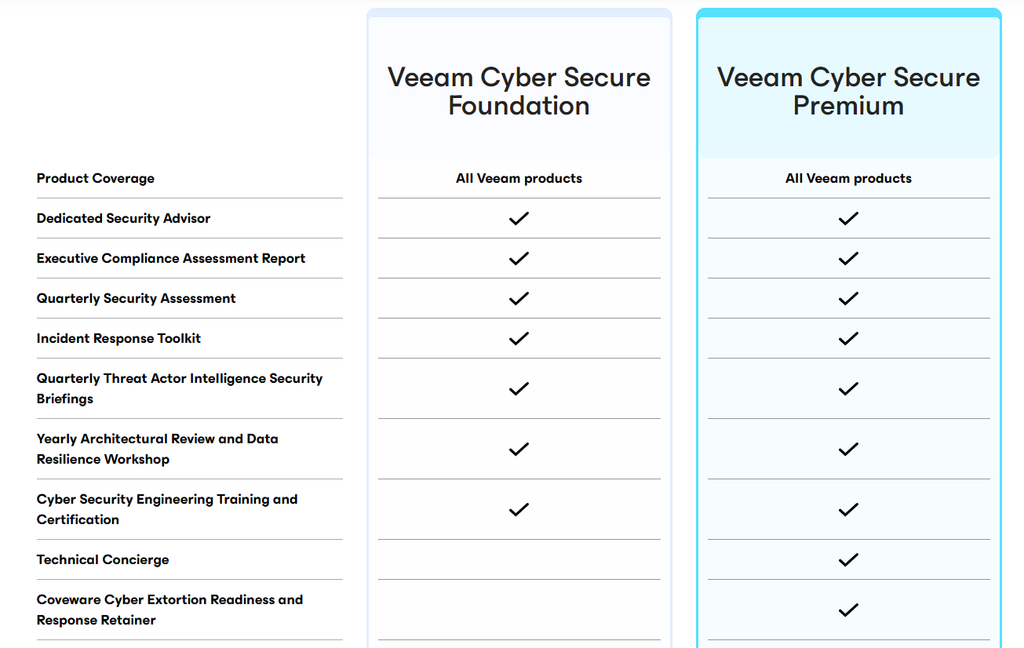
Quotes come through Veeam’s partners or its own sales team, and there’s a free trial.
Veeam Pros & Cons
✅ Licenses move with workloads between on-premises and cloud.
✅ Kubernetes protection is available through Veeam Kasten.
✅ Veeam Cyber Secure adds expert-led incident response through Coveware for teams that want services on top of the software.
❌ Microsoft 365 and Salesforce protection are separate products with their own licenses.
Cloud Rewind Backup Alternative #5: AWS Backup and AWS Elastic Disaster Recovery
AWS Backup and AWS Elastic Disaster Recovery (AWS DRS) are Amazon’s native services for backing up AWS resources and recovering servers into AWS after an outage.
They work best for AWS-centric teams that want protection billed through their own AWS account.
AWS Backup and AWS DRS Features
- Policy-based backup, including CloudFormation stacks: Beyond automating backups across AWS services and on-premises, AWS Backup can capture a CloudFormation stack together with resources such as IAM roles and VPC security groups.
- Logically air-gapped vaults: These vaults stay immutable under AWS Backup Vault Lock in Compliance mode by default, and Multi-party approval restores access if the backup account is compromised.
- Server replication with AWS DRS: Source servers replicate continuously into a low-cost staging area in your AWS account, ready to launch as recovery instances from the latest state or an earlier point in time.
AWS Backup and AWS DRS Pricing
As of September 2026, AWS DRS charges $0.028 per source server per hour with no upfront cost or minimum fee.

Point-in-time recovery and drill launches are included in that rate.
Replication also consumes EBS storage and EC2 compute, billed separately, and AWS’s own example puts 100 servers at about $6,389 per month in US East once those are included.
AWS Backup charges per GB-month of backup storage and per GB restored, with rates that vary by resource type and Region.
AWS Backup and AWS DRS Pros & Cons
✅ Pay-as-you-go billing with no minimum commitment.
✅ Restore testing checks restore viability on a schedule.
✅ Cross-account and cross-Region copies are built in.
❌ AWS is always the recovery site: AWS DRS accepts on-premises and other-cloud servers as sources, but recovery launches happen in AWS.
Cloud Rewind Backup Alternative #6: Druva Resilience Cloud
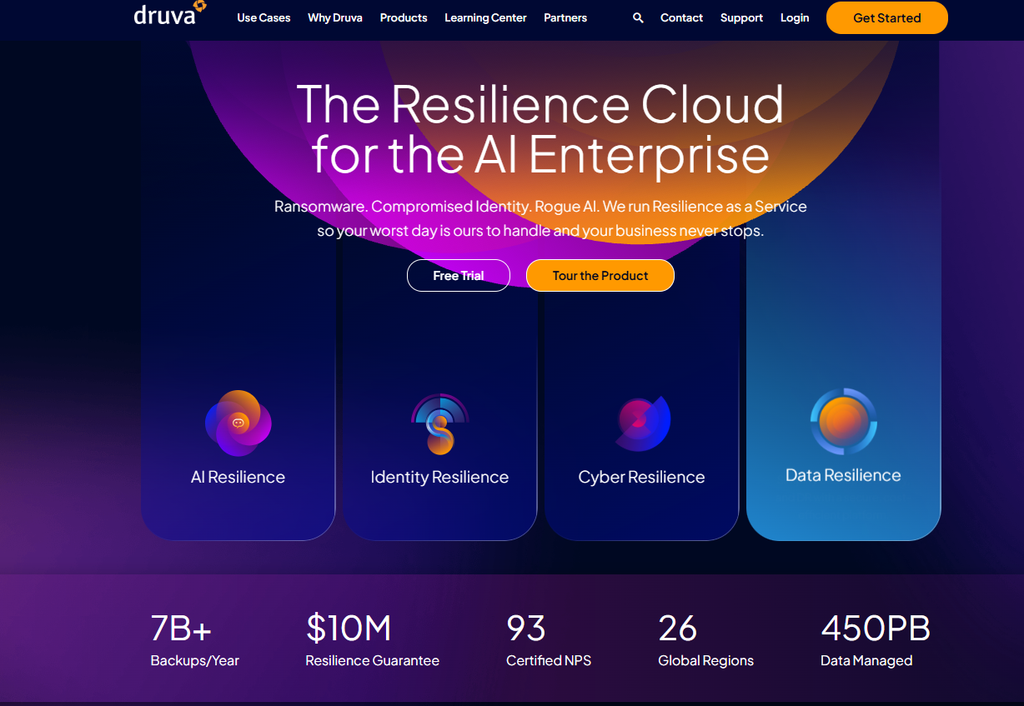
Druva Resilience Cloud is a fully managed SaaS service that backs up endpoints, data center workloads, public cloud services, and SaaS applications, with identity and AI recovery added on the same platform.
It suits enterprises that want to retire their own backup servers and put Microsoft 365, Salesforce, identity, and cloud workloads with one vendor.
Druva Resilience Cloud Features
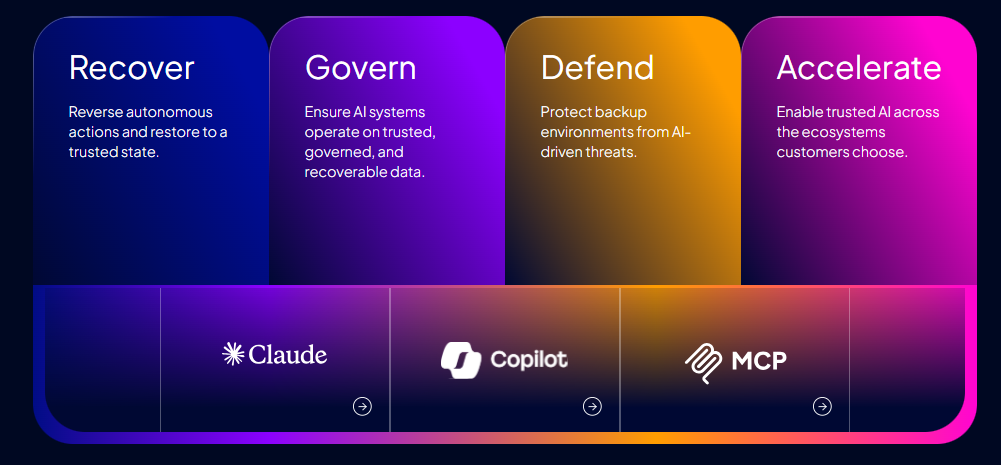
- DruAI and Dru MetaGraph: DruAI lets admins ask natural-language questions to investigate threats and check backup reliability, and Dru MetaGraph links backup metadata with identities and recovery history.
- Identity recovery for Microsoft directories and Okta: Microsoft directories get object-level restores up to full Active Directory forest recovery; Okta backups can reinstate access at a granular level.
- AI Resilience for Claude and Microsoft 365 Copilot: Claude Backup protects Claude projects and conversations, and Microsoft 365 Copilot Backup protects Copilot Chat conversations.
Druva Resilience Cloud Pricing
Druva doesn’t list prices, and when I checked its pricing page in September 2026, every plan led to a quote.
Enterprise workloads are billed in Druva credits, which track the compressed, deduplicated backup storage you consume.
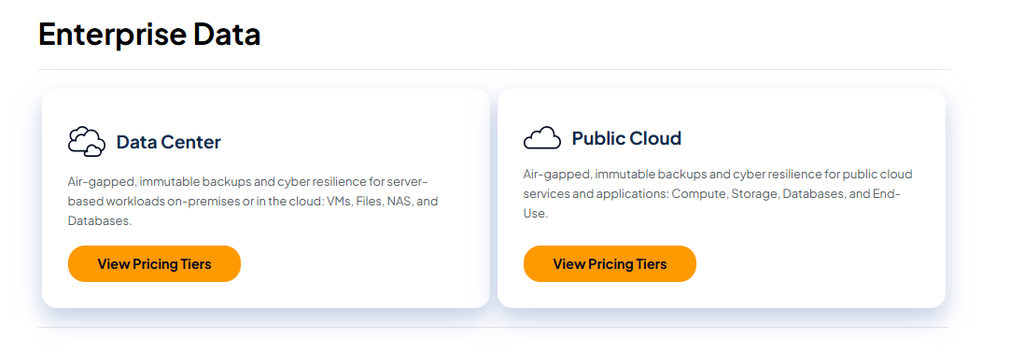
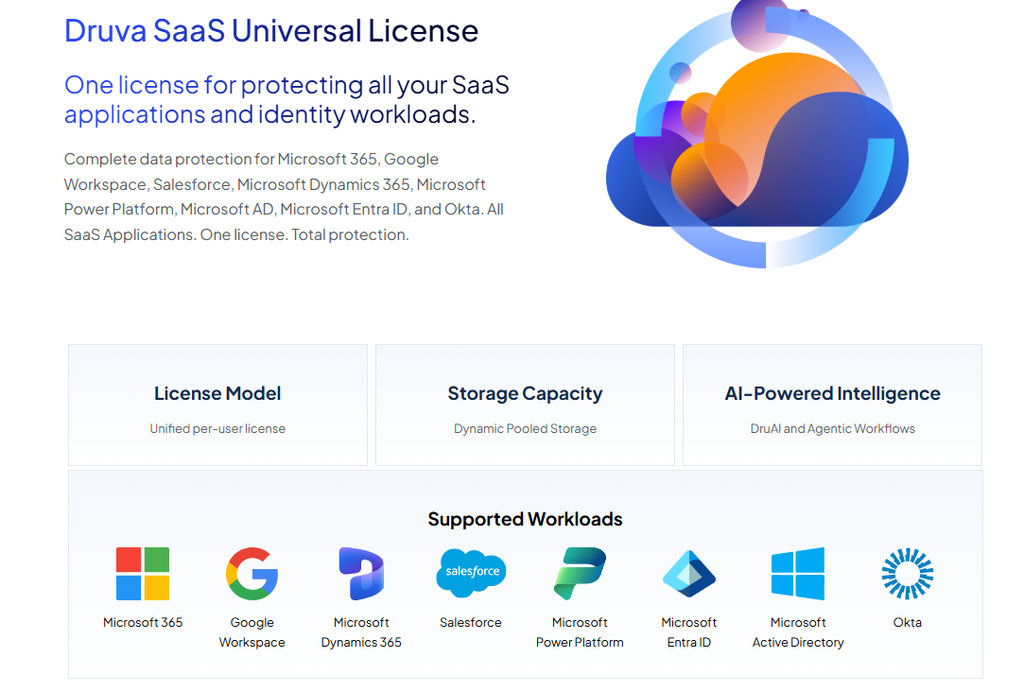
Alongside per-workload plans, Druva offers a SaaS Universal License and an Essentials Pack for smaller businesses.
Druva Resilience Cloud Pros & Cons
✅ Druva offers a $10M Resilience Guarantee (conditions apply).
✅ Nothing to deploy or patch.
✅ Salesforce protection includes metadata and sandbox seeding.
❌ Costs depend on deduplication ratios and retention settings, and the annual bill is hard to predict before a trial.
Cloud Rewind Backup Alternative #7: Acronis Cyber Protect Cloud
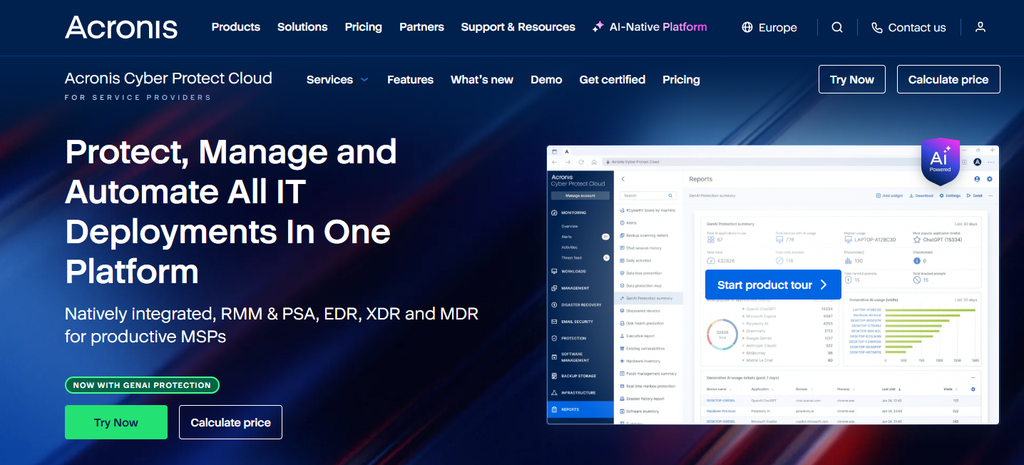
Service providers use Acronis Cyber Protect Cloud to deliver backup, disaster recovery, anti-malware, and endpoint management to their clients from one platform.
It’s designed for MSPs that sell backup and security as one managed service and want RMM and PSA in the same console.
Acronis Cyber Protect Cloud Features
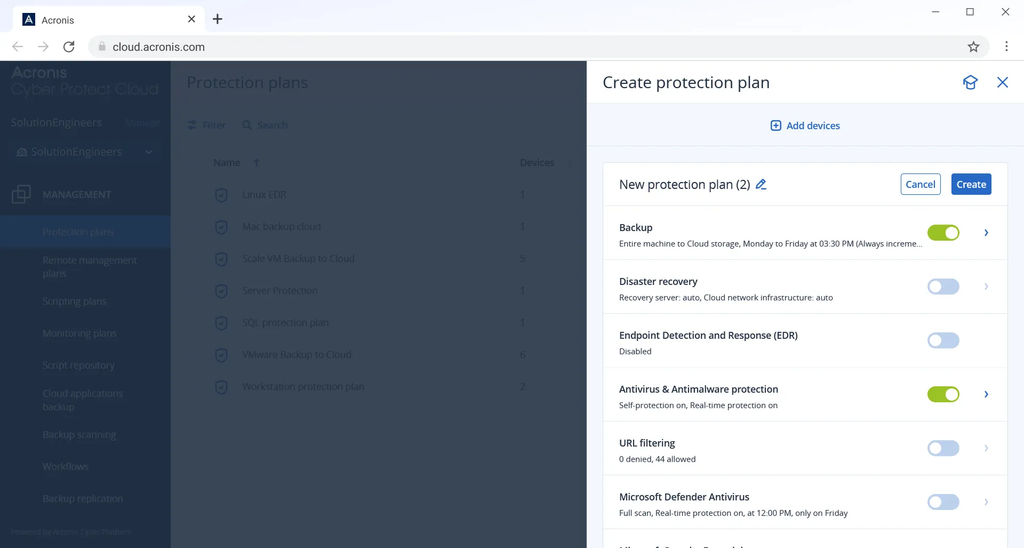
- Over 30 workload types: Physical servers, virtual machines, cloud workloads, and mobile devices are all supported, and backup sources include NAS devices and ESXi host configurations.
- Acronis Active Protection: Behavioral analysis stops ransomware and zero-day attacks, at no extra charge to MSPs.
- Native Acronis RMM and Acronis PSA: Acronis RMM handles endpoint provisioning and remote assistance; Acronis PSA automates service workflows.
Acronis Cyber Protect Cloud Pricing
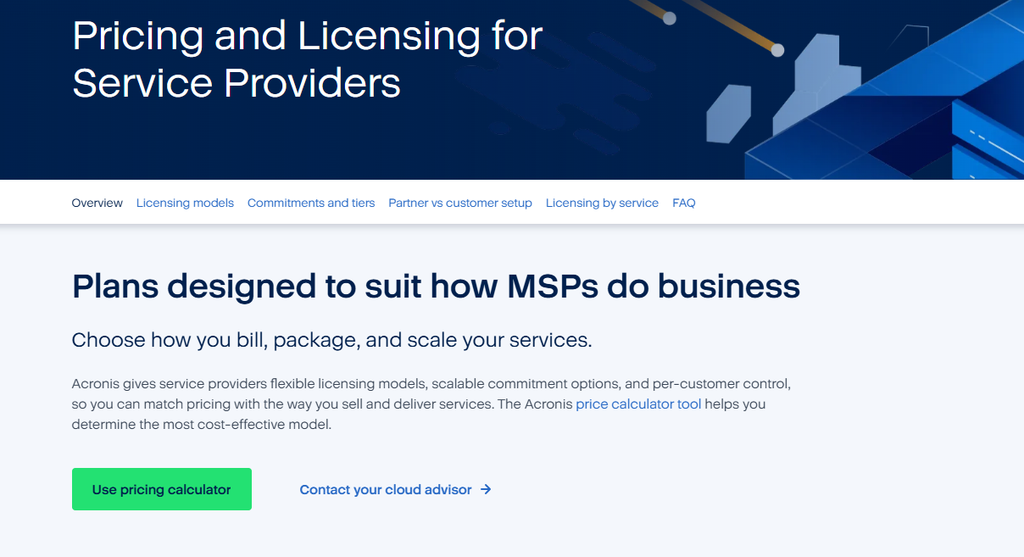
Acronis doesn’t publish a rate card for Cyber Protect Cloud (checked September 2026), and service providers build quotes with its pricing calculator.
Each customer tenant can be licensed as a solution-based package with one SKU per workload, or service by service, billed per workload or per GB.
Acronis Cyber Protect Cloud Pros & Cons
✅ EDR and XDR are natively integrated with backup, and MDR is available too.
✅ DR tenants can rehearse failover on an isolated network.
✅ 23 of its more than 50 data centers are in Europe.
❌ Cyber Protect Cloud is sold to service providers, and in-house IT teams buying direct usually end up on Acronis Cyber Protect, a separately licensed product.
Cloud Rewind Backup Alternative #8: Keepit
Keepit backs up Microsoft 365, Entra ID, Google Workspace, Salesforce, and more than a dozen other SaaS apps into its own independent, air-gapped cloud.
Regulated organizations with data sovereignty requirements and long retention needs are a natural match.
Keepit Features
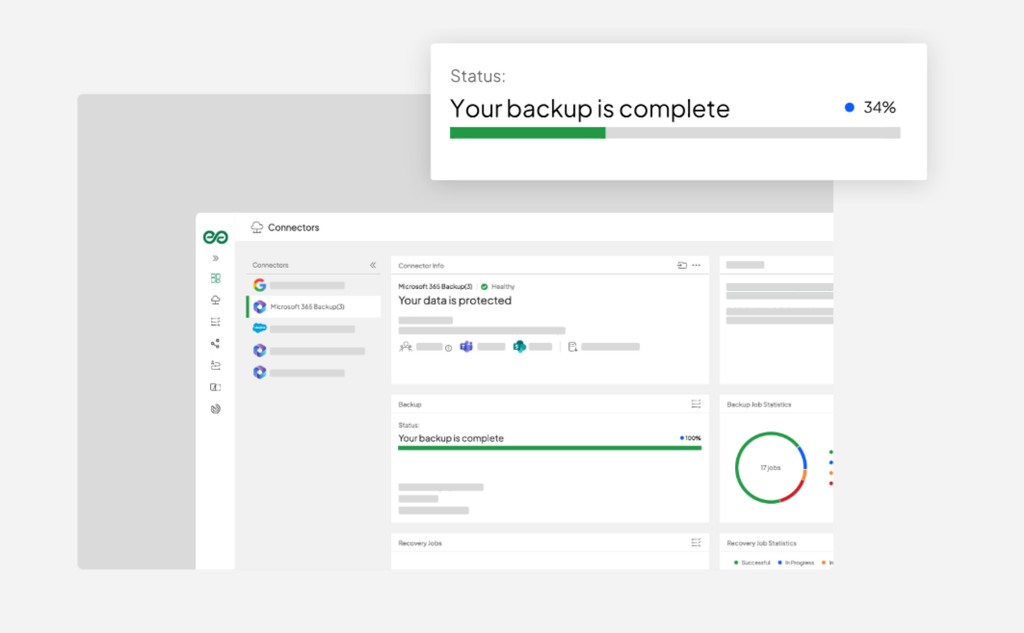
- Independent cloud: Keepit doesn’t hand customer data to outside sub-processors, and its no-transfer guarantee keeps data in whichever of seven regions you select.
- Retention up to 99 years: Backup retention can be set as long as 99 years, and always-hot storage keeps data quickly recoverable with no rehydration charges.
- Identity and developer workloads: Entra ID and Okta are covered along with Azure DevOps and GitHub, extending protection into identity and source code.
Keepit Pricing
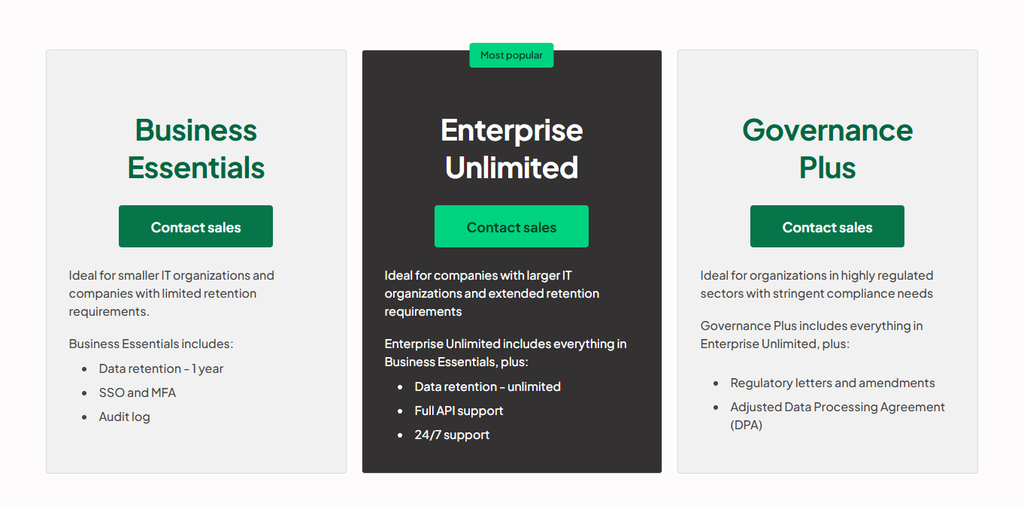
Keepit bills per seat with storage included and doesn’t charge for data transfer or rehydration, but every tier went through sales when I checked in September 2026:
- Business Essentials: One year of data retention, SSO, MFA, and an audit log, aimed at smaller IT organizations.
- Enterprise Unlimited: Everything in Business Essentials, with unlimited retention and full API support, backed by around-the-clock support.
- Governance Plus: Everything in Enterprise Unlimited, plus regulatory letters and amendments and an adjusted Data Processing Agreement for highly regulated sectors.
Keepit Pros & Cons
✅ Per-seat billing without transfer or rehydration fees.
✅ Data residency is easy to document with seven regions and a no-transfer guarantee.
✅ Even BambooHR and Autodesk Forma are supported.
❌ Servers and endpoints aren’t covered, since Keepit focuses on SaaS data.
Cloud Rewind Backup Alternative #9: Cove Data Protection
N-able’s Cove Data Protection is a cloud-first backup and disaster recovery service for servers and workstations, with Microsoft 365 managed from the same dashboard.
The platform sells it to MSPs and internal IT departments that want appliance-free backup at a flat price per device.
Cove Data Protection Features
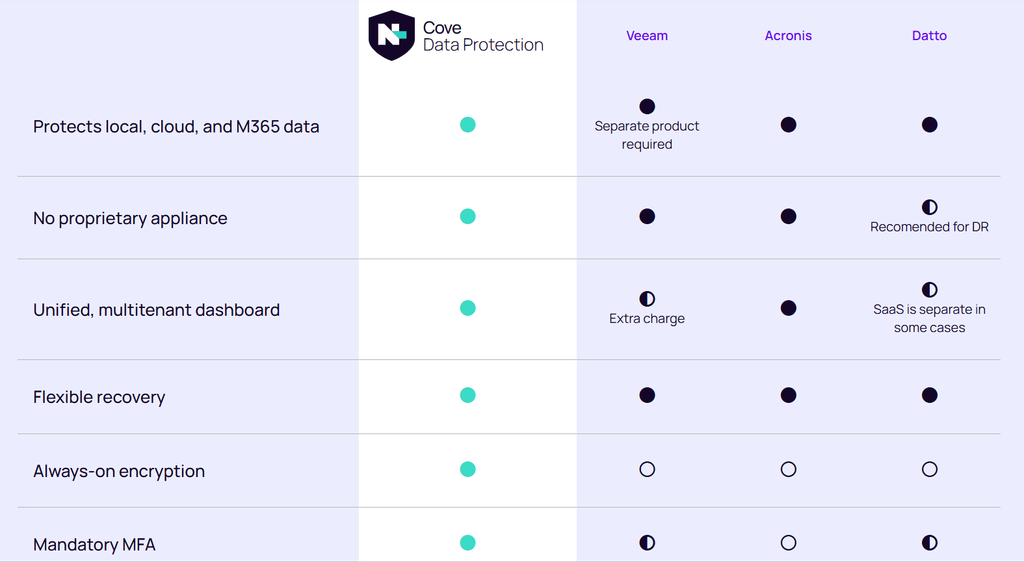
- TrueDelta deduplication: TrueDelta strips redundant data out of every backup job, keeping transfers small enough for 15-minute backup intervals straight to the cloud.
- Isolated, immutable copies by default: Backup copies are isolated from production and immutable, and access is protected by always-on encryption and mandatory MFA.
- Automated recovery testing and DRaaS: Recovery testing is automated to help with compliance, and Cove also offers DRaaS.
Cove Data Protection Pricing
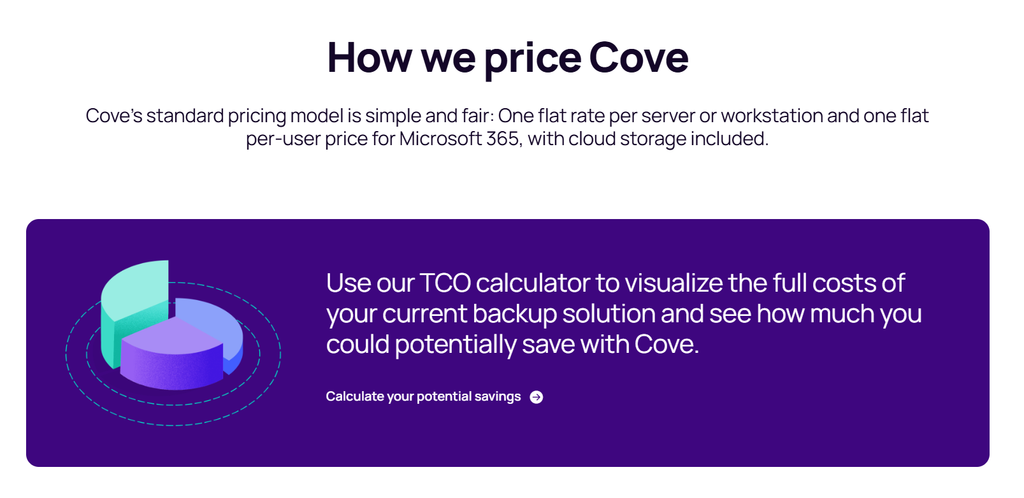
N-able publishes Cove’s pricing model but not its rates.
Servers and workstations each have one flat per-device rate, and Microsoft 365 is priced per protected user.
Device storage is included and shared across an MSP’s customers, so heavy devices draw on the capacity lighter ones leave unused.
Microsoft 365 storage is pooled separately, per tenant, across that tenant’s users.
Devices added or removed beyond your commitment show up in that month’s bill, and multi-year contracts can lock in a price.
Cove Data Protection Pros & Cons
✅ Pooled storage keeps one large file server from blowing its allowance.
✅ No appliance to buy or maintain.
✅ 15-minute backup intervals.
❌ Microsoft 365 is the only SaaS workload highlighted on Cove’s pages, and Google Workspace or Salesforce shops should check support before signing.
Bring back the configuration your applications need with ControlMonkey
A Cloud Rewind rebuild can return every subnet and container to its last known state and still leave users locked out.
Recovery can still stall on configuration held outside the cloud account.
By then, the attacker’s Okta policy change is still live, a Cloudflare rule is missing, the Datadog monitors that would confirm the fix are gone, and last month’s runbook no longer describes the environment.
Many DR programs have a plan for data and a plan for the application stack, while the configuration connecting both to real users is left to memory.
ControlMonkey was built to recover that configuration across identity, network, SaaS, observability, and cloud platforms.
Permissions, DNS records, firewall rules, and the dependencies between them are captured in daily versioned snapshots you can restore from.
That removes the two risks that make configuration incidents drag on:
- Guesswork: Nobody is sure which state was the last good one.
- Rebuild time: Someone has to put it back by hand while customers wait.
ControlMonkey’s dependency-aware recovery cuts down on the step-by-step sequencing and hand rebuilds configuration recovery would otherwise need, leaving your team to focus on choosing the right recovery point.
ControlMonkey is #1 on this list because restored data and rebuilt applications stay unusable until their configuration comes back.

A 30-min meeting will save your team 1000s of hours
A 30-min meeting will save your team 1000s of hours
Author