Are you looking for the top enterprise cloud backup solutions in 2026 to protect your production workloads, meet strict recovery objectives, and keep business-critical operations running through ransomware, outages, and human error?
In this article, I’ll cover the best enterprise cloud backup solutions in 2026 that can help you back up data and infrastructure, hit your RPO and RTO targets, pass compliance audits, and keep production running through ransomware attacks.
TL;DR
- ControlMonkey offers the best enterprise cloud backup solution with its automated daily infrastructure snapshots, DR readiness dashboard, and one-click rollback.
- For teams that need enterprise-grade data backup across physical, virtual, hybrid, and multi-cloud workloads with strong ransomware defenses, platforms such as Commvault, Carbonite, Veeam Backup, Druva, Rubrik, and Cohesity DataProtect are excellent options.
- Acronis Cyber Protect, ControlMonkey, Zerto, and AWS Backup are solid choices for continuous data protection, AWS-native workload backup, or cyber-protection-plus-backup bundles.
Why should enterprises have a cloud backup solution?
A cloud backup solution protects the assets that actually keep your enterprise running: data, applications, and (if you pick the right tool) the infrastructure configuration that runs everything else.
Without it, one misconfigured IAM policy, a deleted Route 53 zone, or a bad CDN rule can take production down for hours.
Your DBA might be able to restore the database, but who in your company would restore the firewall rules, the routing tables, the Okta groups, and the Datadog monitors that wrapped around it?
Traditional backup tools protect files, VMs, and databases, but I’ve seen that they don’t protect VPC configurations, load balancer settings, IAM roles, or SaaS configurations from Cloudflare, Datadog, and Okta.
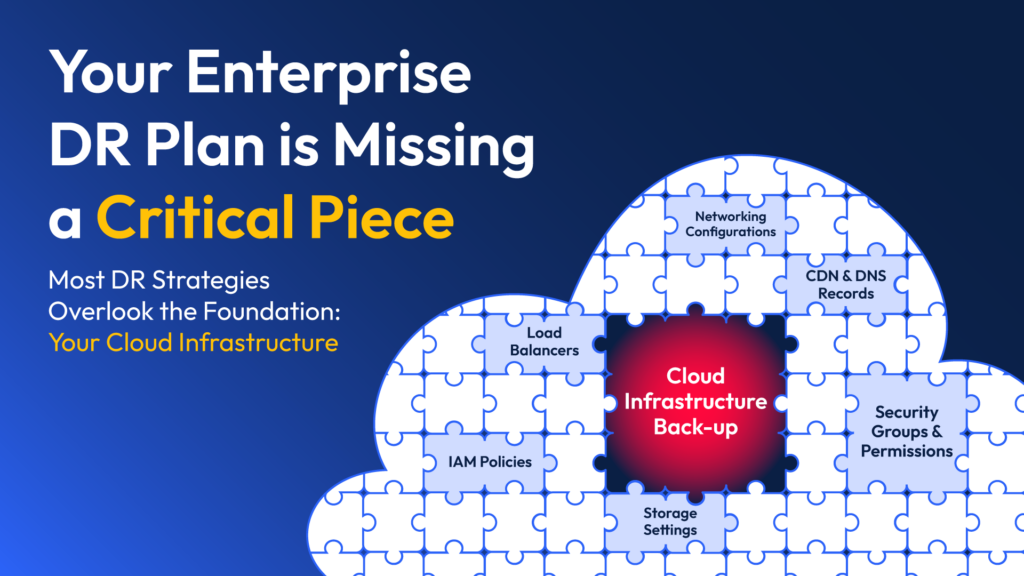
And in 2026, I know that this gap can be expensive. Cloud incidents regularly take weeks on average to fully resolve, and most of that time isn’t spent restoring data. It’s spent rebuilding the infrastructure that runs the data.
I believe that a real enterprise cloud backup strategy covers both layers:
- It restores your data.
- It restores your environment.
- It meets your RPO and RTO.
And it does it without turning your DevOps team into archaeologists sifting through Slack threads at 2 AM.
Factors to evaluate when looking at enterprise-grade cloud backup providers
#1: Recovery capability (RPO and RTO)
Recovery Point Objective and Recovery Time Objective are what separate a backup tool from a business continuity tool.
RPO defines how much data you can afford to lose, while RTO defines how quickly you have to be back online.
At enterprise scale, RTOs measured in days aren’t good enough.
Every hour of downtime on a regulated workload can mean SLA penalties, lost revenue, and audit findings.
If I were you, I’d look for solutions with continuous or near-continuous replication for data, and daily (or more frequent) snapshots for infrastructure configuration.
#2: Multi-cloud and hybrid environment coverage
I know that most enterprises don’t run on one cloud.
They run production in AWS, analytics in GCP, identity in Azure AD, networking in Cloudflare, and observability in Datadog.
A backup tool that only covers one of these leaves the others exposed.
Enterprise cloud backup solutions should cover AWS, Azure, GCP, on-premises VMs, and critical SaaS configurations.
ControlMonkey (that’s us) extends that further by backing up configuration across more than 30 third-party platforms, including Cloudflare, Okta, and F5, so SaaS drift doesn’t become the thing that keeps you down.
#3: What’s actually protected: data vs. infrastructure configuration
This is where most enterprises discover they have a gap but it’s often too late.
Veeam, Commvault, Rubrik, Cohesity, and Druva all protect data and VMs brilliantly. What they don’t protect is your infrastructure configuration.
When a bad Terraform apply wipes your VPC, or an attacker deletes an IAM role, or a junior engineer drops a Route 53 record in production, data backup won’t save you.
You need the configuration itself backed up as code.
This is why our team built ControlMonkey to treat every network rule, IAM policy, DNS setting, and SaaS configuration as versioned Terraform in your Git repo.
That means your databases and applications live on top and the configuration holds them up.
#4: Security, compliance, and governance
I know that many of you live under SOC 2, ISO 27001, PCI DSS, HIPAA, GDPR, and increasingly DORA and NIS2.
This is why your backup solution has to prove recoverability on demand, produce audit artifacts, and store backups in immutable, air-gapped storage.
You should look for features like vault lock, immutability on first backup, zero-trust access controls, RBAC, and cleanroom or isolated recovery environments.
#5: Total cost of ownership at enterprise scale
Sticker pricing rarely reflects what you’ll actually pay.
From what I’ve seen in the industry, per-GB models punish data growth, per-workload models punish VM sprawl, and per-server models punish modern containerized architectures.
And hidden costs add up fast.
For example, AWS Backup charges for cross-region data transfer, backup search, and Audit Manager evaluations on top of the $0.05 per GB-month headline rate, based on AWS’s pricing page.
At enterprise scale, the question isn’t “what does it cost per GB?”
It should rather be “what’s the fully loaded annual number, including storage, transfer, restore testing, and the engineering time to keep it running?”
#6: Recovery testing and DR readiness
What many enterprises don’t understand is that a DR plan you’ve never tested isn’t a DR plan. It’s just a document for now.
You should look for solutions that make non-disruptive recovery testing trivial.
Zerto’s non-disruptive test failovers, Commvault’s Cleanroom Recovery, and ControlMonkey’s DR readiness dashboard are all examples of platforms doing this well.
You should know, at any moment, which resources are DR-ready and which aren’t.
What are the 10 best enterprise cloud backup solutions in 2026?
The best enterprise cloud backup solutions in 2026 are ControlMonkey, Commvault, and Veeam Backup.
Here’s a breakdown of our shortlisted platforms:
| Tool | Features | Pricing |
|---|---|---|
| #1: ControlMonkey | Automated daily infrastructure snapshots across AWS, Azure, and GCP, one-click rollback, SaaS configuration backup across 30+ vendors, and real-time DR readiness dashboards. | Custom pricing for enterprises. |
| #2: Commvault | Cleanroom Recovery in Azure, AI-powered Threatwise deception, broad workload support from IBM iSeries to Kubernetes, and recovery-as-code via Cloud Rewind. | Custom pricing. Free trial available. |
| #3: Veeam Backup | Instant VM recovery, immutable and air-gapped backups, cleanroom recovery, and native backup for AWS, Azure, and Google Cloud. | Custom pricing. |
| #4: Druva | 100% SaaS platform built on AWS, global deduplication, air-gapped immutable backups, and a $10M Data Resilience Guarantee for qualified customers. | Median reported cost is $41,634/year according to Vendr. |
| #5: Rubrik | Zero-trust data security, ransomware investigation, orchestrated application recovery, and identity recovery for AD and Entra ID. | Median contract is $601,917/year according to Vendr data on 3 purchases. |
| #6: Cohesity DataProtect | Post-Veritas merger workload breadth, Gen AI insights via Gaia, FortKnox cyber vaulting, and the largest data protection market share globally. | The median reported cost is $24,937/year. |
| #7: Acronis Cyber Protect | Unified backup, EDR, anti-ransomware, and endpoint management in one agent, with AI-based anti-malware. | Starts from $85/year, but for enterprises, pricing will most likely be custom. |
| #8: Zerto (HPE) | Continuous data protection with journal-based recovery, RPOs in seconds, RTOs in minutes, and non-disruptive DR testing. | The median reported cost is $76,750/year. |
| #9: AWS Backup | Policy-based centralized backup for AWS services, cross-region and cross-account copies, Vault Lock immutability, and Organizations integration. | $0.05 per GB/month for EBS, EFS, FSx. |
| #10: Carbonite (OpenText) | Server backup for over 200 platforms, cloud failover, bare-metal restore, and integration with the OpenText Secure Cloud. | Starts from $24 per month. |
Enterprise Cloud Backup Solution #1: ControlMonkey
ControlMonkey offers the best enterprise cloud backup solution on the market with its automated, versioned backup and one-click recovery of your entire cloud infrastructure configuration, not just your data.
Our platform extends enterprise backup software beyond data protection alone to deliver true data backup and recovery at the infrastructure layer, which is the foundation of business continuity at scale.
Disclaimer:
Our platform isn’t a traditional data backup service like Commvault, Veeam, or Druva.
Those tools protect files, VMs, and databases.
ControlMonkey protects the layer underneath them: the networks, IAM policies, DNS records, security groups, load balancers, CDN rules, and SaaS configurations that make your cloud actually run.
We’ve watched enterprise cloud incidents trend in one direction for years.
The data is almost always recoverable, but the infrastructure that ran the data?
That’s where the real downtime happens. One deleted VPC, one rogue IAM change, one bad Cloudflare apply, and suddenly your perfectly backed-up database has nothing to run on.
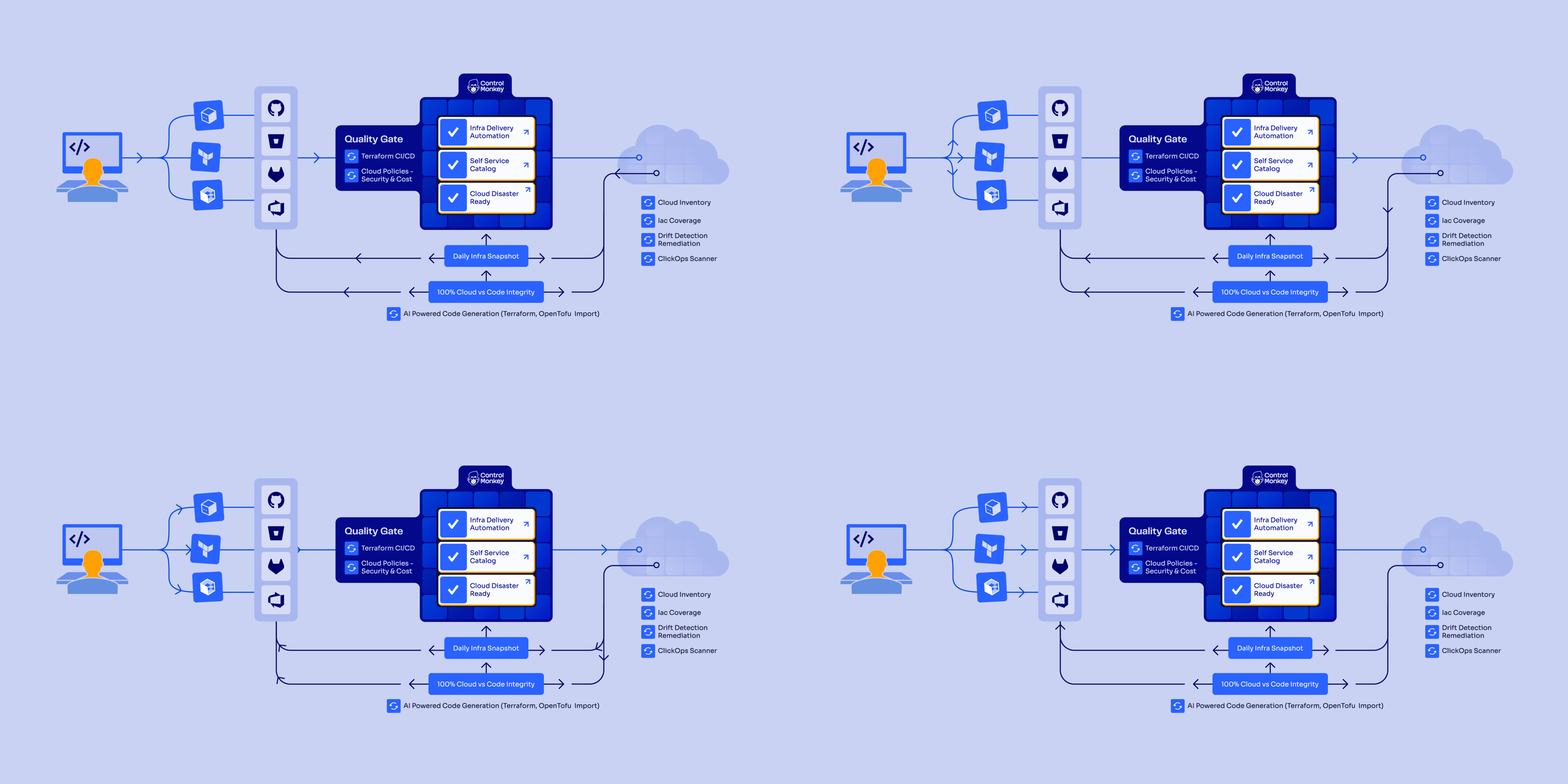
What ControlMonkey does instead is treat cloud configuration as code you version.
Every IAM policy, VPC, DNS record, and SaaS setting gets committed to your Git repo on a schedule, and recovery orchestration runs against any prior commit with a single click.
That’s the foundation for real cyber resilience: when ransomware or an insider wipes your environment, you redeploy it from a known-good state instead of rebuilding from memory.
Here’s how that plays out feature by feature, and why teams at Intel, AWS, Comcast, and Block rely on us for the part of cloud resilience:
Automated daily infrastructure backups across cloud and SaaS
Most DevOps teams find out their backups have gaps during an outage, not before one.
You have Terraform for new resources. Maybe IaC coverage on 60% of production.
But the IAM role that was manually created two years ago or the Route 53 zone someone edited in the console last Thursday?
None of that is in code, and none of it gets backed up when production goes sideways.
Our platform solves this by snapshotting your full cloud footprint, including VPCs, IAM, DNS, policy definitions, and security groups across AWS, Azure, and GCP.
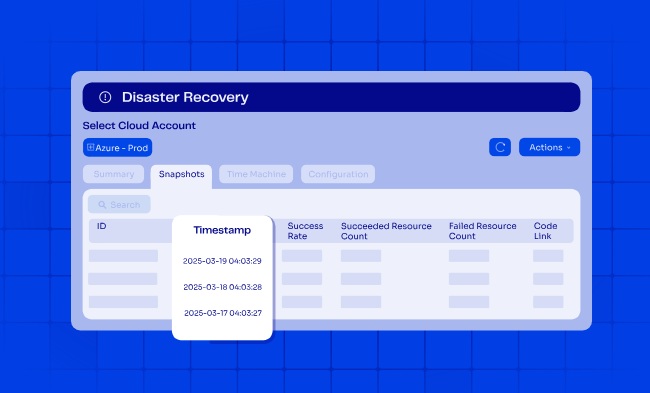
Every running resource gets captured as live Terraform, and each snapshot is pushed to your Git repo as a separate commit so you get a proper version history you can diff against.
Depending on the size of your estate, snapshots run anywhere from every half-hour to twice a day.
Each one is a full known-good point you can hold onto as long as your backup retention policy says, all stored in a repo you own.
That means no vendor-locked backup infrastructure to maintain, no proprietary vaults to pay for, and no gaps between what’s in your IaC and what’s in your cloud.
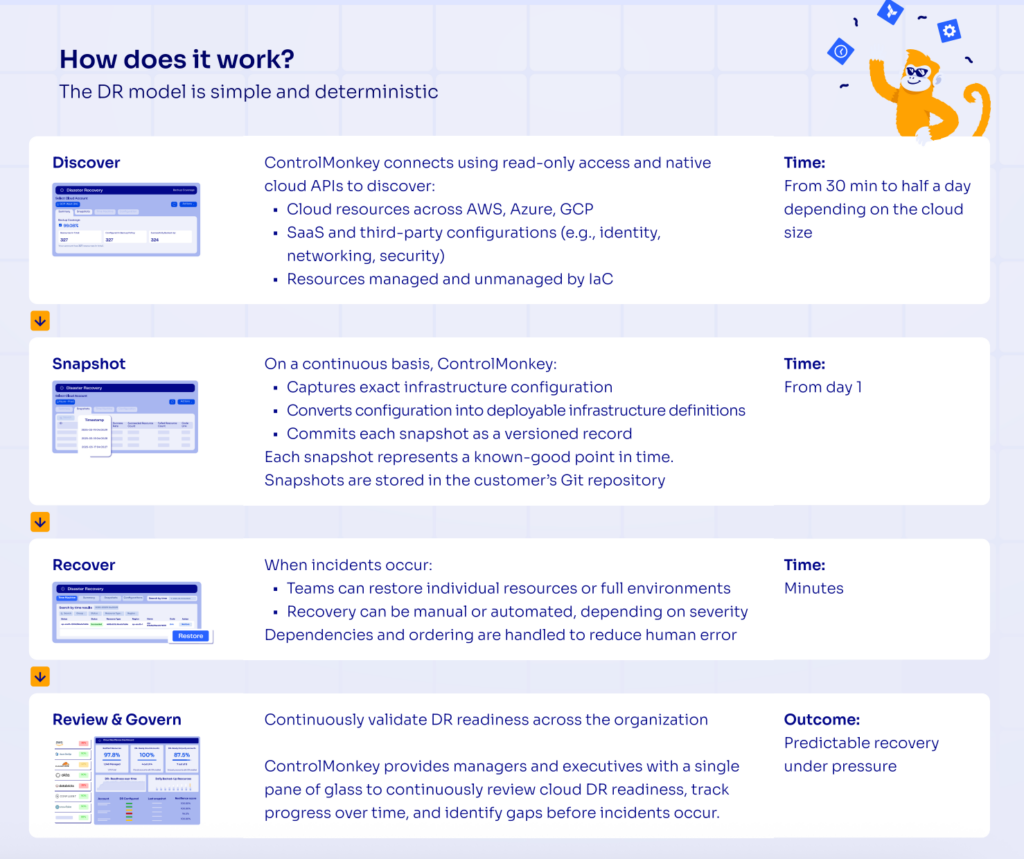
And because it’s code, you don’t just get a backup. You get a deployable copy of your environment that you can audit, diff, and redeploy whenever you need it.

Ready to hit 100% cloud resilience?
With ControlMonkey, enterprise teams protect both their cloud resources and the SaaS platforms that keep them running. That means daily snapshots, recovery in minutes, and honest visibility into what’s covered, without the bespoke scripts and brittle DR runbooks that usually hold backup strategies together.
Time Machine: cloud infrastructure disaster recovery
Recovery speed during an incident usually comes down to one variable: how quickly someone can tell you what the environment looked like before it broke.
If that takes six hours of Slack archaeology, your SLA was blown at hour one.
Infrastructure teams burn hours in firefighting mode trying to figure out what changed, when, and what the environment looked like before it broke.
If you’ve done on-call work at an enterprise of any real size, you probably know that 3 AM routine intimately, and there’s no reason anyone should still be living it in 2026.
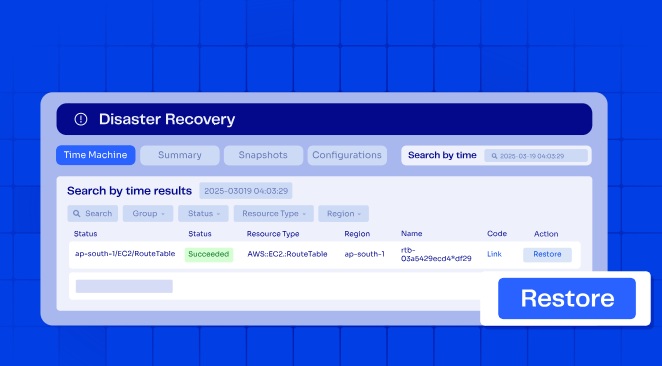
With our Time Machine, your team can roll back to any IAM policy, DNS record, or security group from days earlier.
The old configuration is sitting in your Git repo, already written as Terraform, waiting to ship. You hit restore, and you’re live.
The scope is flexible as well: you can restore a single resource or an entire environment to whichever prior state you want.
Some of our customers wire critical incidents to auto-rollback without a human in the loop, while others keep recovery gated by approval for less urgent fixes.
Either way, the platform resolves resource dependencies on its own so one missing prerequisite doesn’t cascade into a failed restoration.
With ControlMonkey, your disaster recovery plan doesn’t depend on runbooks nobody’s tested, which is what real ransomware protection at the infrastructure layer looks like.
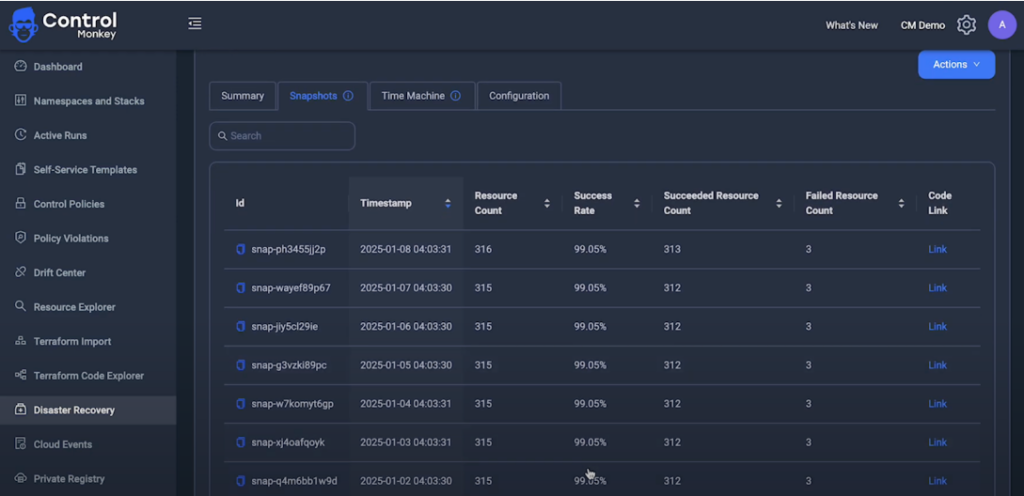
Complete visibility into DR readiness with zero manual effort
I’ve always been a firm believer that you can’t protect what you can’t see.
ControlMonkey uses read-only IAM roles and native cloud APIs to inventory every resource you own.
Nothing gets installed: there are no agents; the platform just enumerates what’s there and maps what’s covered by IaC against what isn’t.
That inventory spans production and non-production accounts across all three major clouds.
It extends into the SaaS platforms your cloud depends on too: identity providers like Okta, networking layers like Cloudflare, and observability tools like Datadog.
Every asset is tagged as IaC-managed or unmanaged, so coverage gaps become visible before they become incidents.
Our Cloud Resilience Dashboard gives executives a single pane of glass for DR readiness.
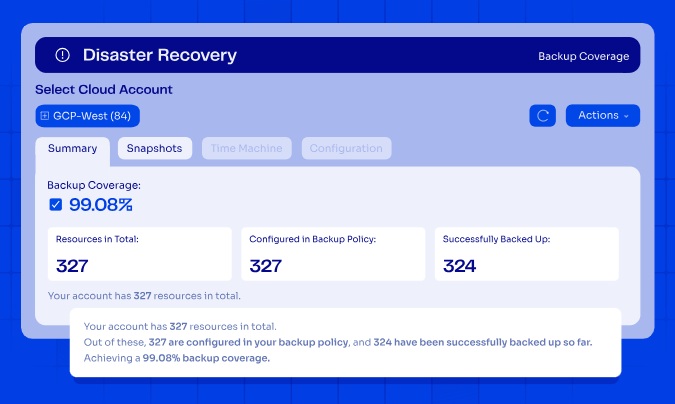
You see resilient resources as a percentage of total, DR-ready cloud accounts, DR-ready third-party accounts, and resilience scores over time.
Unlike a traditional backup management platform that only reports on jobs and vaults, we report on whether your cloud is actually recoverable.
I’ve noticed that this is what actually gives CISOs and VPs of Engineering an honest answer to the question auditors keep asking: “Can you recover from here?”
Multi-cloud and multi-vendor SaaS configuration support
Here’s a practical question most DR plans fail:
If your Cloudflare account got nuked tomorrow, could you rebuild it?
Not the data behind it. I’m talking about the routing rules, the WAF policies, the page rules, the zone records.
The uncomfortable truth is that most teams can’t, because that configuration lives outside Terraform and nobody’s backing it up.
The same applies to Okta groups, Datadog dashboards, F5 policies, and any other SaaS or third-party platform your production depends on.
ControlMonkey extends disaster recovery to AWS, Azure, GCP, and more than 30 third-party platforms.
That includes the usual suspects your cloud actually depends on: Datadog, Cloudflare, Okta, F5, and the rest.
The rollback flow looks the same whether you’re restoring an AWS IAM policy or a Cloudflare page rule.
Instead of reconstructing those from memory or old tickets, you restore the last clean version from Git and move on.
Identify Your Cloud Recovery Gaps
Discover where your infrastructure is vulnerable to accidental resource deletion, cloud outages, and hidden recovery risks with our Free Cloud Resilience Assessment Report.
ControlMonkey vs. traditional enterprise-grade cloud backup solutions
The established enterprise backup software on this list does one job extremely well: data backup and recovery.
If ransomware encrypts your production database or a storage array fails, these data protection platforms are what get the data back.
ControlMonkey handles a different layer: our platform backs up the cloud configuration the data runs on.
This would be the VPCs, subnets, IAM policies, security groups, routing tables, DNS records, CDN rules, load balancer settings, and the SaaS configurations in Datadog, Cloudflare, Okta, F5, and more than 30 other platforms.
That configuration gets versioned as Terraform in your own Git repo, not stored in a vendor’s proprietary format.
The distinction matters most at recovery time:
- Traditional cloud backup tools can restore your data to a point in time.
- ControlMonkey restores the environment that data needs to run on.
If a bad terraform apply wipes your VPC, or an attacker nukes an IAM role, or a region-wide outage takes down your entire production account, data backups alone don’t get production back.
You need the infrastructure rebuilt first, and that’s what our platform handles.
This is why enterprises run ControlMonkey alongside their existing backup stack, not instead of it.
Pricing
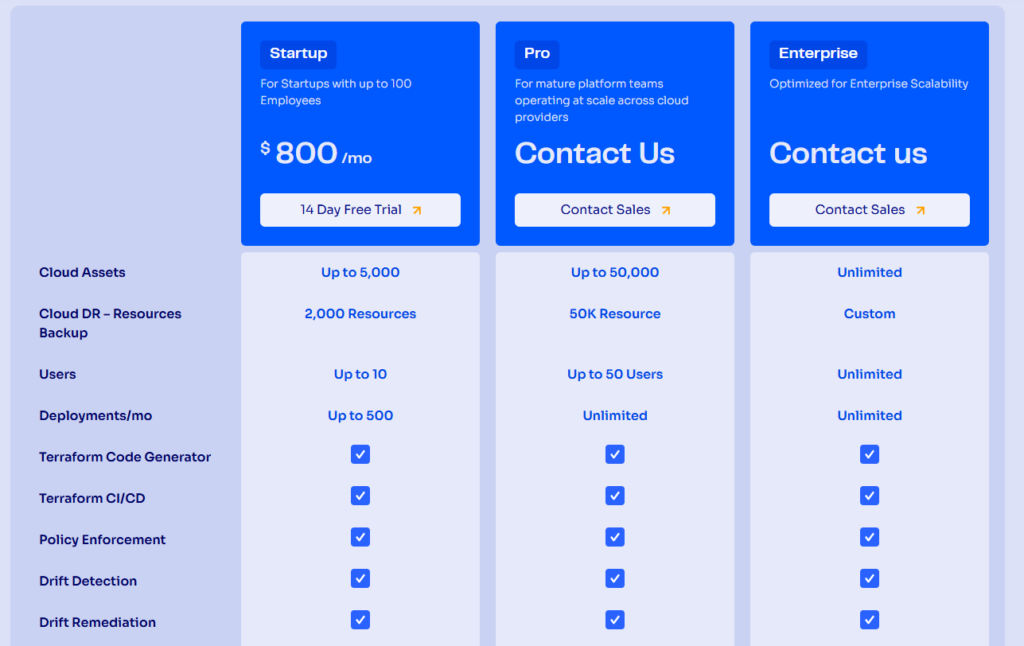
ControlMonkey offers three plans:
- Startup: $800/month for up to 10 users, up to 5,000 cloud assets, cloud DR backup for up to 2,000 resources, and up to 500 deployments/month. Includes Terraform Code Generator, Terraform CI/CD, Policy Enforcement, Drift Detection and Drift Remediation.
- Pro: Custom pricing for up to 50 users, which adds up to 50,000 cloud assets, cloud DR backup for up to 50,000 resources, unlimited deployments per month, and specialized support.
- Enterprise: Custom pricing with unlimited users, cloud assets, and cloud DR backup resources.
Pros & Cons
✅ Daily Terraform-based snapshots covering AWS, Azure, and GCP out of the box.
✅ Configuration coverage extends into 30-plus SaaS platforms, Datadog and Okta included.
✅ A DR readiness dashboard that shows IaC coverage in real time.
✅ One-click rollback at both the resource and environment level keeps RTO and RPO tight.
✅ Audit artifacts generated continuously for SOC 2, ISO 27001, and PCI DSS workflows.
✅ 24/7 VIP support through Teams, Slack, email, and ticketing.
❌ Our platform focuses on infrastructure configuration rather than data backup for files or databases. For full coverage, you can pair ControlMonkey with a data-tier vendor like Commvault, Veeam, or Druva.
Enterprise Cloud Backup Solution #2: Commvault
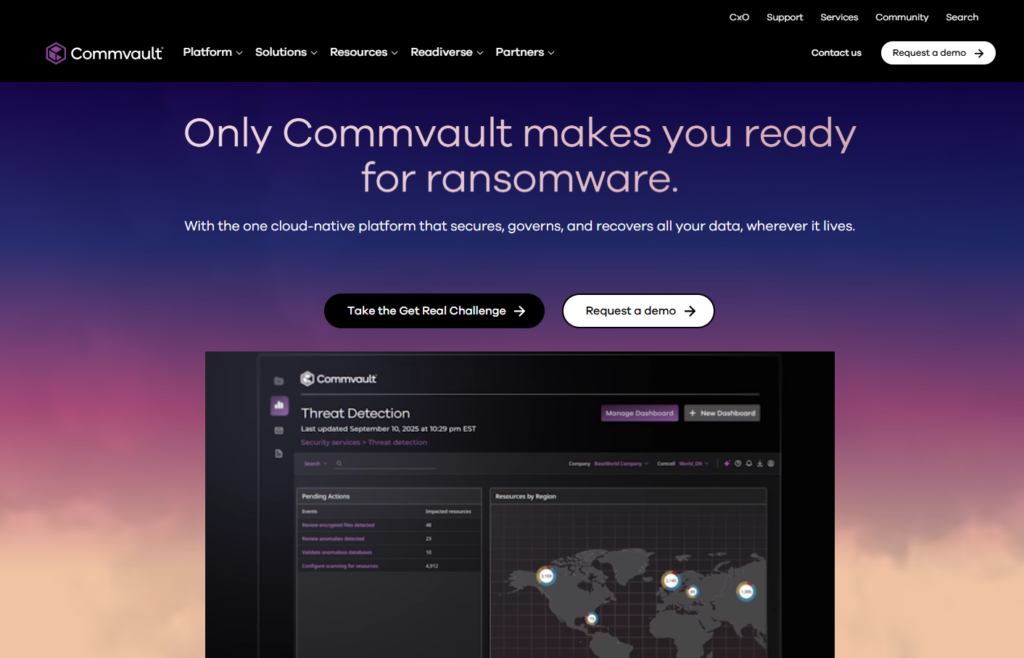
Commvault is an enterprise-grade cloud backup solution that offers comprehensive data protection across cloud, on-premises, and hybrid environments.
The platform has been around long enough to support practically every workload you can throw at it, and its Cleanroom Recovery and Cloud Rewind capabilities give it real credibility in the cyber resilience conversation, not just traditional backup.
Commvault Features
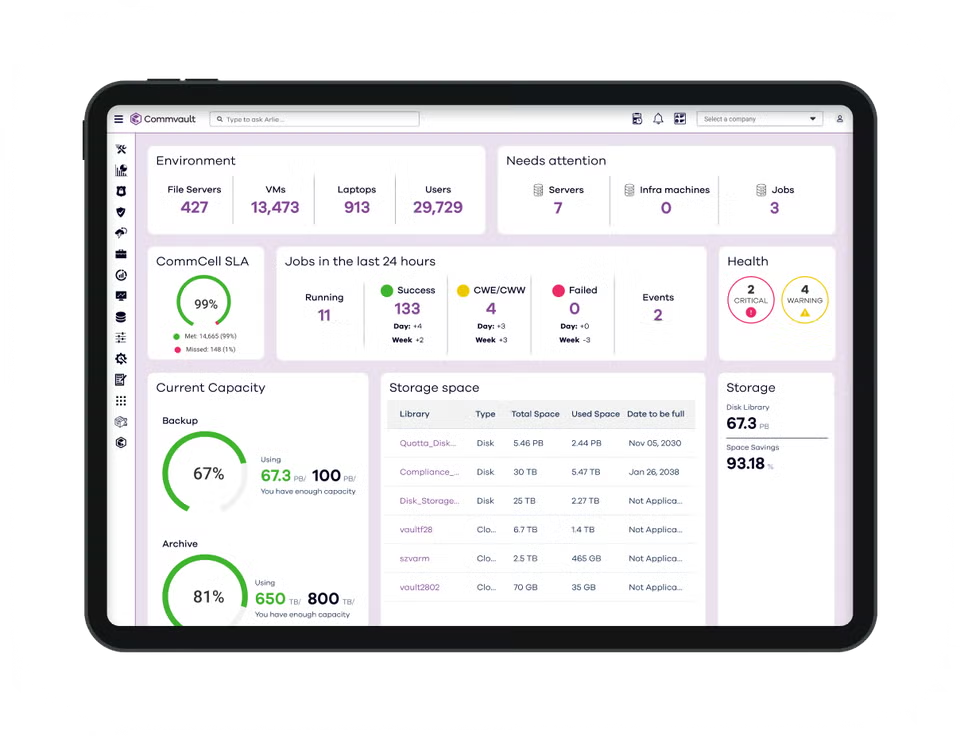
- Cleanroom Recovery with Factory Reset: On-demand, isolated cleanroom environments spun up in Microsoft Azure let you test recovery plans and rebuild infrastructure from a pre-validated clean image after an attack.
- Cloud Rewind for recovery-as-code: Acquired through the Appranix deal, Cloud Rewind automates the discovery, mapping, and code-based rebuild of cloud application environments, including their dependencies.
- Threatwise cyber deception and broad workload support: Threatwise uses patented deception technology (decoys and sensors that mimic real assets) to surface threat actors before they reach production data.
Commvault Pricing
Commvault’s pricing is custom, so you’ll have to contact them to get a quote.
Commvault Pros & Cons
✅ Cleanroom Recovery gives security teams a real isolated Azure environment to test cyber recovery in, with integrated CrowdStrike Falcon XDR alerts and Commvault Cloud Threat Scan.
✅ One of the broadest workload coverage matrices in the industry, built up over nearly three decades and extended by the Appranix and Clumio acquisitions.
✅ AI-driven risk analysis (Cleanpoint Validation, Threat Scan Predict), FIPS 140-2 validated encryption, and audit-ready compliance tooling.
❌ Setup complexity is the recurring complaint on G2.
❌ Each workload class has its own agent and configuration conventions, and onboarding a new one, can often turn into a multi-week project rather than a same-day exercise.
Enterprise Cloud Backup Solution #3: Veeam Backup
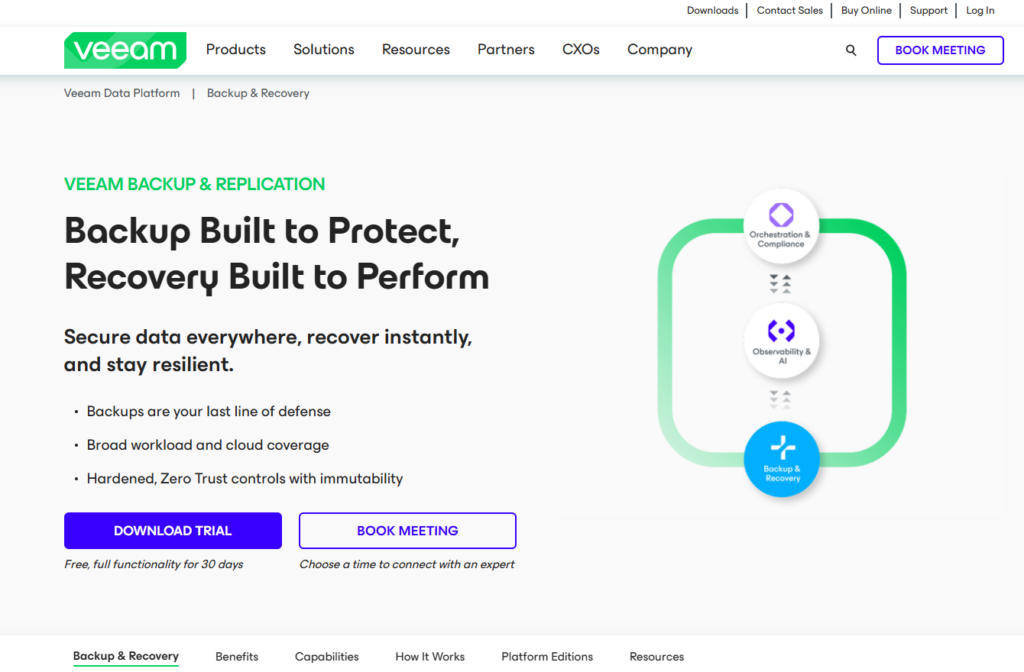
Veeam Backup & Replication is still the default choice for virtualized enterprise environments, and its footprint in on-prem VMware and Hyper-V estates is enormous.
The platform has expanded meaningfully into cloud-native backup for AWS, Azure, and Google Cloud, with these cloud-native products integrating back into the main Veeam Backup & Replication console for consistent hybrid management.
Veeam Backup Features
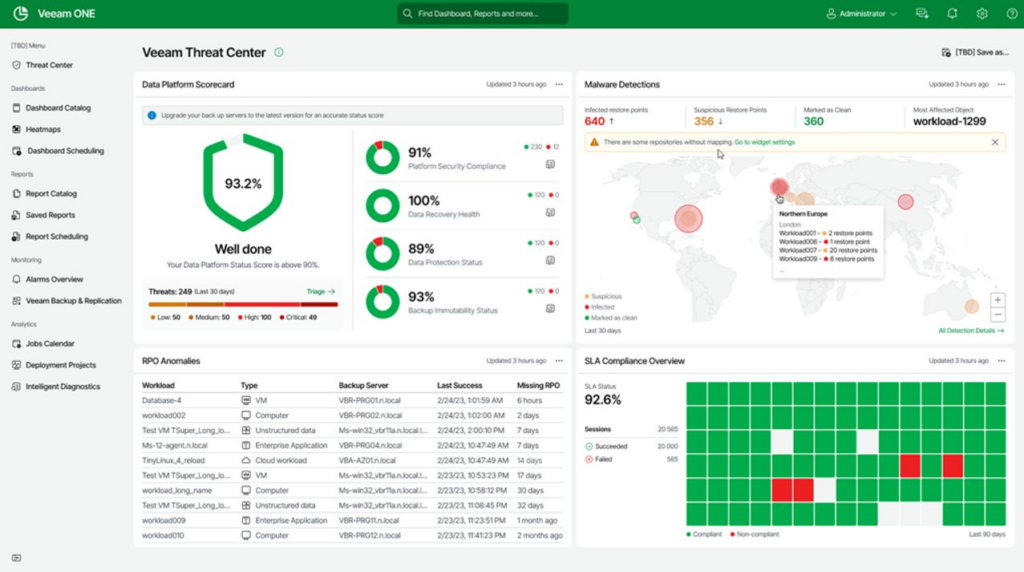
- Instant VM Recovery: Start VMs directly from a compressed, deduplicated backup in minutes rather than waiting on full restores.
- Immutable and air-gapped ransomware resilience: Veeam supports immutable backup repositories via Hardened Linux Repositories and S3 Object Lock, plus clean room recovery through Veeam Recovery Orchestrator and DataLabs.
- Native cloud workload backup: Dedicated products for AWS (EC2, RDS, VPC, EFS), Microsoft Azure (Azure VMs, Azure SQL), and Google Cloud (Compute Engine, Cloud SQL) handle cloud-native snapshots and cross-region copies, with all three manageable from the central VBR console.
Veeam Backup Pricing
Veeam uses a subscription licensing model that’s typically per-VM or per-CPU socket, so you’ll have to contact them to get a quote.
Veeam Backup Pros & Cons
✅ Deep, mature virtualization support that most competitors can’t match in on-prem VMware environments.
✅ Recovery options are mature and granular: Instant VM Recovery, file-level, application-item restores, and SureBackup verification all work the way you’d expect.
✅ Broad cloud workload coverage across AWS, Azure, and Google Cloud, with the newer Veeam Data Cloud SaaS offering for Microsoft 365, Entra ID, and Azure workloads.
❌ Licensing gets unpredictable at scale.
❌ Traditional VBR deployments still require Windows or Linux servers for backup infrastructure, proxies, and repositories.
Enterprise Cloud Backup Solution #4: Druva
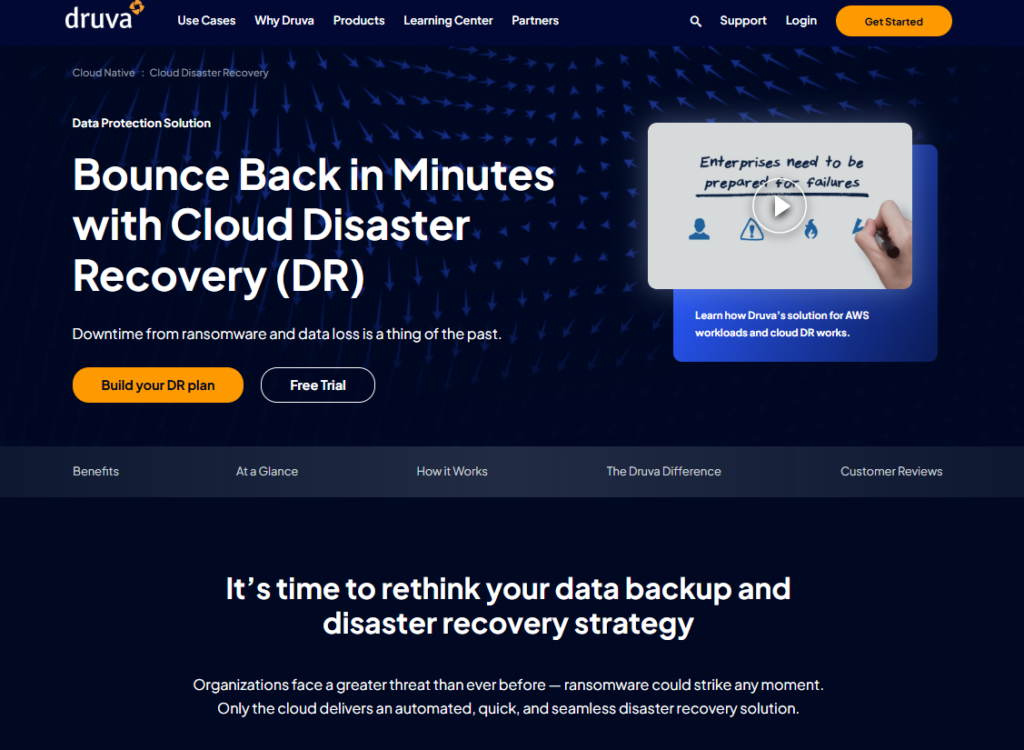
Druva is the platform to look at if you want enterprise data protection without the hardware, appliances, and maintenance burden that comes with traditional vendors.
It’s 100% SaaS, built on AWS, and pitches itself on operational simplicity and consumption-based pricing.
Druva Features
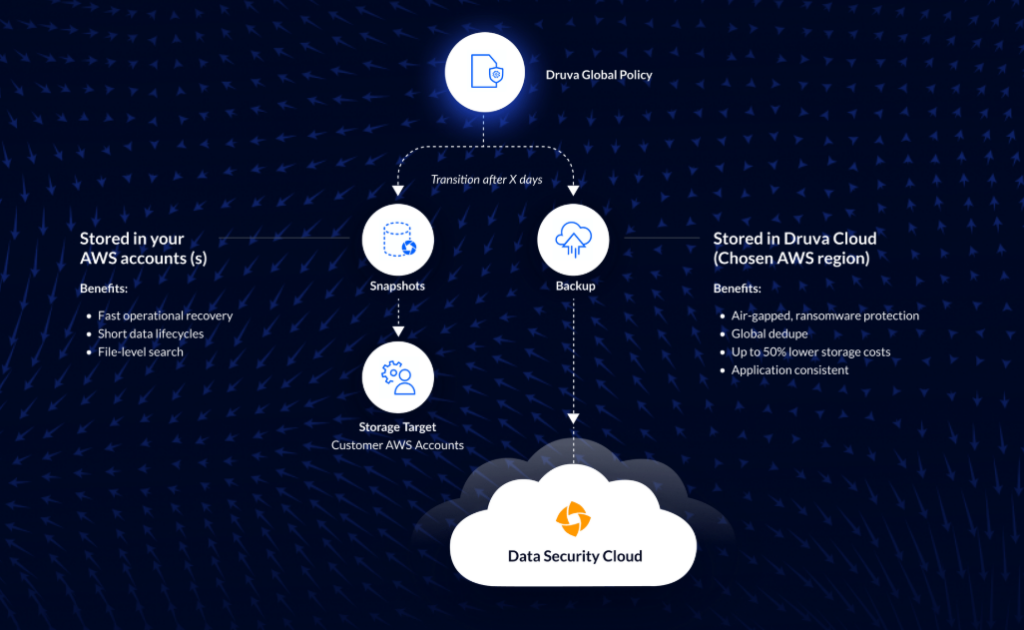
- Fully managed SaaS on AWS: There are no appliances to rack, no backup servers to maintain, and no patch cycles for your team to own.
- Air-gapped immutable backups with DruAI: Backups are immutable and air-gapped from your primary environment, and DruAI drives anomaly detection, self-healing, and automated threat alerts.
- $10M Data Resilience Guarantee: For qualified Enterprise and Enterprise Plus customers, Druva backs its platform with a $10M financial guarantee against data loss.
Druva Pricing
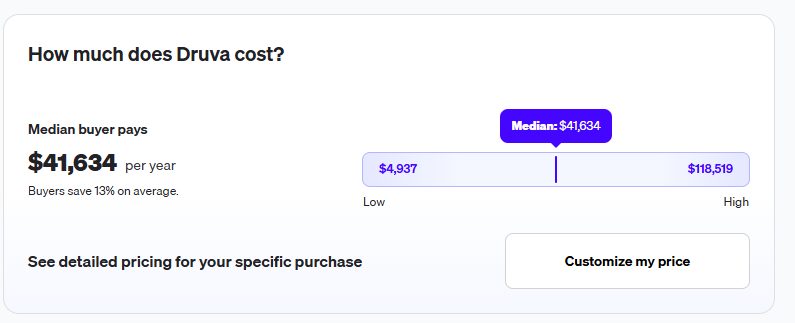
According to 3rd-party data from Vendr, including 22 purchases they’ve handled for Druva, the median platform cost is $41,634/year, with buyers paying up to $118,519/year.
Druva Pros & Cons
✅ True SaaS model eliminates backup infrastructure management at enterprise scale.
✅ Immutable, air-gapped backups plus cross-account recovery give you a credible answer to the “what if our AWS account gets owned” scenario.
✅ Unified coverage across AWS (EC2, RDS, S3, EFS, FSx), Azure (VMs, Azure SQL), and hybrid workloads like VMware, Hyper-V, and Oracle reduces tooling sprawl.
❌ The credit-based consumption model trips people up.
❌ The control plane is AWS-only.
Enterprise Cloud Backup Solution #5: Rubrik
Rubrik is the enterprise choice when you want backups to work as a security boundary, not just a recovery mechanism.
Since its IPO in April 2024, Rubrik has doubled down on the cyber resilience framing, and its identity recovery coverage for Okta, Active Directory, and Entra ID stands out in a category where most tools pretend identity isn’t their problem.
Rubrik Features
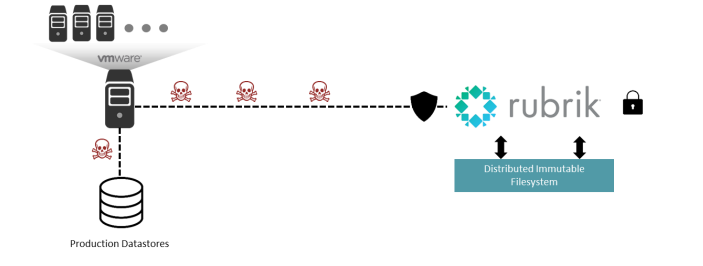
- Immutable, air-gapped recovery points with zero-trust controls: Every backup locks in as immutable from the moment it’s written.
- Orchestrated application recovery and Turbo Threat Hunting: Rubrik orchestrates recovery of multi-tier applications with dependencies intact.
- Identity recovery for AD, Entra ID, and Okta: When an attacker destroys your identity layer, getting users logged back in is often the blocker for every other recovery step.
Rubrik Pricing
Rubrik’s pricing is not transparent, as the platform uses subscription-based licensing tied to data capacity and protected workloads.
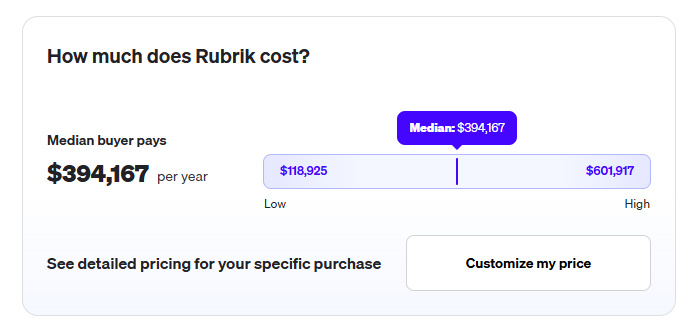
According to third-party data from Vendr, reported deals reach up to $601,917 per year, with $192,384/year on the low end: based on data from 3 purchases.
Rubrik Pros & Cons
✅ Backup vaults are built on security-first principles with immutability, retention locks, and air-gap isolation as defaults rather than add-ons.
✅ Identity recovery coverage for AD, Okta, and Entra ID that few other vendors touch.
✅ G2 reviewers praise the clean UI, SLA-driven policy model, and strong API design.
❌ Its final cost can be high.
❌ The security-first framing means you’re paying for capability that overlaps with tools you may already own.
Enterprise Cloud Backup Solution #6: Cohesity DataProtect
Cohesity DataProtect is a modern enterprise cloud backup solution that enables fast, policy-based backups and automated failover and failback across hybrid and multi-cloud environments.
The solution aims to eliminate siloed infrastructure through near-zero downtime and immutable backups, protecting against ransomware and site failures.
Cohesity DataProtect Features
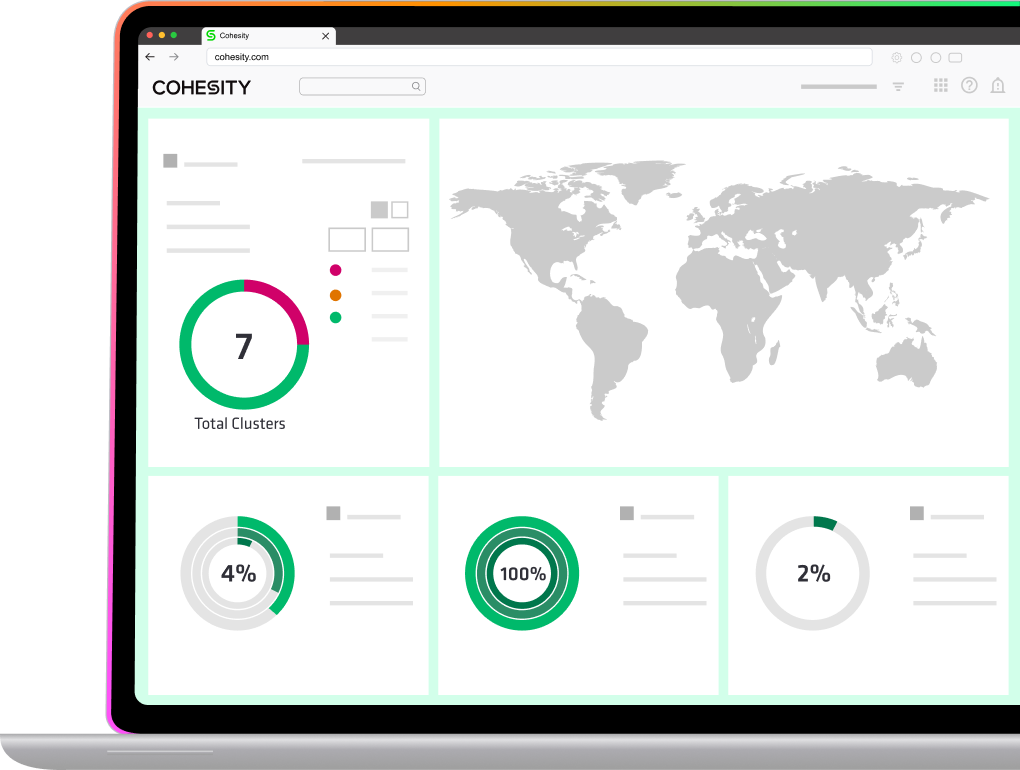
- Automated orchestration: The solution helps with DR operations through automated workflows for failover and failback.
- Hybrid & multi-cloud flexibility: Protects data across on-premises, edge, and public cloud environments (AWS, Azure, GCP) from a single control plane.
- Cyber resiliency: Offers immutable snapshots, air-gapped backups, and AI-driven threat analytics.
Cohesity DataProtect Pricing
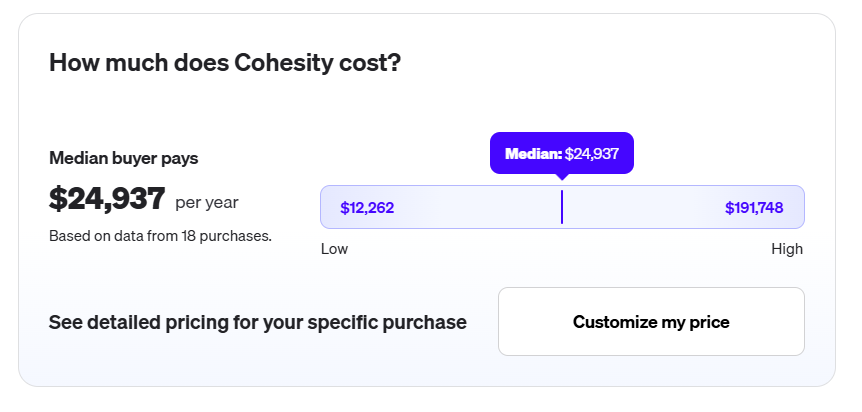
According to 3rd-party data from Vendr, the median buyer pays $24,937/year for Cohesity, with one buyer paying $191,748/year.
Cohesity DataProtect Pros & Cons
✅ One of the broadest workload matrices in the market after Cohesity’s December 2024 Veritas NetBackup acquisition.
✅ Strong ransomware protection with immutable backups, quorum access, and FortKnox cyber vaulting.
✅ Helios delivers a centralized SaaS control plane with AI-powered anomaly detection.
❌ Post-merger integration has been bumpy, with Gartner Peer Insights flagging product rationalization friction.
❌ NetBackup customers face slower migration than promised, with Cohesity supporting two platforms in parallel.
Enterprise Cloud Backup Solution #7: Acronis Cyber Protect
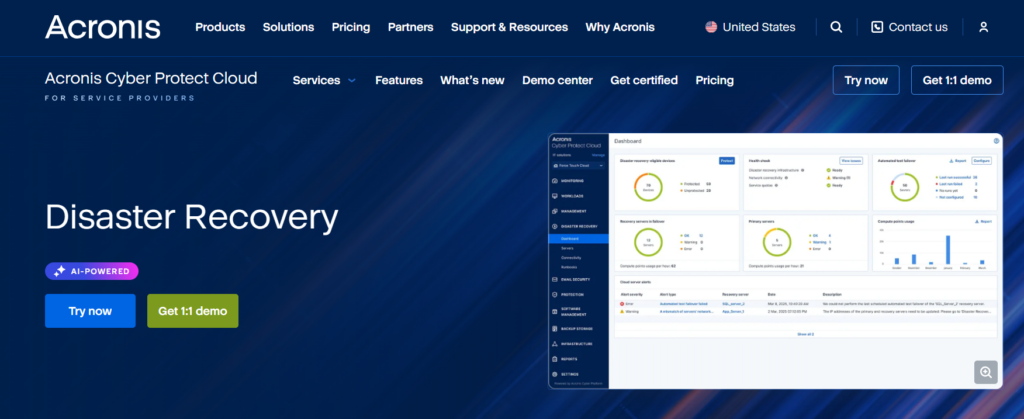
Acronis bundles backup, disaster recovery, EDR, anti-malware, and endpoint management into one platform with a single agent and a single console.
Acronis Cyber Protect Features
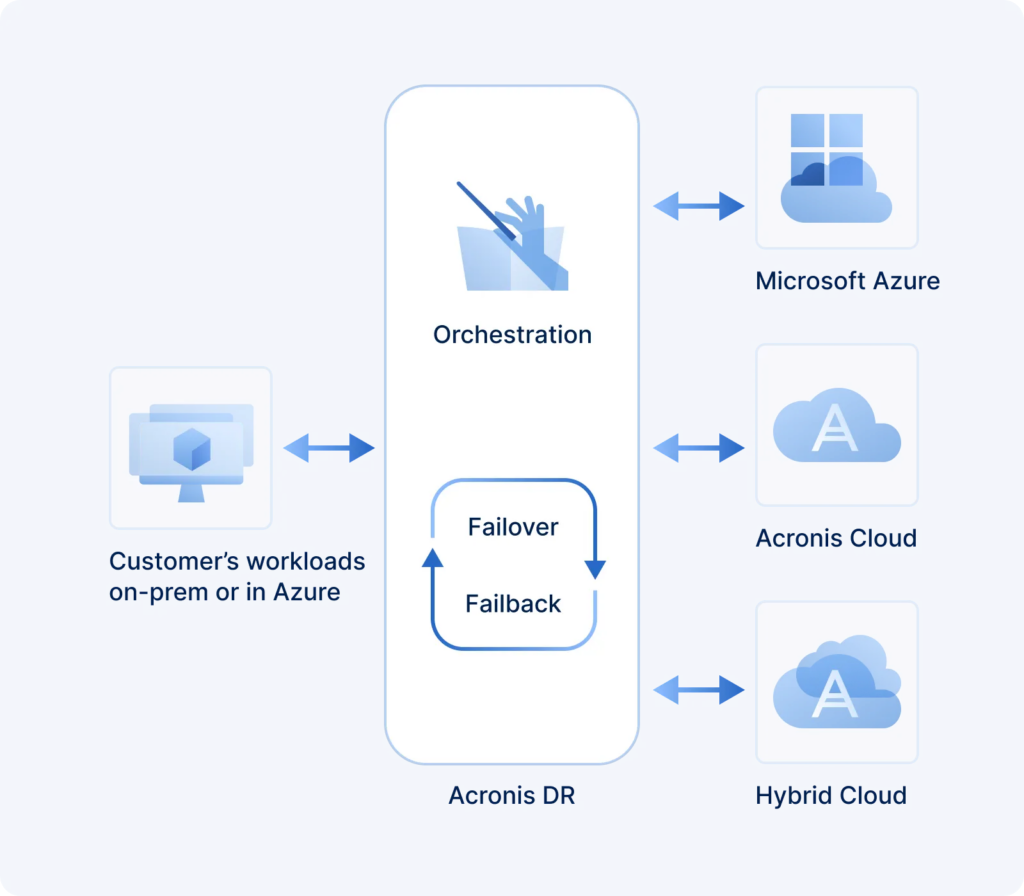
- Unified backup and security in a single agent: One console, one agent, one license model covering backup, AI-based anti-malware, EDR, XDR, MDR, DLP, and endpoint management.
- Full-image and file-level backups across hybrid estates: Protects physical, virtual, cloud, and mobile workloads with flexible storage targets across on-prem, Acronis Cloud, third-party clouds, and air-gapped environments.
- Immutable backups with integrated ransomware protection: Acronis Active Protection uses real-time behavioral detection to catch ransomware encryption attempts while immutable storage prevents tampering during the retention window.
Acronis Cyber Protect Pricing
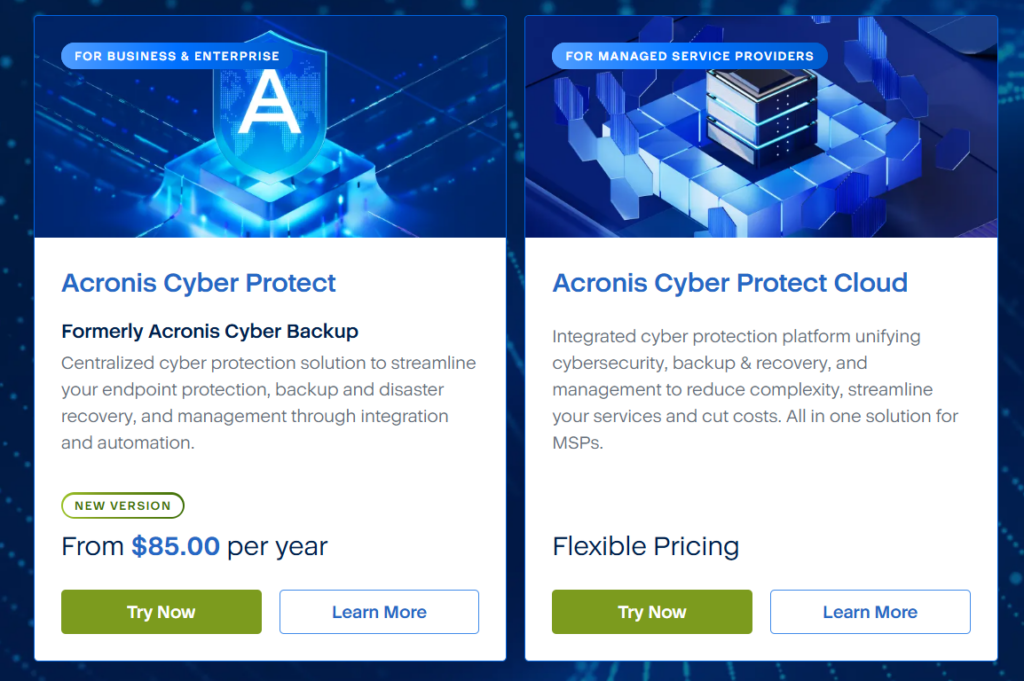
Acronis Cyber Protect starts at $85 per year, but Acronis Cyber Protect Cloud has custom pricing that is flexible.
Acronis Cyber Protect Pros & Cons
✅ Consolidates backup, DR, security, and endpoint management into one platform with one agent and one console.
✅ Acronis Active Protection catches ransomware encryption attempts before they reach recovery points, rather than bolting detection on after the fact.
✅ Fast recovery and continuous data protection across diverse workloads, now including Microsoft Azure as a DR destination alongside Acronis Cloud.
❌ Backup sizing and data-growth estimation is a recurring Capterra gripe, especially for Google Workspace cloud-to-cloud and Linux incrementals.
❌ The “one agent for everything” pitch collides with Fortune 500 deployments and governance boundaries between backup and security teams.
Enterprise Cloud Backup Solution #8: Zerto
Zerto delivers continuous data protection for virtualized environments with near-synchronous replication and checkpoints every 5–15 seconds.
The platform provides automated, orchestrated failover and failback between on-premises, private clouds, and public clouds like AWS and Azure.
Zerto Features
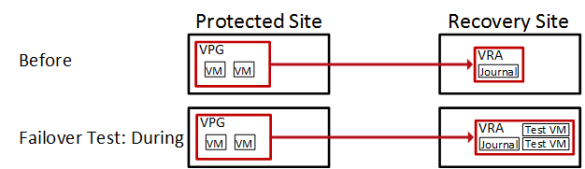
- Continuous Data Protection (CDP) using journal-based technology that tracks every write and enables recovery to any point in time with seconds of granularity.
- Non-disruptive, automated testing and failover of entire applications or data centers through Zerto’s orchestration layer.
- Support for Microsoft Azure, AWS, IBM Cloud, Oracle Cloud, and 350+ cloud and managed service providers.
Zerto Pricing
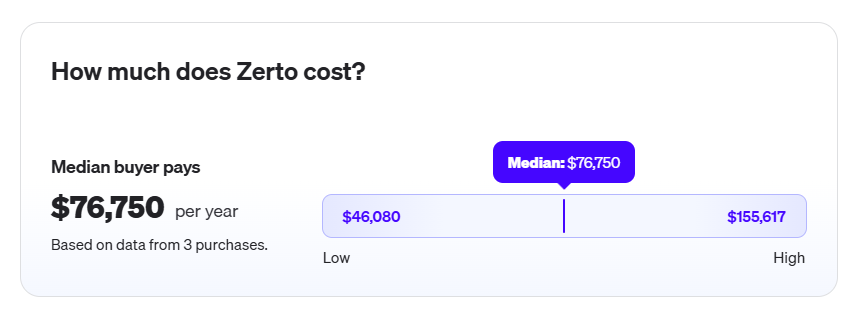
According to 3rd party data from Vendr, the average buyer is paying $76,750/year for Zerto, with $46,080/year on the low end, and $155,617/year on the high end.
Zerto Pros & Cons
✅ Continuous replication means data loss is measured in seconds rather than hours.
✅ Automated orchestration enables fast failover and failback with minimal manual intervention.
✅ Protects workloads across different hypervisors, on-premises environments, and public clouds.
❌ Can get expensive at scale, with mid-tier buyers paying around $76,750/year and large deployments reaching $155,617/year.
❌ Limited infrastructure-as-code and config control relative to ControlMonkey-style automation.
Enterprise Cloud Backup Solution #9: AWS Backup
AWS Backup is the default centralized backup service for AWS-native workloads, and at enterprise scale, its strength is policy-based governance across hundreds or thousands of AWS accounts.
If your estate is primarily AWS and you want backups that plug into Organizations, Vault Lock, and your existing IAM model, this is a reasonable starting point, though rarely the ending one.
AWS Backup Features
- Policy-based centralized backup with AWS Organizations: Define backup plans at the organization level and apply them across OUs with tag-based resource selection that scales to dynamic environments.
- Cross-region and cross-account copies with Vault Lock immutability: Replicate recovery points to isolated accounts, DR regions, or logically air-gapped vaults, with Vault Lock in compliance mode enforcing retention that even the root account cannot bypass after the grace period expires.
- Broad AWS service coverage: Supports EBS, EFS, RDS, Aurora, DynamoDB, FSx (Windows, Lustre, ONTAP, OpenZFS), S3, VMware, Storage Gateway, SAP HANA on EC2, Redshift, EKS, DocumentDB, Neptune, Timestream, and more.
AWS Backup Pricing
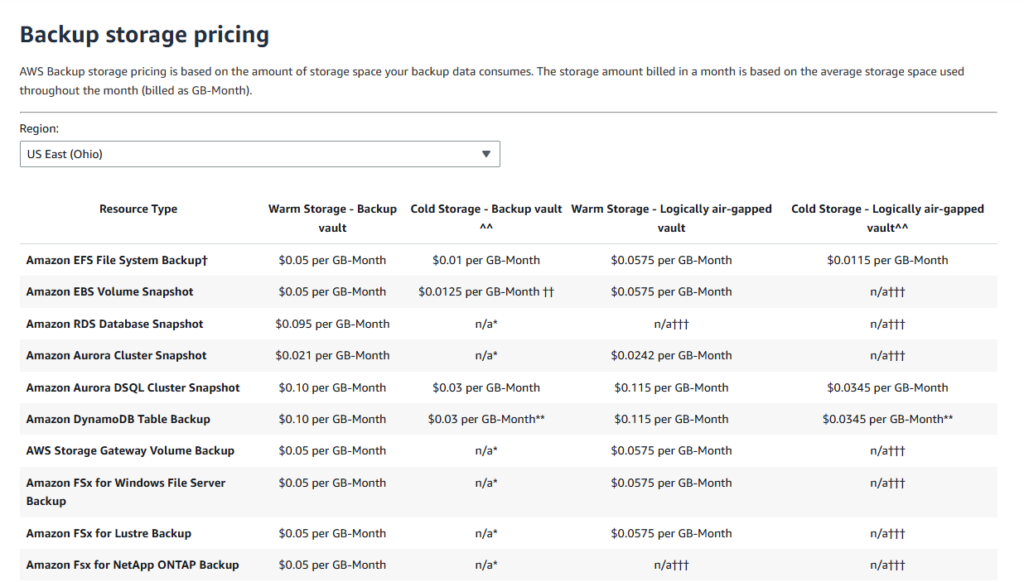
Pricing is consumption-based with no minimums or setup charges, billed across warm storage, cold storage, cross-region transfer, restores, and evaluation add-ons:
- Warm storage: $0.05 per GB-month for EBS, EFS, FSx, Storage Gateway, and S3; $0.095 for RDS; $0.021 for Aurora, DocumentDB, and Neptune; $0.10 for DynamoDB, Aurora DSQL, and Timestream; $0.06 for SAP HANA on EC2; $0.023 for Redshift (first 50 TB).
- Cold storage (90-day minimum retention): $0.0125 per GB-month for EBS; $0.01 for EFS, VMware, and SAP HANA; $0.03 for DynamoDB, Aurora DSQL, and Timestream.
- Logically air-gapped vaults: Warm storage runs $0.0575 per GB-month for EBS/EFS/FSx/S3/Storage Gateway and $0.0242 for Aurora — roughly a 15% premium over standard vaults.
- Cross-region data transfer: ~$0.04 per GB for Group 1 (EFS, DynamoDB, Timestream, VMware), ~$0.02 per GB for Group 2 (S3, Aurora DSQL, EKS), and ~$0.02 per GB for Group 3 (EBS, FSx, Storage Gateway, Aurora, RDS, DocumentDB, Neptune).
- Restores: Free for most warm EBS/RDS/Aurora/FSx restores; $0.02 per GB for EFS, S3, VMware, and SAP HANA; $0.03 per GB for cold restores; $0.15–$0.20 per GB for DynamoDB and Timestream; $0.50 per request for item-level restores on EFS and VMware.
- Restore testing: $1.50 per recovery point tested plus restore data charges.
- Backup Audit Manager: $0.00125 per backup evaluation, plus separate AWS Config configuration item charges.
AWS Backup Pros & Cons
✅ Deep native integration with AWS services and IAM, including Organizations backup policies for multi-account governance.
✅ Vault Lock provides genuine WORM immutability in compliance mode that satisfies most regulatory frameworks.
✅ Predictable, consumption-based storage pricing with clear per-GB rates across 17+ AWS resource types.
❌ AWS-only scope leaves large gaps if your infrastructure spans Azure, GCP, or SaaS platforms.
❌ Restore testing ($1.50/recovery point), Backup Audit Manager ($0.00125/evaluation), Backup search, GuardDuty Malware Protection, and cross-region transfer all bill separately.
Enterprise Cloud Backup Solution #10: Carbonite
Carbonite has been around long enough to remember when “cloud backup” meant uploading files over a DSL line.
OpenText picked it up in 2019, rebranded much of the portfolio, and the current pitch is server backup with cloud failover under the OpenText Server Backup name.
Carbonite Features
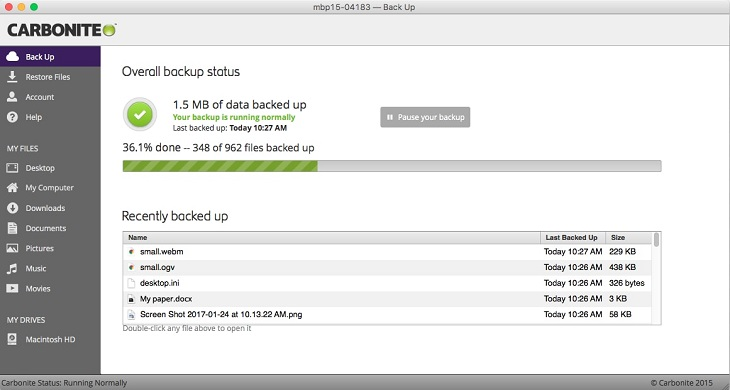
- Always-on backups for files and system images across Windows, macOS, external drives, and NAS, with 128-bit encryption in transit and at rest.
- Web-based dashboard recovery that lets admins restore files on any device, with backups remaining accessible even after deletion, corruption, or device loss.
- Ransomware rollback support that lets Carbonite’s support team help restore pre-infected versions of files within a two-week window following an incident.
Carbonite Pricing
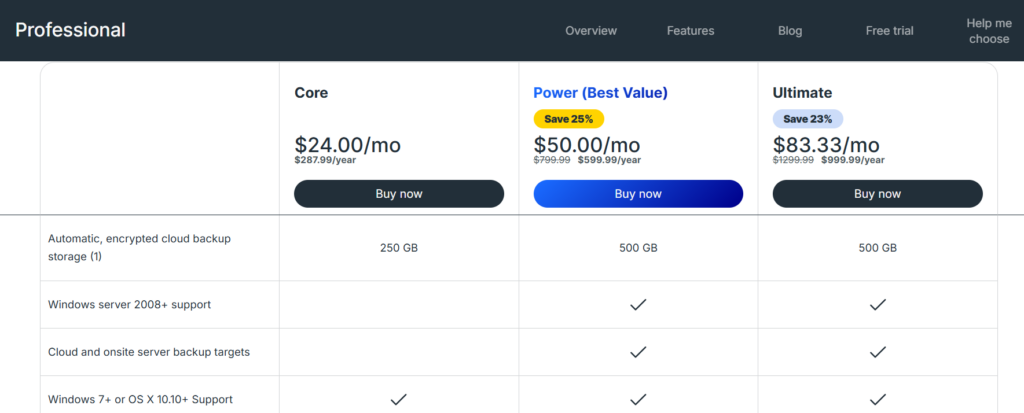
Carbonite Safe Backup Pro offers three tiers:
- Core: $24/month for 250 GB of automatic, encrypted cloud backup storage, which includes Windows 7+ or OS X 10.10+ support, up to 25 computers, external drives and NAS, and the ability to recover data instantly.
- Power: $50/month for 500 GB of automatic, encrypted cloud backup storage, which adds Windows server 2008+ support, Cloud and onsite server backup targets, and backup system files.
- Ultimate: $83.33/month for 500 GB of automatic, encrypted cloud backup storage, which adds unlimited servers + 25 computers.
- Additional storage: Sold in $99 per 100 GB increments across all three plans.
Carbonite Pros & Cons
✅ Simple file- and image-level backups with always-on protection and one-click restores.
✅ Pre-infected version recovery within a two-week window, with hands-on restore support from Carbonite’s team.
✅ Backup sets accessible via a web-based dashboard from any device.
❌ Carbonite protects files and system images but does not capture cloud configuration state like VPCs, IAM policies, or security groups.
❌ Safe Backup Pro’s SMB-oriented tiers and 500 GB storage caps make it a poor fit for large enterprise estates.
Withstand failures and recover in minutes with ControlMonkey
Most enterprise outages don’t drag on because the data is gone. They drag on because nobody can rebuild the environment the data ran on.
That’s the gap traditional DR never closes.
Picture the scenario: Route 53 records are wrong, Okta groups are missing, a CDN route is pointed at a dead origin, the WAF policies are from last quarter, and the only person who remembers how it all fit together is on vacation.
Your database backups are pristine but your production still isn’t up.
ControlMonkey was built around that failure mode.
Instead of protecting the files and workloads that almost every vendor on this list already handles, our platform protects the layer underneath them: the rules, policies, routes, and dependencies that actually make a cloud environment function.
Each piece lives in your Git repo as Terraform, updated on a schedule, ready to redeploy.
Not partially. Not manually. Not someday. Always.
That design closes the two risks every enterprise DR strategy quietly carries:
- Uncertainty: nobody can agree on what the last working state actually looked like.
- Slowness: by the time you rebuild from memory, the SLA is already breached.
Automated snapshots make “last working state” an answerable question.
You scroll your Git history, pick a commit, and roll back. That’s the difference between a triage call at 2 AM, and an uneventful rollback ticket resolved before most of the team knows there was an incident.
When the incident hits, ControlMonkey doesn’t hand your engineers a to-do list. It hands them results:
Infrastructure restored in one click. Dependencies resolved without manual sequencing.
No guesswork about the last working state, no firefighting in the middle of the night, and no rebuilding your cloud from memory.
ControlMonkey isn’t the best enterprise cloud backup solution because it backs up more data.
It’s the best because it protects the one thing that makes the cloud actually work: the configuration that runs everything else.

A 30-min meeting will save your team 1000s of hours
A 30-min meeting will save your team 1000s of hours
Author