
In this article, I’ll cover the best GitHub backup solutions in 2026, what each one actually protects, how their recovery and retention models differ, and the gap most teams only notice the day they need it.
TL;DR
- ControlMonkey’s automated GitHub configuration backup and instant recovery make it the best GitHub backup solution for protecting how your GitHub environment actually runs.
- Our platform backs up and restores the GitHub configuration layer (repository settings, branch protection rules, permissions, GitHub Actions workflows, and webhooks), not the code itself, where every other vendor here backs up repository data. Most teams end up with half a recovery plan, because almost nothing on the market treats the configuration control plane as something you can restore.
- For teams that mainly want repository data and metadata protected with strong disaster recovery, migration, and compliance, GitProtect, Rewind, Cloudback, and Keepit are all excellent picks.
- BackupLABS, SimpleBackups, Backrightup, Gitbackups, and Gickup are good options if you want good per-repository pricing, multi-tool consolidation, granular metadata restore, or a free self-hosted route. What none of them bring back are the branch protections, permissions, and workflows that make a recovered repository usable again.
What are the 10 best GitHub backup solutions in 2026?
The best GitHub backup solutions in 2026 are ControlMonkey, with its GitHub configuration backup capabilities, GitProtect, and Rewind.
Here’s a breakdown of our shortlisted platforms:
| Tool | Features | Pricing |
|---|---|---|
| #1: ControlMonkey | GitHub configuration backup (repository settings, branch protections, permissions, Actions workflows, webhooks), instant Time Machine recovery to a working state, drift and change visibility, extends to GitHub and cloud config. | Free Resilience Assessment ($0). Pro and Enterprise are custom. |
| #2: GitProtect | Cross-platform DR and migration across GitHub, GitLab, Bitbucket, and Azure DevOps, your own AES-256 key, unlimited retention, immutable ransomware-resistant storage. | Team plans start at $24/month for 15 repositories and scale with repository count. |
| #3: Rewind (formerly BackHub) | Most-installed GitHub backup app, point-in-time restore with version compare, daily metadata backups, Cloud Sync to Azure and S3. | Pro $200/month; Enterprise $400/month; both $4/user/month. Individual $14/month. |
| #4: Cloudback | Per-repository pricing, customer-managed keys (RSA Lockbox), official Terraform provider and MCP server, GitHub, GitLab, Azure DevOps, and Linear from one dashboard. | Free (1 repo); Basic $10/month per 10 units; Team $75/month per 100; Enterprise $500/month per 1,000. |
| #5: BackupLABS | GitHub plus Trello, Notion, Jira, and GitLab under one roof, per-repo pricing with unlimited users, your own storage, restore back into GitHub or as a zip. | Essentials from $9.60/month; Pro from $13.44/month; Enterprise is custom. |
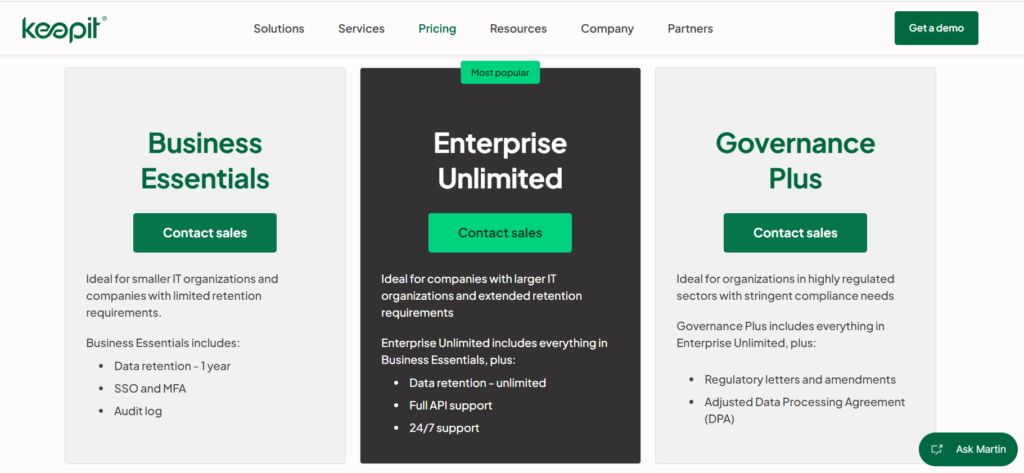
| #6: Keepit | Backups on Keepit’s own infrastructure (not a hyperscaler), immutable storage, broad SaaS coverage with GitHub as one app, deep compliance (HIPAA, FINRA, NIS2). | Contact sales for all tiers. |
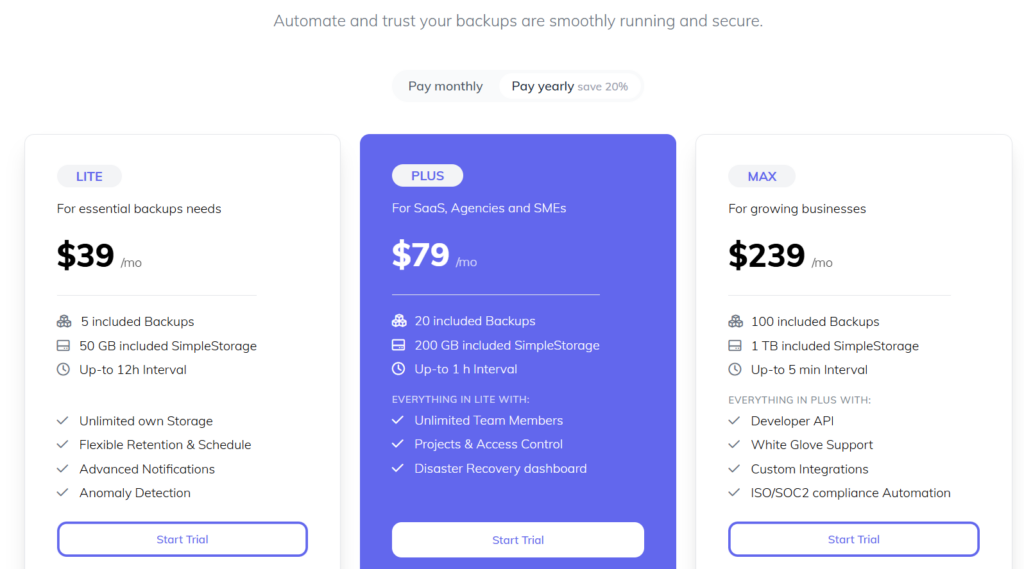
| #7: SimpleBackups | One tool for GitHub plus databases, servers, and storage, very wide storage support, developer API, schedules down to 5-minute intervals. | Basic free (1 job); Lite $39/month; Plus $79/month; Max $239/month. |
| #8: Backrightup (now Rubrik) | Granular restore of individual issues, PRs, Actions, and wikis, whole-project recovery (beta), strong Azure DevOps coverage, SOC 2 Type II. | Free plan on GitHub Marketplace; otherwise contact for a quote. |
| #9: Gitbackups | Nightly incremental backups, immutable object-locked storage, multi-platform, your own S3, GCS, or Azure storage. | Starter $9/month (10 repos); Pro $19/month (50); Team $39/month (unlimited). |
| #10: Gickup | Free open-source CLI, self-hosted, mirrors repositories across many Git hosts to local disk or S3. | Free (open-source). |

Need More Than Repository Backup?
Protecting GitHub is only part of disaster recovery. Learn how ControlMonkey helps teams recover cloud, SaaS, identity, and network configurations from known-good recovery points.
Why should you have a GitHub backup solution?
You need a GitHub backup solution because recovering your repositories and their configuration after a deletion or a compromise is your responsibility, not GitHub’s.
GitHub stopped being a place to just store code a long time ago.
It’s now a place where:
- Your product’s entire infrastructure is defined.
- Your deployments get triggered.
- Approvals from your team get enforced.
- Access as a whole gets controlled.
And, similar to every major cloud platform, GitHub runs a shared responsibility model.
GitHub keeps the platform online and durable.
You own your data, your access, and your configurations.
Recovering from an accidental or malicious deletion is on you, and the native retention controls were never designed to be a backup.
This is why it’ll be your responsibility to deal with token leakage, phishing issues, and breaches.
But getting the repository back is only part of recovery.
The other part is everything wrapped around it:
- Branch protection rules.
- Repository settings.
- Permissions and access controls.
- GitHub Actions workflows.
- Webhooks.
If you just restore the code without those, you’ll have your code while your deployments, reviews, and approvals stay broken.
The reality is that modern resilience needs more than traditional data backup.
ControlMonkey (that’s us) extends the same idea to the GitHub configuration layer and to your broader cloud infrastructure configuration.
GitHub Backup Solution #1: ControlMonkey
ControlMonkey offers the best GitHub backup for the configuration layer because it continuously captures, versions, and restores the settings that decide how your code ships and who’s allowed to touch it.
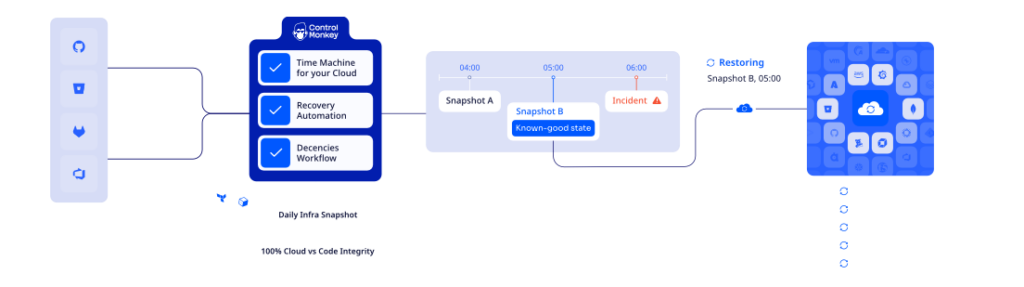
Traditional GitHub backup tools protect your repository data (e.g., code, issues, pull requests, and wikis), but our platform protects the GitHub control plane:
Webhooks and integrations.
We see the same story play out over and over.
A team restores its code after an incident, exhales, and then realizes nobody ever backed up the branch rules, permissions, workflows, and webhooks that made the repository usable in the first place.
Let’s go over ControlMonkey’s GitHub backup features:
Automated GitHub Configuration Backups
Your repository is not your GitHub environment.
The environment is everything around it: who can merge, which checks are required, what your Actions workflows do, and which webhooks fire on a push.
ControlMonkey captures that configuration continuously and commits each snapshot as versioned snapshots, so you’ve always got a clean point to roll back to.
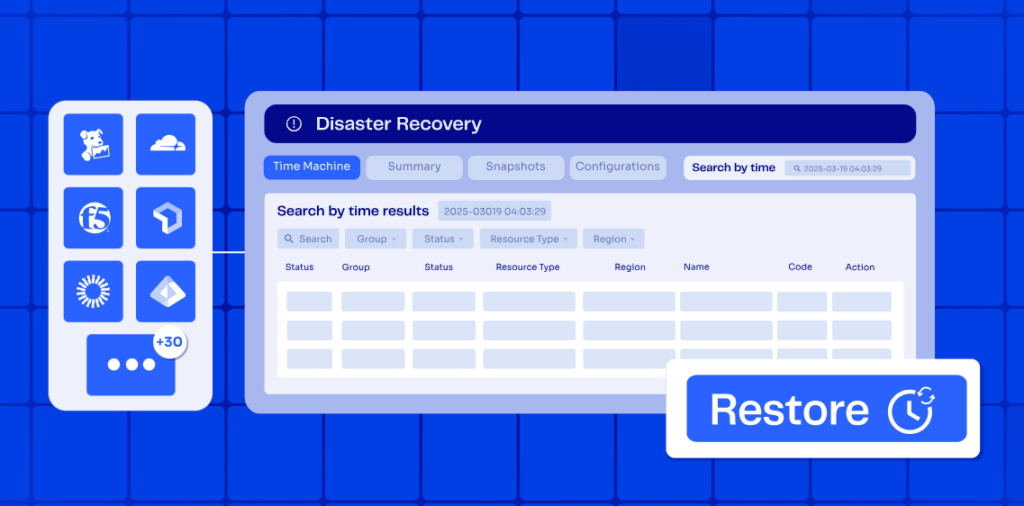
Continuous capture covers:
- Repository and organization settings that define collaboration, visibility, and merge behavior, stored as configuration you can redeploy, not screenshots you recreate by hand.
- Branch protection rules and rulesets that enforce code quality and deployment safety, versioned so you can see the exact moment a protection was dropped and put it back.
- Permissions, Actions workflows, and webhooks, the operational glue that decides what runs and who’s allowed to run it.
When a branch protection disappears, or a workflow gets quietly edited, you can see that it happened, see what changed, and reverse it.
Instant GitHub Configuration Recovery (Time Machine)
Speed matters the most during an incident.
Whether you face minutes of disruption or days of downtime usually turns on one thing, which is whether you can get back to a working configuration without rebuilding it manually.
ControlMonkey’s Time Machine lets your team restore a single setting or a whole environment’s configuration to any earlier snapshot.
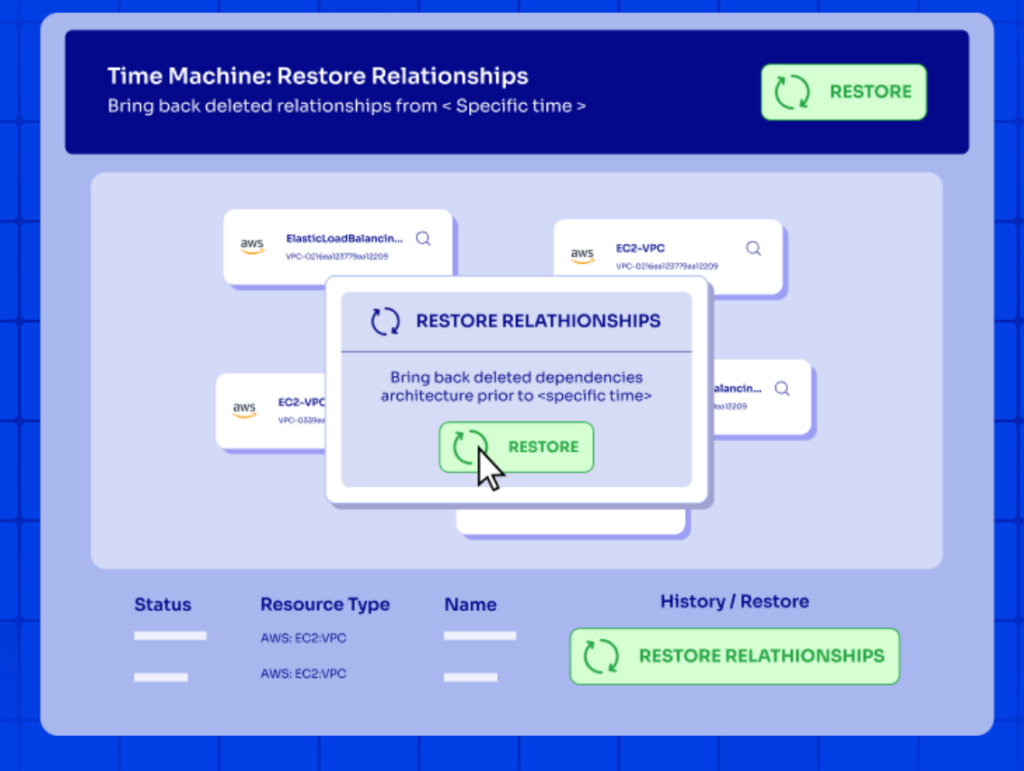
You can pick the snapshot you want to return to, and your team can decide whether to restore one repository or roll back broadly.
Protection From Account Takeover, Human Error, and Over-Permissive AI Agents
Three very different problems end in the same place: your GitHub configuration is wrong, and you have no clean copy to put back.
Account takeover and ransomware-style extortion strip protections, rewrite pipelines, and lock you out of your own delivery process.
Human error is just as routine. Engineers still pull the wrong branch protection or change access on the wrong repository at the wrong time.
The newest risk is AI agents that pick up more CI/CD work. An agent with permissions can make sweeping configuration changes in seconds, with no malice and no heads-up.
For AI agents, we’ve got something else too: cloud configuration anomaly detection, where our solution automatically detects unexpected and suspicious configuration changes across your cloud infrastructure.
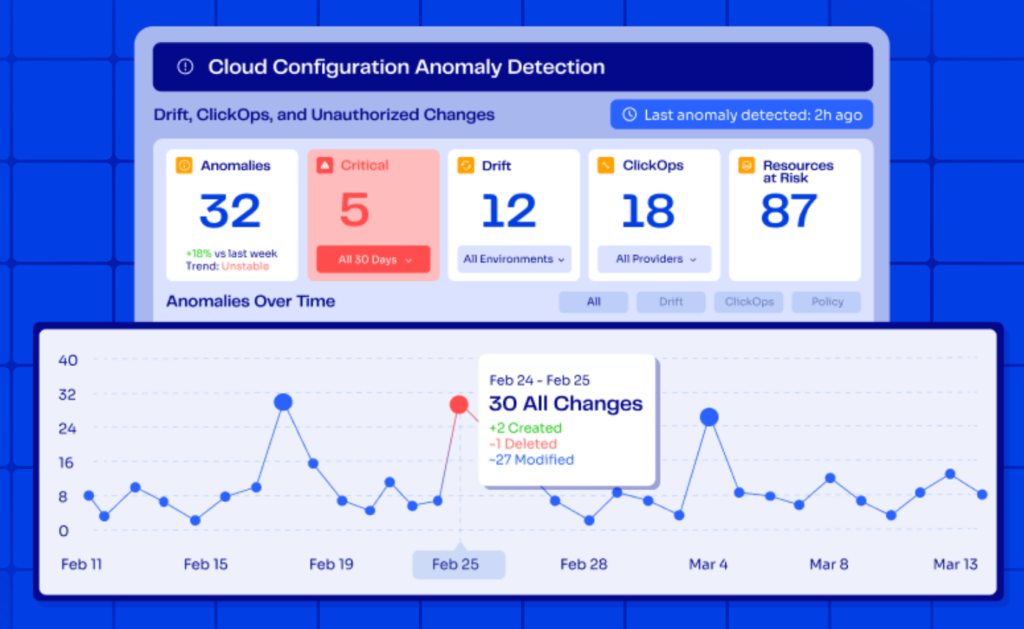
ControlMonkey keeps an external, versioned copy of your GitHub configuration, so when something goes sideways, recovery doesn’t rely on whoever happens to remember how things were wired.
Complete Visibility Into GitHub DR Readiness
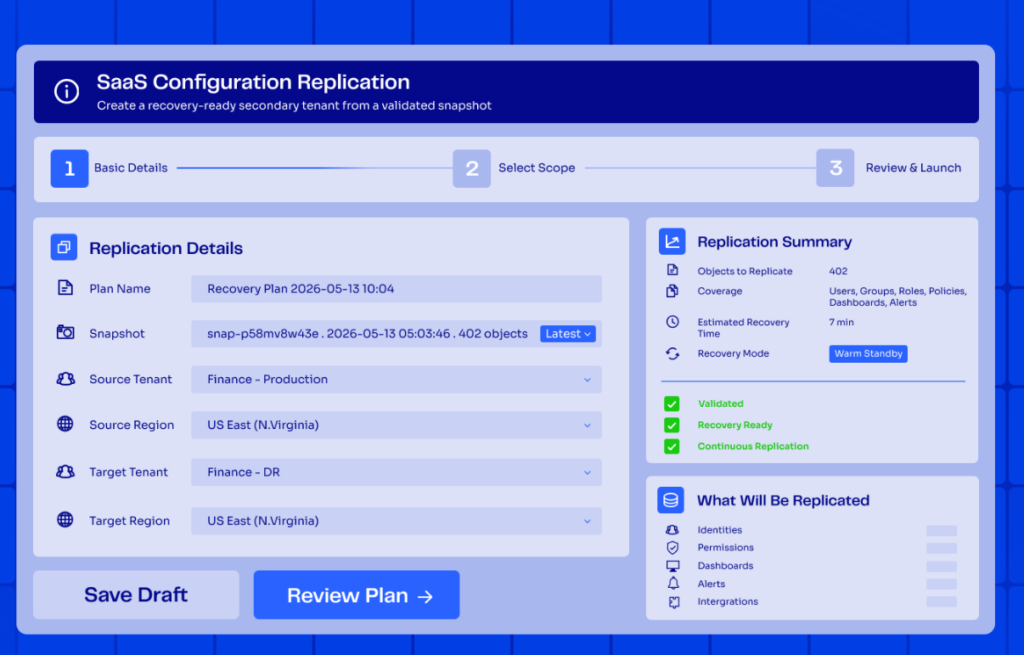
Most teams honestly couldn’t tell you whether they could recover their GitHub environment, because they’ve never seen it laid out in one place.
Our platform gives you a single view of what’s backed up, what’s drifting, and how close to recoverable you really are.
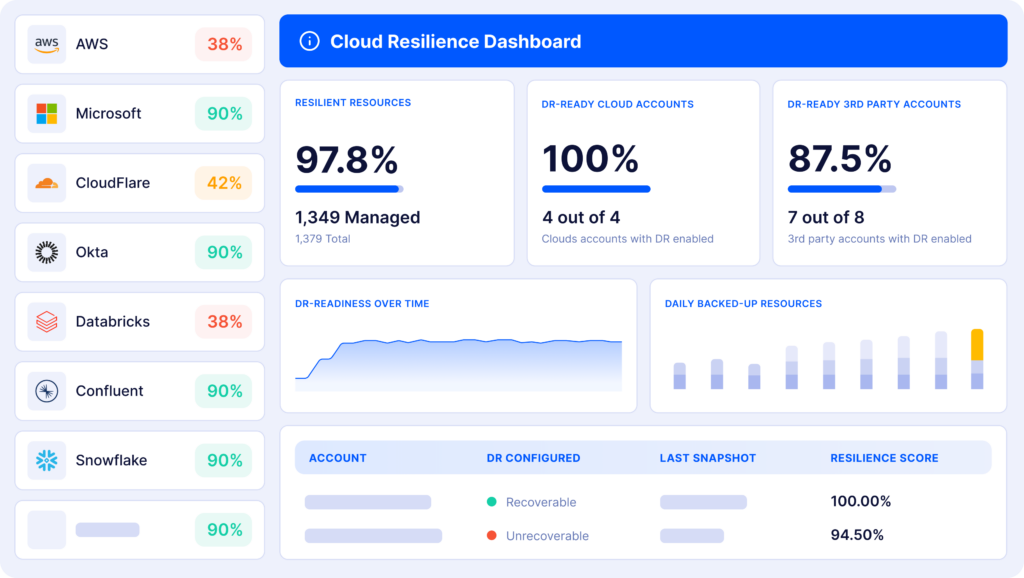
You can track DR readiness over time, catch coverage gaps before an incident finds them first, and pull audit-ready backups and evidence without a fire drill.
The same continuous-capture model reaches past GitHub and to your wider cloud infrastructure configuration, so resilience doesn’t end up scattered across a dozen disconnected tools.
Ready to hit 100% cloud resilience?
ControlMonkey provides end-to-end infrastructure disaster recovery that protects both your cloud resources and SaaS configurations. You get automated daily backups, one-click recovery, and continuous visibility into what’s protected, without writing custom scripts or maintaining complex DR processes.
ControlMonkey vs. traditional GitHub backup tools
I want to be honest here and say that ControlMonkey actually complements the rest of the tools in this list, and we don’t actually replace or compete with them.
Tools like GitProtect, Rewind, and Cloudback protect repository data: your code, its history, and the metadata around it.
On the other hand, ControlMonkey protects your GitHub configuration: the rules, permissions, workflows, and webhooks wrapped around the code.
Our jobs don’t overlap. They stack.
I’d say that a complete GitHub recovery plan needs both a repository-data backup and a configuration backup, which is why we built our integrations to work alongside the tools you already run.
ControlMonkey connects through read-only access, captures the configuration layer those tools skip, and carries the same model across GitLab and your cloud and SaaS configuration.
Pricing
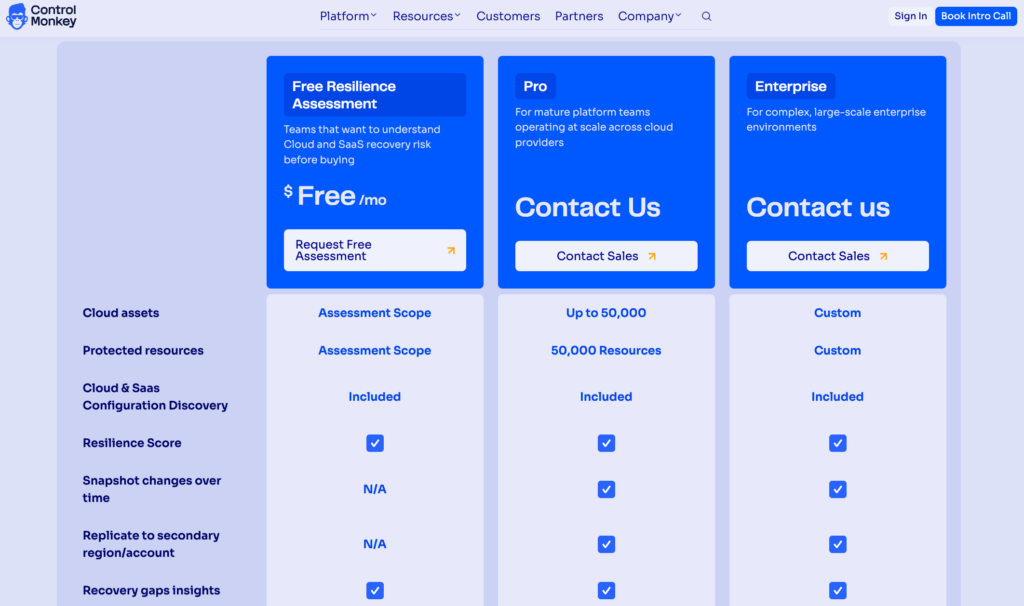
ControlMonkey offers three plans that you can choose from:
- Free Resilience Assessment: Ideal for teams that want to understand their cloud and SaaS recovery risk before buying. It includes cloud and SaaS configuration discovery, a resilience score, recovery gap insights, and drift detection in detection-only mode, plus a review of the findings with our team.
- Pro: Custom pricing, which covers up to 50,000 cloud assets and 50,000 protected resources, and adds snapshot change tracking over time, full drift detection with remediation, the ClickOps scanner, and RBAC, backed by specialized support.
- Enterprise: Custom pricing for complex, large-scale enterprise environments, with custom cloud asset and protected resource scopes and the same specialized support.
Replication to a secondary region or account and a self-hosted agent option are also available on paid plans.
Pros & Cons
✅ Backs up the full GitHub configuration layer: settings, branch protections, permissions, Actions workflows, and webhooks.
✅ One-click recovery to a working state.
✅ Stands up to account takeover, human error, and over-permissive AI agents.
✅ Continuous, versioned capture with drift and change visibility built in.
✅ Same DR model carries over to GitLab and your cloud infrastructure configuration.
✅ Free Resilience Assessment maps your exposure before you spend a cent.
❌ It doesn’t back up repository code or data, so you’ll run it alongside a repository data backup tool.
GitHub Backup Solution #2: GitProtect
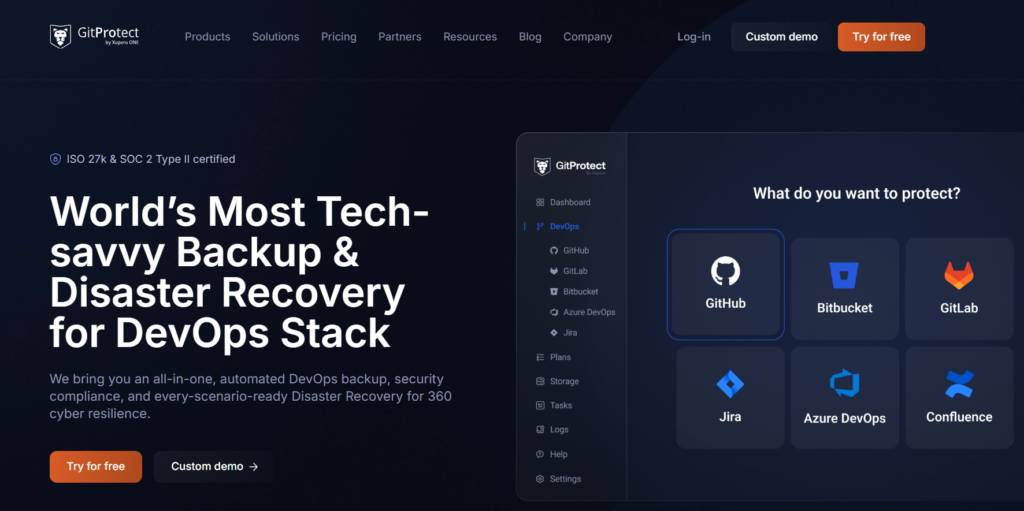
GitProtect is a security-first backup and disaster recovery platform that protects GitHub repositories and most of their metadata, with restore and migration across GitHub, GitLab, Bitbucket, and Azure DevOps.
It’s a good platform for compliance-driven teams that need audited, your-own-key backups and a way to keep shipping on another Git host if GitHub goes dark.
GitProtect Features
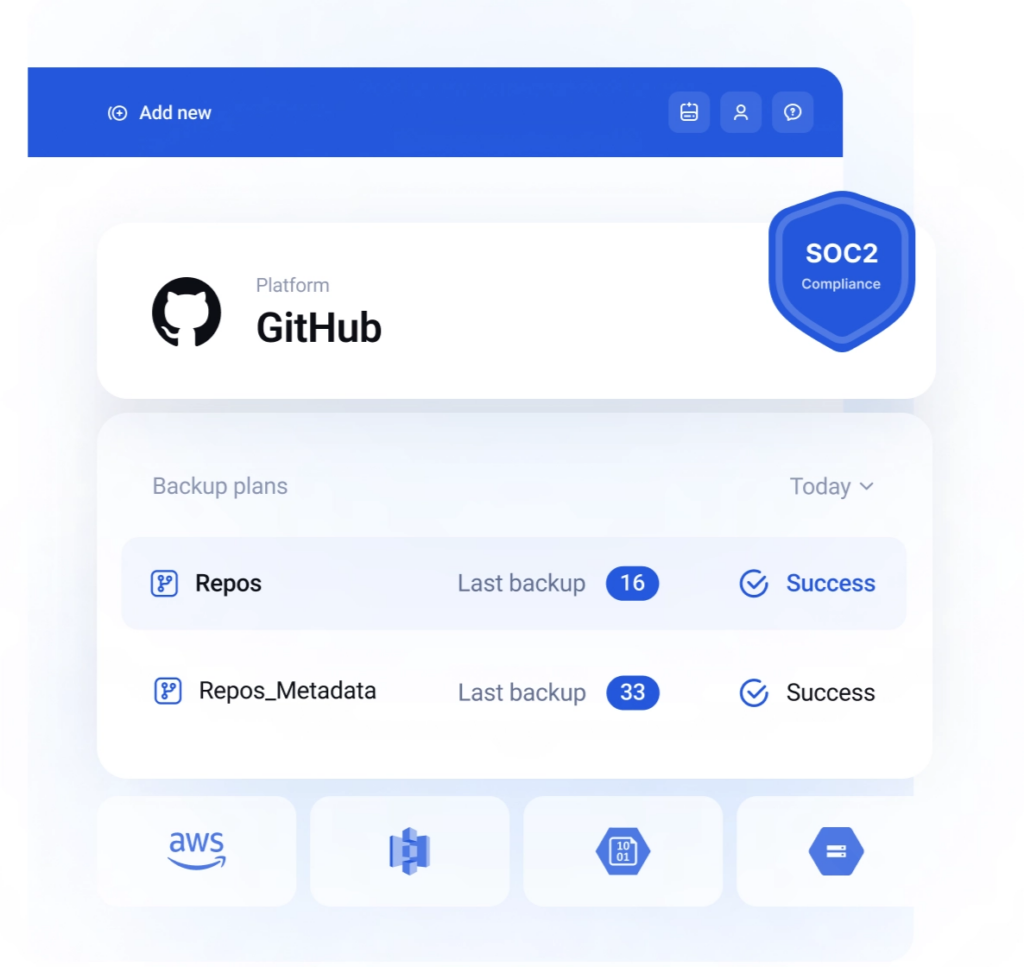
- Cross-platform DR and migration: Restore to the same account, a new one, a local machine, or a different vendor entirely. If GitHub goes dark for a while, your team keeps working on Bitbucket, GitLab, or Azure DevOps from the same backup.
- Bring-your-own-key encryption with unlimited retention: AES-256 in transit and at rest under your own key, with data residency in the US, EU, Australia, or a custom region.
- Ransomware-resistant, policy-driven backups: Immutable storage, non-executable copies, and flexible policy, schedule, and GFS scheduling across repositories, metadata, and LFS.
GitProtect Pricing
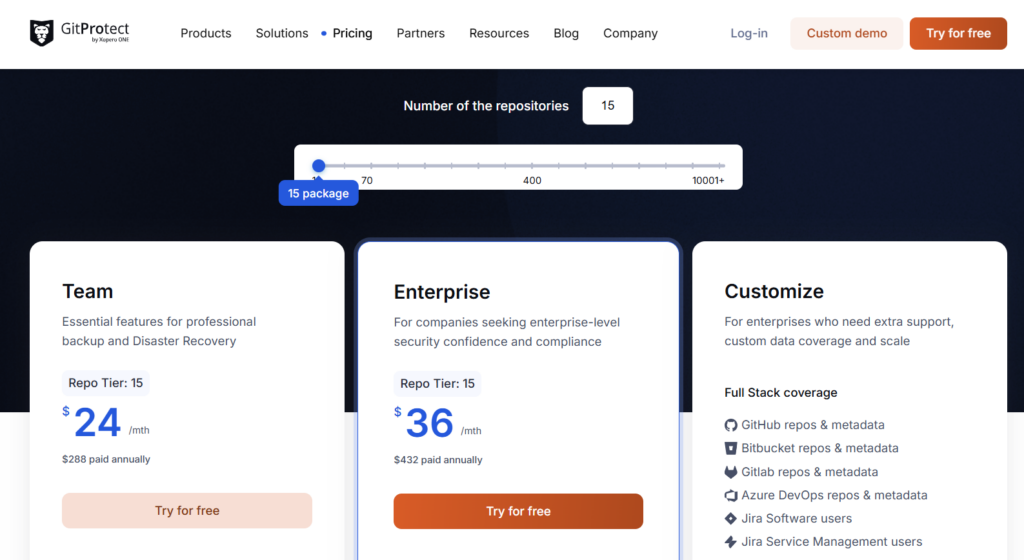
GitProtect has 3 paid plans that you can choose from based on your number of repositories:
A Customize tier that is quote-based for larger or self-hosted setups.
Team plans start at $24/month for 15 repositories and scale with repository count, with the 200-repository tier at $200/month.
Enterprise starts at $36/month for 15 repositories, and scales up to $8,000/month for 1,000 repositories, and unlocks cross-platform DR, your own storage, and SLA reporting.
GitProtect Pros & Cons
✅ Broad cross-platform restore and migration across four Git hosts.
✅ Your own encryption key, custom data residency, and genuinely unlimited retention.
✅ Proven by SOC 2 Type II and ISO 27001 audits.
❌ Lack of detailed error logs, according to a G2 review.
❌ It captures repository data and metadata, so the branch protections and workflows that make a repo deployable still need a separate configuration backup.
GitHub Backup Solution #3: Rewind (formerly BackHub)
Rewind backs up your GitHub repositories and metadata automatically every day and restores them in a few clicks, with point-in-time recovery and version comparison.
It’s a good fit for teams that want a set-and-forget option and care about fast rollback.
Rewind Features
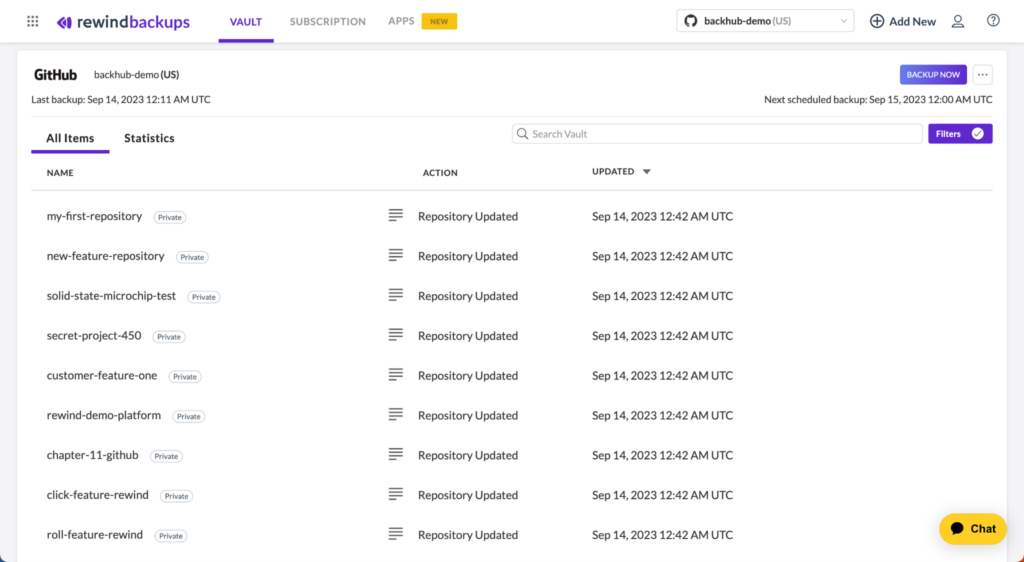
- Point-in-time restore with version compare: Recover repositories and metadata in a few clicks, comparing versions to pinpoint exactly what changed and shorten mean time to recovery.
- Cloud Sync and longer retention: On Enterprise, sync backups to your own Azure or Amazon S3 and hold 365-day retention, with Git LFS support in early access.
- Also comes with automated backups, granular data recovery, data location storage, cloud sync, access logs, and audit-ready compliance reports.
Rewind Pricing
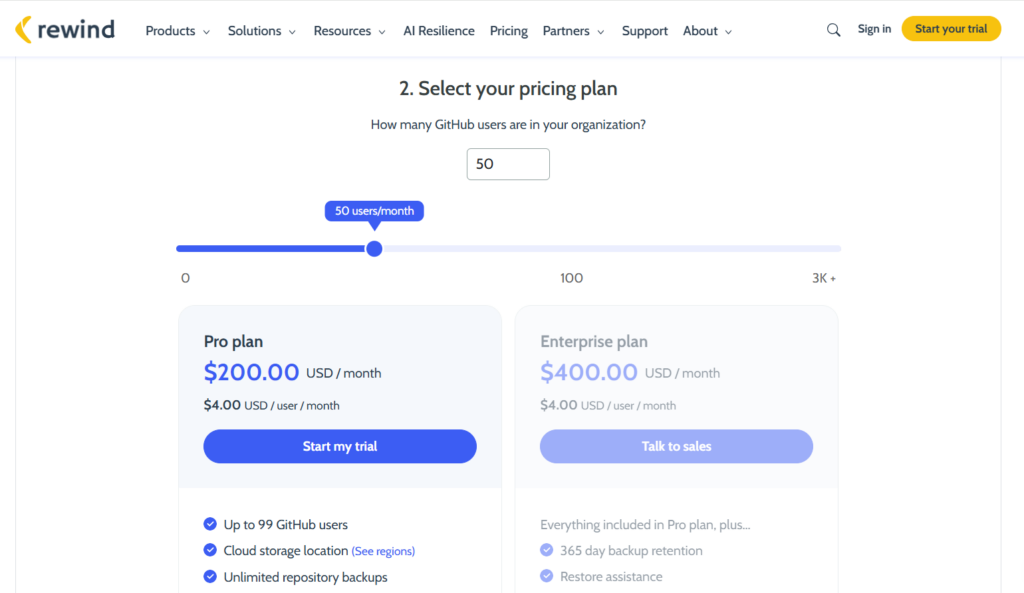
Pricing follows GitHub organization members.
Pro is $200/month at $4/user/month for 50 members, and Enterprise is $400/month at $4/user/month for 100 or more.
There’s also a $14/month Individual plan for personal use.
Rewind Pros & Cons
✅ The most widely adopted and battle-tested GitHub backup app available.
✅ Version comparison makes recovery quick and precise.
✅ Strong metadata coverage, with Cloud Sync to your own storage on Enterprise.
❌ A large org with relatively few repos still pays per seat.
GitHub Backup Solution #4: Cloudback
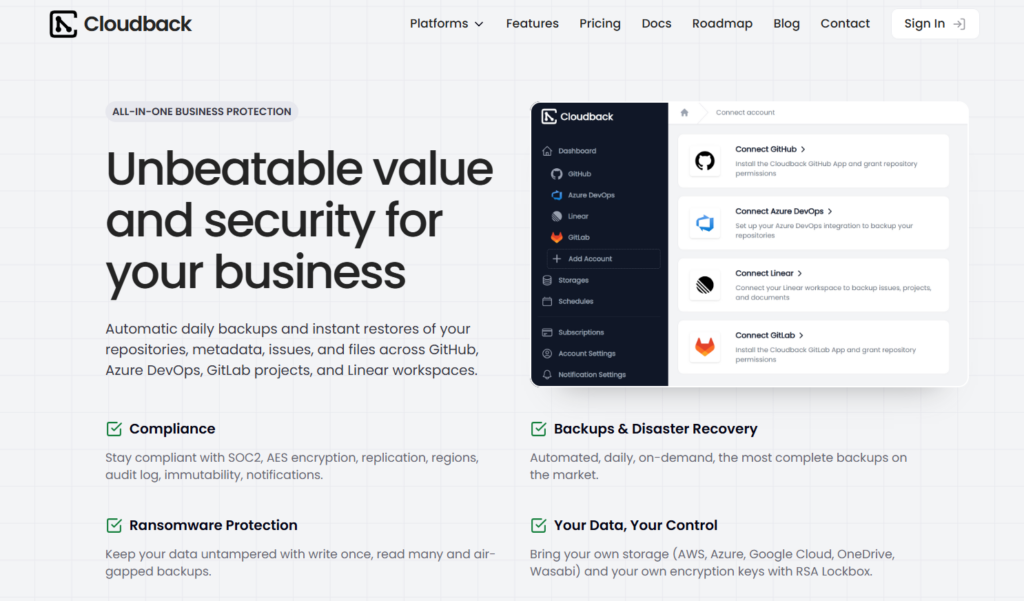
Cloudback runs SOC 2 Type II backups of GitHub repositories and metadata, with customer-held encryption keys and per-repository pricing, plus coverage for GitLab, Azure DevOps, and Linear from a single dashboard.
Cloudback Features
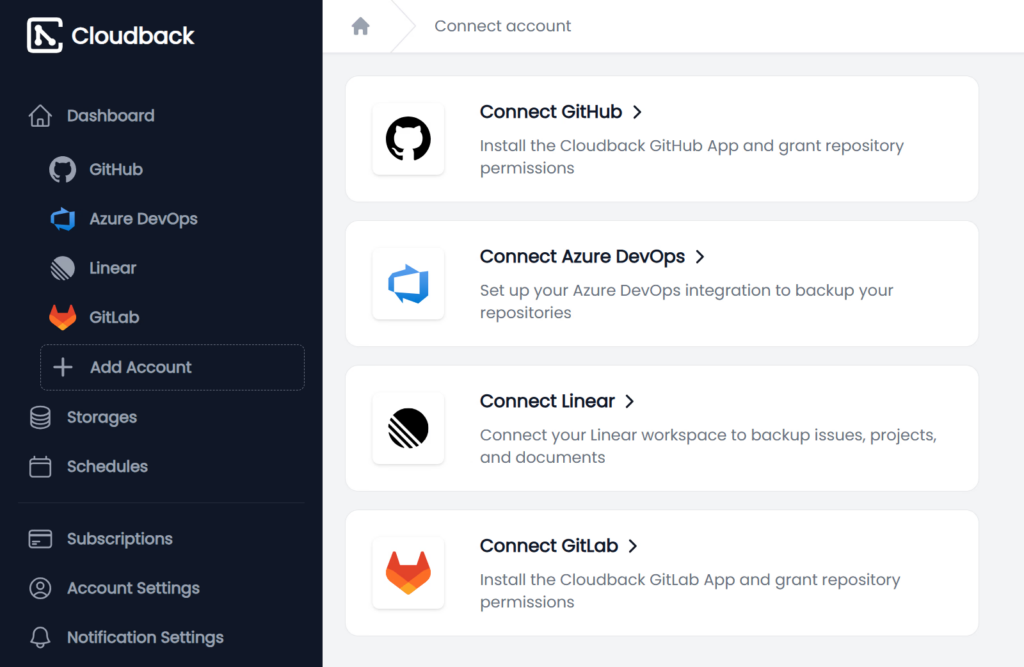
- Customer-managed encryption (RSA Lockbox): You hold your own RSA key pair, and Cloudback works only from the public half, so the private key stays on your side and never reaches their systems.
- Backups as code: Drive your entire backup configuration through an official Terraform provider, an Operations API, or an MCP server for AI assistants, so platform teams ship backups the way they ship everything else.
- Bring-your-own-storage with WORM immutability: You can write up to ten storage targets, including S3, Azure Blob, Google Cloud, Wasabi, and OneDrive, with S3 Object Lock for write-once, ransomware-resistant copies.
Cloudback Pricing
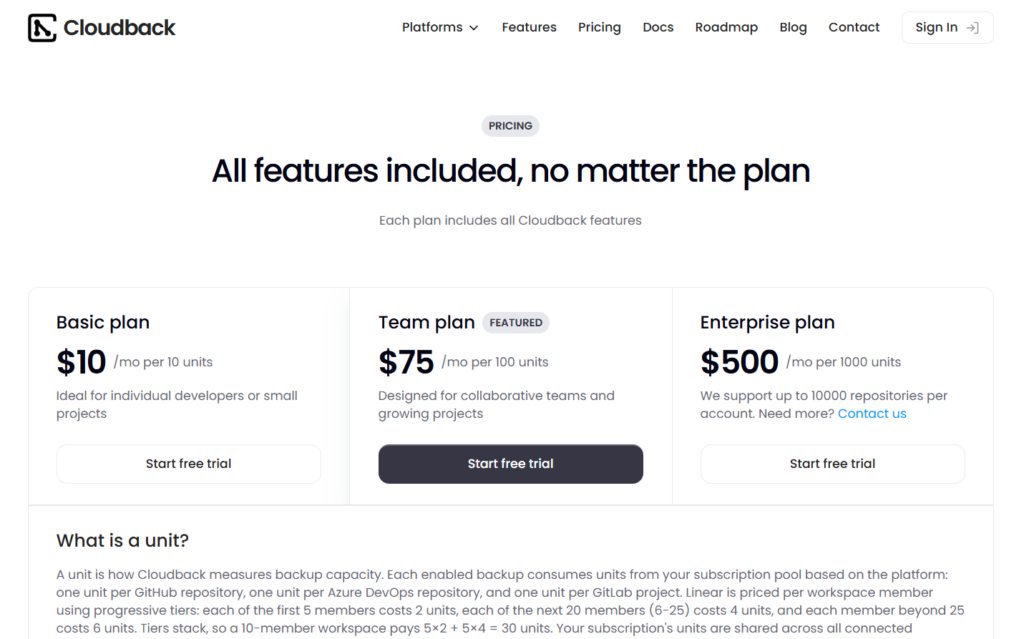
Cloudback prices by unit, where one unit is a single GitHub repository (Azure DevOps repos and GitLab projects each count as a unit too), and every plan includes all features.
A free plan covers one repository up to 100MB.
Paid plans are Basic at $10/month per 10 units, Team at $75/month per 100 units, and Enterprise at $500/month per 1,000 units, with support for up to 10,000 repositories per account before you need to contact them.
Cloudback Pros & Cons
✅ Customer-managed keys give you real control over your own encryption.
✅ Fair per-repository pricing, plus full Terraform and API automation.
✅ Audit log with over 60 event types, SIEM forwarding, and a Vanta integration for compliance.
❌ Per-unit costs still climb for very large fleets, even while they undercut per-seat models.
GitHub Backup Solution #5: BackupLABS
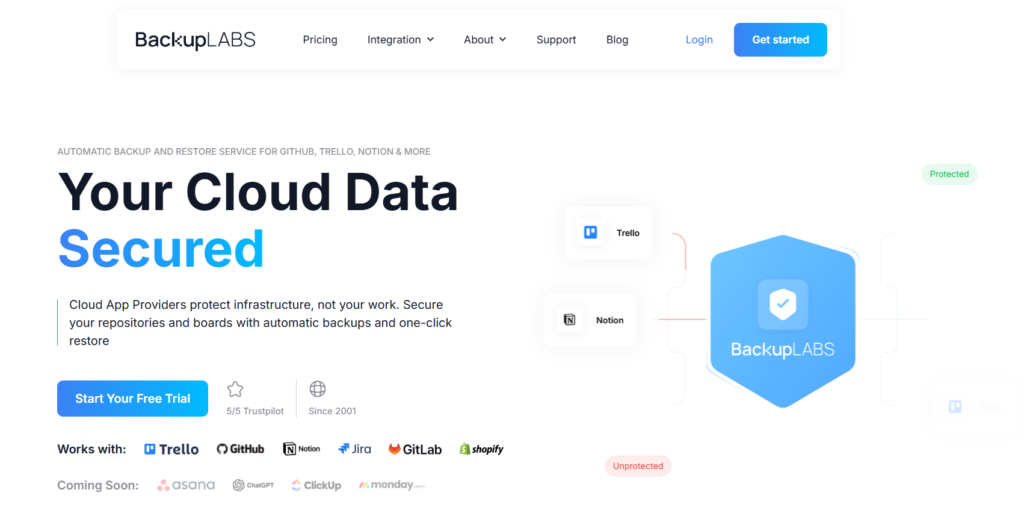
BackupLABS backs up GitHub repositories and gists next to Trello, Notion, Jira, and GitLab, and restores them straight back into the app or as a zip.
It’s aimed at small and mid-sized teams that want predictable per-repository pricing and unlimited users, with one tool covering more than just their code.
BackupLABS Features
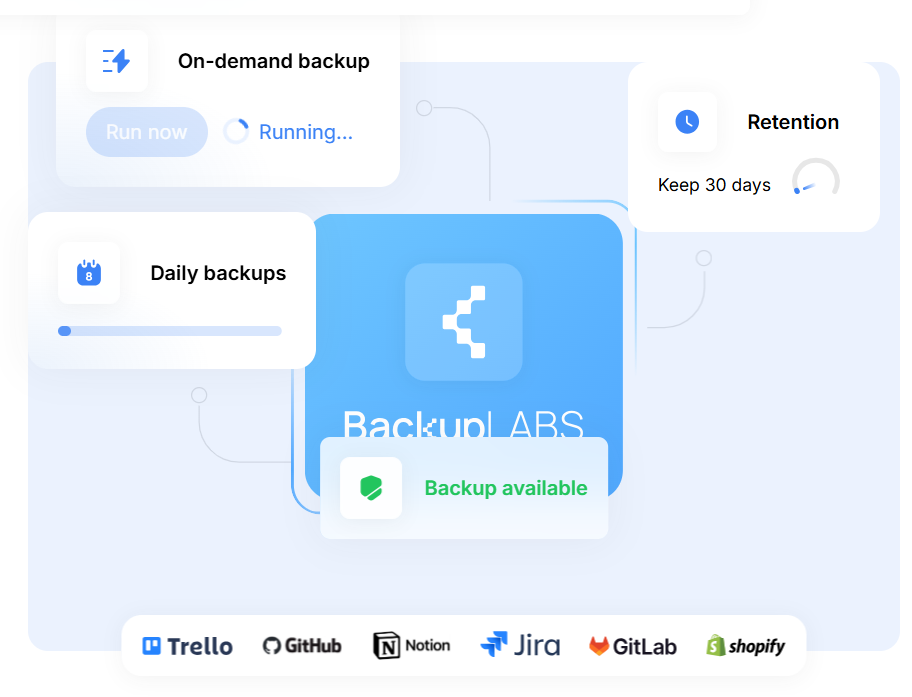
- More than Git in one place: Back up GitHub repositories and gists next to Trello boards, Notion workspaces, Jira projects, and GitLab, so a single tool covers more of your stack than a GitHub-only app.
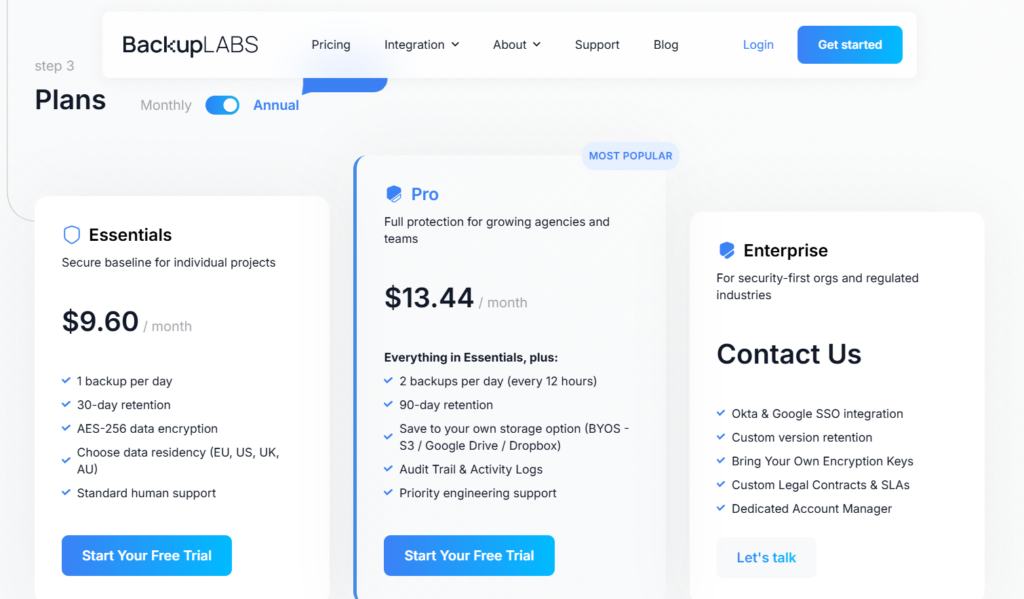
- Direct restore and your own storage: Restore straight back into GitHub or pull a zip, and on Pro plans push copies to your own Amazon S3, Google Drive, or Dropbox with 90-day retention.
- Priced by repository, not by user: You choose how many repositories to protect and the price scales with that, so adding people to the account doesn’t drive the bill.
BackupLABS Pricing
Essentials starts at $9.60/month and Pro at $13.44/month on annual billing, priced at the ten-repository tier and scaling up as you protect more.
Enterprise is custom and adds bring-your-own encryption keys, custom retention, SLAs, and a dedicated account manager.
BackupLABS Pros & Cons
✅ One dashboard for GitHub plus Trello, Notion, Jira, and GitLab.
✅ Restore directly into GitHub, backed by a 30-day money-back guarantee.
❌ User accounts are capped: Essentials is single-user, and Pro and Enterprise top out at five users.
❌ Audit logs, Okta SSO, and bring-your-own storage are all gated to Pro and above.
GitHub Backup Solution #6: Keepit
Keepit stores your GitHub backups on infrastructure it owns and runs itself, alongside a wide SaaS estate that includes Microsoft 365, Entra ID, Salesforce, and Okta.
It works best for regulated enterprises that want one governed backup platform across many SaaS apps and a genuinely independent place to hold the copies.
Keepit Features
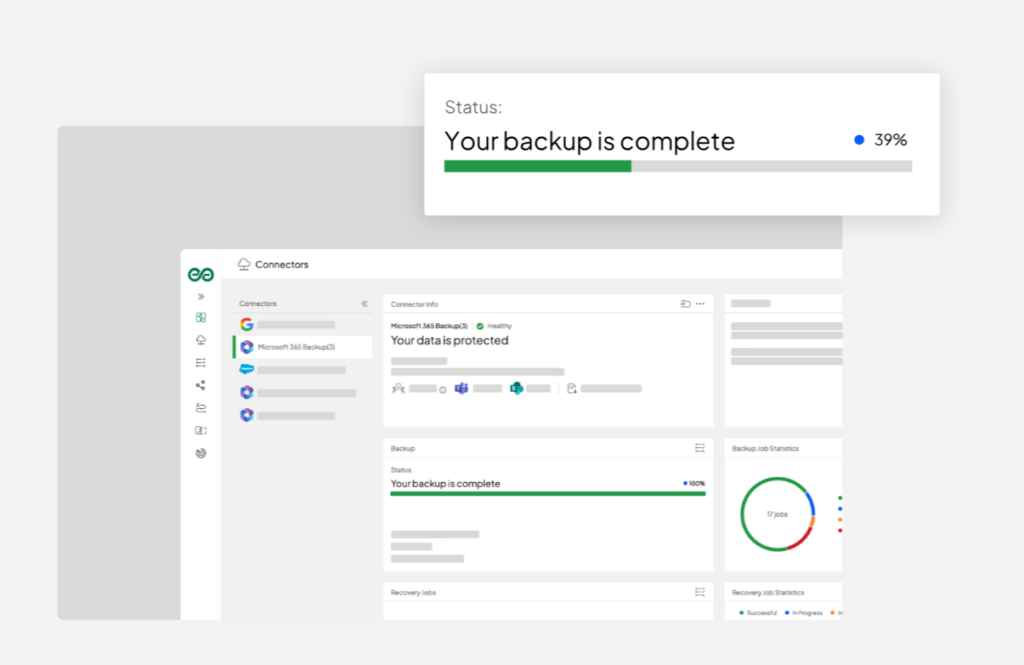
- Independent backup cloud: Backups land in Keepit’s own mirrored infrastructure, not on AWS or Azure, which keeps your safety net separate from the platforms it’s covering and lines up with the 3-2-1 rule and the NIST framework.
- Centralized SaaS governance: A single console runs backups across your whole SaaS estate, with unified reporting for managers who’d rather not juggle a separate tool per app.
- Compliance-grade retention and immutability: Immutable, ransomware-resistant storage with retention up to unlimited, plus coverage for demanding frameworks like HIPAA, FINRA, FISMA, GDPR, and NIS2.
Keepit Pricing
Keepit doesn’t publish prices. All three tiers (Business Essentials, Enterprise Unlimited, and Governance Plus) run through sales, with bundle discounts for protecting several SaaS apps at once.
Keepit Pros & Cons
✅ A genuinely independent backup cloud that Keepit owns and runs, separate from any hyperscaler.
✅ One place to govern GitHub alongside a broad SaaS estate.
✅ Strong immutability and deep regulatory coverage.
❌ No public pricing, so every quote starts with a sales call.
GitHub Backup Solution #7: SimpleBackups
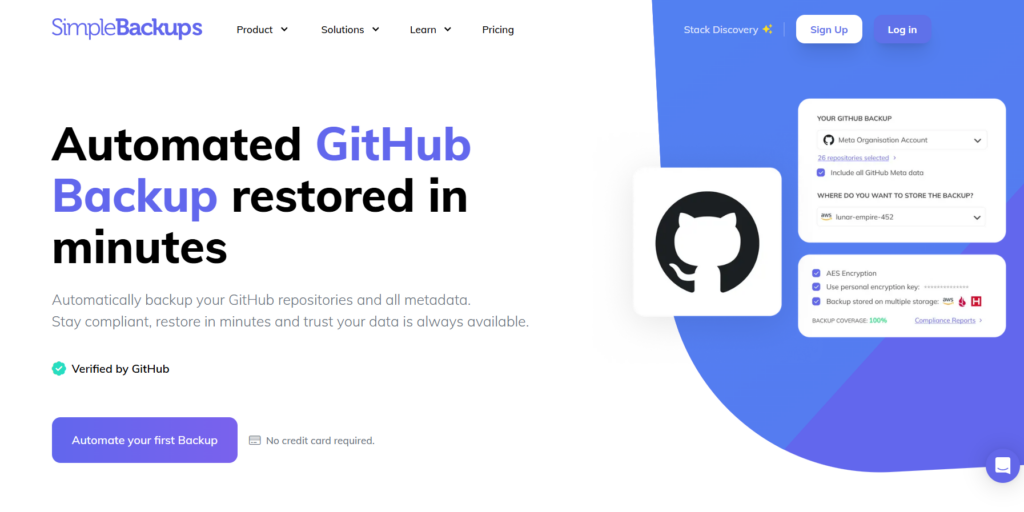
SimpleBackups protects GitHub repositories and metadata in the same tool that backs up your databases, servers, and cloud storage.
It’s made for teams tired of running a separate backup tool for every part of their stack who want to consolidate into one.
SimpleBackups Features
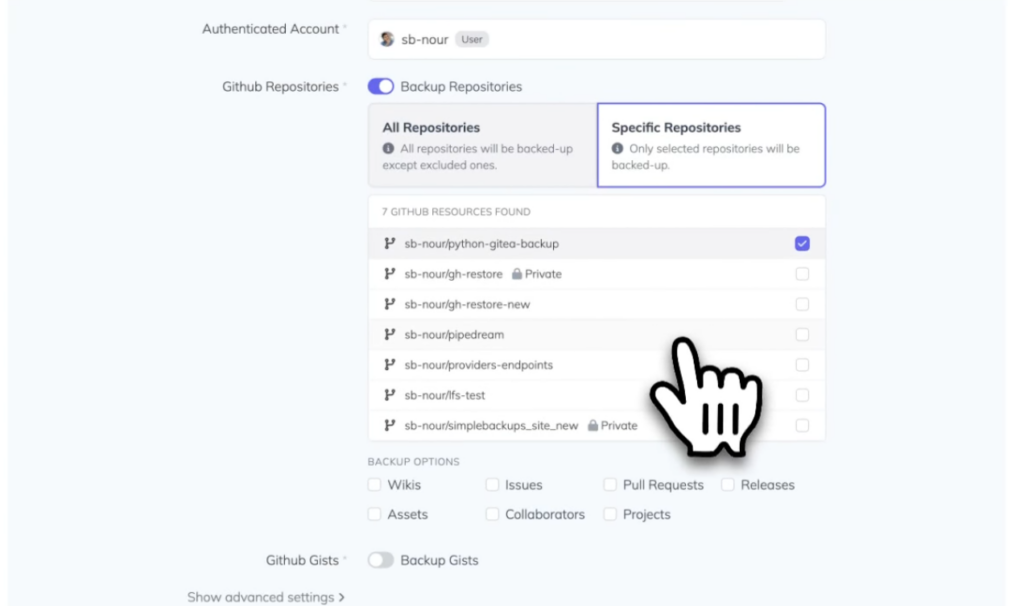
- GitHub and your databases together: Back up GitHub repositories and metadata next to MySQL, PostgreSQL, MongoDB, servers, and storage, so the patchwork of single-purpose backup tools can go.
- A long list of storage targets: Send backups almost anywhere, from AWS, Google Cloud, and Azure to Backblaze and Wasabi, with multi-storage replication for redundancy.
- API-driven, tightly scheduled: Run backups through an API as often as every five minutes on higher plans, with a disaster recovery dashboard and anomaly detection watching over them.
SimpleBackups Pricing
Basic is free for a single backup job.
Paid plans include Lite at $39/month (25 repositories), Plus at $79/month (100 repositories), and Max at $239/month (unlimited repositories).
SimpleBackups Pros & Cons
✅ Folds GitHub, database, server, and storage backups into one tool.
✅ The widest bring-your-own-storage support on this list.
✅ Flexible schedules and a developer API for automation.
❌ Repository counts are capped per tier until you reach the Max plan.
GitHub Backup Solution #8: Backrightup
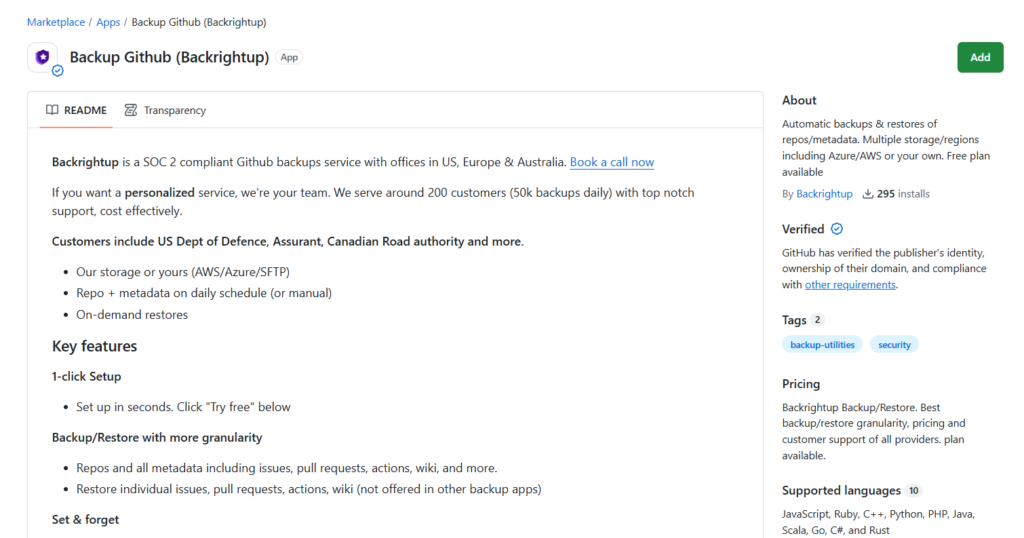
Now part of Rubrik after a 2026 acquisition, Backrightup runs SOC 2 Type II backups of GitHub and Azure DevOps, with granular restore down to a single issue, PR, Action, or wiki.
It targets enterprises that run both GitHub and Azure DevOps and want item-level recovery with a large vendor behind the product.
Backrightup Features
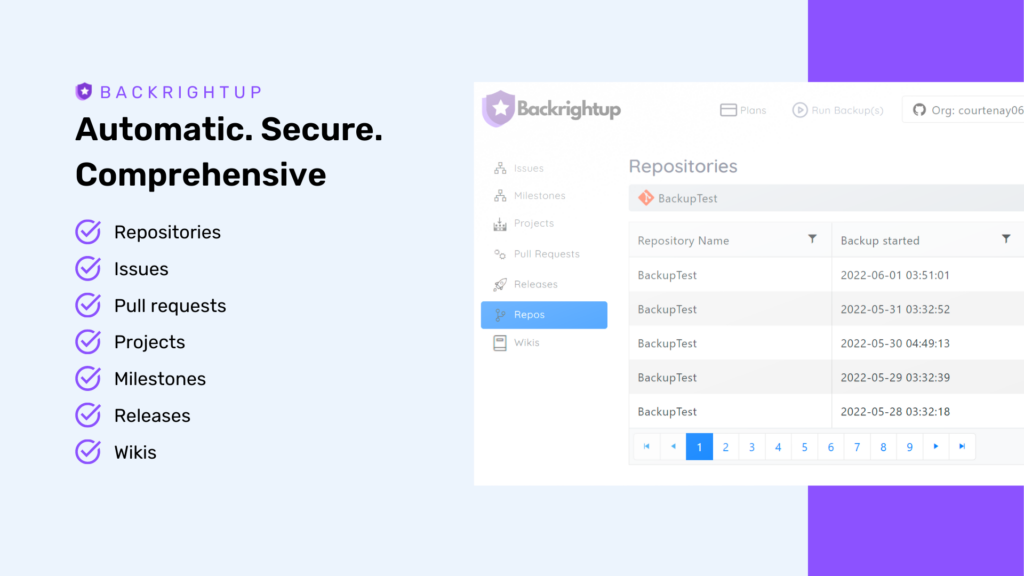
- Granular metadata restore: Recover one issue, PR, Action, or wiki in a single click, with whole-project recovery in beta, which is rare in this category.
- Real Azure DevOps coverage: Backs up GitHub and Azure DevOps repos and metadata side by side, handy for teams living in both.
- Enterprise controls and your storage: SSO, MFA, Okta and Azure Key Vault integration, audit logs, and a choice of Azure, AWS, SFTP, or your own storage across US, EU, and Australia regions.
Backrightup Pricing
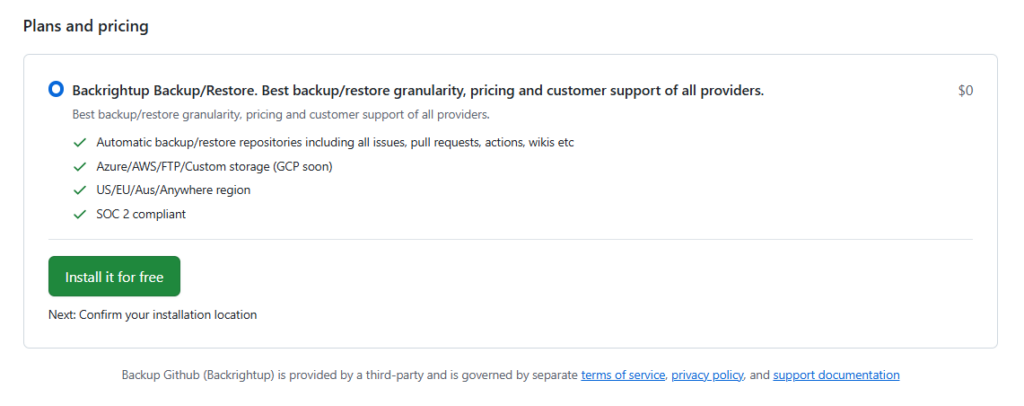
A free plan is available on the GitHub Marketplace. Beyond that, Backrightup doesn’t publish tiers, so you book a call for a quote.
Backrightup Pros & Cons
✅ Granular restore of individual metadata items, plus one-click project recovery in beta.
✅ Genuinely strong Azure DevOps support alongside GitHub.
❌ No public pricing, so getting numbers means booking a call.
GitHub Backup Solution #9: Gitbackups
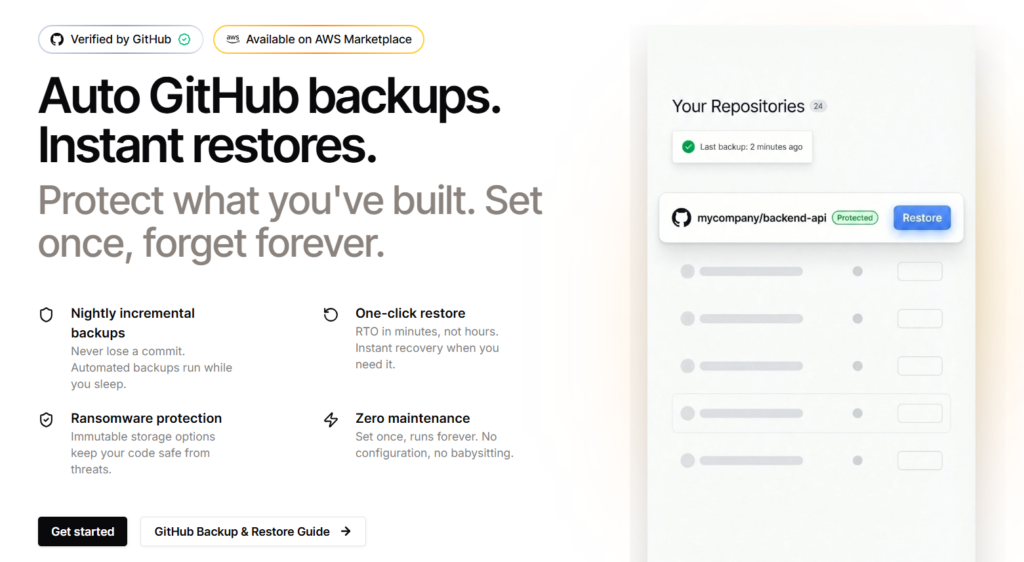
Gitbackups runs nightly incremental backups to immutable storage across GitHub, GitLab, Bitbucket, and Azure DevOps.
It’s ideal for cost-conscious teams that want flat, simple pricing and a backup they can set once and stop thinking about.
Gitbackups Features
- Nightly incremental backups: Only what changed since the last run gets captured, which keeps backups fast and storage cheap while still protecting repositories, issues, PRs, wikis, and LFS.
- Immutable, ransomware-resistant storage: Write-once storage with object locking and versioning means a compromised system can’t delete or encrypt your backups.
- Your storage or theirs: Plug in your own S3, GCS, or Azure Blob keys, or let Gitbackups handle storage on its geo-redundant multi-cloud setup. pricier alternatives.
Gitbackups Pricing
Gitbackups has 3 plans that you can choose from with no long-term contracts:
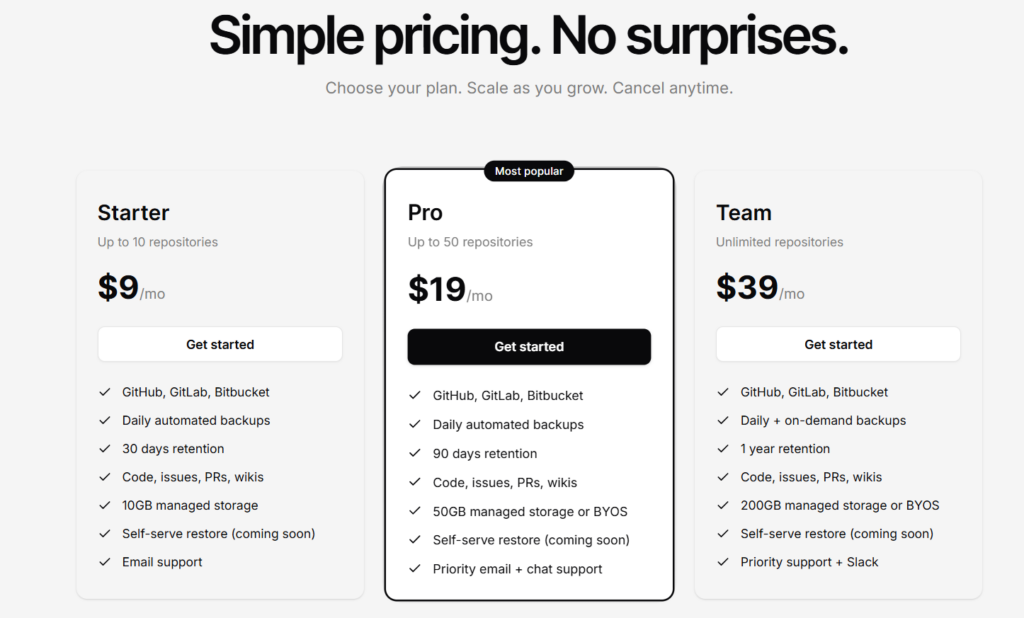
Starter is $9/month for up to 10 repositories, Pro is $19/month for up to 50, and Team is $39/month for unlimited repositories.
Gitbackups Pros & Cons
✅ Simple flat pricing, with unlimited repos at $39/month.
✅ Nightly incremental backups paired with immutable storage.
❌ Self-serve restore is still marked as coming soon.
❌ It’s newer and less battle-tested than other solutions on this list.
GitHub Backup Solution #10: Gickup
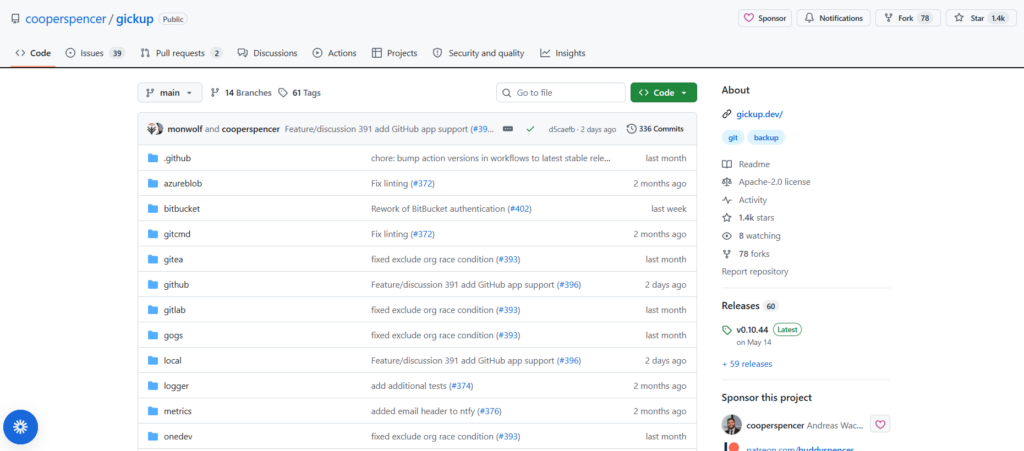
Gickup is a free, open-source tool that mirrors your repositories from one Git host to another, running as a self-hosted CLI or Docker container.
It’s the perfect option for individuals who want full control with no vendor and no subscription, as long as they don’t mind being the one who keeps it running.
Gickup Features
- Open-source and self-hosted: Apache-licensed and community-maintained, so you keep full control with no third party in the loop.
- Mirrors across many Git hosts: Clone or mirror repositories between GitHub, GitLab, Gitea, Gogs, Bitbucket, Codeberg, and more, out to local disk or S3.
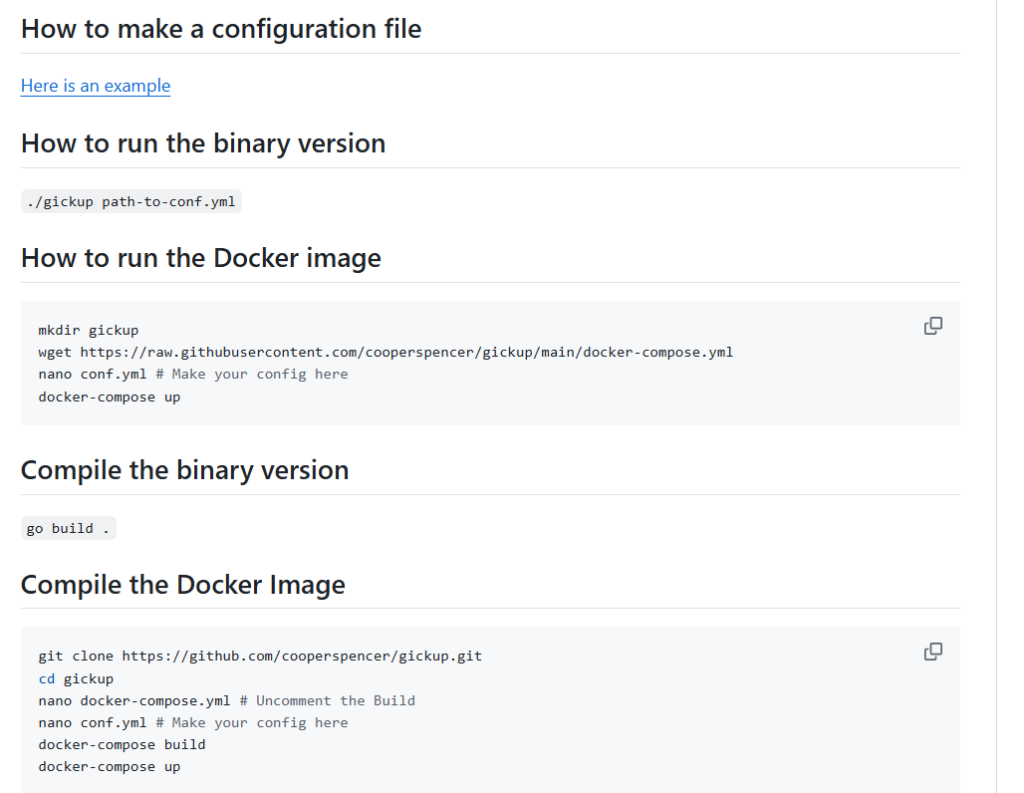
- Config-driven automation: Define everything in a YAML file and run it on a schedule with cron or Docker.
Gickup Pricing
Gickup is free and open-source.
Gickup Pros & Cons
✅ Free, open-source, and entirely under your control.
✅ Mirrors across a wide range of Git hosts to local storage or S3.
❌ DIY setup and upkeep with no support.
Make your GitHub environment recoverable before you have to be
GitHub environments don’t fail because the code is gone. They fail because the code comes back and nothing else does.
- The branch protections are missing.
- The required reviewers are gone.
- The Actions workflows don’t fire.
- The webhooks point at nothing
- The permissions are scrambled.
You’ve got your repository, and you still can’t ship a thing. That’s the gap almost every GitHub backup strategy quietly leaves open.
The category was built to protect repository data, and repository data is only a part of what keeps GitHub running.
Closing that gap is the entire reason we designed ControlMonkey the way we did.
While the rest of the market backs up your code, we back up what decides how that code ships and who’s allowed near it: every rule, permission, workflow, and webhook, captured continuously and ready to restore.
That kills the two things that actually hurt during a GitHub incident: not knowing what your configuration looked like, and not being able to put it back fast enough.
Our platform helps you prevent this with versioned snapshots, as every environment becomes a time machine you can rewind to a working state in one click.

A 30-min meeting will save your team 1000s of hours
A 30-min meeting will save your team 1000s of hours
Author