Are you looking for the best Terraform Cloud alternatives in 2026 to manage infrastructure at scale, improve collaboration, and enforce consistent IaC workflows?
In this article, I’ll go over the 10 best alternatives to Terraform Cloud in 2026 that can help you manage infrastructure as code, automate provisioning workflows, and maintain a secure, scalable infrastructure.
TL;DR
- ControlMonkey is the best Terraform Cloud alternative in 2026 for teams that want full cloud visibility, automatic Terraform code generation, a predictable pricing structure, 24/7 VIP support, built-in drift remediation, and disaster recovery.
- Platforms like Spacelift, Pulumi, env0, and Scalr are strong choices for teams that want advanced IaC orchestration, multi-IaC support, policy as code, cost controls, or a drop-in replacement for Terraform Cloud’s remote backend.
- For CI/CD-first or DIY approaches, CircleCI, Jenkins, Gitlab CI, and GitHub Actions work well if you want to run Terraform as part of broader pipelines and are comfortable managing state, governance, and security yourself.
On the open-source side, Terrateam and Atlantis are best for teams that want GitOps-driven Terraform automation with full self-hosting control, but are willing to take on the operational overhead of running, securing, and scaling the platform.

Struggling to keep up with cloud infrastructure?
ControlMonkey generates Terraform code automatically to give you full coverage and operational control.
Why look for Terraform Cloud alternatives?
Most customers are generally satisfied with Terraform Cloud’s remote Terraform execution and how it provides a consistent, declarative way to manage infrastructure across multiple cloud providers.
However, as priorities shift toward infrastructure resilience, better drift visibility, and faster onboarding of new team members, several limitations begin to surface:
#1: Terraform Cloud Pricing structure after the end of free plan
Terraform Cloud uses a Resources Under Management (RUM) model, with pricing starting at $0.10/month/resource in its Essentials plan.
That means cost scales with the number of infrastructure resources (e.g., instances, IAM users, security groups and rules, buckets, etc.) rather than users or pipelines.
While this initially appears affordable, it can grow unexpectedly expensive as environments scale, and your organization becomes operationally dependent on Terraform Cloud (which can result in vendor lock-in that might be hard to escape).
Here are the numbers on how expensive Terraform Cloud can get for some teams:
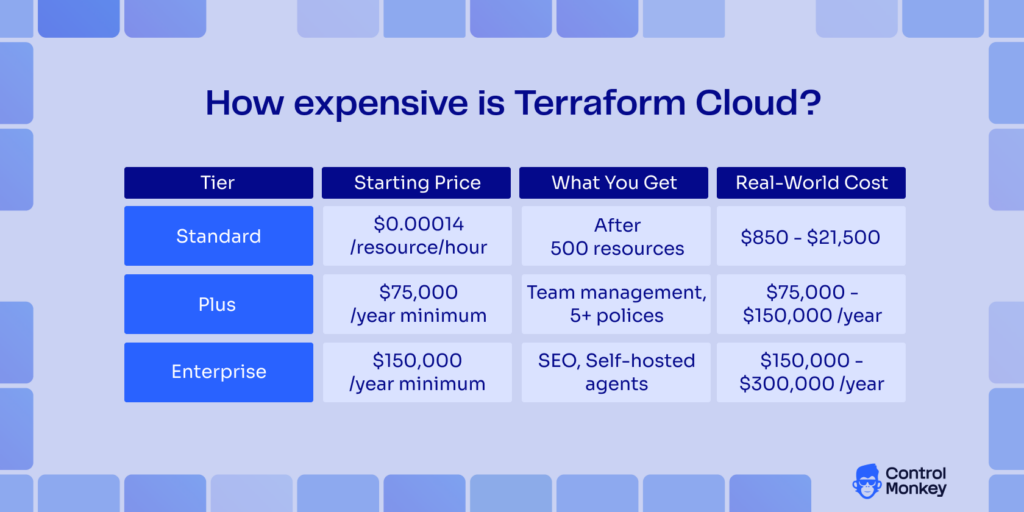
The real-world cost of TFC would be $75,000/year minimum for its Plus plan, and $150,000/year minimum for its Enterprise plan.
Apart from this, many users are unhappy about the end of the HCP Terraform Free plan, with one noting that they calculated their Terraform Cloud bill will go from $0 to $15,000+ annually due to the number of resources under management.
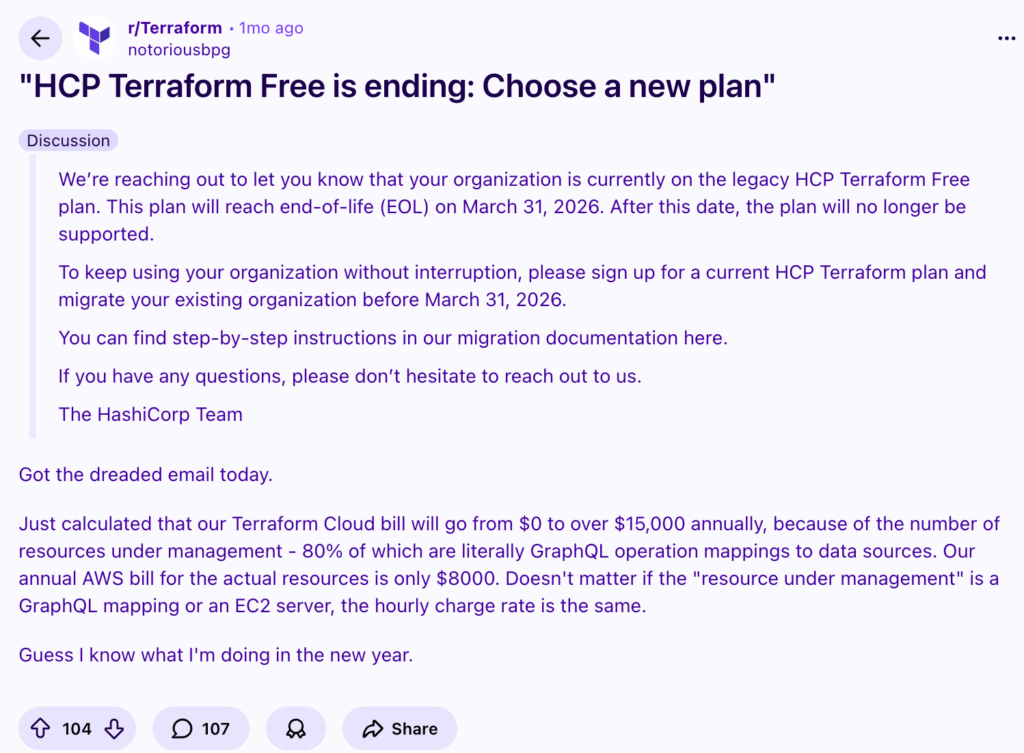
“Just calculated that our Terraform Cloud bill will go from $0 to over $15,000 annually, because of the number of resources under management – 80% of which are literally GraphQL operation mappings to data sources.” Reddit Thread.
#2: There’s no built-in capability to roll back to a previously working state if the deployment fails (Cloud Disaster Recovery)
Unlike some other Hashicorp Terraform Cloud alternatives on the market, the platform doesn’t give you a native, simple “rollback to last known good state” button.
You’ll have to either try to revert the code, re-run applies, use state versioning, or manually roll back via Terraform.
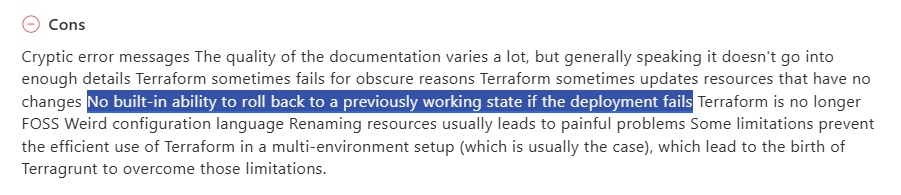
‘’No built-in ability to roll back to a previously working state if the deployment fails.’’ – Capterra Review.
#3: State management complexity & drift visibility challenges
Last but not least, some users are not happy with TFC’s state management complexity and its drift detection capabilities.
While Terraform Cloud can detect drift, identifying the root cause and resolving it can require manual effort.
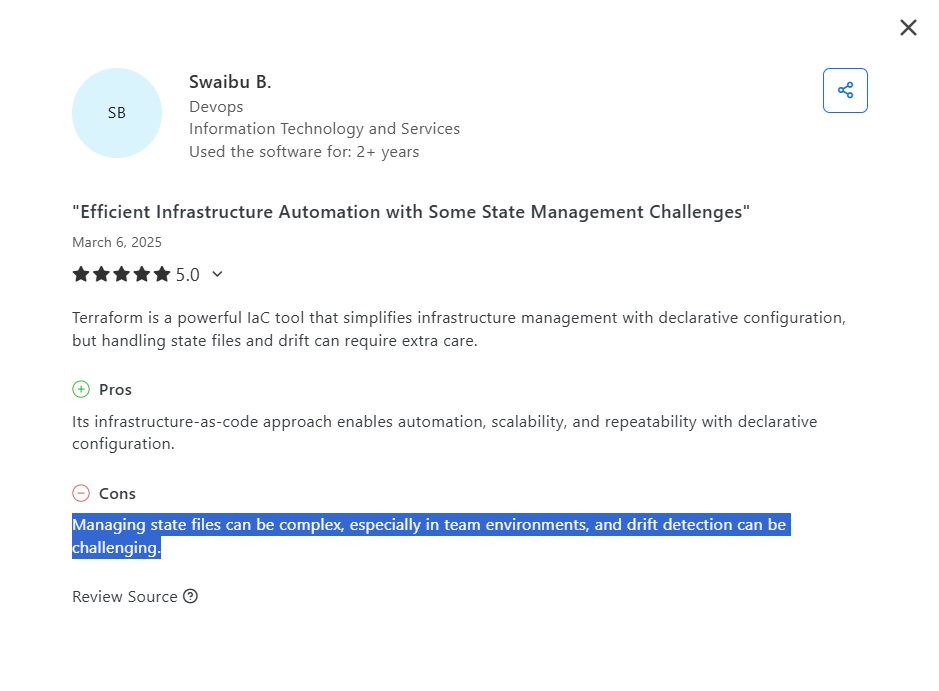
‘’Managing state files can be complex, especially in team environments, and drift detection can be challenging.’’ – Capterra Review.
What are the 10 best alternatives to Terraform Cloud in 2026?
The best alternatives to Terraform Cloud in 2026 are ControlMonkey, Spacelift, and Pulumi.
Here’s a comprehensive Terraform Cloud alternatives comparison of the 10 solutions I short-listed:
| Platform | Best For | Pricing |
|---|---|---|
| #1: ControlMonkey | Teams that want full cloud visibility, automatic Terraform code generation, built-in drift remediation, and true infrastructure disaster recovery beyond just running Terraform. | Startup: $800/month (up to 10 users, 5,000 assets, 500 deployments) Enterprise: Custom pricing. No free tier. |
| #2: Spacelift | Teams that need multiple non-mainstream IaC ( Aniseble, Bicep, Cloudformation), but are willing to accept the lack of daily cloud backup capabilities, lack of account scanning capabilities, automatic Terraform code generation, and out-of-the-box drift auto-remediation or disaster recovery. | Free forever (2 users). Paid plans start at $399/month. Higher tiers are custom-priced. |
| #3: Pulumi Cloud | Teams are ready to replace Terraform with a programming language-based IaC approach, even though they’ll trade off full account scanning for unmanaged resources. | Free plan available. Team: $40/month. Enterprise: $400/month. Business Critical: Custom pricing. |
| #4: env0 | Platform teams that care about cost controls, self-service provisioning, and policy enforcement, but it might not be a good solution if your main problem is IaC coverage, preventing drift, and cloud DR. | Cloud Compass: $1,500/month. Cloud Navigator & Cloud Pilot: Custom pricing. |
| #5: Circle CI | DevOps teams that want to run Terraform inside a powerful general-purpose CI/CD system, even though they’ll need to build and maintain all infrastructure governance, state management, and drift handling themselves. | Free plan available. Paid plans start at $15/month (credit-based). Enterprise and Server: Custom pricing. |
| #6: GitHub Actions | Teams that prefer a fully DIY, GitHub-native Terraform workflow and are comfortable taking on long-term technical debt and missing native IaC state management and governance features. | Free plan available. Team: $4/user/month. Enterprise: $21/user/month. |
| #7: Scalr | Teams looking for a drop-in Terraform Cloud backend replacement with predictable run-based pricing, provided they don’t need multi-IaC support or cloud visibility beyond Terraform itself. | Free plan (up to 50 runs). Paid plans start around $390/month for 400 runs. |
| #8: Terrateam | Teams that want a GitOps-driven, open-source Terraform automation platform and are willing to handle the operational overhead of installing, securing, and scaling it themselves. | Community Edition: Free. Paid plans start at $224/month. Self-hosted enterprise: $1,087.50/month. |
| #9: Atlantis | Teams that want a completely free and simple GitOps automation tool for Terraform, as long as they accept the absence of RBAC, policy enforcement, drift detection, and managed support. | Free & open source. Infrastructure and operational costs can apply. |
Let’s go over the 3 platform features, starting with Spacelift:
Alternative to Terraform Cloud#1: ControlMonkey
ControlMonkey offers the best alternative to Terraform Cloud in 2026 because it offers cloud leaders the full range of visibility, automation and resilience capabilities needed to govern cloud at scale.
As the only fully end-to-end Terraform-first automation platform, ControlMonkey gives you full cloud visibility, automatic Terraform code generation, built-in drift remediation, and infrastructure disaster recovery out of the box.
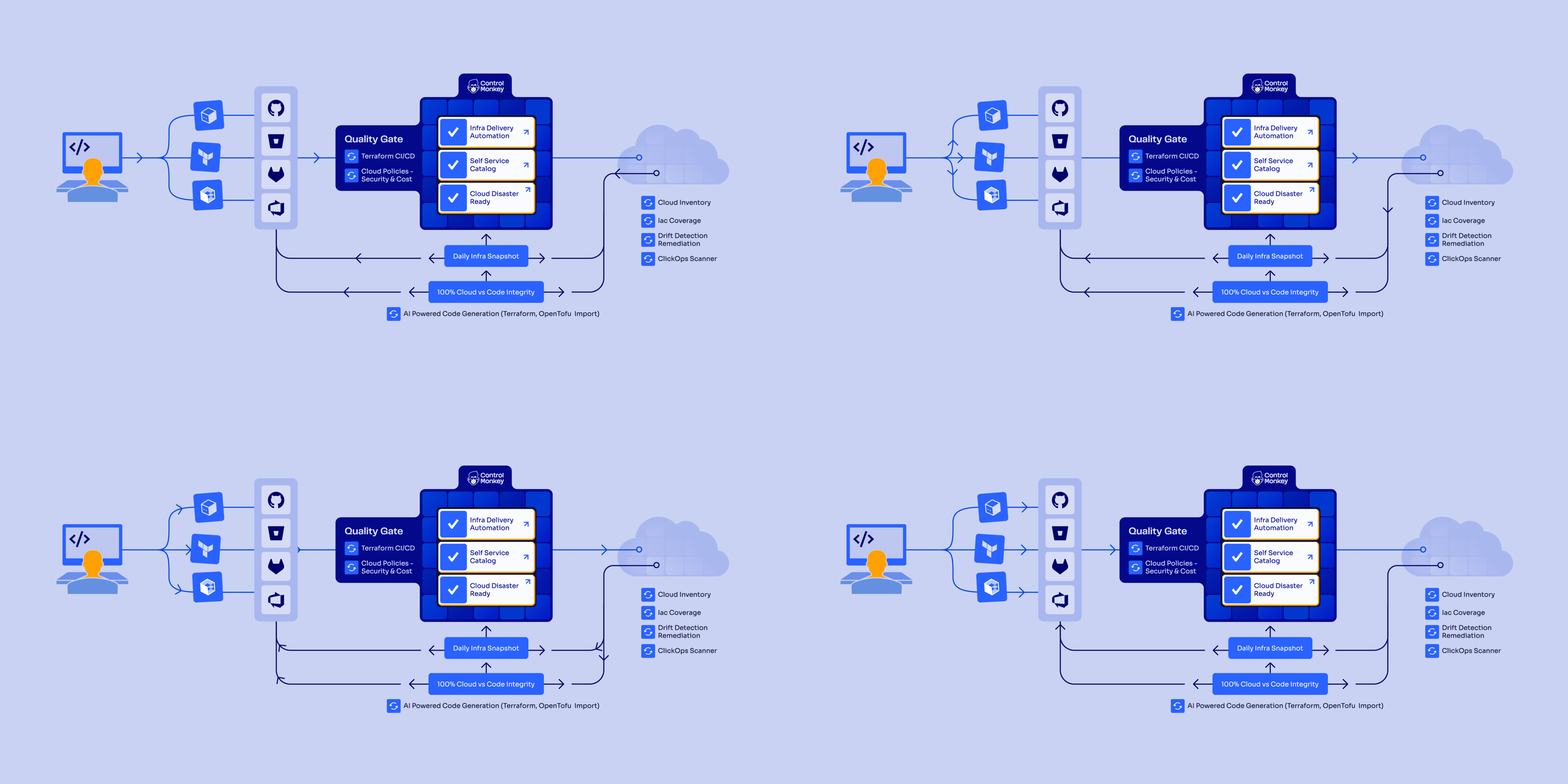
So while Terraform Cloud focuses on executing Terraform workflows, ControlMonkey offers:
- One-click Terraform code generation & import that lets you convert existing resources into clean, maintainable Terraform configuration files and state in minutes instead of months of manual work.
- Total cloud visibility: Our platform scans cloud accounts and shows exactly what is (and isn’t) covered by Terraform.
- Built-in drift remediation: TFC can detect drift, but ControlMonkey can automatically remediate it safely, not just alert you.
- AI-powered guardrails & automated enforcement that help you prevent risky or non-compliant changes before they reach production.
- 100% Cloud infrastructure resilience with daily cloud configuration backups and full cloud disaster recovery, so you can recover from misconfigurations or accidental deletions without weeks of rebuild.
- Multi iac Framework – ControlMonkey Support more than Terraform with OpenTufo and Terragrunt support and the ability to migrate from one to another with 1-Click generation.
- Migrating TFC Projects, workspaces and module registry to ControlMonkey in a click of a button.
- 24/7 VIP support that you can rely on over Microsoft Teams, Slack, email and ticketing.
And all of that without writing OPA or Sentinel policies, maintaining custom CI/CD pipelines, or stitching together multiple point tools.
Let’s go over ControlMonkey’s features in more detail to see why teams at Intel, AWS and Comcast can’t imagine their cloud without ControlMonkey:
Automatically Generate Terraform Code
ControlMonkey connects directly to your cloud accounts (AWS, Azure, GCP) and 3rd party vendors (Datadog, Cloudflare, Okta, MongoDB and more) and continuously scans them to create a complete, real-time inventory of all resources.
Our platform then shows what infrastructure is already managed by IaC and what’s unmanaged to help you eliminate blind spots and shadow IT.
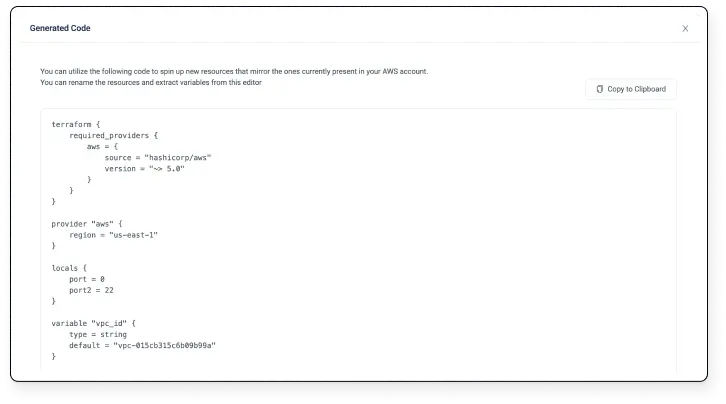
Unlike Terraform Cloud, which doesn’t have built-in Terraform code generation, ControlMonkey can automatically generate production-ready Terraform code and state files for existing resources.
This “Cloud-to-Code” approach will help you remove the manual, error-prone work of onboarding legacy infrastructure into IaC and accelerate standardization.
Drift Detection, Automated Remediation & Disaster Recovery
ControlMonkey will continuously monitor your cloud environments for configuration drift, regardless of whether it was caused by manual console changes, misconfigurations, or security issues.
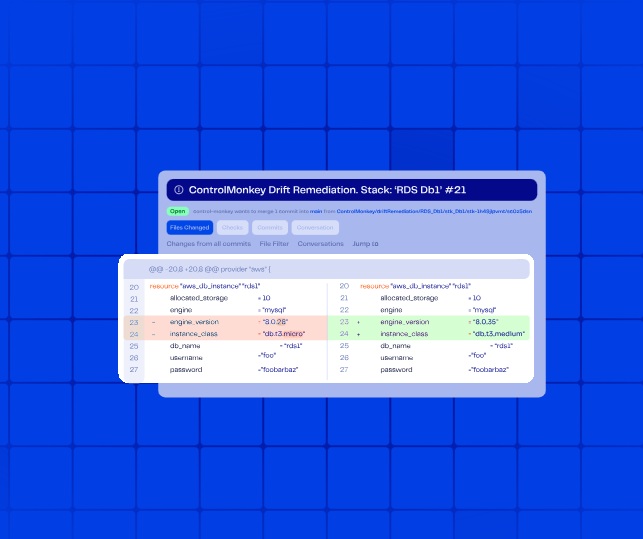
While Terraform Cloud can detect drift, ControlMonkey goes further by automatically remediating it through Git-based pull requests and safe rollbacks.
When our platform detects a mismatch, our Remediation Engine offers one-click fixes to bring infrastructure back into compliance.
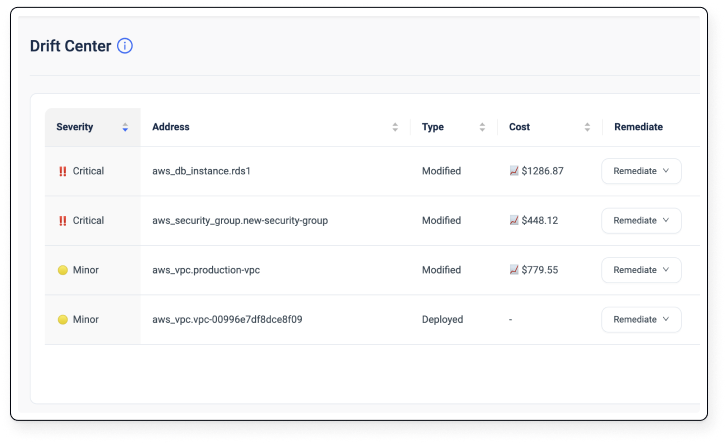
This helps you turn drift from an alerting problem into a resolved issue, reducing outages, downtime, and ‘’firefighting’’.
Apart from this, you’ll get access to our ClickOps scanner that automatically identifies unsupervised manual operations from the cloud console.
Built-In Compliance & Governance With AI-Powered Guardrails
ControlMonkey provides enterprise-grade governance without requiring your team to write or maintain OPA or Sentinel policies like you’d have to do with Terraform Cloud.
Our platform includes AI-powered security, compliance, and cost guardrails out-of-the-box, along with Quality Gates and IaC risk scoring.
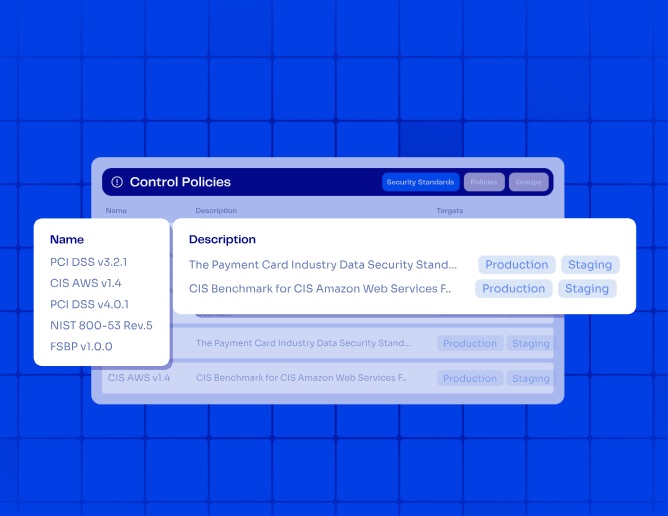
The way it works is that our platform scans existing IaC code for misconfiguration and policy violations.
Guardrails are then applied automatically during CI/CD, so that nothing non-compliant ever gets deployed.
ControlMonkey also keeps a complete audit trail for compliance frameworks, such as PCI DSS or SOC 2.
See Windward’s success story that uses ControlMonkey to provision Amazon Bedrock in a self-serve, governed and private way, without compromising on security, compliance, or costs.
Infrastructure Resilience & Disaster Recovery
ControlMonkey backs up your entire cloud & SaaS vendors’ footprint daily for instant rollback and recovery from misconfigurations or accidental deletions.
You’ll be able to back up not only your cloud resources, but all other 3rd party vendors, such as Datadog, Cloudflare, Okta, Confluent, Temporal and more.
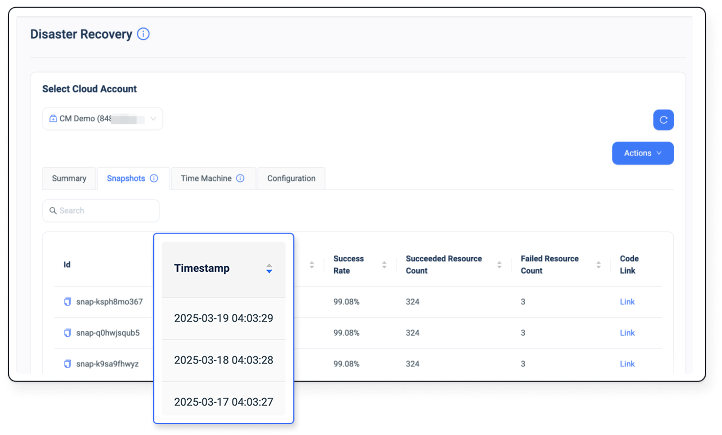
The problem we solve is that, without comprehensive state and configuration backups, your cloud environments can face higher risks of data loss and slower recovery times.
We treat infrastructure resilience as a first-class feature rather than an add-on or a nice-to-have.
Pricing Compression
ControlMonkey does not have a free tier or PLG pricing model.
Our platform offers only 2 pricing plans:
- Startup: $800 for up to 10 users, up to 5,000 cloud assets, up to 500 deployments/month, and access to our Terraform code generator, Terraform CI/CD, policy enforcement, drift detection and remediation capabilities, self-service dashboard, RBAC, and self-hosted agent.
- Enterprise: Custom pricing for unlimited cloud assets, users, and deployments, and adds specialized support.
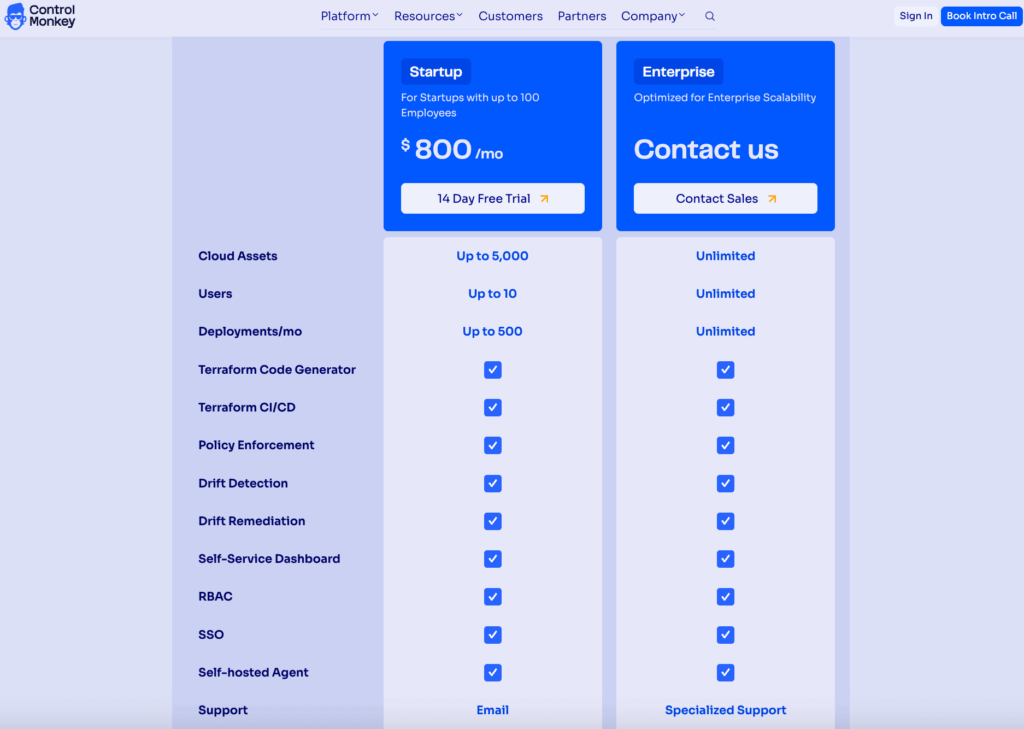
What makes ControlMonkey’s pricing stand out to TFC is that it’s fixed, whereas Terraform Cloud’s price can fluctuate at any time.
You can also apply for startup pricing by sending us your company name and size, and register for a free trial.
What makes ControlMonkey different from Terraform Cloud?
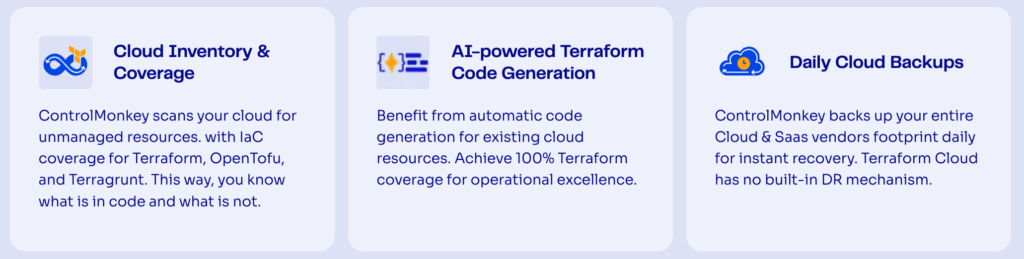
ControlMonkey goes beyond Terraform Cloud by not only running Terraform but also discovering unmanaged resources, auto-generating Terraform code to help you prevent and remediate drift, providing backups and disaster recovery, enforcing policies, and offering full cloud operability and resilience.
Our platform makes your entire cloud operable, resilient, and governable, end-to-end.
While Terraform Cloud is a great execution engine, ControlMonkey is the solution that finds your real infrastructure, turns it into clean Terraform, prevents and fixes drift, and protects you from outages.
Here’s how the 2 platforms compare head-to-head:
| Capability | ControlMonkey | Terraform Cloud |
|---|---|---|
| Cloud Asset Inventory & Terraform Coverage | Full cloud scanning & Terraform coverage insights. Our platform detects unmanaged resources. | No cloud account scanning capability: lacks visibility into unmanaged resources. |
| Terraform Code Generation | Automatically generates Terraform code and state from your existing cloud resources. | No automatic code generation. You’ll have to manually create it. |
| Daily Cloud Backups & Disaster Recovery | Daily infra configuration backups & full cloud disaster recovery with instant rollback. | No built-in backups or disaster recovery. |
| Drift Detection & Remediation | Continuous drift detection with automated remediation and rollback. | Detects drift but requires manual intervention. |
| ClickOps Scanner | Detects unsupervised manual operations from the cloud console. | Not supported. |
| Policies for Security, Cost & Compliance | Out-of-the-box AI guardrails. You’ll not have to code your entire policy inside the tool from scratch. | Requires Sentinel for policy authoring & maintenance. |
| Terraform Modules Insights | Identifies outdated modules across your code. | Not supported. |
| Periodic Code Scanning for Compliance | Scans existing IaC code for misconfigurations & policy violations. | Partly. Requires manual policy enforcement. |
| CI/CD Flexibility | You can use ControlMonkey’s out-of-the-box IaC CI/CD pipeline or integrate with your existing pipelines (Jenkins, GitHub Actions, GitLab CI, etc.) to enforce your policies. | Partly. Replacement for existing CI/CD pipelines for IaC. |
| Support & Account Management | 24/7 VIP customer support in all plans. | Premium support is included in the IBM Terraform Enterprise plan. |
| Pricing Structure | Starts from $800/month for up to 5,000 cloud assets and up to 10 users. You can also apply for startup pricing. | You can choose between a Pay-as-You-Go (PAYG) model, single and multi-year plans, and fully customizable pricing plans. Billing starts at $0.10 per resource/month on the Standard plan. |
Pros & Cons to choose ControlMonkey over TFC
✅ The only fully end-to-end Terraform-first automation platform.
✅ Automatic cloud-to-code conversion that lets you generate production-grade Terraform code and state for existing resources.
✅ Real-time drift detection & automatic drift remediation and rollback.
✅ AI-powered guardrails & automated enforcement of policies.
✅ 24/7 premium customer support.
✅ Predictable pricing structure with a fixed plan, so you do not face sudden price changes.
✅ ControlMonkey has a partnership with all 3 cloud vendors, including Azure, GCP, and AWS.
✅ Switching from Terraform Cloud to ControlMonkey is also going to be a breeze.
❌ The platform currently supports only Terraform, OpenTofu, and Terragrunt.
Alternative to Terraform Cloud #2: Spacelift
Best for: Teams that need to support multiple non-mainstream IaC (Aniseble, Bicep, Cloudformation).
Why replace: Spacelift is very good in cloud gov, but they do not solve cloud visibility or cloud resilience.
The platform doesn’t have:
- Cloud account scanning capabilities.
- Terraform code generation.
- Automatic drift remediation.
- Built-in disaster recovery.
This means teams still don’t know what’s unmanaged, broken, or recoverable in their cloud.
ControlMonkey offers end-to-end Terraform automation that connects IaC code with cloud insights, helping you always have your cloud configuration backed up and ready for disaster recovery. We also have an AI Co-pilot that closes skills gaps in context to your Git and Cloud Account.
Similar to: Env0
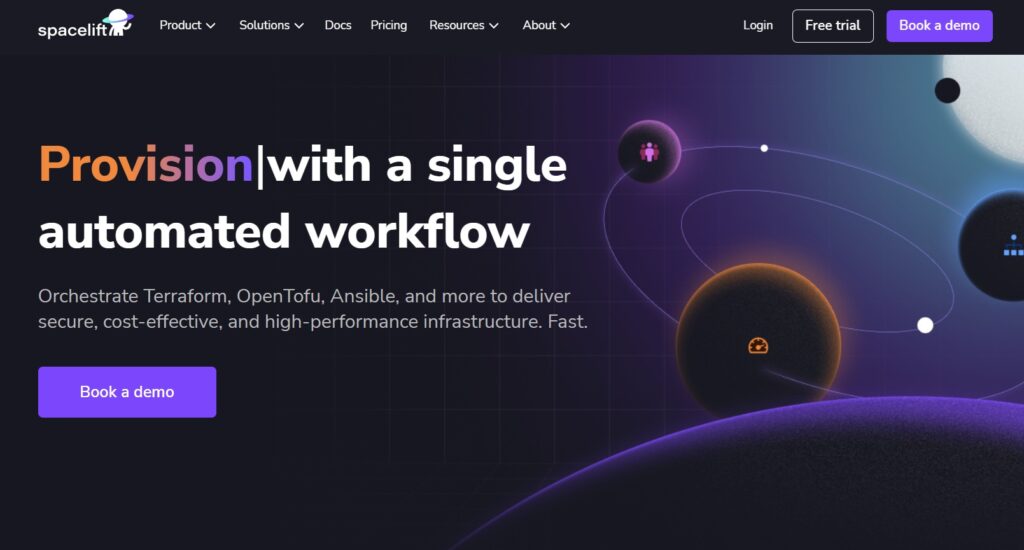
Spacelift is an infrastructure orchestration platform built for continuous delivery of IaC.
It acts as a control plane for Terraform and other IaC tools, offering policy as code, drift detection, and configurable concurrency, so that your teams can scale safely while keeping developer workflows predictable.
Spacelift Features
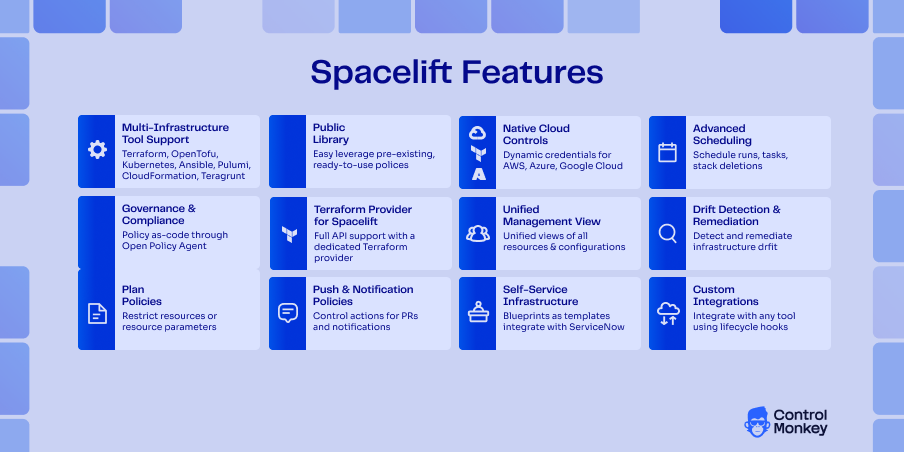
- Spacelift connects to IaC, VCS, configuration management, observability tools, control solutions, and cloud providers to help your team deliver secure infrastructure more quickly.
- Support for multiple IaC frameworks, including Terraform, OpenTofu, Pulumi, CloudFormation, and Terragrunt.
- Policy as code and fine-grained access controls to help your team enforce guardrails and approvals.
- You’ll get drift detection and state insights to surface unexpected differences between declared and actual infrastructure.
Tired of manually writing and maintaining your policy code?
ControlMonkey provides AI-powered, built-in governance, including out-of-the-box security policies, IaC risk scoring, and automated guardrails for every infrastructure change
Spacelift Pricing
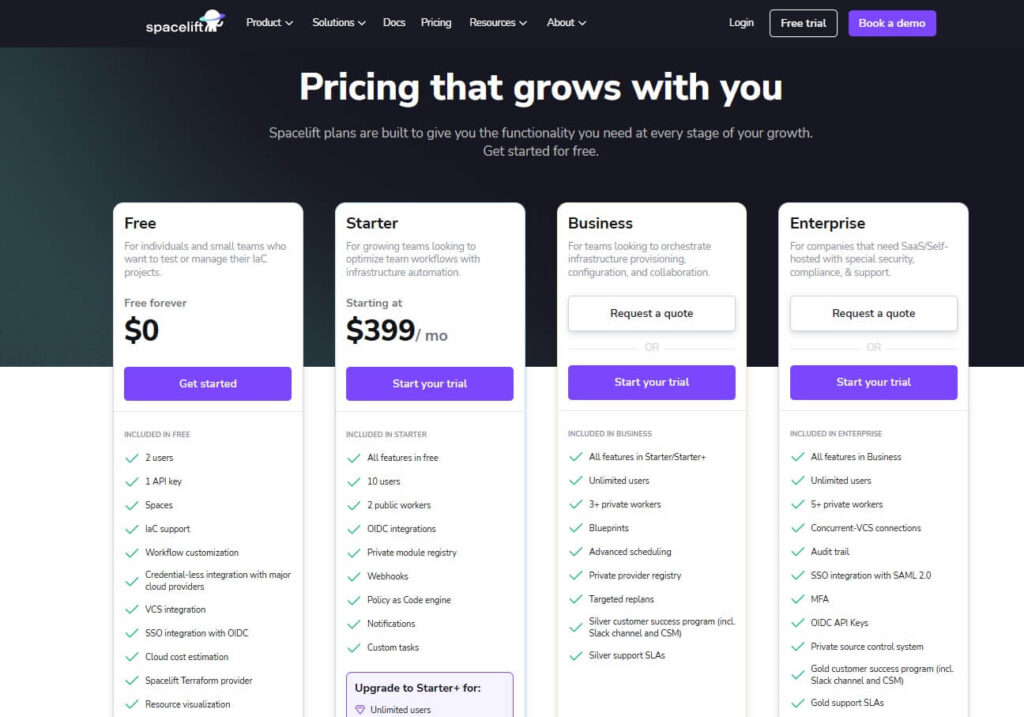
Spacelift offers a free plan that includes 2 users, 1 API key, access to its Spaces, IaC support, cloud integrations, and workflow customization.
To get more users and capabilities, there are 4 paid plans:
- Starter: Starts at $399/month, and includes up to 10 users, 2 public workers, OIDC integrations, a private module registry, webhooks, a Policy as Code engine, notifications, and custom tasks.
- Starter+: Custom pricing and adds unlimited users, 1 private worker, and drift detection.
- Business: Custom pricing, which includes up to 3+ private workers, blueprints, advanced scheduling, a private provider registry, targeted replans, and better customer support.
- Enterprise: Custom pricing, which includes up to 5+ private workers, concurrent VCS connections, audit trails, MFA, OIDC API keys, and more.
Spacelift Pros & Cons
✅ Multi-IaC support that makes it easier to standardize workflows.
✅ Granular governance and policy as code features that are designed for audit-ready environments.
✅ Predictable pricing model that focused on concurrency and workers rather than hidden resource-based fees.
❌ Can be more expensive for very small teams compared to other Spacelift alternatives on the market.
❌ Doesn’t offer built-in automated drift remediation or daily state backup and disaster recovery out of the box.
❌ Spacelift does not have built-in Terraform code generation, requiring engineers to manually create and maintain configurations.
❌ Spacelift detects drift but requires manual intervention to resolve it.
❌Spacelift does not offer cloud account scanning for Terraform coverage, leaving users without a clear view of unmanaged resources.
Alternative to Terraform Cloud #3: Pulumi Cloud
Best for: Teams looking to replace their whole IaC from Terraform or OpenTufo to Pulumi.
Why replace: Teams often look to replace Pulumi Cloud when they need full cloud inventory scanning to find shadow infrastructure and when they’re looking to combine continuous drift detection with automated remediation.
Similar to: Spacelift.
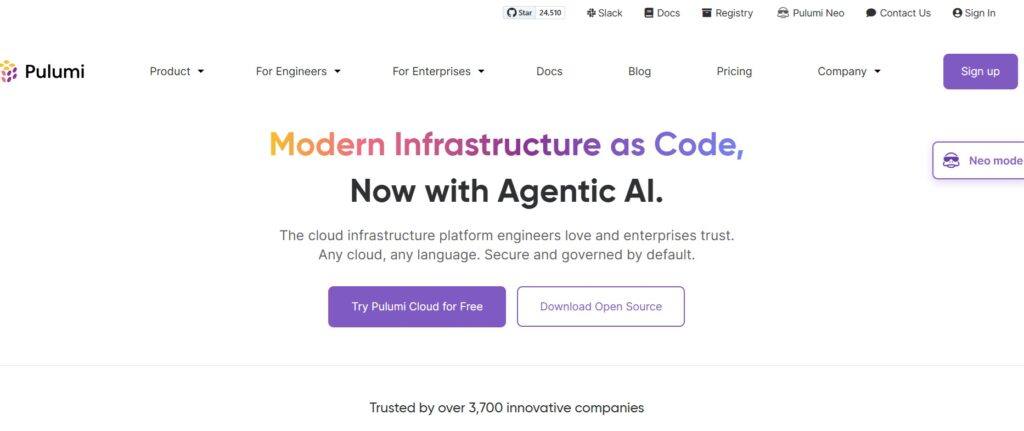
Pulumi is a cloud infrastructure platform that provides an end-to-end environment for managing infrastructure as code, with support for multiple cloud providers, team collaboration, and automated deployments.
Unlike the Pulumi open source SDK that you might be familiar with, this is the platform that includes dashboards, access controls, policy enforcement, and versioning, which makes it a good option for enterprise teams managing production workloads.
Pulumi Cloud Features
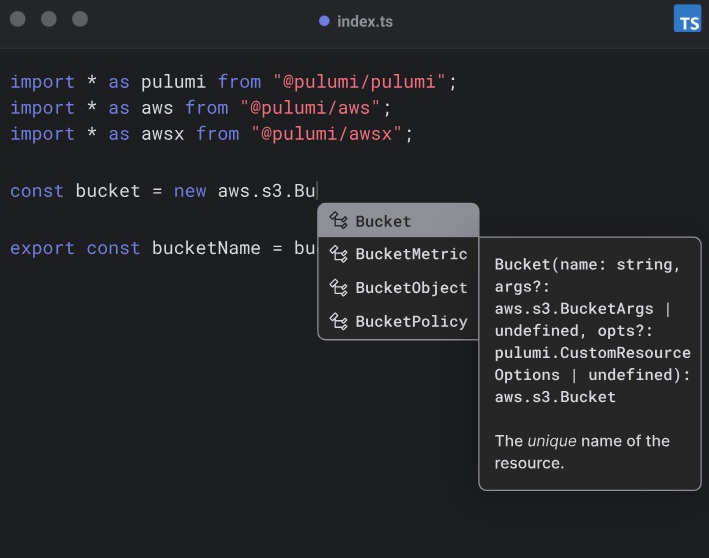
- You’ll be able to write infrastructure code in standard programming languages, such as TypeScript, Python, Go, C#, Java, or YAML, instead of DSLs.
- You can create reusable infrastructure components that can be used in any language.
- The platform is GitOps & CI/CD native: your team can review changes in pull requests, run tests in CI, and then ship through GitHub Actions, GitLab, Jenkins, or any CI/CD system.
Pulumi Cloud Pricing
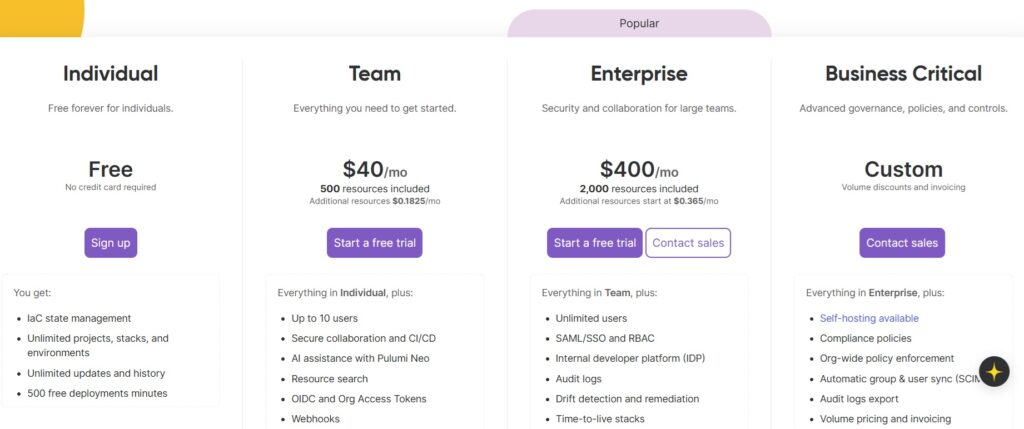
Pulumi has a free plan, which includes IaC state management, unlimited projects, unlimited updates, and up to 500 deployment minutes.
To get more resources, you’ll have to be in one of its 3 paid tiers:
- Team: $40/month with 500 resources included for up to 10 users, which adds secure collaboration and CI/CD, AI assistance with its Pulumi Neo, resource search, webhooks, and automatic secrets rotation.
- Enterprise: $400/month with 2,000 resources included for unlimited users, which adds SAML/SSO and RBAC, UDP, audit logs, drift detection and remediation, and time-to-live stacks.
- Business Critical for custom resources, which adds a self-hosting option, compliance policies, organization-wide policy enforcement, automatic group and user sync, audit logs export, volume pricing, and access to a private Slack.
Pulumi Cloud Pros & Cons
✅ Access to organization-wide policy enforcement capabilities.
✅ Drift detection and remediation
✅ More affordable than other alternatives on the market with a generous free plan.
❌ Lack of full cloud inventory scanning.
❌ Higher cost compared to its self-managed open source SDK usage.
❌ They lack Terraform state backup capabilities, increasing the risk of data loss and recovery delays.
Alternative to Terraform Cloud #5: env0
Best for: Teams that care about cost controls, self-service provisioning, and policy enforcement.
Why replace: If your main problems are IaC coverage, preventing drift, and cloud DR, env0 won’t solve them end-to-end. You’ll still need separate tooling (or manual effort) for cloud account scanning, Cloud-to-Code onboarding, and reliable rollback/disaster recovery when infrastructure changes go wrong.
Similar to: Spacelift.
Env0 is an infrastructure automation platform that lets you empower your developers to deploy infrastructure fast and safely without losing control in the process.
The platform lets you track IaC coverage, detect ClickOps assets, and codify resources into Terraform or OpenTofu with its Cloud Compass, making it one of the best OpenTofu alternatives to Terraform Cloud.
Env0 Features
- Pre-deployment cost estimation that shows infrastructure spending changes before applying Terraform plans, with the ability to block deployments exceeding budget thresholds.
- Policy-as-code engine supporting OPA and custom policies to enforce security, compliance, and cost guardrails across all deployments.
- Drift detection and scheduled destroy workflows to automatically terminate unused environments and reduce cloud waste.
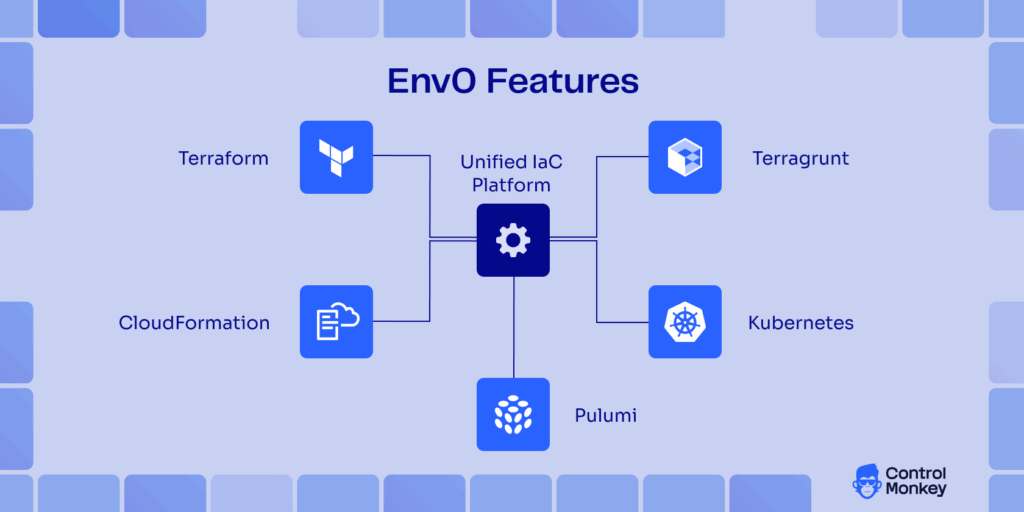
- Multi-IaC support, including Terraform, Terragrunt, Pulumi, CloudFormation, and Kubernetes manifests in a unified platform.
Env0 Pricing
Env0 has 3 packages that you can choose from:
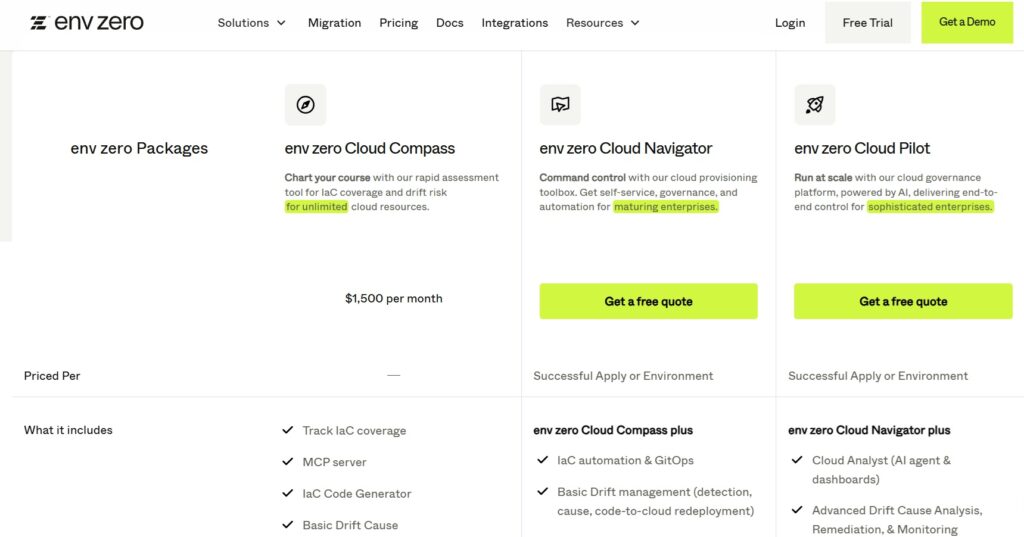
- env zero Cloud Compass: $1,500/month, which lets you track IaC coverage, MCP server, IaC code generator, drift risk and basic drift cause.
- env zero Cloud Navigator: Custom pricing, which adds IaC automation & GitOps, basic drift management, basic visibility & dashboards, a private registry, access controls (RBAC), governance & compliance, and ready-to-use policies.
- env zero Cloud Pilot: Custom pricing, which adds cloud analyst (AI agent & dashboards), advanced drift cause analysis, remediation, & monitoring, cost management, self-hosted VCS, and a proof-of-value guarantee.
Env0 Pros & Cons
✅ Reusable templates, Git-based workflows, and built-in guardrails like RBAC, scoped variables, and policy-as-code.
✅ Flexible self-service model that reduces bottlenecks for developer teams needing quick environment access.
✅ Supports multiple IaC tools beyond Terraform.
❌ Do not offer cloud account scanning for Terraform coverage, leaving users without a clear view of unmanaged resources.
❌ Do not have built-in Terraform code generation, requiring engineers to manually create and maintain configurations.
❌ lack Terraform state backup capabilities, increasing the risk of data loss and recovery delays
❌ Need to write and maintain OPA policies.
❌ Higher starting cost than other tools on the market, which is why some users have been looking for env0 alternatives.
❌ Steeper learning curve for teams unfamiliar with policy-as-code and custom workflow configuration.
Alternative to Terraform Cloud #6: Circle CI
Best for: CircleCI is a simple CI/CD platform best suited for small teams in less complex environments. While it can be used to run Terraform, it was not designed for cloud infrastructure management and is often chosen when teams want to reuse their CI/CD budget rather than invest in a dedicated infrastructure platform.
Why replace: Teams will need to replace CircleCI when Terraform/OpenTufo usage grows beyond simple action of simple pipelines and they need more infrastructure governance, drift control, and Cloud back-up instead of maintaining custom scripts and workflows.
Similar to: GitHub Actions.
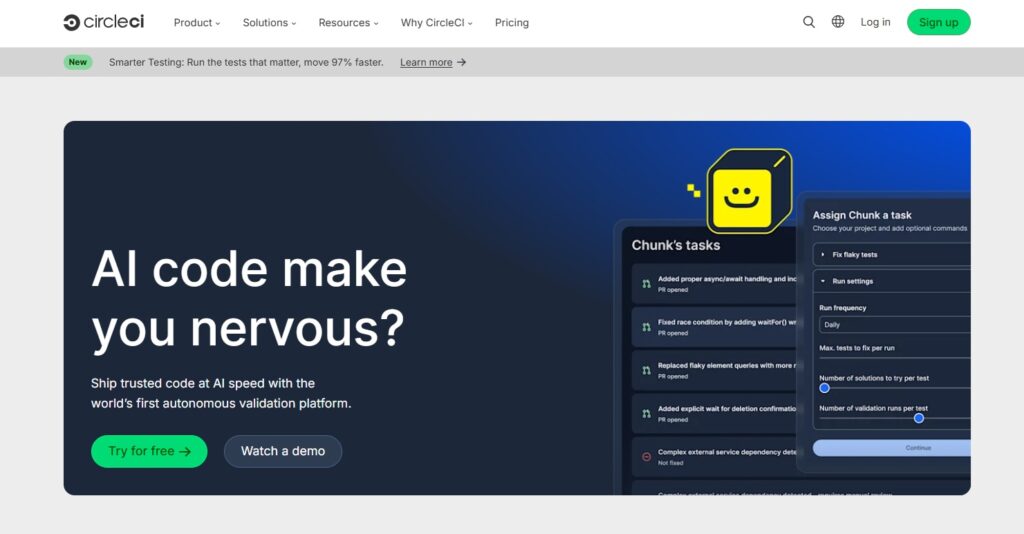
CircleCI is a continuous integration and continuous delivery (CI/CD) platform that lets you automate the process of building, testing, and deploying code.
While Terraform Cloud focuses on infrastructure provisioning workflows, CircleCI excels at general CI/CD orchestration and can run Terraform plans as part of broader pipelines.
Circle CI Features
- Automated CI/CD pipelines that build, test, and deploy code every time changes land in a repository, reducing manual effort and errors.
- High concurrency and parallelism for running many jobs simultaneously to speed feedback loops and reduce queuing.
- Reusable orbs (shared configuration packages) that help you standardize common CI/CD tasks and accelerate setup.
- Insights, caching, and analytics to understand pipeline performance and improve efficiency over time.
Circle CI Pricing
CircleCI uses a credit‑based pricing model where teams purchase credits that cover monthly active users, compute time, add-on features, and additional network & storage use.
There are 4 pricing plans that you can choose from Circle CI:
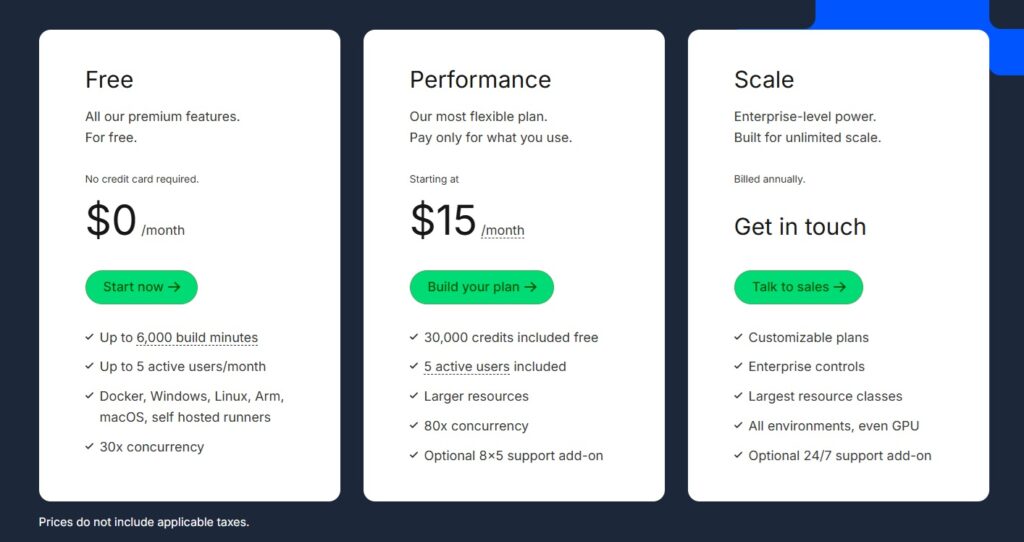
- Free: $0/month with up to 6,000 build minutes, 5 active users, access to Docker, Windows, Linux, Arm, macOS, and self-hosted runners, and 30x concurrency.
- Performance: Starts at $15/month with 30,000 credits, up to 80x concurrency, optional 8×5 support add-on, and larger resources.
- Scale: Enterprise‑focused plans with customizable credits, advanced controls, all environments, and an optional 24/7 support add-on.
- Server: Self‑hosted option with unlimited build minutes, 30 user seats, and custom pricing for private deployments behind a corporate firewall or BYO hardware.
Circle CI Pros & Cons
✅ Strong support for CI/CD automation across languages and environments.
✅ High concurrency and parallelism that reduce pipeline bottlenecks.
✅ You can deploy the platform on your premises or in your private cloud.
❌ Credit‑based pricing can be hard to predict and monitor, especially for heavy usage scenarios.
❌ Primary focus is general CI/CD, so the platform lacks the infrastructure governance and state management features built into dedicated IaC platforms.
Alternative to Terraform Cloud #7: GitHub Actions
Best for: Teams that prefer a fully DIY, GitHub-native Terraform workflow.
Why replace: Your team would have to take on long-term technical debt and miss out on native IaC state management and governance features.
Similar to: Jenkins.
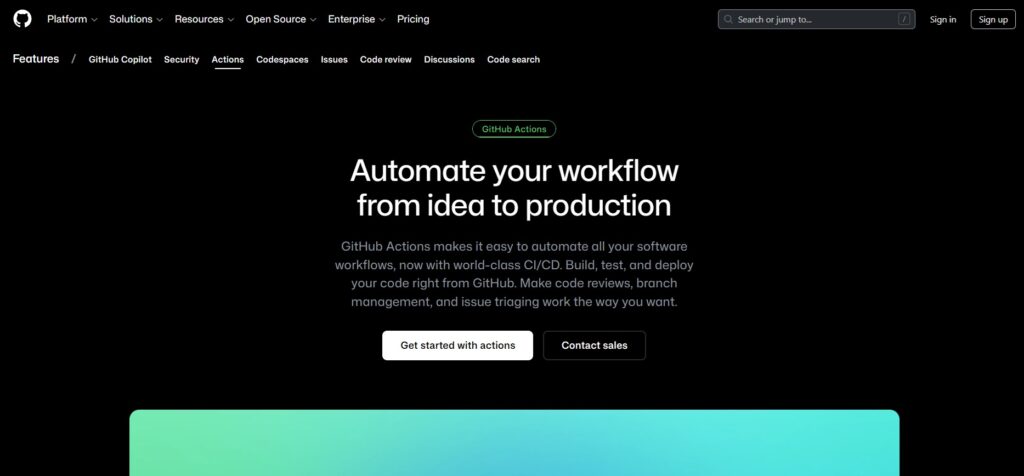
GitHub Actions is a workflow automation and CI/CD platform built into GitHub that lets you define how code builds, tests, and deploys should run using YAML‑based workflows stored in the same repositories as the code.
The platform might not be an infrastructure provisioning platform by itself, but it can serve as a powerful automation layer that can run Terraform workflows as part of broader CI/CD pipelines.
GitHub Actions Features
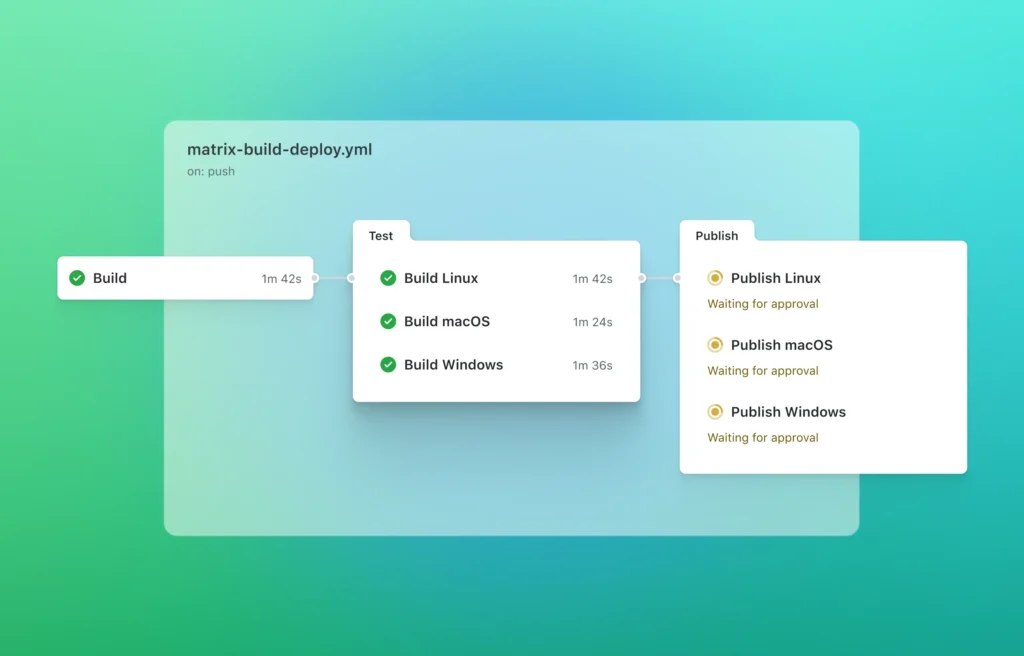
- By embedding Terraform plan and apply steps within Actions workflows, you’ll be able to unify application delivery and infrastructure provisioning automation under one system.
- CI/CD pipeline execution that builds, tests, and deploys code on GitHub’s hosted runners or self‑hosted machines.
- Matrix builds and parallelism, allowing tests and jobs to run across multiple environments, languages, and configurations simultaneously.
- The platform can be self‑hosted or with GitHub‑hosted runners, which can give you flexibility between cloud execution and in‑house infrastructure.
Building your own pipeline using open-source CI tools like GitHub Actions will give you total control.
But is this DIY approach worth it? In our Terraform DIY vs. Buy article, we dive deeper into the 2 approaches.
GitHub Actions Pricing
GitHub Actions is free for public repositories using standard GitHub-hosted runners and for all self-hosted runners.
Private repositories receive free monthly quotas of compute minutes, artifact storage, and cache storage based on their plan (for example, 2,000 minutes and 500 MB storage on the Free plan), which reset each billing cycle.
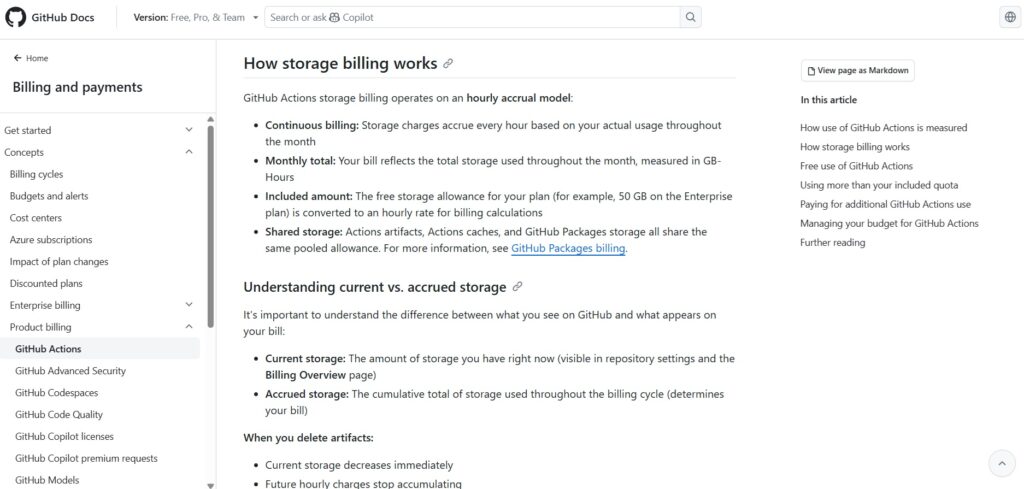
Usage beyond these quotas is billed per minute by runner type (such as $0.006/min for Linux) and for storage using an hourly GB-Hours model across artifacts, caches, and GitHub Packages.
Storage charges accrue continuously during the cycle, and deleting data only stops future charges, not already accrued usage.
GitHub Actions Pros & Cons
✅ A strong alternative for teams that prefer to manage all automation inside GitHub.
✅ Massive ecosystem of reusable actions and event triggers makes it easy to automate many aspects of software delivery beyond just CI/CD.
✅ Flexible execution on GitHub‑hosted runners or self‑hosted infrastructure gives teams control over performance and cost.
❌ Going for this option means you lose the dedicated state management and governance features that Terraform Cloud and other similar platforms provide.
❌ A DIY approach with GitHub Actions will have technical debt, as custom scripts and configurations will require ongoing updates.
Alternative to Terraform Cloud #8: Scalr
Best for: Teams looking for a drop-in Terraform
Why replace: You might need multi-IaC support or cloud visibility beyond Terraform itself.
Similar to: env0, Spacelift.
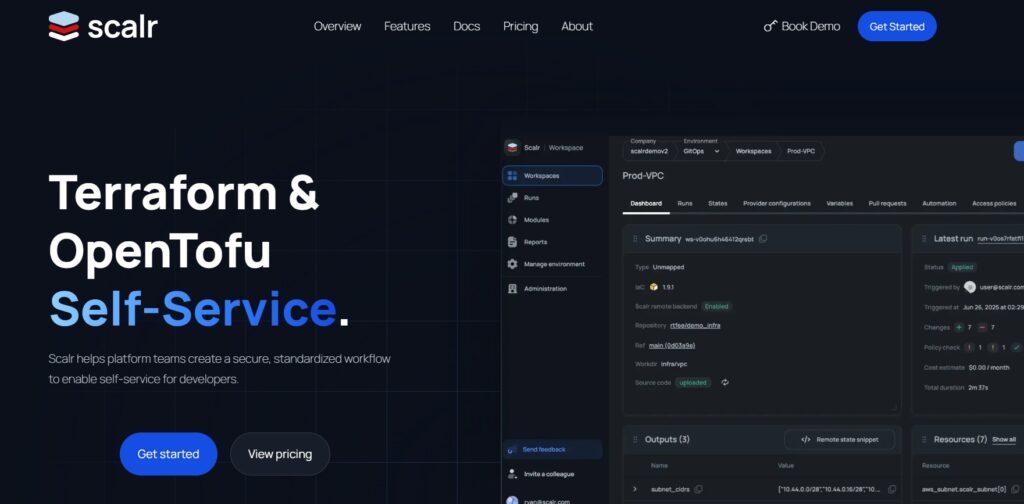
Scalr is an infrastructure automation platform that focuses specifically on managing Terraform and OpenTofu workflows at scale.
Rather than being a generic CI/CD tool or a coding SDK, Scalr is a full IaC orchestration platform designed to replace or extend Terraform Cloud’s capabilities by giving you backend flexibility, governance, policy integration, and predictable cost control.
Scalr Features
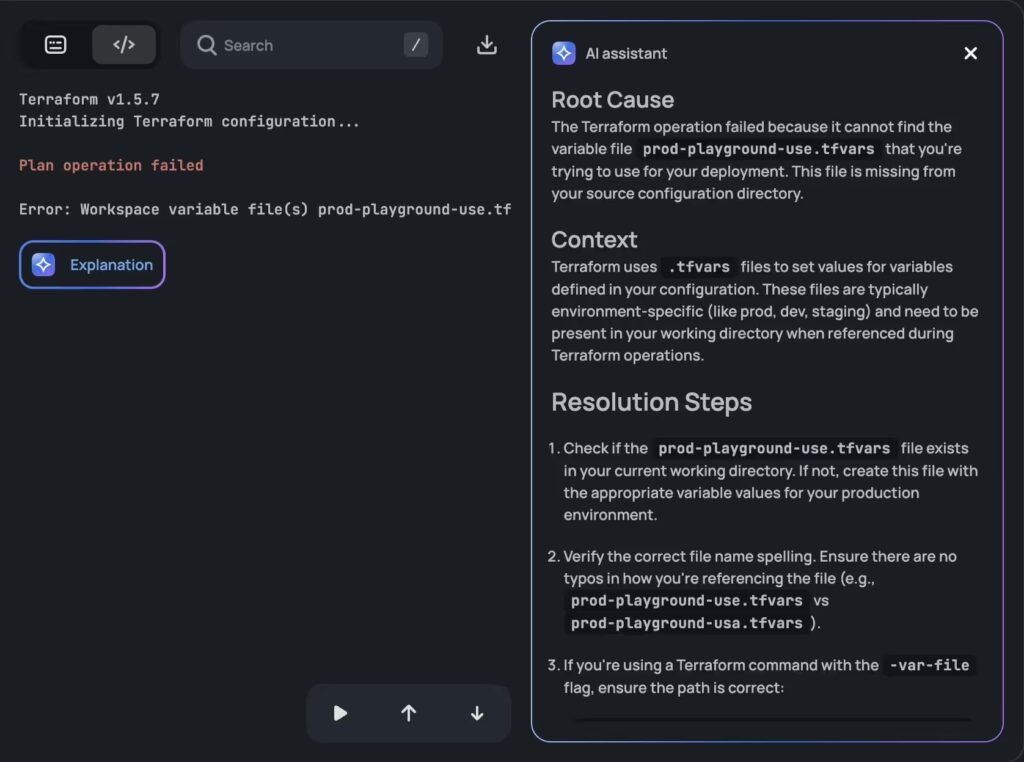
- Remote operations and state backend flexibility: Acts as a remote operations backend for Terraform/OpenTofu while allowing you to choose Scalr’s managed backend or any supported Terraform backend (e.g., AWS S3, and Azure Blob).
- Policy as Code (OPA) and compliance checks: Native Open Policy Agent integration with pre‑plan and post‑plan checks stored in version control supports automated compliance and guardrails.
- Drift detection and reporting: Detects configuration drift and surfaces insights within dashboards and reporting, often without billing against run quotas.
- VCS and CLI integrations: Integration with Git providers for GitOps workflows, plus native Terraform/OpenTofu CLI support to reuse existing workflows.
Scalr Pricing
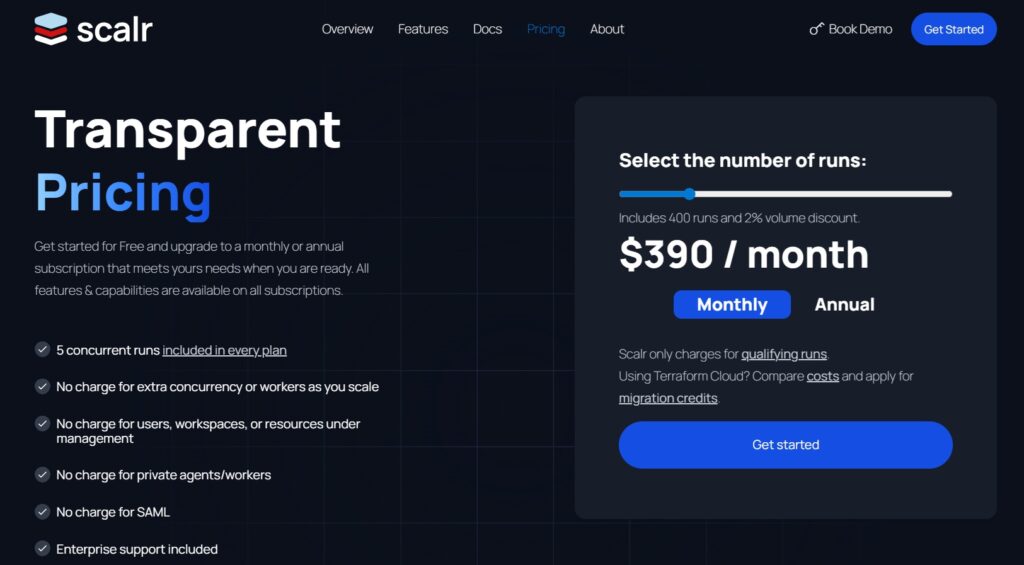
Scalr’s pricing is run‑based: you pay for Terraform/OpenTofu runs (plans and applies) rather than per user, per resource, or by environment.
There’s a free plan for up to 50 runs, and from there on, the pricing scales with qualifying runs.
For example, with $390/month (billed monthly), you’d get 400 extra runs.
In any case, you’d get up to 5 concurrent runs, no charge for extra concurrency or workers as you scale, no charge for users, workspaces, or resources under management, enterprise-level support, no charge for private agents, and no charge for SAML.
Scalr Pros & Cons
✅ A true drop‑in remote backend replacement for Terraform Cloud.
✅ Flexible backend options and hierarchical governance.
✅ Atlantis-style or GitOps: both apply-before-merge and merge-before-apply are supported on the platform.
❌ Run‑based pricing may still be higher than expected for very high‑frequency apply environments.
❌ The platform’s specificity on Terraform/OpenTofu rather than multi‑IaC tool support may limit utility for teams using tooling like Pulumi or CloudFormation.❌ Terraform run control ≠ cloud control – does not control what happens outside the run.
What are the best open source alternatives to Terraform Cloud?
The best open source alternatives to Terraform Cloud are Terrateam and Atlantis, with their self-hosted workflows without relying on HashiCorp’s hosted service.
Let’s go over both of them in more detail:
Open source alternative to Terraform Cloud #9: Terrateam
Best for: Organizations that want a GitOps-driven, open-source Terraform automation platform.
Why replace: Teams might look to replace Terratem due to its operational overhead of installing, securing, and scaling IaC themselves.
Similar to: Atlantis.

Terrateam is an open‑source infrastructure orchestration platform that brings GitOps principles to Terraform and other IaC workflows by automating plans and applies through pull requests and merge requests.
It’s not just the IaC technology itself (like Terraform or OpenTofu), but a full platform that integrates with GitHub or GitLab to manage, review, and execute infrastructure changes as native version‑controlled workflows, all of which are under an open‑source license.
Terrateam Features
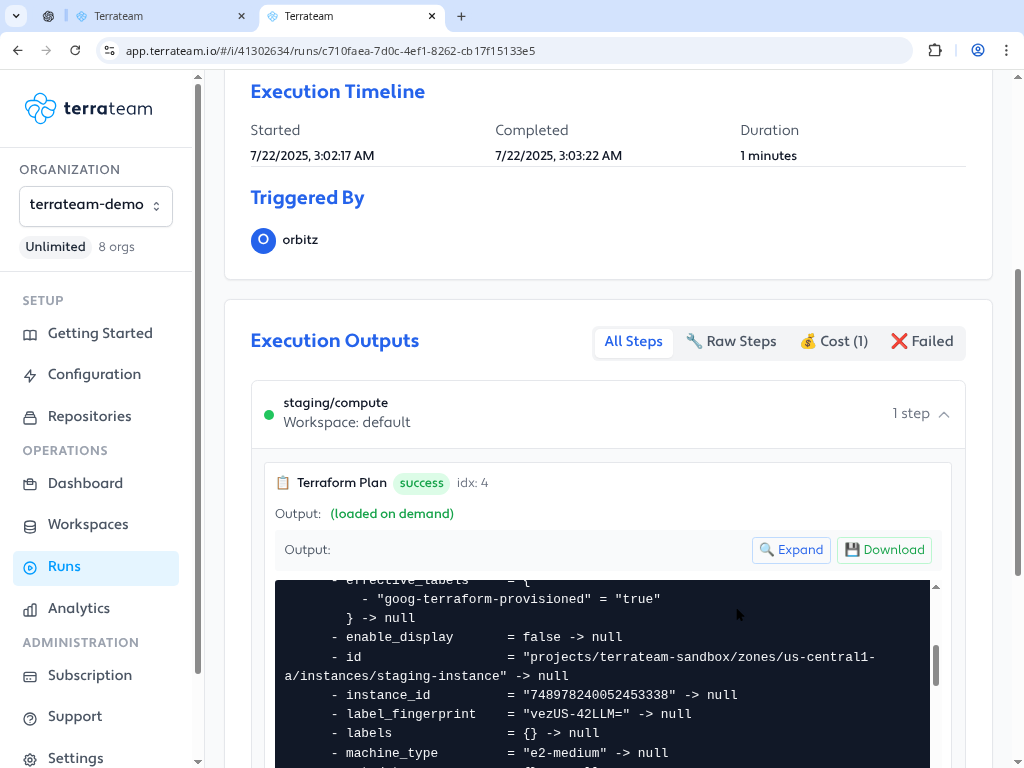
- Runs Terraform, OpenTofu, Pulumi, CDKTF, Terragrunt, and other CLI‑based IaC tools automatically based on pull request or merge request events.
- Your devs will be able to provision and modify infrastructure through self-service workflows with built-in guardrails.
- Drift detection and cost insights: You’ll be able to detect infrastructure drift and estimate cost impact for proposed changes directly in pull requests.
- You’ll be able to implement automated governance and secure collaboration with policy enforcement and audit trails.
Terrateam Pricing
Terrateam has a community edition, which is free and open source, which allows teams to self‑host without paying licensing fees.
You can run the platform using Docker, Kubernetes, or other infrastructure with your own runners.
There is also a self-hosted SaaS and a VCS-native app that you can purchase, which offers additional enterprise‑grade features, such as centralized configuration.
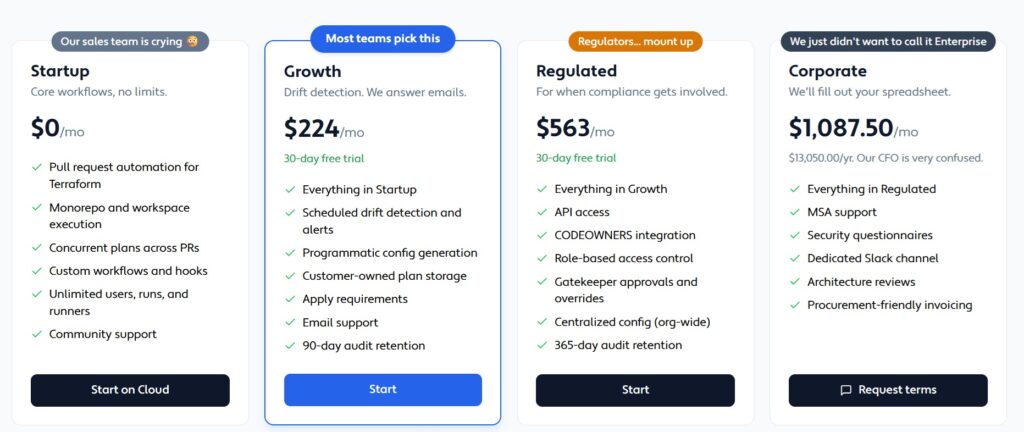
There are 4 pricing plans that you can choose from Terrateam:
- Startup: Free forever, which includes pull request automation for Terraform, Monorepo and workspace execution, concurrent plans across PRs, custom workflows and hooks, and unlimited users, runs, and runners.
- Growth: $224/month, which includes scheduled drift detection and alerts, programmatic config generation, customer-owned plan storage, apply requirements, email support, and 90-day audit retention.
- Regulated: $563/month, which includes API access, CODEOWNERS integration, role-based access control, gatekeeper approval and overrides, centralized config, and 365-day audit retention.
- Corporate: $1,087.50/month, which adds MSA support, security questionnaires, a dedicated Slack channel, architecture reviews, and procurement-friendly invoicing.
There’s also a self-hosted option, where you can run Terrateam in your own infrastructure.
The OSS version covers core workflows for unlimited runs and users and private runners, while the paid edition adds governance controls and costs $1,087.50/month.
Terrateam Pros & Cons
✅ See cost estimates directly in pull requests and detect drift early.
✅ Deploy Terrateam where you need it, including in your cloud, your VPC, or on-premises.
✅ You can validate every change against your security and compliance policies.
❌ Requires more DevOps work to install and operate compared to fully managed SaaS platforms.
❌ Some advanced governance and centralized features may require the paid Enterprise Edition.
Open source alternative to Terraform Cloud #10: Atlantis
Best for: Developers who want a completely free and simple GitOps automation tool for Terraform.
Why replace: Teams typically replace Atlantis because it lacks RBAC, policy enforcement, drift detection, and managed support. Also, they weren’t comfortable with managing state, governance, and security themselves.
Similar to: Terrateam.
Atlantis is an open‑source platform that automates Terraform plan and Terraform apply based on pull or merge requests, integrating tightly with GitHub, GitLab, Bitbucket, and Azure DevOps.
It’s designed to keep infrastructure change workflows visible and collaborative by running Terraform commands in a consistent environment and posting plan outputs as comments in pull requests.
Atlantis Features
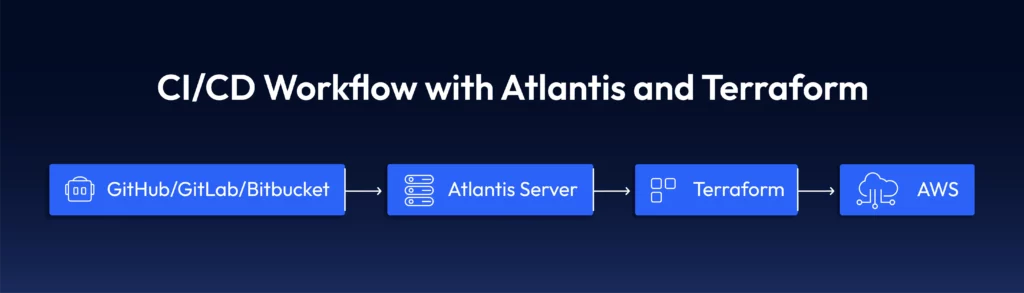
- GitOps‑driven Terraform orchestration: Listens to Git events, such as pull request creation or update, and runs Terraform plan and, upon approval, Terraform apply.
- Automated plan outputs in VCS: Atlantis posts Terraform plan results directly into pull request comments for review, making changes easy to discuss.
- Supports locking of Terraform state files during runs to help avoid conflicts, though you’ll have to configure a remote backend yourself.
- Self‑hostable: Deployable on VMs, Kubernetes, or containers with full control over infrastructure, credentials, and upgrades.
Atlantis Pricing
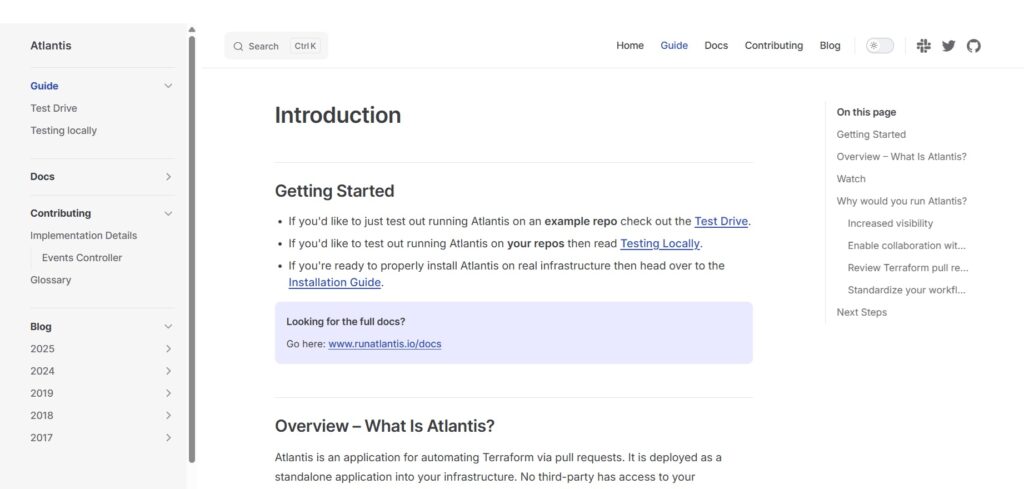
Atlantis is free and open source.
You can self‑host it and provide your own compute resources for runners, webhooks, and state backends, such as S3, GCS, or Azure Blob.
There are no licensing fees, though beware that operational and hosting costs can apply based on your team’s infrastructure choices.
Atlantis Pros & Cons
✅ A straightforward open‑source alternative to Terraform Cloud’s automation features for teams that prefer self‑hosting and maximum control over their tooling.
✅ Integrates tightly with Git workflows to keep IaC reviews and change automation within version control.
✅ Your developers will be able to safely submit Terraform pull requests without credentials.
❌ Your team will have to manage deployment, scaling, upgrades, and security, which can increase your operational burden, which is why some users have been looking for Atlantis alternatives.
❌ There’s going to be no native role‑based access control, advanced policy enforcement, drift detection, or dedicated support that many commercial platforms include.
Gain full control of your cloud with no more blind spots with ControlMonkey
With Terraform Cloud’s often unpredictable pricing, complexity, and lack of cloud account scanning, some customers have been looking to switch.
The good news is that it’s not 2020 anymore, and there’s a variety of Terraform Cloud alternatives for IaC management: from DIY open source alternatives to enterprise-grade solutions that can support your full IaC workflow.
ControlMonkey stands out as the best alternative to Terraform Cloud, as it doesn’t just optimize Terraform workflows.
It makes your cloud safe, resilient, and governable with 100% infrastructure resilience.
Our platform combines full cloud visibility, automatic Terraform code generation, built-in drift remediation, and infrastructure disaster recovery into a single, easy-to-use platform.
That means your team no longer has to stitch together multiple tools, maintain custom CI/CD pipelines, or write complex Sentinel policies.
If you’re tired of Terraform Cloud’s:
- Lack of cloud account scanning makes it unclear what infrastructure exists or what’s unmanaged.
- Terraform drift and ClickOps are constantly breaking things.
- Lack of disaster recovery for your cloud configurations.
- Governance and state management complexity.
- Lock-in, which made one of our customers feel like they were being held captive when they were on Terraform Cloud.
- Overall value for money.

A 30-min meeting will save your team 1000s of hours
A 30-min meeting will save your team 1000s of hours
Author