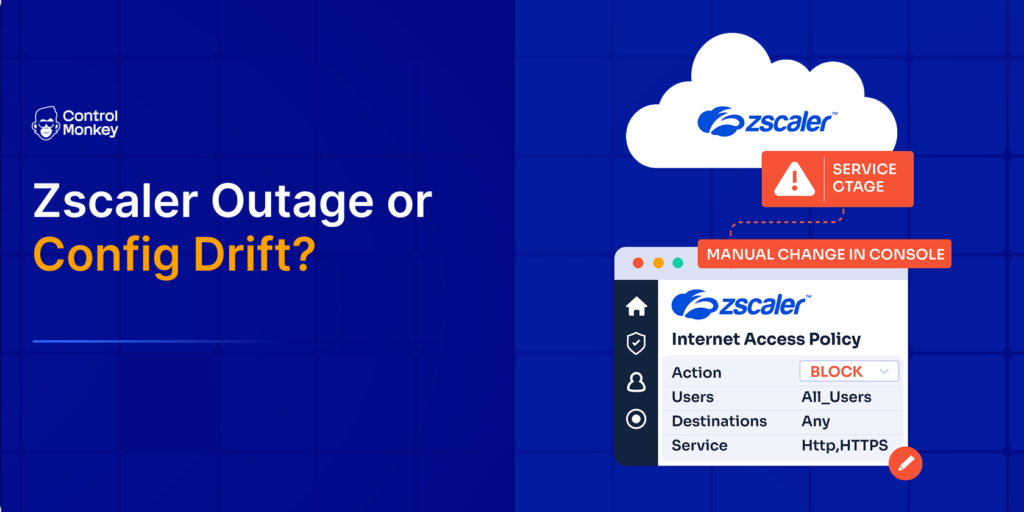
When Zscaler Internet Access (ZIA) or Zscaler Private Access (ZPA) stops routing traffic, the business impact looks the same regardless of the cause: users lose internet access, private apps become unreachable, and security teams lose visibility. But a Zscaler outage and a self-inflicted configuration drift incident require completely different responses. Confusing the two costs precious minutes during an active incident.
TL;DR
- A Zscaler outage and configuration drift can look identical but require different responses.
- Check Zscaler service status first. If Zscaler is healthy, investigate recent policy and configuration changes.
- Configuration drift can come from Terraform, APIs, scripts, or manual ClickOps changes, making it difficult to identify and reverse during an incident.
- Teams need versioned configuration backups and a tested way to restore a known-good Zscaler configuration.
- ControlMonkey continuously captures Zscaler configuration and recovery points, helping teams identify what changed and restore trusted configurations instead of rebuilding them manually.
Is It a Zscaler Outage or Our Own Configuration Drift?
Start here before opening a support ticket. The two failure modes look identical to end users but have opposite fixes.
A genuine Zscaler outage is a provider-side event: a Zscaler data center, cloud instance, or upstream network path is degraded. Zscaler posts these incidents to its own Trust Portal status page, and the fix is on Zscaler’s side – you wait, reroute, or fail over.
Configuration drift is different. It happens when someone changes a policy, forwarding rule, PAC file, or App Connector setting outside of your approved deployment process – through the admin console, an API call, or a one-off script – and that change never gets reconciled back into your Terraform or IaC state. The result can look exactly like an outage: users blocked, tunnels down, private apps unreachable, but Zscaler’s own service is healthy.
Quick triage checklist: Zscaler Outage vs. Configuration Drift
- Check Zscaler’s status page first – if it shows a regional or cloud-wide incident, it’s provider-side.
- If Zscaler shows all-green, compare your live ZIA/ZPA policy against your last known-good IaC state.
- Look for recent manual changes: a rule edit, a forwarding profile change, or an App Connector group update made outside your pipeline.
- If the mismatch traces back to an undocumented change, you’re looking at configuration drift, not a Zscaler outage.
How to Check Zscaler Service Status
Zscaler publishes live status for each of its clouds (zscaler.net, zscloud.net, zscalertwo.net, zscalerthree.net, and others) on its Trust Portal. Each cloud tracks dozens of individual components – authentication, policy enforcement, admin UI, DNS, and more – with four possible states: up, warn, down, and maintenance.
Before escalating internally, confirm which cloud your organization is provisioned on and check that specific instance rather than a generic “is Zscaler down” search, since an incident on one cloud instance doesn’t necessarily affect others.
What “Service Status: Disabled” Means
Inside the Zscaler Client Connector app, users sometimes see the ZPA or ZIA service status listed as “Disabled” and assume this is an outage. In most cases it isn’t. This status commonly appears when:
- The device has detected it’s on a trusted corporate network and ZPA has intentionally deferred, per policy.
- A local policy update is pending and hasn’t finished applying.
- The client itself needs a restart, repair, or policy refresh.
This distinction matters for the same reason as the triage checklist above: a “disabled” client state is almost always a local configuration or policy condition, not evidence of a Zscaler outage. Treating it as a provider incident wastes time that should go toward checking your own recent changes first.
Zscaler Outage History
Zscaler’s own incident record shows that most disruptions trace back to configuration and change-management issues rather than hardware failure – a pattern the industry saw play out broadly in July 2024, when both major cloud disruptions that month were traced back to changes the providers themselves had pushed, not physical failures. A few notable examples from Zscaler’s own history:
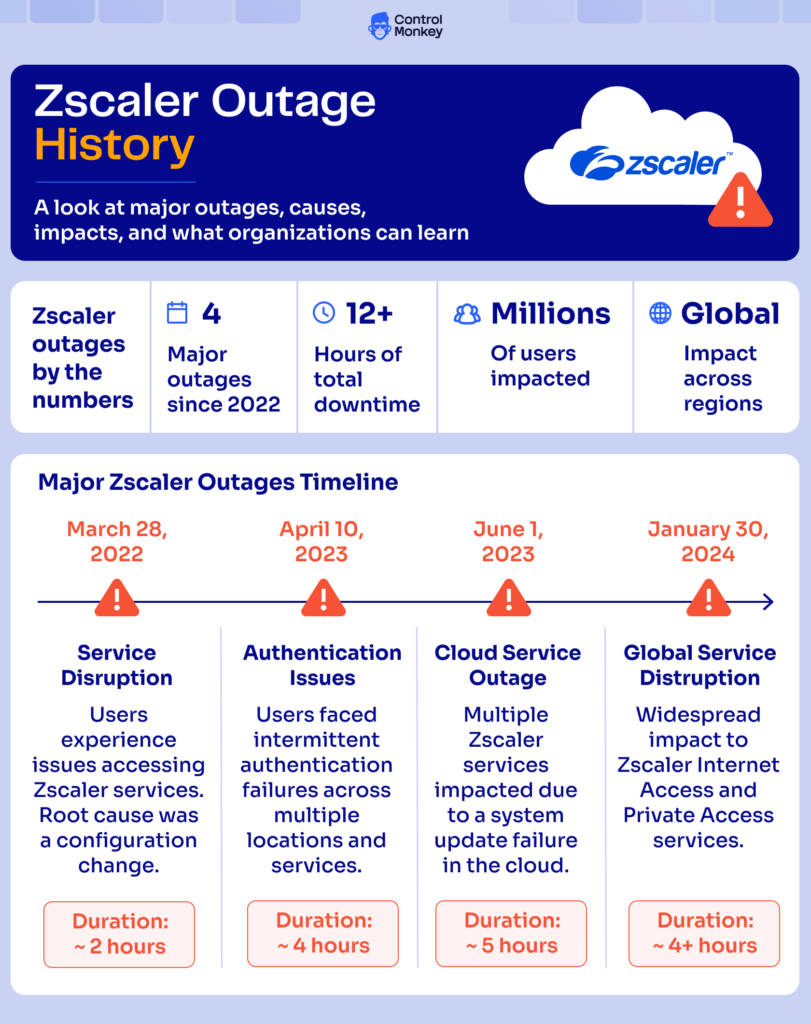
- October 2024: A widespread service degradation hit multiple Zscaler clouds across APAC and EMEA. According to outage tracking from that incident, the company traced the disruption to complications from scheduled maintenance on the zscalerthree.net cloud, with services stepping down from degraded performance to a full outage before recovering several hours later.
- October 2020: An earlier round of Zscaler disruptions included a traffic-forwarding issue that caused packet loss for regional customers, following a prior warning about possible packet loss tied to undersea cable damage.
- Geopolitical and infrastructure events: Zscaler has also documented regional brownouts caused by factors entirely outside its own environment, such as undersea cable cuts and third-party data center incidents – a reminder that “is Zscaler down” can sometimes mean a wider internet or cloud-provider event, not Zscaler’s platform itself.
The pattern across these incidents: the trigger is rarely a mystery hardware failure. It’s usually a change – scheduled maintenance, a pushed update, a network path – that didn’t behave as expected. That’s exactly the same failure mode that produces configuration drift inside your own Zscaler tenant, just at the vendor’s scale instead of yours.
Why Outages or Configuration Incidents Matter
A Zscaler outage or a drift-driven misconfiguration isn’t just an inconvenience – Zscaler sits in the traffic path for internet access, private application access, and security inspection for the entire organization. When it’s degraded, the business impact compounds quickly:
- Lost productivity: Users can’t reach the internet or internal apps, and remote/hybrid teams are disproportionately affected since Zscaler often replaces the traditional VPN and perimeter.
- Security blind spots: If policy enforcement or inspection drops silently due to drift, traffic may flow uninspected without anyone noticing until an audit or incident review.
- Compounding downtime costs: Industry research puts the average cost of unplanned downtime for large enterprises in the tens of thousands of dollars per minute, and outages tied to configuration or change-management failures are among the most common causes of both third-party and network disruptions.
- Slower recovery than expected: Teams often assume “if Zscaler comes back up, we’re fine” – but if the incident was actually drift, restoring service means finding and reverting the specific change, which is much harder without a version history to compare against.
What Organizations Should Prepare For
Whether the next incident is a genuine Zscaler outage or drift inside your own tenant, the preparation is largely the same. Security and cloud teams should plan for:
- A documented triage path that starts with the Zscaler status page and moves to a drift comparison – so the on-call engineer isn’t guessing during the first ten minutes of an incident.
- A single source of truth for ZIA/ZPA configuration, so “what changed” is a query, not an afternoon spent grepping admin logs and asking around the team.
- Coverage for changes made outside IaC, since ClickOps edits, one-off API calls, and emergency fixes made under pressure rarely make it back into Terraform after the fact – and that gap is exactly where drift accumulates.
- A tested path back to a known-good configuration state, not just a documented one. A runbook that’s never been exercised is a plan, not a recovery capability.
- Recovery objectives specific to configuration, not just data. Ask directly: what is our real RTO and RPO for Zscaler policy and connector configuration – not just for the underlying data or workloads it protects?

Be Ready to Recover Your Zscaler Configuration
A Zscaler outage may be outside your control. Configuration loss or drift doesn’t have to be.
Configuration Backup and Recovery as Part of Resilience
Traditional backup protects data and workloads. It typically doesn’t capture the live state of your Zscaler policies, forwarding rules, App Connector groups, and the manual or ClickOps changes layered on top of your original IaC deployment over time. That’s the gap that turns a routine configuration change into an extended, confusing incident.
This is where configuration backup and recovery – not just prevention – closes the loop. ControlMonkey continuously discovers and snapshots configuration across cloud infrastructure, identity, network, and SaaS platforms like Zscaler, capturing versioned, known-good recovery points regardless of whether a change came through Terraform or through the console. When drift shows up, teams can compare the live state against the last known-good snapshot, see exactly what changed and when, and recover the specific configuration – instead of manually rebuilding policy from tribal knowledge and partial documentation under pressure.
Restoring data alone doesn’t restore operations if the configuration required to reach that data is still drifted or broken. Closing that gap is what separates teams that recover in minutes from teams still reconstructing policy hours into an incident.

A 30-min meeting will save your team 1000s of hours
A 30-min meeting will save your team 1000s of hours
Author