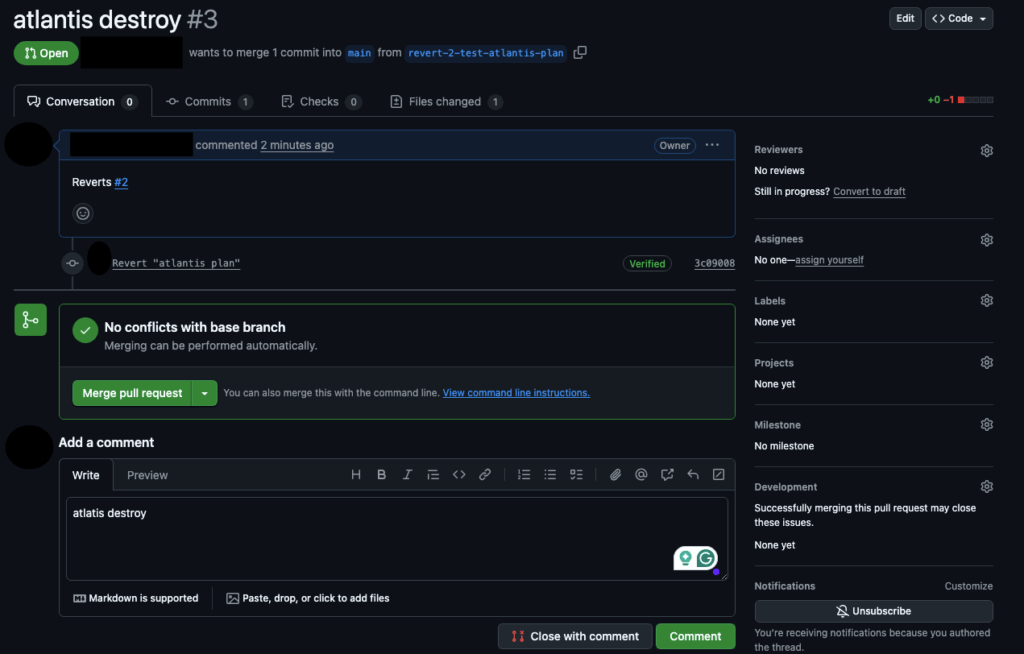
Running Atlantis destroy in a shared Terraform workflow can wipe entire environments in minutes if it isn’t properly controlled. Even inside Atlantis, a simple comment like atlantis plan -- -destroy can queue a full destruction plan across a project or workspace. One unreviewed action can trigger outages, data loss, or permanent resource deletion—especially when multiple teams contribute to the same repository. This is why destructive actions need explicit approvals, enforced RBAC, and dedicated workflows that separate safe operations from high-risk ones. When configured correctly, Atlantis lets teams handle Atlantis destroy Terraform operations in a predictable, reviewed, and fully transparent way instead of relying on ad-hoc manual checks.
Disclaimer: ControlMonkey is a commercial product that enhances Terraform and OpenTofu governance. It provides additional safeguards for destructive Terraform workflows, including automated pre-destroy snapshots, environment-wide visibility, and recovery points for Atlantis-managed workspaces.

Identify Gaps in Your Terraform Coverage
Our free IaC Coverage Assessment shows what parts of your infrastructure are managed, untracked, or vulnerable to destructive workflows—before something breaks.
How to Configure Atlantis Destroy Workflows Safely
The safest approach is to go with “opt-in only”: set up a dedicated workflow with the -destroy and only grant permission to review by admin-only users. Here is how your repo-level .atlantis.yaml might look like:
# atlantis.yaml
version: 3

workflows:
  admin-destroy:
    plan:
      steps:
        - init
        - plan:
            extra_args: ["-destroy"]   # generate destroy plan
    apply:
      steps:
        - apply:
            extra_args: ["-destroy", "-auto-approve"]

projects:
  - name: infra
    dir: .
    workflow: default                 # normal CI/CD path
    apply_requirements: [approved]

  - name: infra-destroy
    dir: .
    workflow: admin-destroy           # uses the special workflow
    allowed_overrides: []
    require_reviewers: ["platform-admins"]  # only this GH team can run it
When to Use Atlantis Destroy Terraform in Admin Workflows
- For regular engineers, they can use the default plan and apply, and the destroy workflow never shows up.
- Platform admins can target
infra-destroyin a PR and then runatlantis plan -w prod ---destroy after it’s been peer reviewed. - Branch protection and
require_reviewersmeans at least one admin has to sign off.
Atlantis can also control permissions centrally with --gh-team-allowlist, or you can use an external auth script. This gives you control over the entire org without needing to change every repo.
Best Practices for Atlantis Destroy in Production Environments
Even when there are admin-only workflows, bad outcomes can happen due to human errors. Admins can accidentally, in a rush, or by accident, merge a PR that could destroy the entire environment. One of the best practices is to create an automatic tagging (e.g GitHub Issue Labels added using a GitHub Action that evaluates the plan) that adds a label like “destructive” in Red clearly into the PR.
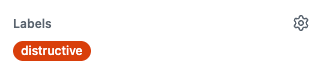
Regarding destructive plans, follow these steps at the bare minimum.
- Multi-factor approvals – Ensure that one other maintainer signs off on a destroy PR, then combine that with branch protection, so that Atlantis only runs after reviews are complete.
- Environment rings – Ensure that all destruction taking place in production environments is locked and only allowed in sandboxes or during scheduled maintenance windows.
- Timeboxed plans – Set your CI to automate the invalidation of destroy plans after set time intervals so that approvals that were granted a long time ago can’t be used.
- State backups and drift detection – Before Atlantis destroys something, export the most recent remote state to a safe place. Look out for unbalanced resource counts in PRs. ControlMonkey automated state snapshot can do this automatically before any destructive change.
- Observability hooks – Send Atlantis webhooks to Slack/SIEM to observe and note every attempted destroy in real-time. You can also link ControlMonkey’s alerting to autonomously rollback pre-defined actions and receive real-time alerts if anything goes wrong.
These are some guardrails that allow your Terraform workflows to be compliant without causing unnecessary friction for your teams.
Conclusion: Making Atlantis Destroy Safer and Controlled
Combining automated control with manual processes lets DevOps teams execute terraform destroy with control. Atlantis provides admin-scoped workflows with a simple control model and automated peer-approval processes to address this common challenge. And with automated deletion policies to create backups before destruction, deletion becomes a deliberate and managed process instead of a catastrophic accident.
Yet even the greatest security controls won’t eliminate all risks. ControlMonkey provides disaster-recovery on-demand snapshots and one-click rollback functionality integrated with Atlantis. So if something goes wrong, you can quickly recover your cloud infrastructure and continue delivering.

A 30-min meeting will save your team 1000s of hours
A 30-min meeting will save your team 1000s of hours
Author