Join our next Live Demo on July 30!

Zscaler Disaster Recovery Solution

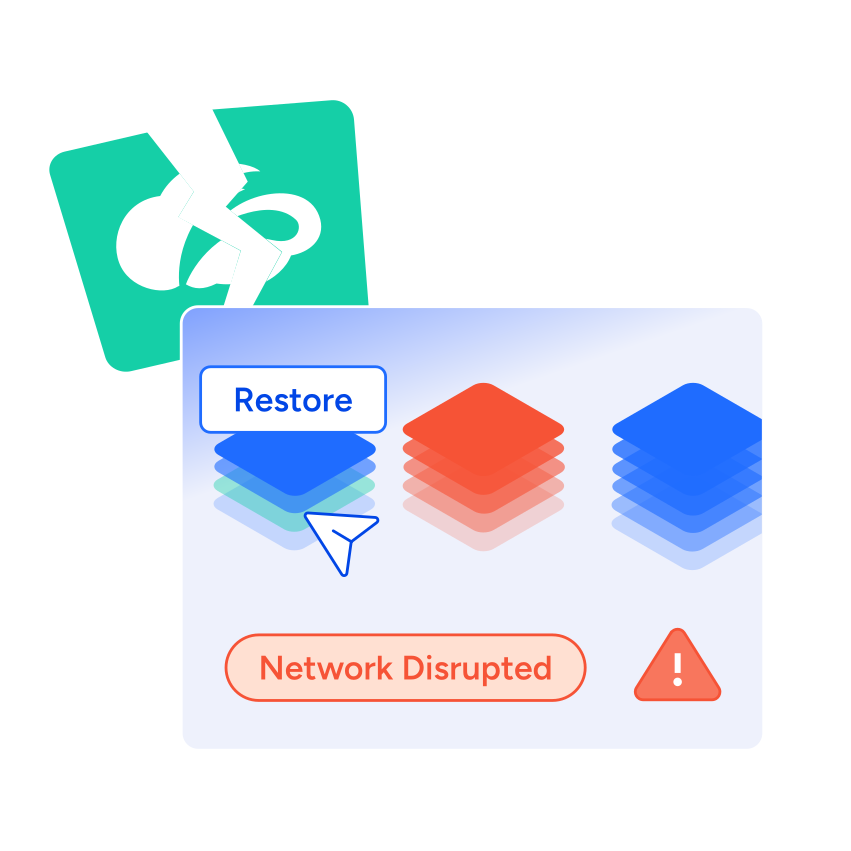
ControlMonkey provides a Zscaler backup and recovery solution that protects cloud firewall rules, internet access policies, private application access settings, SSL and URL filtering policies with versioned recovery points for fast disaster recovery.

Zscaler

Zscaler Backup – What Makes ControlMonkey Unique?

See how ControlMonkey restores Zscaler configurations from versioned recovery points for faster recovery.
See ControlMonkey in Action
Complete Zscaler Configuration Backup

Complete Zscaler Configuration Backup

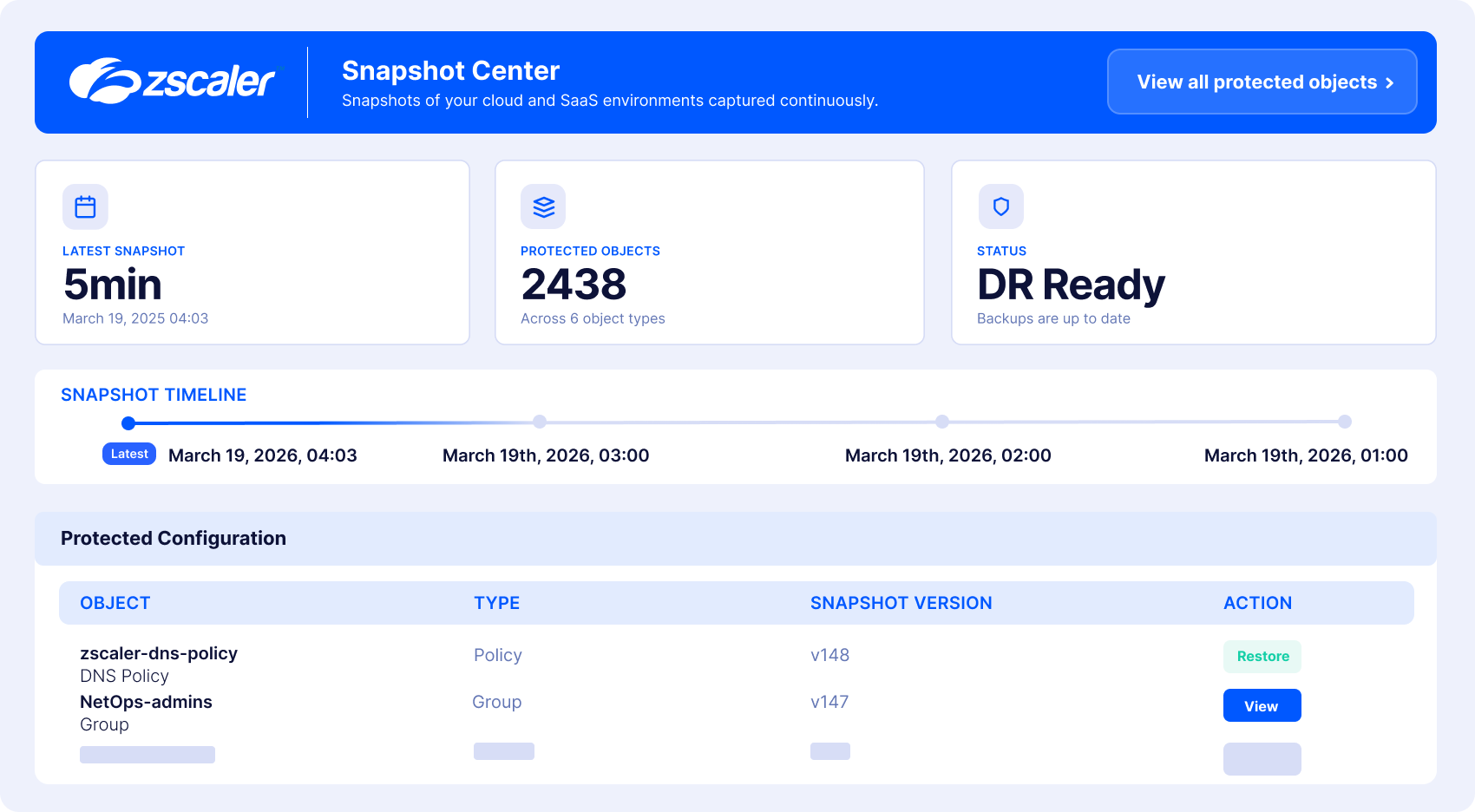
Zscaler configuration changes are sensitive and have a massive blast radius if done wrong: internet access policies, SSL inspection policies, URL filtering policies, and traffic-forwarding rules. ControlMonkey continuously captures a Zscaler backup – a protected, versioned copy of policies, rules, and settings – giving teams a clear history of what existed, what changed, and when.
Recover Environment

Zscaler Access and Traffic Recovery

User access protection is an important part of Zscaler’s capabilities: settings like zero trust, internet access and security enforcement can block user access when corrupted. ControlMonkey protects and restores the private application access settings, application definitions, traffic-forwarding rules, and location and network settings that keep users connected and applications reachable when policies are changed unexpectedly.
Governed Zscaler Recovery

Governed Zscaler Recovery

Standardize Zscaler backup and restore with approval workflows, Role-Based Access Control (RBAC), audit trails, and governed recovery operations – including protection of Zscaler administrative roles and permissions and authentication and identity settings.
Drfit Detection

Zscaler Configuration Drift Detection

Not every change follows an approved process. ControlMonkey detects unexpected changes across your Zscaler environment, highlights what changed, and helps teams remediate risky drift before it leads to downtime, security exposure, or failed recovery.
Cloud Resilience dashboard

Recovery Readiness Dashboard

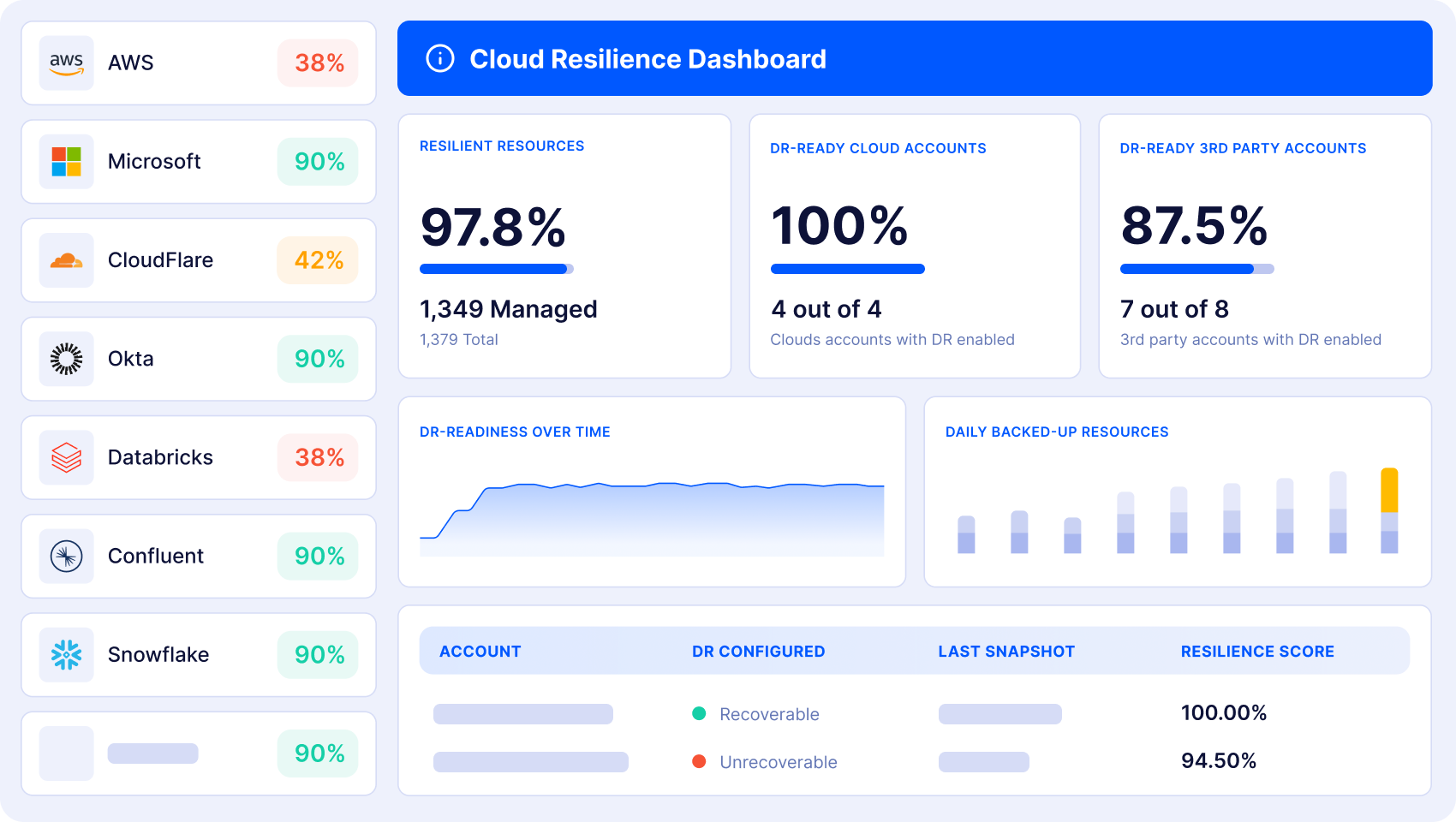
ControlMonkey shows which Zscaler configurations are protected, which recovery points can be restored, and where recovery gaps remain – helping security, network, and platform leaders prove Zscaler recovery readiness and improve cyber resilience before an incident happens.

Live Demo – 30 minutes

See Zscaler Backup in Action

Watch ControlMonkey back up and restore Zscaler configurations from a known-good recovery point, including firewall rules, access policies, SSL inspection, and URL filtering.

Book a Recovery Demo
Zscaler CTA Zscaler CTA
What’s in it for you

From Zscaler Outage Risk to Recoverable Zscaler Configurations

Zscaler configurations can be affected by ransomware, human error, failed deployments, or over-permissive AI agents. Validate your backup and Zscaler disaster recovery strategy before an incident impacts critical security policies.
Assess Your Zscaler Recovery Readiness

Automated Zscaler Backup

ControlMonkey automatically backs up Zscaler configurations with daily snapshots of security and access policies, cloud firewall rules, private application access settings, and other critical settings.
High uptime and SLA compliance icon

Faster Zscaler Recovery

ControlMonkey reduces configuration downtime by restoring known-good Zscaler configurations after outages, misconfigurations, or unauthorized changes with automated recovery and point-in-time restore.
Business continuity and cloud resilience icon

Predictable RTO & RPO

Versioned recovery points and configuration history help teams achieve predictable RTO and RPO for critical Zscaler firewall rules, access policies, and security configurations.
Governance & Audit Readiness

Governance & Audit Readiness

ControlMonkey tracks Zscaler configuration changes, detects drift, and secures recovery with audit-ready workflows, RBAC, and protected admin roles.

How Zscaler Backup Works

  • Discover Zscaler Configurations

    Continuously inventory Zscaler security and access policies, cloud firewall rules, private application access, SSL inspection, URL filtering, and admin roles.

    Arrow icon
  • Create Versioned Recovery Points

    ControlMonkey captures each Zscaler backup as a versioned recovery point – a protected copy of policies, rules, and settings you can restore from at any time.

    Arrow icon
  • Restore Known-Good Configurations

    Continuously inventory Zscaler security and access policies, cloud firewall rules, private application access, SSL inspection, URL filtering, and admin roles.

    Arrow icon
  • Validate Recovery & Governance

    ControlMonkey connects Zscaler backup and recovery with governance controls – improving compliance, recovery readiness, cyber resilience, and business continuity.

    Arrow icon

Book Intro Meeting

ControlMonkey needs the contact information you provide to us to contact you about our products and services. You may unsubscribe from these communications at any time. For information on how to unsubscribe, as well as our privacy practices and commitment to protecting your privacy, check out our Privacy Policy.

Book Intro Meeting

Discover How ControlMonkey will save Your team 1000s of hours.

Trusted by the World’s Largest Enterprises

Assaf Warshitzky

Assaf Warshitzky

VP Platform Engineering

“ControlMonkey helped us achieve the level of resilience we envisioned for our cloud infrastructure. At our scale, that’s anything but trivial. Doing this ourselves would have taken quarters of effort for just a fraction of the value we get from their platform.”


ControlMonkey needs the contact information you provide to us to contact you about our products and services. You may unsubscribe from these communications at any time. For information on how to unsubscribe, as well as our privacy practices and commitment to protecting your privacy, check out our Privacy Policy.

Zscaler Backup – ControlMonkey FAQ

Zscaler disaster recovery is needed when an outage, misconfiguration, ransomware attack, unauthorized change, or failed deployment disrupts secure access. ControlMonkey helps organizations restore Zscaler configurations – including Firewall Rules, Internet Access Policies, SSL Inspection, and Private Application Access – from versioned recovery points to improve Business Continuity and Recovery Readiness.

ControlMonkey automates Zscaler backup and restore by continuously capturing Zscaler configurations, including Firewall Rules, Internet Access Policies, SSL Inspection, URL Filtering Policies, Private Application Access, and identity settings. The platform creates versioned recovery points, enabling fast restoration of known-good configurations after outages, misconfigurations, or malicious changes.

A Zscaler recovery solution helps organizations restore critical Zscaler configurations after outages, misconfigurations, ransomware, or unauthorized changes. ControlMonkey provides automated Zscaler backup and recovery with versioned recovery points, change tracking, and recovery workflows that protect security and access configurations while improving Business Continuity, Cyber Resilience, and Recovery Readiness.

If a Zscaler policy is deleted or misconfigured, it can disrupt secure access, block applications, or weaken security controls. ControlMonkey continuously captures and versions Zscaler configurations, enabling teams to identify a known-good recovery point and quickly restore Firewall Rules, Internet Access Policies, SSL Inspection, or Private Application Access settings after an incident.

Cookies banner

We use cookies to enhance site navigation, analyze usage, and support marketing efforts. For more information, please read our. Privacy Policy