Are you looking for the best cloud compliance tools in 2026 to stay audit-ready and show regulators your cloud can recover after a disruption?
In this article, I’ll compare the top cloud compliance tools in 2026 on posture scanning, audit evidence automation, recovery readiness, and pricing, and I’ll tell you where each one fits.
TL;DR
- The best cloud compliance tool for keeping the configuration behind your controls recoverable is ControlMonkey, a Cyber Resilience Platform for Cloud Configuration Disaster Recovery.
- Unlike traditional compliance tools focused on security posture and regulatory controls, our platform helps you assess disaster recovery readiness, identify configuration recovery gaps, maintain versioned configuration history, and restore critical cloud and SaaS configurations (VPCs, IAM, security groups, DNS, identity provider settings, etc.) to known-good states.
- Wiz and Orca Security are where I’d start for live posture scanning against compliance frameworks across multi-cloud estates.
- For SOC 2 and ISO 27001 evidence automation, my shortlist would be Vanta and Drata.
Why does cloud compliance now include proof of recovery?
Many regulators now work on the assumption that a disruption is a question of when, not if, and that has shifted compliance from proving controls exist toward proving you can get back to business.
The UK’s operational resilience rules say it outright, asking firms to plan for major disruptions occurring and to stay within set impact tolerances when they do.
In my experience, auditors now press hardest on recovery time after a ransomware attack or a bad change, and the frameworks below expect you to back your answer with evidence.
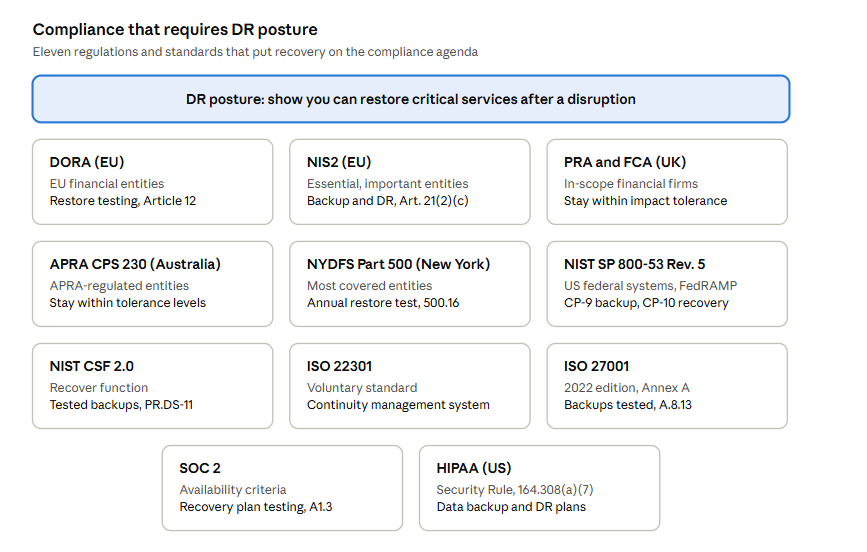
Each framework defines its own scope, yet all five expect organizations to plan for recovery, and most also expect regular testing.
- DORA (EU): EU financial entities must test their recovery plans at least yearly.
- NIS2 (EU): Backup management and disaster recovery are required risk-management measures.
- PRA and FCA (UK): Important business services must stay within set impact tolerances.
- APRA CPS 230 (Australia): Critical operations must stay within tolerance levels, with an annual business continuity exercise.
- NYDFS Part 500 (New York): Most covered entities must test restoring critical systems from backups every year.
- NIST SP 800-53 Rev. 5 (US): Contingency planning controls for backup and recovery, inherited by FedRAMP baselines.
- NIST CSF 2.0: A Recover function, plus tested backups under PR.DS-11.
- ISO 22301: A business continuity management system, backed by an exercise programme.
- ISO 27001: Regularly tested backups and ICT readiness for business continuity.
- SOC 2: Backup processes and recovery plan testing under the Availability criteria.
- HIPAA (US): Data backup and disaster recovery plans under the Security Rule.
Note: I’ll break down what each framework asks for in more detail later in this article.
Analysts are tracking a related technology shift.
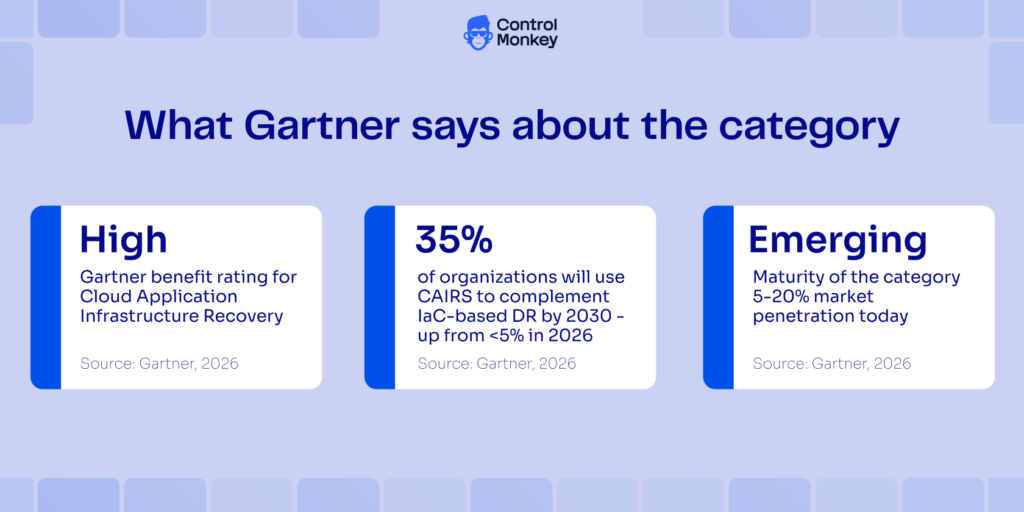
In its Hype Cycle for Backup and Data Protection Technologies, 2026, Gartner rates Cloud Application Infrastructure Recovery (CAIRS) a high-benefit emerging technology and predicts that by 2030, 35% of organizations will use these solutions to complement IaC-based disaster recovery orchestration, up from less than 5% in 2026. The same report names ControlMonkey a Sample Vendor for the category.
For cloud workloads, recovery depends on more than data.
A critical service won’t come back while its IAM policies or Okta assignments are missing, which is why configuration belongs in your recovery evidence.
What are the 10 best cloud compliance tools in 2026?
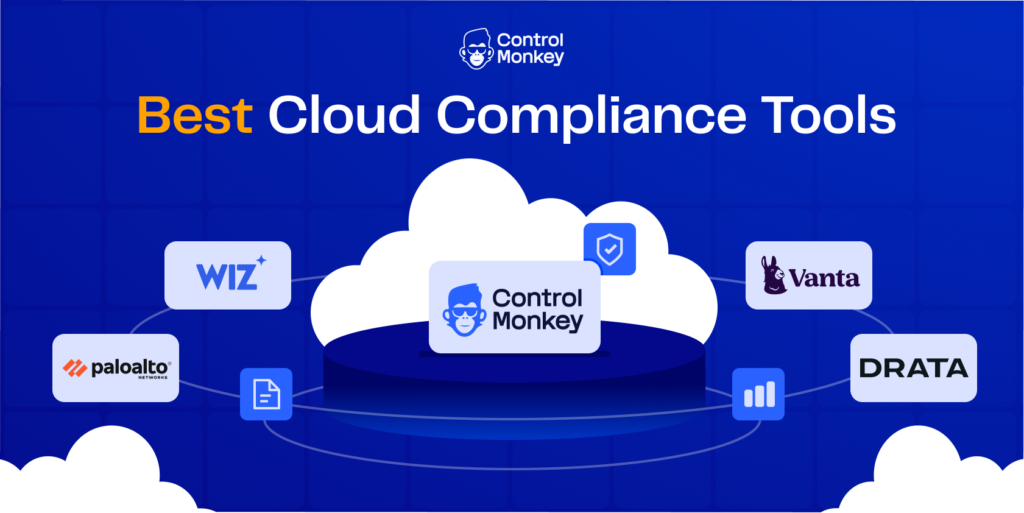
My top picks for 2026 each cover a different compliance job:
- ControlMonkey: I’d start here if you need to show regulators your cloud can recover, since it backs up cloud and SaaS configurations as daily versioned snapshots and flags the recovery gaps that would slow a restore.
- Wiz: For posture scanning across several clouds, Wiz connects resources and identities in one security graph and maps findings to compliance requirements, which helps you prioritize audit work.
- Vanta: For SOC 2 and ISO 27001 evidence automation, Vanta runs more than 1,400 hourly tests across more than 400 integrations and covers more than 35 frameworks.
The full list of 10 is in the table below, followed by the criteria I used:
| Tool | Type | Features | Pricing |
|---|---|---|---|
| #1: ControlMonkey | Cloud configuration disaster recovery and resilience governance | DR readiness assessments, versioned configuration snapshots, configuration change history, dependency-aware recovery | Free Cloud DR Assessment ($0), Pro and Enterprise plans quoted on request |
| #2: Wiz | CNAPP | Wiz Security Graph, attack path analysis, compliance mapping, Wiz Green agent code fixes | Custom, Vendr median $158,762/year |
| #3: Vanta | Compliance automation | Automated evidence collection, hourly control tests, Vanta Agent, Trust Center | Custom, Vendr median $20,000/year |
| #4: Palo Alto Networks Cortex Cloud | CNAPP | Compliance catalog, assessment profiles, compliance score, Agentic Assistant | Custom, contact sales |
| #5: Drata | GRC and compliance automation | Enterprise GRC, continuous control monitoring, Audit Hub, AI Agent Governance | Custom, Vendr median $24,934/year |
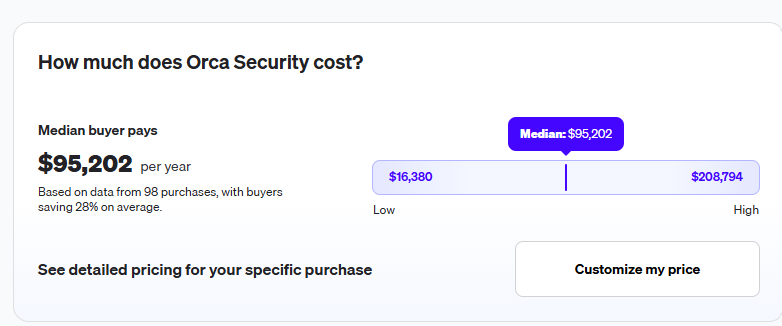
| #6: Orca Security | CNAPP | Orca SideScanning, out-of-the-box compliance frameworks, attack path context, Orca Sensor | Custom, Vendr median $95,202/year |
| #7: Microsoft Defender for Cloud | CNAPP | Foundational CSPM, secure score, regulatory compliance in Defender CSPM, attack path analysis | Foundational CSPM free, Defender CSPM $5.11/billable resource/month |
| #8: Secureframe | Compliance automation | Secureframe Comply, Comply AI for Remediation, continuous control monitoring, Trust Center | Fundamentals from $7,500/year |
| #9: Qualys TotalCloud | CNAPP | CSPM framework mappings, TruRisk prioritization, QFlow workflows, SSPM | Custom QLU licensing, 30-day free trial |
| #10: Sprinto | Compliance automation | Continuous Compliance, Unified Commitments, Autonomous TPRM, Trust Center | Custom, Foundation and Growth plans |
Note: I only included tools that are generally available today and map cloud environments to compliance or resilience requirements.
Most of the list falls into two groups, CNAPPs that check live cloud posture and compliance automation or GRC platforms that collect audit evidence.
Cloud Compliance Tool #1: ControlMonkey
ControlMonkey is a Cyber Resilience Platform that supports compliance readiness for your DR posture across cloud and SaaS configurations.
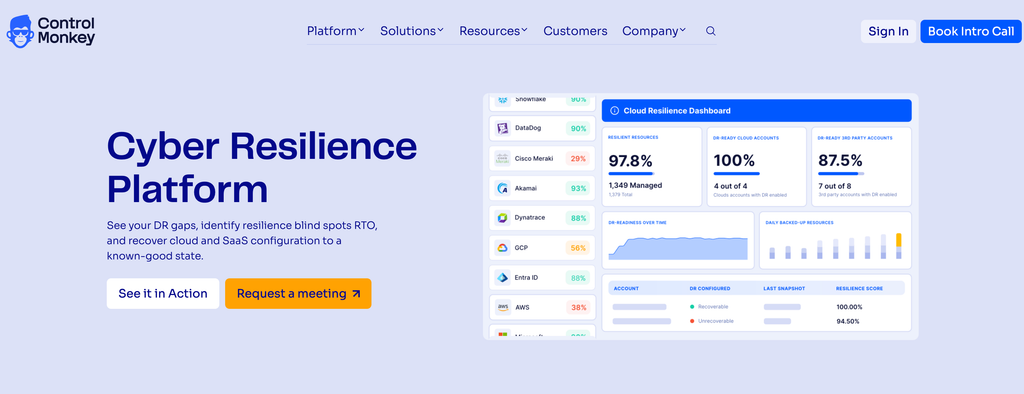
We don’t replace CSPM, CNAPP, GRC, or dedicated compliance platforms, and our core category is Cloud Configuration Disaster Recovery.
Our focus is the configuration and infrastructure layer: we help teams assess disaster recovery readiness, identify configuration recovery gaps, detect drift and unauthorized changes, and maintain versioned configuration history.
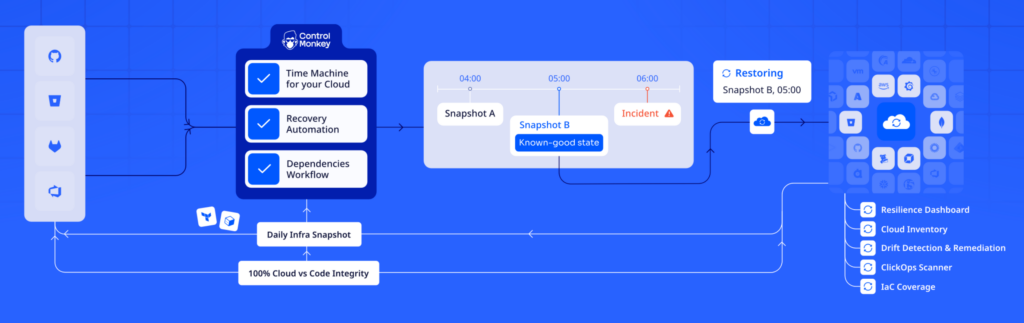
Traditional compliance tools help you identify what is misconfigured, while we help you understand what is recoverable and restore critical configurations when something goes wrong.
The same platform assesses recovery readiness before an incident and recovers configuration after one.
For example, Delta reported more than 7,000 flight cancellations over five days and about $380M in direct revenue impact from the 2024 CrowdStrike-related outage.
Based on my experience, plenty of teams find out mid-incident that their backups protected data, and that the IAM policies, DNS records, firewall rules, and identity provider settings needed to use it were never backed up.
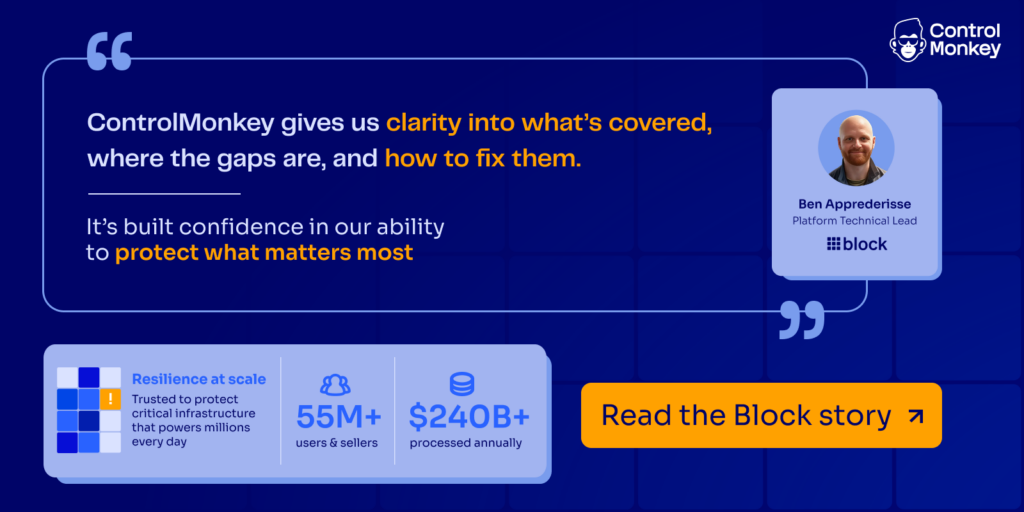
Let’s go over the features and capabilities that are helping teams at Block, Veolia, Comcast, and Intel sleep better at night:
Recovery Gap Assessments
Our readiness assessments show which cloud and SaaS configurations you could restore today and where gaps would slow recovery down.
A good first step is to assess the services in your minimum viable business, meaning the systems that have to come back first.

- Recovery gap detection: We flag gaps in configuration backup coverage, regional recovery capabilities, replication status, and recovery objectives such as RTO and RPO.
- Resilience Score and recovery gaps insights: The Resilience Score tracks recoverable versus uncovered assets across environments, and recovery gaps insights estimate RTO from the restore points you actually have.
- Your team stays in charge of fixes: Each gap appears with its current configuration and replication state, and your team decides how to address it.
Daily Versioned Snapshots From Day One
Setup uses read-only access and native APIs, and no agents are required.
Depending on the size of your environment, discovery can start within 30 minutes to half a day.
- More than 50 supported environments: Snapshots cover public cloud infrastructure, identity providers such as Okta and Microsoft Entra ID, network and security platforms such as Cloudflare and Zscaler, observability tools such as Datadog, and version control systems such as GitHub and GitLab.
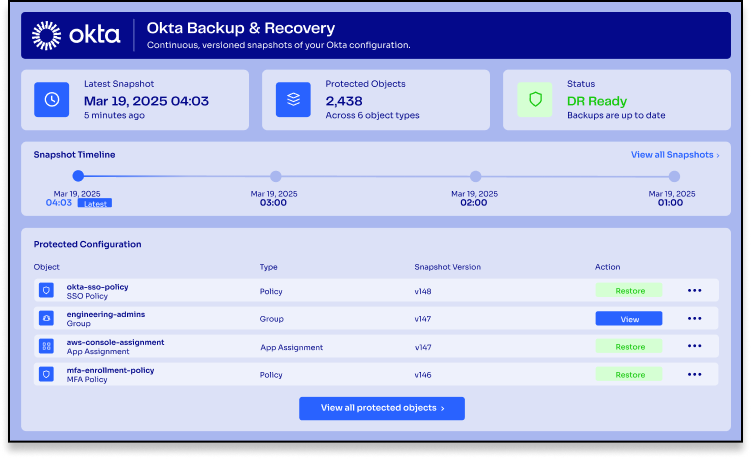
- Versioned recovery points: Each snapshot records the exact configuration state at that moment and is kept as its own recovery point.
- Coverage beyond IaC: Discovery picks up resources managed in infrastructure as code as well as resources created through ClickOps or scripts that never made it into code.
- Secondary region or account replication: On paid plans, snapshots can be replicated to a secondary region or account.
Change History and Drift Visibility
Snapshot Changes Over Time and KomoAI compare snapshots and point out risky deltas, which helps you pick the right recovery point.
Keep this history handy for audits too, since it gives you a dated record of how infrastructure and configuration changed.
- ClickOps Scanner and drift detection: We flag changes made outside the governed path, from a quick console edit to an unreviewed script.
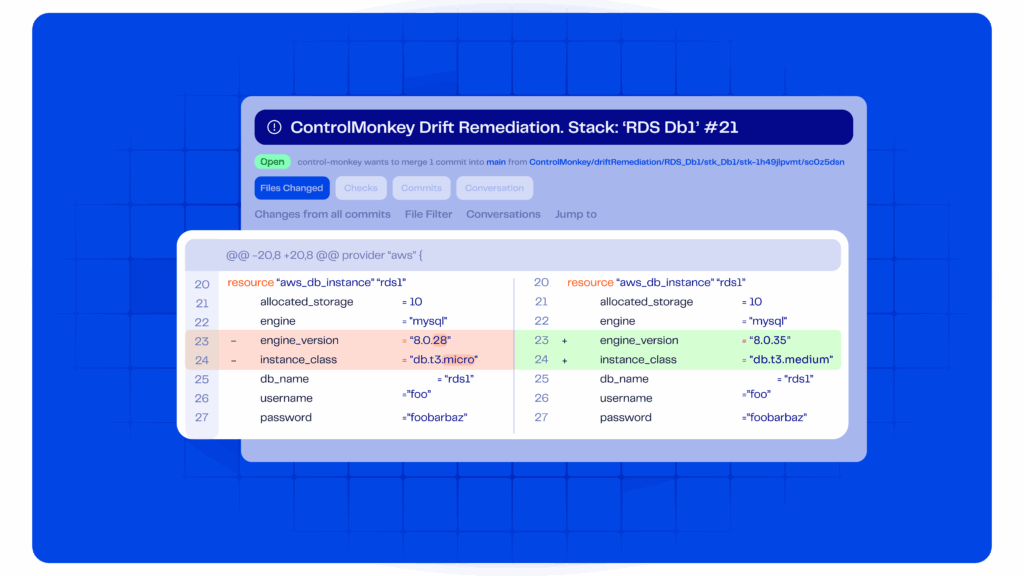
- Snapshot comparison: You can compare snapshots over time to see exactly which settings changed.
- Rollback points for automated changes: When AI-assisted workflows edit cloud configuration, you can compare the snapshots from before and after to see what changed and which one to return to.
Dependency-Aware Restores
Restoring data alone won’t bring the business back once configuration has been deleted or maliciously changed.
We restore anything from a single resource up to a full environment, handling dependencies and ordering for you.
- Trusted starting points: Every restore begins from a known-good configuration snapshot, with no reliance on scripts or tribal knowledge.
- Recovery for uncodified resources: We convert live configuration into deployable recovery definitions, which lets teams recover resources nobody ever wrote as code.
- Ransomware recovery readiness: If an attack hits identity or networking, configuration recovery runs alongside the data side of your ransomware recovery plan.
- Governed recovery: Restores run through workflows with approvals and RBAC, and every recovery action is tracked for audit.

Audit Evidence for Business Continuity Reviews
Regulations and standards such as DORA, NIS2, NYDFS Part 500, and ISO 22301 emphasize disaster recovery and operational resilience.
We support those efforts by automatically backing up cloud and SaaS configurations as daily, policy-based versioned snapshots that start from day one.
Alongside those backups, we show configuration backup coverage and recovery readiness, including gaps that could affect the restoration of critical cloud services.
For an audit or a business continuity assessment, these are the records to pull from ControlMonkey:
- Configuration inventory of cloud resources and account states.
- Backup and recovery coverage, showing which resources and configurations are protected and where gaps remain.
- Versioned configuration snapshots that support change tracking and recovery.
- DR readiness assessments covering regional recovery limitations and replication status.
- Configuration change history that shows how configurations evolved over time.
Data Backup Correlation connects data backup coverage, retention, recovery points, and RPO targets to configuration recoverability, which helps you decide which gaps to close first.
Financial services teams can use the same evidence to show cloud recovery readiness for frameworks such as DORA, NYDFS Part 500, FFIEC BCM, and the SEC cyber rules.
That visibility can provide supporting evidence for relevant recovery requirements, although it doesn’t constitute full regulatory compliance.
How does ControlMonkey complement cloud compliance tools?
Cloud compliance and CNAPP platforms help organizations identify security risks and evaluate compliance posture against regulatory requirements.
ControlMonkey complements these solutions by focusing on configuration recoverability: identifying disaster recovery gaps and maintaining versioned configuration snapshots, so teams can restore known-good states when incidents occur.
Together, these capabilities help organizations address both preventive security controls and operational recovery readiness.
ControlMonkey vs. cloud compliance platforms
Here’s how a typical cloud compliance or CNAPP tool compares with ControlMonkey across the areas buyers ask about most:
| Area | Cloud compliance and CNAPP tools | ControlMonkey |
|---|---|---|
| Primary problem | Understand and manage security and compliance posture across the cloud. | Govern and recover the configuration and infrastructure state behind cloud operations, and track it over time. |
| Framework scope | Broad compliance framework coverage. | Disaster recovery readiness for cloud and SaaS configurations. |
| Controls | Map findings and resources to compliance controls. | Provide recovery readiness evidence that can support relevant recovery requirements. |
| Posture | Compliance scoring and posture management. | Configuration governance and recovery readiness. |
| Evidence | Enterprise evidence collection and auditor reporting. | Infrastructure and configuration change history and auditability. |
| Visibility | Security context across identity, workloads, data, network, and vulnerabilities. | Deep visibility into infrastructure and configuration state. |
| Detection | Detect security and compliance misconfigurations. | Detect drift and ClickOps, along with other configuration changes. |
| Change control | Some provide IaC scanning and pipeline gates. | Track configuration changes with versioned history and restore known-good states. |
| Focus | Focus heavily on demonstrating compliance posture. | Focus heavily on keeping configuration controlled and recoverable, with its changes traceable. |
ControlMonkey vs. CNAPP vs. GRC platforms
The table below compares ControlMonkey with CNAPP and GRC platforms across eight capabilities, from primary focus to automatic remediation:
| Capability | ControlMonkey | CNAPP | GRC |
|---|---|---|---|
| Primary focus | Compliance readiness for your DR posture, delivered through configuration backup and recovery | Cloud security posture and risk | Compliance and risk management |
| Cloud configuration visibility | Yes | Yes | Typically through integrations |
| Security misconfiguration detection | Outside its DR focus | Core capability | Not typically direct |
| DR readiness and recovery gap assessment | Core capability | Generally limited | Tracks requirements and evidence |
| Configuration backup and recovery | Core capability | Not typically core | No |
| Regulatory control mapping | Supports DR and resilience requirements without control-by-control mapping | Often supported | Core capability |
| Compliance workflow management | Not core | Limited or integrated | Core capability |
| Automatic security remediation | Surfaces DR gaps for your team to address | Available in some products | No |

Find your configuration recovery gaps before an auditor does.
ControlMonkey backs up the cloud and SaaS configurations behind your controls and maps where recovery gaps remain, without agents or production impact.
Pricing
Here’s how you can get started with ControlMonkey:
- Free Resilience Assessment ($0): A read-only assessment of your cloud recovery readiness, with no agents and no production impact.
- Pro (custom): Covers up to 50,000 cloud assets and 50,000 protected resources.
- Enterprise (custom): Custom limits for complex, large-scale enterprise environments.
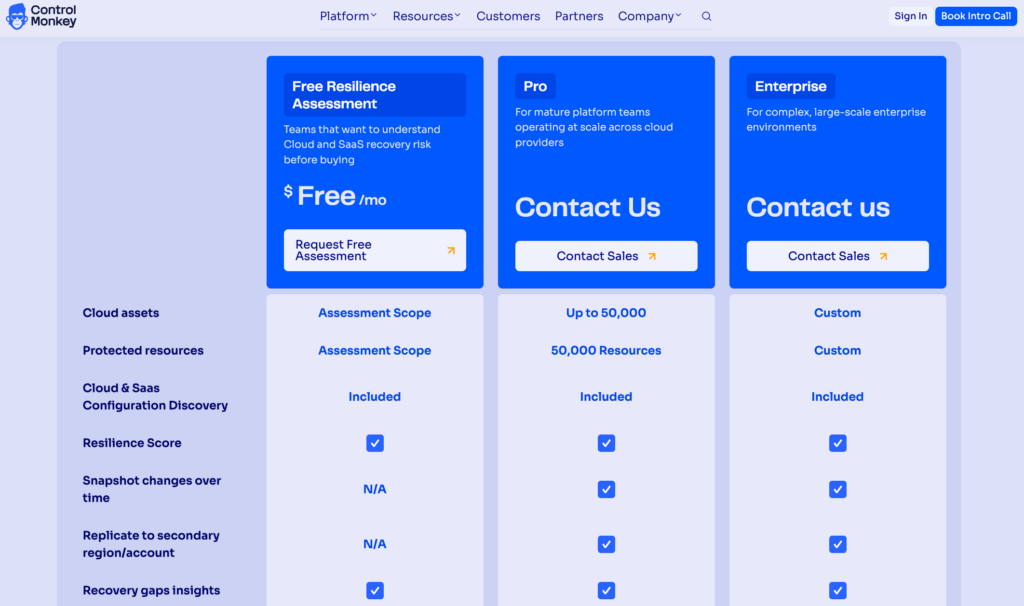
Paid plans add replication to a secondary account or region, and there’s an optional self-hosted agent for security teams that ask for one.
Pros & Cons
✅ Identifies configuration recovery gaps before an incident exposes them.
✅ Catches drift and ClickOps.
✅ Auditable configuration change history, backed by versioned snapshots.
✅ Restores or reconciles configuration to a previous known-good state, with dependencies handled.
✅ Recovery readiness reports show backup coverage and recovery gaps for business continuity reviews.
✅ Free Cloud DR Assessment runs read-only, with no agents and no production impact.
❌ Doesn’t provide full GRC workflows, broad compliance posture scoring, enterprise-wide evidence collection, or auditor workflow management, which stay with a GRC or compliance automation platform.
❌ Doesn’t cover vulnerability management, broad workload security, data compliance and classification, or full identity security posture management, which stay with a CNAPP or CSPM.
Cloud Compliance Tool #2: Wiz
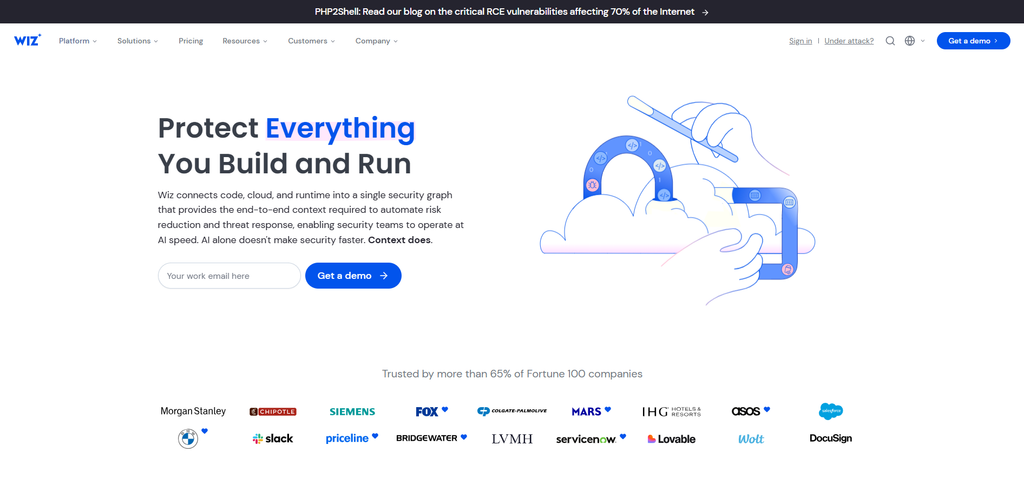
Wiz connects cloud configuration and runtime signals in a single security graph to find the risk combinations most likely to lead to a breach.
Large security teams with multi-cloud estates get the most from it, and Wiz, now part of Google Cloud, counts more than 65% of Fortune 100 companies as users.
Wiz Features
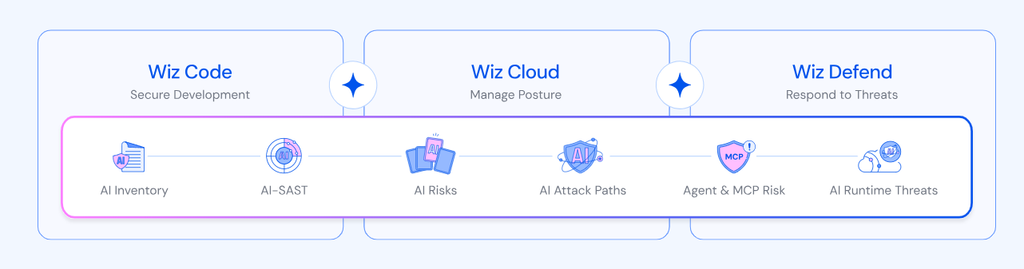
- Wiz Security Graph and attack path analysis: Wiz maps how cloud resources and identities connect, then ranks the risk combinations most likely to lead to a breach in one prioritized list.
- Compliance mapping: Wiz maps risks and findings to certifications and compliance requirements, which customers cite as a way to prioritize audit work.
- Wiz Green agent and Wiz Red agent: The Wiz Green agent turns risks into code fixes and opens pull requests, and the Wiz Red agent runs automated penetration testing to confirm which attack paths are exploitable.
Wiz Pricing
Wiz Cloud is priced by workloads protected and Wiz Code by active developers.
Wiz Defend is licensed on logs ingested and runtime sensors deployed.
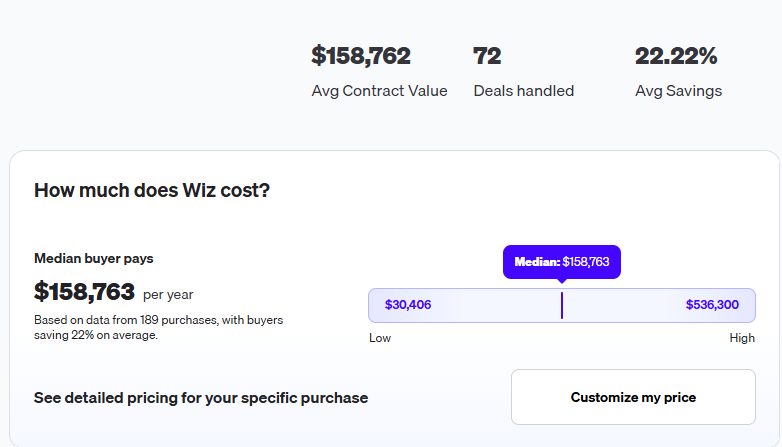
According to 3rd-party data from Vendr, the median buyer pays $158,763/year, with deals ranging from $$30,406 to $536,300/year.
Wiz Pros & Cons
✅ Ranks combined risks ahead of isolated findings.
✅ Fixes arrive as pull requests from the Wiz Green agent.
✅ One product family covers development pipelines and running cloud workloads.
❌ At a Vendr median of $158,762/year, Wiz costs well above the compliance automation tools on this list.
❌ Each Wiz module is licensed on a different unit, from workloads protected to active developers.
Cloud Compliance Tool #3: Vanta
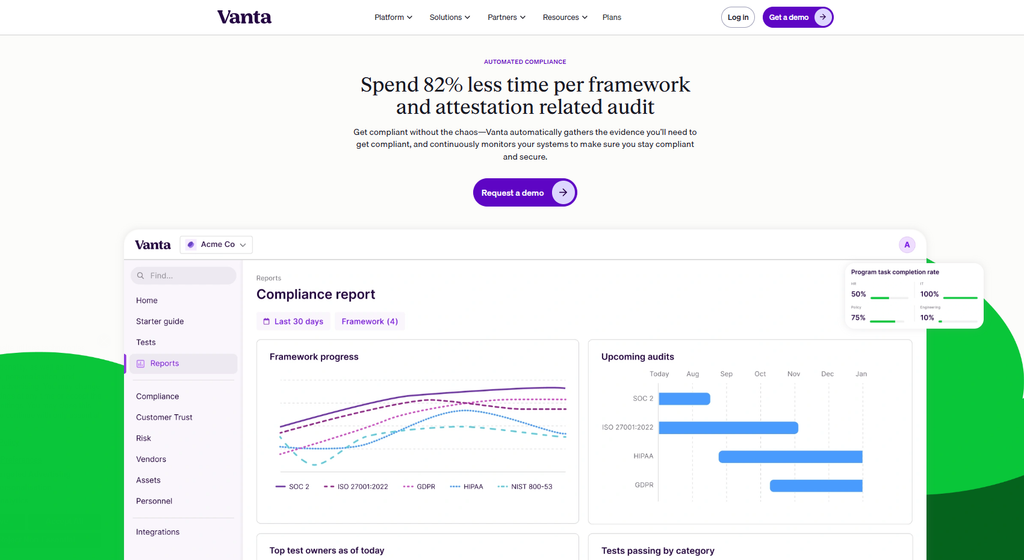
Vanta automates audit evidence collection and continuous control monitoring across more than 35 frameworks, from SOC 2 and ISO 27001 to HIPAA and DORA.
I’d point startups facing their first SOC 2 audit toward Vanta, though its 16,000 customers include plenty of enterprise security teams too.
Vanta Features
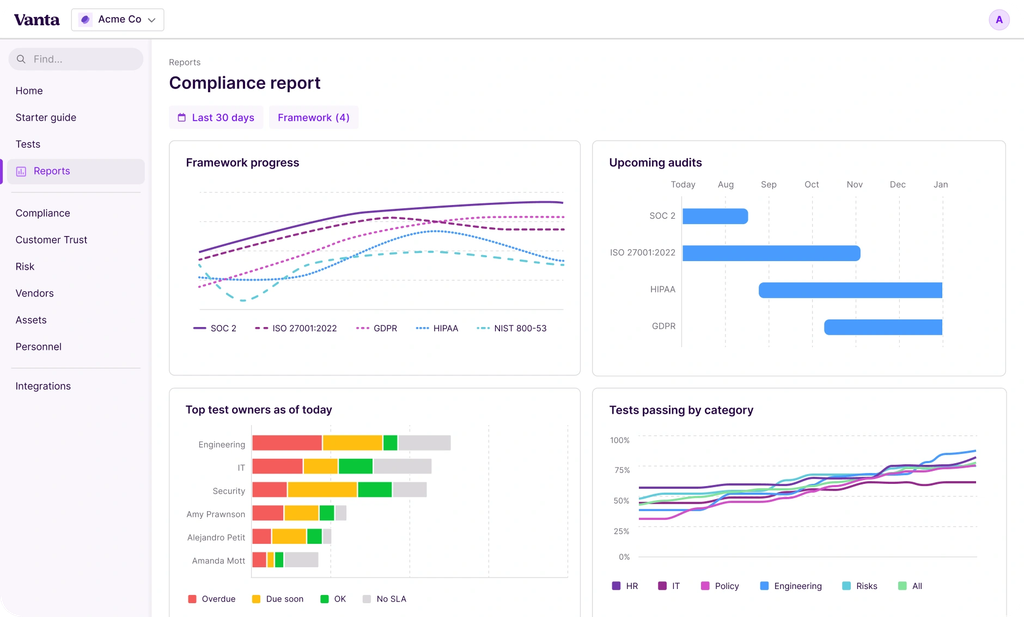
- Automated evidence collection and monitoring: More than 1,400 hourly tests across more than 400 integrations gather audit evidence and flag failing controls.
- Vanta Agent: Vanta’s AI agent drafts policies and works through security questionnaires on your team’s behalf.
- Cross-mapped controls and Trust Center: One piece of control work can count toward several frameworks, and the Trust Center shows customers your passing controls in real time.
Vanta Pricing
Vanta offers four plans, Essentials, Plus, Professional, and Enterprise, all priced on request.
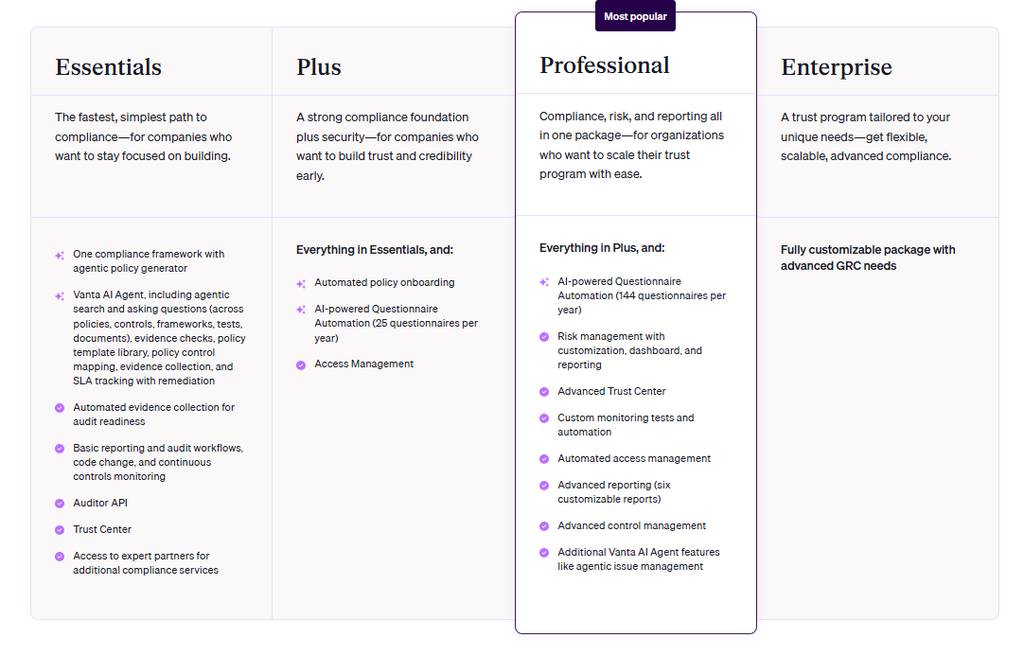
According to 3rd-party data from Vendr, the median buyer pays $20,000/year.
Vanta Pros & Cons
✅ Framework coverage runs from SOC 2 through DORA and NIS2.
✅ Hourly tests keep control status current between audits.
✅ Built-in network of auditors and service partners.
❌ AI-powered questionnaire automation is an add-on on Essentials and capped at 25 questionnaires a year on Plus.
❌ Custom monitoring tests and advanced reporting only start on the Professional plan.
Cloud Compliance Tool #4: Palo Alto Networks Cortex Cloud
Cortex Cloud is Palo Alto Networks’ CNAPP, checking cloud-native applications against compliance standards and security risks from code through runtime.
Enterprises already running Palo Alto Networks in the SOC will find it the easiest fit, since cloud security and SOC workflows share one platform.
Cortex Cloud Features
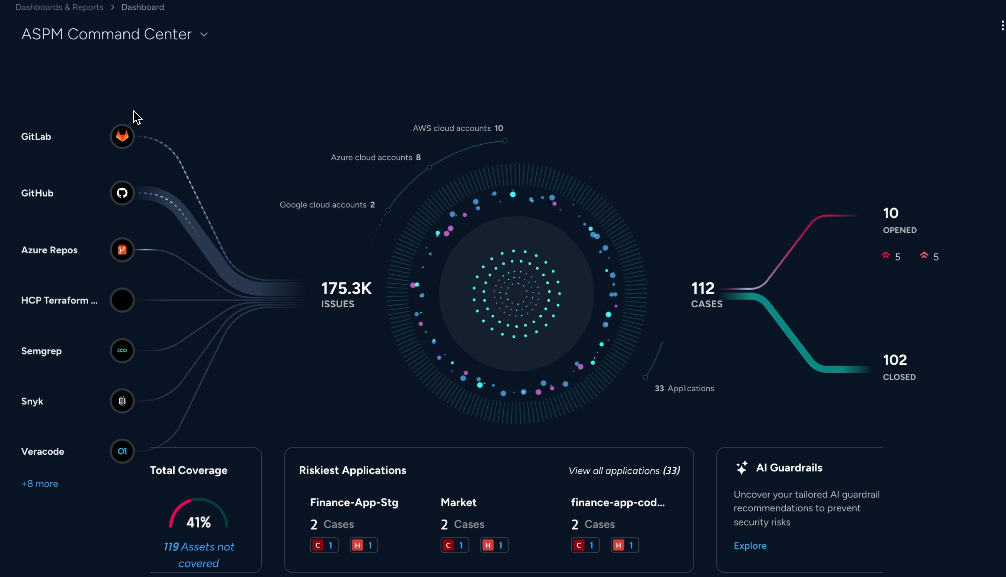
- Compliance catalog and assessment profiles: You pick standards from a compliance catalog and run them against assets through assessment profiles, with PDF or CSV reports you can schedule by email.
- Compliance score: Cortex Cloud expresses compliance as the percentage of assessed controls that pass, calculated at the rule, control, category, and standard levels.
- AI-powered CSPM and Agentic Assistant: Misconfigurations and vulnerabilities are prioritized and remediation can be automated. The Agentic Assistant answers questions and builds XQL queries in natural language.
Cortex Cloud Pricing
Veeam Data Platform is quote-based and licensed per workload through the Veeam Universal License, and Veeam’s packaging page lists three editions with no public prices as of September 2026:
Cortex Cloud Pros & Cons
✅ The compliance score formula is documented down to individual controls.
✅ Scheduled compliance reports in PDF or CSV.
✅ Cloud security and SOC teams work from one platform.
❌ Compliance assessment results can take up to six hours to generate, according to its docs.
❌ A single failed rule marks the whole control as failed for that asset, which can pull the compliance score down quickly, according to its docs.
Cloud Compliance Tool #5: Drata
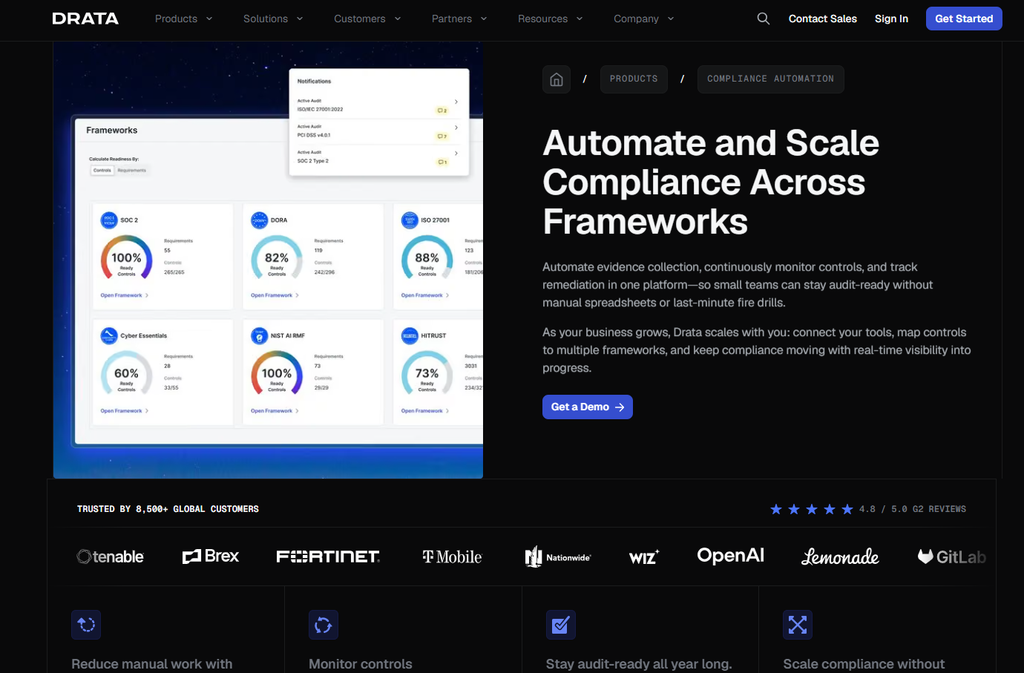
Drata pairs compliance automation with enterprise GRC, so controls, risks, policies, and evidence are managed in one system.
From what I’ve seen, Drata suits compliance teams working across several business units or regions, and it serves more than 8,500 customers.
Drata Features
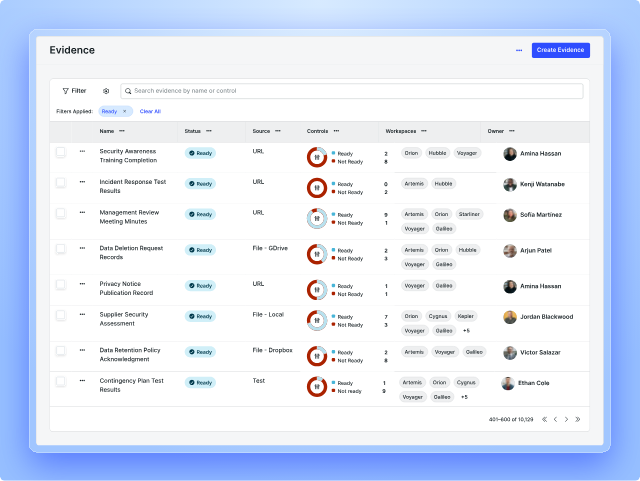
- Enterprise GRC: Controls, risks, policies, and evidence are kept in one system, and a control mapped once can be reused across frameworks.
- Compliance Automation and Audit Hub: Automated evidence collection and continuous control monitoring keep teams audit-ready, and the Audit Hub gives auditors one secure place for evidence requests and approvals.
- AI Agent Governance: This newer module, in limited availability, discovers AI agents running in your environment and enforces policies before an agent’s action executes.
Drata Pricing
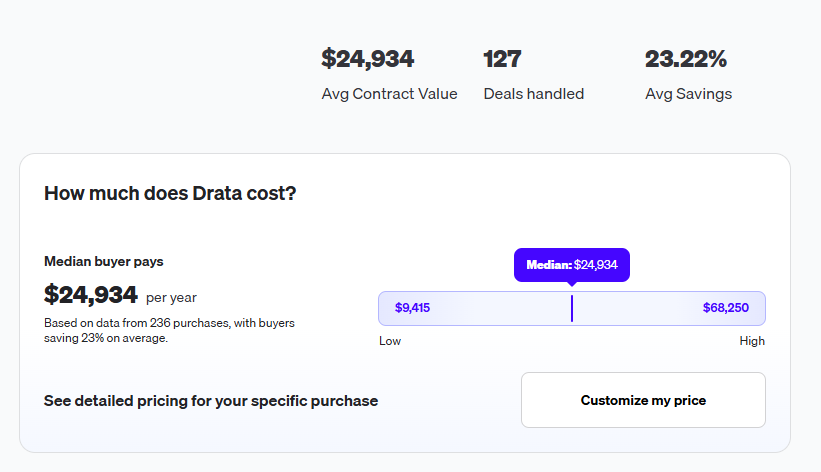
Drata’s pricing is custom, so you’ll have to contact them to get a demo and a quote.
According to 3rd-party data from Vendr, the median buyer pays $24,934/year.
Drata Pros & Cons
✅ More than 30 pre-mapped frameworks.
✅ Auditors get direct, secure access to evidence through the Audit Hub.
✅ Continuous monitoring flags compliance drift before it turns into an audit finding.
❌ Vendr’s median contract for Drata runs about a quarter higher than Vanta’s.
❌ AI Agent Governance is still in limited availability.
Cloud Compliance Tool #6: Orca Security
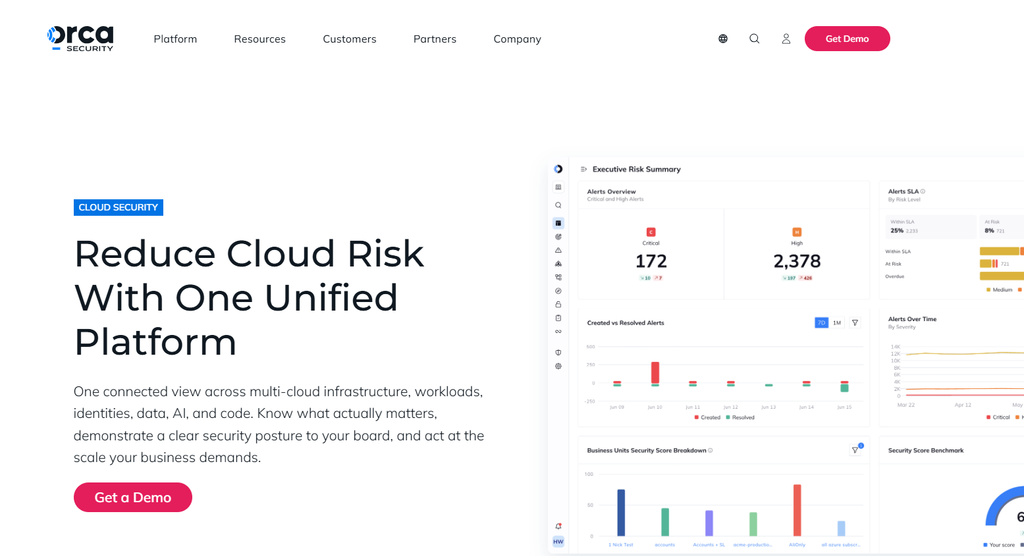
Across five clouds, including Alibaba Cloud and Oracle Cloud, Orca Security scans workloads, configurations, identities, and data, then maps the findings to compliance frameworks out of the box.
Security teams that need wide coverage fast are its natural audience, with an average deployment time Orca puts at under 30 minutes.
Orca Security Features
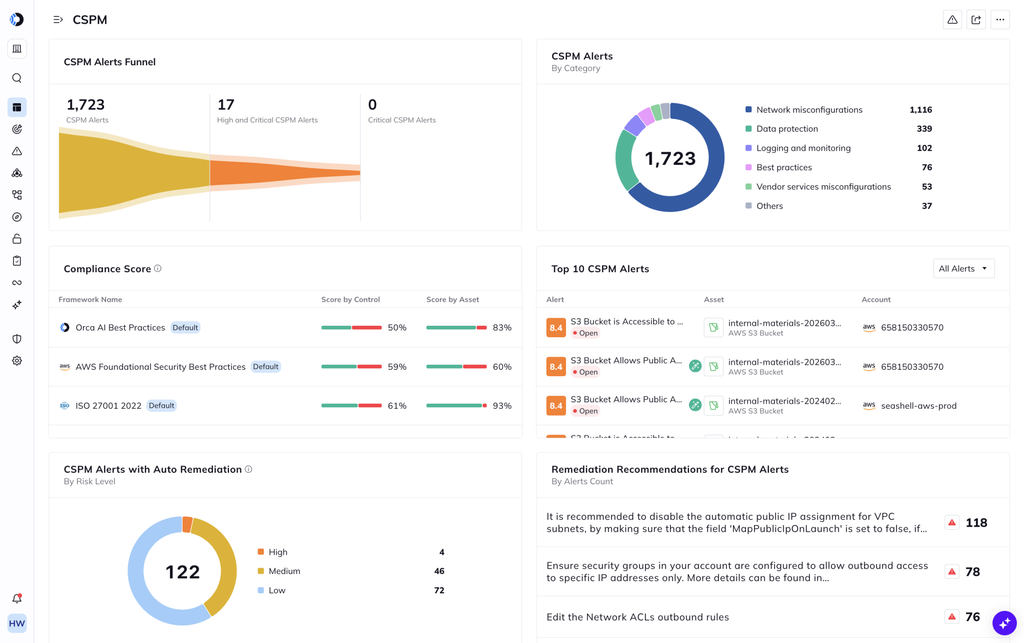
- Orca SideScanning: SideScanning covers every workload in a connected cloud account, and the optional Orca Sensor adds runtime observability and protection where you need it.
- Out-of-the-box compliance: Environments are mapped against PCI DSS, HIPAA, SOC 2, CIS, NIST, ISO 27001, and other frameworks with no custom setup, and reports download in one click.
- Risk prioritization: The Unified Data Model and dynamic scoring connect related findings into attack paths, so they’re scored as one exposure.
Orca Security Pricing
Orca Security’s pricing is custom, and Vendr notes that purchases run through AWS or a reseller.
According to 3rd-party data from Vendr, the median buyer pays $95,202/year, with deals ranging from $16,380 to $208,794/year.
Orca Security Pros & Cons
✅ Findings map to specific control requirements before an audit.
✅ Supports Alibaba Cloud and Oracle Cloud as well.
✅ Quick to deploy.
❌ Advanced cloud detection and response needs the Orca Sensor deployed to workloads.
❌ Vendr records Orca Security deals running as high as $208,794/year.
Cloud Compliance Tool #7: Microsoft Defender for Cloud
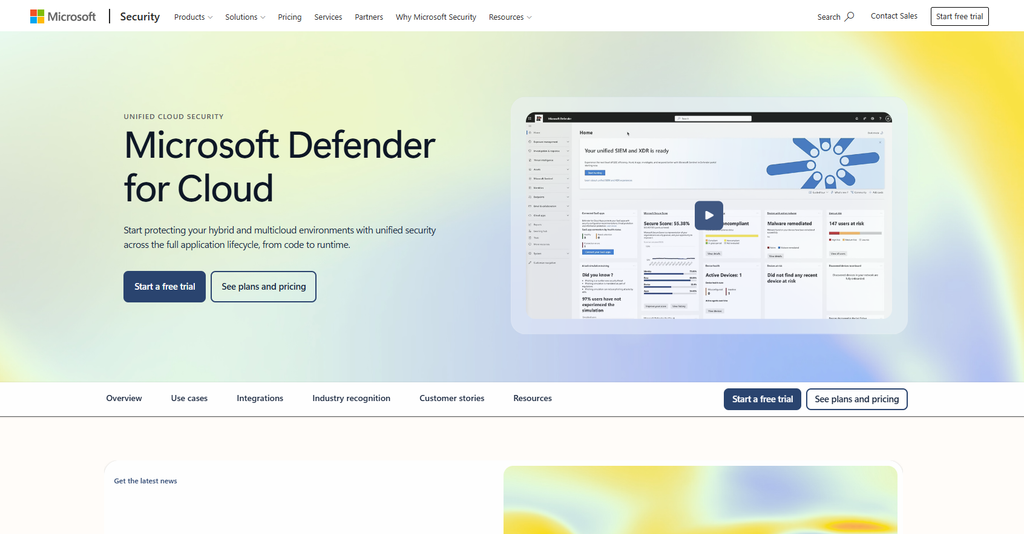
Microsoft Defender for Cloud combines posture management and workload protection, with free posture checks across Azure and connected AWS and Google Cloud accounts.
For organizations that already run most workloads on Azure, it’s ideal to start here before paying for another tool.
Microsoft Defender for Cloud Features
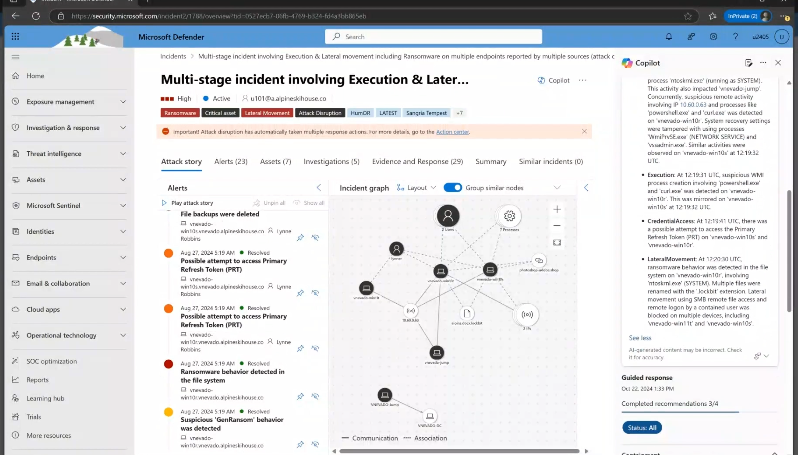
- Foundational CSPM and secure score: The free tier provides continuous assessments, security recommendations, a secure score, and the Microsoft cloud security benchmark across connected clouds.
- Regulatory compliance in Defender CSPM: The paid Defender CSPM plan adds regulatory compliance checks against security standards, plus governance rules that assign remediation tasks to resource owners.
- Attack path analysis and cloud security explorer: Defender CSPM models potential attack paths and lets you query a map of your environment to find risks before changes go live.
Microsoft Defender for Cloud Pricing
Foundational CSPM is free.
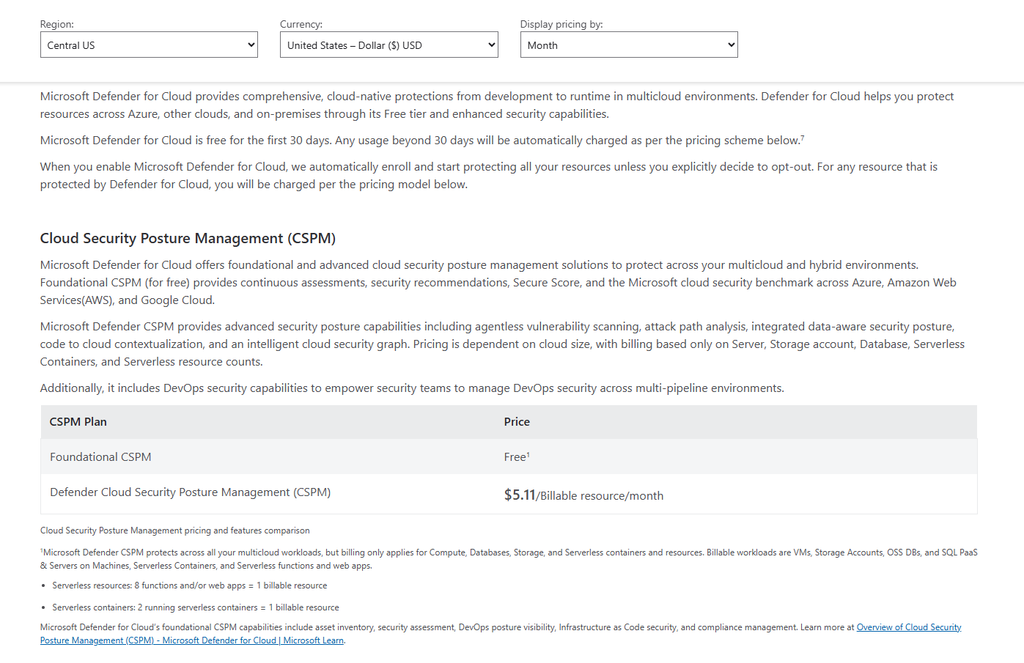
Defender CSPM costs $5.11 per billable resource per month, with billing limited to compute, database, storage, and serverless resources.
Workload protection is priced per plan, for example $4.906 per server per month for Defender for Servers Plan 1, $14.60 for Plan 2, $10 per storage account for Defender for Storage, and $0.25 per vault for Defender for Key Vault.
Microsoft also offers Defender Workload Unit pricing at $5.00 per unit per month, covering workloads from servers and databases to APIs and Key Vault.
Microsoft offers a 30-day free trial, after which usage is charged automatically.
A 1-year pre-purchase plan cuts up to 22% off pay-as-you-go prices, with commit tiers from $4,500 to $273,000.
Prices are Microsoft’s US-dollar estimates for the Central US region.
Microsoft Defender for Cloud Pros & Cons
✅ Free posture management tier.
✅ Works natively with Microsoft Defender XDR and Microsoft Sentinel.
✅ Pay-as-you-go billing, with up to 22% off through a 1-year pre-purchase plan.
❌ Some features now run in the Defender portal and others remain in the Azure portal, and teams may need both during Microsoft’s transition.
❌ Attack path analysis, the cloud security explorer, governance rules, and regulatory compliance checks beyond the built-in Microsoft cloud security benchmark require the paid Defender CSPM plan.
Cloud Compliance Tool #8: Secureframe
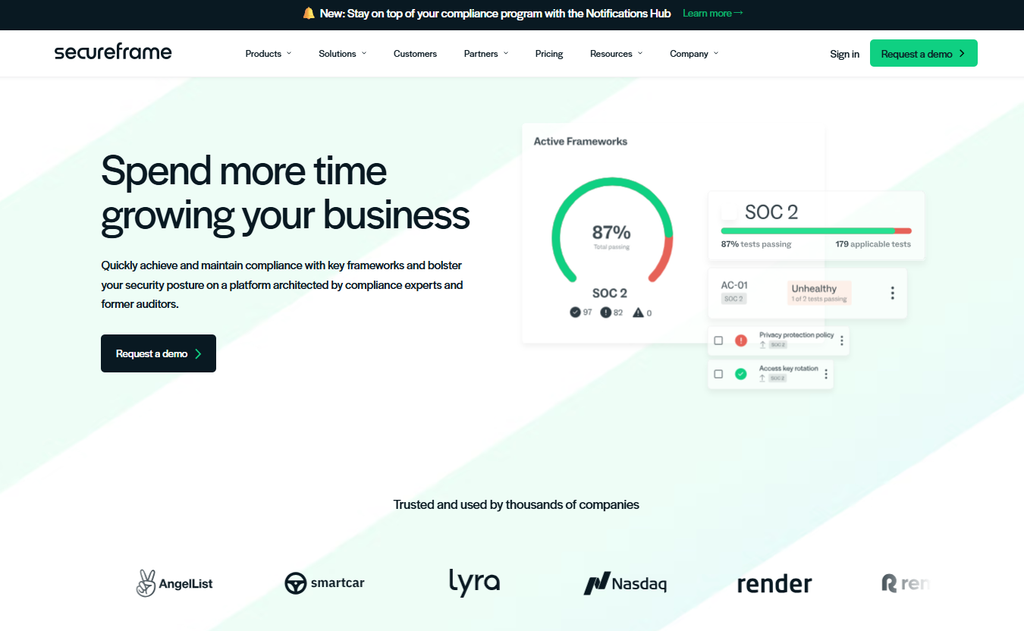
Secureframe handles evidence collection and control monitoring automatically, then backs that up with more than 30 in-house compliance specialists, including former auditors.
Small teams heading into a first audit get the most from that hands-on help, and defense contractors have a dedicated CMMC product.
Secureframe Features
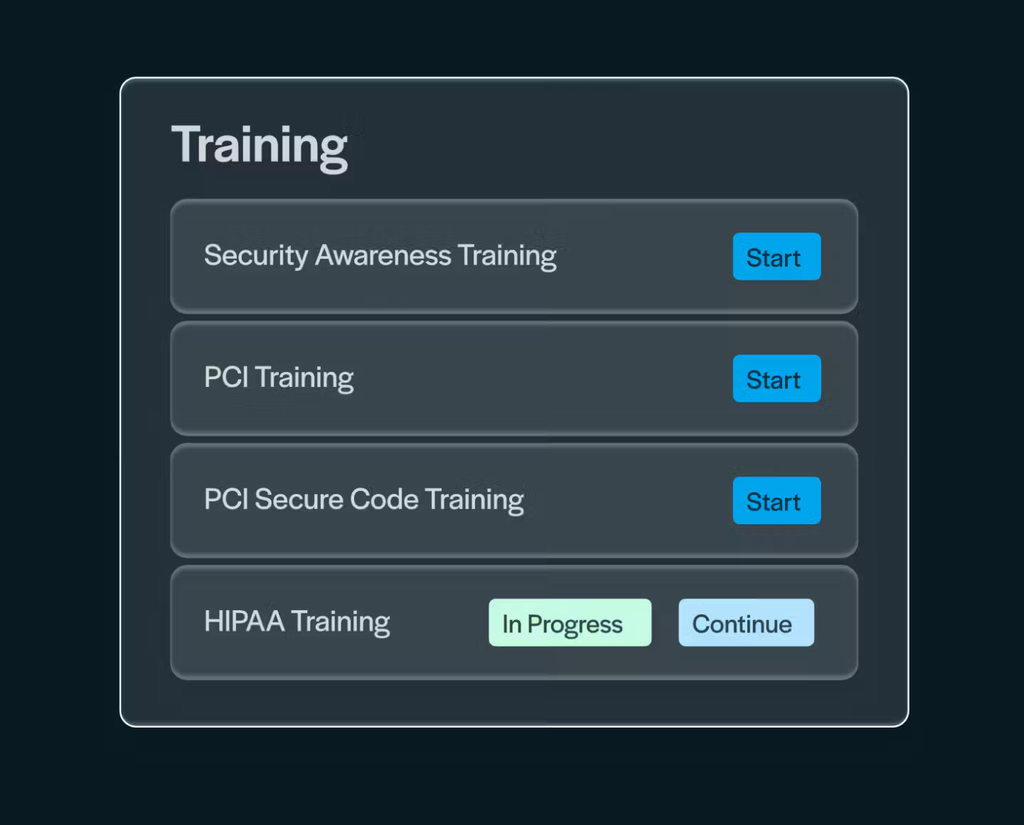
- Secureframe Comply: Evidence collection and continuous control monitoring cover SOC 2, ISO 27001, HIPAA, PCI DSS, GDPR, NIST, and custom frameworks.
- Comply AI: Comply AI for Remediation and Comply AI for Risk bring AI into remediation and risk management tasks.
- Secureframe Defense for CMMC: The Defense package adds an SPRS Score Tracker, System Security Plan support, POA&M management, and a Managed CUI Enclave.
Secureframe Pricing
Secureframe Fundamentals starts at $7,500/year for one framework, and the Complete and Defense packages are quoted on request.
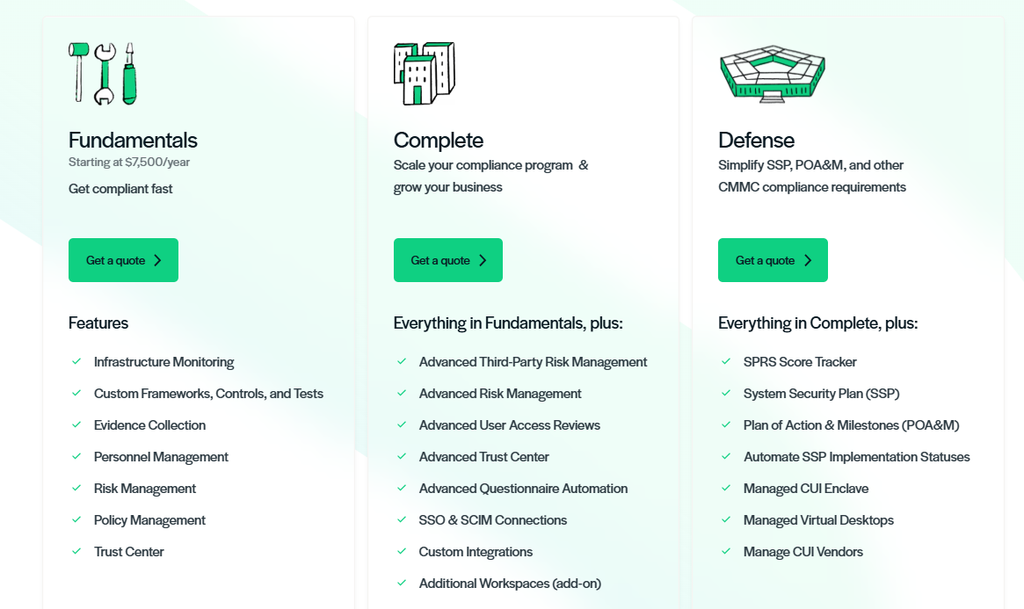
Complete adds advanced third-party risk management, advanced user access reviews, SSO and SCIM connections, and custom integrations.
Secureframe Pros & Cons
✅ Public starting price of $7,500/year.
✅ Guidance from former auditors on staff.
✅ Dedicated product for CMMC and controlled unclassified information.
❌ Fundamentals includes one custom automated test, against unlimited custom tests on Complete.
❌ Advanced questionnaire automation and advanced risk management are reserved for the Complete package.
Cloud Compliance Tool #9: Qualys TotalCloud
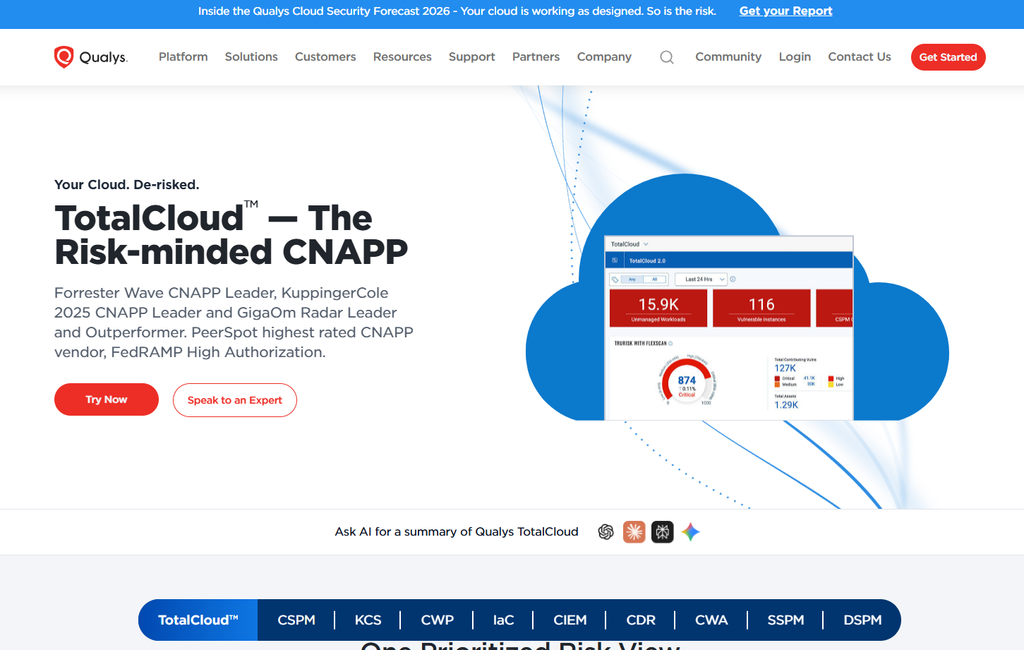
Qualys TotalCloud scores cloud and SaaS risk with TruRisk, drawing on modules that span CSPM, container security, CIEM, CDR, and SSPM.
I find it fits organizations that already measure risk in the Qualys Enterprise TruRisk Platform and want cloud findings in the same view.
Qualys TotalCloud Features
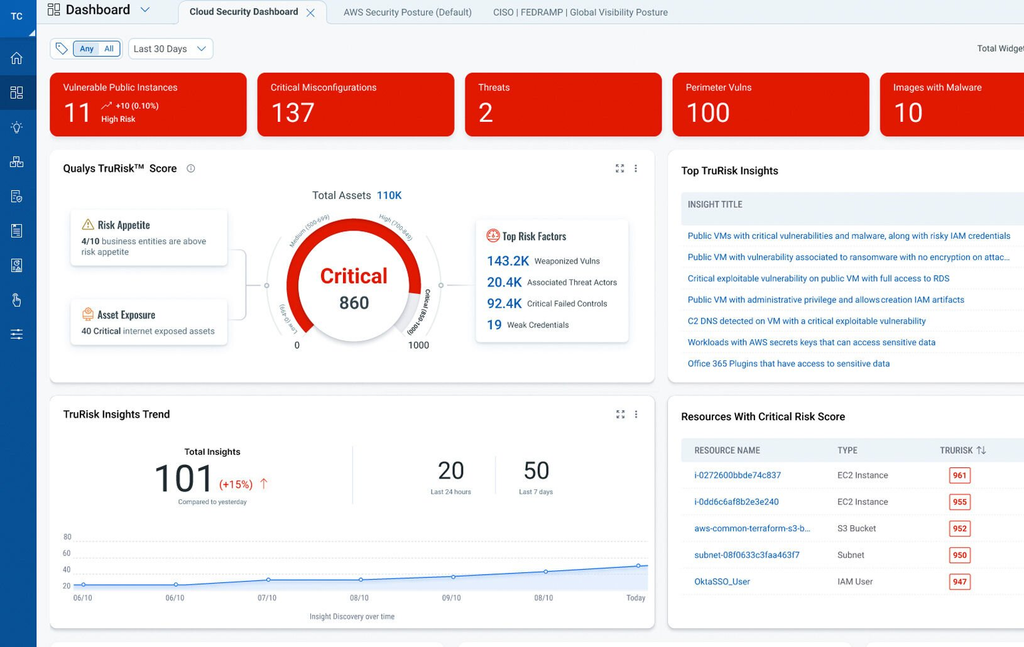
- CSPM with framework mappings: TotalCloud checks both live cloud resources and IaC templates against frameworks such as PCI DSS 4.0, HIPAA 2023, NIST 800-53, and DORA, with automated evidence collection and audit-ready dashboards.
- TruRisk prioritization: TruRisk combines vulnerabilities, misconfigurations, entitlements, and threat intelligence into one risk score, and Qualys says it cuts noise by 95%.
- QFlow automation: More than 300 prebuilt no-code workflows handle patching and drift correction, with integrations into ServiceNow and Jira.
Qualys TotalCloud Pricing
TotalCloud is licensed through Qualys Units (QLUs), which can be reallocated between modules such as CSPM and SSPM.
Qualys doesn’t list TotalCloud prices on its product page, and it offers a 30-day free trial.
Qualys TotalCloud Pros & Cons
✅ FedRAMP High Authorization.
✅ QLUs can move between modules without repurchasing.
✅ SSPM evaluates more than 2,000 SaaS resource types against more than 40 standards.
❌ Pricing isn’t public, and total cost depends on the QLU allocation you agree with Qualys.
❌ Real-time threat detection depends on eBPF-based runtime monitoring running on workloads.
Cloud Compliance Tool #10: Sprinto
Sprinto watches for changes across your compliance posture and acts on them, covering compliance, vendor risk, AI governance, and risk management in one autonomous trust platform.
I’d normally recommend Sprinto to companies between Series A and enterprise that want compliance to run with less manual work, and it lists more than 4,000 customers.
Sprinto Features
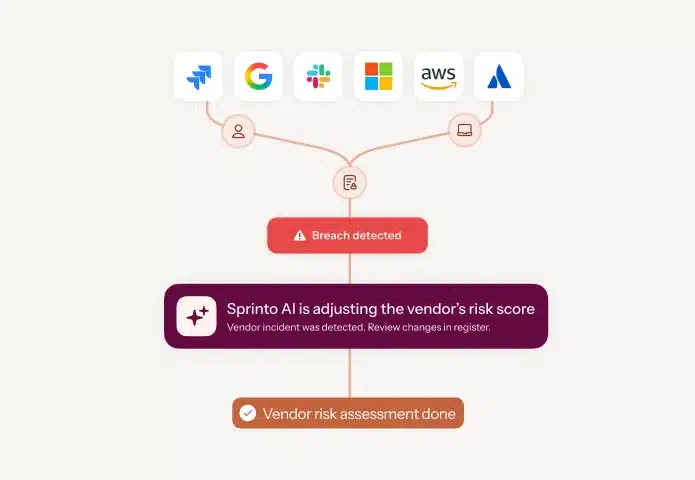
- Continuous Compliance: Sprinto catches drift and keeps control mappings and evidence current across more than 300 integrations.
- Unified Commitments: Available as an add-on, Unified Commitments turns frameworks, regulations, contracts, and internal policies into machine-readable controls mapped to your environment.
- Autonomous TPRM: Sprinto analyzes vendor documents and monitors vendor breaches automatically.
Sprinto Pricing
Sprinto offers Foundation and Growth plans with custom pricing, so you’ll have to contact them to get a demo and a quote.
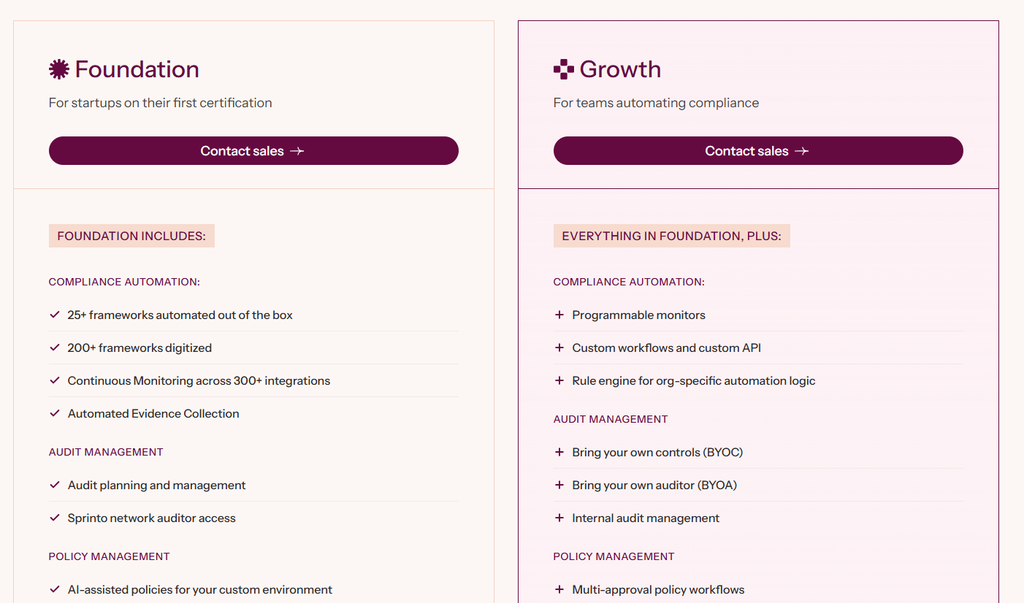
Foundation includes continuous monitoring across more than 300 integrations, audit management, vendor risk management, and AI-powered security questionnaire automation for 20 questionnaires a year.
Sprinto Pros & Cons
✅ More than 25 frameworks automated out of the box, with more than 200 digitized.
✅ Up to 90% evidence reuse when expanding to a new standard.
✅ Weekend support for priority issues on the Growth plan.
❌ Programmable monitors and custom workflows require the Growth plan.
❌ Unified Commitments, enterprise risk management, enterprise vendor risk management, and multiple business units (Zones) are sold as add-ons.
What do cloud compliance frameworks require for recovery?
All nine frameworks expect a documented way to restore critical services, and most expect you to test it on a schedule.
Here’s what each one asks for, and where the cloud configuration behind your services fits in:
DORA (EU)
DORA applies to EU financial entities and has been in force since 17 January 2025:
- Article 11 requires ICT business continuity plans and ICT response and recovery plans, tested at least yearly and after substantive changes to systems that support critical or important functions.
- Article 12 adds backup policies with restoration and recovery procedures that are tested periodically.
- Article 11 also asks firms to keep readily accessible records of activities during disruptions, and versioned configuration history can support those records.
NIS2 (EU)
NIS2 covers essential and important entities in sectors such as energy, transport, health, and digital infrastructure, and it applies through each EU member state’s national law.
Article 21(2)(c) lists business continuity, such as backup management and disaster recovery, and crisis management among the minimum risk-management measures.
PRA and FCA operational resilience rules (UK)
The rules cover in-scope UK firms such as banks, building societies, insurers, and payment institutions.
Firms set an impact tolerance for each important business service, and since 31 March 2025 they must be able to stay within it during a severe but plausible disruption.
Scenario testing is how firms show they can meet that bar.
APRA CPS 230 (Australia)
APRA-regulated entities such as banks, insurers, health insurers, and superannuation trustees have been subject to CPS 230 since 1 July 2025, with some business continuity obligations phased in for smaller entities on 1 July 2026.
Entities must keep critical operations within Board-approved tolerance levels through severe disruptions.
Their business continuity plans need a systematic testing program that includes an annual exercise.
NYDFS Part 500 (New York)
Part 500 covers financial services companies regulated by the New York State Department of Financial Services, with a limited exemption for smaller entities.
Section 500.16 requires business continuity and disaster recovery plans, and covered entities outside the exemption must test their ability to restore critical data and information systems from backups at least annually.
ISO 22301
ISO 22301:2019 is the international standard for business continuity management systems, and organizations certify against it voluntarily.
It requires business continuity plans and an exercise programme that tests them.
SOC 2
SOC 2 reports follow the AICPA Trust Services Criteria, and the Availability category is optional.
Criterion A1.2 covers data backup processes and recovery infrastructure, and A1.3 requires testing of recovery plan procedures.
Even without Availability in scope, the common criteria include recovery from identified security incidents (CC7.5).
ISO 27001
ISO 27001:2022 Annex A includes control A.8.13, which requires backup copies to be maintained and regularly tested, and A.5.30 on ICT readiness for business continuity.
NIST SP 800-53 Rev. 5 (US)
NIST SP 800-53 Rev. 5 is the security and privacy control catalog for US federal information systems, and FedRAMP baselines for cloud services build on it.
Controls CP-9 and CP-10 cover system backup and system recovery and reconstitution, and CP-4 requires testing the contingency plan.
CM-2(3) goes further, requiring organizations to retain previous configurations so they can roll back.
NIST CSF 2.0
NIST released Cybersecurity Framework 2.0 in February 2024, and Recover is one of its six functions.
Its RC.RP category covers executing incident recovery plans, including restoring systems and services to operational status.
PR.DS-11 adds that backups of data should be created, protected, maintained, and tested.
HIPAA Security Rule (US)
Covered entities and business associates that handle electronic protected health information need a contingency plan under 45 CFR 164.308(a)(7).
Data backup and disaster recovery plans are required parts of it, alongside an emergency mode operation plan, while testing and revision procedures are addressable.
A proposed update, published in January 2025, would make all of these specifications mandatory and require written procedures to restore critical systems and data within 72 hours, but HHS hasn’t finalized it, and the federal regulatory agenda currently targets July 2027.
Across all eleven, configuration is part of what has to come back, which is why I’d keep versioned configuration snapshots next to your data backup evidence.
Make Cloud Compliance Recoverable With ControlMonkey
Audits get difficult when an incident has already happened and someone asks how long recovery took.
Regulators now test whether you can actually restore, from DORA’s periodic restoration testing to New York’s annual restore test.
For cloud workloads, an honest answer depends on DNS records, IAM policies, identity provider settings, and network rules that data backup plans often leave out.
The reality is that data recovery alone is not business recovery.
My advice is to treat configuration as part of your compliance evidence, the same way you treat data backups.
ControlMonkey keeps the cloud and SaaS configurations your services depend on as daily versioned snapshots, each one recoverable to a known-good state.
When an auditor asks what changed before an incident, you can show it.
And if a configuration breaks, your team restores it from a trusted snapshot without a manual rebuild.
That recovery layer is what ControlMonkey adds to the compliance stack you already run, alongside your posture and GRC tools.

A 30-min meeting will save your team 1000s of hours
A 30-min meeting will save your team 1000s of hours
Author