
Your data backup worked. The restore finished. And your application is still down. The files came back, but the IAM roles, DNS records, and network rules that make those files reachable did not. That gap is the reason a modern multi-cloud backup strategy has to protect more than data.
Running production across two or more providers spreads your workloads over AWS, Azure, GCP, and a dozen SaaS platforms. It also spreads your risk. Every provider you add is another set of identity, network, and policy settings that has to survive an outage. This guide covers what multi-cloud backup is, how it works, its benefits and challenges, and where traditional tools fall short – plus how to close the gap they leave behind.
TL;DR: FCA Operational Resilience
- Multi-cloud backup protects both data and configuration across two or more cloud providers and SaaS platforms.
- The hard part is not copying data. It is visibility, policy drift, and recovery confidence across clouds.
- Traditional backup restores data, not the configuration required to operate.
- A complete multi-cloud backup strategy covers the configuration layer, sets recovery objectives, and tests restores.
- ControlMonkey complements your backup stack by making cloud and SaaS configuration recoverable.
What Is Multi-Cloud Backup, and How Does It Work?
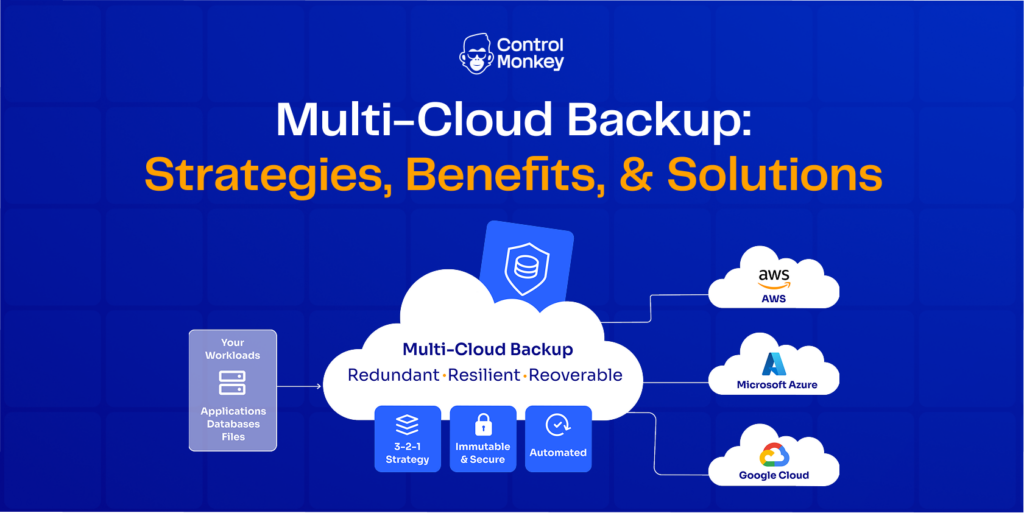
Multi-cloud backup is the practice of capturing recoverable copies of your data and configuration across two or more cloud providers, then storing them so you can restore either one after an incident. It protects against provider outages, ransomware, and human error.
How does it work? A backup system discovers your resources, captures point – in – time copies on a schedule, stores those copies in separate locations, and restores them when something breaks. The data half is well understood, and most vendors handle it competently. The configuration half – the identity, network, and policy settings your workloads depend on – is where most setups leave gaps.
Multi-cloud Backup vs Cross-Cloud Backup vs Hybrid Backup
These terms get mixed up often, so here is the distinction:
- Multi-cloud backup: protecting workloads that already run across several cloud providers, each with its own accounts and services.
- Cross-cloud backup: deliberately storing a copy in a different cloud than the source, so one provider’s failure cannot take out both the primary and the backup.
- Hybrid backup: protecting data that spans on – premises systems and public cloud together.
Many backup tools treat all three as a placement problem and stop at the data layer. That is where recovery plans quietly break.
How Multi-Cloud Backup Works
A reliable multi-cloud backup process moves through five stages. Treat each one as a checkpoint, not a one – time setup task.
Step 1: Discover. Inventory every resource and configuration across your clouds and SaaS platforms, including assets managed by Infrastructure as Code and the ones created by hand.
Step 2: Snapshot. Capture versioned, point – in – time copies of both data and configuration. Each snapshot becomes a known – good recovery point you can return to.
Step 3: Store. Keep copies in more than one location. The 3 – 2 – 1 rule still applies: three copies, two types of storage, one off – site, ideally off-cloud and immutable.
Step 4: Recover. Restore the affected data and the configuration required to run it. Recovering one without the other leaves you halfway home.
Step 5: Review and govern. Test your restores, track configuration drift, and confirm what is actually protected before an incident forces the question.

The order matters. Skip discovery and you protect only what you already know about. Skip the review stage and you never learn whether a restore works until you need it. A multi-cloud backup strategy is a loop you run continuously, not a checklist you complete once.

Not sure which parts of your multi-cloud configuration are actually recoverable?
Benefits of a multi-cloud Backup Strategy
A well – designed multi-cloud backup strategy does more than duplicate files. It changes how much risk your business carries. Spreading protection across providers pays off in several ways:
- No single – vendor lock – in. Your recovery plan does not depend on one provider’s tooling, pricing, or roadmap, so you keep leverage and flexibility.
- Resilience against provider and region outages. When one cloud degrades, a copy lives somewhere else, and operations continue instead of stalling.
- Data sovereignty and compliance. You place copies in the regions your regulations require, which simplifies audits for frameworks such as SOC 2 and ISO 27001.
- Ransomware blast radius reduction. A clean copy outside the compromised cloud gives you a trusted starting point for recovery.
- Cost and performance flexibility. You match each workload to the provider that serves it best, then protect it there.
Every one of these benefits assumes the same thing: that you can actually recover the operating environment, not just the stored bytes. Redundancy without recoverability is a false sense of safety, and it is the assumption most teams never test until an incident forces them to.
Biggest Challenges of Multi-Cloud Backup Setups
Multi-cloud multiplies your surface area, and backup complexity grows with it. These are the challenges teams hit most:
- Fragmented visibility. Each provider has its own console, tooling, and logs, so no single view shows what is protected.
- Policy drift and manual changes. ClickOps edits and console tweaks never reach your code, so they never get backed up.
- Unproven coverage. Teams discover their backup gaps during an outage, not before one.
- Shared – responsibility confusion. Providers protect their infrastructure, but backing up your data and configuration is your job.
- Slow, untested restores. A secondary copy that is stale or never tested exposes you twice over.
- Cost sprawl. Storage and egress charges pile up quietly across accounts and regions.
Look closely and a pattern emerges. The root cause behind most of these challenges is the same: the configuration layer is unmanaged, undocumented, and unrecoverable. Data gets copied on a schedule, but the settings that make that data usable rarely do. When those settings vanish, no amount of restored data brings the service back on its own.
Why Traditional Multi-Cloud Backup Solutions Are Not Enough
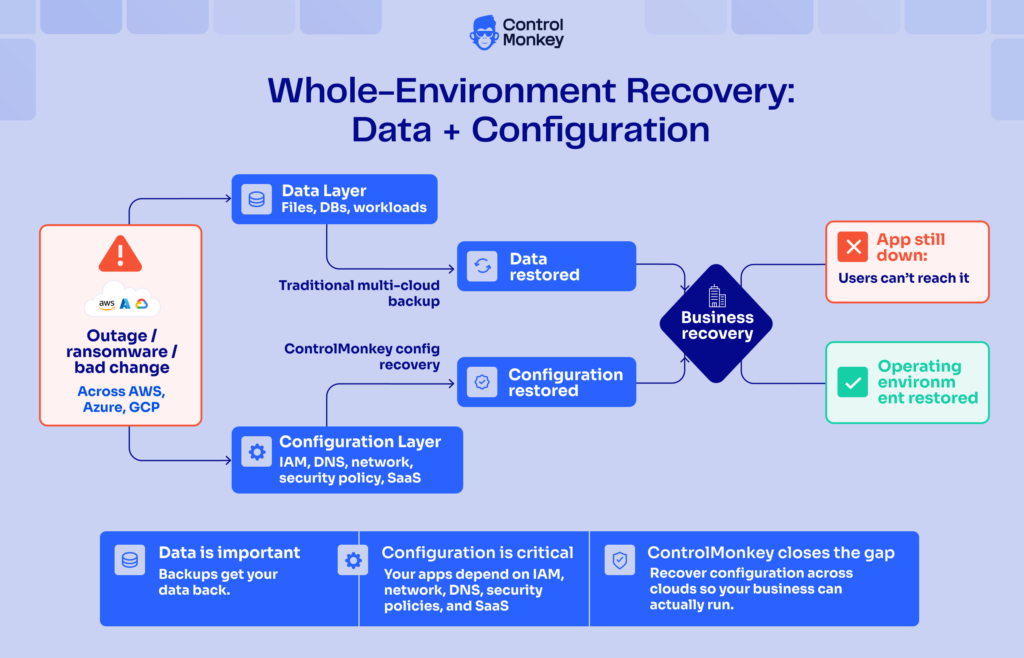
Traditional multi-cloud backup solutions restore files, databases, and workloads. They do not restore the identity settings, DNS records, networking rules, security policies, and SaaS configurations that make those workloads usable. That is the configuration required to operate, and data recovery alone does not bring it back.
The shared responsibility model makes the point plainly. As AWS explains in its shared responsibility model for resiliency, the provider keeps the cloud running, but you own the backup, versioning, and configuration of your own workloads. Provider replication mirrors your environment; it is not a backup. During a ransomware event, that synchronization can copy the damage to both sides.
Infrastructure as Code narrows the gap but does not close it. Drift, ClickOps changes, unmanaged resources, and third-party SaaS settings all live outside your code. A manually created IAM role or a console – edited DNS record never enters version control, so it stays invisible to both your IaC and your data backup. When an incident hits, none of that is captured, and your team rebuilds it by hand under pressure. Treating recovery as cloud configuration disaster recovery, not just data restoration, is what finally closes the gap.
Building an Enterprise Multi-Cloud Backup Strategy: Best Practices
An enterprise multi-cloud backup strategy is complete only when it protects the configuration layer as carefully as the data. Use this checklist:
- Cover data and configuration. Back up IAM, DNS, networking, security policies, and SaaS settings alongside files and databases.
- Follow 3 – 2 – 1, then harden it. Keep an off – cloud, immutable copy so compromised credentials cannot reach every backup.
- Standardize policy across clouds. Enforce backup frequency, retention, and recovery targets from one consistent operating model rather than per – cloud scripts. AWS shows how to centralize backup across accounts with policy – based automation.
- Set recovery objectives you can prove. Define an RTO and RPO for configuration, not only for data.
- Discover unmanaged resources continuously. Manually created assets and drift are exactly what breaks recovery.
- Test granular restores. A backup that works on paper but not in practice is not a backup.
Work through the list in order and one theme repeats: every item is a place where configuration coverage usually goes missing. For a deeper walkthrough, see ControlMonkey’s guide to cloud disaster recovery strategy.
Multi-cloud Backup Solutions: How ControlMonkey Complements Your Stack
ControlMonkey is a Cyber Resilience Platform for Cloud Configuration Disaster Recovery. It complements your existing multi-cloud backup solutions rather than replacing them. Your data backup vendor protects files, databases, and workloads. ControlMonkey protects the cloud and SaaS configuration required to make those systems operational again.
The platform continuously discovers resources across AWS, Azure, and GCP, along with identity, network, observability, and SaaS platforms. It captures versioned, known – good snapshots of your configuration, including assets that live outside Infrastructure as Code. When a change goes wrong, it restores that configuration to a known – good state, with dependency awareness that reduces manual effort during an incident. Governance dashboards then show what is protected, what changed, and where recovery gaps remain, so recovery readiness becomes something you measure instead of assume.
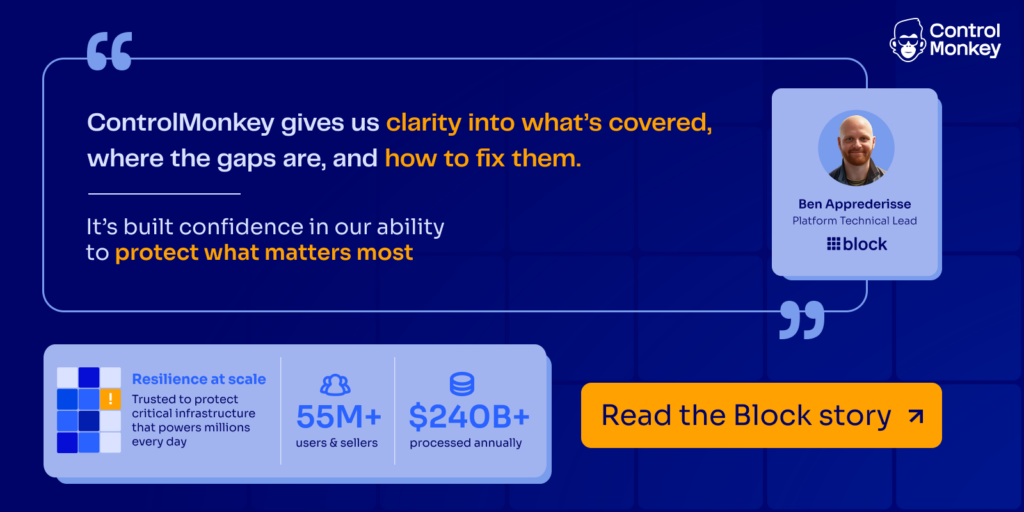
The results are concrete. Block, the fintech behind Square and Cash App, found that its data backups were solid but its infrastructure configuration had no guaranteed recovery path. After deploying ControlMonkey across its multi-cloud recovery program, Block reached 100% recoverability of its multi-cloud infrastructure and cut recovery time by roughly 90%. ControlMonkey was also named a Sample Vendor for Cloud Application Infrastructure Recovery in the 2026 Gartner® Hype Cycle™ for Backup and Data Protection Technologies, reflecting how recovery is expanding beyond data.
Multi-cloud Backup FAQ
What is the difference between multi-cloud backup and cross-cloud backup?
Multi-cloud backup protects resources and configurations across multiple cloud providers, such as AWS, Azure, and GCP. Cross-cloud backup goes a step further by storing or recovering backups across different cloud environments. ControlMonkey supports multi-cloud disaster recovery by making critical cloud configurations discoverable, versioned, and recoverable across AWS, Azure, GCP.
Is traditional data backup enough for a multi-cloud environment?
Traditional data backup is not enough for a multi-cloud environment because restoring data does not restore the configurations required to operate. ControlMonkey complements data backup by making critical cloud configurations across AWS, Azure, GCP, SaaS, identity, network, and observability systems recoverable from known-good states.
What should an enterprise multi-cloud backup strategy include?
An enterprise multi-cloud backup strategy should include protecting both data and the configurations required to operate across cloud environments. ControlMonkey complements traditional data backup by continuously protecting configurations across AWS, Azure, GCP, SaaS, identity, network, and observability systems, with versioned snapshots, known-good recovery points, and recovery readiness visibility.
Does ControlMonkey replace my multi-cloud backup tool?
ControlMonkey complements your data backup by making cloud and SaaS configuration recoverable. You keep your backup vendor for data and add configuration recovery on top.

A 30-min meeting will save your team 1000s of hours
A 30-min meeting will save your team 1000s of hours
Author