I’ll review the 10 best network backup solutions on the market in 2026 and show you which one fits your environment.
TL;DR
- The best network backup software on the market is ControlMonkey, with automated daily snapshots that capture your entire cloud network configuration as deployable Terraform code and restore it with one click.
- While most network backup tools were built to log into routers and switches over SSH, ControlMonkey backs up the cloud-native network layer through APIs: VPCs, subnets, security groups, route tables, DNS, CDN, and load balancer configurations.
- SolarWinds NCM and ManageEngine NCM remain the established commercial picks for device fleets, handling switch configuration backup, network compliance auditing, change management, and device discovery.
- BackBox and Restorepoint (now Skylar Compliance) layer heavier automation and compliance tooling on top of backup.
- Unimus and rConfig handle device config backup at low cost, Oxidized does it for free, and Auvik bundles it into a wider monitoring product. None of the four can rebuild a deleted VPC or a wiped DNS zone, though.
Disclaimer:
The tools below protect two different layers. Some back up physical device configs, others back up cloud network configurations, and I believe that a complete recovery plan needs both.
What are the 10 best network backup software in 2026?
The best network backup software in 2026 is ControlMonkey for cloud network configurations, with SolarWinds NCM and ManageEngine NCM leading the device-level field.
Here’s our complete shortlist of the 10 best solutions on the market:
| Tool | Features | Pricing |
|---|---|---|
| #1: ControlMonkey | Daily Terraform-based snapshots of cloud network configurations, one-click Time Machine recovery, backup for 30+ SaaS and third-party platforms, and real-time DR readiness dashboards. | Free Resilience Assessment. Pro and Enterprise are custom. |
| #2: SolarWinds NCM | Automated device config backup and restore, compliance auditing against DISA STIGs, FISMA, PCI, and HIPAA, change monitoring with user attribution, and bulk config deployment. | Custom pricing. 30-day free trial. |
| #3: ManageEngine NCM | Scheduled multi-vendor backups with AES 256-bit encrypted storage, real-time change detection with automatic rollback, firmware vulnerability management, and mobile apps. | Starts from $595/year. Free trial available. |
| #4: BackBox | No-code automation library with more than 3,000 prebuilt automations, AI-enabled vulnerability intelligence, support for over 180 vendors, and automated OS upgrades. | Custom pricing. |
| #5: Auvik | Cloud-based monitoring with automated device discovery and topology mapping, change-triggered config snapshots with side-by-side diffs, multi-tenant MSP management, and remote terminal access. | Custom pricing. |
| #6: Restorepoint (Skylar Compliance) | Script-free backup and one-click recovery for over 100 vendors, continuous compliance auditing, Universal Console with session recording, and virtual appliance deployment. | From $12 per device/month. |
| #7: WhatsUp Gold (Progress) | Config backup inside a monitoring platform, topology-aware alerting, unlimited encrypted config version archiving, and automated config tasks. | Per-device licensing. Config add-on priced by quote, included in Total Plus. |
| #8: rConfig | Open-source core with no device limits, three-tier multi-site architecture with failover, compliance engine, and AI copilot for config review. | Free core. V8 Pro at €2,499/license per year. |
| #9: Unimus | Backup for over 450 device types from 160 vendors, network-wide configuration search, color-coded config diffs, and a built-in device CLI. | Free for 10 devices. From $6.90/device/year. |
| #10: Oxidized | Git-native version history with blame tracking, syslog-triggered backups on config change events, RESTful API, and support for over 130 OS types. | Free and open source. |

Can You Restore Your Network Without Tribal Knowledge?
When key engineers are unavailable, recovery becomes risky. ControlMonkey helps teams back up, track, and restore critical network configurations with confidence.
Why should you have network backup software?
Network backup software automatically saves copies of your network configurations, including device configs, routing policies, firewall rules, and DNS records, so they can be restored after loss or corruption.
Without it, common failure events have no fast recovery path:
- A failed firmware upgrade can leave a core switch with an empty startup config.
- An unauthorized console change can overwrite a route table with no record of the previous state.
- And some ransomware operations target configuration as well as data, deleting DNS zones and firewall rules to extend downtime.
In each case, teams without configuration backups rebuild settings manually from tickets and institutional memory, which turns a short outage into hours or days of downtime.
Network backup solutions prevent this with four core functions:
- Scheduled configuration snapshots.
- Backup retention policies.
- Change detection.
- A tested configuration restore path.
Scope matters as much as function, though.
The best network backup solutions in 2026 protect more than device configs, because network configuration now extends into cloud accounts and SaaS platforms.
VPCs, route tables, security groups, and Cloudflare DNS zones all count as network configuration, and most device-level tools capture none of them.
Even the best network configuration backup solutions for devices don’t capture that cloud layer.
Traditional network backup solutions help teams protect and restore critical network configurations, but modern resilience demands more than device backups alone.
ControlMonkey extends this approach by backing up and recovering broader cloud infrastructure configurations, helping enterprises reduce operational risk across networks, identity, SaaS, and cloud environments.
Network Backup Software #1: ControlMonkey
ControlMonkey offers the best network backup software for cloud environments with its automated daily infrastructure snapshots, DR readiness visibility, and one-click rollback capability.
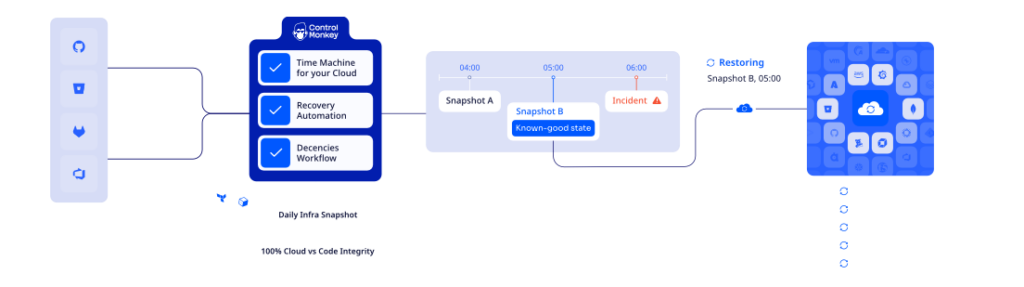
Our platform captures every VPC, subnet, security group, and route table in your cloud accounts as deployable Terraform code, versioned in your own Git repository.
We built it for the layer traditional network backup tools were never designed to reach.
Recent outages at AWS, Azure, Cloudflare, and other major providers have made cloud layer recovery a measurable gap in many enterprise DR plans.
Let’s go over our network backup capabilities to see why enterprises like Intel, Block, Comcast, and HoneyBook can’t imagine their cloud without ControlMonkey:
Cloud-Native Network Backup
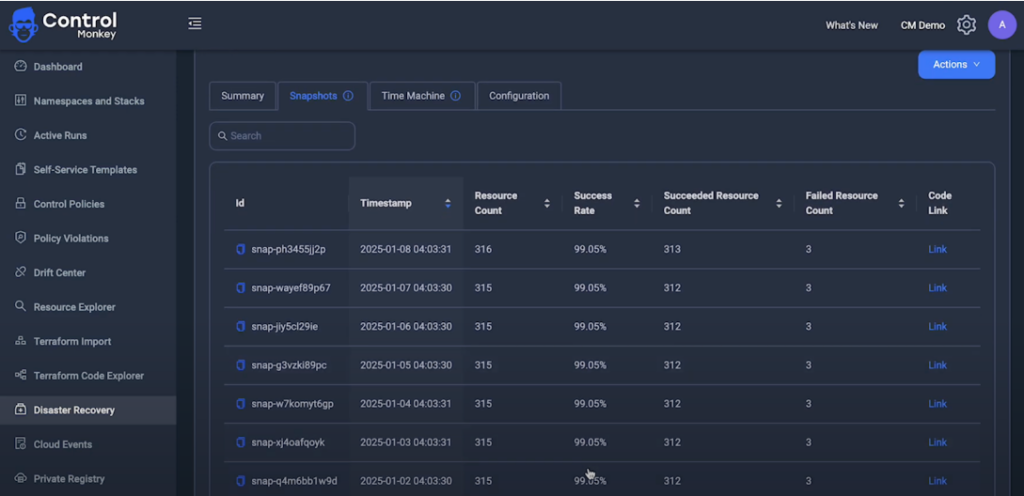
ControlMonkey runs automated backup scheduling that scans your cloud accounts and captures configuration snapshots of the full network layer as Terraform code, committed to your Git repository as versioned records.
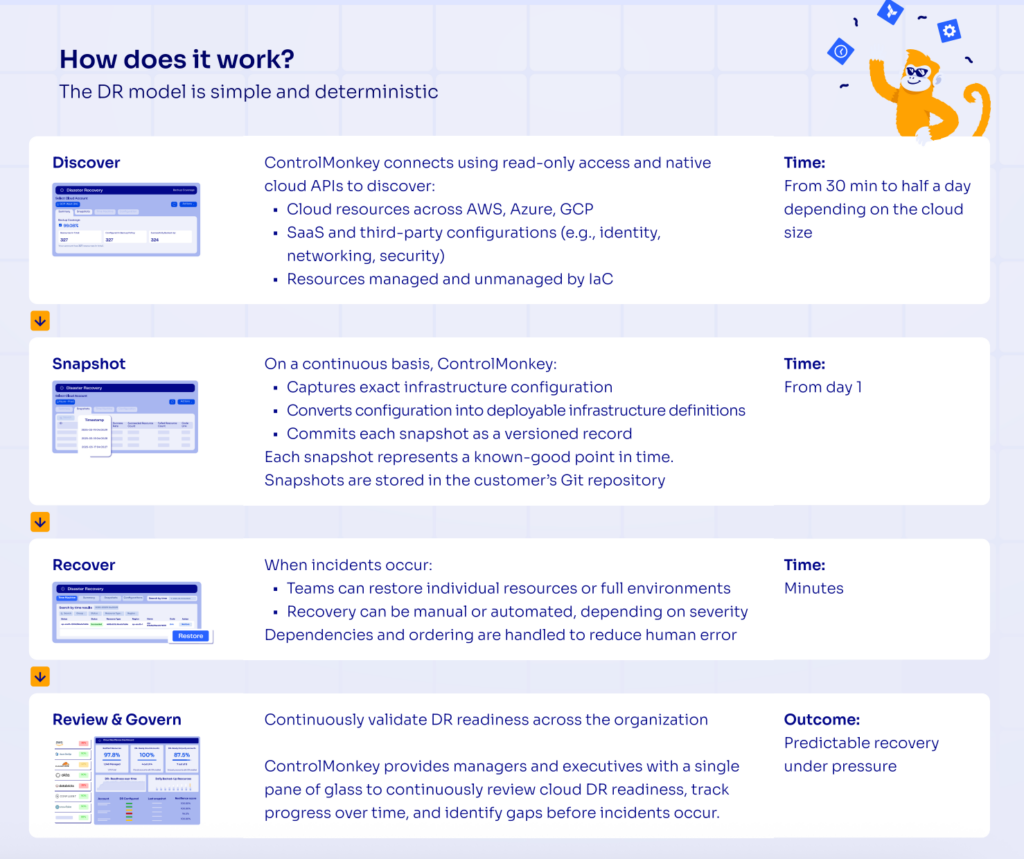
Coverage extends to resources created manually through the console, the usual source of undocumented network changes.
Snapshot frequency is configurable from hourly to daily, depending on how fast your environment moves.
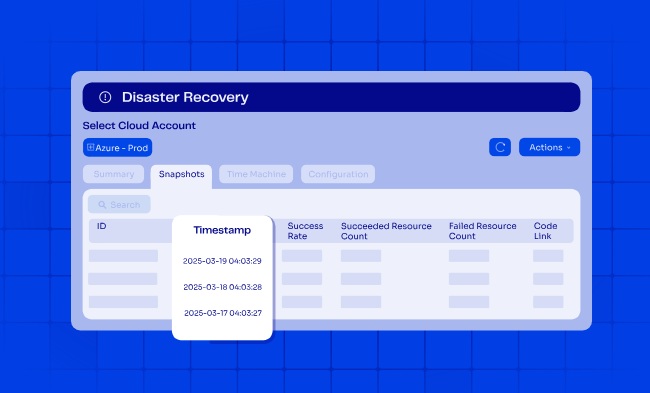
And since the snapshots are stored in your own repo, backup retention stays under your control, and your team can browse and diff them with tools they already use daily.
Every snapshot doubles as a configuration baseline.
When something looks wrong, you diff today’s state against any previous day and see exactly what moved and what the working version looked like.
Ready to hit 100% cloud resilience?
ControlMonkey provides end-to-end infrastructure disaster recovery that protects both your cloud resources and SaaS configurations. You get automated daily backups, one-click recovery, and continuous visibility into what’s protected, without writing custom scripts or maintaining complex DR processes.
Instant Cloud Network Recovery (Time Machine)
Time Machine is ControlMonkey’s recovery feature: it restores any backed-up cloud network configuration to a previous state in minutes.
Because every backed-up configuration already exists as deployable code in your version control system, recovery means selecting a known-good state and redeploying it, with no rebuild work involved.
You browse your configuration history without restoring anything, pick the last known-good state, and click restore.
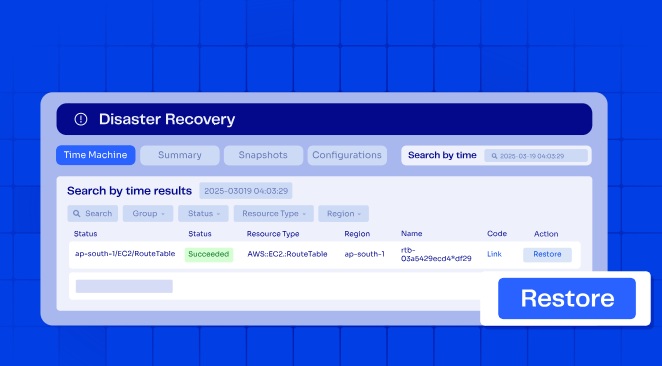
ControlMonkey handles the configuration restore sequencing automatically, so dependent resources come back in the right order, networks first and their attachments after.
Recovery can run manually with review for routine fixes, or fully automated for severe incidents.
SaaS and Third-Party Network Configuration Backup
ControlMonkey also backs up network-related configurations held in SaaS platforms: Cloudflare DNS zones, Okta identity policies, Datadog monitors, and CDN rules in Akamai or Fastly.

These settings change frequently, usually outside Infrastructure as Code, and rarely appear in traditional backup plans.
Here’s a demo of what recovery on Cloudflare looks like:
In total, coverage spans AWS, Azure, GCP, and more than 30 third-party platforms, with the same Terraform-based versioning and rollback workflow everywhere.
That includes identity providers, APM tools, databases and analytics platforms, and version control systems.
It also includes the network security policy backup most teams need first: firewall rules, security groups, WAF settings, and routing policies.
Complete Visibility Into Network Backup Readiness
ControlMonkey connects with read-only access and native cloud APIs, and initial discovery takes between 30 minutes and half a day depending on your cloud’s size.
From there, you get continuous network visibility into what’s managed by IaC, what isn’t, what’s configured in a backup policy, and what actually backed up successfully last night.
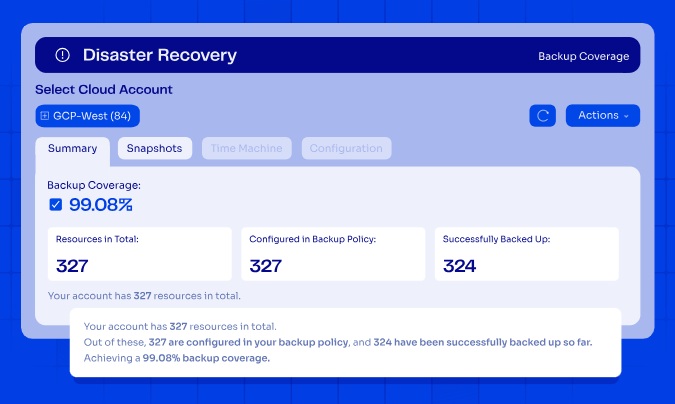
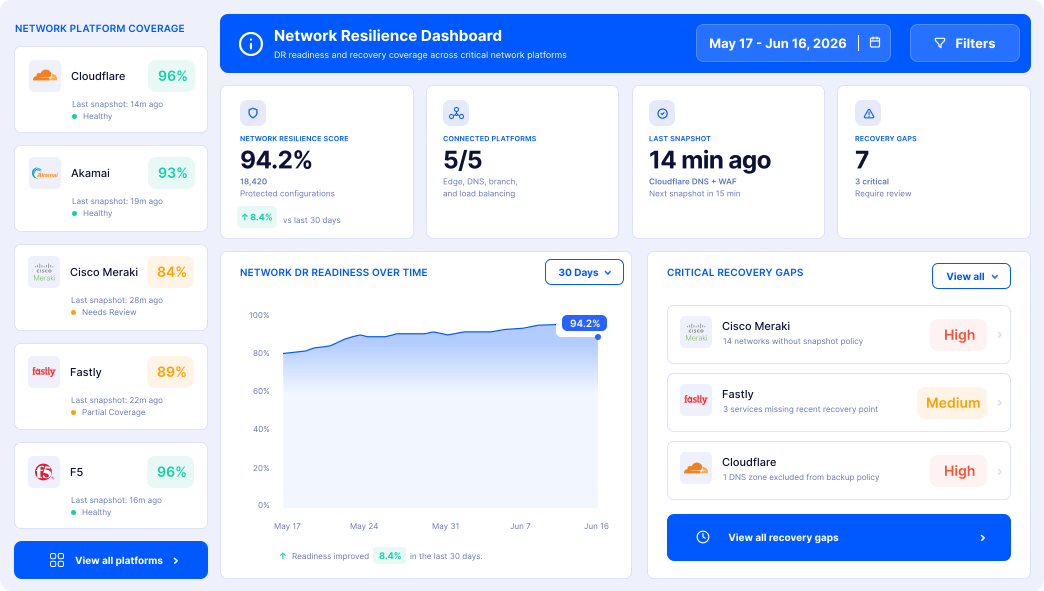
A real-time resilience dashboard gives managers and executives a single view of DR readiness across cloud accounts and third-party platforms.
If you’re looking to identify gaps in your recoverability from accidental resource deletion or cloud outages, you can do that with our Free Cloud Resilience Assessment Report.
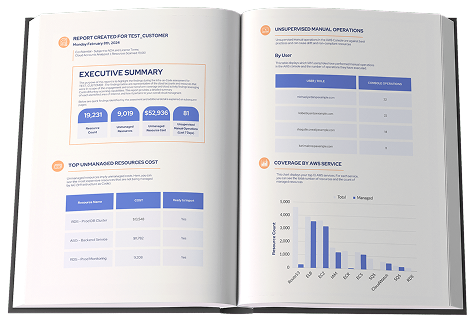
You can check out a sample Cloud Governance Risk Report to see what a real assessment covers:
- DR readiness per environment.
- Governance posture.
- Security exposure.
- Cost accountability.
ControlMonkey vs. Legacy Network Backup Tools
Legacy NCM tools were built to back up physical and virtual network devices.
They scrape CLI output, store it in a vendor database, and assume the network is a thing you can SSH into.
That model doesn’t extend to networks defined inside cloud accounts.
An overwritten load balancer rule or a deleted security group is invisible to a device-level tool, because the tool never captured that state in the first place.
ControlMonkey covers the half of the network those tools leave out.
We’re not competing with your NCM that handles device discovery and switch configuration backup for the hardware; we handle backup and recovery for the cloud network wrapped around it.
And because our platform validates coverage continuously against SOC 2, ISO 27001, PCI DSS, and other frameworks, the audit-ready backups exist before the auditor asks.
Pricing
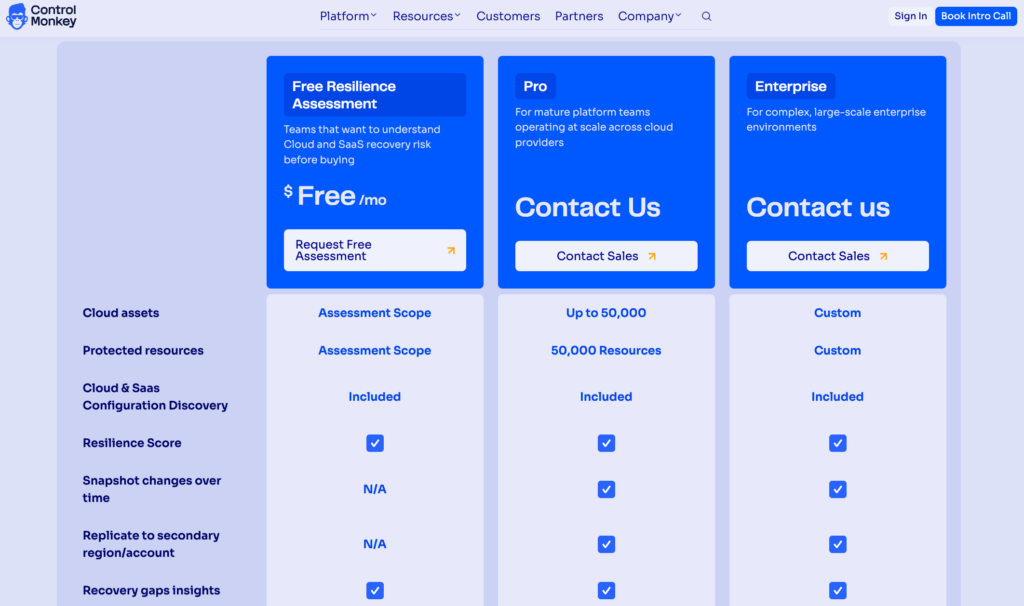
ControlMonkey offers three plans:
- Free Resilience Assessment: For teams that want to understand their cloud and SaaS recovery risk before buying. It includes cloud and SaaS configuration discovery, a resilience score, recovery gap insights, and drift detection in detection-only mode, plus a review of the findings with our team.
- Pro: Custom pricing for mature platform teams operating at scale across cloud providers. It covers up to 50,000 cloud assets and 50,000 protected resources, and adds snapshot change tracking over time, full drift detection with remediation, the ClickOps scanner, and RBAC, backed by specialized support.
- Enterprise: Custom pricing for complex, large-scale enterprise environments, with custom cloud asset and protected resource scopes and the same specialized support.
Replication to a secondary region or account and a self-hosted agent option are also available on paid plans.
Pros & Cons
✅ Automated daily snapshots of cloud network configurations across all three major clouds.
✅ One-click Time Machine recovery with automatic dependency handling.
✅ Backs up SaaS configurations from Cloudflare, Okta, Datadog, Akamai, and over 30 platforms.
✅ Real-time DR readiness dashboards.
✅ Continuous compliance validation for SOC 2, ISO 27001, PCI DSS, and other frameworks.
✅ 24/7 VIP support over Slack, Microsoft Teams, email, and ticketing.
❌ No physical device config backup for routers and switches, so you’ll need to pair our platform with a traditional NCM tool if you run on-prem hardware.
Network Backup Software #2: SolarWinds Network Configuration Manager
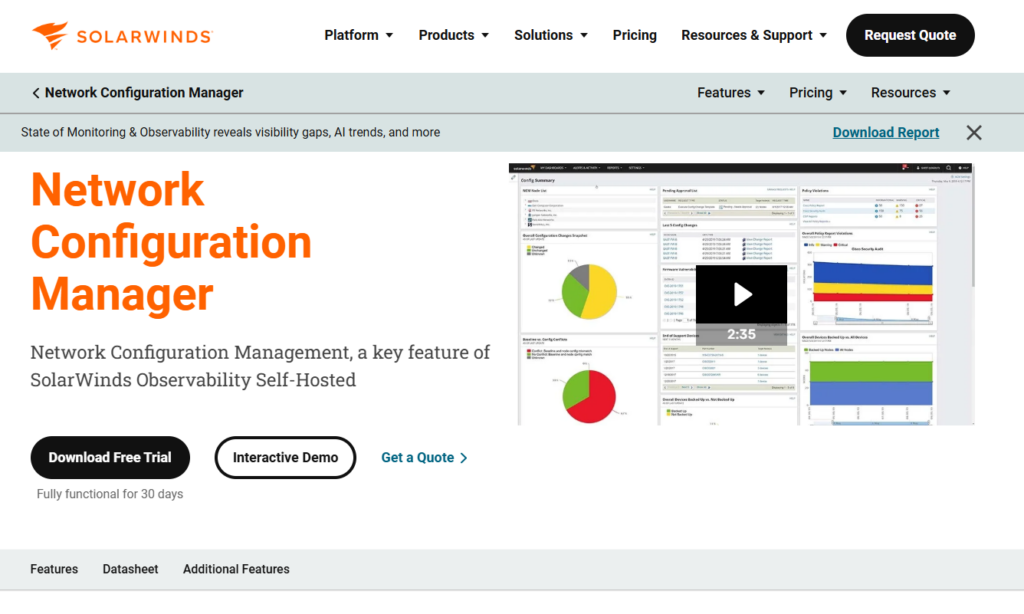
SolarWinds NCM is the heavyweight choice for teams already running the SolarWinds Observability Self-Hosted platform, where it operates as a module alongside performance monitoring, IP address management, traffic analysis, and log management.
SolarWinds NCM Features
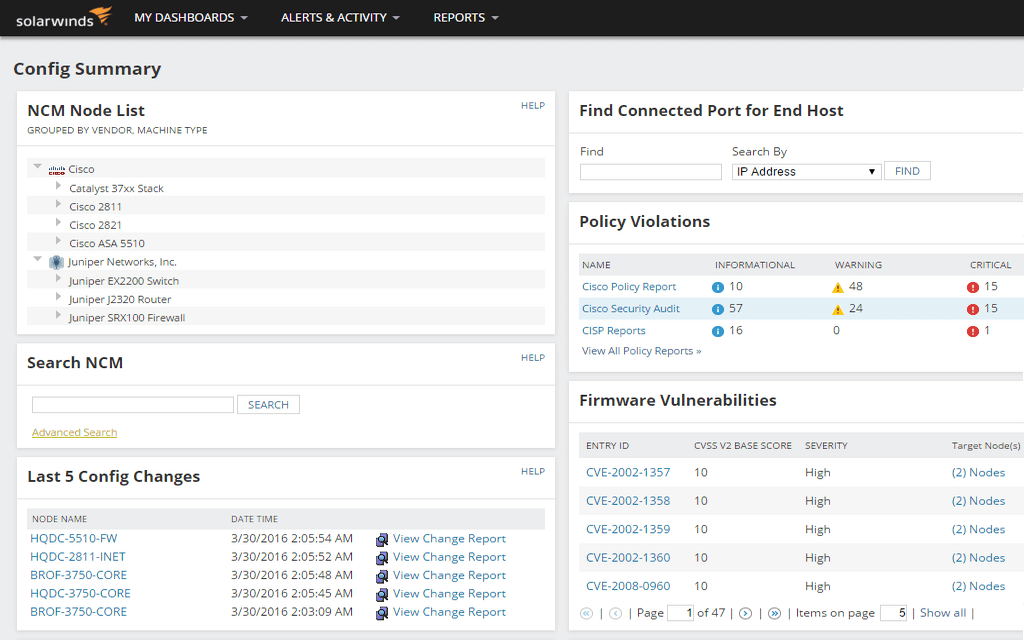
- Single-console platform integration: NCM shares inventory, alerting, and dashboards with the wider Observability Self-Hosted suite, so config issues appear next to performance data when you’re working out whether a change caused the problem.
- Federal-grade compliance auditing: Continuously audits device configurations against DISA STIGs, FISMA, PCI, and HIPAA, plus custom policies, with automated reporting and remediation.
- Change monitoring with rollback: Detects unauthorized modifications in real time, shows before-and-after diffs with user attribution, and restores the last approved configuration.
SolarWinds NCM Pricing
SolarWinds NCM pricing is custom, available standalone or as part of Observability Self-Hosted, so you’ll need to contact sales for a quote.
SolarWinds NCM Pros & Cons
✅ Config data and performance data share one console and one inventory.
✅ Compliance content strong enough for federal and regulated environments.
✅ Bulk config changes deploy across thousands of devices at once.
❌ Pricing is quote-only and skews toward enterprise budgets.
❌ Backups stop at the device CLI, so anything defined in a cloud account needs a separate tool such as ControlMonkey.
Network Backup Software #3: ManageEngine Network Configuration Manager
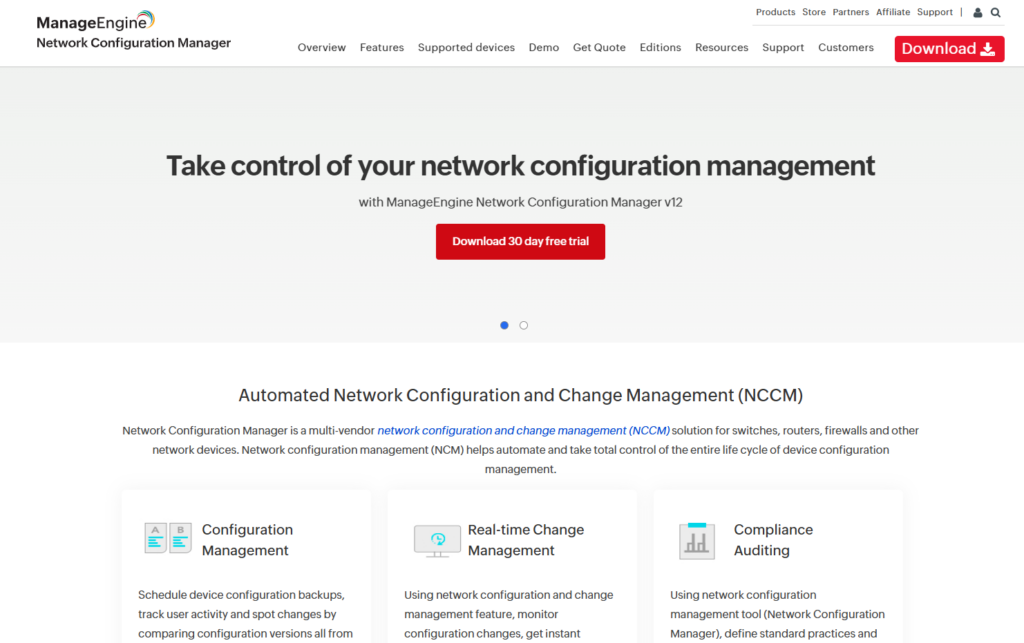
ManageEngine NCM is the value pick of the commercial field, covering the full configuration life cycle across more than 200 device vendors.
ManageEngine NCM Features
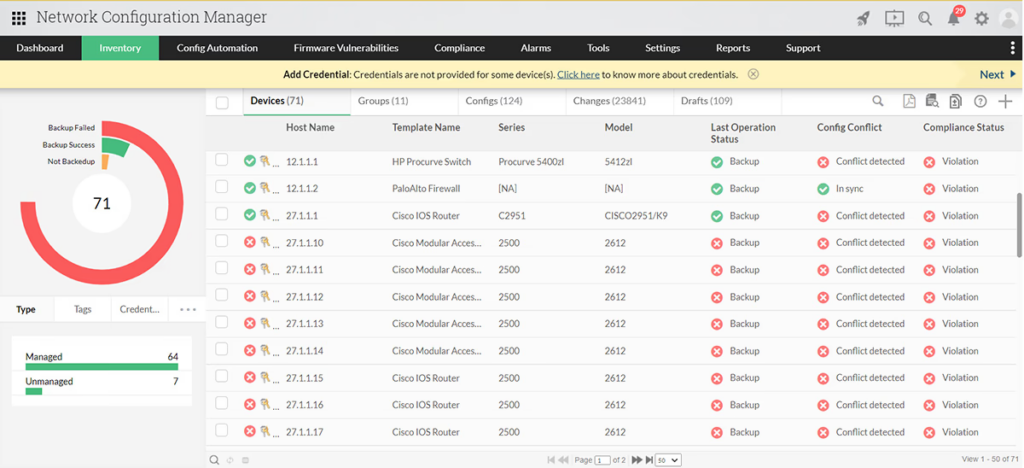
- Firmware vulnerability management: Checks device firmware against the CVE database and shows affected devices with CVE IDs, base scores, severity levels, and patch links, so the riskiest gear gets patched first.
- Change rules with automatic rollback: Real-time change detection can trigger notifications or automatically roll a device back to its trusted baseline when an unauthorized change lands.
- Mobile apps for iOS and Android: Check backup status, configuration changes, compliance results, and startup-versus-running conflicts from your phone, which most rivals in this category can’t offer.
ManageEngine NCM Pricing
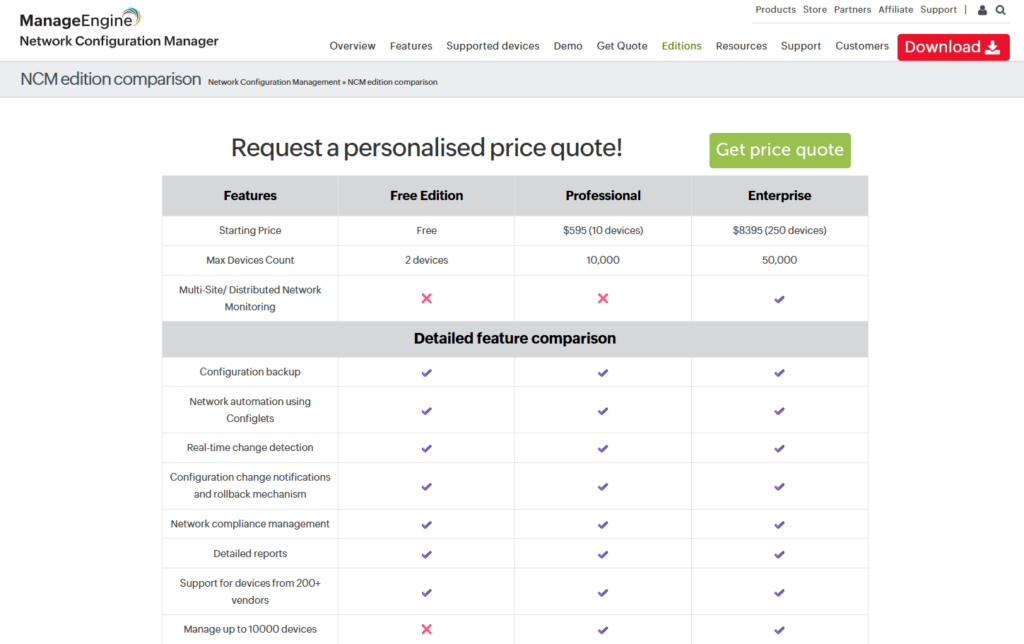
The Free edition manages up to 2 devices.
The Professional edition starts from $595/year for 10 devices, and the Enterprise edition starts from $8,395/year for 250 devices, adding distributed network support and automatic data sync between probes.
ManageEngine NCM Pros & Cons
✅ Hard to beat on price for what’s included.
✅ Automatic rollback on unauthorized changes.
✅ AES 256-bit encrypted configuration storage with full version history.
❌ No IaC capabilities or visibility into which cloud network resources are protected and ready for disaster recovery.
❌ Device-pack licensing means growth can push you into a bigger tier than you actually use.
Network Backup Software #4: BackBox
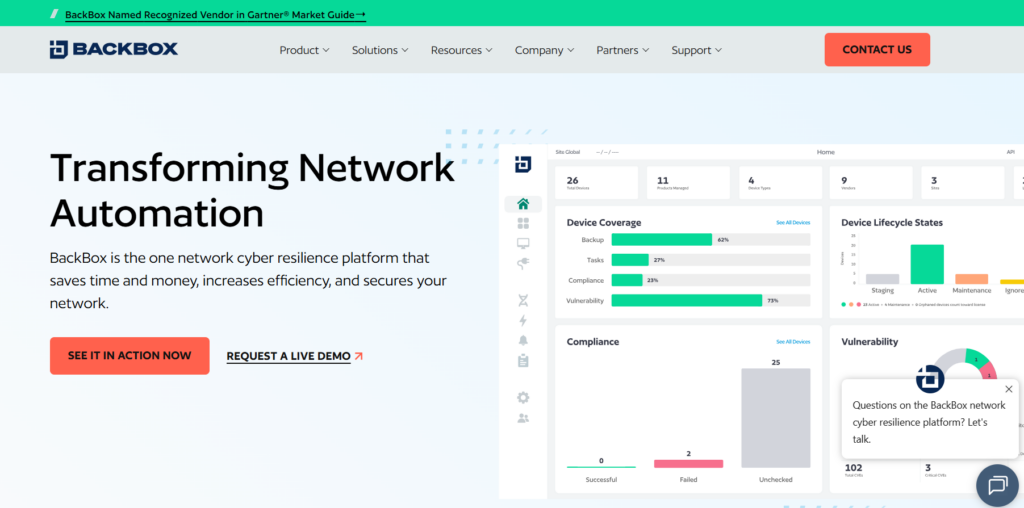
BackBox positions itself as a network cyber resilience platform, automating everything from nightly config backups to OS upgrades.
BackBox Features
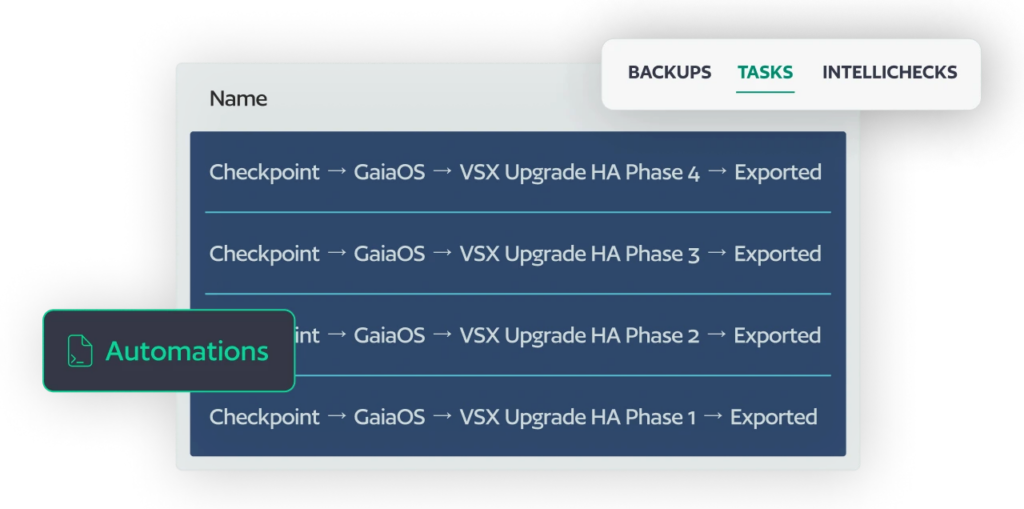
- No-code automation library: More than 3,000 prebuilt automations across over 180 vendors cover backup, restore, compliance checks, and configuration changes, and custom automations are assembled visually.
- AI-enabled vulnerability intelligence: Maps enriched CVE data against your actual device inventory, so patching priority reflects your real exposure instead of generic severity scores.
- Automated OS and firmware upgrades: Multi-step upgrade workflows run with pre-checks and post-checks, turning the most error-prone job in network operations into a scheduled task.
BackBox Pricing
BackBox uses subscription pricing based on managed device count and feature set. Quotes come through their sales team.
BackBox Pros & Cons
✅ Vendor coverage and automation depth few rivals match.
✅ Strong reviews, holding 4.5 out of 5 on G2 with multiple Leader badges in 2026.
✅ Customer support gets consistent praise.
❌ Opaque pricing that can stretch smaller budgets.
❌ Focuses on physical device automation.
Network Backup Software #5: Auvik

Auvik is a cloud-delivered network management platform that folds configuration backup into real-time monitoring, topology mapping, traffic insights, and remote access.
Auvik Features
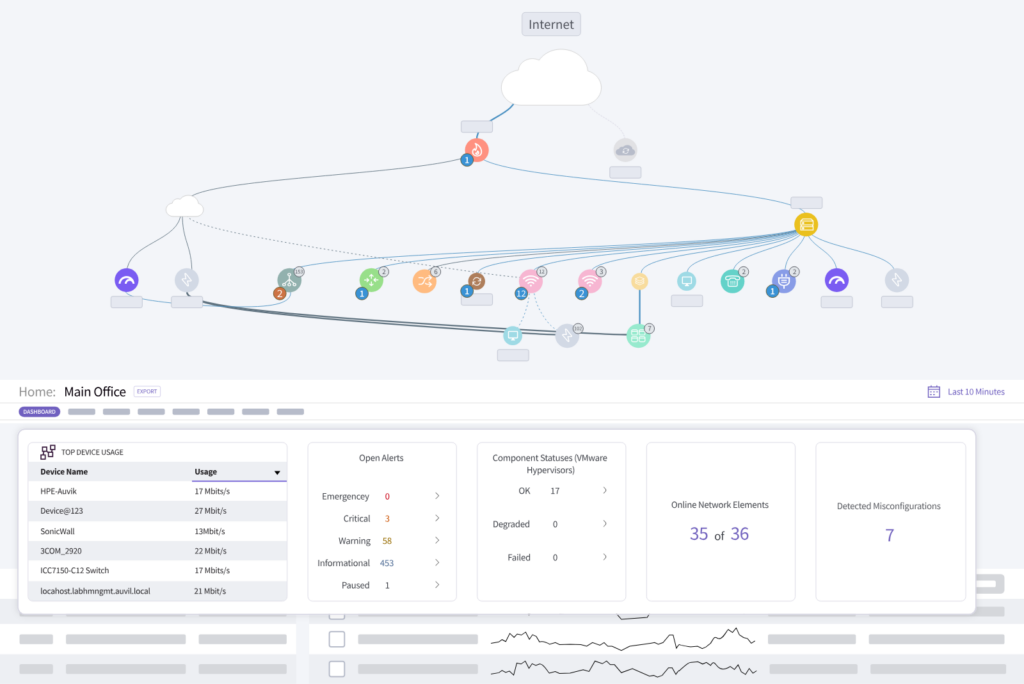
- Multi-tenant management with unlimited users: MSPs manage every client network from one console without per-seat charges, which changes the economics for service providers.
- Change-triggered config snapshots: Auvik captures device configurations automatically when changes occur and shows side-by-side comparisons, so backups follow actual changes with no dependence on a fixed schedule.
- Built-in remote access: An in-app terminal, remote tunneling, and a remote browser get you onto devices without exposing management interfaces to the internet.
Auvik Pricing
Auvik uses per-device pricing across two tiers with volume discounts, and many device types, including access points, printers, UPS units, and IoT devices, are monitored at no charge.
Pricing is quote-based.
Auvik Pros & Cons
✅ Nothing to host or maintain.
✅ Network visibility through automated discovery and live topology maps is genuinely excellent.
✅ Free monitoring for several device classes softens the per-device model.
❌ Costs climb quickly as billable device counts grow.
❌ Configuration backup is secondary to monitoring, with thinner backup retention and compliance depth than dedicated NCM tools.
Network Backup Software #6: Restorepoint (Now Skylar Compliance)
Restorepoint, acquired by ScienceLogic and now sold as Skylar Compliance, is a compliance-first configuration backup and automation platform for over 100 network and security vendors, with storage devices covered too.
Restorepoint Features
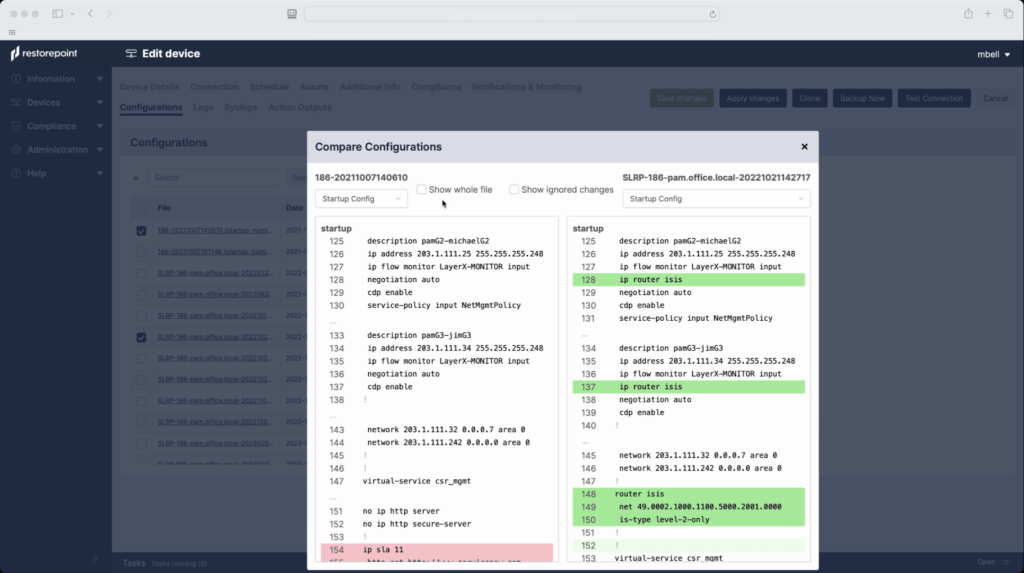
- Universal Console with session recording: A single gateway controls and records all access to network equipment, which doubles as forensic evidence when something goes wrong.
- Continuous compliance auditing: Validates device configurations against PCI, GDPR, NIST, and ISO 27001, plus internal policies, with automatic remediation of policy violations built in.
- One-click configuration recovery: Centralized backups with single-click restore and automated change detection across the device estate.
Restorepoint Pricing
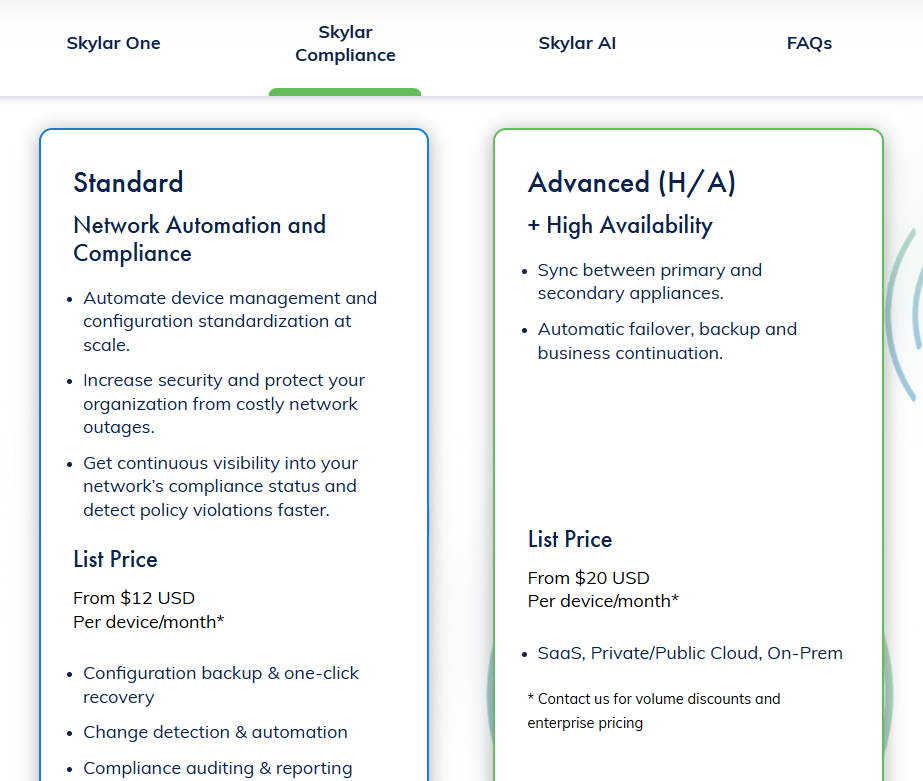
Restorepoint has 2 plans that you can choose from:
- Standard: From $12 per device/month, which includes configuration backup & one-click recovery, change detection & automation, and compliance auditing & reporting.
- Advanced: From $20 per device/month, which lets you sync between primary and secondary appliances.
Restorepoint Pros & Cons
✅ Session recording creates an audit trail most NCM tools can’t match.
✅ Recognized in GigaOm’s Radar for Network Validation.
✅ Integrates with the ScienceLogic AI Platform for broader operations use cases.
❌ Not as good vendor coverage as BackBox and Unimus.
❌ Scope ends at the device estate, leaving cloud network configurations to a platform like ControlMonkey.
Network Backup Software #7: WhatsUp Gold (Progress)
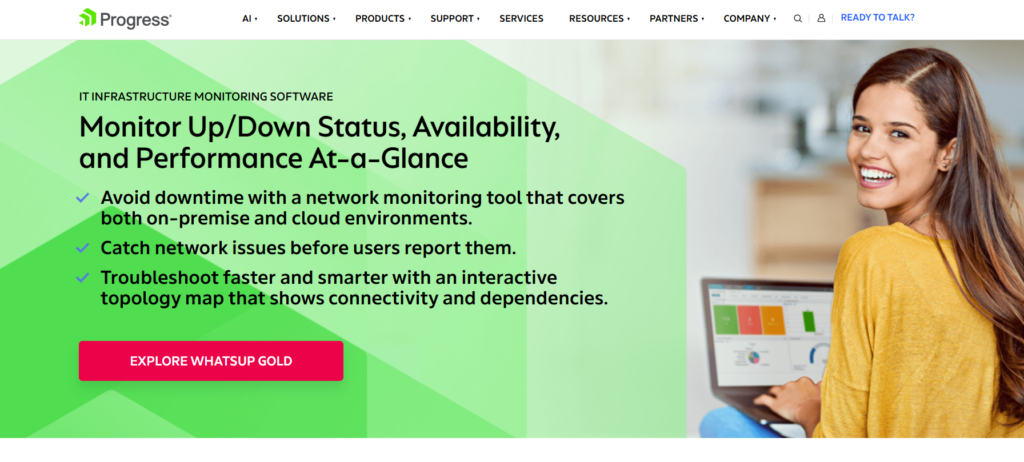
Progress sells WhatsUp Gold as a network monitoring suite first, with configuration backup arriving through its Configuration Management add-on.
WhatsUp Gold Features
- Topology-aware alerting: The platform understands network dependencies, so a failed core switch generates one meaningful alert instead of a storm from every device behind it.
- Configuration Management add-on: Automates config backups, archives unlimited encrypted versions, alerts on changes, and schedules routine jobs like firmware updates and SNMP string changes.
- Flexible alert delivery: Notifications route through SMS, email, web, and Slack, so config change alerts reach the right owner through their preferred channel.
WhatsUp Gold Pricing
WhatsUp Gold sells per-device on subscription or perpetual licenses.
Configuration Management is a paid add-on for the Premium, MSP, and Distributed editions and comes included in the Total Plus edition, with add-on pricing available by quote.
WhatsUp Gold Pros & Cons
✅ Dependency-aware alerting cuts noise dramatically.
✅ One console for monitoring, traffic analysis, configuration management, and log management.
✅ Choice of subscription or perpetual licensing.
❌ The user interface, although functional, could be more modern and smoother in terms of navigation, according to a G2 review.
❌ What Progress WhatsUp Gold can improve is the initial setup and configuration, according to another G2 review.
Network Backup Software #8: rConfig
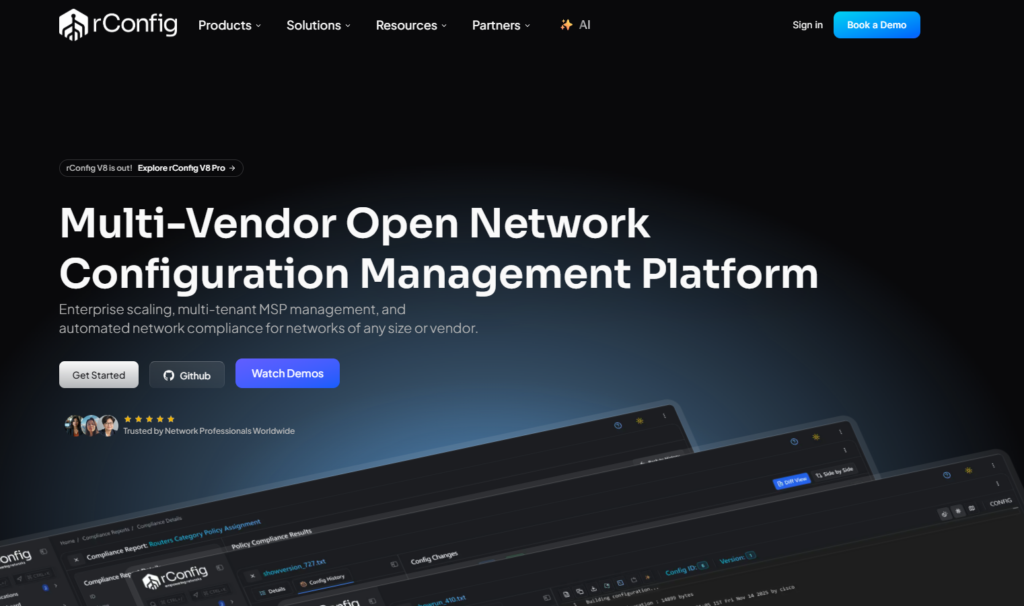
rConfig is an open-source network configuration management platform with over 14 years of development behind it, now in its V8 generation.
The MIT-licensed V8 Core stays free with no device caps, while Pro and Enterprise editions add compliance, AI, and multi-site features.
rConfig Features
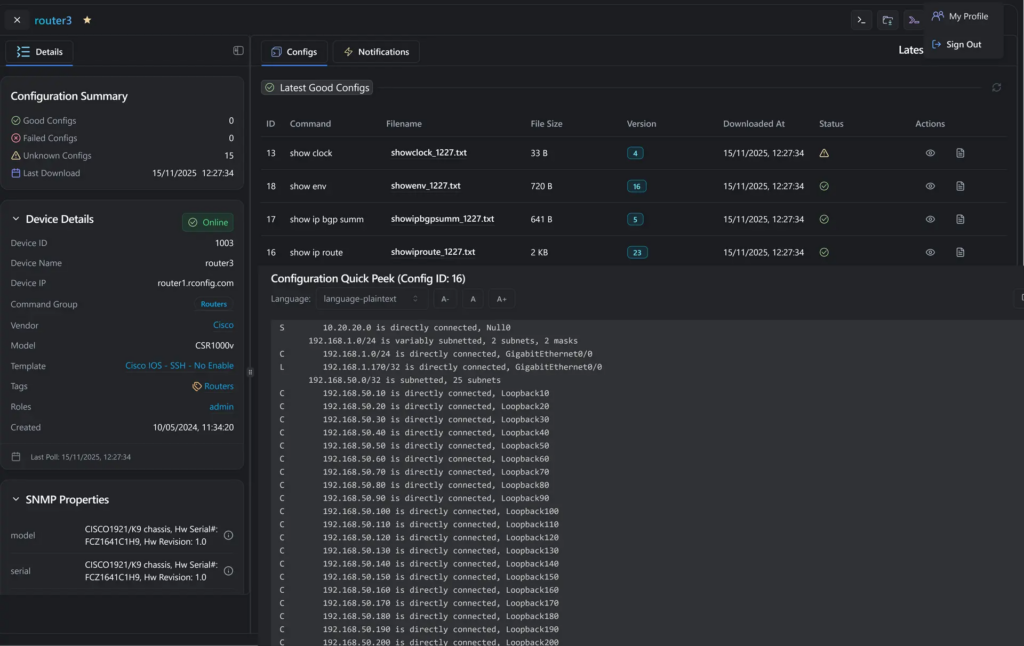
- Three-tier reference architecture: V8 Enterprise deploys across multiple sites with real-time synchronization and failover protection, a structural depth that’s unusual in open-source NCM.
- Five backup transport options: Configs can be collected over SSH, Telnet, xFTP, or HTTPS, with a bring-your-own-connector option for anything unusual.
- AI copilot for configuration review: V8 introduces an AI copilot for config review and compliance checks, with safe automated changes layered on top.viders.
rConfig Pricing
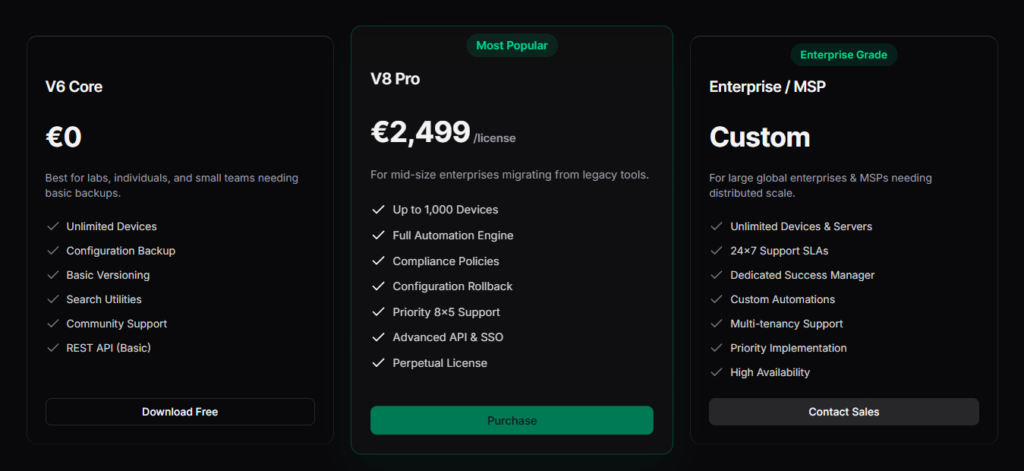
V8 Core is free and open source.
V8 Pro is a paid annual subscription at €2,499/license for networks up to 1,000 devices, and V8 Enterprise uses custom pricing for larger and regulated deployments.
rConfig Pros & Cons
✅ Free core with no device or vendor restrictions.
✅ Handles OT and IoT networks alongside standard IP gear.
✅ Modern architecture rebuilt from the ground up in V8.
❌ No cloud network configuration backup or IaC-based disaster recovery for cloud environments.
Network Backup Software #9: Unimus
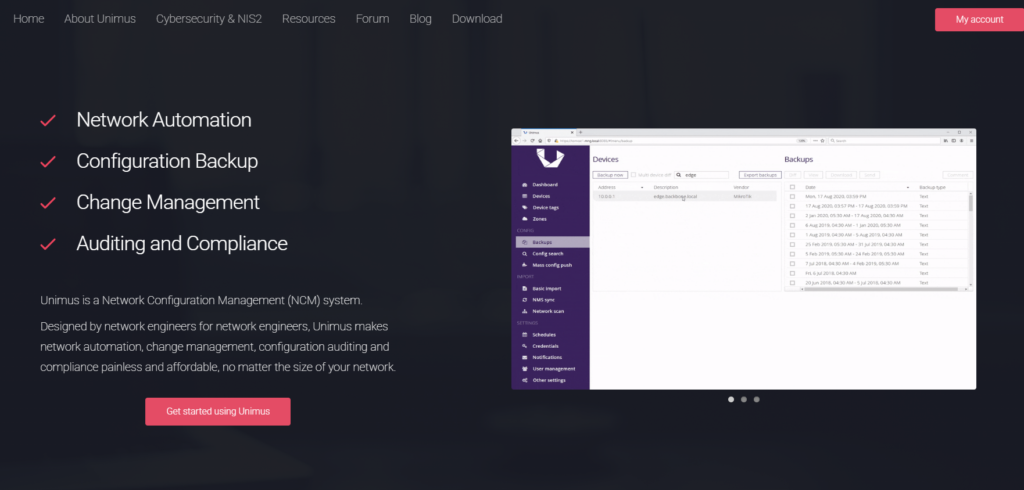
Unimus is an on-prem NCM whose main selling point is how quickly it gets running.
The vendor claims you can go from a fresh install to backing up a 1,000-device network in about 15 minutes.
Unimus Features
- Massive device support: Over 450 device types from 160 vendors work out of the box, with consistent behavior across all of them.
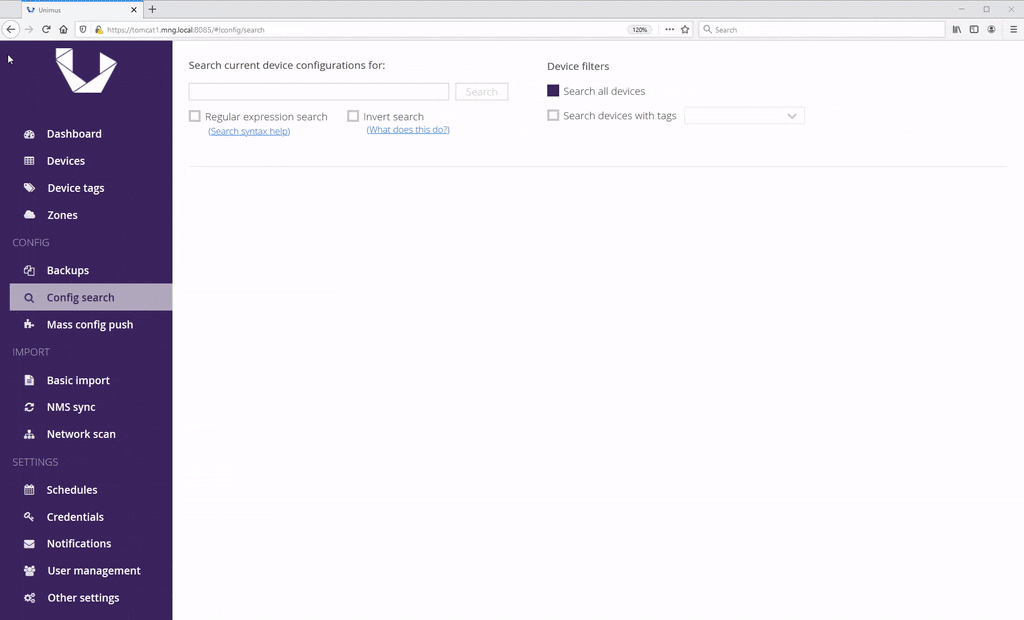
- Network-wide configuration search: Search every stored config in seconds to find a setting or locate every device still carrying an old VLAN.
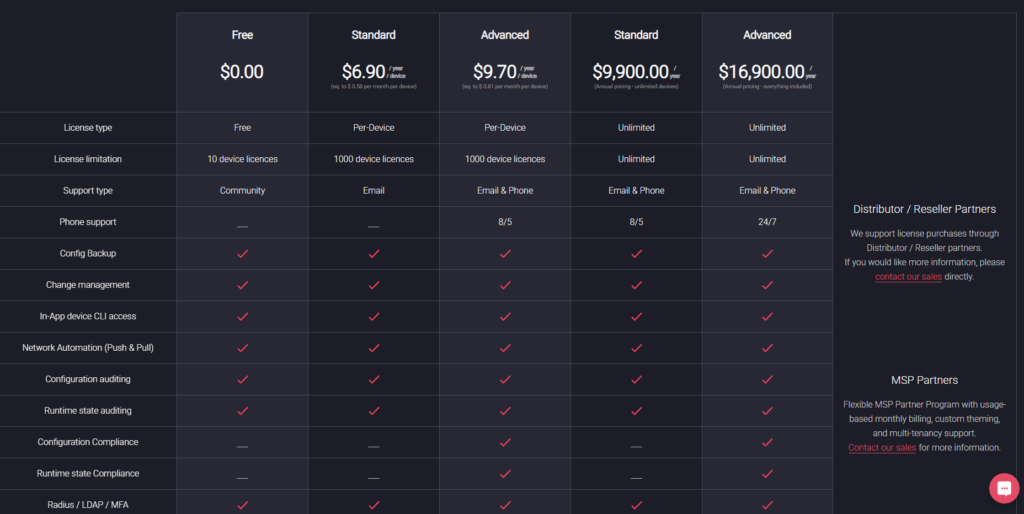
- Compliance engine in the Advanced tier: Config compliance and run-time state compliance checks arrived to narrow the gap with pricier alternatives.
Unimus Pricing
Unimus is free for up to 10 devices with no time limit.
Per-device licensing starts at $6.90/device/year on Standard and $9.70/device/year on Advanced, while Unlimited enterprise licenses run $9,900/year for Standard and $16,900/year for Advanced.
Unimus Pros & Cons
✅ Transparent pricing, rare in this category.
✅ Deployment takes minutes.
✅ Responsive vendor with an active public forum.
❌ SSO and compliance features are locked to the Advanced tiers.
❌ No cloud network configuration coverage. Strictly physical and virtual network devices.
Network Backup Software #10: Oxidized
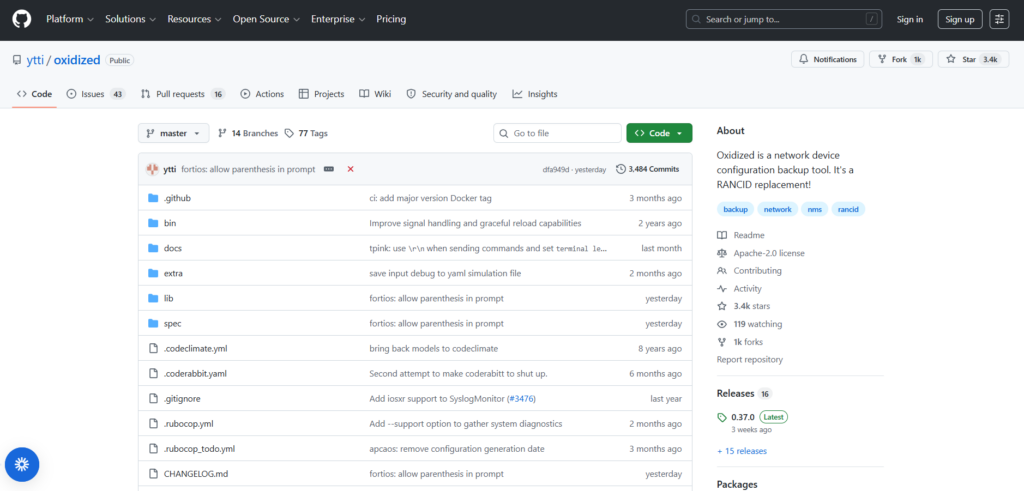
Oxidized is one of the most widely used open-source tools for device config backup, built in Ruby to replace the aging RANCID project and supporting over 130 operating system types.
It’s lightweight and Git-first, and the whole thing runs as a single small daemon.
Oxidized Features
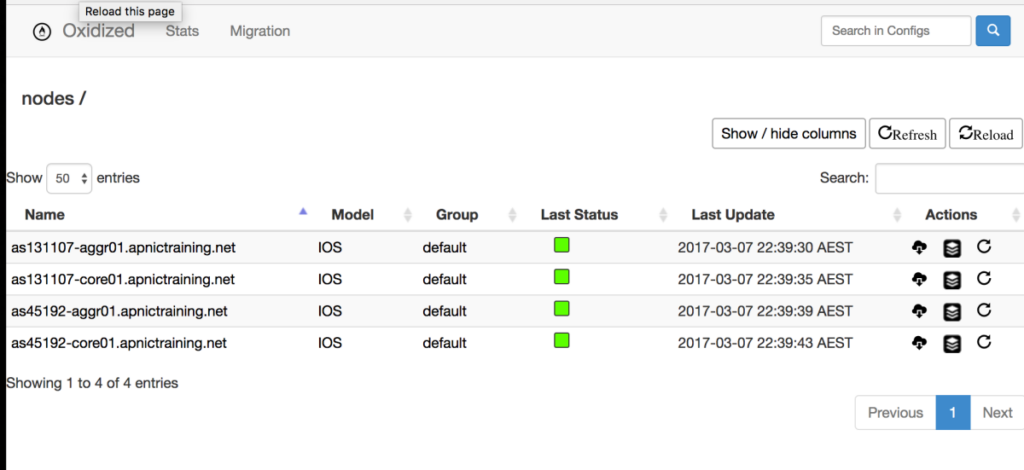
- Event-driven backups with blame tracking: Syslog hooks trigger an immediate config fetch when a change event fires on IOS or JunOS devices, and the change author flows into Git so git blame shows who touched each line.
- RESTful API: Push a node to the head of the backup queue, reload the node list, pull stored config versions, or fetch diffs programmatically.
- Flexible inputs and outputs: Device lists load from CSV, SQLite, MySQL, or HTTP sources, and configs store to Git, encrypted git-crypt repos, plain files, or HTTP endpoints.es, and NAS, with 128-bit encryption in transit and at rest.
Oxidized Pricing
Free and open source under the Apache 2.0 license.
Oxidized Pros & Cons
✅ Completely free, forever.
✅ Git-native history with per-line change attribution.
✅ Widely adopted, with years of community contributions.
❌ The web UI requires a separate oxidized-web install, and the project openly seeks more maintainers.
❌ No cloud network configuration coverage or IaC-based recovery.
Recover every layer of your network before the next incident with ControlMonkey
Device-level network backup software protects the configurations on your routers, switches, firewalls, and appliances.
The nine tools above do that well, at price points from free to enterprise.
But device backups cover only part of the modern network. Enterprise network backup solutions have historically stopped at the device layer.
VPCs, route tables, security groups, and DNS zones now hold a growing share of network configuration, and none of it is reachable by an SSH-based backup tool.
When those resources are deleted or misconfigured, device backups remain intact while the network itself stays down.
ControlMonkey closes that gap.
Our platform captures every cloud network configuration, SaaS setting, routing rule, and security policy daily, converts it into Terraform code, versions it in your own Git repository, and keeps it ready to deploy as a recovery point.
ControlMonkey removes the two risks that sink recovery efforts:
- Uncertainty: not knowing what existed or what the last working state looked like.
- Slowness: not being able to restore it before the business feels real damage.
When something breaks, your team selects a point in time and restores it.
Dependencies are sequenced automatically, and the environment returns to its previous working state.
If you’re comparing backup solutions for enterprise network infrastructure, the deciding factor is whether your recovery plan can rebuild the entire network, including the cloud-hosted part.
A network configuration backup tool alone can’t get you there.

A 30-min meeting will save your team 1000s of hours
A 30-min meeting will save your team 1000s of hours
Author