Are you a Cloud, DevOps or SRE leader looking to compare Terraform Cloud vs. Terraform Enterprise to see which one is good for your team?
In this guide, I’m going to compare the 3 IaC solutions’ features, integrations, and pricing structures, and introduce you to an alternative that offers a more unified, flexible control plane for cloud infrastructure (ControlMonkey: that’s us).
TL;DR
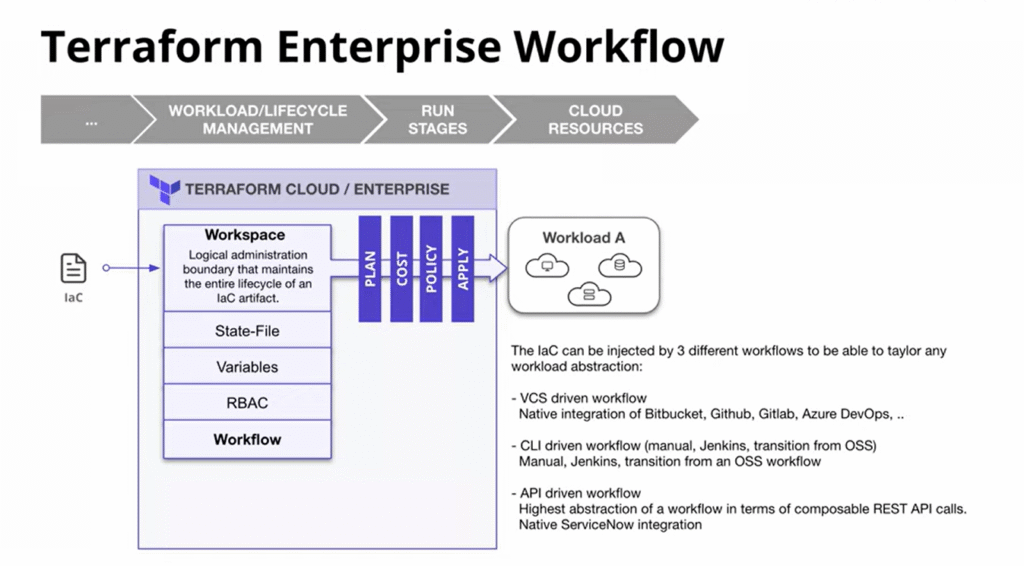
Terraform Cloud focuses solely on Terraform execution mechanics, such as remote runs, state management, VCS workflows, and collaboration within Terraform Cloud.
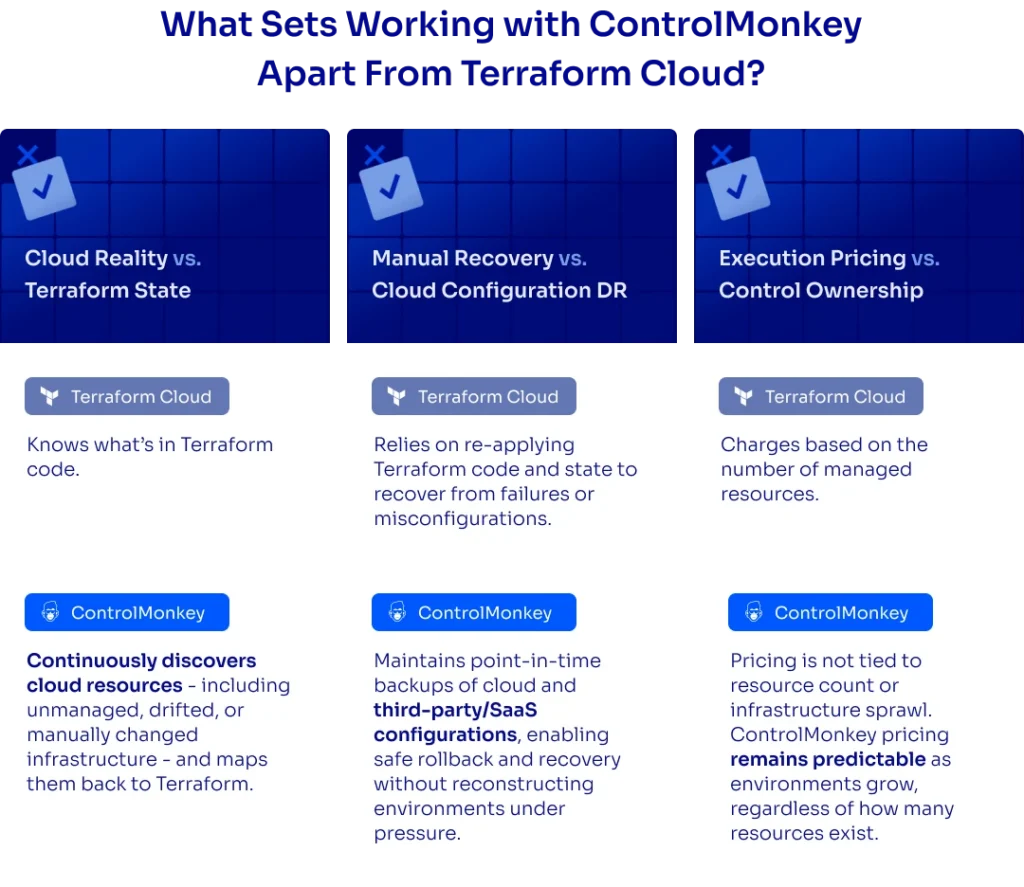
However, the platform is not responsible for your cloud’s reality beyond Terraform: there’s no ownership of unmanaged resources, no built-in recovery of your cloud configuration, and no remediation once drift or manual changes occur.
Terraform Enterprise is an enterprise-grade deployment of Terraform Cloud. The main benefit is that it’s a self-hosting option, with enhanced security enforcement around Terraform execution.
Despite its stronger controls, the solution is still execution-centric. It does not expand into cloud-wide visibility and configuration recovery.
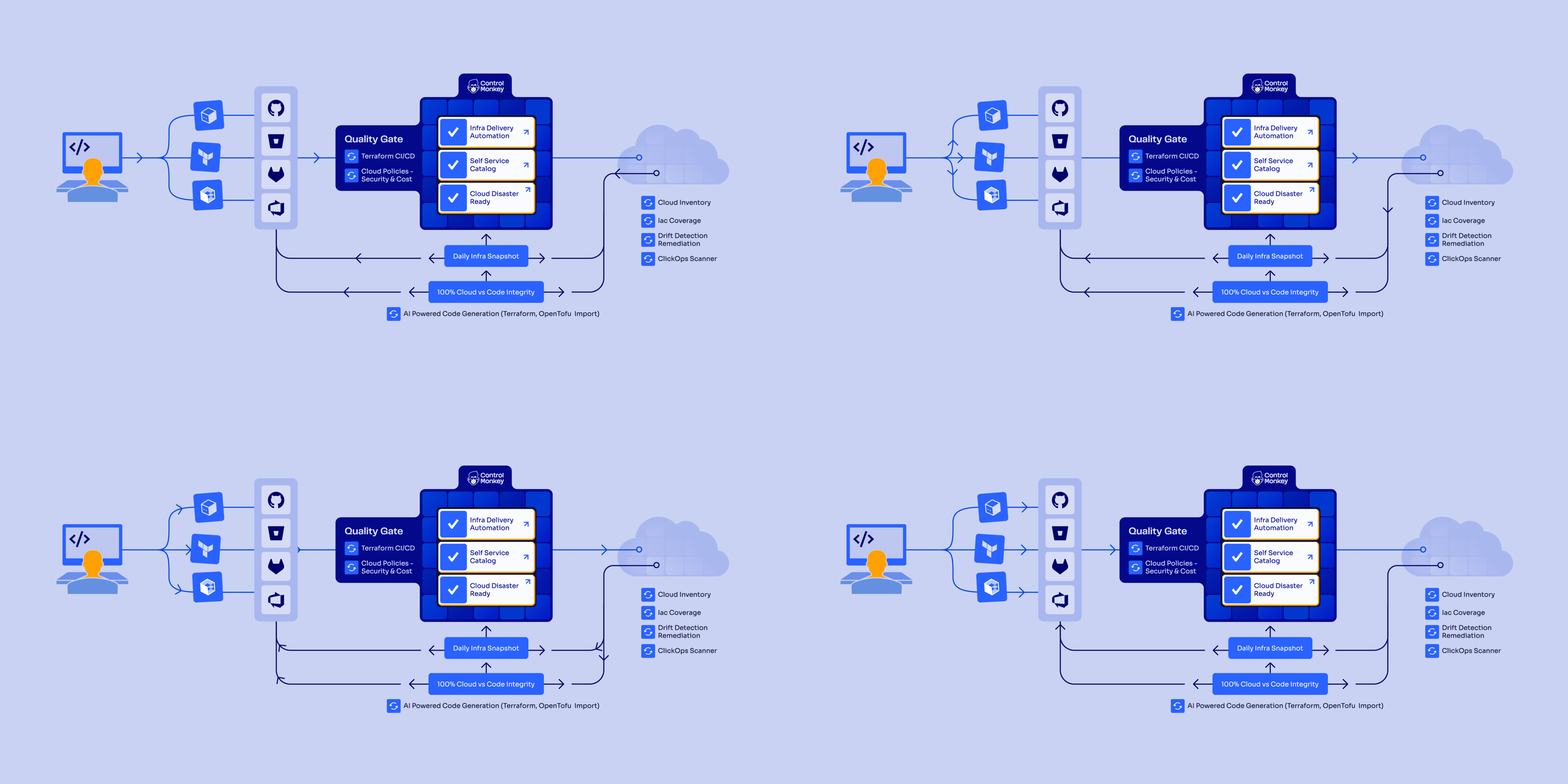
ControlMonkey is an end-to-end infrastructure governance and resilience platform that goes beyond Terraform execution.
Our platform scans your cloud accounts, generates Terraform code for existing resources, automatically detects and remediates drift, and provides infrastructure DR.
I’d go for ControlMonkey if I needed cloud-wide visibility into managed and unmanaged resources, wanted automatic Terraform code generation for existing infrastructure, required drift remediation and disaster recovery, and needed governance without writing custom policy code.
Terraform Cloud vs. Terraform Enterprise vs. ControlMonkey: Features
Terraform Cloud gives you managed Terraform runs, remote state, and basic collaboration around Terraform code. However, it stops at Terraform execution. The platform doesn’t deal with what’s actually running in your cloud, and doesn’t have cloud disaster recovery once things change outside Terraform.
Terraform Enterprise adds enterprise controls on top of Terraform Cloud, such as self-hosting and stronger policy enforcement. Despite those additions, it’s still Terraform execution focused and doesn’t really solve cloud visibility or configuration recovery.
ControlMonkey focuses on what happens after Terraform runs. This includes cloud visibility, automatic Terraform code generation, drift remediation, and backup/recovery of cloud and SaaS configurations. It’s a better fit for teams that want to actually own their infrastructure in production, not just run Terraform pipelines and hope nothing drifts.
Stop Managing Terraform. Start Controlling Your Cloud.
ControlMonkey gives you cloud visibility, auto-generated Terraform code, drift remediation, and built-in recovery. So you own what runs in production, not just the pipeline.
Detects unsupervised manual operations from the cloud console.
Not supported.
Not supported.
Policies for Security, Cost & Compliance
Out-of-the-box Security & Compliance guardrails. No need to code and maintain policies.
Requires Sentinel or OPA policy authoring and maintenance.
Requires Sentinel and OPA policy authoring & maintenance.
IaC framework support
Terraform, OpenTofu, and Terragrunt.
Terraform only.
Terraform only.
Code Scanning for Compliance
Scans existing IaC code for misconfigurations and policy violations.
Requires manual policy enforcement.
Requires manual policy enforcement.
Pricing Model
Fixed, predictable pricing.
Resources Under Management (RUM) model. Costs scale with resource count.
Custom enterprise pricing. Typically per workspace.
Deployment Model
Saas/Hybrid (private runner)/ Self-hosted
Saas/Hybrid (private runner)
Self-hosted
Terraform Cloud’s Features
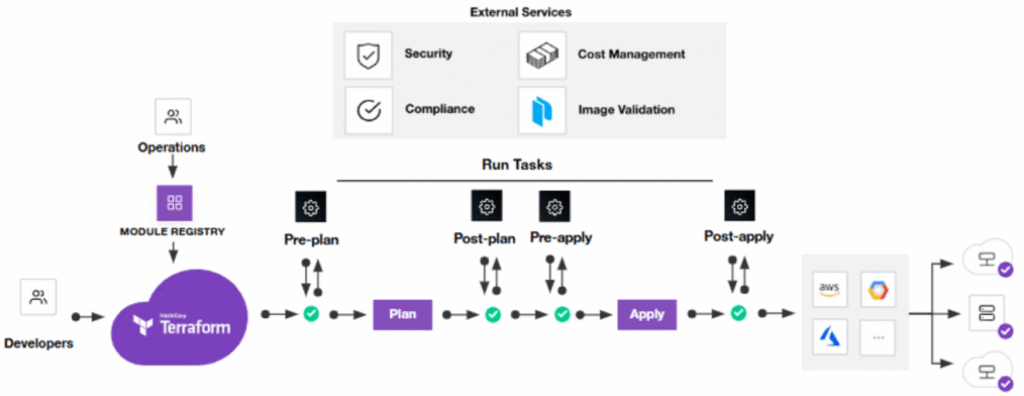
Managed Terraform runs with state
Terraform Cloud provides a managed environment for running Terraform plans and applying them remotely.
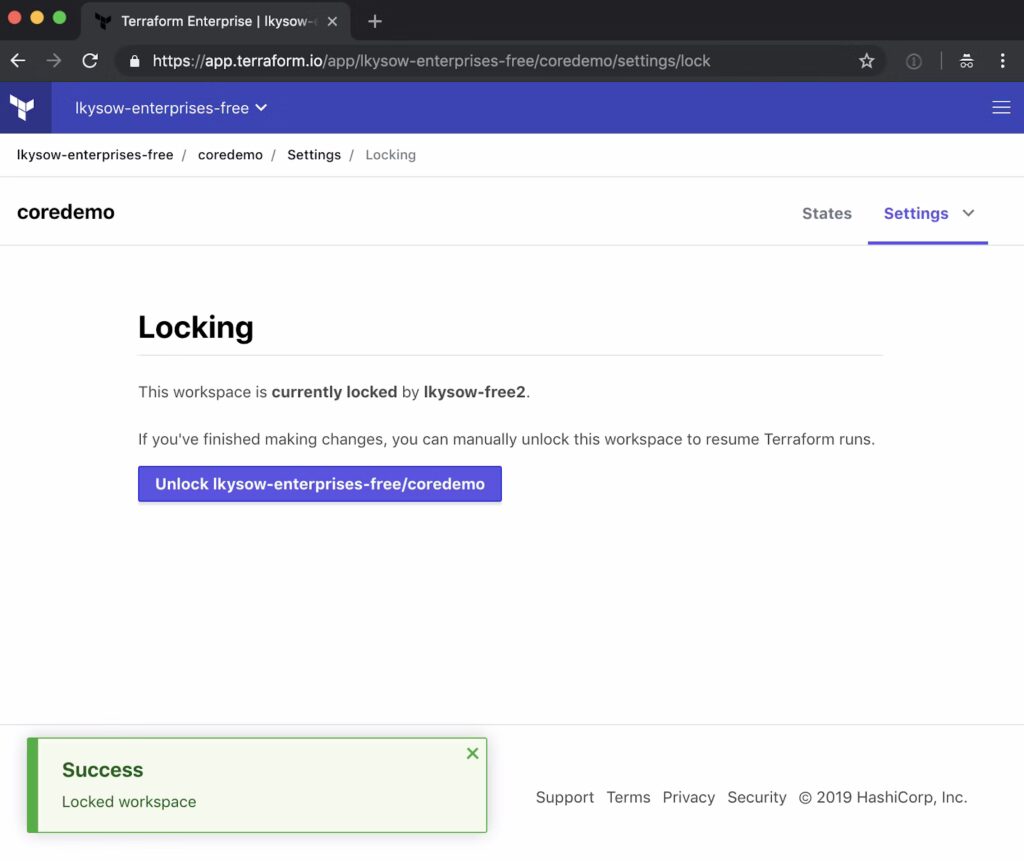
The platform centralizes Terraform state storage, locking, and concurrency control, reducing the risk of state corruption.
This removes the need for teams to manage their own remote backends or execution infrastructure.
Even though this simplicity is a major win for smaller or less mature teams, it can feel restrictive for advanced CI/CD setups.
VCS-driven workflows for plan and apply with team collaboration
Terraform Cloud integrates deeply with version control systems, such as GitHub, GitLab, and Bitbucket.
Your team will be able to trigger infrastructure runs based on pull requests and merges, enabling code review workflows for infrastructure changes.
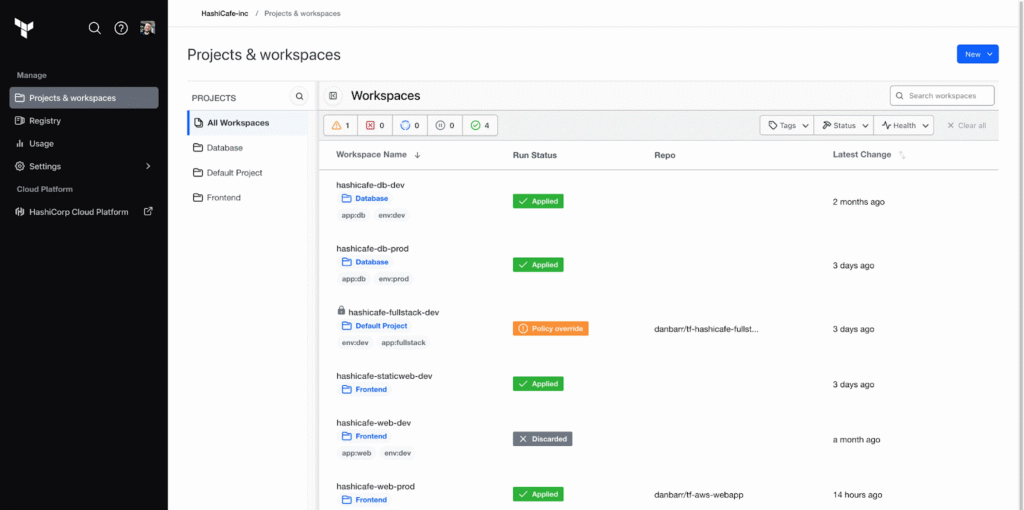
Multiple teams can collaborate on shared infrastructure through workspaces without stepping on each other’s changes.
Policy checks during Terraform execution with Sentinel and OPA
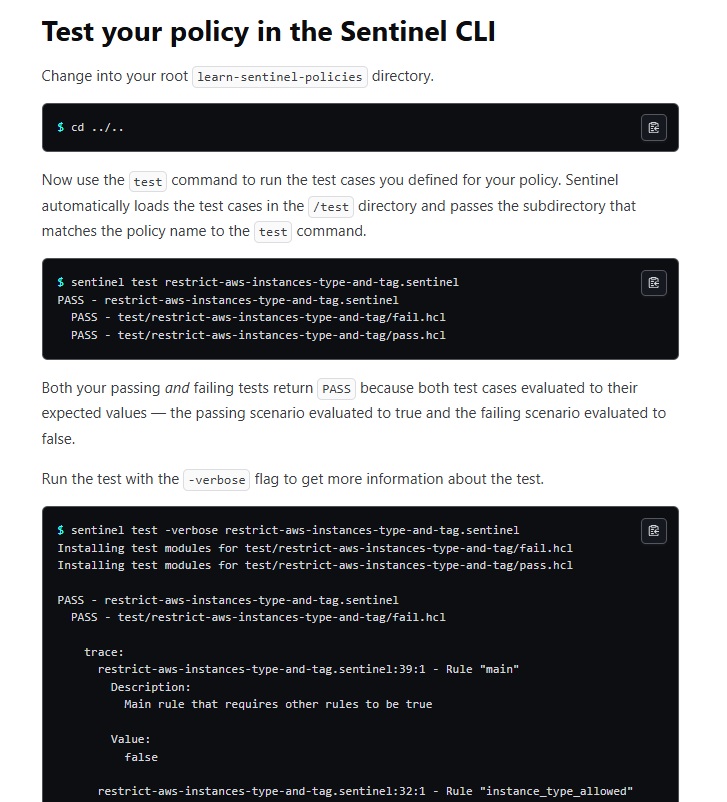
Terraform Cloud uses Sentinel and OPA to enforce policy-as-code for infrastructure changes.
Your team will be able to define compliance, security, and cost policies that run automatically during Terraform workflows.
Note that Sentinel and OPA policies must be written, maintained, and versioned by your team.
Terraform Enterprise’s Features
Everything in Terraform Cloud, plus self-hosted deployment
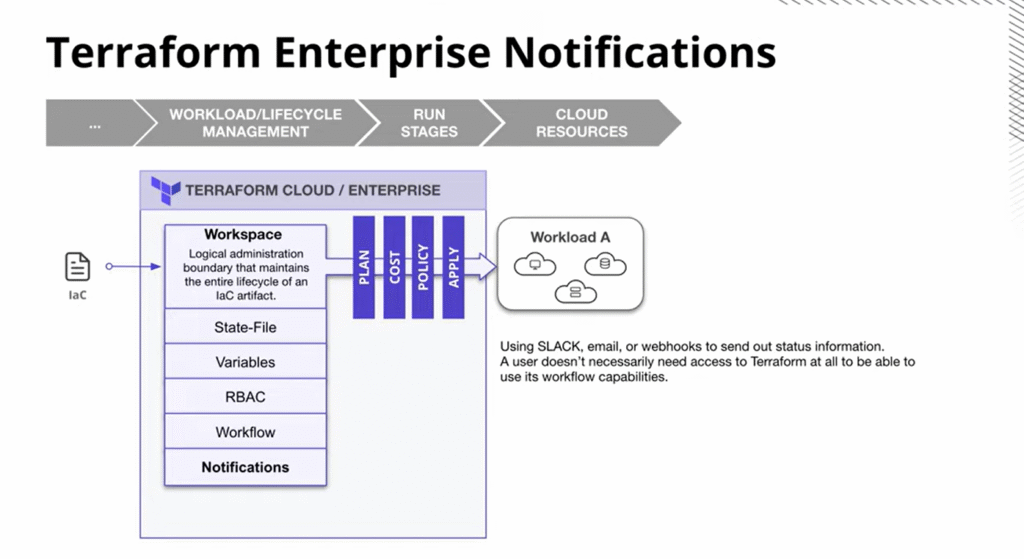
As the self-hosted distribution of Terraform Cloud, it adds enterprise controls, including RBAC, private registries, self-hosting, and stronger policy enforcement.
The platform offers a private instance of the application with no resource limits and additional enterprise-grade architectural features.
Organizations with strict data residency requirements, air-gapped environments, or regulated industries will be able to maintain complete control over infrastructure orchestration.
Enterprise controls, such as RBAC, SSO, audit logging, and private module registry
Terraform Enterprise includes SAML single sign-on, role-based access control, and comprehensive audit logging.
These features can help your organization integrate with existing identity providers, enforce least-privilege access patterns, and maintain detailed records of all of your infrastructure changes.
The private module registry allows sharing approved infrastructure patterns across your different departments and teams.
Advanced policy enforcement and governance around Terraform execution
Combined with Sentinel policy-as-code, you can standardize provisioning and enforce your company’s governance at scale.
However, this will still require dedicated resources to write, test, and maintain policy code.
Despite stronger controls, Terraform Enterprise remains execution-centric and does not expand into cloud-wide visibility, configuration recovery, or automated drift remediation.
ControlMonkey’s Features: How Is It Fundamentally Different From Terraform Cloud & Terraform Enterprise?
Instead of giving you faster Terraform plans and applies, ControlMonkey gives you full cloud visibility, automatic Terraform code generation, built-in drift remediation, and infrastructure disaster recovery.
While Terraform Cloud and Terraform Enterprise focus on executing Terraform workflows, ControlMonkey helps you:
Automatically discover everything running in your cloud, including unmanaged and shadow infrastructure.
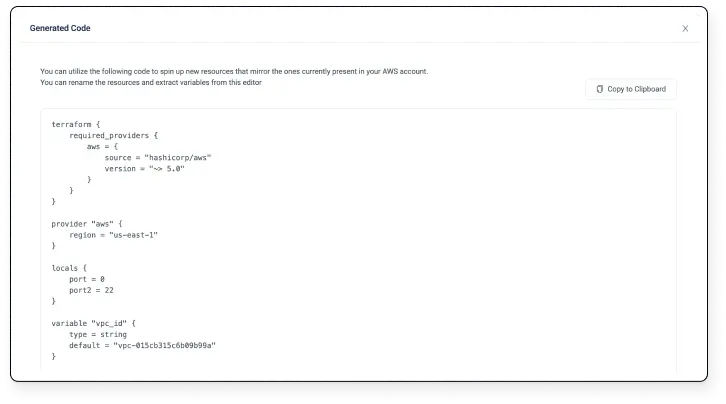
Transforms existing infrastructure into production-grade Terraform code and state files with a single click.
Detect and automatically remediate drift rather than simply sending alerts.
Recover safely from misconfigurations or accidental deletions using daily cloud configuration backups with one-click recovery.
Execute Terraform workflows in a governed, gated and audited way.
And all of that without manually writing OPA or Sentinel policies.
Let’s go over ControlMonkey’s features to see why companies like Intel, AWS and Comcast can’t imagine their cloud without our platform:
Full Cloud Visibility & Automatic Terraform Code Generation
ControlMonkey establishes direct connections to your cloud environments across AWS, Azure, and GCP, as well as third-party platforms like Datadog, Cloudflare, Okta, and MongoDB.
It performs continuous scanning to build a comprehensive, live inventory of every resource in your infrastructure.
The dashboard distinguishes between IaC-managed resources and those operating outside of Terraform to bring shadow IT and configuration blind spots into the light.
What sets ControlMonkey apart from both HashiCorp platforms is its ability to auto-generate production-quality Terraform code and state files from resources that already exist in your cloud.
This cloud-to-code capability eliminates the tedious, mistake-prone process of manually writing Terraform for legacy infrastructure so you can accelerate your IaC adoption.
Drift Detection, Automated Remediation & Rollback
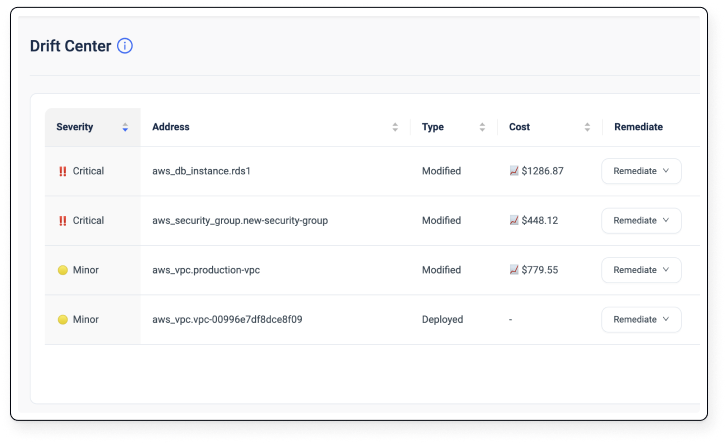
ControlMonkey monitors your cloud environment for configuration drift, whether caused by manual console changes, misconfigurations, or security issues.
Both Terraform Cloud and Terraform Enterprise offer drift detection, but they stop at notification.
ControlMonkey goes further by automatically remediating it through Git-based pull requests and safe rollbacks.
This approach transforms drift from a recurring alert into a resolved incident, cutting down on outages, service interruptions, and late-night firefighting.
Take a look at how Terraform AI detects drift between your code and deployed infrastructure using remote state in our video guide:
Built-In Governance With AI-Powered Guardrails
ControlMonkey delivers enterprise-level governance capabilities without forcing your team to write and maintain OPA or Sentinel policies from scratch.
Our platform includes out-of-the-box security, compliance, and cost guardrails, along with AI-powered Quality Gates and IaC risk scoring.
Before any infrastructure change reaches production, ControlMonkey automatically assesses it for risk and policy compliance.
Our platform also maintains a full audit trail to support compliance requirements like PCI DSS and SOC 2.
See how Windward uses ControlMonkey to provision Amazon Bedrock in a self-serve, governed and private way, without compromising on security, compliance, or costs.
Compared to Terraform Cloud and Enterprise, this approach delivers faster adoption and lower operational overhead, especially for teams that don’t have dedicated policy engineers.
Infrastructure Resilience & Disaster Recovery
ControlMonkey treats infrastructure resilience as a core capability rather than an add-on or an afterthought.
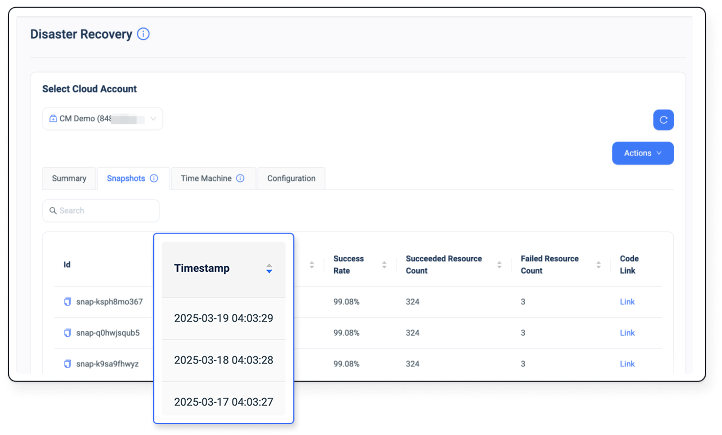
Our platform captures daily snapshots of your cloud configurations, so that it can be possible (and easy) to roll back to any previous known-good state instantly when misconfigurations or accidental deletions occur.
Beyond your primary cloud resources, you can also back up configurations from third-party services, including Datadog, Cloudflare, Okta, Confluent, Temporal, and more.
This built-in disaster recovery layer is something neither Terraform Cloud nor Terraform Enterprise offers natively.
Integrations: Terraform Cloud vs. Terraform Enterprise vs. ControlMonkey
Terraform Cloud Integrations
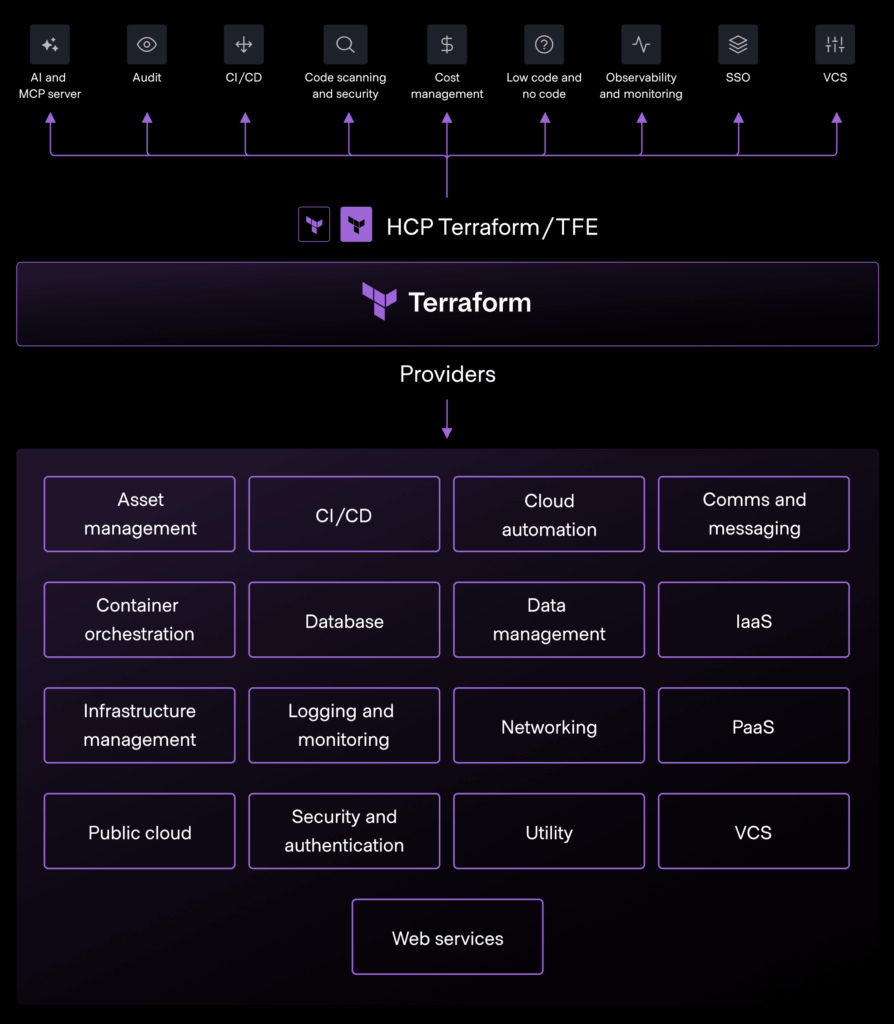
Terraform Cloud focuses on tight integration within the HashiCorp ecosystem while also supporting common DevOps tools.
Its native integrations are mainly around VCS providers (e.g., GitHub, GitLab, and BitBucket), Terraform Registry, and webhooks.
The platform’s cloud and SaaS access happens through Terraform providers during plan/apply, not through ongoing platform-level integrations.
Some of the notable integrations include:
GitHub.
GitLab.
Bitbucket.
AWS.
Azure.
Google Cloud.
Slack.
Sentinel.
Vault.
Consul.
The platform also does not provide native discovery, inventory, or continuous monitoring integrations with cloud accounts or SaaS services.
Terraform Enterprise Integrations
Terraform Enterprise includes the same VCS and registry integrations as Terraform Cloud, with added support for enterprise auth, SSO, and self-hosted environments.
The Enterprise version is designed to integrate with internal enterprise systems (IAM, networking, compliance tooling) needed for on-prem or regulated deployments.
However, it still relies on Terraform providers for cloud and SaaS interaction, without native platform-level integrations for asset discovery or configuration tracking.
ControlMonkey Integrations
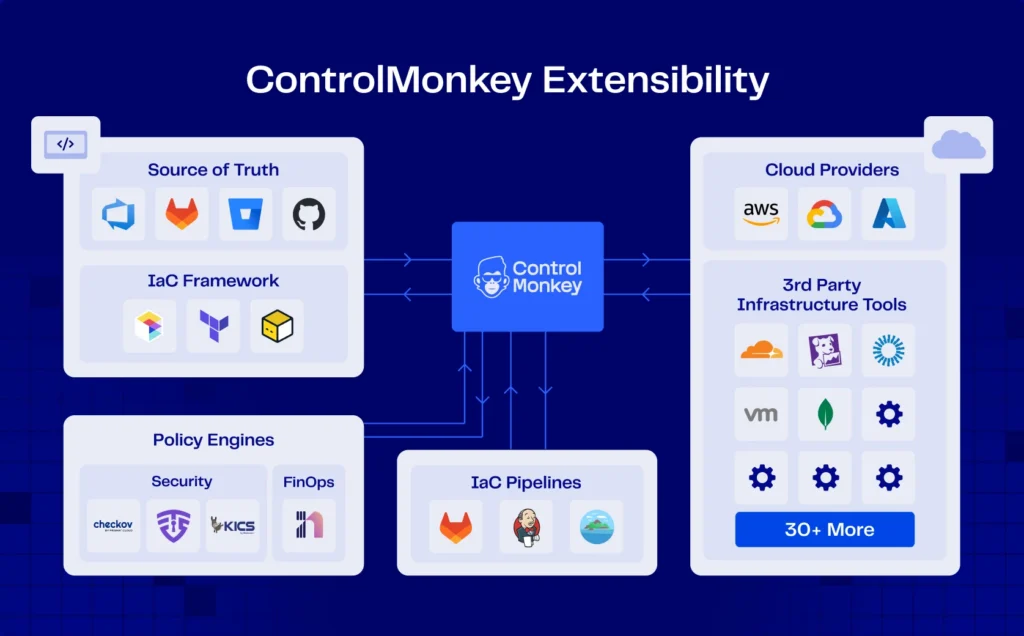
ControlMonkey offers direct integrations with cloud providers (e.g., AWS, Azure, GCP) for asset discovery and configuration tracking.
Our platform integrates with Terraform Cloud & Terraform Enterprise, Git providers, and CI/CD pipelines during migration and parallel operation.
3rd-party vendors like DataDog, Cloudflare, Snowflake, Dynatrace, Databricks, and MongoDB.
Remote state backends like AWS S3 bucket, Azure Storage account, and Gitlab State Management.
Version Control Systems (VCS) like GitHub Enterprise Server, Bitbucket, and Azure DevOps.
‘’Bring your own pipeline’’ tools like Jenkins, GitHub Actions, Azure Pipelines, Atlantis, and Gitlab CI.
What’s more, ControlMonkey also supports integrations with third-party and SaaS platforms (for configuration backup, drift, and recovery), and not just Terraform-managed resources.
Pricing: Terraform Cloud vs. Terraform Enterprise vs. ControlMonkey
Terraform Cloud Pricing
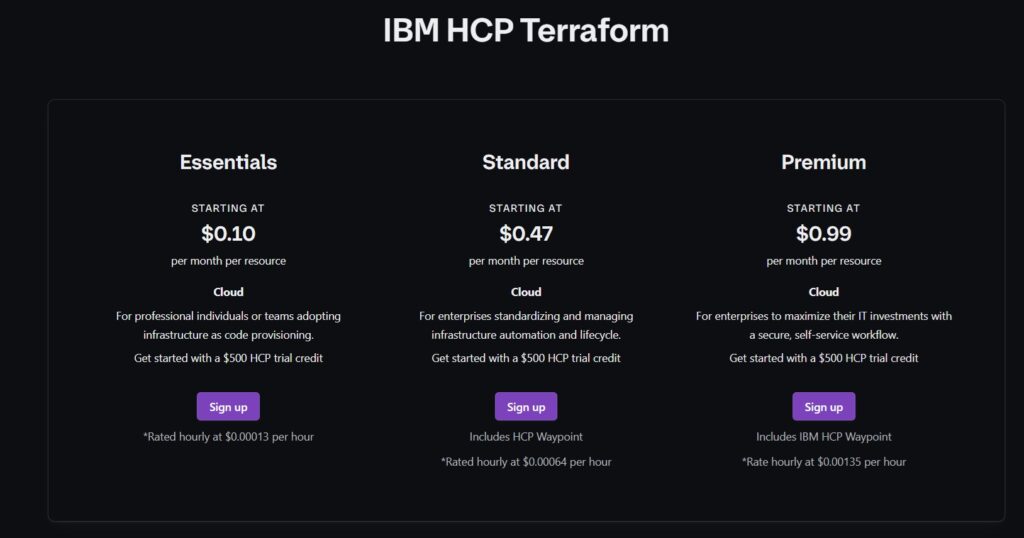
Terraform Cloud’s pricing is based on a Resources Under Management (RUM) model and offers a free trial for up to $500 worth of credits.
The platform has multiple paid plans:
Standard: Starts at $0.10 per resource per month, adding team management, cost estimation, drift detection, and Silver support.
Plus: Starts at $0.47 per resource per month, offering unlimited policies, run tasks, audit logs, and HCP Waypoint.
Premium: Starts at $0.99 per resource per month, for advanced governance, self-service workflows, and premium features.
Your costs will then scale with the number of cloud resources (instances, clusters, etc.) your team manages.
Terraform Cloud Pricing for a growing start-up
For example, a growing start-up with 2,500 managed resources (i.e., has outgrown the free tier of 500 resources) and is on the Essentials tier at $0.0001359 per managed resource per hour, they’d be paying:
$0.34 per hour. (2,500 × $0.0001359)
$245/month. ($0.34 × 24 × 30)
$2,940/year.
However, an enterprise with advanced governance needs and 50,000 managed resources on its Premium tier at ~$0.99 per resource per month:
The monthly cost would be 50,000 × $0.99 = ~$49,500/month.
And the annual cost: ~$594,000/year.
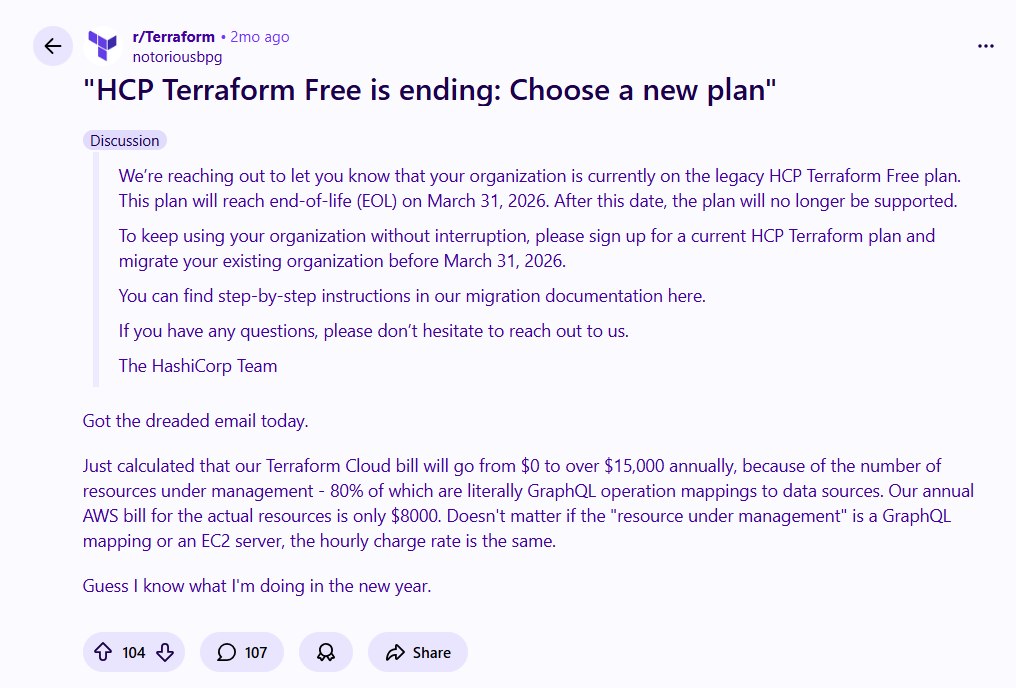
Many users have recently become unhappy with HCP Terraform’s ending free plan, with one noting that they calculated their Terraform Cloud bill will go from $0 to $15,000+ annually due to the number of resources under management.
‘’Just calculated that our Terraform Cloud bill will go from $0 to over $15,000 annually, because of the number of resources under management – 80% of which are literally GraphQL operation mappings to data sources.’’ – Reddit Thread.
Are you tired of Terraform Cloud’s unpredictable pricing?
ControlMonkey provides everything Terraform Cloud provides plus, cloud-wide visibility and IaC coverage, drift remediation, and disaster recovery at a predictable cost.
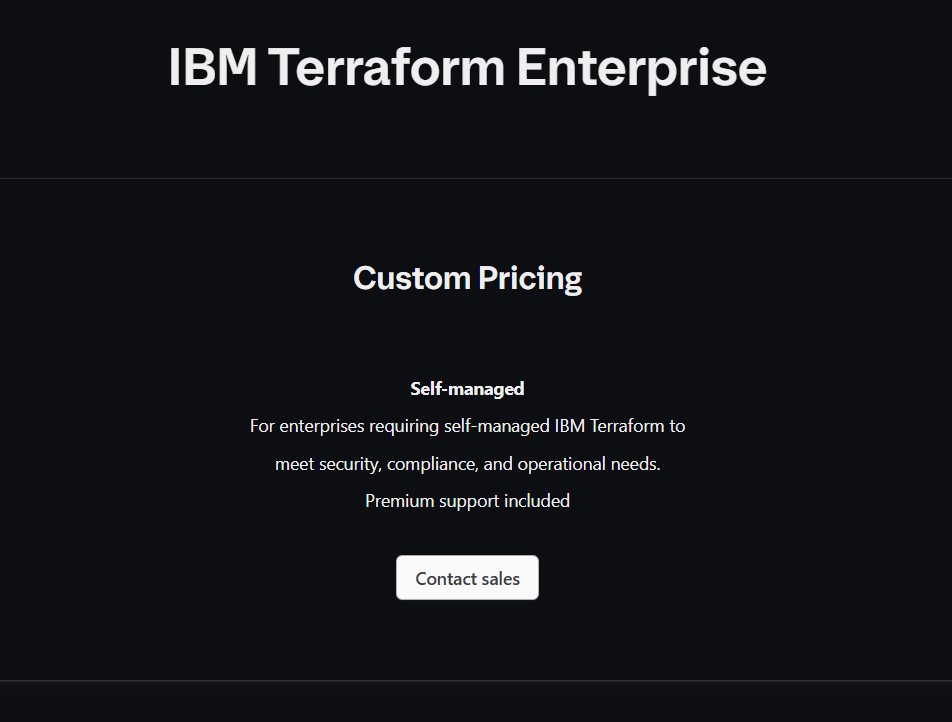
Terraform Enterprise’s pricing is TFC’s self-managed option and comes with custom and premium support.
The plan is a nice option for enterprises requiring self-managed IBM Terraform to meet security, compliance, and operational needs.
ControlMonkey Pricing
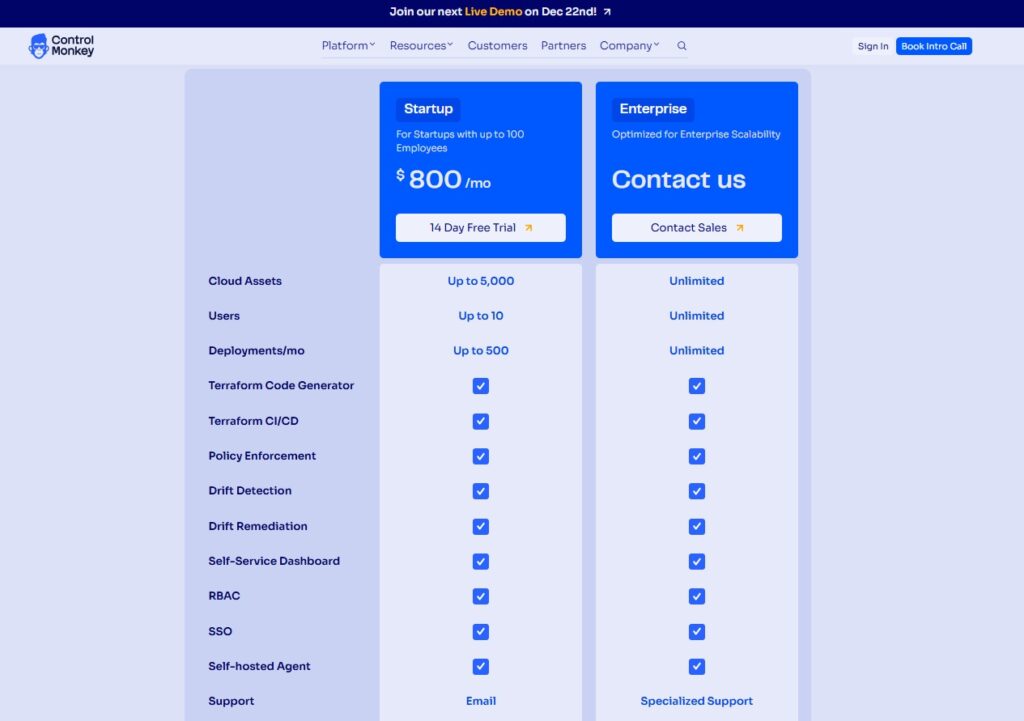
Our platform offers only 2 pricing plans:
Startup: $800 for up to 10 users, up to 5,000 cloud assets, up to 500 deployments/month, and access to our Terraform code generator, Terraform CI/CD, policy enforcement, drift detection and remediation capabilities, self-service dashboard, RBAC, and self-hosted agent.
Enterprise: Custom pricing for unlimited cloud assets, users, and deployments, and adds specialized support.
What makes ControlMonkey pricing stand out is that it is fixed and predictable, whereas Terraform Cloud pricing fluctuates based on resource count.
ControlMonkey is built to manage what happens after Terraform runs, providing cloud-wide visibility, drift remediation, and disaster recovery at a predictable cost.
You can also apply for startup pricing by sending us your company name and size, and register for a free trial.
What are customers saying about Terraform Cloud, Terraform Enterprise, and ControlMonkey?
TL;DR:
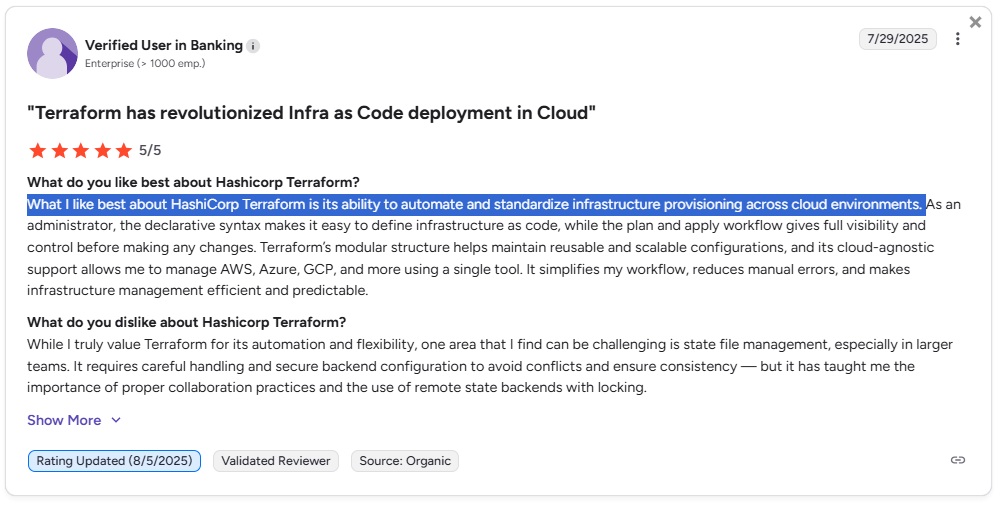
Terraform Cloud reviews praise its ability to automate and standardize infrastructure provisioning across cloud environments, but users are not happy with the recent price spikes.
Terraform Enterprise customers report challenges with the plan/apply workflow, including limited real-time feedback and longer troubleshooting cycles.
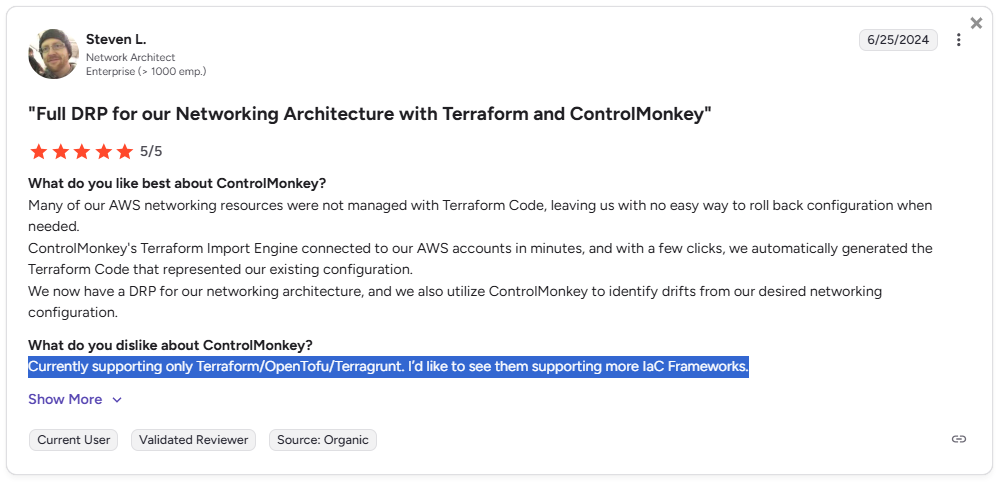
ControlMonkey users are satisfied with its ability to streamline Terraform deployments and generate code automatically, though some would like to see support for more IaC frameworks.
Terraform Cloud Reviews (Hashicorp Terraform)
G2 Rating: 4.7/5.
What users love:
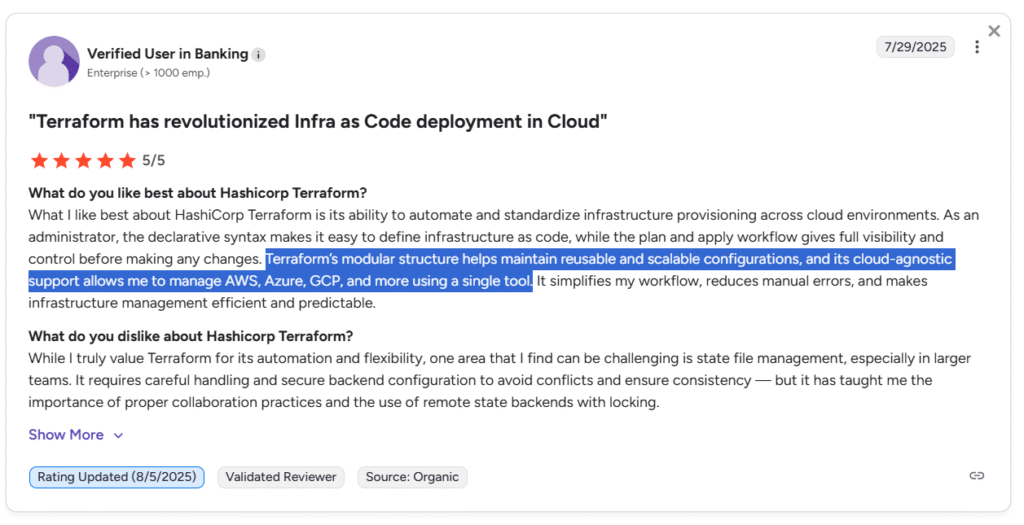
The software’s ability to automate and standardize infrastructure provisioning across cloud environments.
How easy it is to configure Terraform in Jenkins, Azure DevOps, and Git Actions.
Its cloud-agnostic support that lets users manage AWS, Azure, GCP, and more using a single tool.
‘’What I like best about HashiCorp Terraform is its ability to automate and standardize infrastructure provisioning across cloud environments.’’ – G2 Review.
Common complaints:
Recent price spikes as a result of TFC ending the support of their free plan. Cost can now be substantial for smaller organizations.
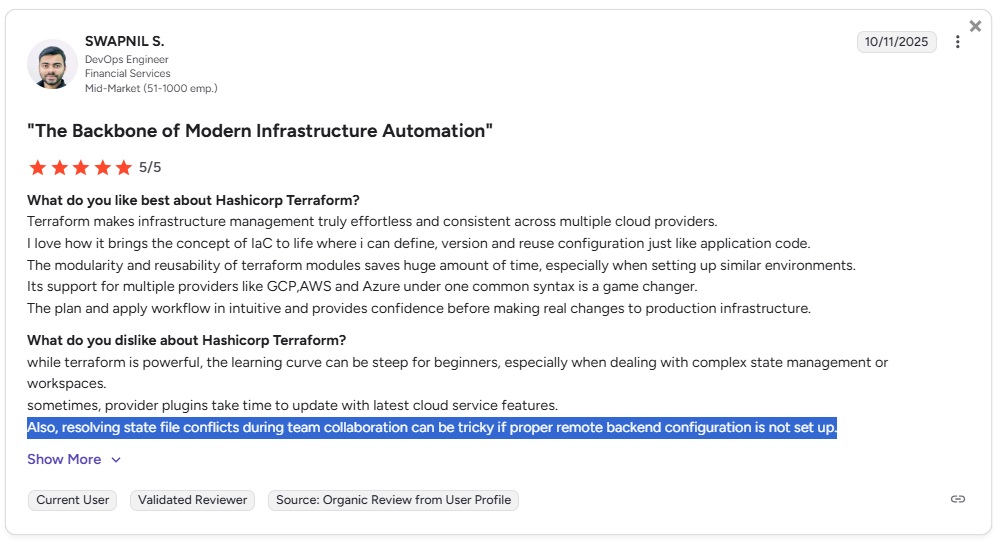
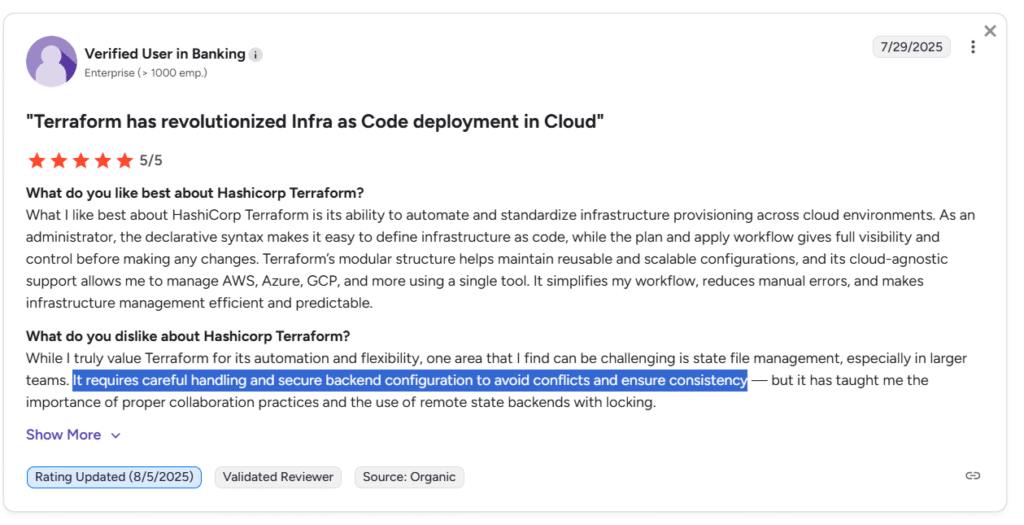
Resolving state file conflicts during team collaboration can be tricky if proper remote backend configuration is not set up.
Its exclusive focus on Terraform code means it does not natively support other IaC tools.
‘’Also, resolving state file conflicts during team collaboration can be tricky if proper remote backend configuration is not set up.’’ – G2 Review. ControlMonkey Reviews
Terraform Enterprise Reviews
G2 Rating: 4.7/5.
What users love:
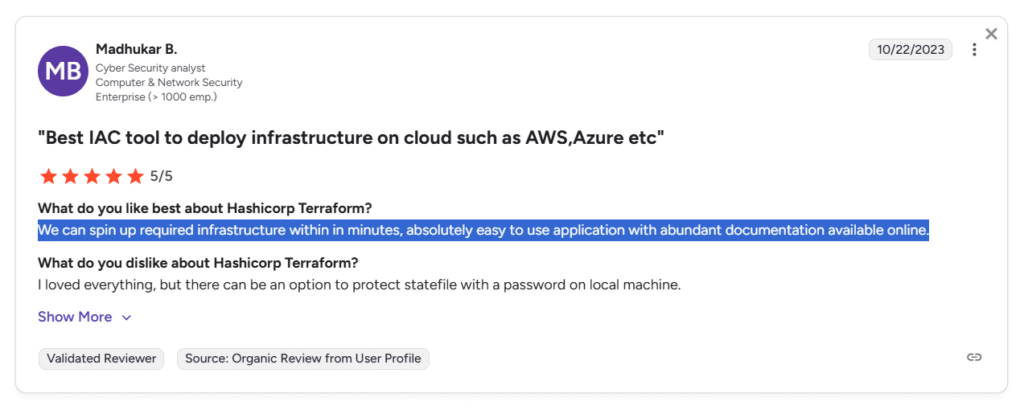
How they can spin up the required infrastructure within minutes.
Modular structure that helps maintain reusable and scalable configurations.
Its Terraform configuration, which uses the HCL language compared to other IaC tools, which use plain YAML/JSON.
‘’We can spin up required infrastructure within in minutes, absolutely easy to use application with abundant documentation available online.’’ – G2 Review.
‘’Terraform’s modular structure helps maintain reusable and scalable configurations, and its cloud-agnostic support allows me to manage AWS, Azure, GCP, and more using a single tool.’’ – G2 Review.
Common complaints:
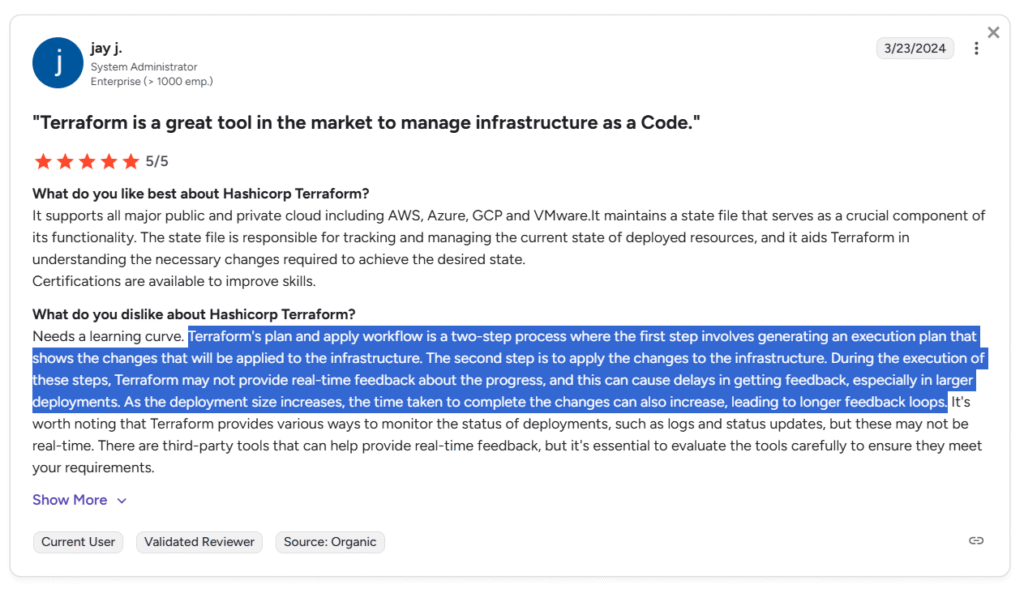
Slow, non-real-time feedback during plan/apply, especially at scale.
State file management in larger organizations needs careful handling and secure backend configuration to avoid conflicts and ensure consistency.
The rigid two-step plan/apply workflow and reliance on logs or third-party tools make it harder to quickly understand progress and troubleshoot during large or complex runs.
‘’Terraform’s plan and apply workflow is a two-step process where the first step involves generating an execution plan that shows the changes that will be applied to the infrastructure. The second step is to apply the changes to the infrastructure. During the execution of these steps, Terraform may not provide real-time feedback about the progress, and this can cause delays in getting feedback, especially in larger deployments. As the deployment size increases, the time taken to complete the changes can also increase, leading to longer feedback loops.’’ – G2 Review.
‘’It requires careful handling and secure backend configuration to avoid conflicts and ensure consistency.’’ – G2 Review.
ControlMonkey Reviews
G2 Rating: 5/5.
What users love:
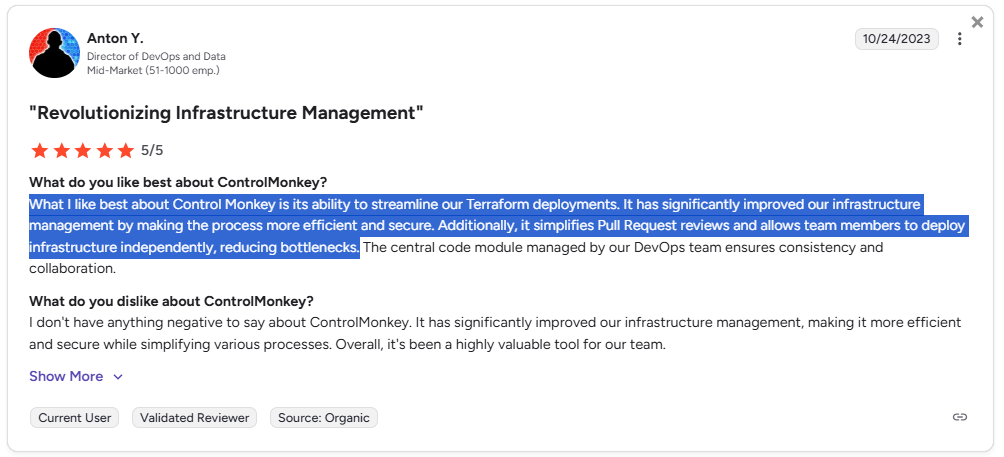
Our platform’s ability to streamline Terraform deployments.
How ControlMonkey simplifies pull request reviews and lets members deploy infrastructure independently to reduce bottlenecks.
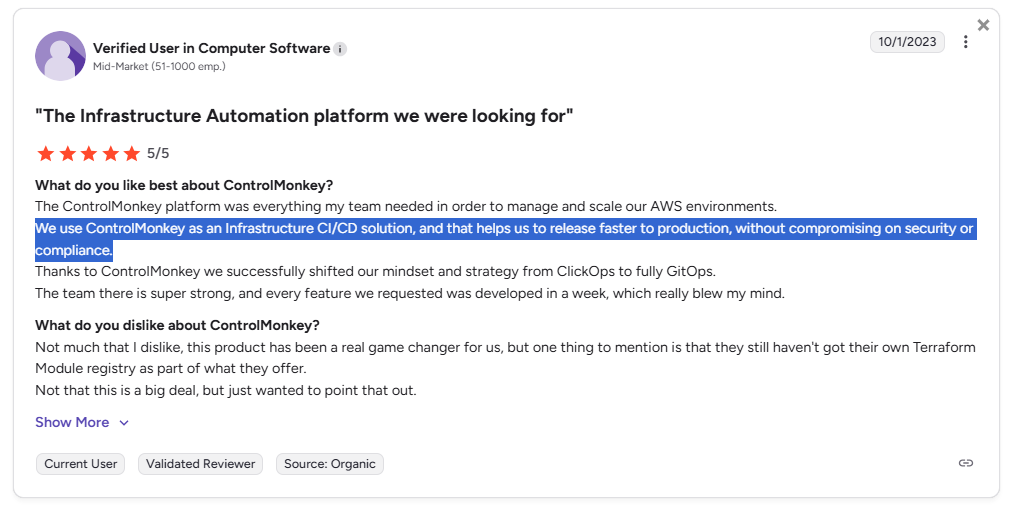
Releasing faster to production, without compromising on security or compliance.
How our automatic Terraform code generation automatically generated the Terraform code for thousands of resources.
‘’What I like best about Control Monkey is its ability to streamline our Terraform deployments. It has significantly improved our infrastructure management by making the process more efficient and secure. Additionally, it simplifies Pull Request reviews and allows team members to deploy infrastructure independently, reducing bottlenecks.’’ – G2 Review.
‘’The ControlMonkey platform was everything my team needed in order to manage and scale our AWS environments. We use ControlMonkey as an Infrastructure CI/CD solution, and that helps us to release faster to production, without compromising on security or compliance. Thanks to ControlMonkey we successfully shifted our mindset and strategy from ClickOps to fully GitOps. The team there is super strong, and every feature we requested was developed in a week, which really blew my mind.’’ – G2 Review.
Common complaints:
How the platform currently supports only Terraform, OpenTofu, and Terragrunt.
No on-premise deployment options, which are now already supported.
‘’Currently supporting only Terraform/OpenTofu/Terragrunt. I’d like to see them supporting more IaC Frameworks.’’ – G2 Review.
Which platform should you choose for cloud infrastructure management?
If you’ve read through this guide so far and you’re still not sure, here’s a quick use case summary to help you see the 3 platforms from a bird’s eye view:
ControlMonkey is the right choice if you:
Need full cloud account scanning and an accurate inventory so that your team can find unmanaged resources and eliminate shadow infrastructure.
Need visibility into what’s actually running in your cloud, not just what’s in Terraform state.
Want drift, ClickOps, and manual changes to be detected and handled, not just flagged.
Are looking for IaC automation with out-of-the-box compliance packages and control policies.
Care about recovery and rollback of real cloud and SaaS configuration when things break.
Terraform Cloud is the right choice if you:
Mainly want a managed way to run ONLY Terraform with remote state and VCS workflows.
Have relatively clean environments with no drifts and limited manual changes.
Are focused on standardizing Terraform execution, not Day-2 operations at scale
Terraform Cloud isn’t the best option if you:
Are dealing with frequent drift, ClickOps, or legacy infrastructure.
Need real disaster recovery beyond re-applying Terraform code.
Want visibility and control outside Terraform runs.
Need governance delivered as out-of-the-box AI-powered guardrails instead of maintaining Sentinel or custom policy code.
Afraid of vendor lock-in and license/pricing changes.
Struggling with Drift, ClickOps, and Zero Cloud Visibility?
ControlMonkey eliminates drift, detects manual changes, delivers real disaster recovery, and adds AI guardrails – so you control your cloud beyond Terraform runs.
Need Terraform Cloud capabilities deployed in a self-hosted or regulated environment.
Are committed to Terraform as your primary and long-term IaC framework, and to IBM as your primary vendor
Terraform Enterprise isn’t the best option if you:
Expect it to solve cloud visibility, recovery, or Day-2 operational gaps.
Want ownership of infrastructure outside Terraform execution.
Are trying to reduce operational complexity rather than add another control plane.
Are dealing with frequent drift, ClickOps, or legacy infrastructure that exists outside of Terraform.
Afraid of vendor lock-in and license/pricing changes.
Migrate to Terraform in a single click with ControlMonkey
Terraform Cloud and Terraform Enterprise improve how you run Terraform workflows, but many organizations still face challenges with visibility, drift, and disaster recovery in real-world cloud environments.
ControlMonkey goes beyond optimizing Terraform workflows by helping make cloud environments secure, resilient, and governable.
Our platform brings together full cloud visibility, automatic Terraform code generation, built-in drift remediation, and infrastructure disaster recovery into a single, easy-to-use platform.
As a result, you will no longer need to stitch together multiple tools, maintain custom CI/CD pipelines, or write complex OPA or Sentinel policies.
ControlMonkey is designed for teams that are frustrated with:
Not knowing what infrastructure exists or what is unmanaged.
Ongoing Terraform drift and ClickOps causing instability.
Lack of disaster recovery for cloud configurations.
Heavy governance complexity.
Using multiple disconnected tools to manage infrastructure.
Feeling locked in inside Terraform Cloud or equivalent.
You can book a meeting with our team to see how we can help you save thousands of hours by migrating to Terraform in a single click with ControlMonkey.
A 30-min meeting will save your team 1000s of hours
A 30-min meeting will save your team 1000s of hours
Ori Yemini is the CTO and Co-Founder of ControlMonkey. Before founding ControlMonkey, he spent five years at Spot (acquired by NetApp for $400M). Ori holds degrees from Tel Aviv and Hebrew University.

![Terraform Cloud vs. Terraform Enterprise vs. ControlMonkey: Which Platform to Pick? [2026]](https://controlmonkey.io/wp-content/uploads/2026/02/Terrafrom-Cloud-vs-Terrafrom-Enterprise.png)