Meeting Teams Where They Are
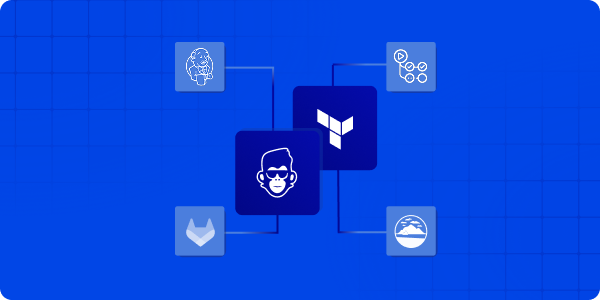
Until now, ControlMonkey’s automation engine managed the full Infrastructure as Code (IaC) lifecycle – plan, apply, and governance – through our managed pipeline. With the new support for IaC Pipeline Integration into customers’ existing pipelines, ControlMonkey now connects directly to the pipelines you already use – Jenkins, GitHub Actions, GitLab CI, or Atlantis.
We call this Bring Your Own Pipeline (BYOP) model – a way for teams to keep their existing workflows while adding ControlMonkey’s policy, visibility, and audit layers on top. The new IaC Pipeline Integration seamlessly fits into this approach.
Your pipeline stays the same. ControlMonkey adds governance, audit and visibility around it.
Introducing IaC Pipeline Integration
ControlMonkey can connect directly with your CI/CD systems to evaluate IaC plans, enforce policies, and centralize visibility across all environments. This new IaC integration ensures your pipeline is part of a robust infrastructure.
Key Capabilities
- Works with any IaC pipeline – Integrate with Jenkins, GitHub Actions, GitLab CI, or Atlantis or your home-grown solution and include IaC Pipeline integration.
- Built-in policy evaluation – Automatically check plans against cost, compliance, and security rules and provide feedback loop.
- Unified visibility – Track all plans and apply across teams from one dashboard of your existing pipeline and controlmonkey.
- No pipeline migration required – Integrate ControlMonkey in minutes, with no pipeline migration required with no need for training or enablement for the wider team.

“Our goal isn’t to change the way teams work – it is to strengthen it. That’s why we added IaC Pipeline Integration to ControlMonkey to help with delivery flows to add governance, visibility, and audit control – not slow team down.”

How does IaC Pipeline Integration Works?
ControlMonkey’s Integration – How does it work?
- Keep your existing pipeline.
Continue running Terraform, OpenTofu, or other IaC frameworks in Jenkins, GitHub Actions, GitLab CI, or Atlantis – no change to your setup. - Add a ControlMonkey step after the plan.
After your pipeline runs the plan phase, send the plan output to ControlMonkey through a simple API call. - ControlMonkey evaluates the plan.
The platform checks the plan against defined cost, security, and compliance policies, then returns a clear result and detailed findings. - Run Terraform/OpenTufo apply as usual.
Your pipeline continues to apply infrastructure changes as before. - Send apply logs for visibility.
Apply logs are sent to ControlMonkey, creating a complete audit trail and deployment history across environments. This is a crucial step of IaC Pipeline Integration.
This setup takes just a few configuration lines. After that, your pipelines gain ControlMonkey’s governance, compliance, and audit capabilities – without moving or refactoring anything.
Benefits of IaC Pipeline Integration to ControlMonkey
IaC Pipeline Integration gives organizations a consistent governance layer across their deployments. ControlMonkey provides a unified view of infrastructure activity – ensuring every deployment is compliant, traceable, and auditable. With the integration of IaC pipelines, these benefits expand even further.
Teams can:
- Apply cost, security, and compliance rules consistently across environments.
- Review every change from one interface.
- Provide instant audit evidence for SOC 2, ISO 27001, or internal compliance.
- Detects configuration drift and prevents policy violations before they reach production.
Ready to connect your pipeline?
Connect ControlMonkey to your existing IaC pipelines and standardize governance across Terraform, OpenTofu, and beyond. Join our next Product Showdown to see it in action