Join our next Live Demo on Feb 19th!

Resource Blog News Customers Stories

Updated: Oct 01, 2025 Upd: 01.10.25

3 min read

ControlMonkey Launches KoMo – AI IaC Copilot for Infrastructure as Code

ControlMonkey Launches KoMo – AI IaC Copilot for Infrastructure as Code

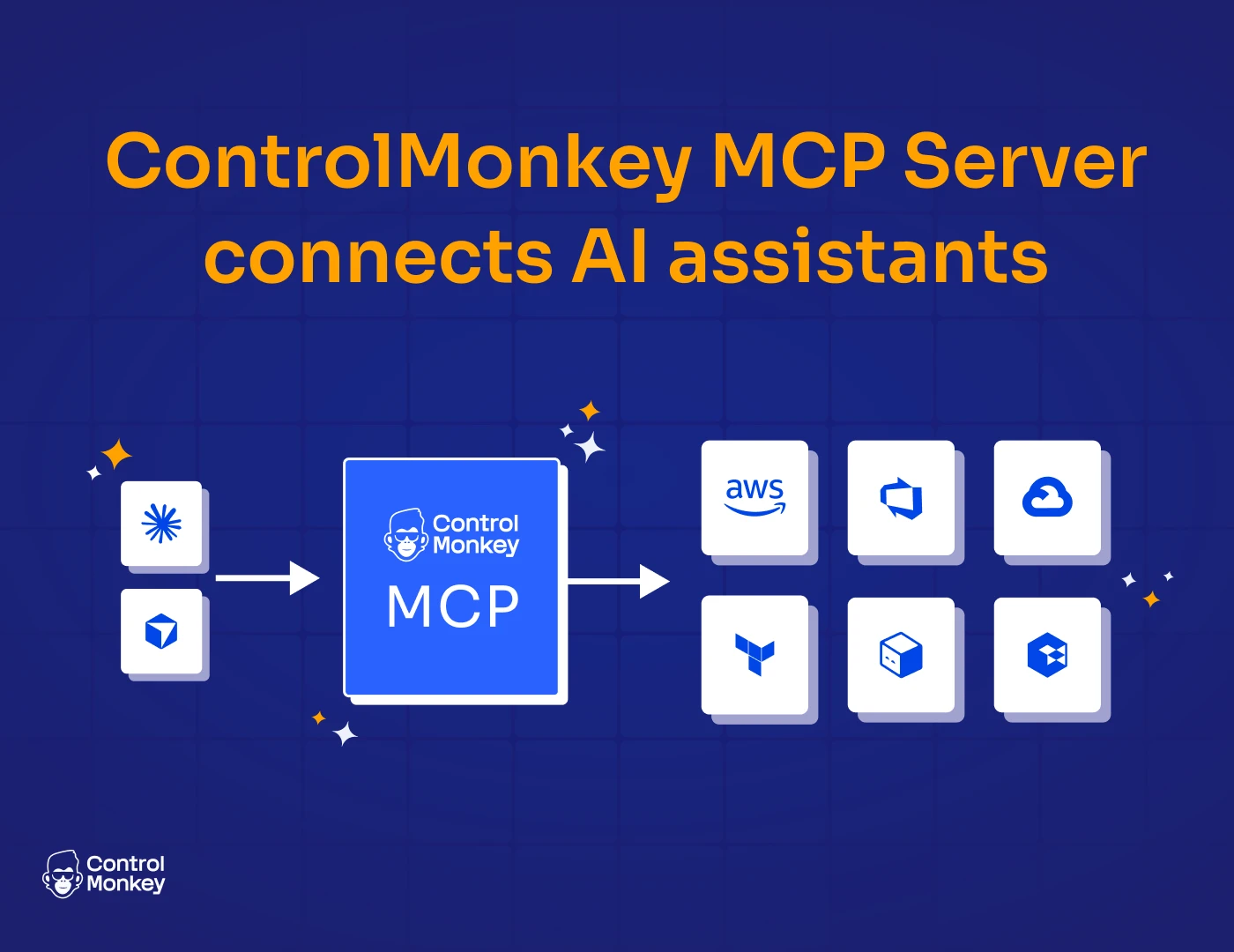
As cloud operations scale, the skills gap – not tooling – often becomes a bottleneck. Modern DevOps teams need more than automation; they need an assistant that understands their codebase, cloud state, and guardrails and can help them with shipping infra with confidence, without sacrificing speed. Today we are lunching ControlMonkey AI IaC CoPilot to answer those challenges.

Introducing KoMo: First AI IaC Copilot

ControlMonkey, the industry’s only fully end-to-end IaC cloud automation platform, today announced KoMo, an AI-powered copilot designed to eliminate one of the biggest blockers in infrastructure delivery: the Infrastructure-as-Code (IaC) skills gap.

The Problem: The Skills Gap

Infrastructure delivery bottlenecks often trace back to one place: the skills gap. Teams can only move as fast as their least experienced engineer, slowing throughput, inflating costs, and introducing compliance risk. Senior DevOps become gatekeepers instead of innovators, while less-experienced contributors hesitate over Terraform syntax, plans, and reviews that can take a time and create toil.

KoMo: The Evolution of Self-Service

Traditional self-service relies on static blueprints. That’s fine for provisioning a single resource, but brittle when real-world requirements change. Our new AI IaC Copilot evolves self-service into something dynamic: AI-driven, context-aware, and compliant by design.

Unlike generic AI chat solutions like ChatGPT or Perplexity that are based on public knowledge KoMo operates with full organizational context thanks to Controlmonkey Integration to the Cloud accounts and to the Git.

KoMo Understand:

  • Code across every IaC repository
  • Cloud resources currently running in the environment
  • Policies and guardrails that enforce compliance, security, and cost standards
  • Deployment history, including approvals, rollbacks, and failures
  • Modules and best practices shared across the organization

KoMo doesn’t generate generic Terraform. It generates Terraform code for YOUR organization – that is compliant, contextual, and safe to deploy. Engineers can request exactly what they need, and KoMo builds the stack the way your organization specifies.

KoMo: AI IaC Copilot Key Capabilities

  • Generate Terraform for new resources and stacks aligned to org modules and policies
  • Explain Terraform plans in clear, human-readable language
  • Trace dependencies, module usage, and historical context instantly
  • Flag risk before deployment in context from older outcomes.
  • Enforce module usage to prevent drift and “left-behind” resources
  • Cover multi-repo environments to eliminate blind spots
  • Provision dynamic, on-demand stacks without static templates

“KoMo closes the cloud skills gap by evolving self-service. Because it sees not just your code, but your running cloud, policies, and history, it generates Terraform that’s truly yours. That’s how enterprises finally get compliant self-service at scale.”

Aharon Twizer

Aharon Twizer

CEO and co-founder of ControlMonkey

Turn Every Engineer into Your Best Engineer

KoMo transforms how teams deliver infrastructure by eliminating the skills bottleneck. Instead of relying on a handful of senior DevOps engineers to review every line, debug every error, or rewrite every plan, KoMo gives every contributor the context and confidence to ship infrastructure that meets enterprise standards.

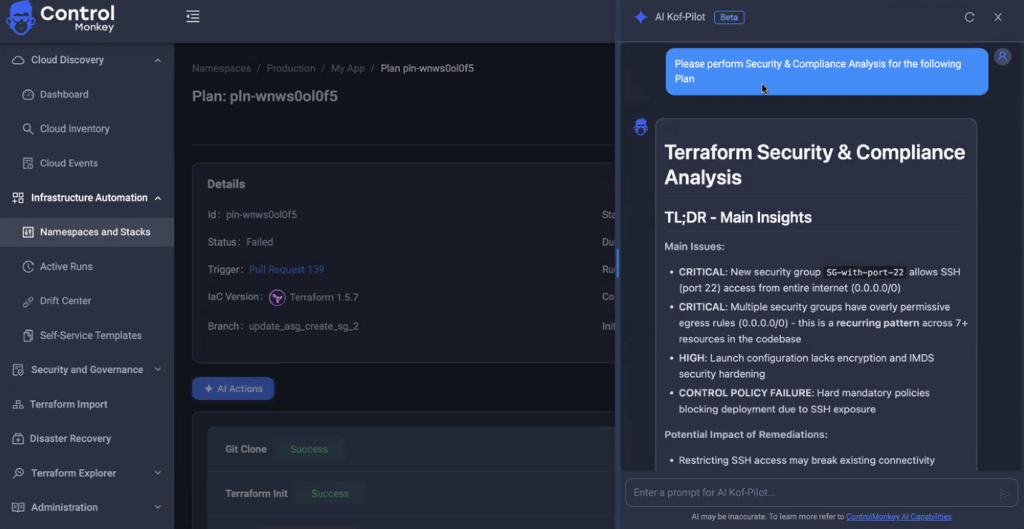
Screenshot of KoMo

Real-World Uses for AI IaC Copilot

KoMo can answer the questions and requests that traditionally block engineers or overload DevOps experts:

  • “Help me write Terraform to spin up a new service for periscope-app in dev using our naming conventions.”
  • “Where do we use our S3 bucket module – and is it following best practices?”
  • “Explain this Terraform plan in human-readable terms and flag risks.”
  • “Analyze our Terraform/OpenTofu error and suggest a fix.”
  • “Create a new-hire write-up of our Terraform layout: providers, modules, naming, and policies.”
  • “Find references to Glue crawlers across repos and summarize the differences.”
  • And many many more

See it in action? 

Ready to turn every engineer into your best engineer? Explore AI IaC Copilot in our next Product Showdown

Bottom CTA Background

A 30-min meeting will save your team 1000s of hours

A 30-min meeting will save your team 1000s of hours

Book Intro Call

    Sounds Interesting?

    Request a Demo

    Frequently Asked Questions on KoMo – IaC AI Automation

    KoMo is included for all ControlMonkey customers. There’s no separate license or add-on fee. It’s built into the platform so every team has access to the IaC Copilot.

    GitHub Copilot generates generic code based only on what’s in your editor. KoMo is an IaC AI Copilot: it connects to your Git repos and your cloud accounts, so it understands your modules, policies, and real infrastructure state. That way, the Terraform or OpenTofu code it generates is already aligned with your standards and safe to deploy.

    No. KoMo works with Terraform, OpenTofu, and Terragrunt, making it flexible for different Infrastructure as Code (IaC) environments.

    Yes. The IaC Copilot scales across teams, regions, and cloud providers, while keeping everything consistent with your policies and modules.

    Resource Blog News Customers Stories

    Updated: Sep 17, 2025 Upd: 17.09.25

    3 min read

    More Visibility: Cloud Compliance Dashboard

    Zack Bentolila

    Zack Bentolila

    Marketing Director

    More Visibility: Cloud Compliance Dashboard

    With customers like Rapyd, Coralogix, and ReasonLabs already benefiting from compliance visibility, ControlMonkey is raising the bar for proactive cloud governance.
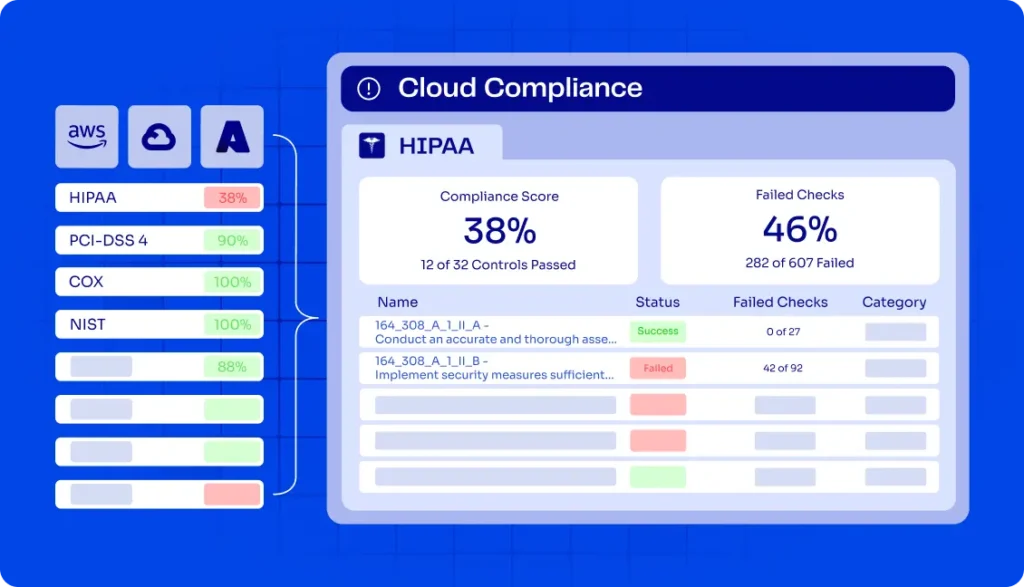
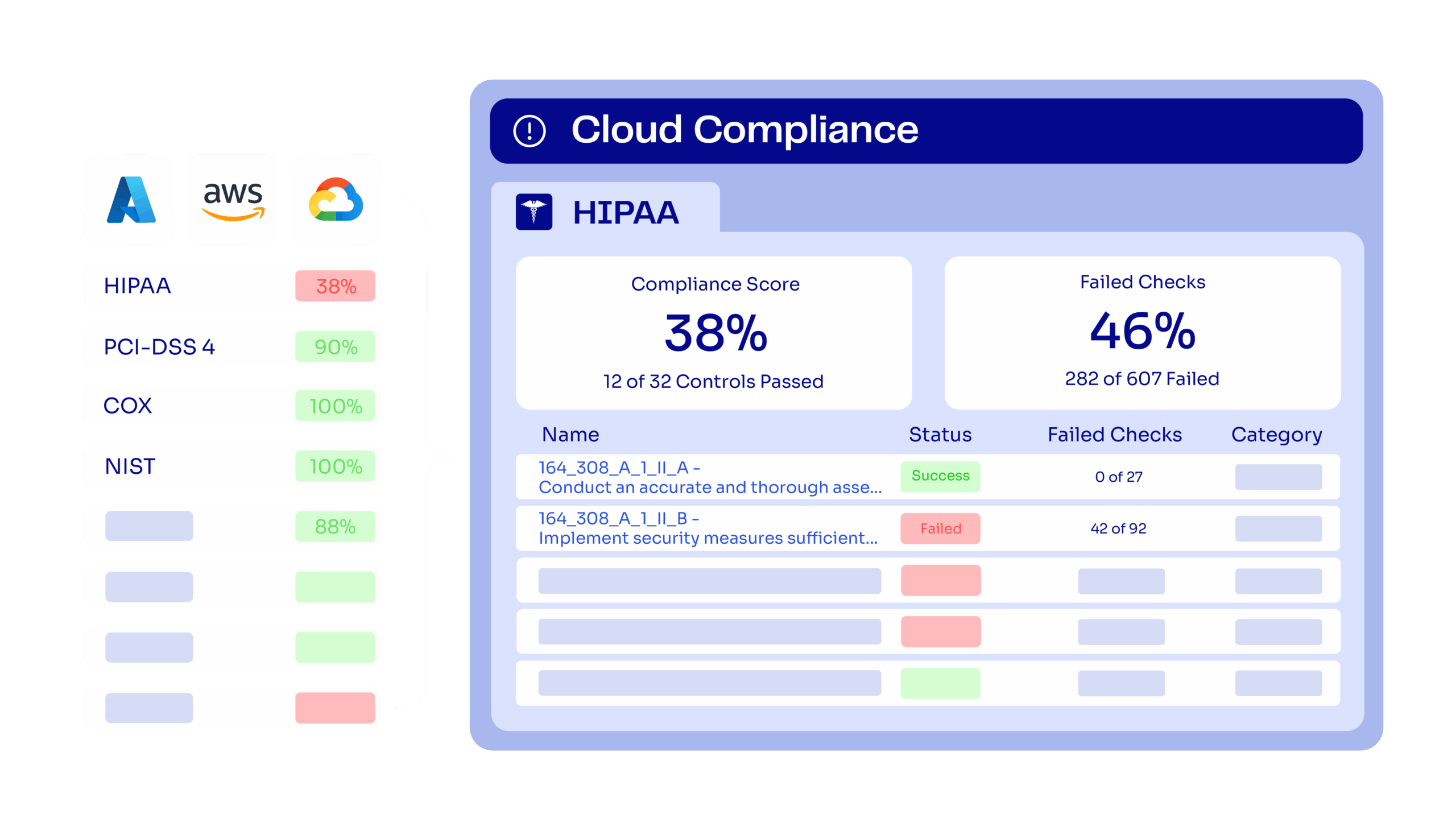
    For teams managing their Terraform, OpenTofu, or Terragrunt environments, compliance is often a moving target. The new Cloud Compliance Dashboard in ControlMonkey delivers a unified, drill-down view into your compliance posture across AWS, Azure, and GCP helping you identify gaps before they turn into risks.
    Introducing Cloud Compliance Dashboarding

    The Compliance Dashboard gives DevOps and Cloud managers the ability to select relevant standards, track consolidated scores, and drill down into failed controls and resources.

    Supported frameworks include:

    • CIS Benchmarks (2.0, 2.1, 3.0)
    • PCI DSS 4.0
    • HIPAA Security Rule
    • MITRE ATT&CK
    • ENS_RD2022 (Spanish National Security Framework)
    • DORA Regulation
    • And more – Full List below
    FakeUI of ControlMonkey Cloud Compliance Dashboard

    Teams can move from high-level compliance scores down to specific failed checks, pinpoint which resources triggered non-compliance (for example, an exposed EC2 instance), and shift compliance from reactive audits to proactive prevention.

    Stay Ahead with Cloud Governance and Infrastructure Control

    The dashboard provides decision-makers with measurable clarity. I Teams can continuously check compliance instead of just reacting to audit findings. They can enforce IaC policies on a large scale and strengthen infrastructure pipelines. This means:

    • Improved visibility into your compliance score
    • Reduced risk with drill-down checks at the resource level
    • IaC alignment through proactive enforcement
    • Scalable governance across multi-cloud environments

    “When teams gain full visibility and proactive compliance controls, they stop reacting to problems and start preventing them. That’s how you consistently raise your compliance score.” said Ori Yemini, CTO, ControlMonkey

    Customer Perspectives

    2 of Control monkey customers already enjoying full IaC coverage visibility:

    More IaC coverage means fewer security issues — period. What stood out with ControlMonkey was how easy it became to do things the right, modern way. When infrastructure and security teams can finally collaborate by design, that’s when security actually works

    image of Nir Rothenberg sharing qoute of Testimonial about ControlMonkey iac Platform

    Nir Rothenberg

    CISO

    As a company that manages huge clusters of AWS resources, the ControlMonkey Platform and specifically its GitOps pipeline capabilities is an integral part of our infrastructure deployment process, enabling us to shift left our infrastructure policies, best practices, and guardrails to make sure our production environment is stable, compliant and secure

    image of Yoni Farin sharing qoute of Testimonial about ControlMonkey iac Platform

    Yoni Farin

    Coralogix

    See it for yourself

    Join our next Product Showdown to experience the Cloud Compliance Dashboard in action.

    Supported Frameworks include:

    Find below full list of framework support by cloud provider:

    AWS

    • CISA
    • SOC 2
    • CIS Benchmarks (1.4, 1.5, 2.0, 3.0, 4.0.1, 5.0)
    • MITRE ATT&CK
    • GDPR
    • AWS Foundational Security Best Practices
    • ISO/IEC 27001:2013 & 2022
    • KISA ISMS-P 2023 (incl. Korean version)
    • HIPAA Security Rule
    • GxP 21 CFR Part 11
    • GxP EU Annex 11
    • NIST 800-171 Rev 2
    • NIST 800-53 Rev 4 & Rev 5
    • PCI DSS 4.0 & PCI DSS 3.2.1
    • AWS Well-Architected Framework (Security & Reliability Pillars)
    • AWS Account Security Onboarding
    • AWS Foundational Technical Review
    • AWS Audit Manager Control Tower Guardrails
    • NIST Cybersecurity Framework (CSF) 1.1
    • ENS_RD2022
    • RBI Cyber Security Framework
    • FFIEC Cybersecurity Assessment
    • FedRAMP (Low & Moderate, Rev 4)
    • NIS2 Directive

    Azure

    • PCI DSS 4.0
    • SOC 2
    • ISO/IEC 27001:2022
    • CIS Benchmarks (2.0, 2.1, 3.0, 4.0)
    • ENS_RD2022
    • MITRE ATT&CK
    • NIS2 Directive

    GCP

    • MITRE ATT&CK
    • SOC 2
    • CIS Benchmarks (2.0, 3.0, 4.0)
    • ENS_RD2022
    • PCI DSS 4.0
    • ISO/IEC 27001:2022
    • NIS2 Directive
    Bottom CTA Background

    A 30-min meeting will save your team 1000s of hours

    A 30-min meeting will save your team 1000s of hours

    Book Intro Call

    Author

    Zack Bentolila

    Zack Bentolila

    Marketing Director

    Zack is the Marketing Director at ControlMonkey, with a strong focus on DevOps and DevSecOps. He was the Senior Director of Partner Marketing and Field Marketing Manager at Checkmarx. There, he helped with global security projects. With over 10 years in marketing, Zack specializes in content strategy, technical messaging, and go-to-market alignment. He loves turning complex cloud and security ideas into clear, useful insights for engineering, DevOps, and security leaders.

      Sounds Interesting?

      Request a Demo

      Frequently Asked Questions About Cloud Compliance

      Nope. The laws themselves (like PCI DSS, HIPAA, GDPR) are the same globally.
      What changes is how they are implemented in each cloud.
      For example, CIS Benchmarks have AWS, Azure, and GCP-specific versions to match each platform’s services.

      Yes. The dashboard lets you move from an overall compliance score down to failed controls and specific failed checks, including the exact resource that caused the failure.

      ControlMonkey supports dozens of frameworks across AWS, Azure, and GCP.
      including CIS Benchmarks, PCI DSS, HIPAA, ISO 27001, NIST, SOC 2, GDPR, NIS2, FedRAMP, and more – Full list is just above.
      Each framework is mapped per cloud provider to reflect provider-specific services.

      Resource Blog News Customers Stories

      Updated: Nov 09, 2025 Upd: 09.11.25

      2 min read

      Azure Organization Integration Support 

      Aharon Twizer

      Aharon Twizer

      CEO & Co-founder

      Azure Organization Integration Support 

      Azure Organization Integration is now available in ControlMonkey, making it easier than ever for enterprises to govern and scale their Azure environments. For teams managing their Terraform, OpenTofu, or Terragrunt deployments across multiple subscriptions, this integration eliminates the need to onboard subscriptions one by one – delivering instant visibility, compliance, and automation at scale.

      Introducing Azure Organization Integration

      With Azure Organization Integration, ControlMonkey now supports seamless onboarding across dozens—or even hundreds—of Azure subscriptions in just a click.
      You can also control what subscriptions to connect to ControlMonkey by choosing one or more Azure Management Groups.

      Top benefits include:

      • One-click onboarding for all Azure subscriptions
      • Unified cloud inventory across the entire Azure footprint
      • Automated backups spanning every subscription
      • Consistent IaC governance across cloud environments
      • Enterprise-ready scale to support regulated and governed organizations

      “For enterprises operating Azure at scale, onboarding and governance must be frictionless. With Azure Organization Integration, we’re giving customers complete visibility, backup, and IaC governance across every subscription in just one step"

      Ori Yemini - ControlMonkey CTO Headshot Photo

      Ori Yemini

      CTO, ControlMonkey

      ControlMonkey for Cloud Governance 

      By extending our multi-cloud enterprise capabilities, Azure Integration ensures teams:

      • Gain visibility across all Azure subscriptions without manual setup
      • Reduce risk with governed, consistent controls across accounts
      • Strengthen IaC adoption and compliance at enterprise scale
      • Confidently operate in regulated environments with full coverage

      Ready to take control?

      Explore Azure Organization today and bring order to your multi-subscription cloud – Lean More in our Product Showdown Next Week.

      Bottom CTA Background

      A 30-min meeting will save your team 1000s of hours

      A 30-min meeting will save your team 1000s of hours

      Book Intro Call

      Author

      Aharon Twizer

      Aharon Twizer

      CEO & Co-founder

      Co-Founder and CEO of ControlMonkey. He has over 20 years of experience in software development. He was the CTO of Spot.io, which was bought by NetApp for more than $400 million. There, he led important tech innovations in cloud optimization and Kubernetes. He later joined AWS as a Principal Solutions Architect, helping global partners solve complex cloud challenges. In 2022, he started ControlMonkey to help DevOps teams discover, manage, and scale their cloud infrastructure with Infrastructure as Code. Aharon loves creating tools that help engineering teams. These tools make it easier to manage the complexity of modern cloud environments.

        Sounds Interesting?

        Request a Demo

        Frequently Asked Questions About Azure Organization Integration

        Azure Organization Integration allows enterprises to connect all their Azure subscriptions in one step, instead of onboarding each subscription individually. It is especially valuable for teams managing Terraform, OpenTofu, or Terragrunt at scale.

         It simplifies onboarding, provides full cloud inventory, enables automated backups, and ensures IaC governance across every subscription. critical for large and regulated environments.

         Yes. Just like AWS Organization and GCP Organization integration, Azure Organization Integration extends multi-cloud enterprise governance and IaC coverage. Read More about GCP Organization Support. 

         No. With Azure Organization Integration, you can onboard dozens or even hundreds of subscriptions in one click.

        Resource Blog News Customers Stories

        Updated: Aug 28, 2025 Upd: 28.08.25

        2 min read

        Enhanced IaC Visibility: Group Cloud Accounts with Custom Labels

        Zack Bentolila

        Zack Bentolila

        Marketing Director

        Enhanced IaC Visibility: Group Cloud Accounts with Custom Labels

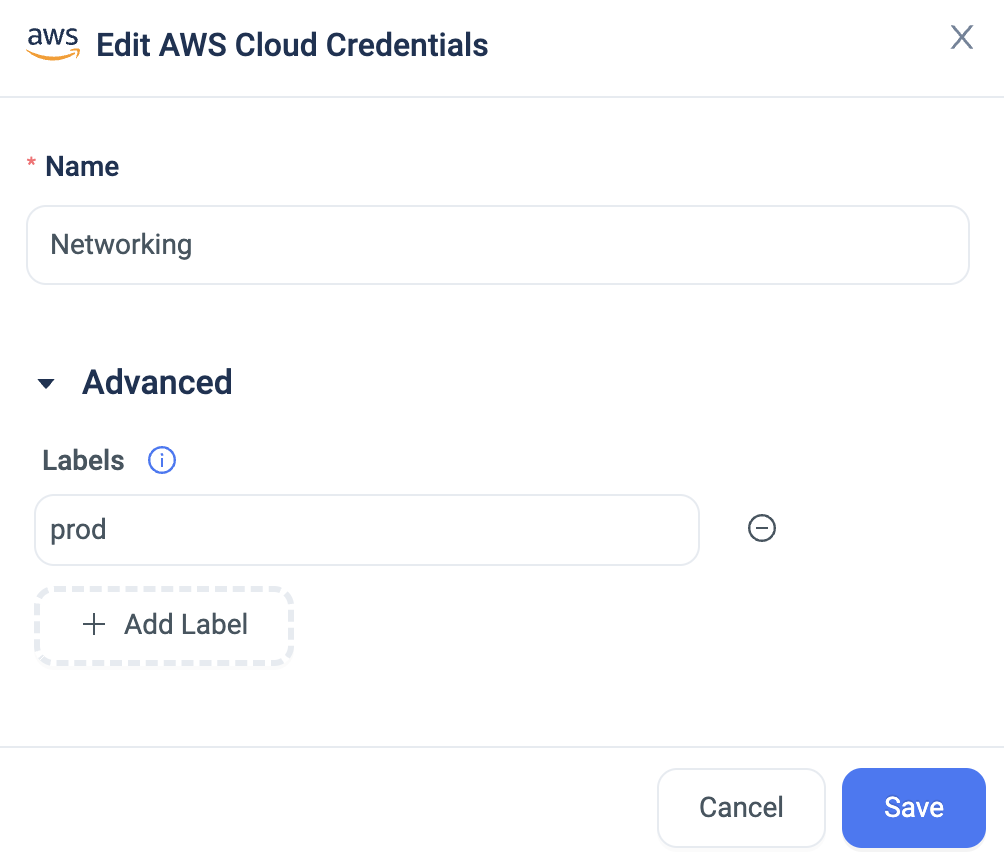
        We are excited to announce that we have reinforced our Cloud Inventory Dashboard‘s organization view. We added the option to aggregate accounts by predefined labels.

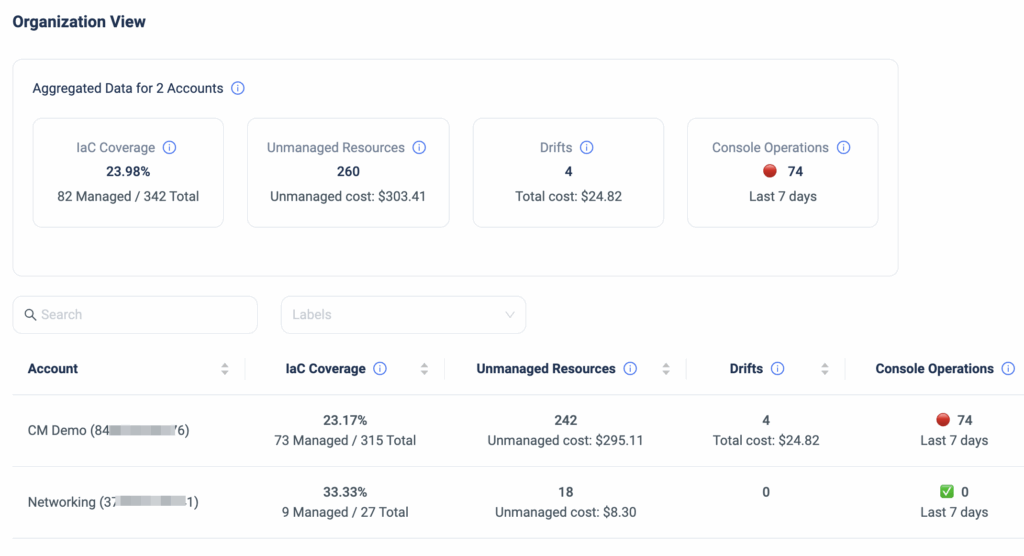
        IaC Posture Overview

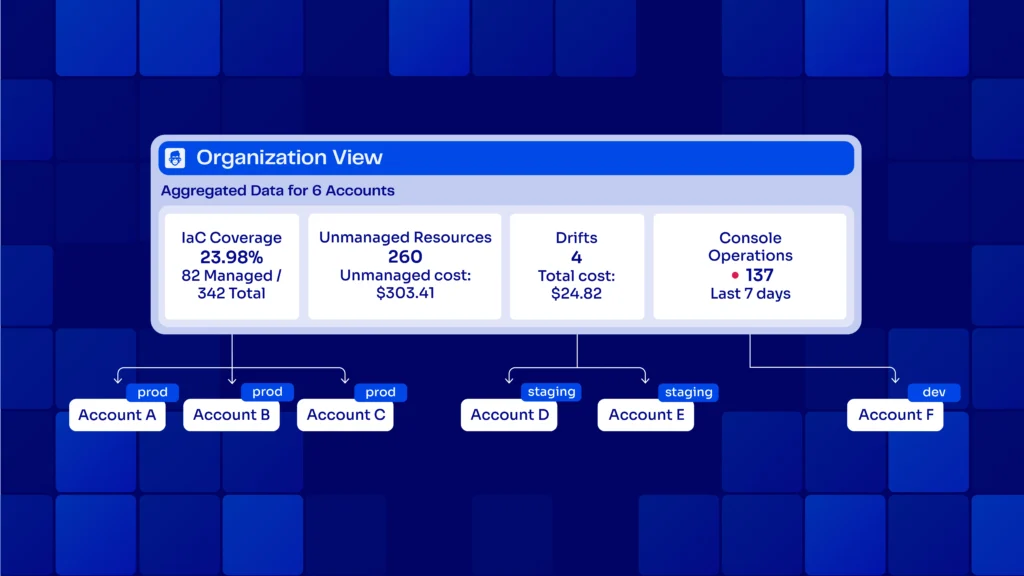
        The ControlMonkey’s dashboard organization view provides a 30K feet IaC Posture overview. It encompasses the entire organization’s AWS accounts, GCP Projects, and Azure Subscriptions.

        ControlMonkey’s IaC posture overview shows the user at any given time their IaC Coverage, # of unmanaged resources, # of Terraform, OpenTofu or Terragrunt Drifts, and # of Console Operations (ClickOps)


        Starting today, ControlMonkey users can aggregate the IaC Posture overview on a labeled set of accounts. They can filter by those accounts, such as Production, Staging, Networking, etc.

        Not all Cloud Account Labels are created equal.

        Production and Development environments fundamentally differ in how they are managed and governed.

        A drift or ClickOps in production is way more severe than in dev environments. Furthermore, high Terraform coverage in staging is more significant than in QA.

        Hence, this capability lets our customers get a better IaC posture overview of important selected accounts.

        Cloud Account Labels enables infrastructure teams

        • Easily group accounts with custom labels.
        • Have an aggregated view of labeled groups.


        Organizations that manage large-scale cloud environments with dozens or hundreds of accounts can now logically group them. They can have selective visibility into that group’s IaC posture.

        If you have a large-scale cloud environment with multiple accounts and are struggling to get an accurate, real-time IaC Posture view, we would love to chat!

        Bottom CTA Background

        A 30-min meeting will save your team 1000s of hours

        A 30-min meeting will save your team 1000s of hours

        Book Intro Call

        Author

        Zack Bentolila

        Zack Bentolila

        Marketing Director

        Zack is the Marketing Director at ControlMonkey, with a strong focus on DevOps and DevSecOps. He was the Senior Director of Partner Marketing and Field Marketing Manager at Checkmarx. There, he helped with global security projects. With over 10 years in marketing, Zack specializes in content strategy, technical messaging, and go-to-market alignment. He loves turning complex cloud and security ideas into clear, useful insights for engineering, DevOps, and security leaders.

          Sounds Interesting?

          Request a Demo

          Resource Blog News Customers Stories

          Updated: Aug 23, 2025 Upd: 23.08.25

          3 min read

          Introducing Terraform and OpenTofu Stack Dependencies

          Zack Bentolila

          Zack Bentolila

          Marketing Director

          Introducing Terraform and OpenTofu Stack Dependencies

          Today, we are excited to announce that we have enhanced our Terraform or OpenTofu Orchestration Engine to execute Introducing Terraform and OpenTofu Stack Dependencies in any specific order/hierarchy dependent on other related Stacks’ output.

          Why Terraform and OpenTofu Stack Dependencies matters?

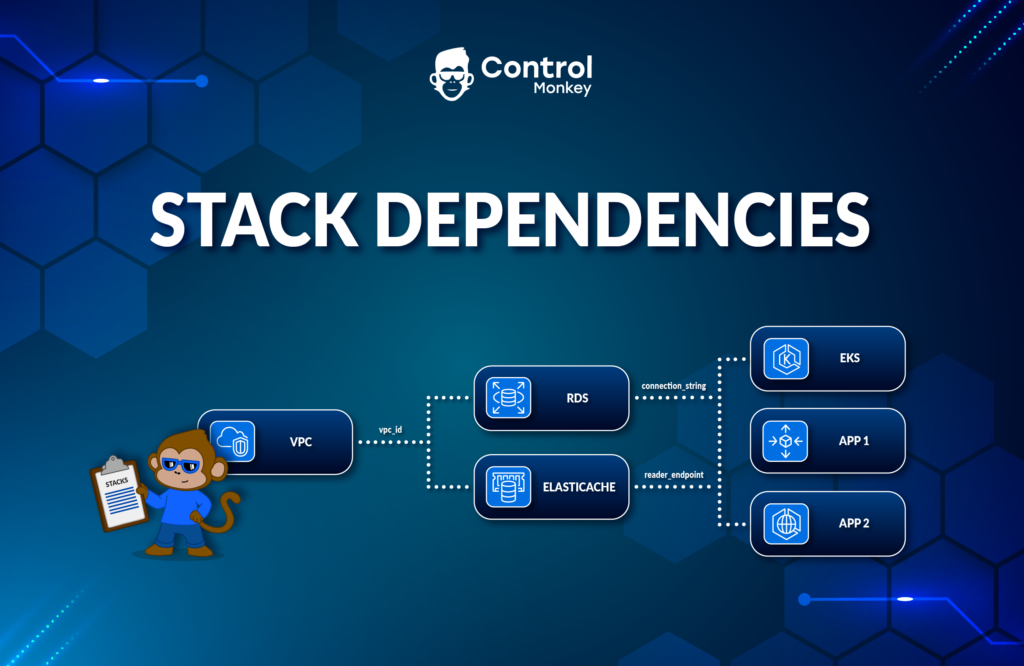
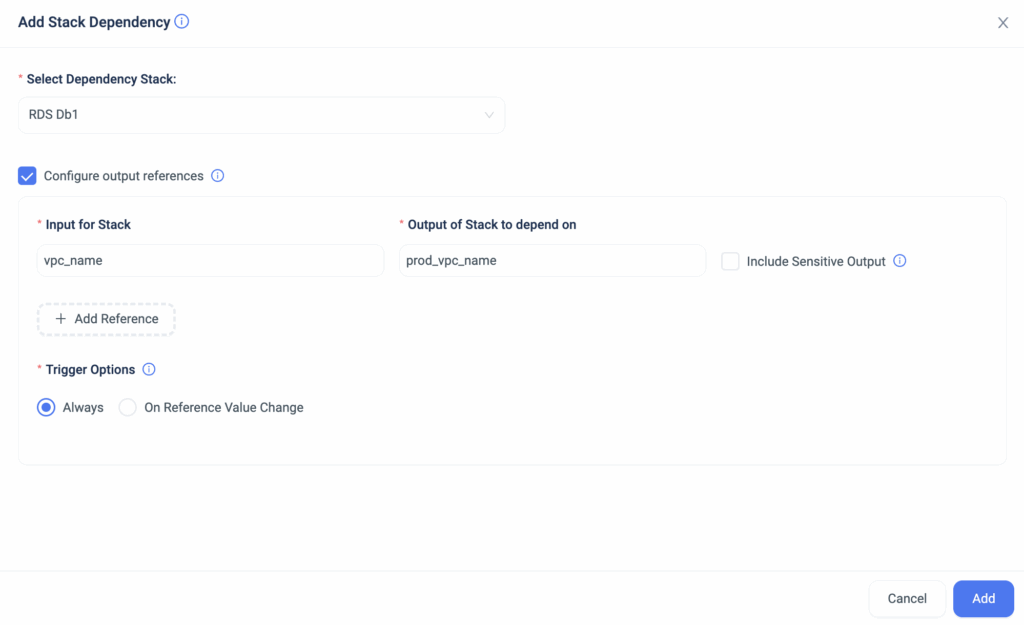
          Stack Dependencies allow ControlMonkey users to create a flow of interdependent stacks that run in a custom-defined order, with critical information passed from one to another.

          This provides a deeper granularity and control over what triggers each Terraform and OpenTofu Stack and the inputs and outputs required for a successful execution.

          Real life Example for Stack Dependencies

          Example: Let’s take a company with a complex infrastructure comprising multiple cloud environments with few Terraform/OpenTofu Stacks strongly linked to one another to deploy the entire infrastructure.

          Building the infrastructure is a linear process in which these stacks must be orchestrated precisely, starting with Account Configuration, Access Control & Authentication, Networking, Databases, Compute, Alerting, Monitoring, etc.
          Moreover, the information generated in each Stack has to be passed along to the next Stack in the execution Queue.

          A typical scenario would involve passing along critical networking information from the ‘network’ stack to the ‘compute resources’ stack so they can have the right network configuration, for example.

          Controlmonkey Terraform and OpenTofu Stack Dependencies

          With ControlMonkey Stack Dependencies, you can now easily define the order, triggers, inputs, and outputs of each Terraform and OpenTofu Stack to customize your infrastructure orchestration.

          Cloud engineering teams no longer need to manually collect the data produced in each stack deployment to configure the next stack. ControlMonkey collects the stack’s required outputs in runtime and automatically inserts the data into the next stack in the deployment flow.

          The Benefits of Stack Dependencies:

          • Link Terraform or OpenTofu Stacks. Users can tightly manage stacks when closely connected due to interdependencies.
          • Direct Information Transfer.Variables can now be passed directly from one stack to another. There is no need to fetch this information within the stack; you can simply use it as the value of a variable. This shortens execution times and eliminates the possibility of misconfiguration.

          To summarize, with Stack Dependencies, you now have the option to connect two stacks to execute one after another and pass information created in the runtime of one stack to another.

          This enables stronger interconnection between stacks and saves time by building the infrastructure automatically without the need to manually trigger pipeline executions.


          Managing Terraform/OpenTofu at scale?

          Our Experts are available for a quick call so you can learn more about the future of Terraform/OpenTofu Automation.

          Bottom CTA Background

          A 30-min meeting will save your team 1000s of hours

          A 30-min meeting will save your team 1000s of hours

          Book Intro Call

          Author

          Zack Bentolila

          Zack Bentolila

          Marketing Director

          Zack is the Marketing Director at ControlMonkey, with a strong focus on DevOps and DevSecOps. He was the Senior Director of Partner Marketing and Field Marketing Manager at Checkmarx. There, he helped with global security projects. With over 10 years in marketing, Zack specializes in content strategy, technical messaging, and go-to-market alignment. He loves turning complex cloud and security ideas into clear, useful insights for engineering, DevOps, and security leaders.

            Sounds Interesting?

            Request a Demo

            Resource Blog News Customers Stories

            Updated: Aug 23, 2025 Upd: 23.08.25

            2 min read

            GCP Terraform and OpenTofu Security Policies

            Zack Bentolila

            Zack Bentolila

            Marketing Director

            GCP Terraform and OpenTofu Security Policies

            We are excited to announce another milestone in our support for multiple cloud providers, this time with a major enhancement to our Terraform CI/CD solution.
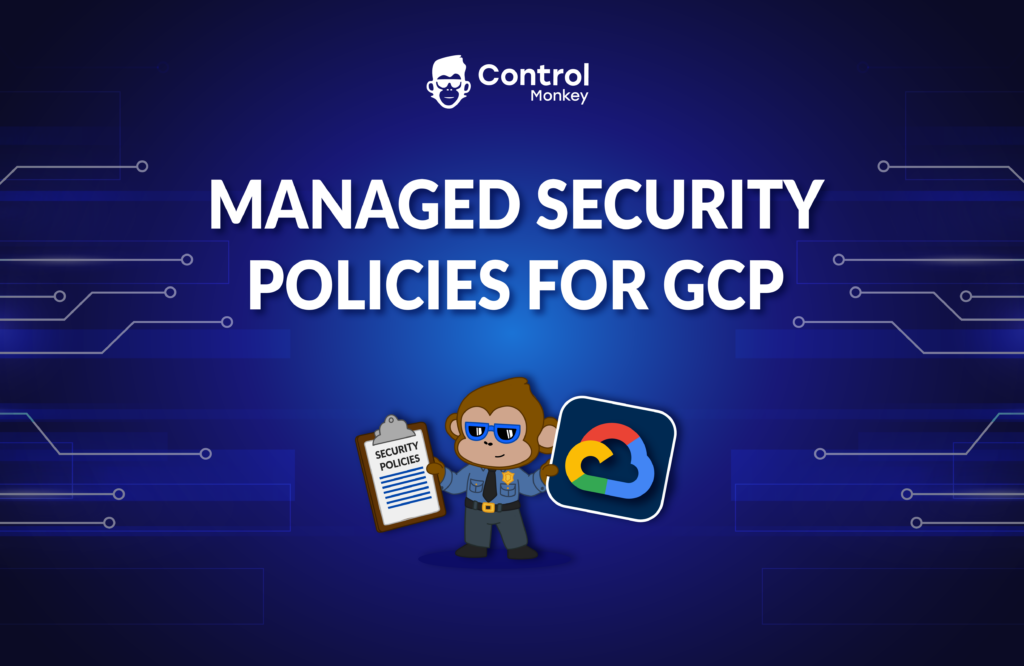
            Starting today, ControlMonkey’s Managed Security Policies are also available for Google Cloud users!

            These Security Policies are predefined, managed, and maintained by ControlMonkey.
            Rather than writing and maintaining common security policies with OPA, which also requires understanding the Terraform Plan output internals, you get managed security policies that are enforced whenever someone changes your Terraform code, right out of the box.

            Cloud Engineering teams can granularly select on which unit of deployment the Security Policy will be enforced, and also the enforcement level (warning or block).
            So if you need to separate and divide your policy enforcement across environments, you can easily do that with ControlMonkey.

            The benefits of Managed Security Policies:

            • You get a library of pre-defined security policies to choose from, straight out of the box.
            • Save time on writing, managing, and maintaining these policies, ControlMonkey does all the heavy lifting for you.
            • By shifting left your security, you are:
              • Preventing security issues before they reach production
              • Saving time on manual code review.
              • Enable a proactive operations mode Vs. reacting to security misconfigurations.
              • Educating Cloud Engineering teams on the organization’s security standards.

            If you’re using GCP today and looking to turn on your proactive mode, let’s talk.

            Bottom CTA Background

            A 30-min meeting will save your team 1000s of hours

            A 30-min meeting will save your team 1000s of hours

            Book Intro Call

            Author

            Zack Bentolila

            Zack Bentolila

            Marketing Director

            Zack is the Marketing Director at ControlMonkey, with a strong focus on DevOps and DevSecOps. He was the Senior Director of Partner Marketing and Field Marketing Manager at Checkmarx. There, he helped with global security projects. With over 10 years in marketing, Zack specializes in content strategy, technical messaging, and go-to-market alignment. He loves turning complex cloud and security ideas into clear, useful insights for engineering, DevOps, and security leaders.

              Sounds Interesting?

              Request a Demo

              Resource Blog News Customers Stories

              Updated: Oct 20, 2025 Upd: 20.10.25

              3 min read

              Migration from Terraform to OpenTofu in 1-Click

              Migration from Terraform to OpenTofu in 1-Click

              Ever since it was announced GA, OpenTofu migration has seen rapid adoption by DevOps teams  around the world to keep their IaC framework open-source.
              Hashicorp’s Terraform license change and IBM’s recent acquisition have pushed more and more DevOps to migrate their stacks from Terraform to OpenTofu.

              If you have come to the decision that OpenTofu is the right IaC framework for your team and you’re planning to migrate, then the release of our ‘OpenTofu 1-Click Migration’ solution is exactly for you.
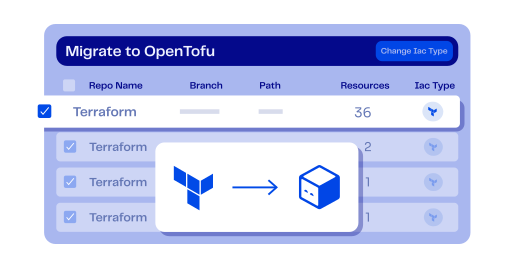
              ControlMonkey users who want to migrate their stacks to OpenTofu can now easily do it via the ControlMonkey platform in a few clicks.

              How hard is it to migrate from Terraform to OpenTofu at scale?

              It’s pretty straightforward to migrate a couple of Terraform stacks to OpenTofu on your own.
              But what if you have hundreds or thousands of stacks that you wish to migrate?

              That’s when OpenTofu migration becomes complex and risky—especially at scale.

              When you have big-scale environments or a large terraform codebase, manually inspecting and preparing your code to be migration-compatible can be a long, daunting, and error-prone process.
              So, if you have many Terraform Stacks, you can now seamlessly migrate them to OpenTofu using ControlMonkey.

              Here is how we do it:

              OpenTofu Readiness Assessment

              As always the first step is visibility – Gain complete visibility into your code readiness with a clear assessment report and understand your migration gaps and dependencies.
              See exactly which stacks are not ready to shift to OpenTofu, and whether your Terraform Stacks are OpenTofu compatible.

              1-Click OpenTofu Migration

              Shift your IaC engine binary to OpenTofu with minimal effort. 
              ControlMonkey provides a 1-click migration where we automatically change your Infrastructure CI/CD IaC framework to OpenTofu.

              Fix Code Gaps and Dependencies

              ControlMonkey scans your code to search for HashiCorp’s registry references in your Modules or providers definitions.
              If your Terraform code was written with the fully qualified name of HashiCorp’s registry, ControlMonkey will automatically generate a PR that fixes the code pointing to the OpenTofu registry. 


              Quick Wrap Up

              Migrating from Terraform to OpenTofu is more of a management challenge than a technical one.
              When you have large environments with many stacks, manually assessing and preparing thousands of lines of Terraform Code is counterproductive and error-prone.

              With ControlMonkey, you get the automation that scans and assesses all of your Terraform Stacks, runs compatibility tests, and helps you seamlessly fix any gaps or dependencies in your code.
              Don’t spend your DevOps team’s time preparing your stacks for migration.
              We are providing the easiest and safest way to migrate from Terraform to OpenTofu.

              Interested in learning more about how ControlMonkey supports OpenTofu Migration and makes the migration a walk in the park?
              Our Terraform Experts are waiting to jump on a quick call and show you.

              Bottom CTA Background

              A 30-min meeting will save your team 1000s of hours

              A 30-min meeting will save your team 1000s of hours

              Book Intro Call

                Sounds Interesting?

                Request a Demo

                Resource Blog News Customers Stories

                Updated: Aug 23, 2025 Upd: 23.08.25

                1 min read

                Granular RBAC Terraform and Opentofu Support 

                Zack Bentolila

                Zack Bentolila

                Marketing Director

                Granular RBAC Terraform and Opentofu Support 

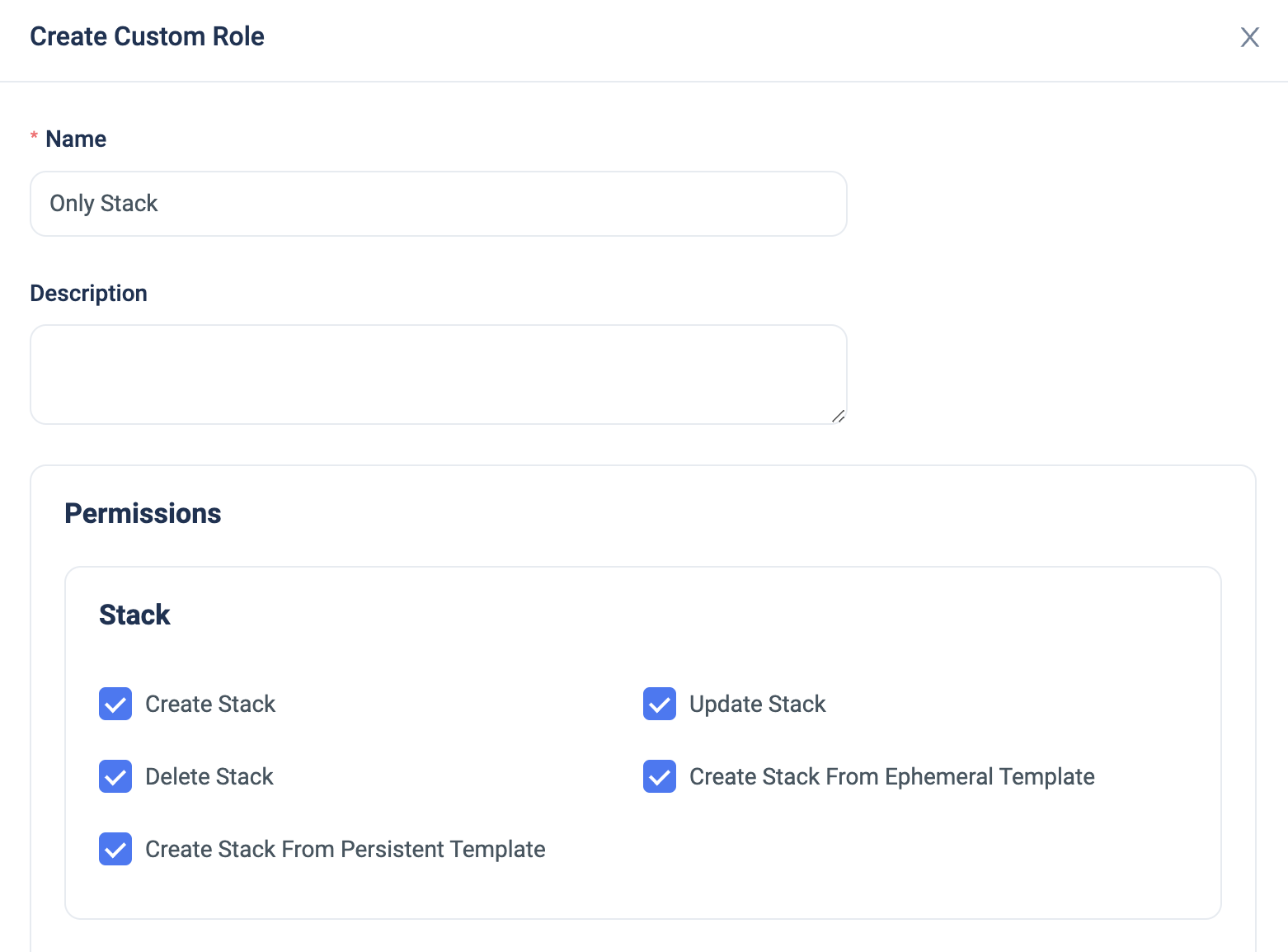
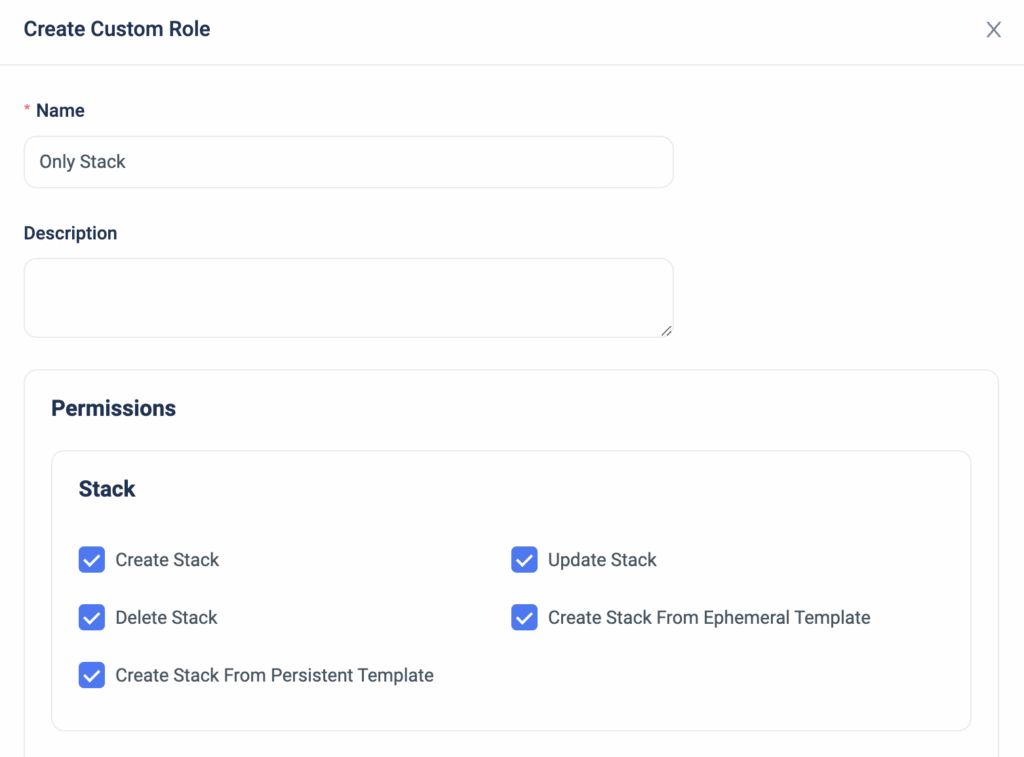
                We are happy to announce that we have upgraded our permission management and added support for custom roles.

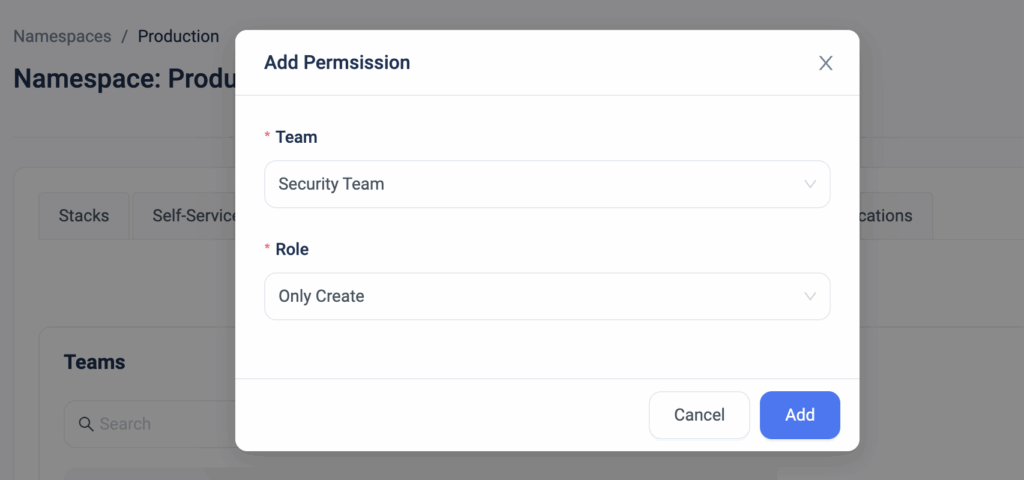
                Up until today, our users had the option to grant permissions to certain namespaces based on a predefined system role (Viewer, Deployer, or Admin).
                We’ve identified our customers’ needs to have more granularity with their permissions management by adding more customization options.

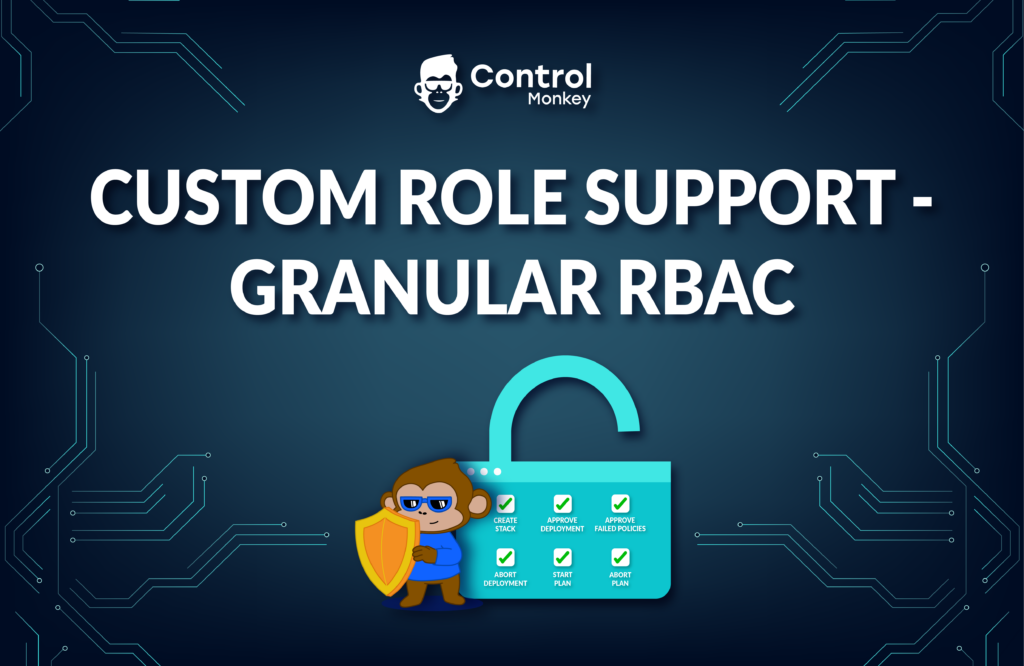
                Now, ControlMonkey users can create a custom role with permissions that are based on Stacks, Deployments, or Plans.


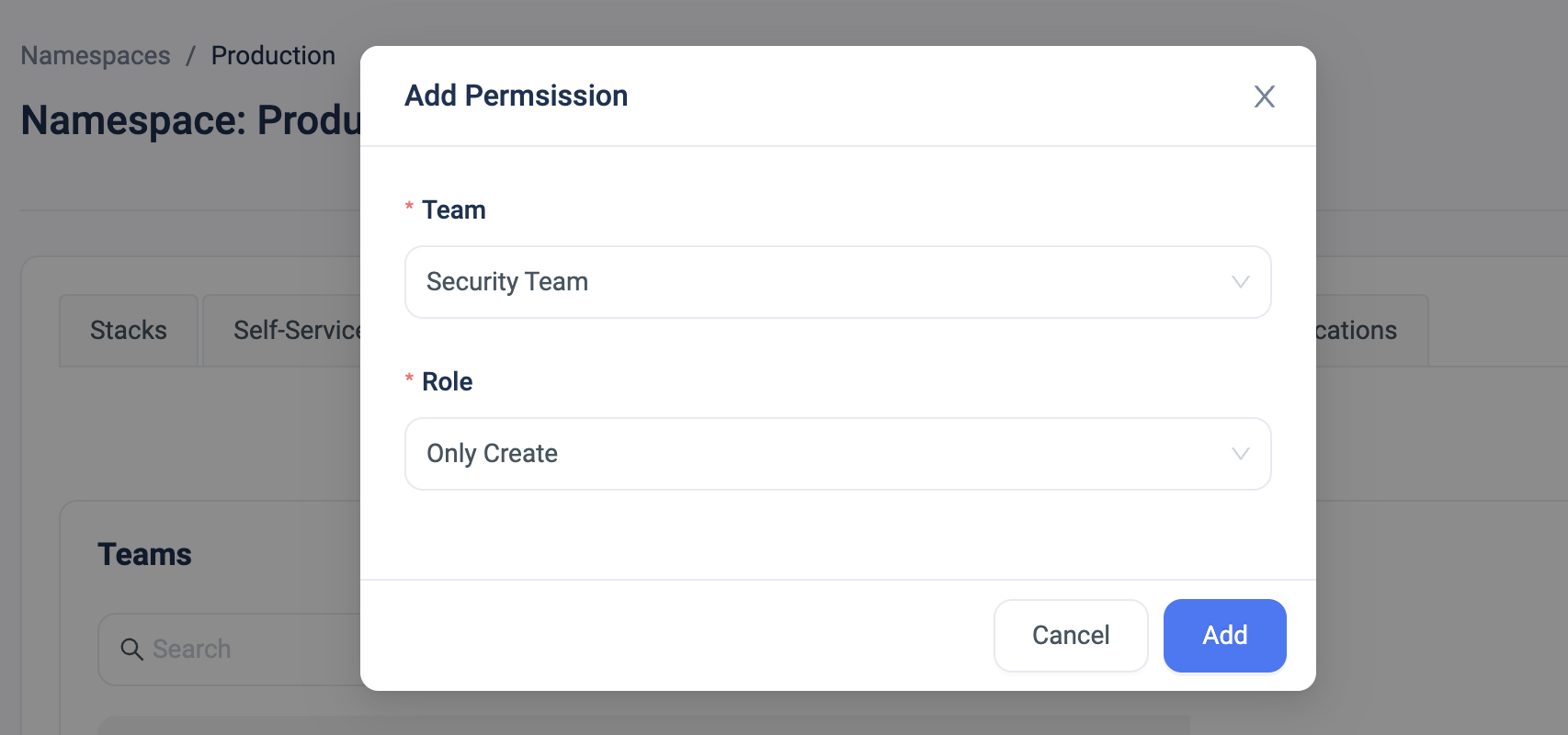
                The custom role can then be granularly applied on a user/team in a specific namespace for that additional layer of customization.


                With the option to limit certain users’ actions, our customers are reducing the risk of misconfigurations, allowing for better control mechanism in their environments by preventing certain users from performing ‘high-risk’ actions such as ‘Approve Deployment’ or ‘Delete Resources’.


                Bottom CTA Background

                A 30-min meeting will save your team 1000s of hours

                A 30-min meeting will save your team 1000s of hours

                Book Intro Call

                Author

                Zack Bentolila

                Zack Bentolila

                Marketing Director

                Zack is the Marketing Director at ControlMonkey, with a strong focus on DevOps and DevSecOps. He was the Senior Director of Partner Marketing and Field Marketing Manager at Checkmarx. There, he helped with global security projects. With over 10 years in marketing, Zack specializes in content strategy, technical messaging, and go-to-market alignment. He loves turning complex cloud and security ideas into clear, useful insights for engineering, DevOps, and security leaders.

                  Sounds Interesting?

                  Request a Demo

                  Resource Blog News Customers Stories

                  Updated: Aug 20, 2025 Upd: 20.08.25

                  1 min read

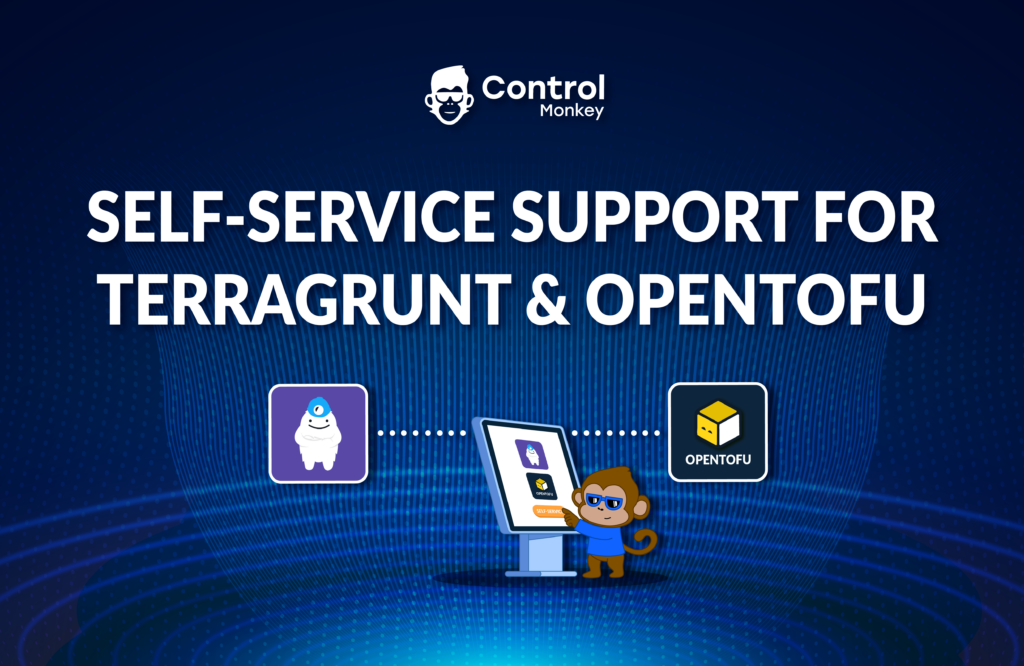
                  Self-service templates support for Terragrunt & OpenTofu

                  Self-service templates support for Terragrunt & OpenTofu

                  Today, we are happy to announce that we have reinforced our Self-service infrastructure solution with support for Terragrunt and OpenTofu Iac frameworks.

                  ControlMonkey’s solution for self-service enables DevOps teams to allow other teams to spin up secure and compliant cloud environments on their own in minutes by using predefined Terraform templates.
                  Self-service Infrastructure enables agility without sacrificing governance and frees DevOps teams from responding to tickets for infrastructure provisioning.

                  ControlMonkey users that use Terragrunt or OpenTofu IaC frameworks can now allow other teams to launch cloud environments using our Self-service solution, which promotes engineering autonomy and increases team productivity while maintaining governance.

                  As supporters of the OpenTofu project, we are excited to see more of the ControlMonkey capabilities support the OpenTofu code, and we have a lot more coming your way.

                  Are you using OpenTofu and want to learn more about how the ControlMonkey platform can help you with your Day 2 challenges? Our team is waiting to hear from you; we promise we will blow your mind.


                  Bottom CTA Background

                  A 30-min meeting will save your team 1000s of hours

                  A 30-min meeting will save your team 1000s of hours

                  Book Intro Call

                    Sounds Interesting?

                    Request a Demo

                    Resource Blog News Customers Stories

                    Updated: Aug 23, 2025 Upd: 23.08.25

                    2 min read

                    Import Amazon Neptune to Terraform and OpenTofu

                    Zack Bentolila

                    Zack Bentolila

                    Marketing Director

                    Import Amazon Neptune to Terraform and OpenTofu

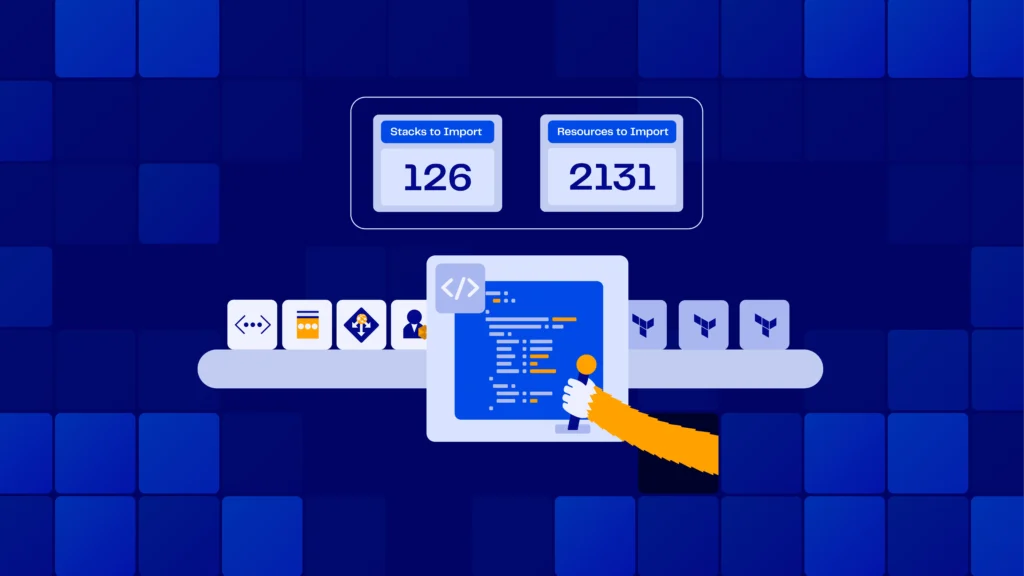
                    Today ControlMonkey is pleased to announce that we have added the capability to easily import NeptuneDB, Amazon Neptune, instances to Terraform and OpenTofu Code using our Terraform Import Engine.

                    What is Amazon Neptune and why import to Terrafrom and OpenTofu?

                    NeptuneDB (Amazon Neptune) is a fully managed graph database service developed by Amazon Web Services (AWS) for storing and querying highly connected data. It allows users to store and query relationships between data points efficiently, facilitating complex data analysis and traversal.

                    Managing and governing NeptuneDB instances with Terraform code is crucial for disaster recovery and version control.
                    NeptuneDB instances usually rely on ‘option group’ and ‘parameter group’ that enhance its performance, therefore it’s important also to manage those satellite resources with Terraform, and not only the instance itself.

                    ControlMonkey Import NeptuneDB to Terraform and OpenTofu

                    ControlMonkey now supports the one-click Terraform Import of the following NeptuneDB resources:

                    Neptune::DBCluster (aws_neptune_cluster)
                    Neptune::DBClusterParameterGroup (aws_neptune_cluster_parameter_group)
                    Neptune::DBInstance (aws_neptune_cluster_instance)
                    Neptune::DBParameterGroup (aws_neptune_parameter_group)

                    ControlMonkey generates the Terraform Code to represent your NeptuneDB configuration alongside the Terraform state file, so you don’t have to import those resources one by one, and you also don’t need to reprovision the DB instance and cause a service interruption.

                    Are you using NeptuneDB and have resources you would like to shift to Terraform?

                    Feel free to book an intro meeting  with us to learn more about how ControlMonkey generates the Terraform code that represents your existing NeptuneDB instance, parameter group, and option group, making the shift to Terraform as seamless as possible.

                    Bottom CTA Background

                    A 30-min meeting will save your team 1000s of hours

                    A 30-min meeting will save your team 1000s of hours

                    Book Intro Call

                    Author

                    Zack Bentolila

                    Zack Bentolila

                    Marketing Director

                    Zack is the Marketing Director at ControlMonkey, with a strong focus on DevOps and DevSecOps. He was the Senior Director of Partner Marketing and Field Marketing Manager at Checkmarx. There, he helped with global security projects. With over 10 years in marketing, Zack specializes in content strategy, technical messaging, and go-to-market alignment. He loves turning complex cloud and security ideas into clear, useful insights for engineering, DevOps, and security leaders.

                      Sounds Interesting?

                      Request a Demo
                      Cookies banner

                      We use cookies to enhance site navigation, analyze usage, and support marketing efforts. For more information, please read our. Privacy Policy