Join our next Live Demo on Feb 19th!

Resource Blog News Customers Stories

Updated: Feb 11, 2026 Upd: 11.02.26

2 min read

Stack-Level Permissions: Granular Access Control for Automation

Zack Bentolila

Zack Bentolila

Marketing Director

Stack-Level Permissions: Granular Access Control for Automation

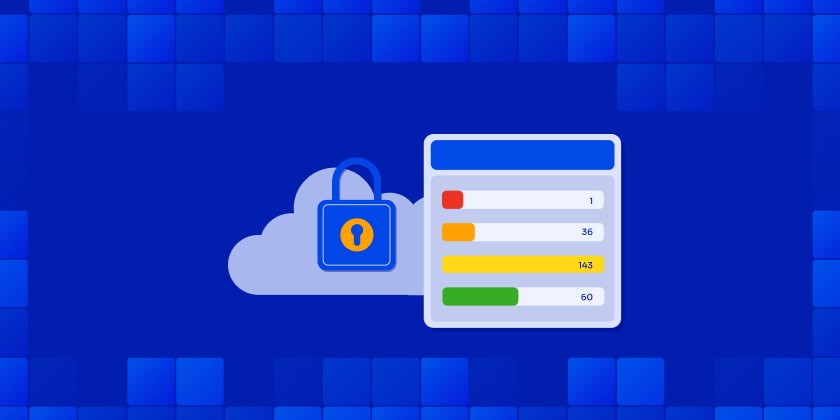
As Terraform workspaces grow, permission models that stop at the project or namespace level quickly become a challange. Critical production stacks don’t deserve the same access rules as everything else.

ControlMonkey now introduces Stack-Level Permissions, giving teams precise control over who can plan, deploy, and approve changes – down to the individual stack.

Introducing Stack-Level Permissions

Stack-Level Permissions extend ControlMonkey’s existing RBAC model beyond namespaces, enabling true enterprise-grade access control for Terraform environments.

What you can do:

  • Assign permissions at the individual stack level, not just the namespace
  • Limit high-risk actions (like deployment approval) to specific teams
  • Map your IDP groups to ControlMonkey RBAC permissions
  • Protect production and high blast-radius stacks without slowing delivery
  • Maintain flexibility for DevOps and SRE teams across less sensitive stacks
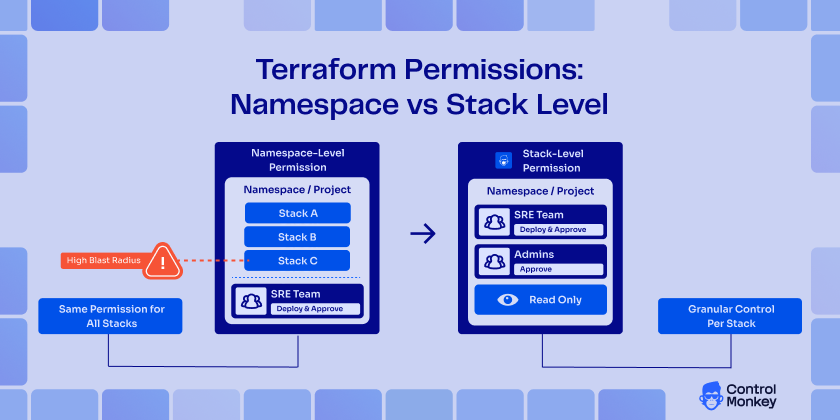
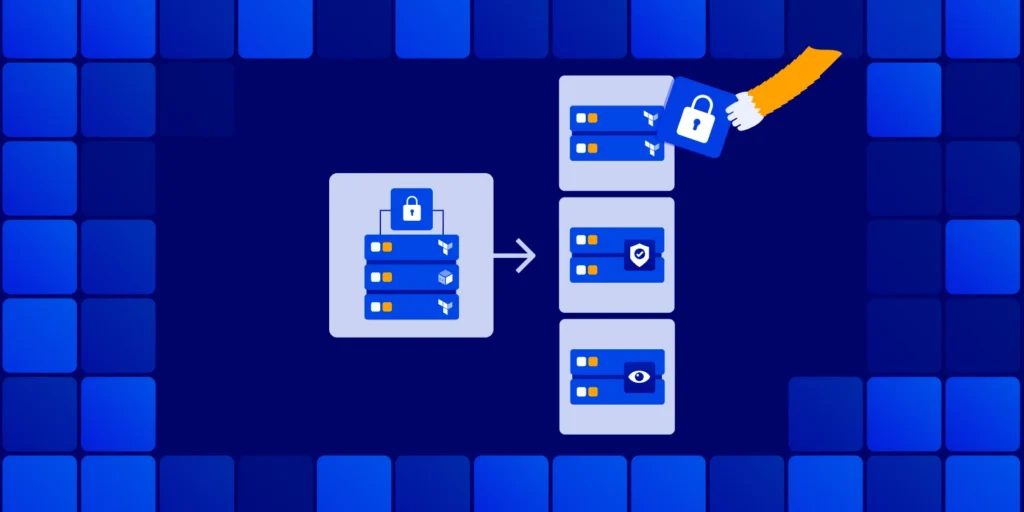
Terraform namespace-level permissions compared to stack-level permissions showing granular access control per stack.

Fine-Grained RBAC for Terraform Stacks / Precise Permissions for Complex Terraform Environments

With Stack-Level Permissions, ControlMonkey closes a critical gap found in many Terraform Cloud alternatives.

This capability helps teams:

  • Improve visibility into who can change what – and where
  • Reduce operational risk by isolating sensitive stacks
  • Strengthen IaC governance without introducing friction
  • Scale Terraform safely, even as environments grow more complex

If you’re evaluating a Terraform Cloud replacement, granular permissions are not optional – they’re foundational.

Enterprise-Grade Permissions for Terraform Cloud Migrations

Terraform Cloud supports workspace-level permissions. When replacing it, the real question is whether you can enforce least privilege at the same granularity your production stacks demand.

ControlMonkey provides stack-level RBAC to isolate sensitive stacks while keeping delivery fast across everything else.

CTA: Ready to take control?

Explore Stack-Level Permissions and see why ControlMonkey is the most enterprise-ready Terraform Cloud alternative.

Bottom CTA Background

A 30-min meeting will save your team 1000s of hours

A 30-min meeting will save your team 1000s of hours

Book Intro Call

Author
Zack Bentolila

Zack Bentolila

Marketing Director

Zack is the Marketing Director at ControlMonkey, with a strong focus on DevOps and DevSecOps. He was the Senior Director of Partner Marketing and Field Marketing Manager at Checkmarx. There, he helped with global security projects. With over 10 years in marketing, Zack specializes in content strategy, technical messaging, and go-to-market alignment. He loves turning complex cloud and security ideas into clear, useful insights for engineering, DevOps, and security leaders.

    Sounds Interesting?

    Request a Demo

    Resource Blog News Customers Stories

    Updated: Oct 09, 2025 Upd: 09.10.25

    2 min read

    New Security Posture Dashboard

    Zack Bentolila

    Zack Bentolila

    Marketing Director

    New Security Posture Dashboard

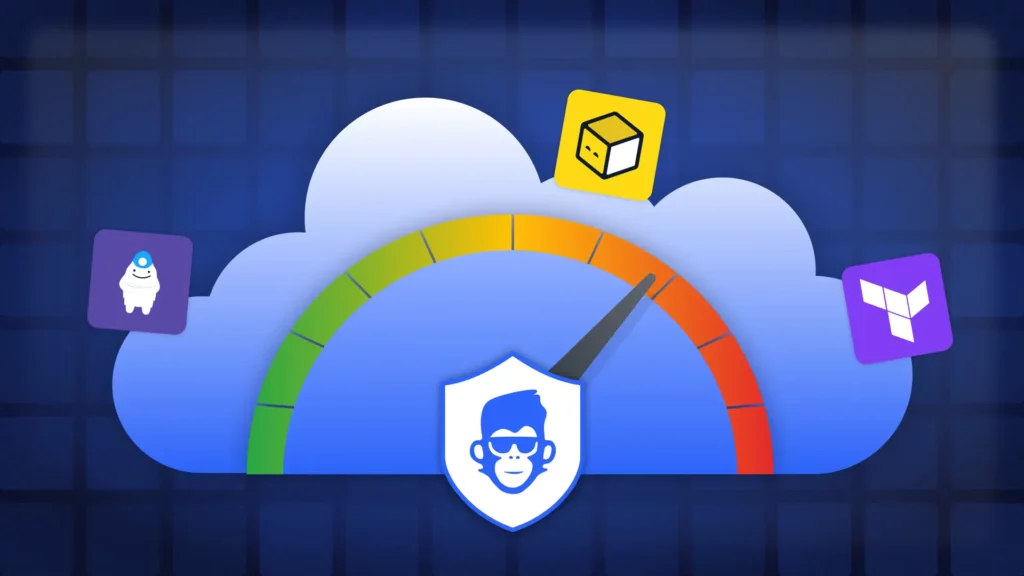
    We’re excited to introduce the Security Posture Dashboard: unified view of existing Cloud vulnerabilities across your cloud accounts, regions, and vendors. The goal is to give Security and DevSecOps teams a clear, detective lens into their current security posture, so they can understand the risks already present in their environments and decide where to focus first.

    The Security Posture Dashboard surfaces all vulnerabilities in your cloud infrastructure, regardless of Infrastructure as Code (IaC) coverage. This complements the IaC Risk Index, which focuses on the intersection of vulnerabilities and IaC coverage – showing which issues could be prevented by shifting to automation vulnerabilities and IaC coverage. It shows which risks can be removed by using automation.

    While some vendors help you see what’s missing from IaC, ControlMonkey Iac Platform shows you every security exposure across your cloud whether IaC-managed or not.

    Introducing Security Posture Dashboard

    With the new dashboard, you can:

    • Unify visibility into vulnerabilities across every cloud environment.
    • Drill down instantly by account, region, vendor, or resource type.
    • Filter by severity to prioritize the most urgent exposures.
    • Spot misconfigurations such as public IPs, open ports, or weak databases setups.
    • Connect findings to IaC strategy and prevent issues with automation and quality gates.

    Linking Cloud Security to IaC Coverage

    By combining the Security Posture Dashboard with the IaC Risk Index, organizations can see not only what risks exist, but also how much those risks shrink when infrastructure is fully governed by IaC.

    • Security teams and DevSecOps gain a complete picture of all vulnerabilities in the cloud – regardless of IaC coverage.
    • Cloud and DevOps leaders can demonstrate the measurable reduction in risk when moving workloads into IaC pipelines.

    For Cloud and DevOps leaders, the IaC Risk Index adds an essential layer of context. By showing the overlap between vulnerabilities and IaC coverage, we can see which risks we can prevent. This creates a clear link between using IaC and lower security risks. It gives leaders the proof they need to push for automation, improve governance, and show progress to stakeholders.

    Learn More about Security Posture Dashboard

    Explore the new Security Posture Dashboard in our upcoming Product Showdown.

    Bottom CTA Background

    A 30-min meeting will save your team 1000s of hours

    A 30-min meeting will save your team 1000s of hours

    Book Intro Call

    Author
    Zack Bentolila

    Zack Bentolila

    Marketing Director

    Zack is the Marketing Director at ControlMonkey, with a strong focus on DevOps and DevSecOps. He was the Senior Director of Partner Marketing and Field Marketing Manager at Checkmarx. There, he helped with global security projects. With over 10 years in marketing, Zack specializes in content strategy, technical messaging, and go-to-market alignment. He loves turning complex cloud and security ideas into clear, useful insights for engineering, DevOps, and security leaders.

      Sounds Interesting?

      Request a Demo

      Frequently Asked Questions

      The Security Posture Dashboard is a detective view of all existing vulnerabilities across your cloud accounts, regions, and vendors. It helps Security and DevSecOps teams understand their current risk exposure and decide where to focus remediation efforts.

      The Security Posture Dashboard shows all vulnerabilities, regardless of Infrastructure as Code (IaC) coverage. The IaC Risk Index shows the intersection of vulnerabilities and IaC coverage, highlighting which risks could be prevented by adopting IaC automation.

      The dashboard is designed primarily for Security and DevSecOps teams, but it also helps Cloud and DevOps leaders quantify risk reduction when shifting workloads into IaC pipelines

      No. The Security Posture Dashboard is a detective tool that reveals existing vulnerabilities in your infrastructure. Prevention comes when you combine it with ControlMonkey’s IaC automation capabilities and guardrails, as reflected in the IaC Risk Index

      Yes. The Security Posture Dashboard provides visibility across cloud accounts, regions, and vendors, giving a unified view of vulnerabilities in AWS, Azure, GCP, and more.

      Resource Blog News Customers Stories

      Updated: Nov 26, 2025 Upd: 26.11.25

      3 min read

      IaC Risk Index

      Zack Bentolila

      Zack Bentolila

      Marketing Director

      IaC Risk Index

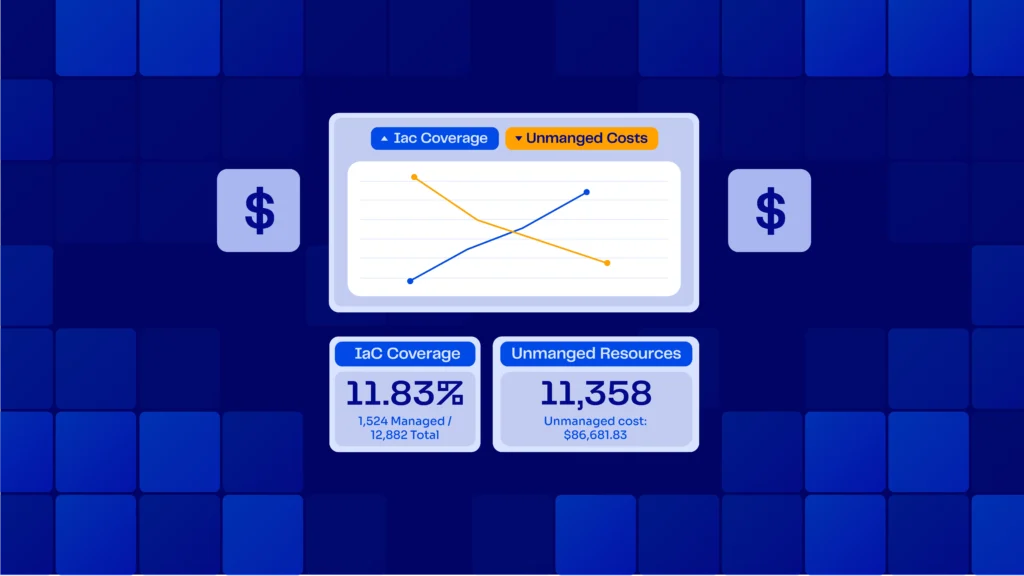
      Today, ControlMonkey is proud to announce the launch of the IaC Risk Index. The IaC Risk Index is a new part of the IaC Platform that transforms the dialogue surrounding cloud security between DevOps and Security teams by highlighting the security discrepancies between infrastructure deployment and cloud-related risks. It provides a comprehensive perspective that correlates Terraform coverage with security vulnerabilities, enabling teams to identify weaknesses, comprehend their origins, and implement measures for remediation.

      Introducing the IaC Risk Index

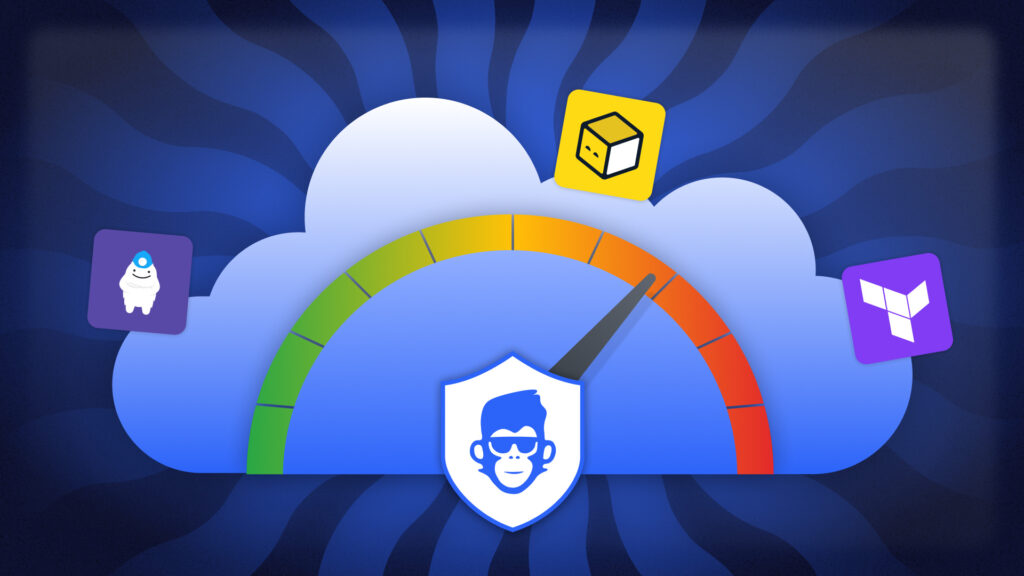
      The IaC Risk Index enhances cloud security by providing clarity and control in five key aspects:

      IaC-Aware Risk Scoring

      A color-coded benchmark that helps teams assess risk posture by environment. In production, green is the goal—anything less is exposure:

      • 🔴 Red (<50% coverage): High risk. Most infrastructure is unmanaged.
      • 🟠 Orange (50–80%): Medium risk. Some governance, but critical gaps remain.
      • 🟡 Yellow (80–90%): Low risk. Strong coverage, not yet complete.
      • 🟢 Green (90–100%): Full control. Infrastructure is governed by code, policy, and pipeline.

      Vulnerability Mapping by Delivery Method

      See whether a vulnerable resource was created manually, drifted from code, or fully governed:

      • Unmanaged: ControlMonkey imports the resource into Terraform, remediates with a secure-by-default fix, and enforces governance policies.
      • Managed but Drifted: Drift is resolved first, then an IaC-based security patch is applied with proactive policies.
      • Managed and In-Sync: ControlMonkey patches directly in Terraform and ensures compliance is maintained.

      Coverage Gap Detection

      Instantly identify which resources fall outside Terraform governance—and why.

      One-Click Remediation

      Import unmanaged resources, generate compliant code, and resolve risk at the source.

      Shared Dashboard for Cloud & Security

      Align both teams around a single, real-time view of infrastructure coverage and risk exposure.


      ControlMonkey’s IaC Risk Index provides a unified view of infrastructure risk by mapping IaC coverage to active cloud vulnerabilities—enabling precise, policy-driven remediation.

      What’s behind IaC Risk Index

      “We found that unmanaged infrastructure—resources not governed by Terraform or delivered through a secure pipeline – carry up to 2x the security risk of governed resources,” said Aharon Twizer, CEO and co-founder of ControlMonkey.

      “And yet, most enterprises can’t answer a basic question: What percentage of our infrastructure is governed by code? Our research shows actual coverage is typically 30–40% lower than teams assume—highlighting significant hidden risk.”

      IaC Risk Index from a CISO Perspective

      “More IaC coverage means fewer security issues – period,” said ,Rapyd CISO, Nir Rothenberg”. What stood out with ControlMonkey was how easy it became to do things the right, modern way. When infrastructure and security teams can finally collaborate by design, that’s when security actually works.”

      image of Nir Rothenberg sharing qoute of Testimonial about ControlMonkey iac Platform

      Nir Rothenberg

      CISO at Rapyd about the new security release of ControlMonkey

      What’s in It for Me? Why look into Cloud Risk Now?

      The IaC Risk Index empowers cloud and security leaders to:

      1. Improve visibility into unmanaged or drifted infrastructure
      2. Reduce risk by exposing vulnerabilities at their origin – delivery
      3. Strengthen IaC alignment with secure-by-default remediation
      4. Scale confidently with a governance model that’s measurable and proactive

      Explore the IaC Risk today

      The IaC Risk Index is available now to all ControlMonkey customers at no additional cost.
      New to ControlMonkey? Access a IaC Risk Assessment as part of our onboarding and discovery process.  Learn more and request a meeting

      Bottom CTA Background

      A 30-min meeting will save your team 1000s of hours

      A 30-min meeting will save your team 1000s of hours

      Book Intro Call

      Author
      Zack Bentolila

      Zack Bentolila

      Marketing Director

      Zack is the Marketing Director at ControlMonkey, with a strong focus on DevOps and DevSecOps. He was the Senior Director of Partner Marketing and Field Marketing Manager at Checkmarx. There, he helped with global security projects. With over 10 years in marketing, Zack specializes in content strategy, technical messaging, and go-to-market alignment. He loves turning complex cloud and security ideas into clear, useful insights for engineering, DevOps, and security leaders.

        Sounds Interesting?

        Request a Demo

        FAQs

        It provides visibility into IaC coverage gaps, correlates those gaps with active security vulnerabilities, and guides precise, state-aware remediation. This enables security and DevOps teams to reduce risk before it reaches production.

        Also support OpenTofu, Terragrunt, CloudFormation.

        The IaC Risk Index is available to all ControlMonkey customers at no additional cost. New users can also access it as part of a free IaC Risk Assessment during onboarding.

        Resource Blog News Customers Stories

        Updated: Sep 15, 2025 Upd: 15.09.25

        2 min read

        AWS FSBP One Click Enforcement

        AWS FSBP One Click Enforcement

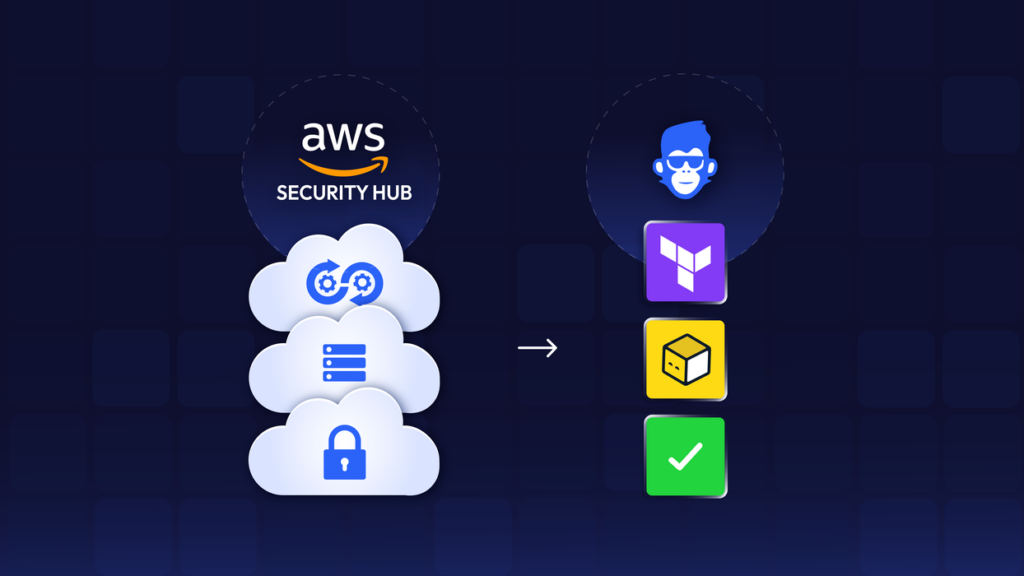
        ControlMonkey now supports the AWS FSBP (Foundational Security Best Practices) policy package, giving cloud teams a fast path to enforce this compliance package across cloud infrastructure.
        As modern cloud teams shift from a reactive to a proactive approach to security, the most logical step is to start enforcing policies at the Infrastructure as Code (IaC) level — treating risks at the source.

        Introducing the AWS “Foundational Security Best Practices” Package

        ControlMonkey’s latest compliance pack brings full support for the AWS Foundational Security Best Practices standard — curated by AWS to help teams strengthen cloud security posture.

        • Apply AWS FSBP instantly across stacks, namespaces, or environments
          • Based on the AWS Security Hub standard for foundational security best practices
        • Enforce security guardrails developed by AWS, without custom code
        • Catch violations proactively before they reach production
        • Get alerts on violations in your existing code with periodic scans of your IaC
        • Combine with CIS, NIST, and PCI DSS for comprehensive governance

        Stay Ahead with Cloud Governance and Infrastructure Control

        The new package is another addition to ControlMonkey’s standard security bundles, alongside frameworks like CIS, PCI-DSS, NIST, and others – relieving cloud teams from the undifferentiated work of writing and maintaining policies

        With ControlMonkey’s AWS FSBP Policy Package, you can:

        • Identify misconfigurations and gaps in AWS security posture
        • Prevent non-compliant infrastructure changes before they’re applied
        • Enforce AWS Foundational Security Best Practices by default
        • Apply consistent policy controls across IaC-managed AWS resources
        • Eliminate manual checks and reduce operational overhead

        Ready to enforce AWS FSBP the easy way?

        Explore the AWS FSBP Policy Package in ControlMonkey today.

        FAQ – AWS FSBP And ControlMonkey

        Yes. AWS FSBP is a predefined security standard available within AWS Security Hub. ControlMonkey enforces these controls proactively across your infrastructure.

        Yes. ControlMonkey turns AWS Security Hub’s FSBP findings into proactive policies that block non-compliant changes before deployment.

        Bottom CTA Background

        A 30-min meeting will save your team 1000s of hours

        A 30-min meeting will save your team 1000s of hours

        Book Intro Call

          Sounds Interesting?

          Request a Demo

          Resource Blog News Customers Stories

          Updated: Aug 20, 2025 Upd: 20.08.25

          2 min read

          Security Enhancement: Enforce MFA or SSO-only

          Security Enhancement: Enforce MFA or SSO-only

          As part of our continuous Enterprise-ready support and in response to our customer’s growing needs, we are happy to announce a massive upgrade to our login process.
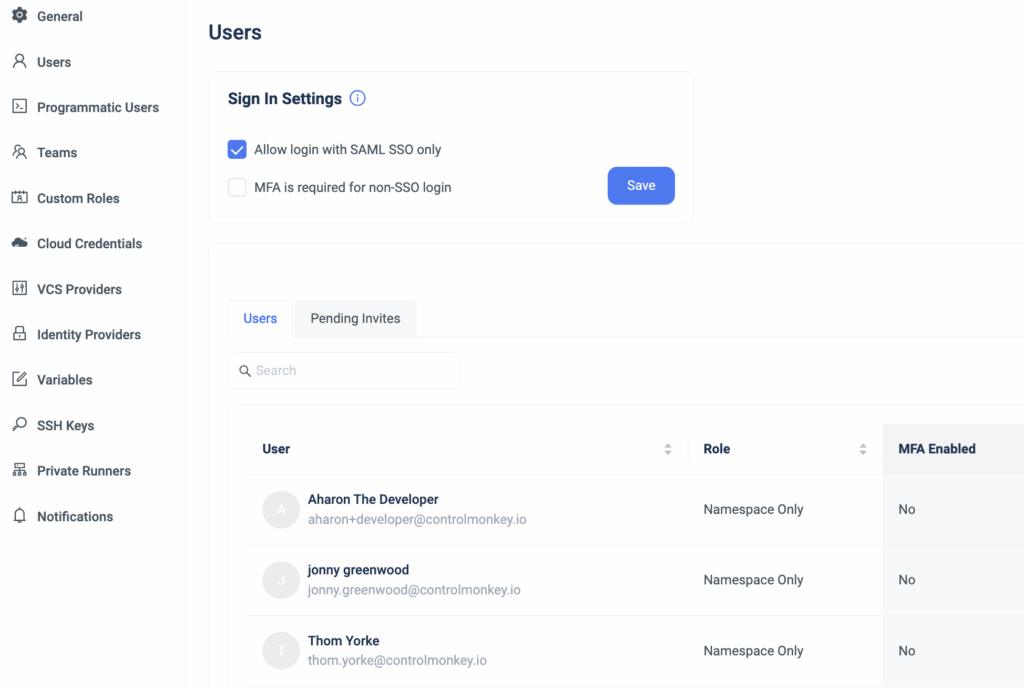
          Starting today, ControlMonkey administrators can enhance the security login process for their organization’s users by forcing them to log in with MFA (Multi-factor authentication) or SSO (Single sign-on).

          ControlMonkey’s Enterprise customers can now disable a standard login with email and password, further enhancing their security.

          These feature flags are configurable via the ‘Organization Settings’ in the ControlMonkey Dashboard.
          Administrators can enforce a secure login by marking one of the following flags:

          • Allow login with SAML SSO only:
            Configuring this flag ensures users can log in to ControlMonkey only with their SAML SSO. Attempting to sign in with a direct user will fail.
          • MFA is required for non-SSO login:
            When configuring this flag, direct users in the ControlMonkey platform will be required to set up an MFA the next time they log in.

          Since each security flag is redundant to one another, administrators are required to select only one of them.

          ControlMonkey is the most comprehensive Terraform Automation Platform for enterprise companies.
          It offers all the necessary solutions to seamlessly manage and govern your cloud with Terraform while ensuring a secure workspace.

          Our Terraform experts are ready to hop on a 30-minute call and help you gain Total Cloud Control by leveraging Terraform to its fullest.

          Bottom CTA Background

          A 30-min meeting will save your team 1000s of hours

          A 30-min meeting will save your team 1000s of hours

          Book Intro Call

            Sounds Interesting?

            Request a Demo

            Resource Blog News Customers Stories

            Updated: Aug 20, 2025 Upd: 20.08.25

            2 min read

            Shift-left Security on Azure with Managed Policies

            Test User

            Test User

            CTO & Co-Founder

            Shift-left Security on Azure with Managed Policies

            We are excited to announce another milestone in our multi-cloud support, with a major enhancement to our Terraform CI/CD solution.
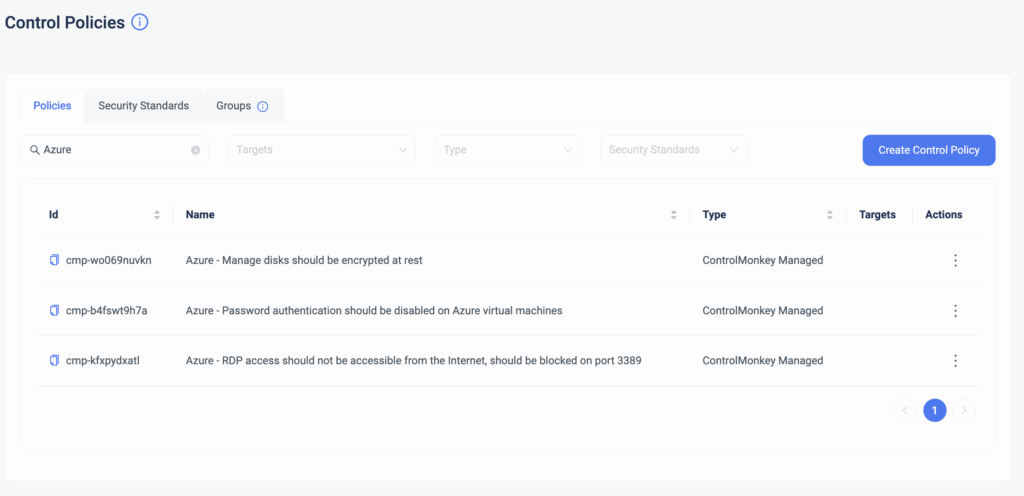
            Starting today, ControlMonkey’s Managed Security Policies are also available for Azure Cloud!

            These Security Policies are predefined, managed, and maintained by ControlMonkey.
            Rather than writing and maintaining common security policies with OPA, you get managed security policies that are enforced whenever someone changes your Terraform code right out of the box.

            Cloud Engineering teams can granularly select which unit of deployment the Security Policy will be enforced and the enforcement level (warning or block).
            So, if you need to separate and divide your policy enforcement across environments, you can easily do that with ControlMonkey.

            The benefits of Managed Security Policies:

            • You get a library of pre-defined security policies straight out of the box.
            • Save time on writing, managing, and maintaining these policies.
              ControlMonkey does all the heavy lifting for you.
            • By shifting left your security, you are:
              • Preventing security issues before they reach production
              • Saving time on manual code review.
              • Enable a proactive operations mode Vs. reacting to security misconfigurations.
              • Educating Cloud Engineering teams on the organization’s security standards.

            If you’re using Azure today and looking to turn on your proactive mode, let’s talk.

            Bottom CTA Background

            A 30-min meeting will save your team 1000s of hours

            A 30-min meeting will save your team 1000s of hours

            Book Intro Call

            Author

            Test User

            Test User

            CTO & Co-Founder

            Lorem ipsum dolor sit amet, consectetur adipisicing elit. Animi architecto consequuntur dicta dolor, excepturi ipsam iste laudantium, magnam molestiae obcaecati odio quam quas repellendus sed, sint magnam molestiae.

              Sounds Interesting?

              Request a Demo

              Resource Blog News Customers Stories

              Updated: Aug 23, 2025 Upd: 23.08.25

              2 min read

              GCP Terraform and OpenTofu Security Policies

              Zack Bentolila

              Zack Bentolila

              Marketing Director

              GCP Terraform and OpenTofu Security Policies

              We are excited to announce another milestone in our support for multiple cloud providers, this time with a major enhancement to our Terraform CI/CD solution.
              Starting today, ControlMonkey’s Managed Security Policies are also available for Google Cloud users!

              These Security Policies are predefined, managed, and maintained by ControlMonkey.
              Rather than writing and maintaining common security policies with OPA, which also requires understanding the Terraform Plan output internals, you get managed security policies that are enforced whenever someone changes your Terraform code, right out of the box.

              Cloud Engineering teams can granularly select on which unit of deployment the Security Policy will be enforced, and also the enforcement level (warning or block).
              So if you need to separate and divide your policy enforcement across environments, you can easily do that with ControlMonkey.

              The benefits of Managed Security Policies:

              • You get a library of pre-defined security policies to choose from, straight out of the box.
              • Save time on writing, managing, and maintaining these policies, ControlMonkey does all the heavy lifting for you.
              • By shifting left your security, you are:
                • Preventing security issues before they reach production
                • Saving time on manual code review.
                • Enable a proactive operations mode Vs. reacting to security misconfigurations.
                • Educating Cloud Engineering teams on the organization’s security standards.

              If you’re using GCP today and looking to turn on your proactive mode, let’s talk.

              Bottom CTA Background

              A 30-min meeting will save your team 1000s of hours

              A 30-min meeting will save your team 1000s of hours

              Book Intro Call

              Author

              Zack Bentolila

              Zack Bentolila

              Marketing Director

              Zack is the Marketing Director at ControlMonkey, with a strong focus on DevOps and DevSecOps. He was the Senior Director of Partner Marketing and Field Marketing Manager at Checkmarx. There, he helped with global security projects. With over 10 years in marketing, Zack specializes in content strategy, technical messaging, and go-to-market alignment. He loves turning complex cloud and security ideas into clear, useful insights for engineering, DevOps, and security leaders.

                Sounds Interesting?

                Request a Demo

                Resource Blog News Customers Stories

                Updated: Aug 23, 2025 Upd: 23.08.25

                1 min read

                Granular RBAC Terraform and Opentofu Support 

                Zack Bentolila

                Zack Bentolila

                Marketing Director

                Granular RBAC Terraform and Opentofu Support 

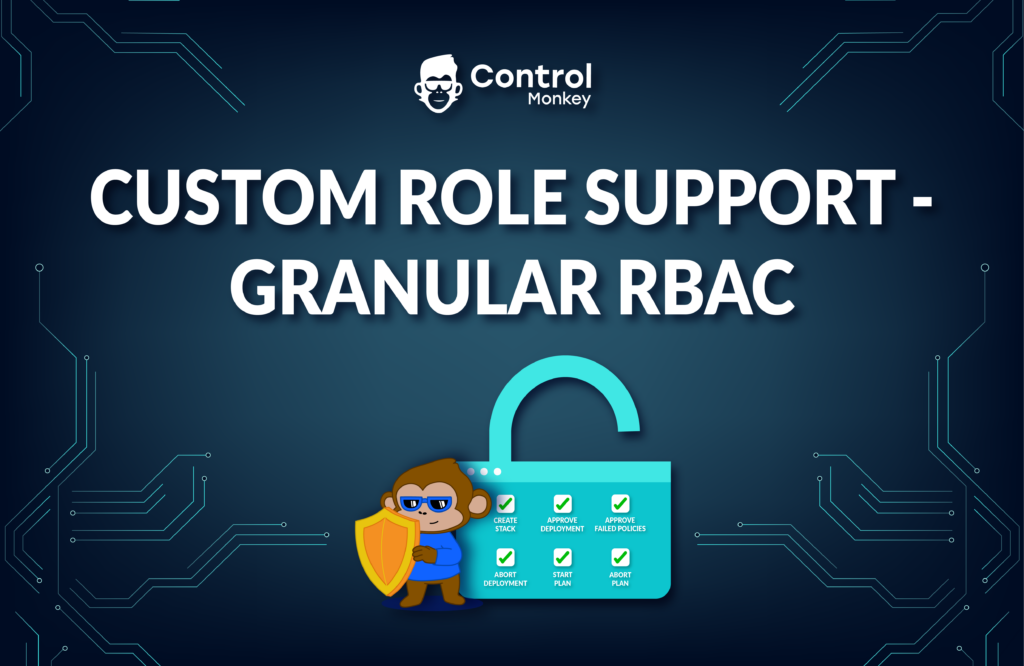
                We are happy to announce that we have upgraded our permission management and added support for custom roles.

                Up until today, our users had the option to grant permissions to certain namespaces based on a predefined system role (Viewer, Deployer, or Admin).
                We’ve identified our customers’ needs to have more granularity with their permissions management by adding more customization options.

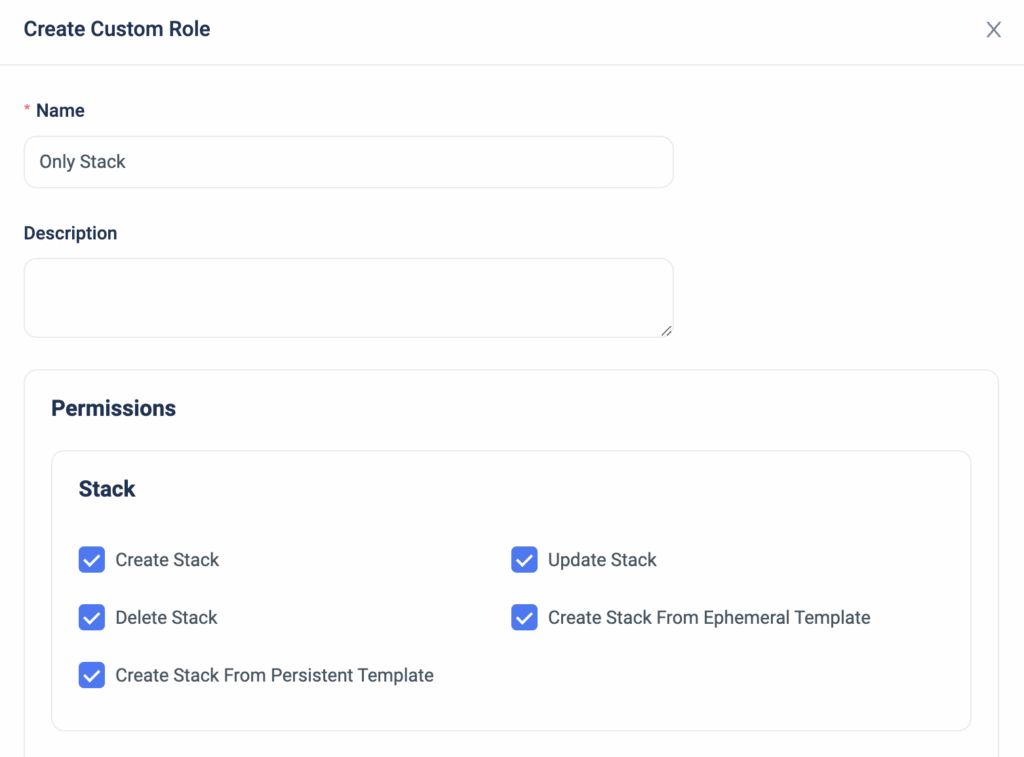
                Now, ControlMonkey users can create a custom role with permissions that are based on Stacks, Deployments, or Plans.


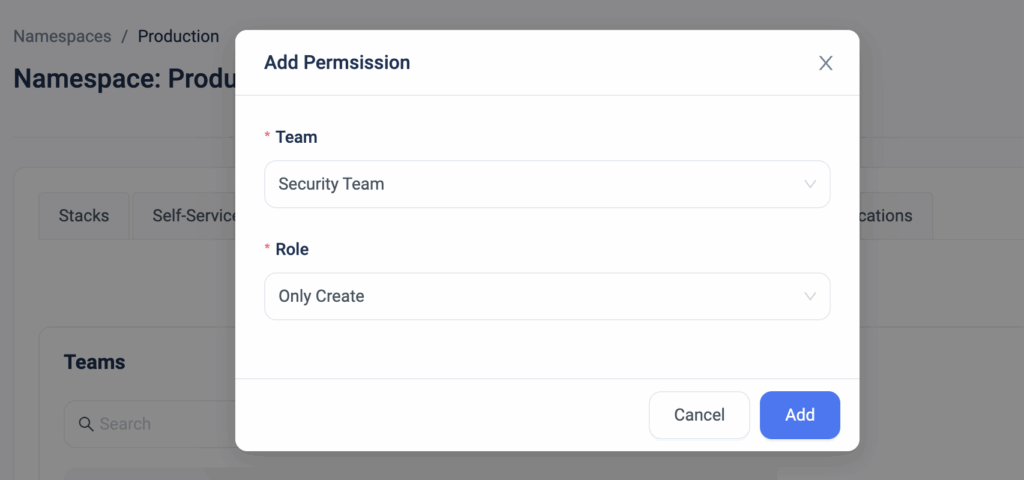
                The custom role can then be granularly applied on a user/team in a specific namespace for that additional layer of customization.


                With the option to limit certain users’ actions, our customers are reducing the risk of misconfigurations, allowing for better control mechanism in their environments by preventing certain users from performing ‘high-risk’ actions such as ‘Approve Deployment’ or ‘Delete Resources’.


                Bottom CTA Background

                A 30-min meeting will save your team 1000s of hours

                A 30-min meeting will save your team 1000s of hours

                Book Intro Call

                Author

                Zack Bentolila

                Zack Bentolila

                Marketing Director

                Zack is the Marketing Director at ControlMonkey, with a strong focus on DevOps and DevSecOps. He was the Senior Director of Partner Marketing and Field Marketing Manager at Checkmarx. There, he helped with global security projects. With over 10 years in marketing, Zack specializes in content strategy, technical messaging, and go-to-market alignment. He loves turning complex cloud and security ideas into clear, useful insights for engineering, DevOps, and security leaders.

                  Sounds Interesting?

                  Request a Demo

                  Resource Blog News Customers Stories

                  Updated: Aug 20, 2025 Upd: 20.08.25

                  2 min read

                  Managed Policies for Security

                  Managed Policies for Security

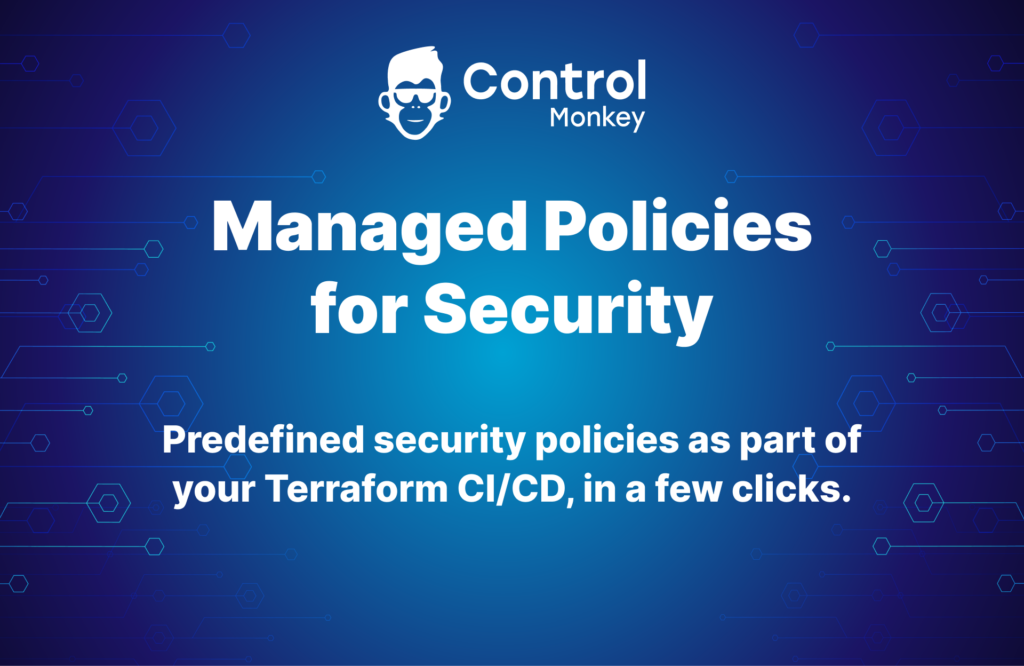
                  We are proud to announce the release of our latest enhancement to ControlMonkey Terraform CI/CD solution, managed policies for security.

                  Our Terraform CI/CD solution enables DevOps to proactively set preventive security controls (Control Policies) on any new pull request.
                  Up until today, ControlMonkey users easily created custom security policies that enforced their organization’s security standards, and now with this release, these policies are available out of the box.

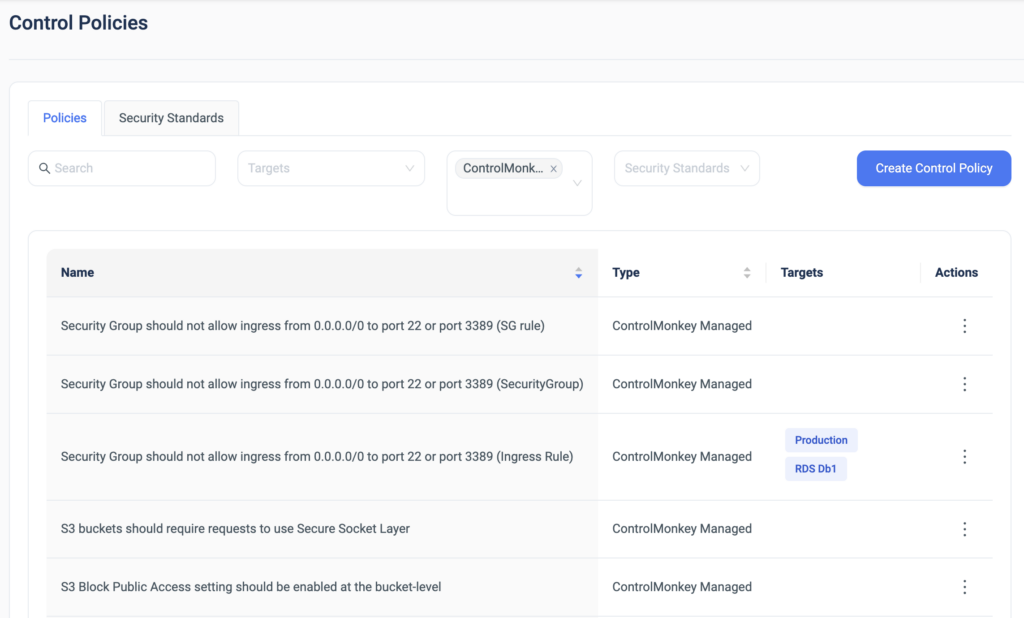
                  ControlMonkey’s managed policies for security are predefined policies, which are managed and maintained by ControlMonkey.
                  Rather than writing and maintaining common security policies from scratch (with OPA or any equivalent language), we are now offering proactive managed policies for security, right out of the box.

                  Predefined Security Policies

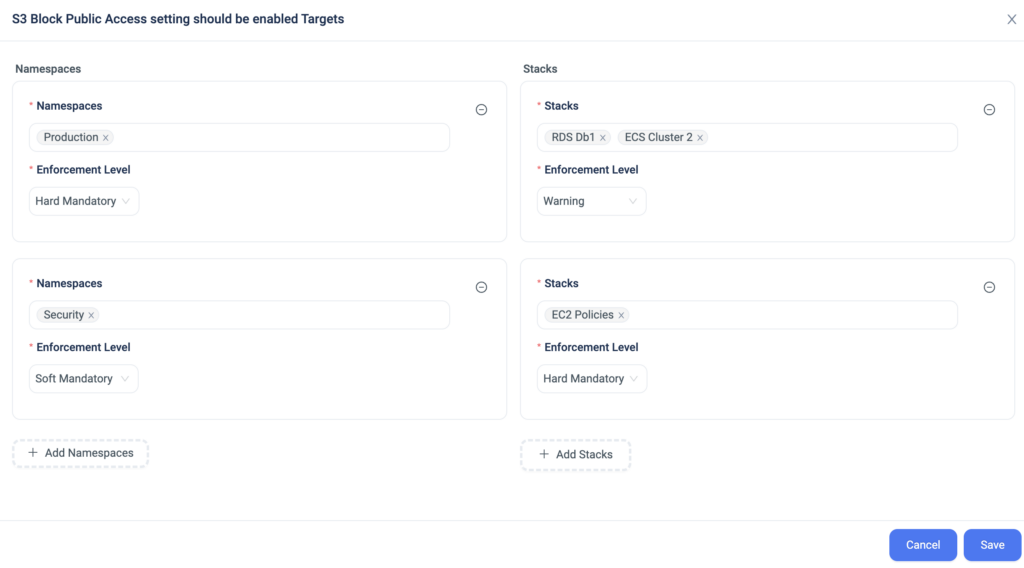
                  Additionally, DevOps teams can choose on which namespaces or stacks these policies will be enforced, and also the enforcement level (warning or block).
                  So if you need to separate and divide your policy enforcement across environments, you now have the deeper level of granularity to do so.

                  Selected Namespaces, Stacks, and enforcement level


                  The advantages of the ControlMonkey Managed Policies Solution:

                  • You get a library of pre-defined security policies to choose from, straight out of the box.
                  • Save time on writing, managing, and maintaining these policies, ControlMonkey does all the heavy lifting for you.
                  • By shifting left your security, you are:
                    • Preventing security issues before they reach production
                    • Saving time on manual code review when making a change or rolling back when needed.
                    • Educating the DevOps team on the organization’s security standards

                  This feature came as a request we got from a few of our customers, so we are glad to see this come to life.
                  We are proud to collaborate with our customers on designing and building the ControlMonkey platform.

                  Bottom CTA Background

                  A 30-min meeting will save your team 1000s of hours

                  A 30-min meeting will save your team 1000s of hours

                  Book Intro Call

                    Sounds Interesting?

                    Request a Demo
                    Cookies banner

                    We use cookies to enhance site navigation, analyze usage, and support marketing efforts. For more information, please read our. Privacy Policy