
ControlMonkey is expanding its Cyber Resilience Platform with Databricks Backup and Recovery, helping cloud, data, DevOps, and platform teams protect the Databricks configurations that keep analytics, data pipelines, machine learning, and AI workloads running.
Databricks powers some of the most important analytics, data engineering, machine learning, and AI workloads in the modern enterprise. But keeping Databricks operational depends on more than the data itself.
As ransomware attacks, misconfigurations, compromised credentials, ClickOps, drift, and over-permissive AI agents introduce new risks to cloud and SaaS environments, Databricks configurations have become a critical resilience layer..
Introducing Databricks Backup
ControlMonkey now supports Databricks Disaster Recovery, extending its Cyber Resilience Platform to help cloud, data, DevOps, and platform teams back up, track, and recover critical Databricks configurations.
With ControlMonkey, teams can:
- Back up critical Databricks configurations
- Recover known-good Databricks settings after incidents
- Track configuration changes over time
- Restore deleted or misconfigured resources
- Reduce downtime caused by failed changes or unauthorized edits
- Protect against malicious or ransomware-driven configuration changes
- Recover from over-permissioned AI agent mistakes
- Improve disaster recovery readiness for data and AI environments
How does Databricks Backup work?
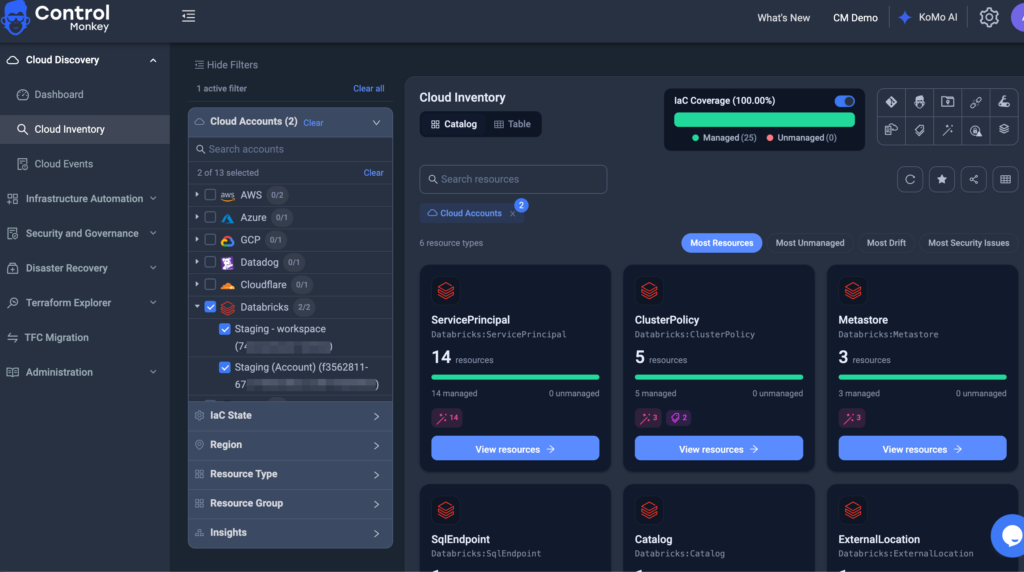
ControlMonkey connects to your Databricks environment, discovers supported Databricks configurations across your organization and workspaces, and continuously captures them as versioned snapshots.
The process is simple:
- Discover supported Databricks configurations
- Capture versioned configuration snapshots
- Track configuration changes over time
- Identify the last known-good state
- Restore affected configurations after an incident
This gives teams a repeatable recovery path for Databricks configurations instead of forcing them to reconstruct critical settings from memory, screenshots, tickets, or tribal knowledge.
Built for Real Databricks Recovery Scenarios
ControlMonkey helps teams recover Databricks configurations after common operational and cyber resilience scenarios, including:
- Accidental deletion of critical Databricks settings
- Incorrect workspace, cluster, or job changes
- Broken pipeline or job configurations
- Permission and access control mistakes
- Failed updates or deployments
- Unauthorized configuration changes
- Ransomware or malicious activity
- Over-permissioned AI agent changes
- Configuration loss across data and AI environments
By protecting the configuration layer, ControlMonkey helps teams restore Databricks environments to a trusted operational state faster.
Databricks Backup and Recovery for Cyber Resilience
ControlMonkey helps close that recovery gap by backing up and restoring the operational configuration behind critical environments like Databricks.
Explore Databricks Disaster Recovery with ControlMonkey today.