On October 20, 2025, an issue that began in the AWS US-EAST-1 region resulted in a global business outage. Major customer-facing services went down due to the failure of critical dependencies, as well as control-plane path failures, which occurred simultaneously. It was an automated DNS management issue tied with DynamoDB that required manual intervention to solve.
The lesson is simple. Cloud availability does not guarantee business continuity. AWS provides strong building blocks, but your architecture decides whether an outage becomes a minor disruption or a public incident.
TL;DR
Disaster recovery on AWS depends on RTO (recovery time) and RPO (data loss tolerance).
AWS backup and recovery protect data, but infrastructure configuration must also be restored.
Common AWS disaster recovery solutions include Backup and Restore, Pilot Light, Warm Standby, Active-Active, and AWS DRS.
A resilient AWS DR architecture restores networking, IAM, routing, and policies in the correct order.
ControlMonkey strengthens AWS backup and disaster recovery by capturing configuration state and enabling repeatable infrastructure recovery.
Disaster recovery strategy is an executive risk decision. For most organizations, disaster recovery on AWS succeeds only when infrastructure, configuration, and data recovery are designed together. RTO defines how quickly you must restore service. RPO defines how much data loss you can tolerate. Meeting both requires more than backups. You also need a reliable way to rebuild infrastructure and restore state across networking, security, and identity so systems become reachable and safe again. ControlMonkey focuses on this configuration DR layer.
Most teams use several DR tools, including AWS services and external platforms like ControlMonkey. The key is making recovery executable. Teams must restore infrastructure and configuration in the right order, not only recover data. ControlMonkey supports “configuration DR” by helping teams restore cloud configuration state, including networking, security, and identity, so recovery starts from a known-good baseline.
DR Strategies on AWS and Their RTO and RPO
The AWS outage on October 20, 2025, started with a DNS resolution failure in Amazon DynamoDB regional endpoint. The outage primarily impacted applications running in the US-EAST-1 region but it led to widespread service disruption. For those interested in a detailed analysis of what went wrong and spread so rapidly, the AWS outage and disaster recovery lessons are for you.
The applications that had a strong DR strategy, which consisted of fully automated and detailed infrastructure, as well as clear and predetermined failover steps, were able to lose very little and restored their services moving to other regions. The main lesson learned is that just replicating data across regions is not sufficient.
What is downtime worth?
Downtime is worth the total business impact of an outage, including lost revenue, SLA penalties, customer trust damage, and operational disruption. Teams should quantify this cost before choosing AWS disaster recovery strategies because it determines the RTO and RPO targets the architecture must meet.
The scope of a solid DR strategy revolves around factors like below:
Lost revenue from transactions that did not go through.
SLA penalties and credits.
Customer churn, loss of trust.
Support load and incident fatigue.
Once these factors are quantified, teams can set realistic RTO and RPO targets and design their AWS disaster recovery plan accordingly.
From Business Risk to an AWS Disaster Recovery Plan
A disaster recovery plan is guaranteed to fail if it exists solely as documentation. A practical disaster recovery plan AWS teams trust is executable, versioned, and specific enough to run under stress. The ideal scenario is to have your plan put into practice within your infrastructure, automation, and live code. This way, you’ll be more proactive and have a clear strategy for recovery rather than just firefighting during a disaster.
AWS Disaster Recovery Plan Step 1:
Prioritize your business functions. Identify your applications by customer impact and potential revenue loss, then assign RTO and RPO goals to each level. Be clear on who is responsible for these decisions. Determine who is authorized to declare a disaster, what circumstances lead to that decision, and under what conditions the team transitions from “incident response” to “fail over now.”
AWS Disaster Recovery Plan Step 2:
Build a solid and specific plan for recovery. For each workload, create a recovery process that is detailed and specific enough to be followed under stress. This should be accompanied by a clearly defined stopping condition to avoid recovering to an unsafe, partially restored, or silently corrupted state.
AWS Disaster Recovery Plan Step 3:
Operational readiness should be a part of your design. Therefore, automate the process of disaster recovery and create a framework that incorporates your existing systems and technologies. Perform recovery exercises on a regular basis, and incorporate the actual RTO and RPO into your decisions and budget.
4 AWS Disaster Recovery Strategies
There are four strategies that can be viewed as levels of commitment to building resilience into your systems. Each level combines faster recovery and reduced impact on your business, at the expense of greater cost and operational complexity.Backup and Restore: Cost-Efficient Baseline Protection
Backup and restore is the simplest form of disaster recovery (DR). In practice, AWS backup and recovery mainly protect data and artifacts, but it does not guarantee fast restoration of the full environment. It is the simplest and cheapest because it only needs the resources and the solutions necessary to back up the cloud infrastructure, state, and data.
If something goes wrong, you will still need to build the infrastructure, redeploy the services, and run the servers in a stressed state to support the restoration. However, when the infrastructure needs to be built and services need to be deployed after something goes wrong, mistakes can and do happen, especially when the environment is different than what is stored in Infrastructure as Code (IaC).
This approach has several obstacles, such as:
Longer Recovery Time Objective (RTO) because you have to build the infrastructure and deploy the applications.
Higher Recovery Point Objective (RPO) because you may lose data depending on the time last backup was taken and the availability of logs.
Higher risk of executing the process, since when you have to rebuild something, human error will occur.
Backup and Restore is a good option for you when you can tolerate several hours of downtime, some loss of data, but a quick and inexpensive implementation for disaster recovery.
Pilot Light: Balanced Resilience for Growing Systems
The key distinguishing factor of this method in regards to Backup and Restore methods is that Pilot Light retains key elements in a recovery region. You can ‘ignite’ the rest during a disaster to fully restore it. This method usually retains configurations available in platforms like ControlMonkey to automatically create the missing infrastructure using automation, requiring:
WARM datastores (replicas or up-to-date backup).
Supportive services that are minimal like authentication, secrets, and in some cases queuing.
You should utilize a pilot light if:
You do not mind having some operational tasks to perform when the system fails.
You desire a speedy recovery time that does not involve a total rebuild of the system.
You prefer a standby time that is less costly than a warm standby.
Infrastructure Recovery Slowing Down Your RTO?
ControlMonkey captures your cloud configuration and lets you restore infrastructure automatically when you need it most.
Warm Standby: Faster Recovery with Minimal Downtime
This method involves a smaller scale version of the system running redundantly in a secondary region. The smaller scale system with active data sync makes it possible to recover fast. In an event of a disaster, the standby system can take over making the system live again.
Multi-Region Active-Active: Continuity-First Strategy for Mission-Critical Systems
This DR strategy treats redundancy as a mandatory part of the architecture. Therefore, active-active runs production in multiple regions at the same time. You can configure DNS to route traffic across regions and serve even if an entire region goes down. One advantage of this approach is that you can also use it as a load balancer across regions and to reduce latency (latency-based routing in DNS) for the users if needed. This strategy delivers the best RTO and often the best RPO, but it adds complexity and comes at a high cost requiring:
Multi-region data design (conflict resolution, replication semantics).
Traffic routing and health-based failover.
Operational discipline across environments.
You can use an active-active DR strategy when:
Downtime creates existential risk.
When running regulated, customer-critical systems.
Fund continuous operational maturity.
Disaster Recovery Automation on AWS
The automation of infrastructure and disaster recovery go hand in hand. This is where AWS backup and disaster recovery becomes operational, because automation turns recovery into a tested execution path instead of manual console work. Human error is a primary factor that delays restoration. To avoid human errors, automate the following three parts of your DR plan: state capture, recovery execution, and recovery readiness.
State capture
This means that you need to version your infrastructure code continuously. You need an infrastructure automation and governance tool to keep track of infrastructure state, versions and to execute the recovery steps with accuracy.
Recovery execution
Disaster recovery should always be done in a particular order. This is called order of operations. Recovery execution should be documented and automated in that order to ensure that upper stream and downstream impacts and dependencies are not disrupted.
Execution should support both partial restore (one service) and complete restorations (the whole environment). The objective is to provide recovery at a granular level rather than complete restoration.
Governance and readiness
In your DR analytics, think of DR readiness as an engineering metric and monitor it time to time to uncover ungoverned resources and configurational gaps, and communicate the status to the leadership. AWS stresses the importance of establishing target recovery objectives and, through planning, testing and operational practice, validating them.
Automating DR with ControlMonkey
Most disaster recoveries fail even when the data is safe. Teams restore databases or servers, but users still can’t log in, traffic still routes to dead endpoints, or permissions block recovery actions. That happens because outages often break the infrastructure “contract” around your apps, including IAM, networking, DNS, routing, and security policy. If those layers aren’t captured and recoverable, recovery turns into manual console work under pressure.
ControlMonkey focuses on infrastructure configuration recovery. It utilizes read-only access and native Cloud APIs to discover and take continuous snapshots and automated state backups to govern cloud and external configurations.
Unlike other services that focus on recovery of data or virtual machines, ControlMonkey Infrastructure Disaster Recovery solution restores the complete infrastructure contract (network, IAM, routing, and policy).. Below is a description of the process in a simple loop.
Utilize native Cloud APIs to discover resources (read-only).
Continuously take snapshots of your configurations and transform these into definitions that can be deployed.
Recover resources or whole environments. This is done through a process called dependency-aware ordering.
Use ControlMonkey dashboards for governance and review of this over time.
Can You Rebuild Your Cloud Infrastructure After a Disaster?
Backing up data isn’t enough if IAM, networking, and policies can’t be restored quickly. See how ControlMonkey enables fast, automated recovery of your entire cloud environment.
AWS Elastic Disaster Recovery (AWS DRS) is a service that continuously replicates source servers to a low-cost staging area in a target AWS Region, enabling fast recovery with minimal downtime and data loss. It replicates server data in near real time, supports point-in-time recovery, and allows teams to launch recovery instances during an incident, making it useful for recovering on-premises workloads to AWS or replicating EC2 environments across regions.
AWS DRS can be used to recover on-prem workloads into AWS.
For migrating on-premise workloads to AWS.
For workloads on EC2 to be moved to different Regions.
For those EC2 workloads, there is a requirement for the full server state, inclusive of the Operating System, System Volume, and Application Stack.
AWS DRS also offers proven best practice guides for disaster recovery including recovery drills.
An important note: While AWS DRS does help to recover the servers, along with the data state, your recovery plan must include parts of the design that exist outside of the servers, such as the Configuration and State Management for the DNS, Identity and Access Management, Edge Rules, Third Party Software as a Service, and any Ad Hoc Click Operations.
AWS Disaster Recovery Plan: How to create
A good DR plan has to be specific, measurable, and detailed, and include the various dependencies and ordering across the DNS, IAM, networking, data, and application layers. Let’s break it down into a step-by-step plan to design a disaster recovery plan.
1) Define recovery objectives per workload (RTO/RPO)
Establish recovery objectives for each workload (RTO/RPO) that is grounded in the business metrics that inform the design, architecture, and costs. A well-defined template can be found here. These best practices for cloud disaster recovery planning closely align with the tiered approach. Define RTO and RPO objectives for each application, and then select the most straightforward DR strategy that meets those objectives.
Checklist rough draft:
Define service tiers (Tier 0-3 or something comparable).
2) Choose the DR strategy per tier and document why
Each workload can be classified at one of four levels, so avoid the one-size-fits-all designs. AWS defines DR as a set of strategy choices that align with your objectives.
Decision-making considerations:
Cost of downtime (for the first hour versus the first day).
Acceptable data loss per domain.
Operational maturity and the level of your team.
3) Design the AWS DR architecture as a dependency graph
A dependable AWS DR architecture treats recovery as a dependency graph, so identity, networking, and routing come up before application traffic shifts. Using a Graph/Order of Operations, describe the dependencies concerning the restoration process.
Accounts, identity, and access control.
Network and security boundaries.
Data layers and steps for the promotion of replication.
Compute and rollout of the deployments.
Routing and traffic facing clients.
Observability and evidence of audits.
Backing up not only data, but also code and configurations is essential.
4) Automate configuration capture and restore paths
Automation on these areas is important for faster and accurate recovery:
Infra provisioning (e.g. Terraform, OpenTofu).
Secrets plus parameters.
DNS with edge configuration.
Identity and access frameworks.
ControlMonkey continuously snapshots the configuration state, tracking it outside AWS infrastructure, allowing it to be restored when needed, including dependency restoration.
5) Test with drills and measure achieved RTO/RPO
Improve your readiness by scheduling drills to practice for the incident/accident that is anticipated to happen. AWS has provided guidance on incident drills for AWS Elastic Disaster Recovery and has put emphasis on the operational readiness practices.
Ensure the drills are realistic:
Make a region in your routing logic fail.
Perform a true restore from your point-in-time.
Authenticate the user and perform end-to-end transaction tests.
Track the RTO/RPO achievements over time.
AWS disaster recovery plan example
Let’s look at different tiers of an AWS disaster recovery plan:
Rubrik
Tier 0:
Core APIs and authentication (Warm Standby) Target RTO is 30 minutes to 1 hour. Target RPO is under 5 minutes. Pattern: Warm Standby in Secondary Region. Data: Multi-AZ plus cross-region. Traffic: Failover based on health.
Tier 1:
Web App and Admin UI (Pilot Light) Target RTO is 2 to 4 hours. Target RPO is 15 minutes to 1 hour. Traffic: DNS cutover after validation.
Tier 2:
Batch Jobs and Analytics (Restore and Backup) Pattern: Scheduled On-demand rebuilds.
ControlMonkey for AWS disaster recovery
ControlMonkey is at its strongest when addressing the need for configuration DR making the restoration:
Repeatability: Takes snapshots of good configuration and sends them to Git.
Speed: Depending on tooling and processes, restores resources or entire environments for configuration recovery workflows.
Governance: Provides visibility to engineering leadership on gaps in readiness.
ControlMonkey helps solve this gap by continuously capturing infrastructure configuration and enabling teams to restore environments in the correct dependency order. By turning configuration state into versioned, recoverable infrastructure, organizations can recover faster and operate disaster recovery as a repeatable engineering process rather than a manual emergency response.
A 30-min meeting will save your team 1000s of hours
A 30-min meeting will save your team 1000s of hours
Ori Yemini is the CTO and Co-Founder of ControlMonkey. Before founding ControlMonkey, he spent five years at Spot (acquired by NetApp for $400M). Ori holds degrees from Tel Aviv and Hebrew University.
A routine Okta cleanup goes wrong, and suddenly, 200 authentication policies are gone.
In the old world, your team spends the next 10 days rebuilding them from memory and scattered documentation.
In the new world, you restore your entire Okta configuration to a known-good state in minutes, because it was already backed up.
In this article, I’ll cover the best Okta backup and recovery solutions in 2026 that can help you safeguard your identity infrastructure, restore critical configurations in minutes, and keep your company operational during identity incidents.
TL;DR
ControlMonkey’s automated Okta configuration backup and one-click recovery make it the best Okta backup and recovery provider available.
ControlMonkey backs up your Okta configuration alongside your entire cloud infrastructure (AWS, Azure, GCP) and over 30 SaaS platforms, whereas most Okta backup providers only protect identity data in isolation.
For teams seeking dedicated Okta-only backup with deep object-level coverage, platforms such as Acsense, Backupta, HYCU, and Keepit are excellent options.
Rubrik, MightyID, and Druva Data Security Cloud are good choices for enterprises that want Okta protection as part of a broader data security or identity resilience strategy. However, note that none of them protects the underlying cloud infrastructure configuration alongside Okta.
Why should you have an Okta backup solution?
The reason why you should have an Okta backup solution is that Okta backup platforms protect not just your identity data but the entire configuration that controls who can access what across your organization.
Without one, a single misconfigured authentication policy, accidentally deleted user group, or compromised admin credential can lock out your entire workforce and trigger hours of expensive downtime.
Traditional backup solutions don’t protect identity configurations like authentication policies, app assignments, authorization servers, or MFA rules.
They only restore files and databases.
When an incident strikes, an effective Okta backup solution guarantees business continuity, upholds SLA compliance, and permits recovery in minutes rather than days.
How to evaluate Okta backup and recovery providers?
The best way to evaluate Okta backup and recovery providers is to look at their recovery capabilities, your required backup scope and coverage, and their compliance and audit readiness.
#1: Recovery capabilities
We believe that backing up data is only half the equation.
What really matters during a disaster is how fast and how completely you can restore it.
If I were you, I’d look for providers that offer granular object-level restores, rollback to a known-good state, and point-in-time recovery so you can pick the exact moment before things went wrong.
This is why it’s worth considering what your target RTO and RPO are. For example, if your team is fine with 24 hours of identity downtime, traditional Okta backup solutions with manual restoration might not be a bad option.
But if your Okta tenant supports thousands of users accessing production systems, you need minute-level RPO and automated recovery that handles dependency ordering without human intervention.
For example, ControlMonkey delivers one-click recovery from any previous known-good state through our Time Machine capability, and also comes with automated dependency handling, which prevents failures during restoration.
#2: The required backup scope and coverage
The problem here is that not all Okta backup providers protect the same objects.
Some solutions will cover users and groups but skip authentication policies, authorization servers, or Okta Workflows.
Others, on the other hand, will back up application assignments but miss the SSO and provisioning configurations that make those assignments work.
This is why you should ask during a demo call for a full inventory of exactly which Okta objects are captured before committing to a solution.
But here’s the question most teams don’t ask: what happens to the rest of your infrastructure when Okta goes down?
The reality is that your cloud resources, DNS records, networking policies, and SaaS configurations are all connected to identity.
This is why ControlMonkey (that’s us!) protects Okta configuration as part of a broader infrastructure backup that spans AWS, Azure, GCP, Datadog, Cloudflare, and over 30 SaaS vendors, so you’re not just recovering identity in isolation.
#3: Compliance and audit readiness
We understand that highly regulated industries (e.g., high finance) need more than a backup.
You’d need proof that your backups are running, retention policies are enforced, and recovery has been tested in a safe environment (some options I’ll go over have sandbox environments).
You should pay close attention if the platforms have automated compliance validation against frameworks like SOC 2, ISO 27001, and PCI DSS.
Providers that offer real-time DR readiness dashboards will give you visibility into what’s protected and what isn’t, so your engineering team doesn’t need to manually compile reports.
What are the 10 best Okta backup and recovery solutions in 2026?
The best Okta backup and recovery solutions on the market are ControlMonkey, Acsense, and Rubrik.
Here’s a breakdown of our 10 shortlisted solutions:
Tool
Features
Pricing
#1: ControlMonkey
Automated daily Okta configuration snapshots, one-click recovery via Time Machine, backup across over 30 SaaS vendors and AWS, Azure, GCP, and real-time DR readiness dashboards.
Custom pricing
#2: Acsense
Automated tenant failover to air-gapped standby and recoverability testing.
Custom pricing
#3: Rubrik
Immutable Okta backups in Rubrik-owned storage, granular in-place recovery, unified multi-IdP protection for Okta, AD, and Entra ID.
Custom pricing
#4: HYCU
Okta WIC and CIC backup, cross-instance restore, 80+ workload coverage, and R-Graph SaaS estate visualization.
$1.20/user/month on its Workforce Identity Suite.
#5: Keepit
Vendor-independent infrastructure and anomaly detection dashboards.
Custom pricing.
#6: Backupta
Git-based configuration storage, one-click revert, and release management for Okta configs.
Custom pricing.
#7: Rewind
Automated daily Okta snapshots, 365-day data retention, and on-demand exports.
Currently free during Early Access.
#8: MightyID
Multi-IdP backup for Okta, Entra ID, and PingOne, cross-IdP failover, and attribute-level restores.
Starts from $1.50/user/month for backup and $0.40/user for failover.
#9: Cohesity Identity Resilience
Active Directory and Entra ID hardening and recovery, clean room forensics, cyber vaulting, and Semperis-powered identity protection.
Median buyer pays $24,937/year, according to Vendr.
#10: Druva Data Security Cloud
Okta identity data protection, sandbox recovery, AI-powered anomaly detection, and unified SaaS backup.
The median reported cost is $41,634/year.
Okta Backup & Recovery Provider #1: ControlMonkey
ControlMonkey is the best Okta backup and recovery solution because it delivers Okta configuration protection as part of your entire infrastructure resilience strategy.
The problem with most Okta backup providers is that they focus exclusively on identity data.
We wanted to change that.
ControlMonkey restores your Okta configuration alongside DNS, CDN, networking, cloud resources, and SaaS platforms to ensure true business continuity when disasters strike.
With Okta incidents making headlines, cloud teams, CISOs, and CIOs can’t afford to treat Okta backup as a standalone checkbox.
I’ve seen organizations often discover too late that their Okta recovery plan doesn’t account for the dozens of infrastructure dependencies that break when things go down.
Let’s go over ControlMonkey’s Okta backup and recovery features:
Total identity control
If your Okta configuration were lost tomorrow morning, how long until users could log in again?
ControlMonkey connects directly to your Okta tenant using read-only API access and runs continuous scans of your identity configuration.
The result is a complete, real-time map of what exists and what state it’s in.
Our platform surfaces exactly what’s managed by Infrastructure as Code (IaC) and what isn’t, so you can close the blind spots that traditional Okta backup tools miss entirely.
This matters because Okta configurations change constantly:
Authentication policies get updated.
App assignments shift.
Authorization servers are modified.
Many of these changes happen outside of IaC, which further creates gaps that leave your organization exposed.
ControlMonkey picks up these changes automatically, turns them into deployable Terraform-based infrastructure definitions, and stores each snapshot as a versioned record in your Git repository for complete audit trails.
I’m talking about routing rules, networking policies, Datadog dashboards, Cloudflare configurations, and cloud resources, which all change constantly.
While other platforms back up your Okta tenant in isolation, ControlMonkey protects configuration across over 30 SaaS vendors, including Datadog, Cloudflare, MongoDB, Snowflake, and more.
Imagine your Datadog monitoring dashboards being wiped out in a cyberattack at the same time your Okta policies were compromised.
You’d lose identity access and production visibility simultaneously.
With ControlMonkey, both are backed up daily, versioned, and recoverable from the same platform.
Our platform also provides enterprise-grade governance without requiring your team to write or maintain custom policies.
We include out-of-the-box security, compliance, and cost guardrails along with AI-driven Quality Gates and IaC risk scoring.
Every infrastructure change is automatically evaluated for risk and compliance before being applied.
And we keep a complete audit trail for compliance frameworks such as PCI DSS, SOC 2, and ISO 27001.
Time Machine: Okta disaster recovery
When incidents or cyberattacks hit your Okta tenant, I know how speed determines whether you face minutes of disruption or days of downtime.
This is why we designed ControlMonkey’s one-click recovery system to eliminate the manual fixes that keep you in firefighting mode.
Recovery happens in three steps:
Your team picks any previous known-good state using our Time Machine capability. That could be from 2 hours ago or 2 weeks ago.
Depending on severity, recovery can be hands-off or reviewed first. Critical incidents trigger automatic rollbacks while routine fixes go through an approval step before deployment.
Dependency ordering is handled for you. This reduces human error and prevents cascading failures during restoration.
This instant recovery capability helps you meet strict SLA targets and maintain business continuity during security incidents, misconfigurations, or accidental deletions.
Snapshots are stored securely in your Git repository. Backup frequency ranges from an hour to a day, depending on your configuration.
Full visibility into DR readiness with no manual effort
Our platform continuously validates DR readiness across your organization.
That means compliance with SOC 2, ISO 27001, PCI DSS, and other frameworks.
ControlMonkey provides you with a single pane of glass to continuously review cloud DR readiness through our Cloud Resilience Dashboard.
You’ll be able to track progress over time, identify gaps before incidents occur, and demonstrate compliance during audits.
This executive visibility transforms disaster recovery from a technical checkbox into a strategic capability that reduces business risk.
The dashboard shows exactly how many resources are backed up, which accounts have DR enabled, and your resilience score across every cloud account and third-party platform.In practice, this means your CISO can answer “What is our Okta recovery posture?” in seconds rather than days.
ControlMonkey vs. traditional Okta backup providers
Traditional Okta backup tools protect your identity data in isolation, while ControlMonkey backs up your Okta configuration alongside your entire cloud infrastructure and over 30 SaaS platforms.
That means you’re recovering everything that depends on identity, not just identity itself.
Most Okta backup providers protect your identity tenant and nothing else.
That’s a real limitation.
When your Okta configuration breaks, the blast radius extends to every system that depends on it, including your:
Cloud infrastructure.
SaaS tools.
Networking policies
Monitoring dashboards.
This is why we believe that recovering Okta in isolation doesn’t help if the rest of your infrastructure is still broken.
ControlMonkey treats Okta as one piece of a larger infrastructure resilience puzzle.
We back up your Okta configuration alongside AWS, Azure, GCP, Datadog, Cloudflare, and over 30 other SaaS platforms from a single console.
The way we do it is that our platform converts everything into Terraform-based definitions so recovery is deterministic, not manual.
For teams that only need Okta backup and nothing else, a dedicated Okta backup tool might be the right fit.
However, for organizations running production workloads across multiple clouds and SaaS platforms, ControlMonkey delivers the infrastructure-wide resilience that standalone identity backup tools can’t match.
Ready for True Cloud Resilience?
ControlMonkey protects your entire cloud environment – from infrastructure to SaaS configurations like Okta – with automated backups and instant recovery. No custom scripts, no complex DR processes.
Startup: $800 for up to 10 users, up to 5,000 cloud assets, up to 500 deployments/month, and access to our Terraform code generator, Terraform CI/CD, policy enforcement, drift detection and remediation capabilities, self-service dashboard, RBAC, and self-hosted agent.
Enterprise: Custom pricing for unlimited cloud assets, users, and deployments, and adds premium support.
Pros & Cons
✅ Okta configuration backup alongside AWS, Azure, GCP, and over 30 SaaS platforms from a single console.
✅ One-click recovery via Time Machine restores any environment to a known-good state in minutes.
✅ Full visibility into DR readiness with real-time dashboards and IaC coverage mapping across your entire infrastructure.
✅ Audit-ready compliance with continuous validation for SOC 2, ISO 27001, and PCI DSS.
✅ 24/7 VIP support over Microsoft Teams, Slack, email, and ticketing.
❌ Does not cover Okta data backup, as ControlMonkey focuses on infrastructure and SaaS configuration, not identity data.
Okta Backup & Recovery Provider #2: Acsense
Acsense is an IAM resilience platform built specifically for Okta, which offers deep Okta object coverage.
The platform captures the full dependency graph between users, groups, apps, and policies, then replays restoration logic in the correct order during recovery.
Acsense Features
Dependency-aware orchestrated recovery: A restored user automatically gets their group memberships and app assignments back without manual rework.
Automated tenant failover: If your production Okta tenant goes down, Acsense can fail over to this DR-ready clone automatically.
Recoverability testing and scoring: Within 24 hours of initial backup, Acsense generates an automated health score that validates whether your backups can actually be restored.
Acsense Pricing
Acsense’s pricing is custom, so you’ll need to contact them to get a quote.
Acsense Pros & Cons
✅ Good Okta object coverage available, including Workflows, authorization servers, and branding templates.
✅ Automated tenant failover capabilities.
✅ Built specifically for Okta.
❌ Okta-only focus means you’ll need separate tools for cloud infrastructure and other SaaS platform protection.
❌ Pricing is not disclosed.
Okta Backup & Recovery Provider #3: Rubrik
Rubrik is an enterprise data security platform that added dedicated Okta Recovery as part of its broader Identity Recovery suite.
The platform stores all backups in Rubrik-owned cloud infrastructure with immutability and logical air-gapping from the customer’s Okta tenant.
Rubrik Features
Unified multi-IdP recovery: Rubrik is one of the few platforms that can recover Okta, Active Directory, and Microsoft Entra ID from a single console.
Immutable zero-trust backup architecture: All Okta backup data sits in Rubrik-owned infrastructure, where it cannot be altered, deleted, or encrypted by attackers.
Conflict resolution and merge controls: During recovery, you can preview proposed changes and choose between Merge and Overwrite modes.
Rubrik Pricing
Rubrik’s pricing is custom and not publicly disclosed for the Okta-specific module.According to third-party data from Vendr, reported deals reach up to $601,917 per year, with $192,384/year on the low end: based on data from 3 purchases.
Rubrik Pros & Cons
✅ You can preview proposed changes and choose between Merge and Overwrite modes.
✅ Multi-IdP recovery from a single console spans Okta, Active Directory, and Entra ID.
✅ Immutable, air-gapped backups.
❌ The Okta product is still very new, so I couldn’t find any Okta-specific customer reviews.
❌ Enterprise pricing and platform scope may be excessive for teams that only need Okta backup without the broader Rubrik Security Cloud.
Okta Backup & Recovery Provider #4: HYCU
HYCU R-Cloud is a SaaS data protection platform that covers over 80 workloads, including a dedicated Okta module backed by a strategic investment from Okta Ventures.
The platform stands out for covering both Okta Workforce Identity Cloud and Okta Customer Identity Cloud from the same dashboard.
HYCU Features
R-Graph SaaS estate visualization: Before you even start backing up, HYCU’s free R-Graph tool connects to your Okta tenant and maps your entire SaaS estate.
Cross-instance restore: HYCU can restore Okta data to a different Okta instance for sandbox testing of recovery procedures.
Bring Your Own Storage (BYOS): Backups are stored in the customer’s own S3-compatible cloud storage.
HYCU Pricing (for Okta)
HYCU’s pricing for Okta is $1.20/user/month on its Workforce Identity Suite.
That means, for example, that you’d be paying $1,200/month for 1,000 Okta users.
HYCU Pros & Cons
✅ Good workload coverage, with over 80 protected SaaS applications from a single console.
✅ One of the few platforms covering both Okta WIC and CIC (Auth0).
✅ Okta Ventures-backed, which signals deep product integration and long-term commitment to the Okta ecosystem.
❌ The BYOS model adds storage cost complexity that may surprise teams expecting an all-inclusive price.
❌ Pricing can get expensive for large companies that have thousands of employees on Okta.
Okta Backup & Recovery Provider #5: Keepit
Keepit is a Danish SaaS data protection company that differentiates itself through a vendor-independent cloud infrastructure it owns and operates through Equinix data centers across seven global regions.
Its defining characteristic is complete independence from AWS, Azure, and Google Cloud.
Keepit Features
Vendor-independent immutable storage: Keepit runs its own dedicated infrastructure, which eliminates supply chain risk from public cloud providers.
Anomaly detection dashboards: The platform compares backup data over time to flag irregularities and unexpected changes in your Okta configuration.
Granular Okta object coverage: Backs up a wide range of objects across four categories: identity and access management, platform management, security and governance, and applications and integrations.
Keepit Pricing
Keepit’s pricing is custom, so you’d have to contact their team to get a quote.
❌ Fewer total SaaS workloads (roughly 17) compared to HYCU’s 80.
Okta Backup & Recovery Provider #6: Backupta
Backupta is an Okta-validated backup and recovery solution built exclusively for the Okta ecosystem.
Backupta Features
Git-based configuration storage: All backup data is stored in the customer’s own Git infrastructure.
Release management for Okta configs: Backupta can push configuration changes between preview and production Okta tenants, which is essentially creating a CI/CD workflow for identity configuration.
Event-based one-click revert: You can identify suspicious changes and revert them with a single click.
Backupta Pricing
Backupta’s pricing is custom, so you’d have to contact them to get a quote.
Backupta Pros & Cons
✅ Okta-validated backup solution, which has been built for Okta.
✅ Identify suspicious changes and revert them with a single click.
✅ All backup data is stored in your Git infrastructure.
❌ Okta-only focus means you’ll need entirely separate tools for cloud infrastructure, networking, and other SaaS platform protection.
❌ Pricing is not publicly available.
Okta Backup & Recovery Provider #7: Rewind
Rewind is a SaaS backup company that covers 14 platforms, including Shopify, GitHub, Jira, and Confluence.
The company recently launched Okta backup support, but it remains in Early Access with a critical limitation.
Rewind Features
Broad SaaS backup ecosystem: Rewind protects 14 SaaS platforms from a single console.
Strong security practices, including SOC 2 Type 2, GDPR, CCPA, and PIPEDA.
Automated daily backups, restore support, and international data residency.
Rewind Pricing
Rewind’s Okta backup is currently free during Early Access.
Rewind Pros & Cons
✅ Automated daily backups.
✅ SOC 2 Type 2, GDPR, CCPA, and PIPEDA compliant.
✅ Currently free for Okta backup with no commitment required.
❌ We’re not sure what the pricing will be in the future when it’s not free.
❌ The Okta offering is Early Access only, with no timeline announced for general availability or restore capabilities.
Okta Backup & Recovery Provider #8: MightyID
MightyID is an identity resilience platform that covers Okta, Microsoft Entra ID, and PingOne.
Its unique capability is failing over between different identity providers during emergencies.
MightyID Features
Cross-IdP failover and migration: MightyID can fail over from one identity provider to another in emergency scenarios (Okta to Entra ID, for example)
Attribute-level restores: Instead of recovering an entire user object, MightyID enables recovery of specific user fields (department, employee ID, or title) without touching other data.
Okta Workflow and table backup, which helps you protect automation logic.
MightyID Pricing
MightyID’s pricing starts from $1.50/user/month if your organization supports 500 – 2,500 accounts, with failover starting from $0.40/user.
If your organization has fewer than 500 users, you’d be paying $2/user/month with $0.50/user during failover.
For enterprises with more than 2,500 employees, there’s an enterprise plan for multiple IdP’s.
MightyID Pros & Cons
✅ Covering Okta, Entra ID, and PingOne with cross-IdP failover between them.
✅ Attribute-level restores and Okta Workflow backup were both market firsts.
✅ 225+ successful restores under its belt.
❌ Recently acquired, so the product roadmap remains uncertain, and pricing might change.
❌ More expensive than other platforms on the market.
Cohesity Identity Resilience combines Cohesity’s data protection platform with Semperis’ identity security expertise.
The product focuses on Active Directory and Microsoft Entra ID hardening, backup, and recovery.
Cohesity Identity Resilience Features
Proactive AD security hardening: The platform scans Active Directory environments for Indicators of Exposure to help you identify vulnerabilities and attack paths.
Clean room forensic investigation: Integration with Cohesity Clean Room provides an isolated environment for post-breach forensic analysis.
Cyber vaulting with immutable storage: Backup data is protected through Cohesity FortKnox, which provides air-gapped, immutable storage.
Cohesity Identity Resilience Pricing
Cohesity’s identity resilience pricing is custom, so you’d have to contact them to get a quote, although Vendr data suggests that the median buyer pays $24,937/year for the software from the 18 purchases they’ve handled for them.
Cohesity Identity Resilience Pros & Cons
✅ Scans Active Directory environments for Indicators of Exposure.
✅ Post-breach forensics and proactive security hardening go well beyond basic backup and restore.
✅ Semperis’ identity expertise is industry-leading for Active Directory environments.
❌ It covers Active Directory and Entra ID only.
❌ Pricing is custom.
Okta Backup & Recovery Provider #10: Druva Data Security Cloud
Druva is a cloud-native data security platform with a fully managed SaaS architecture built entirely on AWS.
It offers Okta identity data protection alongside Microsoft 365, Google Workspace, Salesforce, endpoints, and cloud workload backup from a single console.
Druva Data Security Cloud Features
Sandbox recovery for identity data: Druva can restore Okta data to a sandbox environment for validation before applying changes to production.
AI-powered threat monitoring: The platform’s Threat Watch feature continuously monitors backup data for anomalies and indicators of compromise.
Zero-infrastructure SaaS delivery: Everything runs as a fully managed service on AWS, which reduces operational overhead.
Druva Data Security Cloud Pricing
Druva’s pricing is custom, so you’d have to contact their team to get a quote. According to 3rd-party data fromVendr, based on 22 purchases, the median Druva buyer pays $41,634/year, with costs ranging up to $118,519/year.
Druva Data Security Cloud Pros & Cons
✅ Enterprise scale with FedRAMP certification.
✅ Covering Okta, SaaS apps, endpoints, and cloud workloads.
✅ Sandbox recovery for safe validation of identity restores before production changes.
❌ Okta-specific object coverage documentation is less granular than dedicated Okta backup specialists.
❌ Pricing is not custom.
Ensure fast and automated Okta recovery before it’s too late with ControlMonkey
Okta outages don’t fail businesses because identity data is lost.
They fail because identity configuration cannot be rebuilt fast enough, accurately enough, or completely enough.
That’s the uncomfortable truth most Okta backup strategies ignore.
When authentication policies are broken, app assignments are misconfigured, authorization servers are missing, and nobody knows what the last working state looked like, having a list of backed-up users becomes irrelevant.
You may still have your identity data, but you’ve lost the ability to operate.
This is where ControlMonkey fundamentally changes what “Okta backup and recovery” means.
While the rest of the market is still trying to protect identity objects in isolation, ControlMonkey protects the thing that actually runs your business: your entire infrastructure configuration, including Okta.
Every rule, permission, policy, dependency, and integration that makes your cloud environment function is continuously captured, versioned, and recoverable.
Not partially. Not manually. Not someday. Always.
ControlMonkey removes the two biggest risks in Okta disaster recovery:
Uncertainty: Not knowing what your Okta configuration looked like before the incident.
Slowness: Not being able to restore it before the business feels real damage.
ControlMonkey isn’t the best Okta backup and recovery provider because it backs up more identity objects.
It’s the best because it protects everything that makes your cloud work, including Okta.
When disaster strikes, ControlMonkey doesn’t give you tasks. It gives you outcomes.
A 30-min meeting will save your team 1000s of hours
A 30-min meeting will save your team 1000s of hours
Ori Yemini is the CTO and Co-Founder of ControlMonkey. Before founding ControlMonkey, he spent five years at Spot (acquired by NetApp for $400M). Ori holds degrees from Tel Aviv and Hebrew University.
Backup and Disaster Recovery Books give CIOs and cloud leaders the strategic and technical insight needed to protect modern infrastructure. We selected these books because they present complex disaster recovery concepts in a practical, easy-to-apply format.
Essential Backup and Disaster Recovery Books for Cloud Resilience
These Backup and Disaster Recovery Books reflect the shift from legacy data center recovery to cloud-native infrastructure resilience.
A practical guide to designing cloud‑ready disaster recovery strategies that safeguard critical digital assets in the public‑sector and knowledge‑driven environments.
AWS Cloud Resilience Guide: A practical book focused on building highly available and fault-tolerant applications specifically on Amazon Web Services (AWS).
Hands-On AWS Architecture Patterns: Step-by-step examples combining AWS with PostgreSQL, MongoDB, Redis, Elasticsearch, CloudFront, and Route 53 to design scalable, outage-resistant systems.
Proven AWS Outage Survival Strategies: Real-world techniques for failover, backup/restore, monitoring, and global content protection in AWS environments.
4. Hybrid Cloud Disaster Recovery: A Complete Guide
A structured, assessment‑driven framework that helps leaders evaluate, plan, and optimize hybrid‑cloud DR with strong governance and risk controls.
Structured Hybrid Cloud Disaster Recovery Self-Assessment: Identify gaps, clarify priorities, and ensure all critical DR tasks and outcomes are fully implemented.
What to build and have in your DR Actionable Dashboard: Get a dynamically prioritized DR roadmap with checklists, templates, and an Excel dashboard that shows exactly what to do next.
5. Rethinking Disaster Recovery: The Impact of Cloud Computing
Rethinking Disaster Recovery: The Impact of Cloud Computing by Bryan Strawser
Rethinking Disaster Recovery explores how cloud computing fundamentally reshapes continuity planning, offering modern strategies for faster, more flexible, and more resilient recovery.
6. Business Continuity and Disaster Recovery Planning for IT
Business Continuity and Disaster Recovery Planning for IT Professionals by Susan Snedaker
A comprehensive reference for building enterprise‑grade continuity and DR programmes that align technology, governance, and organisational risk.
A focused guide to designing multi‑region architectures that ensure continuity, failover, and disaster recovery at global scale.
Build multi-region cloud architectures: Practical guidance on replication, load balancing, and disaster recovery across AWS, Azure, and GCP to achieve high availability.
Practice with 60 failover exercises: Step-by-step scenarios covering replication failures, traffic management, disaster recovery testing, and multi-cloud setups.
8. Zero Trust: Resilient Cloud Network Architectures
A concise guide, from the CEO and Founder of IT Governance Ltd, to implementing layered defense strategies that strengthen organisational resilience against cyber disruption.
Security Foundations for Modern Organizations: Covers core security principles, risk management, defense in depth, and practical implementation guidance to address today’s fast-moving cyber threat landscape.
A comprehensive, step‑by‑step manual for building enterprise‑grade DR programmes.
Practical Tools, Templates & Checklists: Includes project management guidance, communication plans, pandemic considerations, and ready-to-use forms to prepare for and recover from real-world disasters.
How ControlMonkey Supports Backup and Disaster Recovery Strategies
Reading about cloud backup and DR is one thing, operationalizing those best practices across real cloud environments is another. That’s where ControlMonkey comes in. It takes the principles covered in these books and turns them into living, automated workflows for Cloud Config and Cloud operations.
ControlMonkey delivers Disaster recovery for cloud infrastructure and 3rd Party configuration ensuring organizations can restore how their cloud was configured.
Don’t Leave Your Cloud and SaaS Out of Disaster Recovery
Traditional backup tools secure data. ControlMonkey secures configurations, SaaS, and your cloud control plane
2 Backup Books to Complement Your Backup and Disaster Recovery Strategy
Now that we’ve covered disaster recovery, it’s worth sharpening your broader cloud resilience strategy.
These cloud backup books are essential reading, giving CIOs and security leaders the insight and hands‑on know‑how needed to protect the business when it matters most.
1. Backup & Recovery: Inexpensive Backup Solutions for Open Systems
Backup & Recovery: Inexpensive Backup Solutions for Open Systems by W. Curtis Preston
A foundational guide that demystifies backup architecture and offers practical, cost‑effective strategies for protecting data across diverse systems.
A technical guide to investigating, validating, and securing cloud‑stored data, giving security teams the insight needed to manage risk and maintain integrity.
Investigate and Validate Cloud Backup Evidence: Introduces an evidence-based framework for identifying, preserving, and analyzing data remnants across cloud backup platforms and client devices.
Understand Legal and Recovery Implications of Cloud Backup: Covers proper procedures, service provider coordination, and compliance considerations to ensure backup data can support investigations and disaster recovery efforts.
Cyber Resilience in 2026: Data + Infrastructure + Network Control Plane
Data Backup alone is not enough. Protect your cloud configurations, SaaS apps, and control plane from costly downtime.
3 Backup and Disaster Recovery Podcasts for Cloud Leaders
If you prefer to learn on the move or absorb insights through conversation rather than text, these podcasts offer sharp, practical perspectives on cloud backup, data protection, and resilience.
A highly practical series of episodes from AWS experts exploring backup strategies, multi‑region resilience, DR patterns, and cloud‑native continuity best practices.
Communities for Backup and Disaster Recovery Professionals
Veeam Community Hub
One of the most active global communities for cloud backup, DR, cyber‑resilience, and data protection – even if you don’t use Veeam. Frequent expert AMAs, webinars, and deep technical discussions. Learn More
Rubrik Community
A highly active hub focused on backup, disaster recovery, and cyber‑resilience. Ideal for leaders who want deep technical discussions, real‑world recovery insights, and best practices for securing and restoring critical data across hybrid and cloud environments .Learn More
LinkedIn Groups Focused on Cloud Resilience
Active professional communities where CIOs, architects, and security leaders share insights on cloud reliability, DR, and data protection.
Take Control of Cloud Resilience with ControlMonkey
In today’s cloud‑driven enterprise, CIOs are defined by how well they control complexity, reduce risk, and keep infrastructure resilient. That requires more than experience, it demands discipline, visibility, and the right automation.
ControlMonkey delivers exactly that. It enforces cloud governance automatically, exposes hidden misconfigurations and drift, and keeps environments consistent, compliant, and recoverable. It gives technology leaders clarity and control by removing the noise and operational guesswork.
Books build knowledge. ControlMonkey enforces resilient cloud infrastructure, SaaS configurations, and disaster recovery guardrails automatically. Book a Live Cloud DR Demo →.
A 30-min meeting will save your team 1000s of hours
A 30-min meeting will save your team 1000s of hours
Zack is the Marketing Director at ControlMonkey, with a strong focus on DevOps and DevSecOps. He was the Senior Director of Partner Marketing and Field Marketing Manager at Checkmarx. There, he helped with global security projects. With over 10 years in marketing, Zack specializes in content strategy, technical messaging, and go-to-market alignment. He loves turning complex cloud and security ideas into clear, useful insights for engineering, DevOps, and security leaders.
Have you been looking for the best cloud backup solutions to protect your critical data, cloud and infrastructure, minimize the risk of loss, and ensure long-term resilience and compliance?
In this article, I’ll explore the top cloud backup solutions that can help you securely store data, automate backups, enable fast recovery, and maintain reliable operations in the face of cyber threats or unexpected disruptions.
TL;DR
The best cloud backup solution on the market is ControlMonkey, which provides infrastructure backup and covers network, IAM, DNS, and SaaS configuration, not just data.
Although tools like Backblaze, iDrive, CrashPlan, Carbonite, and Acronis are great for backing up files, VMs, and application data, they do not support capturing versions of cloud configurations like IAM, network settings, or DNS.
Commvault, Druva, and Veeam are examples of vendors that offer immutable backups, air-gapped storage, cross-account restores, and cleanroom
Wasabi provides fast object storage that is immutable, low in cost, and predictable in pricing, although its orchestration, recovery logic, and environment reconstruction depend on using different tools.
Why should you have a cloud backup solution?
Cloud backup solutions are critical because infrastructure configurations, including networks, IAM policies, DNS settings, and security rules, change constantly and can be lost due to misconfigurations, human error, or cyber attacks.
Without proper backup, recovering from these incidents will require your team to spend hours of manual work, which can result in costly downtime.
Let alone the potential SLA violations.
Beware that a traditional data backup solution wouldn’t address infrastructure configuration loss, which might leave your critical cloud resources vulnerable.
An infrastructure disaster recovery solution would ensure continuity of operations with instant restoration of your entire cloud environment to a known-good state.
What factors should you consider when evaluating cloud backup providers?
#1: Recovery capability (RPO and RTO)
Recovery Point Objective (RPO) and Recovery Time Objective (RTO) determine how much data you can afford to lose and how quickly you can restore operations after an incident.
A good cloud backup solution should offer daily or continuous snapshots of your infrastructure configurations to help you minimize potential data loss between backup intervals.
The ability to restore entire environments with one-click rollback, rather than manual scripting and intervention, can directly impact your RTO and ensure you meet critical SLA compliance targets.
#2: Breadth of supported services (cloud providers and 3rd party providers)
Your backup solution must cover all the platforms where your infrastructure lives, including multi-cloud environments like AWS, Azure, and GCP, as well as critical third-party services.
To be fair, some SaaS providers offer limited native backup or retention. However, it’s often time-limited, not controlled by you, and not really designed for full environment reconstruction.
We’ve seen that many organizations rely on SaaS configurations from providers like Datadog, Cloudflare, F5, and Okta for identity, networking, and security, but all of them require backup protection.
A comprehensive solution should provide end-to-end coverage across different vendors to make sure that no blind spots exist in your disaster recovery strategy.
#3: Pricing and total cost of ownership
Finally, consider not just the subscription price but also the total impact of downtime, manual recovery efforts, and potential SLA penalties.
Solutions that automate daily backups and enable instant recovery reduce the hidden costs associated with DevOps teams spending hours on manual fixes.
Look for pricing models that scale with your cloud configuration count so that you can pay only for what you need while maintaining complete infrastructure resilience.
What are the 10 best cloud backup solutions in 2026?
The best cloud backup services and solutions in 2026 are ControlMonkey, Backblaze, and IDrive.
Here’s a breakdown of the disaster recovery backup solutions we shortlisted:
Tool
Features
Pricing
#1: ControlMonkey
Automated daily infrastructure snapshots across AWS, Azure, GCP and SaaS vendors, one-click rollback for full environments and individual resources, and version-controlled infrastructure as code stored in Git.
Custom pricing.
#2: Backblaze
Unlimited automatic file backups for Mac and Windows devices, enterprise management with SSO support, and flexible restore options including web and mailed drives.
Starts from $99 per year per computer.
#3: IDrive
Centralized backup for multiple computers, servers, and mobile devices, zero downtime backup for SQL, Exchange, VMware and Oracle servers, and physical data transfer with IDrive Express.
Starts from $69.65 per year.
#4:CrashPlan
Continuous file backup every 15 minutes, endpoint server and SaaS backups for Microsoft 365 and Google Workspace, and role-based access controls for restores.
Custom pricing.
#5: Commvault
Enterprise data protection across cloud on premise and hybrid environments, ransomware defense with immutable storage, and isolated cleanroom recovery testing.
Custom pricing.
#6:Carbonite
Always-on encrypted file and image backups, instant cloud-based file recovery, and ransomware recovery assistance with guided restores.
Starts from $24 per month.
#7:Druva
Cloud-native backup for AWS and Azure workloads, global deduplication and compression to reduce storage costs, and cross-account recovery for compromised environments.
The median cost has been reported to be $41,634 per year.
#8:Veeam Cloud Backup
Automated cloud native backup for AWS, Azure, and Google Cloud, immutable and air gapped ransomware protection, and multiple recovery options, including VM and file-level restores.
Custom pricing.
#9:Wasabi
High-performance object storage for backups, built-in immutability with Object Lock, and zero egress and API fees for predictable pricing.
Starts from $6.99 per TB per month.
#10: Acronis Cyber Protect
Unified platform for backup, disaster recovery and endpoint security, full image and file-level backups across cloud and on-premise, and immutable backups for ransomware protection.
Starts from $85 per year.
Cloud Backup Solution #1: ControlMonkey
ControlMonkey offers the best cloud backup solution on the market with its automated daily infrastructure snapshots, DR readiness, and one-click rollback capability.
Our platform is not a classic data backup service like Backblaze or IDrive.
Instead, ControlMonkey is a cloud infrastructure disaster recovery and governance solution focused on cloud configurations (e.g., networks, IAM, DNS, policies, etc.), instead of raw file or database data backups.
What Happens If Your Cloud Configuration Disappears Tomorrow?
ControlMonkey protects the layer most backup tools ignore – your infrastructure – so you can recover entire environments, not just files.
Unlike standard backup vendors that store your backed-up files in a cloud object store (e.g., AWS S3, Backblaze B2, Wasabi), ControlMonkey stores and version-controls cloud configurations as IaC code and maintains snapshots of those configs.
Let’s go over ControlMonkey’s cloud resilience and disaster recovery capabilities to show you why enterprises like Intel, AWS and Comcast can’t imagine their cloud without ControlMonkey:
Automated Daily Backups
The problem is that most DevOps teams discover their backup gaps during outages, not before them.
Manual backup processes leave critical infrastructure configurations unprotected, and when an IAM policy gets accidentally deleted or a network misconfiguration breaks production, traditional tools only restore your data while leaving you to manually rebuild everything else.
ControlMonkey backs up your entire cloud environment (including networks, IAM, DNS, policies, configs) and restores it to a known-good state with a single click.
Our platform does this via daily Terraform-based snapshots and one-click rollback, which covers AWS, Azure, GCP and more.
Continuously, ControlMonkey captures exact infrastructure configuration across all of your cloud accounts and regions to convert configuration into deployable infrastructure definitions that can be restored instantly, and commits each snapshot as a versioned record in your Git repository for complete audit trails.
Snapshots are stored securely in your Git repository, with backup frequency ranging from 30 minutes to half a day, depending on the size of your cloud environment.
Time Machine: Cloud Disaster Recovery
From our experience, when incidents or cyber attacks occur, speed determines whether you face minutes of disruption or days of downtime.
Infrastructure teams waste hours in firefighting mode trying to figure out what changed, when it changed, and what the working configuration looked like before everything broke.
ControlMonkey’s Time Machine capability lets you track back to any IAM policy or DNS configuration from previous days.
That configuration already resides in your version control system, written in Terraform and ready to deploy. Put simply: click the restore button, and you’re back in business.
Your team can restore individual resources or full environments using any previous known-good state.
Recovery can be manual or automated, depending on severity: critical incidents trigger automatic rollbacks while routine fixes can be reviewed before deployment.
Dependencies and ordering are handled automatically to reduce human error and prevent cascading failures during restoration.
Complete Visibility Into DR Readiness With No Manual Effort
ControlMonkey connects using read-only access and native cloud APIs to discover every asset across your infrastructure footprint.
With zero manual effort, your team will be able to see what’s covered by IaC, what isn’t, and what’s ready for the next disaster.
Our platform provides real-time visibility into:
Cloud resources across AWS, Azure, and GCP with account and region coverage.
SaaS and third-party configurations, including identity, networking, and security platforms.
Resources managed and unmanaged by IaC, so your team can identify coverage gaps before disasters strike.
Multi-Cloud Infrastructure Support
Your infrastructure extends far beyond cloud resources.
Routing rules, identity permissions, networking policies, SaaS configurations, and cloud resources change constantly, and many of these changes happen outside IaC.
Traditional DR plans ignore this problem: configuration drift in third-party platforms creates blind spots that leave your organization vulnerable.
ControlMonkey supports infrastructure disaster recovery across AWS, Azure, GCP, and 30+ third-party vendors, including DataDog, Cloudflare, Okta, and F5.
Our platform ensures consistent rollback strategies regardless of the vendor.
While other solutions back up your cloud data, ControlMonkey protects configuration across all these platforms.
When a critical Datadog monitor gets misconfigured or a Cloudflare routing rule is accidentally deleted, ControlMonkey can restore these configurations instantly.
The main difference between ControlMonkey and traditional cloud backup solutions is that traditional tools focus exclusively on protecting files and databases (leaving your infrastructure configurations exposed), while ControlMonkey treats infrastructure configurations as code.
With ControlMonkey, every network rule, IAM policy, DNS setting, and SaaS configuration is captured, versioned, and stored as deployable Terraform code in your Git repository.
This means you can restore not just your data, but the entire environment that runs your applications.
When your load balancer settings are accidentally changed or your VPC configuration breaks, standard backup tools will offer zero help because they never captured that infrastructure state in the first place.
This difference becomes critical during real incidents when every minute of downtime costs your business money and damages your reputation.
Our platform also continuously validates DR readiness for automated compliance with SOC 2, ISO 27001, PCI DSS, and other frameworks.
Pricing
ControlMonkey offers only 2 pricing plans:
Startup: $800 for up to 10 users, up to 5,000 cloud assets, up to 500 deployments/month, and access to our Terraform code generator, Terraform CI/CD, policy enforcement, drift detection and remediation capabilities, self-service dashboard, RBAC, and self-hosted agent.
Enterprise: Custom pricing for unlimited cloud assets, users, and deployments, and adds specialized support.
Pros & Cons
✅ Automated snapshots back up cloud configurations across AWS, Azure, and GCP.
✅ Backs up SaaS configurations from Datadog, Cloudflare, F5, Okta, and 30+ platforms.
✅ Real-time dashboards provide complete visibility into DR readiness and IaC coverage.
✅ One-click recovery and daily snapshots reduce RTO and RPO.
✅ Continuous compliance validation for SOC 2, ISO 27001, and PCI DSS keeps you audit-ready.
✅ VIP support available 24/7 through Microsoft Teams, Slack, email, and ticketing.
❌ Focuses on infrastructure configurations rather than data backup for files or databases
Cloud Backup Solution #2: Backblaze
Backblaze is a cloud backup option for businesses looking to protect workstation data with unlimited storage at a fixed price of $99 per year per computer.
The solution focuses on automated file and database backup through continuous monitoring of user data across Mac and Windows devices.
Backblaze Features
Unlimited and automatic backup: Lightweight Mac and PC clients back up all user data to secure cloud storage by default, without any required actions or slowdowns for team members.
Enterprise management with SSO: Advanced administration with OIDC SSO support for Okta and Azure AD, plus legal hold capabilities available through the Enterprise Control add-on.
Flexible restore options: You’ll be able to restore files to any device with no size limits through web-based restores, a dedicated restore app, or mailed hard drive restores.
You’ll also be able to protect Veeam backups with its immutable, virtually air-gapped B2 Cloud Storage.
Backblaze Pricing
Backblaze Business Backup costs $99 per year per computer.
You can also add its Enterprise Control features that add OIDC SSO support, enhanced backup lockdowns, and restricted restore access for $24 per year per computer.
Backblaze Pros & Cons
✅ Unlimited backup at a predictable $99 per year per computer with no restrictions on file size or type.
✅ Automated continuous backup runs.
✅ Forever file version retention.
❌ Focuses exclusively on data backup for files and databases, leaving infrastructure configurations unprotected during cloud outages or misconfigurations.
❌ Lacks visibility into what percentage of your overall infrastructure is actually protected and ready for disaster recovery.
Cloud Backup Solution #3: IDrive
IDrive is a viable cloud backup option for businesses that need to consolidate backups from multiple devices into a single account.
The solution focuses on automated file and database backup across computers, servers, and mobile devices with encryption and compliance features.
IDrive Features
Multiple device backup under one account: The platformbacks up all computers, servers, and smart devices into a single IDrive account.
Server cloud backup with zero downtime: Backs up MS SQL Server, on-premise MS Exchange Server, VMware, Hyper-V, Oracle Server, System State, and Linux Servers without interrupting services.
IDrive Express for large data transfers: The tool will provide you with aquick backup and retrieval of data in less than a week via physical storage shipment, ensuring no bandwidth usage for initial or bulk transfers.
IDrive Pricing
IDrive Business starts at $69.65 for the first year (regular price $99.50 per year) for 250 GB of storage with unlimited users and multiple computers, servers, Exchange, SQL, and NAS devices.
The Business plan scales from 250 GB to 5 TB, with the 5 TB tier priced at $1,049.65 for the first year (regular price $1,499.50 per year).
Server backup is also available as an add-on for $5 per month per server, and Google Workspace Backup costs $20/seat/year with 10 TB storage per seat.
IDrive Pros & Cons
✅ Single account backs up multiple computers, servers, and mobile devices for centralized data protection.
✅ Zero downtime server backup supports critical databases, including MS SQL, Exchange, VMware, and Oracle.
✅ Private encryption key option and compliance assistance for HIPAA, SOX, GLBA, and SEC & FINRA regulations.
❌ Storage-based pricing means costs increase as your infrastructure grows, unlike ControlMonkey’s asset-based model.
❌ No infrastructure-as-code conversion or one-click rollback capability for restoring complete cloud environments.
Cloud Backup Solution #4: CrashPlan
CrashPlan is a reasonable cloud backup option for businesses looking for continuous endpoint and server data protection with frequent backup intervals.
The solution focuses on automated file backup across endpoints, servers, and SaaS applications like Microsoft 365 and Google Workspace with minimal system resources.
CrashPlan Features
Automatically backs up files every 15 minutes by default, monitoring every change made in listed applications to ensure minimal data loss during incidents.
Backs up data across endpoints, servers, and SaaS applications like Microsoft 365 and Google Workspace with backup infrastructure hosted in the CrashPlan cloud.
Role-based access controls: The platform personalizes access controls and restores options for your users and departments based on job titles.
CrashPlan Pricing
CrashPlan’s pricing is custom, so you’d have to contact their team to get a quote.
CrashPlan Pros & Cons
✅ Continuous backup every 15 minutes.
✅ There’s no need for users to be on a VPN to perform backups when they’re not in the office.
✅ The platform uses minimal system resources and runs in the background.
❌ Focuses on file and application data backup without protecting infrastructure configurations like networks, IAM, or DNS.
❌ No IaC capabilities or visibility into which cloud resources are protected and ready for disaster recovery.
Cloud Backup Solution #5: Commvault
Commvault is a reasonable cloud backup option for enterprises looking for comprehensive data protection across cloud, on-premises, and hybrid environments.
The platform focuses on protecting mission-critical data with ransomware defense through immutable storage and cleanroom recovery capabilities for testing cyber recovery plans.
Commvault Features
Supports a wide array of cloud and on-premises workloads, including virtual machines, containers, databases, applications, endpoints, and files across any environment.
Defends against ransomware and zero-day threats with shielded backup infrastructure and locked data storage that prevents deletion, encryption, or modification of backup data.
Provides a secure, isolated, on-demand cloud environment for testing and validating cyber recovery plans, enabling fast, clean, and secure recoveries from cyberattacks.
Commvault Pricing
Commvault’s pricing is based on usage costs; for example, in AWS, you’ll be charged $0.035 per instance per hour for up to 10000 instances and $0.021 per instance per hour for more than 100000 instances.
Commvault Pros & Cons
✅ Your team will be able to discover, classify, and secure sensitive data with the tool’s AI-powered risk analysis capabilities.
✅ Mitigate ransomware risk and quickly recover from cyberattacks.
✅ Stay ahead of threats using FIPS 140-3 certified encryption.
❌ Commvault doesn’t inherently capture, version, or regenerate full cloud infrastructure state.
❌ For cloud disaster recovery, rebuilding or reconciling environment configurations would need external IaC tools or manual scripting.
Cloud Backup Solution #6: Carbonite
Carbonite is a file-and server-focused cloud backup service that provides always-on encrypted backups, instant file recovery, and ransomware recovery assistance.
The platform is a nice option for businesses that need reliable file- and image-level protection.
Carbonite Features
Always-on backups that protect documents, photos, music and videos, with data encrypted in transit and at rest.
Recover files instantly from the cloud dashboard, as critical documents remain accessible even after deletion, corruption, or device loss.
You can restore backed-up data at any time, and its support team can assist with restoring the pre-infected versions of your files within 2 weeks.
Carbonite Pricing
Carbonite has 3 paid plans that you can choose from:
Core: $24/month for 250 GB of automatic, encrypted cloud backup storage, which includes Windows 7+ or OS X 10.10+ support, up to 25 computers, external drives and NAS, and the ability to recover data instantly.
Power: $50/month for 500 GB of automatic, encrypted cloud backup storage, which adds Windows server 2008+ support, Cloud and onsite server backup targets, and backup system files.
Ultimate: $83.33 month for 500 GB of automatic, encrypted cloud backup storage, which adds unlimited servers + 25 computers.
On the 3 plans, you’ll be able to purchase additional storage that costs $99 per 100 GB increment.
Carbonite Pros & Cons
✅ Simple file- and image-level backups with always-on protection and one-click restores.
✅ The ability to restore pre-infected versions within a 2-week window and hands-on support for restores.
✅ You’ll be able to access backup sets via a web-based dashboard on any device.
❌ Carbonite protects files and system images but does not capture cloud configuration state.
❌ Full cloud environments after configuration failures will require manual rebuilds or separate tools.
Cloud Backup Solution #7: Druva
Druva is a cloud-native backup and recovery platform built specifically for protecting public cloud workloads with SaaS simplicity.
The platform simplifies the management of backup data in the public cloud with the goal of reducing data protection expenses, guaranteeing security through cloud-native backup and recovery designed for Azure and AWS environments.
Druva Features
Unified public cloud backup that protects AWS (including EC2, RDS) and Azure VMs.
You’ll also be able to lower TCO costs compared to native snapshots with the tool’s global deduplication and compression of data.
Restore backups to a new cloud account if the production account is compromised.
Druva Pricing
According to 3rd-party data from Vendr, including 22 purchases they’ve handled for Druva, the median platform cost is $41,634/year, with buyers paying up to $118,519/year.
Druva Pros & Cons
✅ Strong ransomware protection with its immutable, air-gapped snapshots.
✅ Cross-account recovery capabilities.
✅ Unified management across AWS and Azure to reduce tooling sprawl and improve visibility.
❌ Druva focuses on backing up cloud workloads and data rather than version-controlling cloud configurations.
❌ The platform is more expensive when compared to other alternatives on the market.
Cloud Backup Solution #8: Veeam Cloud Backup
Veeam Cloud Backup provides secure and scalable data protection for cloud-native (e.g., AWS, Azure, and Google Cloud) and hybrid workloads.
The platform offers ransomware protection through immutable storage, rapid restoration, and automated policy management.
Veeam Cloud Backup Features
AWS-native backup and disaster recovery that’s fully automated.
You’ll be able to overcome ransomware and security threats with the platform’s assured clean recovery from encrypted, air-gapped and immutable backups.
Send server and workstation backups directly to the cloud for cost optimization and managed BaaS.n environment.
Veeam Cloud Backup Pricing
Veeam’s pricing is custom, so you’ll have to contact their team to get a product demo and a quote.
Veeam Cloud Backup Pros & Cons
✅ A variety of recovery options, such as full VM recovery, instant VM recovery, file-level recovery, and application-item recovery.
✅ You can plan and manage consumption to avoid cloud overspend, making it one of the best BDR solutions on the market.
✅ Supports a “3-2-1” backup rule, which ensures data is accessible off-site for disaster recovery.
❌ Provisioning or reconfiguring cloud infrastructure (e.g., rebuilding networks and DNS routing) typically requires external IaC tooling.
❌ Veeam doesn’t version or manage full cloud infrastructure configurations (network, IAM, routing, VPC, etc.) as code.
Cloud Backup Solution #9: Wasabi
Wasabi is a cloud backup storage platform designed to deliver fast, secure, and highly predictable backup and recovery.
The platform aims to eliminate common cloud cost pitfalls like egress and API fees, which makes it an attractive option for ransomware protection and frequent recovery testing.
Wasabi Features
Wasabi’s Object Lock makes it impossible for anyone to access, alter, or delete your team’s data that is stored in the Wasabi cloud.
Delivers speeds comparable to AWS S3 Standard while being priced closer to colder storage tiers.
The platform also doesn’t charge for egress or API calls, so you’ll never be penalized for testing or restoring your backups.
Wasabi Pricing
Wasabi’s pricing starts at $6.99/month/TB for its pay-as-you-go model with no fees for egress or API requests. You can also sign up for Wasabi’s Reserved Capacity Storage plan, which you can purchase in 1, 3, or 5-year increments with premium support and greater discounts for term and capacity.
Wasabi Pros & Cons
✅ Backing up to Wasabi can be a good way to prevent both data loss and spiraling cloud costs.
✅ Data backup and disaster recovery services that offer predictable pricing with zero egress or API fees.
✅ Built-in immutability and virtual air-gapping.
❌ Wasabi is a storage layer rather than an infrastructure-aware DR solution.
❌ The platform cannot version, audit, or one-click restore cloud configurations like IAM, networking, or DNS after misconfigurations.
Cloud Backup Solution #10: Acronis Cyber Protect
Acronis Cyber Protect is an integrated cyber resilience platform that combines backup, disaster recovery, endpoint security, and management into a single solution.
The platform can help you minimize downtime, prevent cyber threats, and recover data and systems across physical, virtual, cloud, and mobile environments.
Acronis Cyber Protect Features
A single platform that natively combines backup, disaster recovery, AI-powered endpoint security, and endpoint management under one policy and agent.
Supports full-image and file-level backups with flexible storage options to fit on-prem, cloud, hybrid, and air-gapped environments.
Protects backup data from ransomware and malicious deletion with built-in immutability.
Acronis Cyber Protect Pricing
Acronis has 3 licenses that you can choose from for cloud backup:
Acronis Cyber Protect Standard, which starts from $85/year, gives you complete data protection and cybersecurity.
Acronis Cyber Protect Backup Advanced, which starts from $109/year and adds advanced data protection.
Acronis Cyber Protect Advanced, which starts at $129/year and includes advanced data protection and cybersecurity for large IT environments.
Acronis Cyber Protect Pros & Cons
✅ Reduces tool sprawl by combining backup, DR, security, and endpoint management.
✅ Strong ransomware protection with immutable backups.
✅ Fast recovery and continuous data protection.
❌ Acronis focuses on protecting data and systems rather than version-controlling cloud infrastructure configurations as IaC, which limits its ability to instantly roll back IAM, networking, or policy misconfigurations across cloud environments.
❌ During a disaster, the platform focuses on data and application recovery rather than infrastructure configuration.
Enable your cloud infrastructure to withstand failures and recover quickly with ControlMonkey
Most backup and disaster recovery solutions are built on a misconception: Backing up your data is enough In reality, modern outages don’t bring companies down because files disappear: they do it because infrastructure becomes impossible to reconstruct under pressure.
When a CDN change takes production offline, when an IAM policy deletion locks teams out, when routing rules, or SaaS configs drift without anyone noticing, traditional backup tools go silent.
They give you your data back and leave you staring at a broken cloud, forcing your technical team to rebuild critical infrastructure from memory, Slack threads, and outdated runbooks.
That’s not backup disaster recovery. That’s hope.
We built ControlMonkey because this gap with the existing disaster recovery software solutions is real, costly, and growing.
By treating cloud infrastructure configurations as the asset that actually needs protection, ControlMonkey flips disaster recovery on its head.
Every network rule, identity permission, DNS record, policy, and third-party configuration is continuously captured, versioned, and stored as deployable Terraform code.
Not as screenshots. Not as documentation. But as ready-to-restore infrastructure.
This eliminates the two failures that define most outages:
Uncertainty: Not knowing what changed or what the last working state was.
Delay: Not being able to restore fast enough to prevent a real business impact.
With ControlMonkey, those risks disappear. Every environment becomes a time machine. Rollbacks are one click. Dependencies are handled automatically.
Recovery is precise, auditable, and fast, regardless of whether you’re restoring a single IAM policy or an entire multi-cloud environment across AWS, Azure, GCP, and critical SaaS platforms.
That’s why enterprises don’t use ControlMonkey as “another backup tool.” They use it as a safety net for their cloud itself.
ControlMonkey is the best cloud backup solution because it protects the only thing that truly matters during a disaster: the ability to operate.
When everything breaks, ControlMonkey doesn’t give your IT team work. It gives you outcomes:
One click to restore infrastructure.
Automatic dependency handling.
Zero guesswork.
Zero firefighting.
Zero reconstruction from scratch.
A 30-min meeting will save your team 1000s of hours
A 30-min meeting will save your team 1000s of hours
Ori Yemini is the CTO and Co-Founder of ControlMonkey. Before founding ControlMonkey, he spent five years at Spot (acquired by NetApp for $400M). Ori holds degrees from Tel Aviv and Hebrew University.
Rubrik looks like the obvious choice until you realize it doesn’t touch your mainframes or half your legacy stack.
So you lean toward Commvault for the breadth, and now your team’s fighting dual consoles and a deployment timeline that keeps slipping.
Your Commvault evangelist friend told you that you can streamline Commvault but warned you that you’ll have to invest heavily in architecture and expertise.
Back and forth you go, comparing both.
And the whole time, neither platform is answering the question that actually keeps infrastructure teams up at night after a disaster:
Who’s responsible for getting the networking, identity policies, and cloud configurations back to a working state before any restored data even matters?
This guide puts Rubrik and Commvault side by side on features, integrations, pricing, and what real customers are saying about both platforms in 2026.
I’ll also show you why pairing either data backup platform with an infrastructure configuration backup solution like ControlMonkey (that’s us!) closes the critical gap that neither one fully addresses on its own.
TL;DR
Everything Rubrik does revolves around one bet: that security should be the foundation of data protection, not a feature bolted on later. Zero-trust architecture, immutable backups, an SLA policy engine that handles scheduling, retention and replication without you babysitting it.
I’d go for Rubrik if ransomware protection is my top priority, I value a management experience that mostly runs itself, and I’m comfortable with its high price tag.
Almost nobody else in enterprise data protection covers as many workload types as Commvault. Over 250 at last count: on-prem, hybrid, and multi-cloud environments. Its Cloud Rewind feature goes beyond traditional backup by recovering cloud infrastructure configurations like VPCs, security groups, and load balancers.
I’d go for Commvault if my environment is complex, I’ve got legacy workloads that other platforms can’t touch, and I want some infrastructure-level recovery without bolting on a separate tool.
ControlMonkey isn’t a replacement for either Rubrik or Commvault. It’s the missing layer. Both platforms protect your data. ControlMonkey protects what your data runs on: the VPCs, IAM policies, DNS records, security groups, and SaaS vendor settings that make your cloud environment actually function.
It captures daily Terraform-based snapshots of your entire cloud footprint, stores them in your own Git repository, and lets you restore any resource or environment with a single click.
I’d go for Rubrik paired with ControlMonkey if I want strong data security and full infrastructure recoverability in the same DR strategy, so my enterprise could restore both my data and the environment it lives in after an incident.
Rubrik vs. Commvault: Features
Rubrik
Commvault
ControlMonkey
Core Data Protection
SLA-driven policy engine with incremental-forever backups and Live Mount for near-instant VM recovery.
Global deduplication saving up to 90% storage, Synthetic Recovery for clean restore points, and support for over 250 workload types.
Protects infrastructure configuration with daily Terraform-based snapshots of your entire cloud state, stored in your own Git repository.
Cloud Integration & Modern Workloads
Cloud-Native Protection for AWS, Azure, GCP, and Oracle Cloud. Protects EC2, EBS, RDS, and now Okta, Azure DevOps, and GitHub.
Covers 160 cloud regions and 200 cloud services. Cloud Rewind recovers infrastructure configs (VPCs, security groups, load balancers) for 105 AWS resource types.
Backs up infrastructure configuration across AWS, Azure, GCP, and 30+ third-party platforms (e.g., Datadog, Cloudflare, Okta, Confluent, Temporal).
Management & Usability
Single HTML5 console. SLA Domains automate backup policies with Gold, Silver, and Bronze tiers. Minimal daily management.
Dual interfaces: legacy Java console and newer HTML5 Command Center.
A Cloud Resilience Dashboard that will give you a single pane of glass for DR readiness across all cloud accounts and third-party platforms.
Security & Ransomware Protection
Zero-trust architecture with immutable Atlas file system, Cloud Vault (air-gapped storage), retention lock, and $10M ransomware warranty.
Threatwise cyber deception with 500 lightweight sensors per appliance.
Drift detection and auto-remediation that aims to catch unauthorized configuration changes in real-time. Our platform also prevents misconfigurations from becoming security incidents.
Disaster Recovery (DR)
Orchestrated failover with Live Mount and instant recovery. Strong for VM and database-level DR. However, it doesn’t have an infrastructure config backup.
Orchestrated DR with recovery-as-code via Cloud Rewind. Generates CloudFormation and ARM templates to rebuild cloud environments. Some gaps in DNS automation and cross-account recovery.
One-click infrastructure recovery to any previous known-good state. Our platform is capable of restoring VPCs, IAM, DNS, security groups, load balancers, and SaaS configs.
Scalability & Performance
Scale-out appliance architecture. Adds capacity by adding nodes.
Software-defined architecture decouples compute from storage.
Scales across multi-cloud and multi-account environments.
Ecosystem & Platform Coverage
Growing rapidly but narrower. Strong on VMware, Hyper-V, major databases, Microsoft 365, and expanding SaaS coverage.
Physical servers, mainframes, Oracle, SAP HANA, Kubernetes, AWS Lambda, endpoints, and SaaS apps.
Covers cloud providers (AWS, Azure, GCP) and 30+ SaaS vendors, including Datadog, Cloudflare, Okta, Confluent, and Temporal.
Rubrik’s Features
Zero-Trust Data Security Architecture
The security posture is what separates Rubrik from the rest of the pack.
The platform’s proprietary Atlas file system is append-only and immutable by design, which means backup data can’t be modified, encrypted, or deleted by attackers or rogue insiders.
Not a setting you flip on. Not a module you license separately. The immutability is structural.
Then there’s Rubrik Cloud Vault: a fully managed, logically air-gapped backup repository in AWS and Azure.
Retention lock means nobody deletes backups before their retention window closes.
Not your admins. Not anyone.
The $10 million ransomware recovery warranty for Enterprise Edition customers backs that up with actual dollars, not just a slide deck.
On the threat detection side, Rubrik holds its own.
Anomaly detection powered by ML scans both on-prem and cloud backups looking for suspicious changes. Threat Hunting and its faster cousin, Turbo Threat Hunting, comb through backup data for known malware signatures before you hit restore.
The gap? Rubrik catches threats by looking at backup data after something has already happened.
It won’t spot an attacker doing recon across your live production environment.
SLA-Driven Automation and Live Mount Recovery
Most backup platforms require you to configure individual jobs for each workload. Rubrik flips this.
You assign workloads to SLA Domains (Gold, Silver, Bronze, or custom), and Rubrik handles the rest: backup scheduling, retention, replication, and archival. Once it’s configured, you can largely walk away.
Live Mount is where this gets interesting for disaster recovery. Instead of waiting for a full restore, Rubrik runs VMs directly from backup storage.
Within minutes, a VM is up and running, and you migrate it to production storage afterwards.
The incremental-forever architecture also means Rubrik performs one full backup and then only tracks changed blocks going forward.
Short backup windows. Low storage consumption.
Despite this, Rubrik’s SLA Domains cover data and application-level policies. They don’t extend to infrastructure configuration like VPC settings, IAM roles, or DNS records.
Identity Recovery and Expanding SaaS Protection
The platform now offers Identity Recovery for Active Directory Forest and Microsoft Entra ID so that you can restore entire identity environments without reintroducing malware.
Rubrik also launched Okta Recovery with immutable backup support and DevOps Protection for Azure DevOps and GitHub repositories.
If an attacker compromises your identity infrastructure (which is increasingly common in ransomware playbooks), being able to restore AD forests and Entra ID tenants to a clean state is a real differentiator.
Rubrik also expanded to protect Oracle Cloud Infrastructure, PostgreSQL databases, and Red Hat OpenShift Virtualization to broaden its cloud-native coverage.
But here’s the thing that keeps coming up: Rubrik protects your data, your identities, and your SaaS application content. It doesn’t protect the cloud infrastructure that those things run on.
With Rubrik, you’ll have your data protected. But how about infrastructure?
Here’s a scenario that plays out more often than most teams want to admit.
Your company runs production on AWS.
You’ve got 200 EC2 instances, 50 RDS databases, networking spread across 15 VPCs with dozens of subnets and security groups, 30 IAM roles with custom policies, Route 53 DNS configurations, Application Load Balancers, and EKS cluster settings.
Ransomware hits. Or someone accidentally deletes a critical CloudFormation stack. Or a misconfiguration cascades. Or an entire AWS region goes down, and you need to failover to your secondary region.
Rubrik restores your VM images, database snapshots, and file data. That part works.
But before any of that restored data becomes functional, someone needs to rebuild every VPC, subnet, route table, security group, IAM role, DNS record, load balancer, and Kubernetes setting.
Manually. Under pressure. With the CEO asking why systems are still down. Microsoft Teams notifications blazing.
While Rubrik secures your data and workloads, ControlMonkey secures the cloud control plane: the networking, identity, DNS, CDN, security policies, and SaaS configurations that your data actually runs on.
Here’s what ControlMonkey does that Rubrik doesn’t
Daily Terraform-Based Infrastructure Snapshots
ControlMonkey takes automated snapshots of your entire cloud configuration across AWS, Azure, GCP, and third-party vendors like Datadog, Cloudflare, Okta, Confluent, and Temporal.
These aren’t proprietary backups. They’re stored as Terraform code and state files in your own Git repository.
One-Click Recovery with Time Machine
When a misconfiguration, accidental deletion, or region-level failure happens, your team can use ControlMonkey’s built-in Time Machine to browse any previous known-good state and restore with a single click.
No scrambling. No manual scripting. No crossed fingers.
This applies whether you’re rolling back a single IAM policy change, recovering from a Terraform mistake, or rebuilding an entire environment in a secondary region.
Cloud Resilience Dashboard
A real-time, executive-level view of your organization’s infrastructure readiness across cloud accounts and third-party platforms.
You can instantly see what’s covered by IaC, what isn’t, and what’s ready for recovery.
ControlMonkey continuously validates DR readiness to provide automated compliance with SOC 2, ISO 27001, PCI DSS, and other frameworks.
Drift Detection and Auto-Remediation
ControlMonkey monitors your cloud environments for configuration drift in real time.
Unlike data backup tools that don’t track infrastructure state, ControlMonkey detects unauthorized changes and automatically remediates them through Git-based pull requests.
This means misconfigurations get fixed before they become outages, and IAM or networking errors are caught before they cascade.
Complete Cloud Inventory and Terraform Generation
Our platform scans your cloud accounts to create a full inventory of all resources. It shows what’s managed by IaC and what isn’t.
And it generates production-ready Terraform code for existing unmanaged resources, so you can bring your entire environment under version control.
Companies like Block (the fintech behind Cash App and Square), Intel, and Comcast rely on ControlMonkey to protect their infrastructure configuration.
Block, a global fintech processing over $240 billion annually for 55 million users, achieved 100% DR-readiness and approximately 90% faster configuration recovery time after deploying ControlMonkey across their multi-cloud infrastructure.Check out the full case study: Block and ControlMonkey: Achieving 100% Cloud Resilience at Massive Scale.
How Would ControlMonkey Work with Rubrik in Reality?
Here’s a realistic disaster recovery sequence when you pair both platforms:
Step 1: The incident. A ransomware attack encrypts your production AWS environment. VMs, databases, networking, IAM policies, DNS records, and security groups are all compromised.
Step 2: Infrastructure recovery with ControlMonkey. Your team opens ControlMonkey’s Time Machine and selects the last known-good infrastructure snapshot from before the attack.
With one click, ControlMonkey generates and applies the Terraform code to rebuild your VPCs, subnets, security groups, IAM roles, Route 53 DNS records, load balancers, CDN configurations, and SaaS settings.
The infrastructure skeleton is back in minutes, not days.
If you need to failover to a different AWS region or even a different cloud provider entirely, ControlMonkey’s multi-cloud coverage means the same one-click process works across environments.
Step 3: Data recovery with Rubrik. Once the infrastructure is restored, your team uses Rubrik’s immutable backups to restore clean VM images, database snapshots, and application data onto the rebuilt infrastructure.
Rubrik’s Threat Hunting scans ensure the restored data is free of malware.
Step 4: Identity and access restoration. Rubrik’s Identity Recovery restores your AD Forest and Entra ID tenants to a clean state.
ControlMonkey restores your Okta configuration (groups, policies, assignments) that was backed up as Terraform code.
Step 5: Verification and go-live. ControlMonkey’s drift detection confirms the recovered environment matches the known-good state. Rubrik confirms data integrity. You’re live.
Without ControlMonkey, Step 2 would have been days or weeks of manual infrastructure rebuilding, and your Recovery Time Objective (RTO) would have blown past every SLA you’ve committed to. That’s the difference.
Rubrik answers the question: “Can I get my data back?”
ControlMonkey answers the question: “Can I get my infrastructure back?”
Together, they give you complete disaster recovery and an RTO measured in minutes instead of days.
Rubrik answers the question: "Can I get my data back?"
ControlMonkey answers the question: “Can I get my infrastructure back?”
Together, they give you complete disaster recovery and an RTO measured in minutes instead of days.
Commvault protects more workload types than any other traditional backup platform.
We’re talking about over 250 platforms: physical servers, VMware, Hyper-V, Oracle, SAP HANA, Microsoft 365, Kubernetes, AWS Lambda, endpoints, mainframes, and more.
And the Synthetic Recovery feature uses threat intelligence to piece together optimal recovery points from multiple backups to minimize data loss while ensuring no malware makes it into the restore.
Commvault claimed some aggressive performance numbers at SHIFT 2025: 111 TB per hour for S3 protection, 84% faster backups, and 91% faster restores compared to previous generations.
Cloud Rewind: Recovery-as-Code for Cloud Infrastructure
Cloud Rewind is Commvault’s most distinctive capability and the feature that sets it apart from Rubrik in the infrastructure recovery conversation.
Cloud Rewind connects to your cloud accounts, continuously discovers all resources and their dependencies, and backs up infrastructure configurations alongside data.
For AWS alone, it supports over 105 resource types, including VPCs, subnets, route tables, security groups, network ACLs, load balancers, Lambda functions, and more.
During recovery, Cloud Rewind generates native CloudFormation or Azure ARM templates to orchestrate point-in-time restoration of full application stacks, including all cloud constructs, metadata, and dependencies.
But Cloud Rewind has documented limitations worth knowing about.
Route 53 DNS records aren’t automatically updated during recovery, and you’ll need to configure manual webhooks or Lambda functions to handle them.
Elastic IP association isn’t supported yet. Cross-account recovery is unavailable for several service types, including EFS, Lambda, DynamoDB, and SNS.
And it generates CloudFormation and ARM templates, not Terraform, which may not align with teams that have standardized on Terraform for their IaC workflows.
Cloud Rewind is a real step forward for Commvault.
However, it doesn’t cover third-party SaaS configurations (Datadog, Cloudflare, Okta), doesn’t provide drift detection or auto-remediation, and doesn’t store backups as Terraform code in your Git repository.
Threatwise Cyber Deception
Commvault’s approach to ransomware defense takes a fundamentally different path than Rubrik’s.
While Rubrik focuses on detecting threats by scanning backup data after an attack, Commvault’s Threatwise deploys lightweight decoy assets across your production environment to catch attackers during the reconnaissance phase.
Each Threatwise appliance can deploy over 500 threat sensors that mimic real network assets like servers, VMs, endpoints, and networking equipment.
These decoys require only IP addresses, with no additional hardware or licensing needed.
Since only an attacker performing lateral movement would interact with these decoys, Commvault claims zero false positives and coverage across over 50 MITRE ATT&CK techniques.
Commvault also offers Air Gap Protect with FedRAMP High certification and Cleanroom Recovery for isolated forensic testing.
Integrations: Rubrik vs. Commvault
Rubrik’s Integrations
Rubrik integrates natively with the major cloud providers: AWS, Azure, GCP, and Oracle Cloud Infrastructure.
On the hypervisor side, it covers VMware vSphere, Microsoft Hyper-V, Nutanix AHV, and Red Hat OpenShift Virtualization.
For databases, Rubrik supports SQL Server, Oracle, SAP HANA, PostgreSQL, MongoDB, and others.
On the SaaS side, Rubrik protects Microsoft 365 (Exchange, OneDrive, SharePoint, Teams), Salesforce, and recently added Okta, Azure DevOps, and GitHub.
Security integrations include Microsoft Sentinel, Splunk, CrowdStrike, Palo Alto Networks, and Zscaler. Rubrik also integrates with ServiceNow for IT operations.
And with the Annapurna platform, Rubrik is pushing into AI integrations with Amazon Bedrock and Google Agentspace for secure AI data access.
Commvault’s Integrations
Commvault’s integration ecosystem is the broadest in the industry.
It covers AWS, Azure, GCP, Oracle Cloud, and IBM Cloud natively, spanning 160 cloud regions and over 200 cloud services.
Hypervisor support includes VMware, Hyper-V, Nutanix, Proxmox VE 9, and Citrix. Database support extends to Oracle, SQL Server, SAP HANA, PostgreSQL, MySQL, MongoDB, Cassandra, and mainframe databases.
For SaaS, Commvault protects Microsoft 365, Google Workspace, Salesforce, Dynamics 365, and ServiceNow.
Security tool integrations are also deep: bidirectional connections with Splunk, Palo Alto XSOAR, Microsoft Sentinel, CrowdStrike, and Darktrace.
If sheer integration breadth matters to your team, Commvault has a clear lead over Rubrik.
Pricing: Rubrik vs. Commvault
Rubrik’s Pricing
Rubrik doesn’t publish transparent pricing.
The platform uses subscription-based licensing tied to data capacity and protected workloads. According to third-party data from Vendr, reported deals reach up to $601,917 per year, with $192,384/year on the low end: based on data from 3 purchases.
But that’s just the software.
Rubrik’s appliance-based architecture means hardware costs stack on top.
The Rubrik R334 (3-node, 36TB) lists at approximately $100,000, while the R344 (4-node, 48TB) runs around $200,000.
The Cloud-Native Protection for AWS and Azure doesn’t require appliances but still carries subscription costs based on protected capacity.
Commvault’s Pricing
Commvault’s pricing structure is more complex but potentially more flexible.
As a software-defined platform, Commvault decouples compute from storage, so you’re not locked into buying bundled appliance nodes.
Microsoft 365 backup starts at $1.70 per user per month for the Standard tier and scales to $4.50 per user per month for Enterprise with Compliance features.
Cloud Rewind uses usage-based pricing. On the AWS Marketplace, you’ll pay $0.035 per instance per hour for up to 10,000 instances, dropping to $0.021 per instance per hour for over 100,000 instances.
The argument Commvault makes against Rubrik is that its software-only approach delivers lower TCO because customers can scale performance and storage independently, rather than buying pre-configured appliance nodes.
What are customers saying about Rubrik and Commvault?
TL;DR:
Rubrik’s reviews consistently praise its usability and security architecture, but some are not happy with its cost and under-documentation.
Commvault’s users are satisfied with its coverage breadth and storage efficiency, but some users were not happy with its deployment complexity.
Rubrik Reviews
G2 Rating: 4.6 out of 5 (based on 106 reviews).
What users love:
The intuitive UI and minimal management overhead. Multiple reviewers highlight that backups can be configured with just a few clicks and that the SLA Domain model eliminates most daily administration.
How the policies are very flexible and can be tailored to any business’s needs.
Fast backup and recovery times without wrestling with overly complex setups.
‘’What I like the most is how simple it makes the whole backup and recovery process. The platform is very clear, tasks are set up quickly, and it allows you to see the status of all backups in a very transparent way.’’ – G2 Review
Common complaints:
High cost and expensive renewals. This is the most frequent criticism across every review platform.
How some of the advanced features, like analytics and threat hunting, can feel under-documented or require deeper product knowledge.
Its limited support for opening some open source databases.
‘’Rubrik can be pricey compared to alternatives. Licensing and subscriptions for enterprise features sometimes feel steep, especially for smaller environments.’’ –G2 Review.
Commvault Reviews
G2 Rating: 4.3 out of 5 (based on 182 reviews).
What users love:
Its strong balance between enterprise-grade capabilities and operational simplicity.
How reliable and easy it is to manage once set up.
The tool’s backup data copy encryption and compliance lock.
‘’Commvault Cloud offers a strong balance between enterprise-grade capabilities and operational simplicity. The platform is easy to use for daily backup and recovery operations, while still providing deep configuration options when required.’’ – G2 Review.
Common complaints:
Complex deployment and steep learning curve.
How advanced configurations and troubleshooting often require deeper product knowledge.
Upgrades and compatibility checks require careful planning to avoid operational impact
‘’Commvault Cloud is powerful, but it’s still complex to set up and manage.’’ – G2 Review.
Which platform should you choose for your data backup?
Rubrik is the right choice if you:
Prioritize ransomware protection above all else and want an immutable-by-design architecture with a $10M recovery warranty.
Want the simplest management experience with SLA-driven automation that minimizes daily administration.
Need strong identity recovery for Active Directory, Entra ID, and Okta environments.
Run a primarily cloud and VMware-based environment without heavy legacy workload requirements.
Rubrik isn’t the best option if you:
Have a tight budget. Rubrik’s appliance costs and subscription pricing are premium, and renewals are expensive.
Run a highly heterogeneous environment with legacy workloads like mainframes, older databases, or physical servers that need backup coverage.
Need infrastructure configuration recovery after a cloud disaster. Rubrik doesn’t back up VPCs, IAM policies, DNS records, or networking configurations.
Commvault is the right choice if you:
Need to protect the widest range of workloads from a single platform, including legacy on-prem, hybrid, and cloud-native environments.
Want some infrastructure-level recovery through Cloud Rewind, including VPC, security group, and load balancer restoration for AWS and Azure.
Value proactive security with Threatwise cyber deception that catches attackers during reconnaissance, before damage is done.
Prefer a software-defined architecture with flexible deployment options and potentially lower TCO than appliance-based solutions.
Commvault isn’t the best option if you:
Want a simple, quick-to-deploy solution. Commvault’s learning curve and dual-interface situation frustrate many users.
Need Terraform-native infrastructure recovery. Cloud Rewind generates CloudFormation and ARM templates, not Terraform, and has gaps in DNS automation and cross-account recovery.
Need SaaS vendor configuration backup beyond cloud providers. Cloud Rewind doesn’t cover Datadog, Cloudflare, Okta, or other third-party platforms that modern infrastructure depends on.
Data recovery is only half the equation: protect your cloud infrastructure with ControlMonkey
Both Rubrik and Commvault protect your data. Neither fully protects the infrastructure that runs it.
Outages don’t fail businesses because data is lost. They fail because infrastructure can’t be rebuilt fast enough, accurately enough, or completely enough.
That’s the uncomfortable truth most disaster recovery strategies ignore.
When DNS is broken, identities are misconfigured, routing rules are missing, SaaS policies are gone, and nobody knows what the last working state looked like, data backups become irrelevant.
You may still have your data, but you’ve lost the ability to operate.
That gap is where ControlMonkey fits.
ControlMonkey protects the thing that actually runs your business: your infrastructure configuration.
Every rule, permission, route, dependency, and integration that makes your cloud environment function is continuously captured, versioned, and recoverable.
Not partially. Not manually. Not someday. Always.
ControlMonkey is the right choice as a complement to your data backup platform if you:
Need to recover infrastructure configurations, not just data, after an outage or ransomware attack.
Want daily, automated backups of cloud and SaaS configurations stored as Terraform code in your own Git repository.
Care about drift remediation and want misconfigurations detected and fixed automatically before they become outages.
Need visibility into what’s actually running in your cloud, not just what’s in your backup vault. ControlMonkey scans your accounts, shows what’s managed by IaC, and generates Terraform code for unmanaged resources.
Want predictable pricing with a fixed plan. ControlMonkey starts at $800 per month, with no consumption-based surprises.
A 30-min meeting will save your team 1000s of hours
A 30-min meeting will save your team 1000s of hours
Ori Yemini is the CTO and Co-Founder of ControlMonkey. Before founding ControlMonkey, he spent five years at Spot (acquired by NetApp for $400M). Ori holds degrees from Tel Aviv and Hebrew University.
Are you a Cloud, DevOps or SRE leader looking to compare Terraform Cloud vs. Terraform Enterprise to see which one is good for your team?
In this guide, I’m going to compare the 3 IaC solutions’ features, integrations, and pricing structures, and introduce you to an alternative that offers a more unified, flexible control plane for cloud infrastructure (ControlMonkey: that’s us).
TL;DR
Terraform Cloud focuses solely on Terraform execution mechanics, such as remote runs, state management, VCS workflows, and collaboration within Terraform Cloud.
However, the platform is not responsible for your cloud’s reality beyond Terraform: there’s no ownership of unmanaged resources, no built-in recovery of your cloud configuration, and no remediation once drift or manual changes occur.
Terraform Enterprise is an enterprise-grade deployment of Terraform Cloud. The main benefit is that it’s a self-hosting option, with enhanced security enforcement around Terraform execution.
Despite its stronger controls, the solution is still execution-centric. It does not expand into cloud-wide visibility and configuration recovery.
ControlMonkey is an end-to-end infrastructure governance and resilience platform that goes beyond Terraform execution.
Our platform scans your cloud accounts, generates Terraform code for existing resources, automatically detects and remediates drift, and provides infrastructure DR.
I’d go for ControlMonkey if I needed cloud-wide visibility into managed and unmanaged resources, wanted automatic Terraform code generation for existing infrastructure, required drift remediation and disaster recovery, and needed governance without writing custom policy code.
Terraform Cloud vs. Terraform Enterprise vs. ControlMonkey: Features
Terraform Cloud gives you managed Terraform runs, remote state, and basic collaboration around Terraform code. However, it stops at Terraform execution. The platform doesn’t deal with what’s actually running in your cloud, and doesn’t have cloud disaster recovery once things change outside Terraform.
Terraform Enterprise adds enterprise controls on top of Terraform Cloud, such as self-hosting and stronger policy enforcement. Despite those additions, it’s still Terraform execution focused and doesn’t really solve cloud visibility or configuration recovery.
ControlMonkey focuses on what happens after Terraform runs. This includes cloud visibility, automatic Terraform code generation, drift remediation, and backup/recovery of cloud and SaaS configurations. It’s a better fit for teams that want to actually own their infrastructure in production, not just run Terraform pipelines and hope nothing drifts.
Stop Managing Terraform. Start Controlling Your Cloud.
ControlMonkey gives you cloud visibility, auto-generated Terraform code, drift remediation, and built-in recovery. So you own what runs in production, not just the pipeline.
Detects unsupervised manual operations from the cloud console.
Not supported.
Not supported.
Policies for Security, Cost & Compliance
Out-of-the-box Security & Compliance guardrails. No need to code and maintain policies.
Requires Sentinel or OPA policy authoring and maintenance.
Requires Sentinel and OPA policy authoring & maintenance.
IaC framework support
Terraform, OpenTofu, and Terragrunt.
Terraform only.
Terraform only.
Code Scanning for Compliance
Scans existing IaC code for misconfigurations and policy violations.
Requires manual policy enforcement.
Requires manual policy enforcement.
Pricing Model
Fixed, predictable pricing.
Resources Under Management (RUM) model. Costs scale with resource count.
Custom enterprise pricing. Typically per workspace.
Deployment Model
Saas/Hybrid (private runner)/ Self-hosted
Saas/Hybrid (private runner)
Self-hosted
Terraform Cloud’s Features
Managed Terraform runs with state
Terraform Cloud provides a managed environment for running Terraform plans and applying them remotely.
The platform centralizes Terraform state storage, locking, and concurrency control, reducing the risk of state corruption.
This removes the need for teams to manage their own remote backends or execution infrastructure.
Even though this simplicity is a major win for smaller or less mature teams, it can feel restrictive for advanced CI/CD setups.
VCS-driven workflows for plan and apply with team collaboration
Terraform Cloud integrates deeply with version control systems, such as GitHub, GitLab, and Bitbucket.
Your team will be able to trigger infrastructure runs based on pull requests and merges, enabling code review workflows for infrastructure changes.
Multiple teams can collaborate on shared infrastructure through workspaces without stepping on each other’s changes.
Policy checks during Terraform execution with Sentinel and OPA
Terraform Cloud uses Sentinel and OPA to enforce policy-as-code for infrastructure changes.
Your team will be able to define compliance, security, and cost policies that run automatically during Terraform workflows.
Note that Sentinel and OPA policies must be written, maintained, and versioned by your team.
Terraform Enterprise’s Features
Everything in Terraform Cloud, plus self-hosted deployment
As the self-hosted distribution of Terraform Cloud, it adds enterprise controls, including RBAC, private registries, self-hosting, and stronger policy enforcement.
The platform offers a private instance of the application with no resource limits and additional enterprise-grade architectural features.
Organizations with strict data residency requirements, air-gapped environments, or regulated industries will be able to maintain complete control over infrastructure orchestration.
Enterprise controls, such as RBAC, SSO, audit logging, and private module registry
Terraform Enterprise includes SAML single sign-on, role-based access control, and comprehensive audit logging.
These features can help your organization integrate with existing identity providers, enforce least-privilege access patterns, and maintain detailed records of all of your infrastructure changes.
The private module registry allows sharing approved infrastructure patterns across your different departments and teams.
Advanced policy enforcement and governance around Terraform execution
Combined with Sentinel policy-as-code, you can standardize provisioning and enforce your company’s governance at scale.
However, this will still require dedicated resources to write, test, and maintain policy code.
Despite stronger controls, Terraform Enterprise remains execution-centric and does not expand into cloud-wide visibility, configuration recovery, or automated drift remediation.
ControlMonkey’s Features: How Is It Fundamentally Different From Terraform Cloud & Terraform Enterprise?
Instead of giving you faster Terraform plans and applies, ControlMonkey gives you full cloud visibility, automatic Terraform code generation, built-in drift remediation, and infrastructure disaster recovery.
While Terraform Cloud and Terraform Enterprise focus on executing Terraform workflows, ControlMonkey helps you:
Automatically discover everything running in your cloud, including unmanaged and shadow infrastructure.
Transforms existing infrastructure into production-grade Terraform code and state files with a single click.
Detect and automatically remediate drift rather than simply sending alerts.
Recover safely from misconfigurations or accidental deletions using daily cloud configuration backups with one-click recovery.
Execute Terraform workflows in a governed, gated and audited way.
And all of that without manually writing OPA or Sentinel policies.
Let’s go over ControlMonkey’s features to see why companies like Intel, AWS and Comcast can’t imagine their cloud without our platform:
Full Cloud Visibility & Automatic Terraform Code Generation
ControlMonkey establishes direct connections to your cloud environments across AWS, Azure, and GCP, as well as third-party platforms like Datadog, Cloudflare, Okta, and MongoDB.
It performs continuous scanning to build a comprehensive, live inventory of every resource in your infrastructure.
The dashboard distinguishes between IaC-managed resources and those operating outside of Terraform to bring shadow IT and configuration blind spots into the light.
What sets ControlMonkey apart from both HashiCorp platforms is its ability to auto-generate production-quality Terraform code and state files from resources that already exist in your cloud.
This cloud-to-code capability eliminates the tedious, mistake-prone process of manually writing Terraform for legacy infrastructure so you can accelerate your IaC adoption.
Drift Detection, Automated Remediation & Rollback
ControlMonkey monitors your cloud environment for configuration drift, whether caused by manual console changes, misconfigurations, or security issues.
Both Terraform Cloud and Terraform Enterprise offer drift detection, but they stop at notification.
ControlMonkey goes further by automatically remediating it through Git-based pull requests and safe rollbacks.
This approach transforms drift from a recurring alert into a resolved incident, cutting down on outages, service interruptions, and late-night firefighting.
Take a look at how Terraform AI detects drift between your code and deployed infrastructure using remote state in our video guide:
Built-In Governance With AI-Powered Guardrails
ControlMonkey delivers enterprise-level governance capabilities without forcing your team to write and maintain OPA or Sentinel policies from scratch.
Our platform includes out-of-the-box security, compliance, and cost guardrails, along with AI-powered Quality Gates and IaC risk scoring.
Before any infrastructure change reaches production, ControlMonkey automatically assesses it for risk and policy compliance.
Our platform also maintains a full audit trail to support compliance requirements like PCI DSS and SOC 2.
See how Windward uses ControlMonkey to provision Amazon Bedrock in a self-serve, governed and private way, without compromising on security, compliance, or costs.
Compared to Terraform Cloud and Enterprise, this approach delivers faster adoption and lower operational overhead, especially for teams that don’t have dedicated policy engineers.
Infrastructure Resilience & Disaster Recovery
ControlMonkey treats infrastructure resilience as a core capability rather than an add-on or an afterthought.
Our platform captures daily snapshots of your cloud configurations, so that it can be possible (and easy) to roll back to any previous known-good state instantly when misconfigurations or accidental deletions occur.
Beyond your primary cloud resources, you can also back up configurations from third-party services, including Datadog, Cloudflare, Okta, Confluent, Temporal, and more.
This built-in disaster recovery layer is something neither Terraform Cloud nor Terraform Enterprise offers natively.
Integrations: Terraform Cloud vs. Terraform Enterprise vs. ControlMonkey
Terraform Cloud Integrations
Terraform Cloud focuses on tight integration within the HashiCorp ecosystem while also supporting common DevOps tools.
Its native integrations are mainly around VCS providers (e.g., GitHub, GitLab, and BitBucket), Terraform Registry, and webhooks.
The platform’s cloud and SaaS access happens through Terraform providers during plan/apply, not through ongoing platform-level integrations.
Some of the notable integrations include:
GitHub.
GitLab.
Bitbucket.
AWS.
Azure.
Google Cloud.
Slack.
Sentinel.
Vault.
Consul.
The platform also does not provide native discovery, inventory, or continuous monitoring integrations with cloud accounts or SaaS services.
Terraform Enterprise Integrations
Terraform Enterprise includes the same VCS and registry integrations as Terraform Cloud, with added support for enterprise auth, SSO, and self-hosted environments.
The Enterprise version is designed to integrate with internal enterprise systems (IAM, networking, compliance tooling) needed for on-prem or regulated deployments.
However, it still relies on Terraform providers for cloud and SaaS interaction, without native platform-level integrations for asset discovery or configuration tracking.
ControlMonkey Integrations
ControlMonkey offers direct integrations with cloud providers (e.g., AWS, Azure, GCP) for asset discovery and configuration tracking.
Our platform integrates with Terraform Cloud & Terraform Enterprise, Git providers, and CI/CD pipelines during migration and parallel operation.
3rd-party vendors like DataDog, Cloudflare, Snowflake, Dynatrace, Databricks, and MongoDB.
Remote state backends like AWS S3 bucket, Azure Storage account, and Gitlab State Management.
Version Control Systems (VCS) like GitHub Enterprise Server, Bitbucket, and Azure DevOps.
‘’Bring your own pipeline’’ tools like Jenkins, GitHub Actions, Azure Pipelines, Atlantis, and Gitlab CI.
What’s more, ControlMonkey also supports integrations with third-party and SaaS platforms (for configuration backup, drift, and recovery), and not just Terraform-managed resources.
Pricing: Terraform Cloud vs. Terraform Enterprise vs. ControlMonkey
Terraform Cloud Pricing
Terraform Cloud’s pricing is based on a Resources Under Management (RUM) model and offers a free trial for up to $500 worth of credits.
The platform has multiple paid plans:
Standard: Starts at $0.10 per resource per month, adding team management, cost estimation, drift detection, and Silver support.
Plus: Starts at $0.47 per resource per month, offering unlimited policies, run tasks, audit logs, and HCP Waypoint.
Premium: Starts at $0.99 per resource per month, for advanced governance, self-service workflows, and premium features.
Your costs will then scale with the number of cloud resources (instances, clusters, etc.) your team manages.
Terraform Cloud Pricing for a growing start-up
For example, a growing start-up with 2,500 managed resources (i.e., has outgrown the free tier of 500 resources) and is on the Essentials tier at $0.0001359 per managed resource per hour, they’d be paying:
$0.34 per hour. (2,500 × $0.0001359)
$245/month. ($0.34 × 24 × 30)
$2,940/year.
However, an enterprise with advanced governance needs and 50,000 managed resources on its Premium tier at ~$0.99 per resource per month:
The monthly cost would be 50,000 × $0.99 = ~$49,500/month.
And the annual cost: ~$594,000/year.
Many users have recently become unhappy with HCP Terraform’s ending free plan, with one noting that they calculated their Terraform Cloud bill will go from $0 to $15,000+ annually due to the number of resources under management.
‘’Just calculated that our Terraform Cloud bill will go from $0 to over $15,000 annually, because of the number of resources under management – 80% of which are literally GraphQL operation mappings to data sources.’’ – Reddit Thread.
Are you tired of Terraform Cloud’s unpredictable pricing?
ControlMonkey provides everything Terraform Cloud provides plus, cloud-wide visibility and IaC coverage, drift remediation, and disaster recovery at a predictable cost.
Terraform Enterprise’s pricing is TFC’s self-managed option and comes with custom and premium support.
The plan is a nice option for enterprises requiring self-managed IBM Terraform to meet security, compliance, and operational needs.
ControlMonkey Pricing
Our platform offers only 2 pricing plans:
Startup: $800 for up to 10 users, up to 5,000 cloud assets, up to 500 deployments/month, and access to our Terraform code generator, Terraform CI/CD, policy enforcement, drift detection and remediation capabilities, self-service dashboard, RBAC, and self-hosted agent.
Enterprise: Custom pricing for unlimited cloud assets, users, and deployments, and adds specialized support.
What makes ControlMonkey pricing stand out is that it is fixed and predictable, whereas Terraform Cloud pricing fluctuates based on resource count.
ControlMonkey is built to manage what happens after Terraform runs, providing cloud-wide visibility, drift remediation, and disaster recovery at a predictable cost.
You can also apply for startup pricing by sending us your company name and size, and register for a free trial.
What are customers saying about Terraform Cloud, Terraform Enterprise, and ControlMonkey?
TL;DR:
Terraform Cloud reviews praise its ability to automate and standardize infrastructure provisioning across cloud environments, but users are not happy with the recent price spikes.
Terraform Enterprise customers report challenges with the plan/apply workflow, including limited real-time feedback and longer troubleshooting cycles.
ControlMonkey users are satisfied with its ability to streamline Terraform deployments and generate code automatically, though some would like to see support for more IaC frameworks.
Terraform Cloud Reviews (Hashicorp Terraform)
G2 Rating: 4.7/5.
What users love:
The software’s ability to automate and standardize infrastructure provisioning across cloud environments.
How easy it is to configure Terraform in Jenkins, Azure DevOps, and Git Actions.
Its cloud-agnostic support that lets users manage AWS, Azure, GCP, and more using a single tool.
‘’What I like best about HashiCorp Terraform is its ability to automate and standardize infrastructure provisioning across cloud environments.’’ – G2 Review.
Common complaints:
Recent price spikes as a result of TFC ending the support of their free plan. Cost can now be substantial for smaller organizations.
Resolving state file conflicts during team collaboration can be tricky if proper remote backend configuration is not set up.
Its exclusive focus on Terraform code means it does not natively support other IaC tools.
‘’Also, resolving state file conflicts during team collaboration can be tricky if proper remote backend configuration is not set up.’’ – G2 Review. ControlMonkey Reviews
Terraform Enterprise Reviews
G2 Rating: 4.7/5.
What users love:
How they can spin up the required infrastructure within minutes.
Modular structure that helps maintain reusable and scalable configurations.
Its Terraform configuration, which uses the HCL language compared to other IaC tools, which use plain YAML/JSON.
‘’We can spin up required infrastructure within in minutes, absolutely easy to use application with abundant documentation available online.’’ – G2 Review.
‘’Terraform’s modular structure helps maintain reusable and scalable configurations, and its cloud-agnostic support allows me to manage AWS, Azure, GCP, and more using a single tool.’’ – G2 Review.
Common complaints:
Slow, non-real-time feedback during plan/apply, especially at scale.
State file management in larger organizations needs careful handling and secure backend configuration to avoid conflicts and ensure consistency.
The rigid two-step plan/apply workflow and reliance on logs or third-party tools make it harder to quickly understand progress and troubleshoot during large or complex runs.
‘’Terraform’s plan and apply workflow is a two-step process where the first step involves generating an execution plan that shows the changes that will be applied to the infrastructure. The second step is to apply the changes to the infrastructure. During the execution of these steps, Terraform may not provide real-time feedback about the progress, and this can cause delays in getting feedback, especially in larger deployments. As the deployment size increases, the time taken to complete the changes can also increase, leading to longer feedback loops.’’ – G2 Review.
‘’It requires careful handling and secure backend configuration to avoid conflicts and ensure consistency.’’ – G2 Review.
ControlMonkey Reviews
G2 Rating: 5/5.
What users love:
Our platform’s ability to streamline Terraform deployments.
How ControlMonkey simplifies pull request reviews and lets members deploy infrastructure independently to reduce bottlenecks.
Releasing faster to production, without compromising on security or compliance.
How our automatic Terraform code generation automatically generated the Terraform code for thousands of resources.
‘’What I like best about Control Monkey is its ability to streamline our Terraform deployments. It has significantly improved our infrastructure management by making the process more efficient and secure. Additionally, it simplifies Pull Request reviews and allows team members to deploy infrastructure independently, reducing bottlenecks.’’ – G2 Review.
‘’The ControlMonkey platform was everything my team needed in order to manage and scale our AWS environments. We use ControlMonkey as an Infrastructure CI/CD solution, and that helps us to release faster to production, without compromising on security or compliance. Thanks to ControlMonkey we successfully shifted our mindset and strategy from ClickOps to fully GitOps. The team there is super strong, and every feature we requested was developed in a week, which really blew my mind.’’ – G2 Review.
Common complaints:
How the platform currently supports only Terraform, OpenTofu, and Terragrunt.
No on-premise deployment options, which are now already supported.
‘’Currently supporting only Terraform/OpenTofu/Terragrunt. I’d like to see them supporting more IaC Frameworks.’’ – G2 Review.
Which platform should you choose for cloud infrastructure management?
If you’ve read through this guide so far and you’re still not sure, here’s a quick use case summary to help you see the 3 platforms from a bird’s eye view:
ControlMonkey is the right choice if you:
Need full cloud account scanning and an accurate inventory so that your team can find unmanaged resources and eliminate shadow infrastructure.
Need visibility into what’s actually running in your cloud, not just what’s in Terraform state.
Want drift, ClickOps, and manual changes to be detected and handled, not just flagged.
Are looking for IaC automation with out-of-the-box compliance packages and control policies.
Care about recovery and rollback of real cloud and SaaS configuration when things break.
Terraform Cloud is the right choice if you:
Mainly want a managed way to run ONLY Terraform with remote state and VCS workflows.
Have relatively clean environments with no drifts and limited manual changes.
Are focused on standardizing Terraform execution, not Day-2 operations at scale
Terraform Cloud isn’t the best option if you:
Are dealing with frequent drift, ClickOps, or legacy infrastructure.
Need real disaster recovery beyond re-applying Terraform code.
Want visibility and control outside Terraform runs.
Need governance delivered as out-of-the-box AI-powered guardrails instead of maintaining Sentinel or custom policy code.
Afraid of vendor lock-in and license/pricing changes.
Struggling with Drift, ClickOps, and Zero Cloud Visibility?
ControlMonkey eliminates drift, detects manual changes, delivers real disaster recovery, and adds AI guardrails – so you control your cloud beyond Terraform runs.
Need Terraform Cloud capabilities deployed in a self-hosted or regulated environment.
Are committed to Terraform as your primary and long-term IaC framework, and to IBM as your primary vendor
Terraform Enterprise isn’t the best option if you:
Expect it to solve cloud visibility, recovery, or Day-2 operational gaps.
Want ownership of infrastructure outside Terraform execution.
Are trying to reduce operational complexity rather than add another control plane.
Are dealing with frequent drift, ClickOps, or legacy infrastructure that exists outside of Terraform.
Afraid of vendor lock-in and license/pricing changes.
Migrate to Terraform in a single click with ControlMonkey
Terraform Cloud and Terraform Enterprise improve how you run Terraform workflows, but many organizations still face challenges with visibility, drift, and disaster recovery in real-world cloud environments.
ControlMonkey goes beyond optimizing Terraform workflows by helping make cloud environments secure, resilient, and governable.
Our platform brings together full cloud visibility, automatic Terraform code generation, built-in drift remediation, and infrastructure disaster recovery into a single, easy-to-use platform.
As a result, you will no longer need to stitch together multiple tools, maintain custom CI/CD pipelines, or write complex OPA or Sentinel policies.
ControlMonkey is designed for teams that are frustrated with:
Not knowing what infrastructure exists or what is unmanaged.
Ongoing Terraform drift and ClickOps causing instability.
Lack of disaster recovery for cloud configurations.
Heavy governance complexity.
Using multiple disconnected tools to manage infrastructure.
Feeling locked in inside Terraform Cloud or equivalent.
You can book a meeting with our team to see how we can help you save thousands of hours by migrating to Terraform in a single click with ControlMonkey.
A 30-min meeting will save your team 1000s of hours
A 30-min meeting will save your team 1000s of hours
Ori Yemini is the CTO and Co-Founder of ControlMonkey. Before founding ControlMonkey, he spent five years at Spot (acquired by NetApp for $400M). Ori holds degrees from Tel Aviv and Hebrew University.
Are you looking for the top cloud disaster recovery options in 2026 to safeguard your vital infrastructure, reduce downtime, and guarantee business continuity?
In this article, I’ll cover the best cloud DR solutions in 2026 that can help you preserve your infrastructure, manage failover processes, and sustain resilient operations even during unforeseen outages.
TL;DR
ControlMonkey’s automated infrastructure backup and one-click recovery technology make it the best cloud disaster recovery solution available.
ControlMonkey recovers DNS, CDN, identity, network, and SaaS configuration (not the data), whereas many vendors back up your data. Since many vendors only provide a partial solution, no other vendor in the market is able to complete this task from start to finish.
For teams seeking data-centric disaster recovery, automated failover, hybrid and multi-cloud support, or appliance-based recovery, platforms such as Acronis, Druva, Quorum, Cohesity, Zerto, and Veeam are excellent options.
AWS Elastic Disaster Recovery, Commvault, and Rubrik Cloud Value are good choices for cloud-native, pay-as-you-go, or server-replication-first strategies if you want quick virtual machine recovery, ransomware protection, or granular backup controls. However, complete infrastructure reconstruction may require external tools.
What makes having a cloud backup recovery solution crucial?
Cloud DR solutions safeguard not only your data but your entire infrastructure.
Without it, a single incorrectly configured IAM policy, erased DNS record, or network modification can result in expensive business disruption and hours of downtime, which translates to $$$.
Traditional backup solutions do not protect vital infrastructure elements like VPCs, load balancers, and security policies.
They only restore files and databases.
In the event of an incident or cyberattack, an effective infrastructure disaster recovery plan guarantees business continuity, upholds SLA compliance, and permits quick recovery.
What factors to consider when evaluating cloud disaster recovery providers?
#1: Integration with your existing infrastructure
Your current cloud accounts, organizations, and regions must all work together seamlessly with your cloud disaster recovery solution.
For instance, ControlMonkey uses native cloud APIs and read-only access to find resources on AWS, Azure, GCP, and other platforms.
Inadequate integration will result in blind spots that expose vital infrastructure during recovery situations.
#2: What is protected: data vs. infrastructure configuration
Traditional backup solutions disregard infrastructure configuration and only safeguard databases and data files.
The DNS, CDN, identity, network, and SaaS configurations that keep your services operational are restored by a platform such as ControlMonkey.
This implies that to guarantee true business continuity, you can recover entire environments rather than just data.
If you don’t have a backup for your infrastructure, where will your data go?
#3: Your target RTO and RPO
The Recovery Time Objective (RTO) and Recovery Point Objective (RPO) specify the acceptable amount of data loss and the speed of recovery.
Higher SLA compliance and less revenue loss during incidents result from faster recovery.
#4: IaC coverage gaps and legacy resources
Not everything lives in Infrastructure as Code (IaC), as many critical configurations exist outside IaC, which can create dangerous blind spots for traditional disaster recovery products.
Your DR strategy fails when you need it most if these non-IaC and legacy resources are not covered.
For example, third-party SaaS platforms like Datadog, Cloudflare, and others are among the managed and unmanaged resources that ControlMonkey finds.
#5: Recovery testing and drills
A disaster recovery plan that hasn’t been tested is just documentation, not protection.
Continuous validation ensures your recovery process works when cyberattacks or misconfigurations occur.
DR readiness is a core concept here at ControlMonkey, and that’s why our platform gives you full transparency into DR readiness so that you can check recovery procedures even before accidents happen.
#6: Multi-account & multi-region availability
Today’s enterprise infrastructure is diverse and extensive in accounts and regions, and thus, your DR solution has to be capable of scaling likewise.
If your DR solution doesn’t scale with your infrastructure, it becomes shelfware that fails during real emergencies.
For example, ControlMonkey supports disaster recovery across all major cloud providers and handles complex multi-account architectures.
Review Your DR Strategy with an Expert
Not sure if your cloud infrastructure and SaaS configurations are truly recoverable?
Book a 30-minute intro call to review your DR readiness, identify blind spots, and see how ControlMonkey protects full environments – not just data.
What are the 10 best cloud disaster recovery solutions in 2026?
The best cloud disaster recovery solutions in 2026 are ControlMonkey, Acronis, and Druva.
Here’s a breakdown of our shortlisted platforms:
Tool
Features
Pricing
#1: ControlMonkey
Automated daily infrastructure snapshots across AWS, Azure, and GCP, one-click recovery, SaaS configuration backup, and real-time DR readiness dashboards.
Custom pricing.
#2: Acronis
Disaster recovery orchestration with runbooks, backup-based replication to the cloud, and unified DRaaS management.
Starts from $85/year.
#3: Druva
One-click failover for VMware/AWS, you can clone AWS environments, and perform failback recovery.
The median reported cost is $41,634/year.
#4: Quorum
Instant VM/file recovery, remote site replication, and automated daily recovery testing.
Custom pricing.
#5: Cohesity DataProtect
Automated failover and failback, hybrid and multi-cloud support, and immutable backups.
The median reported cost is $24,937/year.
#6: Zerto
Continuous data protection, automated failover and failback, and MSP support.
The median reported cost is $76,750/year.
#7:Veeam
Continuous replication and CDP, immutable cloud storage, network extension appliances, and automated failover plans.
Custom pricing.
#8:AWS Elastic Disaster Recovery
Block-level continuous replication, one-click recovery drills, and launch recovery instances across regions.
$0.028/server/hour.
#9:Commvault Disaster Recovery
Automated resource discovery, recovery-as-code, drift analysis, and cloud-native DR.
Starts from $0.035/instance/hour (<10,000 instances) for AWS.
ControlMonkey offers the best cloud disaster recovery solution on the market because it delivers comprehensive infrastructure protection that traditional backup tools can’t match.
While most vendors focus on data backup, ControlMonkey restores your entire infrastructure configuration, including DNS, CDN, identity, network, and SaaS platforms to ensure true business continuity when disasters strike.
With many outages going on (Azure, AWS, Cloudflare), now more than ever, cloud infrastructure has become a priority for Cloud teams, CISOs and CIOs.
We’ve seen that organizations often discover too late that they don’t know what actually existed or that they had backups beyond their data.
Let’s go over ControlMonkey’s cloud disaster recovery features to see why companies like Intel, AWS and Comcast can’t imagine their cloud without ControlMonkey:
Automated Daily Cloud Backups
ControlMonkey continuously takes snapshots of your entire infrastructure to help you eliminate manual backup processes that leave gaps in protection.
Continuously, ControlMonkey:
Captures exact infrastructure configuration across all cloud accounts and regions
Converts configuration into deployable infrastructure definitions that can be restored instantly
Commits each snapshot as a versioned record in your Git repository for complete audit trails
Each snapshot represents a known-good point in time that you can roll back to with a single click.
Snapshots are stored securely in the customer’s Git repository, with backup frequency ranging from an hour to a day, depending on the customer’s configuration.
Instant Cloud Infrastructure Recovery
When incidents or cyber attacks occur, we know that speed determines whether you face minutes of disruption or days of downtime.
This is why ControlMonkey’s one-click recovery system eliminates the manual fixes that keep infrastructure teams in firefighting mode.
Recovery happens in three steps:
Your team can restore individual resources or full environments using ControlMonkey’s Time Machine capability to select any previous known-good state.
Recovery can be manual or automated, depending on severity: critical incidents trigger automatic rollbacks while routine fixes can be reviewed before deployment.
Dependencies and ordering are handled automatically to reduce human error and prevent cascading failures during restoration.
This instant recovery capability can help you meet strict SLA targets and maintain business continuity during security incidents, misconfigurations, or accidental deletions.
Disaster Recovery SaaS Configuration
Your infrastructure extends far beyond cloud resources.
Routing rules, identity permissions, networking policies, SaaS configurations, and cloud resources change constantly, and many of these changes happen outside of Infrastructure as Code (IaC).
ControlMonkey solves the problem that traditional DR plans ignore: configuration drift in third-party platforms, which creates blind spots that leave your organization vulnerable.
While other platforms back up your cloud data, ControlMonkey protects configuration across 30+ SaaS vendors, including Datadog, Cloudflare, and more.
What would you do if hundreds of your Datadog dashboards were deleted in a cyberattack? You’d have zero visibility into your production metrics for the next 2–3 weeks.
Think about how much money, effort, and time you’ve put into building your dashboards. Do you really want to start all over again?
When a critical Datadog Dashboard gets deleted or a Cloudflare routing rule is misconfigured, ControlMonkey can restore these configurations instantly.
Want to assess your current cloud resilience posture? Check out our Free Cloud Resilience Assessment Report to identify gaps in business continuity and recoverability from accidental resource deletion or cloud outages.
Complete Visibility Into DR Readiness
You can’t protect what you can’t see.
ControlMonkey connects using read-only access and native cloud APIs to discover every asset across your infrastructure footprint.
Our platform provides real-time visibility into:
Cloud resources across AWS, Azure, and GCP with complete account and region coverage.
SaaS and third-party configurations, including identity, APM networking, and security platforms.
Resources managed and unmanaged by IaC, so you can identify coverage gaps before disasters strike.
With zero manual effort, instantly see what’s covered by Infrastructure as Code, what isn’t, and what’s ready for the next disaster.
This complete visibility lets teams proactively protect every asset before it’s too late, eliminating the dangerous blind spots that cause extended outages.
Audit Ready and BCP Compliance
ControlMonkey ensures your infrastructure disaster recovery strategy aligns seamlessly with your business continuity plan and compliance requirements.
Our platform continuously validates DR readiness across the organization to provide automated compliance with SOC 2, ISO 27001, PCI DSS, and other frameworks.
ControlMonkey provides managers and executives with a single pane of glass to continuously review cloud DR readiness through our Cloud Resilience Dashboard.
Ready to achieve 100% cloud resilience?
ControlMonkey delivers an end-to-end infrastructure disaster recovery solution that protects both cloud resources and SaaS configurations. Get automatic daily backups, instant recovery, and complete visibility, without writing custom scripts or maintaining complex DR processes.
Leaders can track progress over time, identify gaps before incidents occur, and demonstrate compliance during audits without scrambling to gather documentation.
This executive visibility transforms DR from a technical checkbox into a strategic capability that reduces business risk and ensures operational excellence.
Mini Case Study: How Block achieved 100% cloud resilience with ControlMonkey
Block, a global fintech leader processing over $240 billion annually for 55 million users, needed a disaster recovery solution that could protect thousands of multi-cloud accounts and hundreds of thousands of assets without slowing innovation.
Assaf, who leads platform engineering at Block, partnered with ControlMonkey to achieve daily automated backups across 100% of their multi-cloud infrastructure: something their team couldn’t build fast enough in-house.
ControlMonkey’s unified asset inventory, ability to generate daily backups for millions of cloud resources, and clear DR posture visibility immediately stood out.
Block significantly improved their RPO and RTO metrics while gaining complete visibility into coverage gaps between tools and the true state of their environment.
What started as a disaster recovery project evolved into a broader initiative around visibility, governance, and operational confidence.
"ControlMonkey helped us achieve the level of resilience we envisioned for our cloud infrastructure. At our scale, that’s anything but trivial. Doing this ourselves would have taken quarters of effort for just a fraction of the value we get from their platform."
Assaf Warshitzky
VP Platform Engineering
Check out our video case study to learn more about what happened:
Pricing
ControlMonkey offers only 2 pricing plans:
Startup: $800 for up to 10 users, up to 5,000 cloud assets, up to 500 deployments/month, and access to our Terraform code generator, Terraform CI/CD, policy enforcement, drift detection and remediation capabilities, self-service dashboard, RBAC, and self-hosted agent.
Enterprise: Custom pricing for unlimited cloud assets, users, and deployments, and adds specialized support.
Pros & Cons
✅ Cloud configuration backup across AWS, Azure, and GCP with automated snapshots.
✅ SaaS configuration backup from Datadog, Cloudflare, F5, Okta, and 30+ more platforms.
✅ Full visibility into DR readiness with real-time dashboards and IaC coverage mapping.
✅ Automated daily snapshots and one-click recovery minimize both RTO and RPO.
✅ Audit-ready compliance with continuous validation for SOC 2, ISO 27001, and PCI DSS.
✅ 24/7 VIP support over Microsoft Teams, Slack, email, and ticketing.
❌ Does not cover data backup, as ControlMonkey focuses on infrastructure configuration, not files or databases.
Cloud Disaster Recovery Solution #2: Acronis
Acronis is one of the best disaster recovery solutions with its integrated platform that combines backup capabilities with automated failover orchestration.
The solution focuses on rapid recovery through backup-based replication rather than traditional replication infrastructure.
Acronis Features
Disaster recovery orchestration with runbooks: Automates recovery workflows to restore systems in the correct sequence while handling application dependencies during failover.
Backup-based replication to cloud: Replicates production workloads from existing backups and enables instant failover to cloud-hosted virtual machines within minutes of an outage.
Unified DRaaS management: Single interface manages backup, disaster recovery, and cybersecurity without requiring separate platforms or vendors.
Acronis Pricing
Acronis Pros & Cons
✅ A single-console approach eliminates the need for separate backup and DR vendors while integrating cybersecurity capabilities.
✅ Flexible cloud targets (Acronis, Azure, hybrid) let you optimize for cost, compliance, or performance per workload.
✅ Automated monthly test failovers and HIPAA compliance features (audit logs, MFA, encryption) suit regulated industries.
❌ Focuses on data and application recovery rather than infrastructure configuration.
❌ Backup-based replication model may result in slower infrastructure restoration compared to ControlMonkey’s one-click rollback.
Cloud Disaster Recovery Solution #3: Druva
Druva offers a SaaS disaster recovery platform built on AWS infrastructure that eliminates the need for on-premises DR hardware.
The solution delivers automated failover for VMware and AWS workloads and focuses on simplicity through 100% cloud-native architecture with RPOs of one hour and RTOs measured in minutes.
Druva Features
“One-click” recovery in the cloud: Enables simple failover of on-premises VMs to any AWS region globally with minimal manual steps.
Clone AWS environments for DR: Duplicates complete AWS workload stacks (EC2, RDS, dependencies) to alternate regions or accounts while preserving configurations.
Failback recovery: Returns recovered workloads to the original on-premises data centers or VMware Cloud on AWS after disaster resolution.
Druva Pricing
According to 3rd-party data from Vendr, including 22 purchases they’ve handled for Druva, the median platform cost is $41,634/year, with buyers paying up to $118,519/year.
Druva Pros & Cons
✅ 100% SaaS delivery eliminates DR hardware, software patching, and secondary site management overhead.
✅ FedRAMP-certified platform with built-in compliance (HIPAA, SOC 2).
✅ Native AWS integration across global regions with failback capabilities to on-premises or VMware Cloud on AWS.
❌ Backup-centric approach focuses on data and application recovery rather than infrastructure-as-code restoration.
❌ RPO targets of “a few hours” may not meet stringent requirements compared to ControlMonkey’s continuous drift detection and instant infrastructure state recovery.
Cloud Disaster Recovery Solution #4: Quorum
Quorum provides appliance-based disaster recovery through its onQ hardware platform that maintains ready-to-run virtual machine clones locally and replicates them to remote sites.
With 15+ years in business and zero ransomware infections since its inception in 2008, the solution focuses on one-click recovery with RTOs around 5 minutes.
Quorum Features
Instant recovery of any server or file with just a few clicks.
Remote site replication: Synchronizes encrypted, compressed snapshots from local onQ appliances to remote DR sites at user-defined intervals (as frequent as every 15 minutes for RPO).
Automated daily recovery testing: Automatically boots every snapshot to verify recoverability.
Quorum Pricing
Quorum’s pricing is custom, so you’ll have to contact them to get a demo and a quote.
Quorum Pros & Cons
✅ Turnkey appliances deploy in hours with no specialized knowledge required, using a simple web-based console for management.
✅ Hardware powerful enough to run production workloads during disasters with up to 8 million IOPs per appliance.
✅ Immutable backups on hardened Linux with zero ransomware infections plus isolated sandbox for pre-production testing.
❌ Requires purchasing and managing proprietary hardware appliances rather than using infrastructure-as-code approaches like ControlMonkey’s state management.
❌ Focuses on VM-level recovery of applications and data rather than cloud-native configuration restoration, meaning network policies, IAM roles, and infrastructure definitions must be manually reconfigured.
Cohesity DataProtect provides a modern, software-defined DR solution that enables fast, policy-based backups and automated failover/failback across hybrid and multi-cloud environments.
The platform eliminates siloed infrastructure through near-zero downtime and immutable backups, protecting against ransomware and site failures.
Cohesity DataProtect Features
Automated orchestration: The platform helps with DR operations through automated workflows for failover and failback.
Hybrid & multi-cloud flexibility: Protects data across on-premises, edge, and public cloud environments (AWS, Azure, GCP) from a single control plane.
Cyber resiliency: Immutable snapshots, air-gapped backups, and AI-driven threat analytics to ensure data can be recovered even after a ransomware attack.
Cohesity DataProtect Pricing
According to 3rd-party data from Vendr, the median buyer pays $24,937/year for Cohesity, with one buyer paying $191,748/year.
Cohesity DataProtect Pros & Cons
✅ Unified, scalable cloud and on-prem disaster recovery.
✅ Fast restores and SLA support.
✅ Strong security and ransomware resilience.
❌ Cohesity focuses primarily on protecting data and workloads, not cloud infrastructure configurations.
❌ Manual control of DR infrastructure configs can lead to gaps because Cohesity doesn’t auto-generate and version infrastructure-as-code recovery scripts.
Cloud Disaster Recovery Solution #6: Zerto
Zerto Cloud Disaster Recovery offers continuous data protection (CDP) for virtualized environments for near-instant recovery from ransomware and outages with sub-second replication.
The platform delivers automated, orchestrated failover/failback between on-premises, private clouds, and public clouds like AWS and Azure to help you reduce RTO to minutes and RPO to seconds.
Zerto Features
Continuous Data Protection (CDP) that replicates data in real-time, allowing recovery from any point in time.
Enables non-disruptive, automated testing and failover of entire applications or data centers with minimal manual intervention.
Supports Microsoft Azure, AWS, IBM Cloud, and Oracle Cloud, as well as over 350+ managed service providers (MSPs).
Zerto Pricing
According to 3rd party data from Vendr, the average buyer is paying $76,750/year for Zero, with $46,080/year on the low end, and $155,617/year on the high end.
Zerto Pros & Cons
✅ Data is continuously replicated, so data loss is measured in seconds.
✅ Automated orchestration enables fast failover and failback.
✅ Protects workloads across different hypervisors, on-premises, and public clouds.
❌ Can be expensive to scale, with the median buyer paying $76,750/year.
❌ Limited infrastructure-as-code & config control relative to ControlMonkey-style automation.
❌ Without integrated IaC or infra versioning, recovery orchestration may require manual or separate scripting for cloud infra provisioning and rewiring.
Cloud Disaster Recovery Solution #7: Veeam
Veeam provides a suite for cloud disaster recovery (DR) designed to minimize downtime and prevent data loss through automated replication and failover to cloud environments.
Veeam Features
Continuous data protection (CDP): The platform helps you achieve RPOs of seconds for mission-critical workloads.
Immutable cloud storage: Uses Veeam Data Cloud Vault to store air-gapped, tamper-proof backups, ensuring clean recovery after ransomware attacks.
Network extension appliances: Automatically “stretches” your Layer 2 network between your on-premises site and the cloud during failover to help you maintain IP connectivity without complex re-addressing.
Veeam Pricing
Veeam’s pricing is custom, so you’ll have to contact their team to get a product demo and a quote.
Veeam Pros & Cons
✅ Automated failover plans and DR testing.
✅ Native integrations with major cloud providers (AWS, Azure, GCP) for replication and recovery.
✅ Supports image-based backups, continuous replication, and near-instant restores for VMs, physical servers, and cloud workloads.
❌ Provisioning or reconfiguring cloud infra (e.g., rebuilding networks, security policies, DNS routing) typically requires external IaC tooling or scripts.
❌ The platform doesn’t inherently version or manage full cloud infrastructure configurations (network, IAM, routing, VPC, etc.) as code.
AWS Elastic Disaster Recovery (AWS DRS) is a cloud-based disaster recovery service for fast, reliable recovery of physical, virtual, and cloud-based servers into AWS.
The solution minimizes downtime and data loss by using continuous, block-level replication to a low-cost staging area.
AWS Elastic Disaster Recovery Features
AWS DRS maintains a 7-day history of snapshots by default, which can be critical for recovering from ransomware or data corruption, as you can “roll back” to a state before the incident occurred.
You can launch recovery instances in a different Availability Zone (AZ) or even a different AWS Region to ensure regional resilience
It’s possible to perform one-click recovery drills at any time without stopping replication or affecting your live production environment.
AWS Elastic Disaster Recovery Pricing
AWS Elastic Disaster Recovery’s pricing is based on an hourly rate per source server and costs $0.028/server/hour.
AWS Elastic Disaster Recovery Pros & Cons
✅ Allows you to recover servers from a previous state to mitigate issues like ransomware or human error.
✅ IT disaster recovery services that support an RPO of seconds and an RTO of minutes.
✅ You only pay for fully provisioned recovery instances during active drills or actual disasters.
❌ AWS DRS focuses on data and VM replication, but does not automatically version or restore broader AWS infrastructure configuration.
❌ Requires separate infra automation tooling for full DR automation.
Commvault Cloud Rewind is a cloud-native disaster recovery (DR) and cyber-resiliency solution designed to automate the restoration of entire cloud application environments, including their data, configurations, and infrastructure.
Commvault Disaster Recovery Features
Automated resource discovery and mapping: It continuously inventories cloud environments to help you identify all resources and their complex dependencies.
Recovery-as-code: The platform automatically generates the code necessary to rebuild entire cloud environments.
Drift analysis: It identifies changes or “drifts” between point-in-time configurations to help you spot potential unauthorized changes that might indicate a cyberattack.
Commvault Disaster Recovery Pricing
Commvault’s pricing is based on usage costs; for example, in AWS, you’ll be charged $0.035 per instance per hour for up to 10000 instances and $0.021 per instance per hour for more than 100000 instances.
Commvault Disaster Recovery Pros & Cons
✅ Cloud disaster recovery software that replaces days of manual rebuilding with automated recovery in minutes.
✅ Recovering from ransomware by identifying a clean restore point.
✅ You can create sandboxed clones of live environments to safely test software updates or configuration changes.
❌ While strong on data and workload protection, Commvault doesn’t inherently capture, version, or regenerate full cloud infrastructure state.
❌ For cloud DR, rebuilding or reconciling environment configurations often needs external IaC tools or manual scripting.
Cloud Disaster Recovery Solution #10: Rubrik Cloud Value
Rubrik Secure Vault is a cyber recovery and cloud disaster recovery solution designed to help you restore clean, trusted, and uncompromised data after ransomware or destructive attacks.
The platform treats backups as a security boundary, using zero-trust principles, immutability, and air-gapped storage to make recovery points resilient even when attackers directly target backup systems.
Rubrik Cloud Value Features
Rubrik Secure Vault applies immutability on first backup, retention locks, encryption, and logical air gaps so recovery data cannot be modified, deleted, or encrypted by attackers.
Granular RBAC, access isolation, and audit trails that can help you ensure only explicitly authorized identities can access or initiate recovery operations.
Rubrik continuously discovers workloads and applies inherited security policies that define backup frequency, retention, archival, and replication.
Rubrik Cloud Value Pricing
According to 3rd party data from Vendr, based on 3 purchases that they’ve handled for Rubrik, the median buyer pays $601,917/year, with the lowest one being $192,384/year.
Rubrik Cloud Value Pros & Cons
✅ Cloud DR services that guarantee clean recovery using immutable, air-gapped, zero-trust backup vaults.
✅ Strong ransomware-specific recovery workflows, including clean rooms and isolated recovery environments.
✅ Unique identity recovery coverage (Okta, AD, Entra ID) that most DR platforms completely ignore.
❌ Focuses on data and identity security more than full infrastructure-as-code recovery, so cloud environment reconstruction still relies on external IaC tools.
❌ Enterprise pricing and security scope may be excessive for teams that only need basic VM-level disaster recovery.
Ensure fast and automated recovery before it’s too late with ControlMonkey
Outages don’t fail businesses because data is lost. They fail because infrastructure cannot be rebuilt fast enough, accurately enough, or completely enough.
That’s the uncomfortable truth most disaster recovery strategies ignore.
When DNS is broken, identities are misconfigured, routing rules are missing, SaaS policies are gone, and nobody knows what the last working state looked like, data backups become irrelevant.
You may still have your data, but you’ve lost the ability to operate.
This is where ControlMonkey fundamentally changes what “cloud disaster recovery” means.
While the rest of the market is still trying to protect databases and storage volumes, ControlMonkey protects the thing that actually runs your business: your infrastructure configuration.
Every rule, permission, route, dependency, and integration that makes your cloud environment function is continuously captured, versioned, and recoverable.
Not partially. Not manually. Not someday. Always.
ControlMonkey removes the two biggest risks in disaster recovery:
Uncertainty: Not knowing what existed or what was last working.
Slowness: Not being able to restore it before the business feels real damage.
With automated (daily) snapshots, every environment becomes a living time machine.
You always have a known-good state. You always have a rollback point. And you never depend on fragile scripts, outdated runbooks, or tribal knowledge to rebuild your cloud from memory.
When disaster strikes, ControlMonkey doesn’t give you tasks. It gives you outcomes:
One click to restore infrastructure.
Automatic dependency handling.
Zero guesswork.
Zero firefighting.
Zero reconstruction from scratch.
ControlMonkey isn’t the best cloud disaster recovery solution because it backs up more data. It’s the best because it protects everything that makes the cloud work.
A 30-min meeting will save your team 1000s of hours
A 30-min meeting will save your team 1000s of hours
Co-Founder and CEO of ControlMonkey. He has over 20 years of experience in software development. He was the CTO of Spot.io, which was bought by NetApp for more than $400 million. There, he led important tech innovations in cloud optimization and Kubernetes. He later joined AWS as a Principal Solutions Architect, helping global partners solve complex cloud challenges. In 2022, he started ControlMonkey to help DevOps teams discover, manage, and scale their cloud infrastructure with Infrastructure as Code. Aharon loves creating tools that help engineering teams. These tools make it easier to manage the complexity of modern cloud environments.
Are you looking for the best Terraform Cloud alternatives in 2026 to manage infrastructure at scale, improve collaboration, and enforce consistent IaC workflows?
In this article, I’ll go over the 10 best alternatives to Terraform Cloud in 2026 that can help you manage infrastructure as code, automate provisioning workflows, and maintain a secure, scalable infrastructure.
TL;DR
ControlMonkey is the best Terraform Cloud alternative in 2026 for teams that want full cloud visibility, automatic Terraform code generation, a predictable pricing structure, 24/7 VIP support, built-in drift remediation, and disaster recovery.
Platforms like Spacelift, Pulumi, env0, and Scalr are strong choices for teams that want advanced IaC orchestration, multi-IaC support, policy as code, cost controls, or a drop-in replacement for Terraform Cloud’s remote backend.
For CI/CD-first or DIY approaches, CircleCI, Jenkins, Gitlab CI, and GitHub Actions work well if you want to run Terraform as part of broader pipelines and are comfortable managing state, governance, and security yourself.
On the open-source side, Terrateam and Atlantis are best for teams that want GitOps-driven Terraform automation with full self-hosting control, but are willing to take on the operational overhead of running, securing, and scaling the platform.
Struggling to keep up with cloud infrastructure?
ControlMonkey generates Terraform code automatically to give you full coverage and operational control.
Most customers are generally satisfied with Terraform Cloud’s remote Terraform execution and how it provides a consistent, declarative way to manage infrastructure across multiple cloud providers.
However, as priorities shift toward infrastructure resilience, better drift visibility, and faster onboarding of new team members, several limitations begin to surface:
#1: Terraform Cloud Pricing structure after the end of free plan
Terraform Cloud uses a Resources Under Management (RUM) model, with pricing starting at $0.10/month/resource in its Essentials plan.
That means cost scales with the number of infrastructure resources (e.g., instances, IAM users, security groups and rules, buckets, etc.) rather than users or pipelines.
While this initially appears affordable, it can grow unexpectedly expensive as environments scale, and your organization becomes operationally dependent on Terraform Cloud (which can result in vendor lock-in that might be hard to escape).
Here are the numbers on how expensive Terraform Cloud can get for some teams:
The real-world cost of TFC would be $75,000/year minimum for its Plus plan, and $150,000/year minimum for its Enterprise plan.
Apart from this, many users are unhappy about the end of the HCP Terraform Free plan, with one noting that they calculated their Terraform Cloud bill will go from $0 to $15,000+ annually due to the number of resources under management.
“Just calculated that our Terraform Cloud bill will go from $0 to over $15,000 annually, because of the number of resources under management – 80% of which are literally GraphQL operation mappings to data sources.” Reddit Thread.
#2: There’s no built-in capability to roll back to a previously working state if the deployment fails (Cloud Disaster Recovery)
Unlike some other Hashicorp Terraform Cloud alternatives on the market, the platform doesn’t give you a native, simple “rollback to last known good state” button.
You’ll have to either try to revert the code, re-run applies, use state versioning, or manually roll back via Terraform.
‘’No built-in ability to roll back to a previously working state if the deployment fails.’’ – Capterra Review.
#3: State management complexity & drift visibility challenges
Last but not least, some users are not happy with TFC’s state management complexity and its drift detection capabilities.
While Terraform Cloud can detect drift, identifying the root cause and resolving it can require manual effort.
‘’Managing state files can be complex, especially in team environments, and drift detection can be challenging.’’ – Capterra Review.
What are the 10 best alternatives to Terraform Cloud in 2026?
The best alternatives to Terraform Cloud in 2026 are ControlMonkey, Spacelift, and Pulumi.
Here’s a comprehensive Terraform Cloud alternatives comparison of the 10 solutions I short-listed:
Platform
Best For
Pricing
#1: ControlMonkey
Teams that want full cloud visibility, automatic Terraform code generation, built-in drift remediation, and true infrastructure disaster recovery beyond just running Terraform.
Startup: $800/month (up to 10 users, 5,000 assets, 500 deployments) Enterprise: Custom pricing. No free tier.
#2: Spacelift
Teams that need multiple non-mainstream IaC ( Aniseble, Bicep, Cloudformation), but are willing to accept the lack of daily cloud backup capabilities, lack of account scanning capabilities, automatic Terraform code generation, and out-of-the-box drift auto-remediation or disaster recovery.
Free forever (2 users). Paid plans start at $399/month. Higher tiers are custom-priced.
#3: Pulumi Cloud
Teams are ready to replace Terraform with a programming language-based IaC approach, even though they’ll trade off full account scanning for unmanaged resources.
Free plan available. Team: $40/month. Enterprise: $400/month. Business Critical: Custom pricing.
#4: env0
Platform teams that care about cost controls, self-service provisioning, and policy enforcement, but it might not be a good solution if your main problem is IaC coverage, preventing drift, and cloud DR.
DevOps teams that want to run Terraform inside a powerful general-purpose CI/CD system, even though they’ll need to build and maintain all infrastructure governance, state management, and drift handling themselves.
Free plan available. Paid plans start at $15/month (credit-based). Enterprise and Server: Custom pricing.
#6: GitHub Actions
Teams that prefer a fully DIY, GitHub-native Terraform workflow and are comfortable taking on long-term technical debt and missing native IaC state management and governance features.
Free plan available. Team: $4/user/month. Enterprise: $21/user/month.
#7: Scalr
Teams looking for a drop-in Terraform Cloud backend replacement with predictable run-based pricing, provided they don’t need multi-IaC support or cloud visibility beyond Terraform itself.
Free plan (up to 50 runs). Paid plans start around $390/month for 400 runs.
#8: Terrateam
Teams that want a GitOps-driven, open-source Terraform automation platform and are willing to handle the operational overhead of installing, securing, and scaling it themselves.
Community Edition: Free. Paid plans start at $224/month. Self-hosted enterprise: $1,087.50/month.
#9: Atlantis
Teams that want a completely free and simple GitOps automation tool for Terraform, as long as they accept the absence of RBAC, policy enforcement, drift detection, and managed support.
Free & open source. Infrastructure and operational costs can apply.
Let’s go over the 3 platform features, starting with Spacelift:
Alternative to Terraform Cloud#1: ControlMonkey
ControlMonkey offers the best alternative to Terraform Cloud in 2026 because it offers cloud leaders the full range of visibility, automation and resilience capabilities needed to govern cloud at scale.
As the only fully end-to-end Terraform-first automation platform, ControlMonkey gives you full cloud visibility, automatic Terraform code generation, built-in drift remediation, and infrastructure disaster recovery out of the box.
So while Terraform Cloud focuses on executing Terraform workflows, ControlMonkey offers:
One-click Terraform code generation & import that lets you convert existing resources into clean, maintainable Terraform configuration files and state in minutes instead of months of manual work.
Total cloud visibility: Our platform scans cloud accounts and shows exactly what is (and isn’t) covered by Terraform.
Built-in drift remediation: TFC can detect drift, but ControlMonkey can automatically remediate it safely, not just alert you.
AI-powered guardrails & automated enforcement that help you prevent risky or non-compliant changes before they reach production.
100% Cloud infrastructure resilience with daily cloud configuration backups and full cloud disaster recovery, so you can recover from misconfigurations or accidental deletions without weeks of rebuild.
Multi iac Framework – ControlMonkey Support more than Terraform with OpenTufo and Terragrunt support and the ability to migrate from one to another with 1-Click generation.
Migrating TFC Projects, workspaces and module registry to ControlMonkey in a click of a button.
24/7 VIP support that you can rely on over Microsoft Teams, Slack, email and ticketing.
And all of that without writing OPA or Sentinel policies, maintaining custom CI/CD pipelines, or stitching together multiple point tools.
Let’s go over ControlMonkey’s features in more detail to see why teams at Intel, AWS and Comcast can’t imagine their cloud without ControlMonkey:
Automatically Generate Terraform Code
ControlMonkey connects directly to your cloud accounts (AWS, Azure, GCP) and 3rd party vendors (Datadog, Cloudflare, Okta, MongoDB and more) and continuously scans them to create a complete, real-time inventory of all resources.
Our platform then shows what infrastructure is already managed by IaC and what’s unmanaged to help you eliminate blind spots and shadow IT.
Unlike Terraform Cloud, which doesn’t have built-in Terraform code generation, ControlMonkey can automatically generate production-ready Terraform code and state files for existing resources.
This “Cloud-to-Code” approach will help you remove the manual, error-prone work of onboarding legacy infrastructure into IaC and accelerate standardization.
ControlMonkey will continuously monitor your cloud environments for configuration drift, regardless of whether it was caused by manual console changes, misconfigurations, or security issues.
While Terraform Cloud can detect drift, ControlMonkey goes further by automatically remediating it through Git-based pull requests and safe rollbacks.
When our platform detects a mismatch, our Remediation Engine offers one-click fixes to bring infrastructure back into compliance.
This helps you turn drift from an alerting problem into a resolved issue, reducing outages, downtime, and ‘’firefighting’’.
Apart from this, you’ll get access to our ClickOps scanner that automatically identifies unsupervised manual operations from the cloud console.
Built-In Compliance & Governance With AI-Powered Guardrails
ControlMonkey provides enterprise-grade governance without requiring your team to write or maintain OPA or Sentinel policies like you’d have to do with Terraform Cloud.
Our platform includes AI-powered security, compliance, and cost guardrails out-of-the-box, along with Quality Gates and IaC risk scoring.
The way it works is that our platform scans existing IaC code for misconfiguration and policy violations.
Guardrails are then applied automatically during CI/CD, so that nothing non-compliant ever gets deployed.
ControlMonkey also keeps a complete audit trail for compliance frameworks, such as PCI DSS or SOC 2.
See Windward’s success story that uses ControlMonkey to provision Amazon Bedrock in a self-serve, governed and private way, without compromising on security, compliance, or costs.
Infrastructure Resilience & Disaster Recovery
ControlMonkey backs up your entire cloud & SaaS vendors’ footprint daily for instant rollback and recovery from misconfigurations or accidental deletions.
You’ll be able to back up not only your cloud resources, but all other 3rd party vendors, such as Datadog, Cloudflare, Okta, Confluent, Temporal and more.
The problem we solve is that, without comprehensive state and configuration backups, your cloud environments can face higher risks of data loss and slower recovery times.
We treat infrastructure resilience as a first-class feature rather than an add-on or a nice-to-have.
Pricing Compression
ControlMonkey does not have a free tier or PLG pricing model.
Our platform offers only 2 pricing plans:
Startup: $800 for up to 10 users, up to 5,000 cloud assets, up to 500 deployments/month, and access to our Terraform code generator, Terraform CI/CD, policy enforcement, drift detection and remediation capabilities, self-service dashboard, RBAC, and self-hosted agent.
Enterprise: Custom pricing for unlimited cloud assets, users, and deployments, and adds specialized support.
What makes ControlMonkey’s pricing stand out to TFC is that it’s fixed, whereas Terraform Cloud’s price can fluctuate at any time.
You can also apply for startup pricing by sending us your company name and size, and register for a free trial.
What makes ControlMonkey different from Terraform Cloud?
ControlMonkey goes beyond Terraform Cloud by not only running Terraform but also discovering unmanaged resources, auto-generating Terraform code to help you prevent and remediate drift, providing backups and disaster recovery, enforcing policies, and offering full cloud operability and resilience.
Our platform makes your entire cloud operable, resilient, and governable, end-to-end.
While Terraform Cloud is a great execution engine, ControlMonkey is the solution that finds your real infrastructure, turns it into clean Terraform, prevents and fixes drift, and protects you from outages.
No cloud account scanning capability: lacks visibility into unmanaged resources.
Terraform Code Generation
Automatically generates Terraform code and state from your existing cloud resources.
No automatic code generation. You’ll have to manually create it.
Daily Cloud Backups & Disaster Recovery
Daily infra configuration backups & full cloud disaster recovery with instant rollback.
No built-in backups or disaster recovery.
Drift Detection & Remediation
Continuous drift detection with automated remediation and rollback.
Detects drift but requires manual intervention.
ClickOps Scanner
Detects unsupervised manual operations from the cloud console.
Not supported.
Policies for Security, Cost & Compliance
Out-of-the-box AI guardrails. You’ll not have to code your entire policy inside the tool from scratch.
Requires Sentinel for policy authoring & maintenance.
Terraform Modules Insights
Identifies outdated modules across your code.
Not supported.
Periodic Code Scanning for Compliance
Scans existing IaC code for misconfigurations & policy violations.
Partly. Requires manual policy enforcement.
CI/CD Flexibility
You can use ControlMonkey’s out-of-the-box IaC CI/CD pipeline or integrate with your existing pipelines (Jenkins, GitHub Actions, GitLab CI, etc.) to enforce your policies.
Partly. Replacement for existing CI/CD pipelines for IaC.
Support & Account Management
24/7 VIP customer support in all plans.
Premium support is included in the IBM Terraform Enterprise plan.
Pricing Structure
Starts from $800/month for up to 5,000 cloud assets and up to 10 users. You can also apply for startup pricing.
You can choose between a Pay-as-You-Go (PAYG) model, single and multi-year plans, and fully customizable pricing plans. Billing starts at $0.10 per resource/month on the Standard plan.
Pros & Cons to choose ControlMonkey over TFC
✅ The only fully end-to-end Terraform-first automation platform.
✅ Automatic cloud-to-code conversion that lets you generate production-grade Terraform code and state for existing resources.
✅ Real-time drift detection & automatic drift remediation and rollback.
✅ AI-powered guardrails & automated enforcement of policies.
✅ 24/7 premium customer support.
✅ Predictable pricing structure with a fixed plan, so you do not face sudden price changes.
✅ ControlMonkey has a partnership with all 3 cloud vendors, including Azure, GCP, and AWS.
✅ Switching from Terraform Cloud to ControlMonkey is also going to be a breeze.
❌ The platform currently supports only Terraform, OpenTofu, and Terragrunt.
Alternative to Terraform Cloud #2: Spacelift
Best for: Teams that need to support multiple non-mainstream IaC (Aniseble, Bicep, Cloudformation).
Why replace: Spacelift is very good in cloud gov, but they do not solve cloud visibility or cloud resilience.
The platform doesn’t have:
Cloud account scanning capabilities.
Terraform code generation.
Automatic drift remediation.
Built-in disaster recovery.
This means teams still don’t know what’s unmanaged, broken, or recoverable in their cloud.
ControlMonkey offers end-to-end Terraform automation that connects IaC code with cloud insights, helping you always have your cloud configuration backed up and ready for disaster recovery. We also have an AI Co-pilot that closes skills gaps in context to your Git and Cloud Account.
Similar to: Env0
Spacelift is an infrastructure orchestration platform built for continuous delivery of IaC.
It acts as a control plane for Terraform and other IaC tools, offering policy as code, drift detection, and configurable concurrency, so that your teams can scale safely while keeping developer workflows predictable.
Spacelift Features
Spacelift connects to IaC, VCS, configuration management, observability tools, control solutions, and cloud providers to help your team deliver secure infrastructure more quickly.
Support for multiple IaC frameworks, including Terraform, OpenTofu, Pulumi, CloudFormation, and Terragrunt.
Policy as code and fine-grained access controls to help your team enforce guardrails and approvals.
You’ll get drift detection and state insights to surface unexpected differences between declared and actual infrastructure.
Tired of manually writing and maintaining your policy code?
ControlMonkey provides AI-powered, built-in governance, including out-of-the-box security policies, IaC risk scoring, and automated guardrails for every infrastructure change
Spacelift offers a free plan that includes 2 users, 1 API key, access to its Spaces, IaC support, cloud integrations, and workflow customization.
To get more users and capabilities, there are 4 paid plans:
Starter: Starts at $399/month, and includes up to 10 users, 2 public workers, OIDC integrations, a private module registry, webhooks, a Policy as Code engine, notifications, and custom tasks.
Starter+: Custom pricing and adds unlimited users, 1 private worker, and drift detection.
Business: Custom pricing, which includes up to 3+ private workers, blueprints, advanced scheduling, a private provider registry, targeted replans, and better customer support.
Enterprise: Custom pricing, which includes up to 5+ private workers, concurrent VCS connections, audit trails, MFA, OIDC API keys, and more.
Spacelift Pros & Cons
✅ Multi-IaC support that makes it easier to standardize workflows.
✅ Granular governance and policy as code features that are designed for audit-ready environments.
✅ Predictable pricing model that focused on concurrency and workers rather than hidden resource-based fees.
❌ Can be more expensive for very small teams compared to other Spacelift alternatives on the market.
❌ Doesn’t offer built-in automated drift remediation or daily state backup and disaster recovery out of the box.
❌ Spacelift does not have built-in Terraform code generation, requiring engineers to manually create and maintain configurations.
❌ Spacelift detects drift but requires manual intervention to resolve it.
❌Spacelift does not offer cloud account scanning for Terraform coverage, leaving users without a clear view of unmanaged resources.
Alternative to Terraform Cloud #3: Pulumi Cloud
Best for: Teams looking to replace their whole IaC from Terraform or OpenTufo to Pulumi.
Why replace: Teams often look to replace Pulumi Cloud when they need full cloud inventory scanning to find shadow infrastructure and when they’re looking to combine continuous drift detection with automated remediation.
Similar to: Spacelift.
Pulumi is a cloud infrastructure platform that provides an end-to-end environment for managing infrastructure as code, with support for multiple cloud providers, team collaboration, and automated deployments.
Unlike the Pulumi open source SDK that you might be familiar with, this is the platform that includes dashboards, access controls, policy enforcement, and versioning, which makes it a good option for enterprise teams managing production workloads.
Pulumi Cloud Features
You’ll be able to write infrastructure code in standard programming languages, such as TypeScript, Python, Go, C#, Java, or YAML, instead of DSLs.
You can create reusable infrastructure components that can be used in any language.
The platform is GitOps & CI/CD native: your team can review changes in pull requests, run tests in CI, and then ship through GitHub Actions, GitLab, Jenkins, or any CI/CD system.
Pulumi Cloud Pricing
Pulumi has a free plan, which includes IaC state management, unlimited projects, unlimited updates, and up to 500 deployment minutes.
To get more resources, you’ll have to be in one of its 3 paid tiers:
Team: $40/month with 500 resources included for up to 10 users, which adds secure collaboration and CI/CD, AI assistance with its Pulumi Neo, resource search, webhooks, and automatic secrets rotation.
Enterprise: $400/month with 2,000 resources included for unlimited users, which adds SAML/SSO and RBAC, UDP, audit logs, drift detection and remediation, and time-to-live stacks.
Business Critical for custom resources, which adds a self-hosting option, compliance policies, organization-wide policy enforcement, automatic group and user sync, audit logs export, volume pricing, and access to a private Slack.
Pulumi Cloud Pros & Cons
✅ Access to organization-wide policy enforcement capabilities.
✅ Drift detection and remediation
✅ More affordable than other alternatives on the market with a generous free plan.
❌ Lack of full cloud inventory scanning.
❌ Higher cost compared to its self-managed open source SDK usage.
❌ They lack Terraform state backup capabilities, increasing the risk of data loss and recovery delays.
Alternative to Terraform Cloud #5: env0
Best for: Teams that care about cost controls, self-service provisioning, and policy enforcement.
Why replace: If your main problems are IaC coverage, preventing drift, and cloud DR, env0 won’t solve them end-to-end. You’ll still need separate tooling (or manual effort) for cloud account scanning, Cloud-to-Code onboarding, and reliable rollback/disaster recovery when infrastructure changes go wrong.
Similar to: Spacelift.
Env0 is an infrastructure automation platform that lets you empower your developers to deploy infrastructure fast and safely without losing control in the process.
The platform lets you track IaC coverage, detect ClickOps assets, and codify resources into Terraform or OpenTofu with its Cloud Compass, making it one of the best OpenTofu alternatives to Terraform Cloud.
Env0 Features
Pre-deployment cost estimation that shows infrastructure spending changes before applying Terraform plans, with the ability to block deployments exceeding budget thresholds.
Policy-as-code engine supporting OPA and custom policies to enforce security, compliance, and cost guardrails across all deployments.
Drift detection and scheduled destroy workflows to automatically terminate unused environments and reduce cloud waste.
Multi-IaC support, including Terraform, Terragrunt, Pulumi, CloudFormation, and Kubernetes manifests in a unified platform.
Env0 Pricing
Env0 has 3 packages that you can choose from:
env zero Cloud Compass: $1,500/month, which lets you track IaC coverage, MCP server, IaC code generator, drift risk and basic drift cause.
env zero Cloud Navigator: Custom pricing, which adds IaC automation & GitOps, basic drift management, basic visibility & dashboards, a private registry, access controls (RBAC), governance & compliance, and ready-to-use policies.
env zero Cloud Pilot: Custom pricing, which adds cloud analyst (AI agent & dashboards), advanced drift cause analysis, remediation, & monitoring, cost management, self-hosted VCS, and a proof-of-value guarantee.
Env0 Pros & Cons
✅ Reusable templates, Git-based workflows, and built-in guardrails like RBAC, scoped variables, and policy-as-code.
✅ Flexible self-service model that reduces bottlenecks for developer teams needing quick environment access.
✅ Supports multiple IaC tools beyond Terraform.
❌ Do not offer cloud account scanning for Terraform coverage, leaving users without a clear view of unmanaged resources.
❌ Do not have built-in Terraform code generation, requiring engineers to manually create and maintain configurations.
❌ lack Terraform state backup capabilities, increasing the risk of data loss and recovery delays
❌ Need to write and maintain OPA policies.
❌ Higher starting cost than other tools on the market, which is why some users have been looking for env0 alternatives.
❌ Steeper learning curve for teams unfamiliar with policy-as-code and custom workflow configuration.
Alternative to Terraform Cloud #6: Circle CI
Best for: CircleCI is a simple CI/CD platform best suited for small teams in less complex environments. While it can be used to run Terraform, it was not designed for cloud infrastructure management and is often chosen when teams want to reuse their CI/CD budget rather than invest in a dedicated infrastructure platform.
Why replace: Teams will need to replace CircleCI when Terraform/OpenTufo usage grows beyond simple action of simple pipelines and they need more infrastructure governance, drift control, and Cloud back-up instead of maintaining custom scripts and workflows.
Similar to: GitHub Actions.
CircleCI is a continuous integration and continuous delivery (CI/CD) platform that lets you automate the process of building, testing, and deploying code.
While Terraform Cloud focuses on infrastructure provisioning workflows, CircleCI excels at general CI/CD orchestration and can run Terraform plans as part of broader pipelines.
Circle CI Features
Automated CI/CD pipelines that build, test, and deploy code every time changes land in a repository, reducing manual effort and errors.
High concurrency and parallelism for running many jobs simultaneously to speed feedback loops and reduce queuing.
Reusable orbs (shared configuration packages) that help you standardize common CI/CD tasks and accelerate setup.
Insights, caching, and analytics to understand pipeline performance and improve efficiency over time.
Circle CI Pricing
CircleCI uses a credit‑based pricing model where teams purchase credits that cover monthly active users, compute time, add-on features, and additional network & storage use.
There are 4 pricing plans that you can choose from Circle CI:
Free: $0/month with up to 6,000 build minutes, 5 active users, access to Docker, Windows, Linux, Arm, macOS, and self-hosted runners, and 30x concurrency.
Performance: Starts at $15/month with 30,000 credits, up to 80x concurrency, optional 8×5 support add-on, and larger resources.
Scale: Enterprise‑focused plans with customizable credits, advanced controls, all environments, and an optional 24/7 support add-on.
Server: Self‑hosted option with unlimited build minutes, 30 user seats, and custom pricing for private deployments behind a corporate firewall or BYO hardware.
Circle CI Pros & Cons
✅ Strong support for CI/CD automation across languages and environments.
✅ High concurrency and parallelism that reduce pipeline bottlenecks.
✅ You can deploy the platform on your premises or in your private cloud.
❌ Credit‑based pricing can be hard to predict and monitor, especially for heavy usage scenarios.
❌ Primary focus is general CI/CD, so the platform lacks the infrastructure governance and state management features built into dedicated IaC platforms.
Alternative to Terraform Cloud #7: GitHub Actions
Best for: Teams that prefer a fully DIY, GitHub-native Terraform workflow.
Why replace: Your team would have to take on long-term technical debt and miss out on native IaC state management and governance features.
Similar to: Jenkins.
GitHub Actions is a workflow automation and CI/CD platform built into GitHub that lets you define how code builds, tests, and deploys should run using YAML‑based workflows stored in the same repositories as the code.
The platform might not be an infrastructure provisioning platform by itself, but it can serve as a powerful automation layer that can run Terraform workflows as part of broader CI/CD pipelines.
GitHub Actions Features
By embedding Terraform plan and apply steps within Actions workflows, you’ll be able to unify application delivery and infrastructure provisioning automation under one system.
CI/CD pipeline execution that builds, tests, and deploys code on GitHub’s hosted runners or self‑hosted machines.
Matrix builds and parallelism, allowing tests and jobs to run across multiple environments, languages, and configurations simultaneously.
The platform can be self‑hosted or with GitHub‑hosted runners, which can give you flexibility between cloud execution and in‑house infrastructure.
Building your own pipeline using open-source CI tools like GitHub Actions will give you total control.
GitHub Actions is free for public repositories using standard GitHub-hosted runners and for all self-hosted runners.
Private repositories receive free monthly quotas of compute minutes, artifact storage, and cache storage based on their plan (for example, 2,000 minutes and 500 MB storage on the Free plan), which reset each billing cycle.
Usage beyond these quotas is billed per minute by runner type (such as $0.006/min for Linux) and for storage using an hourly GB-Hours model across artifacts, caches, and GitHub Packages.
Storage charges accrue continuously during the cycle, and deleting data only stops future charges, not already accrued usage.
GitHub Actions Pros & Cons
✅ A strong alternative for teams that prefer to manage all automation inside GitHub.
✅ Massive ecosystem of reusable actions and event triggers makes it easy to automate many aspects of software delivery beyond just CI/CD.
✅ Flexible execution on GitHub‑hosted runners or self‑hosted infrastructure gives teams control over performance and cost.
❌ Going for this option means you lose the dedicated state management and governance features that Terraform Cloud and other similar platforms provide.
❌ A DIY approach with GitHub Actions will have technical debt, as custom scripts and configurations will require ongoing updates.
Alternative to Terraform Cloud #8: Scalr
Best for: Teams looking for a drop-in Terraform
Why replace: You might need multi-IaC support or cloud visibility beyond Terraform itself.
Similar to: env0, Spacelift.
Scalr is an infrastructure automation platform that focuses specifically on managing Terraform and OpenTofu workflows at scale.
Rather than being a generic CI/CD tool or a coding SDK, Scalr is a full IaC orchestration platform designed to replace or extend Terraform Cloud’s capabilities by giving you backend flexibility, governance, policy integration, and predictable cost control.
Scalr Features
Remote operations and state backend flexibility: Acts as a remote operations backend for Terraform/OpenTofu while allowing you to choose Scalr’s managed backend or any supported Terraform backend (e.g., AWS S3, and Azure Blob).
Policy as Code (OPA) and compliance checks: Native Open Policy Agent integration with pre‑plan and post‑plan checks stored in version control supports automated compliance and guardrails.
Drift detection and reporting: Detects configuration drift and surfaces insights within dashboards and reporting, often without billing against run quotas.
VCS and CLI integrations: Integration with Git providers for GitOps workflows, plus native Terraform/OpenTofu CLI support to reuse existing workflows.
Scalr Pricing
Scalr’s pricing is run‑based: you pay for Terraform/OpenTofu runs (plans and applies) rather than per user, per resource, or by environment.
There’s a free plan for up to 50 runs, and from there on, the pricing scales with qualifying runs.
For example, with $390/month (billed monthly), you’d get 400 extra runs.
In any case, you’d get up to 5 concurrent runs, no charge for extra concurrency or workers as you scale, no charge for users, workspaces, or resources under management, enterprise-level support, no charge for private agents, and no charge for SAML.
Scalr Pros & Cons
✅ A true drop‑in remote backend replacement for Terraform Cloud.
✅ Flexible backend options and hierarchical governance.
✅ Atlantis-style or GitOps: both apply-before-merge and merge-before-apply are supported on the platform.
❌ Run‑based pricing may still be higher than expected for very high‑frequency apply environments.
❌ The platform’s specificity on Terraform/OpenTofu rather than multi‑IaC tool support may limit utility for teams using tooling like Pulumi or CloudFormation.❌ Terraform run control ≠ cloud control – does not control what happens outside the run.
What are the best open source alternatives to Terraform Cloud?
The best open source alternatives to Terraform Cloud are Terrateam and Atlantis, with their self-hosted workflows without relying on HashiCorp’s hosted service.
Let’s go over both of them in more detail:
Open source alternative to Terraform Cloud #9: Terrateam
Best for: Organizations that want a GitOps-driven, open-source Terraform automation platform.
Why replace: Teams might look to replace Terratem due to its operational overhead of installing, securing, and scaling IaC themselves.
Similar to: Atlantis.
Terrateam is an open‑source infrastructure orchestration platform that brings GitOps principles to Terraform and other IaC workflows by automating plans and applies through pull requests and merge requests.
It’s not just the IaC technology itself (like Terraform or OpenTofu), but a full platform that integrates with GitHub or GitLab to manage, review, and execute infrastructure changes as native version‑controlled workflows, all of which are under an open‑source license.
Terrateam Features
Runs Terraform, OpenTofu, Pulumi, CDKTF, Terragrunt, and other CLI‑based IaC tools automatically based on pull request or merge request events.
Your devs will be able to provision and modify infrastructure through self-service workflows with built-in guardrails.
Drift detection and cost insights: You’ll be able to detect infrastructure drift and estimate cost impact for proposed changes directly in pull requests.
You’ll be able to implement automated governance and secure collaboration with policy enforcement and audit trails.
Terrateam Pricing
Terrateam has a community edition, which is free and open source, which allows teams to self‑host without paying licensing fees.
You can run the platform using Docker, Kubernetes, or other infrastructure with your own runners.
There is also a self-hosted SaaS and a VCS-native app that you can purchase, which offers additional enterprise‑grade features, such as centralized configuration.
There are 4 pricing plans that you can choose from Terrateam:
Startup: Free forever, which includes pull request automation for Terraform, Monorepo and workspace execution, concurrent plans across PRs, custom workflows and hooks, and unlimited users, runs, and runners.
Growth: $224/month, which includes scheduled drift detection and alerts, programmatic config generation, customer-owned plan storage, apply requirements, email support, and 90-day audit retention.
Regulated: $563/month, which includes API access, CODEOWNERS integration, role-based access control, gatekeeper approval and overrides, centralized config, and 365-day audit retention.
Corporate: $1,087.50/month, which adds MSA support, security questionnaires, a dedicated Slack channel, architecture reviews, and procurement-friendly invoicing.
There’s also a self-hosted option, where you can run Terrateam in your own infrastructure.
The OSS version covers core workflows for unlimited runs and users and private runners, while the paid edition adds governance controls and costs $1,087.50/month.
Terrateam Pros & Cons
✅ See cost estimates directly in pull requests and detect drift early.
✅ Deploy Terrateam where you need it, including in your cloud, your VPC, or on-premises.
✅ You can validate every change against your security and compliance policies.
❌ Requires more DevOps work to install and operate compared to fully managed SaaS platforms.
❌ Some advanced governance and centralized features may require the paid Enterprise Edition.
Open source alternative to Terraform Cloud #10: Atlantis
Best for: Developers who want a completely free and simple GitOps automation tool for Terraform.
Why replace: Teams typically replace Atlantis because it lacks RBAC, policy enforcement, drift detection, and managed support. Also, they weren’t comfortable with managing state, governance, and security themselves.
Similar to: Terrateam.
Atlantis is an open‑source platform that automates Terraform plan and Terraform apply based on pull or merge requests, integrating tightly with GitHub, GitLab, Bitbucket, and Azure DevOps.
It’s designed to keep infrastructure change workflows visible and collaborative by running Terraform commands in a consistent environment and posting plan outputs as comments in pull requests.
Atlantis Features
GitOps‑driven Terraform orchestration: Listens to Git events, such as pull request creation or update, and runs Terraform plan and, upon approval, Terraform apply.
Automated plan outputs in VCS: Atlantis posts Terraform plan results directly into pull request comments for review, making changes easy to discuss.
Supports locking of Terraform state files during runs to help avoid conflicts, though you’ll have to configure a remote backend yourself.
Self‑hostable: Deployable on VMs, Kubernetes, or containers with full control over infrastructure, credentials, and upgrades.
Atlantis Pricing
Atlantis is free and open source.
You can self‑host it and provide your own compute resources for runners, webhooks, and state backends, such as S3, GCS, or Azure Blob.
There are no licensing fees, though beware that operational and hosting costs can apply based on your team’s infrastructure choices.
Atlantis Pros & Cons
✅ A straightforward open‑source alternative to Terraform Cloud’s automation features for teams that prefer self‑hosting and maximum control over their tooling.
✅ Integrates tightly with Git workflows to keep IaC reviews and change automation within version control.
✅ Your developers will be able to safely submit Terraform pull requests without credentials.
❌ Your team will have to manage deployment, scaling, upgrades, and security, which can increase your operational burden, which is why some users have been looking for Atlantis alternatives.
❌ There’s going to be no native role‑based access control, advanced policy enforcement, drift detection, or dedicated support that many commercial platforms include.
Gain full control of your cloud with no more blind spots with ControlMonkey
With Terraform Cloud’s often unpredictable pricing, complexity, and lack of cloud account scanning, some customers have been looking to switch.
The good news is that it’s not 2020 anymore, and there’s a variety of Terraform Cloud alternatives for IaC management: from DIY open source alternatives to enterprise-grade solutions that can support your full IaC workflow.
ControlMonkey stands out as the best alternative to Terraform Cloud, as it doesn’t just optimize Terraform workflows.
It makes your cloud safe, resilient, and governable with 100% infrastructure resilience.
Our platform combines full cloud visibility, automatic Terraform code generation, built-in drift remediation, and infrastructure disaster recovery into a single, easy-to-use platform.
That means your team no longer has to stitch together multiple tools, maintain custom CI/CD pipelines, or write complex Sentinel policies.
If you’re tired of Terraform Cloud’s:
Lack of cloud account scanning makes it unclear what infrastructure exists or what’s unmanaged.
Terraform drift and ClickOps are constantly breaking things.
Lack of disaster recovery for your cloud configurations.
Governance and state management complexity.
Lock-in, which made one of our customers feel like they were being held captive when they were on Terraform Cloud.
Overall value for money.
A 30-min meeting will save your team 1000s of hours
A 30-min meeting will save your team 1000s of hours
Co-Founder and CEO of ControlMonkey. He has over 20 years of experience in software development. He was the CTO of Spot.io, which was bought by NetApp for more than $400 million. There, he led important tech innovations in cloud optimization and Kubernetes. He later joined AWS as a Principal Solutions Architect, helping global partners solve complex cloud challenges. In 2022, he started ControlMonkey to help DevOps teams discover, manage, and scale their cloud infrastructure with Infrastructure as Code. Aharon loves creating tools that help engineering teams. These tools make it easier to manage the complexity of modern cloud environments.
Running Atlantis destroy in a shared Terraform workflow can wipe entire environments in minutes if it isn’t properly controlled. Even inside Atlantis, a simple comment like atlantis plan -- -destroy can queue a full destruction plan across a project or workspace. One unreviewed action can trigger outages, data loss, or permanent resource deletion—especially when multiple teams contribute to the same repository. This is why destructive actions need explicit approvals, enforced RBAC, and dedicated workflows that separate safe operations from high-risk ones. When configured correctly, Atlantis lets teams handle Atlantis destroy Terraform operations in a predictable, reviewed, and fully transparent way instead of relying on ad-hoc manual checks.
Disclaimer: ControlMonkey is a commercial product that enhances Terraform and OpenTofu governance. It provides additional safeguards for destructive Terraform workflows, including automated pre-destroy snapshots, environment-wide visibility, and recovery points for Atlantis-managed workspaces.
Identify Gaps in Your Terraform Coverage
Our free IaC Coverage Assessment shows what parts of your infrastructure are managed, untracked, or vulnerable to destructive workflows—before something breaks.
How to Configure Atlantis Destroy Workflows Safely
The safest approach is to go with “opt-in only”: set up a dedicated workflow with the -destroy and only grant permission to review by admin-only users. Here is how your repo-level .atlantis.yaml might look like:
# atlantis.yaml
version: 3

workflows:
  admin-destroy:
    plan:
      steps:
        - init
        - plan:
            extra_args: ["-destroy"]   # generate destroy plan
    apply:
      steps:
        - apply:
            extra_args: ["-destroy", "-auto-approve"]

projects:
  - name: infra
    dir: .
    workflow: default                 # normal CI/CD path
    apply_requirements: [approved]

  - name: infra-destroy
    dir: .
    workflow: admin-destroy           # uses the special workflow
    allowed_overrides: []
    require_reviewers: ["platform-admins"]  # only this GH team can run it
When to Use Atlantis Destroy Terraform in Admin Workflows
For regular engineers, they can use the default plan and apply, and the destroy workflow never shows up.
Platform admins can target infra-destroy in a PR and then run atlantis plan -w prod -- -destroy after it’s been peer reviewed.
Branch protection and require_reviewers means at least one admin has to sign off.
Atlantis can also control permissions centrally with --gh-team-allowlist, or you can use an external auth script. This gives you control over the entire org without needing to change every repo.
Best Practices for Atlantis Destroy in Production Environments
Even when there are admin-only workflows, bad outcomes can happen due to human errors. Admins can accidentally, in a rush, or by accident, merge a PR that could destroy the entire environment. One of the best practices is to create an automatic tagging (e.g GitHub Issue Labels added using a GitHub Action that evaluates the plan) that adds a label like “destructive” in Red clearly into the PR.
Regarding destructive plans, follow these steps at the bare minimum.
Multi-factor approvals – Ensure that one other maintainer signs off on a destroy PR, then combine that with branch protection, so that Atlantis only runs after reviews are complete.
Environment rings – Ensure that all destruction taking place in production environments is locked and only allowed in sandboxes or during scheduled maintenance windows.
Timeboxed plans – Set your CI to automate the invalidation of destroy plans after set time intervals so that approvals that were granted a long time ago can’t be used.
State backups and drift detection – Before Atlantis destroys something, export the most recent remote state to a safe place. Look out for unbalanced resource counts in PRs. ControlMonkey automated state snapshot can do this automatically before any destructive change.
Observability hooks – Send Atlantis webhooks to Slack/SIEM to observe and note every attempted destroy in real-time. You can also link ControlMonkey’s alerting to autonomously rollback pre-defined actions and receive real-time alerts if anything goes wrong.
These are some guardrails that allow your Terraform workflows to be compliant without causing unnecessary friction for your teams.
Conclusion: Making Atlantis Destroy Safer and Controlled
Combining automated control with manual processes lets DevOps teams execute terraform destroy with control. Atlantis provides admin-scoped workflows with a simple control model and automated peer-approval processes to address this common challenge. And with automated deletion policies to create backups before destruction, deletion becomes a deliberate and managed process instead of a catastrophic accident.
Yet even the greatest security controls won’t eliminate all risks. ControlMonkey provides disaster-recovery on-demand snapshots and one-click rollback functionality integrated with Atlantis. So if something goes wrong, you can quickly recover your cloud infrastructure and continue delivering.
A 30-min meeting will save your team 1000s of hours
A 30-min meeting will save your team 1000s of hours
Backend Developer at ControlMonkey, passionate about Terraform, Terragrunt, and AI. With a strong computer science background and Dean’s List recognition, Daniel is driven to build smarter, automated cloud infrastructure and explore the future of intelligent DevOps systems.
You know what they say: no one got fired for buying IBM. The same situation applies to Terraform Cloud, as it’s been the enterprise go-to option for quite some time now.
However, new competitors have emerged on the market, such as Spacelift and ControlMonkey, which may not be backed by IBM but offer interesting use cases and different pricing models.
In this comparison guide, I’ll try my best to accurately and without bias compare Spacelift and Terraform Cloud, including their core capabilities, pricing structures, and integrations, to help you make a better-informed decision for your cloud automation strategy.
I’ll also cover their G2 reviews because this wouldn’t be a comprehensive comparison if I hadn’t included real customer opinions.
I’d also like to introduce you to an alternative that addresses some of the gaps between these 2 tools with a more unified and flexible control plane for cloud infrastructure: ControlMonkey (that’s us).
TL;DR
Spacelift offers a comprehensive IaC orchestration platform designed for teams that want flexibility across multiple IaC frameworks. The tool stood out to me with how fast it runs Terraform and how it can integrate into existing workflows. However, its downsides are that it stops at execution with no cloud visibility, no IaC onboarding, and no automated drift recovery.
I’d go for Spacelift if I already have clean Terraform code, rely on custom CI/CD pipelines, need multi-IaC support (Pulumi, CloudFormation, Ansible, etc.), and if I’m looking for on-premise deployment.
Terraform Cloud is all about Terraform execution and collaboration. The tool is integrated with the Terraform CLI and HashiCorp ecosystem, and is a really good option for teams starting fresh with Terraform. Despite this, the tool provides no visibility into unmanaged infrastructure, has no drift remediation.
I’d go for Terraform Cloud if my infrastructure were already fully managed in Terraform, and if my primary need were remote runs and Terraform collaboration.
ControlMonkey is a cloud infrastructure control plane that we built to bring real-world cloud environments under Terraform safely. The way it works is that on top of the IaC Automation, it provides tools like Terraform Cloud and Spacelift, it scans your cloud accounts, shows what is currently managed and unmanaged, automatically generates Terraform code for existing resources, and begins enforcing governance, drift remediation, and disaster recovery.
I’d go for ControlMonkey if my main issues were dealing with cloud sprawl, unmanaged resources, frequent (and expensive) drift, governance complexity, and if I wanted visibility and compliance at scale, as well as cloud DR backup.
Spacelift vs. Terraform Cloud vs. ControlMonkey: Features
Spacelift has custom CI/CD integrations, self-hosting, and supports multiple IaC frameworks. However, it lacks some key features, such as cloud account scanning, Terraform code generation, drift remediation, state storage, and built-in disaster recovery.
Terraform Cloud is really good at tiering Terraform execution and collaboration with policy management in Terraform through Sentinel, but it has a fundamental assumption that infrastructure is already neatly governed and organized in Terraform. The tool does not offer cloud scanning, Terraform code generation, drift remediation with state recovery, or disaster recovery.
ControlMonkey delivers an all-in-one infrastructure governance and resilience platform on top of Terraform and OpenTofu. Our platform combines full cloud inventory, automatic Terraform code & state generation, drift detection and remediation (unlike Spacelift and Terraform Cloud), daily cloud infrastructure backups, disaster recovery, self-service blueprints, and AI compliance guardrails to provide you with total cloud control without having to use multiple tools or write custom policies.
Total Cloud Control. One Platform.
Replace fragmented Terraform tools with one governance and resilience platform – start with ControlMonkey in minutes.
There is a full self-hosted & on-premises deployment option.
There is a full self-hosted & on-premises deployment option.
SaaS-only. You can use Terraform Enterprise as a self-hosted option
Periodic Code Scanning for Compliance
Scans existing IaC code for misconfigurations & policy violations.
Requires manual policy enforcement.
Requires manual policy enforcement.
CI/CD Flexibility
You can use ControlMonkey’s out-of-the-box IaC CI/CD pipeline or integrate with your existing pipelines (Jenkins, GitHub Actions, GitLab CI, etc.) to enforce your policies.
Replacement for existing CI/CD pipelines for IaC.
Replacement for existing CI/CD pipelines for IaC.
Let’s go over the 3 platform features, starting with Spacelift:
Spacelift’s Features
Multi-IaC Orchestration Engine
Spacelift’s biggest strength to me is that it supports a wide range of IoC tools, including Terraform, OpenTofu, Terragrunt, Pulumi, CloudFormation, Ansible, Helm, and Kubernetes.
This makes the tool well-suited for organizations running hybrid or transitional IaC stacks rather than standardizing on a single framework.
Your team will be able to orchestrate infrastructure changes across different tools from one control plane, without forcing a rewrite of existing workflows.
When it comes to platform teams managing diverse environments, this flexibility is one of Spacelift’s strongest differentiators.
Spacelift is designed for teams that are not yet ready to commit to a single IaC standard, in contrast to Terraform Cloud, which is Terraform-only by design.
CI/CD-Aware Infrastructure Workflows
Spacelift’s CI/CD platform is purpose-built for Infrastructure as Code (IaC) that applies GitOps principles to infrastructure delivery.
Unlike generic CI/CD pipelines, it provides a dedicated execution environment, state handling, locking, and policy enforcement designed specifically for IaC workflows.
Spacelift integrates natively with version control systems (VCS) such as GitHub, GitLab, Bitbucket, and Azure DevOps to trigger infrastructure runs based on familiar Git events like pull requests, merges, and commits.
This can help you manage infrastructure changes using the same collaboration patterns they already use for application code, without embedding complex Terraform execution logic in traditional CI/CD pipelines.
External pipelines, such as GitHub Actions or Jenkins, can interact with Spacelift via APIs, webhooks, or automation scripts, delegating execution, state management, and governance to Spacelift while keeping higher-level orchestration in the pipeline.
This model is particularly well-suited for teams managing complex infrastructure, as it can help you centralize visibility, governance, and execution in one platform while maintaining flexibility to coordinate with broader CI/CD workflows.
Policy-as-Code With OPA
Open Policy Agent (OPA) is used by Spacelift to enforce governance guidelines throughout infrastructure modifications.
To manage security, compliance, approvals, and execution behaviour, your team can create unique policies.
Although this provides a great deal of flexibility, it also needs constant policy creation, testing, and upkeep.
This gives experienced DevOps teams with knowledge of policy engineering more precise control over infrastructure governance.
Self-Hosted & Enterprise Deployment Options
Spacelift offers a fully self-hosted, on-premises deployment option on top of its SaaS offering.
Because of this, I’ve noticed that organisations with stringent data residency requirements, air-gapped environments, and regulated industries find it appealing.
Without depending on a public SaaS platform, you can keep complete control over infrastructure orchestration.
Even though Terraform Cloud’s HCP Terraform Agents enable on-premise deployment, this feature is often a deciding factor for highly regulated, government, and financial services clients.
Terraform Cloud’s Features
Remote Terraform Execution & State Management
Terraform Cloud provides a managed environment for running Terraform plans and applying them remotely.
It centralizes Terraform state storage, locking, and concurrency control, reducing the risk of state corruption.
This removes the need for teams to manage their own remote backends or execution infrastructure.
For teams adopting Terraform for the first time, this significantly simplifies day-to-day operations.
Unlike Spacelift, Terraform Cloud is opinionated about where and how Terraform runs; everything flows through its managed execution model.
From what I’ve seen in the industry, this simplicity is a major win for smaller or less mature teams, but can feel restrictive for advanced CI/CD setups.
Tight Terraform CLI & Ecosystem Integration
Terraform Cloud is deeply integrated with the Terraform CLI and HashiCorp ecosystem.
Your developers will be able to run familiar Terraform commands while benefiting from centralized execution and collaboration features.
It also integrates with HashiCorp’s private module registry, providers, and tooling.
This makes Terraform Cloud a natural fit for organizations committed to HashiCorp’s first-party stack.
Policy-as-Code With Sentinel & OPA
Terraform Cloud uses Sentinel and OPA to enforce policy-as-code for infrastructure changes.
Teams can define compliance, security, and cost policies that run automatically during Terraform workflows.
Note that, while powerful, Sentinel and OPA policies must be written, maintained, and versioned by the team. This approach works best for organizations with a dedicated platform or security engineering resources.
Collaboration, Workspaces & Access Controls
Terraform Cloud introduces workspaces to separate environments, teams, and infrastructure scopes.
It supports role-based access control, approval workflows, and audit logs for enterprise governance.
Multiple teams can collaborate on the tool’s shared infrastructure without stepping on each other’s changes (historically an issue of DevOps).
ControlMonkey’s Features: How Is It Fundamentally Different From Spacelift & Terraform Cloud?
Instead of giving you faster Terraform plans and applications, ControlMonkey gives you full cloud visibility, automatic Terraform code generation, built-in drift remediation, and infrastructure disaster recovery: all out of the box.
So while Spacelift and Terraform Cloud focus on executing Terraform workflows, ControlMonkey helps you:
Automatically discover everything running in your cloud, including unmanaged and shadow infrastructure
Convert existing cloud resources into clean Terraform code and state with one click
Detect and automatically remediate drift, instead of just alerting on it
Recover safely from misconfigurations or accidental deletions using daily cloud configurations backups and full cloud disaster recovery
And executing Terraform workflows in a governed, gated and audited way.
And all of that without writing OPA or Sentinel policies, maintaining custom CI/CD pipelines, or stitching together multiple point tools.
In other words:
If Spacelift or Terraform Cloud help you run Terraform more efficiently,
ControlMonkey helps you make your cloud resilient and governable in real-world cloud environments, where infrastructure already exists, drift happens daily, and outages are expensive.
Tired of manually writing and maintaining your policy code?
ControlMonkey provides AI-powered, built-in governance, including out-of-the-box security policies, IaC risk scoring, and automated guardrails for every infrastructure change
Let’s go over the tool’s features in more detail to see why teams at Intel, AWS and Comcast can’t imagine their cloud without ControlMonkey:
Full Cloud Visibility & Automatic Terraform Code Generation
ControlMonkey connects directly to your cloud accounts (AWS, Azure, GCP) and 3rd party vendors (Datadog, Cloudflare, Okta, MongoDB and more) and continuously scans them to create a complete, real-time inventory of all resources.
The platform clearly shows what infrastructure is already managed by IaC and what’s unmanaged, eliminating blind spots and shadow IT.
Unlike Spacelift and Terraform Cloud, ControlMonkey can automatically generate production-ready Terraform code and state files for existing resources.
This “Cloud-to-Code” approach removes the manual, error-prone work of onboarding legacy infrastructure into IaC and dramatically accelerates standardization.
Drift Detection, Automated Remediation & Rollback
ControlMonkey continuously monitors cloud environments for configuration drift, whether caused by manual console changes, misconfigurations, or security issues.
While Spacelift and Terraform Cloud can detect drift, ControlMonkey goes further by automatically remediating it through Git-based pull requests and safe rollbacks.
This turns drift from an alerting problem into a resolved one, significantly reducing outages, downtime, and on-call firefighting.
See how Terraform AI detects drift between your code and deployed infrastructure using remote state in our video guide:
Built-In Governance With AI-Powered Guardrails
ControlMonkey provides enterprise-grade governance without requiring your team to write or maintain OPA or Sentinel policies.
Our platform includes out-of-the-box security, compliance, and cost guardrails, along with AI-driven Quality Gates and IaC risk scoring.
Every infrastructure change is automatically evaluated for risk and compliance before being applied, and our tool keeps a complete audit trail for compliance frameworks like PCI DSS or SOC 2.
See how Windward uses ControlMonkey to provision Amazon Bedrock in a self-serve, governed and private way, without compromising on security, compliance, or costs.
Compared to Spacelift and Terraform Cloud, this delivers faster adoption and lower operational overhead, especially for teams without dedicated policy engineers.
Infrastructure Resilience & Disaster Recovery
ControlMonkey treats infrastructure resilience as a first-class feature rather than an add-on.
It maintains daily snapshots of cloud configurations, enabling instant rollback and recovery from misconfigurations or accidental deletions. You can back up not only your cloud resources, but all other 3rd party vendors, such as Datadog, Cloudflare, Okta, Confluent, Temporal and more
Neither Spacelift nor Terraform Cloud provides native state backups or full cloud disaster recovery.
For DevOps & SRE teams running mission-critical infrastructure, this built-in recovery layer reduces operational risk and increases confidence in Terraform at scale.
Integrations: Spacelift vs. Terraform Cloud vs. ControlMonkey
Spacelift Integrations
Spacelift integrates deeply with modern DevOps and infrastructure tooling to support complex IaC workflows.
It is designed to fit directly into existing engineering stacks with strong VCS and cloud provider support.
Some of the notable integrations include:
GitHub.
GitLab.
Bitbucket.
AWS.
Azure.
Google Cloud.
Slack.
Terraform.
OpenTofu.
Pulumi.
Kubernetes.
Spacelift stands out by supporting multiple IaC frameworks beyond Terraform, including Pulumi and OpenTofu, for more flexible multi-tool workflows.
Terraform Cloud Integrations
Terraform Cloud focuses on tight integration within the HashiCorp ecosystem while also supporting common DevOps tools.
Its integrations are optimized for Terraform workflows and policy-driven infrastructure management.
Some of the notable integrations include:
GitHub.
GitLab.
Bitbucket.
AWS.
Azure.
Google Cloud.
Slack.
Sentinel.
Vault.
Consul.
Terraform Cloud stands out with its deep integration with HashiCorp tools like Sentinel, Vault, and Consul to provide your team with strong governance and security features.
ControlMonkey Integrations
ControlMonkey integrates with modern cloud providers and DevOps pipelines to support IaC-driven infrastructure management at scale.
Our enterprise-ready integrations can help your team maintain consistent governance across multiple environments.
3rd-party vendors like DataDog, Cloudflare, Snowflake, Dynatrace, Databricks, and MongoDB.
Infrastructure as Code (IaC) tools, including Terraform, Terragrunt, and OpenTofu.
Remote state backends like AWS S3 bucket, Azure Storage account, and Gitlab State Management.
Version Control Systems (VCS) like GitHub Enterprise Server, Bitbucket, and Azure DevOps.
‘’Bring your own pipeline’’ tools like Jenkins, GitHub Actions, Azure Pipelines, Atlantis, and Gitlab CI.
ControlMonkey stands out with broad, enterprise-ready integrations and IaC support to manage cloud infrastructure consistently across providers and tools.
Pricing: Spacelift vs. Terraform Cloud vs. ControlMonkey
Spacelift Pricing
Spacelift offers a free-forever plan that includes 2 users, 1 API key, access to its Spaces, IaC support, cloud integrations, and workflow customization.
To get more users and capabilities, there are 4 paid plans:
Starter: Starts at $399/month, and includes up to 10 users, 2 public workers, OIDC integrations, a private module registry, webhooks, a Policy as Code engine, notifications, and custom tasks.
Starter+: Custom pricing and adds unlimited users, 1 private worker, and drift detection.
Business: Custom pricing, which includes up to 3+ private workers, blueprints, advanced scheduling, a private provider registry, targeted replans, and better customer support.
Enterprise: Custom pricing, which includes up to 5+ private workers, concurrent VCS connections, audit trails, MFA, OIDC API keys, and more.
Terraform Cloud Pricing
Terraform Cloud’s pricing is based on a Resources Under Management (RUM) model and offers a free trial for up to $500 worth of credits to use across the IBM HashiCorp Cloud Platform.
To get more, there are 4 paid plans to choose from:
Standard: Starts at $0.10 per resource/month, adding team management, cost estimation, drift detection, and Silver support.
Plus: Starts at $0.47 per resource/month, offering unlimited policies, run tasks, audit logs, and HCP Waypoint.
Premium: Starts at $0.99 per resource/month, for advanced governance, self-service workflows, and premium features.
Enterprise: Custom pricing, which adds premium support, making it ideal for enterprises requiring self-managed IBM Terraform to meet security, compliance, and operational needs.
Your costs will then scale with the number of cloud resources (instances, clusters, etc.) your team manages.
ControlMonkey Pricing
Unlike Spacelift and Terraform Cloud, ControlMonkey does not have a free tier or PLG pricing model.
Our platform offers only 2 pricing plans:
Startup: $800 for up to 10 users, up to 5,000 cloud assets, up to 500 deployments/month, and access to our Terraform code generator, Terraform CI/CD, policy enforcement, drift detection and remediation capabilities, self-service dashboard, RBAC, and self-hosted agent.
Enterprise: Custom pricing for unlimited cloud assets, users, and deployments, and adds specialized support.
What makes ControlMonkey’s pricing stand out to TFC is that it’s fixed, whereas Terraform Cloud’s price can fluctuate at any time.
You can also apply for startup pricing by sending us your company name and size, and register for a free trial.
What are customers saying about Spacelift, Terraform Cloud, and ControlMonkey?
TL;DR:
Spacelift reviews praise how easy it is to start with Terraform and delegate all Terraform actions, but are not happy with how difficult it can be to configure the capabilities you need inside of the platform, and its rather limited control over the data users are storing.
Terraform Cloud’s customers are happy with the tool’s ability to automate and standardize infrastructure provisioning across cloud environments, but are not happy with its initial learning curve and state file management that requires careful handling and secure backend configuration.
ControlMonkey users are satisfied with its ability to streamline Terraform deployments and how the tool simplifies pull request reviews and allows team members to deploy infrastructure independently, but some users are not happy with the fact that the platform currently supports only Terraform, OpenTofu, and Terragrunt’s IaC frameworks.
Spacelift Reviews
G2 Rating: 5/5.
What users love:
How easy it is to delegate all Terraform actions.
Starting with Terraform is smooth.
How the platform makes infrastructure management manageable.
‘’Delegation, I can delegate all Terraform actions – Infrastructure as a code to a dedicated place, important element state management, extremely easy to start the journey with Terraform (for example, to the people from Azure Bicep).’’ – G2 Review.
It can be difficult to configure the capabilities you need inside of Spacelift (i.e., adding new configuration items).
Users would like to see a little more control over the data they are storing.
UI controls can feel clunky.
Common complaints:
‘’I find it sometimes quite difficult to configure the things we need in Spacelift. The configuration process can be challenging, especially when adding new configuration items, as the context needs to exist with those items in it.’’ – G2 Review.
‘’I would like to see a little more controllability over the data we are storing. Though Terraform allows us to control the building and deployment of our infrastructure, I always worry about data that is exposed to the service provider.’’ – G2 Review.
Terraform Cloud Reviews (Hashicorp Terraform)
G2 Rating: 4.7/5.
What users love:
The platform’s ability to automate and standardize infrastructure provisioning across cloud environments.
How easy it is to configure Terraform in Jenkins, Azure DevOps, and Git Actions.
Its cloud-agnostic support that lets users manage AWS, Azure, GCP, and more using a single tool.
‘’What I like best about HashiCorp Terraform is its ability to automate and standardize infrastructure provisioning across cloud environments.’’ – G2 Review.
Common complaints:
Steep learning curve for beginners, especially when working with advanced modules or custom providers.
Resolving state file conflicts during team collaboration can be tricky if proper remote backend configuration has not been set up.
State file management in bigger teams needs careful handling and secure backend configuration to avoid conflicts and ensure consistency.
‘’The learning curve can be steep for beginners, especially when working with advanced modules or custom providers.’’ – G2 Review.
‘’Also, resolving state file conflicts during team collaboration can be tricky if proper remote backend configuration is not set up.’’ – G2 Review. ControlMonkey Reviews
G2 Rating: 5/5.
What users love:
Its ability to streamline Terraform deployments.
How the platform simplifies pull request reviews and allows team members to deploy infrastructure independently, reducing bottlenecks.
Releasing faster to production, without compromising on security or compliance.
‘’What I like best about Control Monkey is its ability to streamline our Terraform deployments. It has significantly improved our infrastructure management by making the process more efficient and secure. Additionally, it simplifies Pull Request reviews and allows team members to deploy infrastructure independently, reducing bottlenecks.’’ – G2 Review.
‘’The ControlMonkey platform was everything my team needed in order to manage and scale our AWS environments. We use ControlMonkey as an Infrastructure CI/CD solution, and that helps us to release faster to production, without compromising on security or compliance. Thanks to ControlMonkey we successfully shifted our mindset and strategy from ClickOps to fully GitOps. The team there is super strong, and every feature we requested was developed in a week, which really blew my mind.’’ – G2 Review.
Common complaints:
That the platform currently supports only Terraform, OpenTofu, and Terragrunt.
No on-premise deployment options. [Already supported]
Which platform should you choose for cloud infrastructure management?
If you’ve read through the article so far and you’re still unsure, here’s a quick use case summary to help you see the 3 platforms from a bird’s eye view: ⬇️
ControlMonkey is the right choice if you:
Need full cloud account scanning and an accurate inventory so you can find unmanaged resources and eliminate shadow infrastructure.
Looking for best-in-class IaC automation with out-of-the-box compliance packages and control policies.
Want automatic cloud-to-code conversion that generates production-grade Terraform code and state for existing resources to speed IaC adoption.
Require real-time drift detection plus automatic drift remediation and rollback so incidents are fixed before they become outages.
Care about resilience and want to make sure you can easily restore any resources getting deleted/wrongly updated.
Need predictable pricing with a fixed plan so you do not face sudden price changes.
Spacelift is the right choice if you:
Need broad multi IaC support and want a single orchestration plane for Terraform, OpenTofu, Terragrunt, CloudFormation, Pulumi, Ansible and Kubernetes tooling.
Must run a self-hosted instance for strict compliance, regulatory or air gapped needs.
Want a Git native, CLI-friendly workflow with tight control over run orchestration and custom policy workflows.
Are standardizing on many IaC frameworks and need an orchestration layer that meets that diversity.
Spacelift isn’t the best option if you:
Need automatic cloud scanning or Terraform code generation for existing, unmanaged resources.
Looking for daily backups of your entire cloud and 3rd parties footprint
Want built-in automated drift remediation or daily state backup and disaster recovery out of the box. Spacelift can detect drift, but remediation and state DR are not provided as out-of-the-box features (you’ll have to configure them).
Want governance without investing in policy engineering since Spacelift typically requires writing and maintaining policy code, such as OPA.
Terraform Cloud is the right choice if you:
Rely on HashiCorp native workflows and want the tightest Terraform CLI integration with remote execution, private module registry and Sentinel-style policy enforcement.
Prefer a workflow that is fully Git native and leverages first-party Terraform features and agents.
Are a small team or startup that benefits from Terraform Cloud’s product-led growth pricing options and free tier for early usage.
Terraform Cloud isn’t the best option if you:
Looking for predictable pricing and are worried about a single-vendor lock-in and licensing changes.
Have years of existing, manually created cloud resources and need a way to scan accounts and convert them into Terraform code automatically. Terraform Cloud does not provide cloud-to-code capabilities.
Want automated drift remediation, daily state backups and full disaster recovery for your cloud.
Need governance delivered as out-of-the-box AI-powered guardrails instead of maintaining Sentinel or custom policy code.
Migrate to Terraform in a single click with ControlMonkey
ControlMonkey, Spacelift and Terraform Cloud help teams run Terraform workflows more efficiently, but many organizations are still struggling with visibility, drift, and disaster recovery in real-world cloud environments.
ControlMonkey changes the game: it doesn’t just optimize Terraform workflows, it makes your cloud safe, resilient, and governable.
Our platform combines full cloud visibility, automatic Terraform code generation, built-in drift remediation, and infrastructure disaster recovery into a single, easy-to-use platform.
That means teams no longer have to stitch together multiple tools, maintain custom CI/CD pipelines, or write complex OPA or Sentinel policies.
If you’re tired of:
Not knowing what infrastructure exists or what’s unmanaged.
Terraform drift and ClickOps are constantly breaking things.
Lack of disaster recovery for your cloud configurations
Heavy governance complexity.
Using too many disconnected tools to manage infrastructure.
A 30-min meeting will save your team 1000s of hours
A 30-min meeting will save your team 1000s of hours
Ori Yemini is the CTO and Co-Founder of ControlMonkey. Before founding ControlMonkey, he spent five years at Spot (acquired by NetApp for $400M). Ori holds degrees from Tel Aviv and Hebrew University.

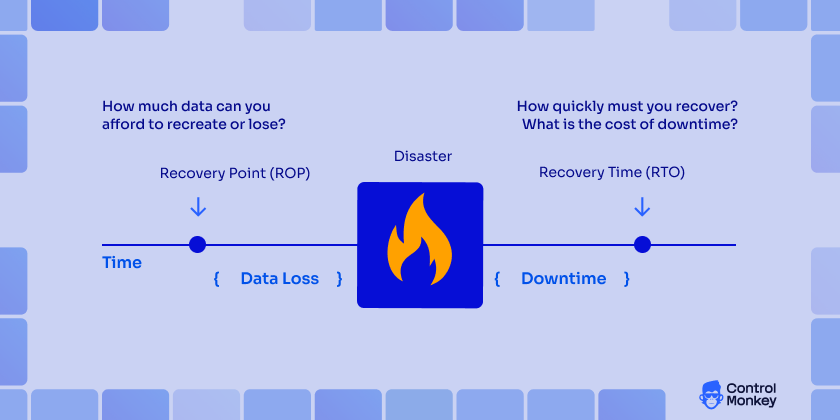
 Backup and Restore: Cost-Efficient Baseline Protection
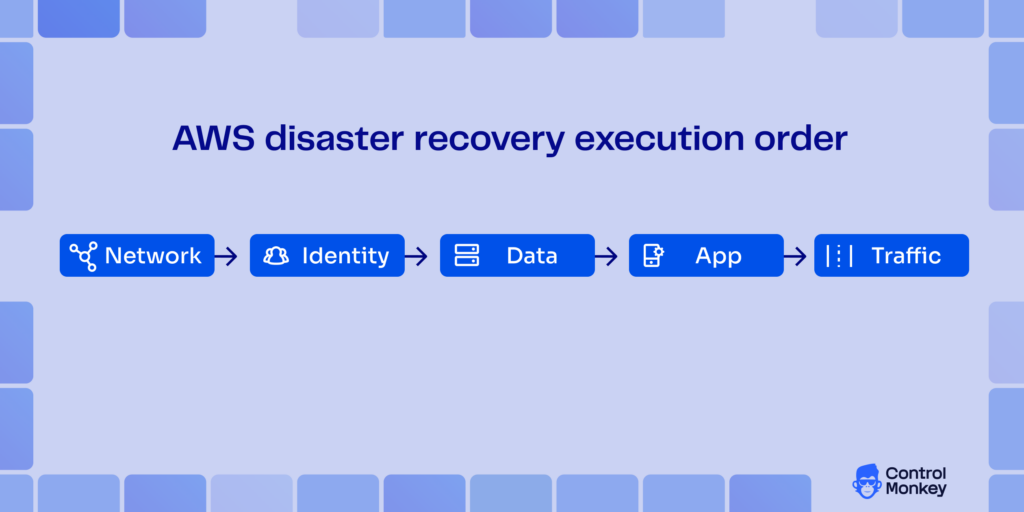
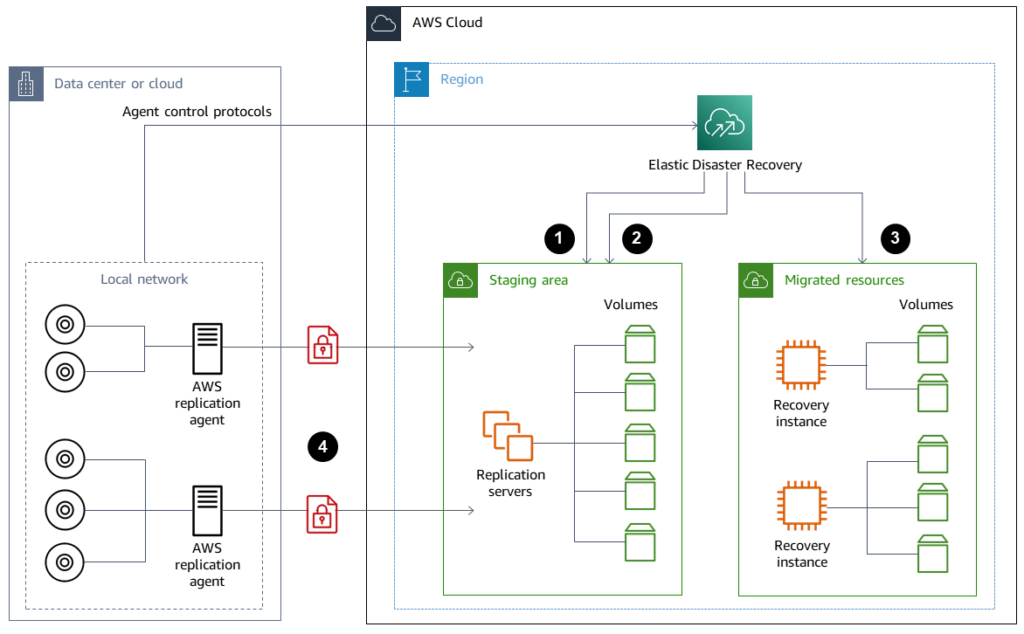
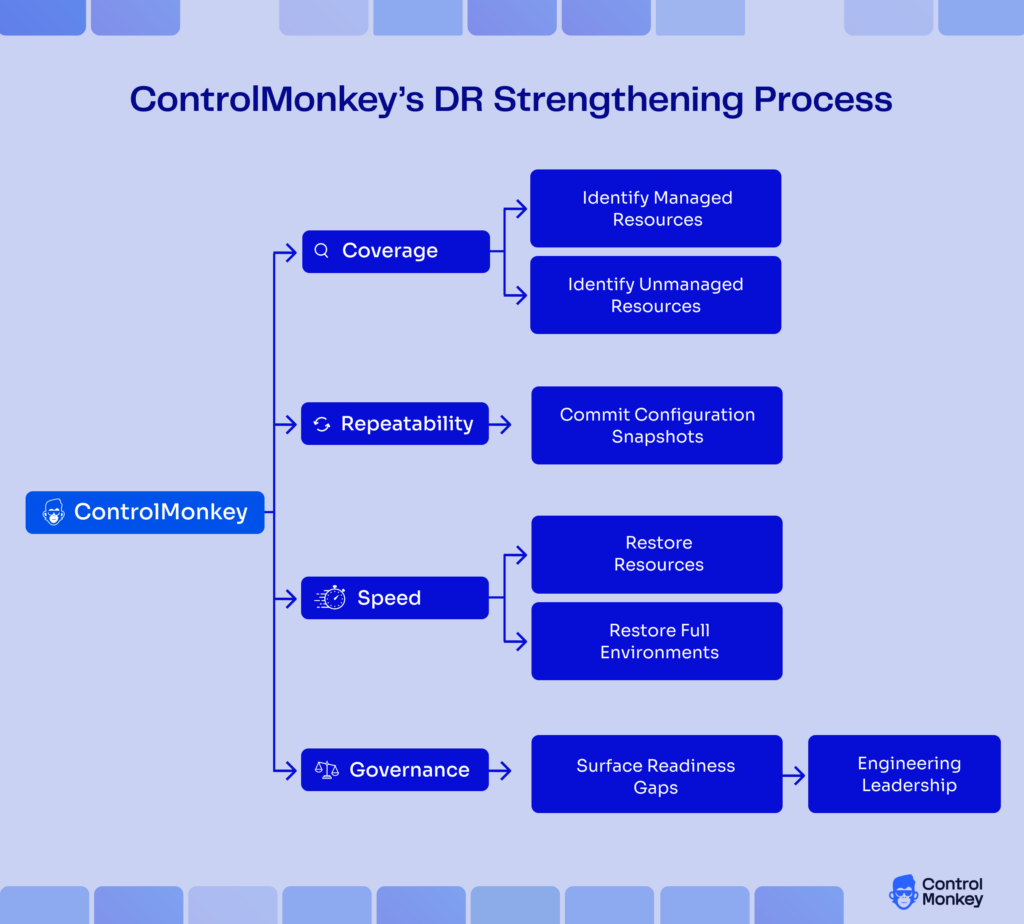



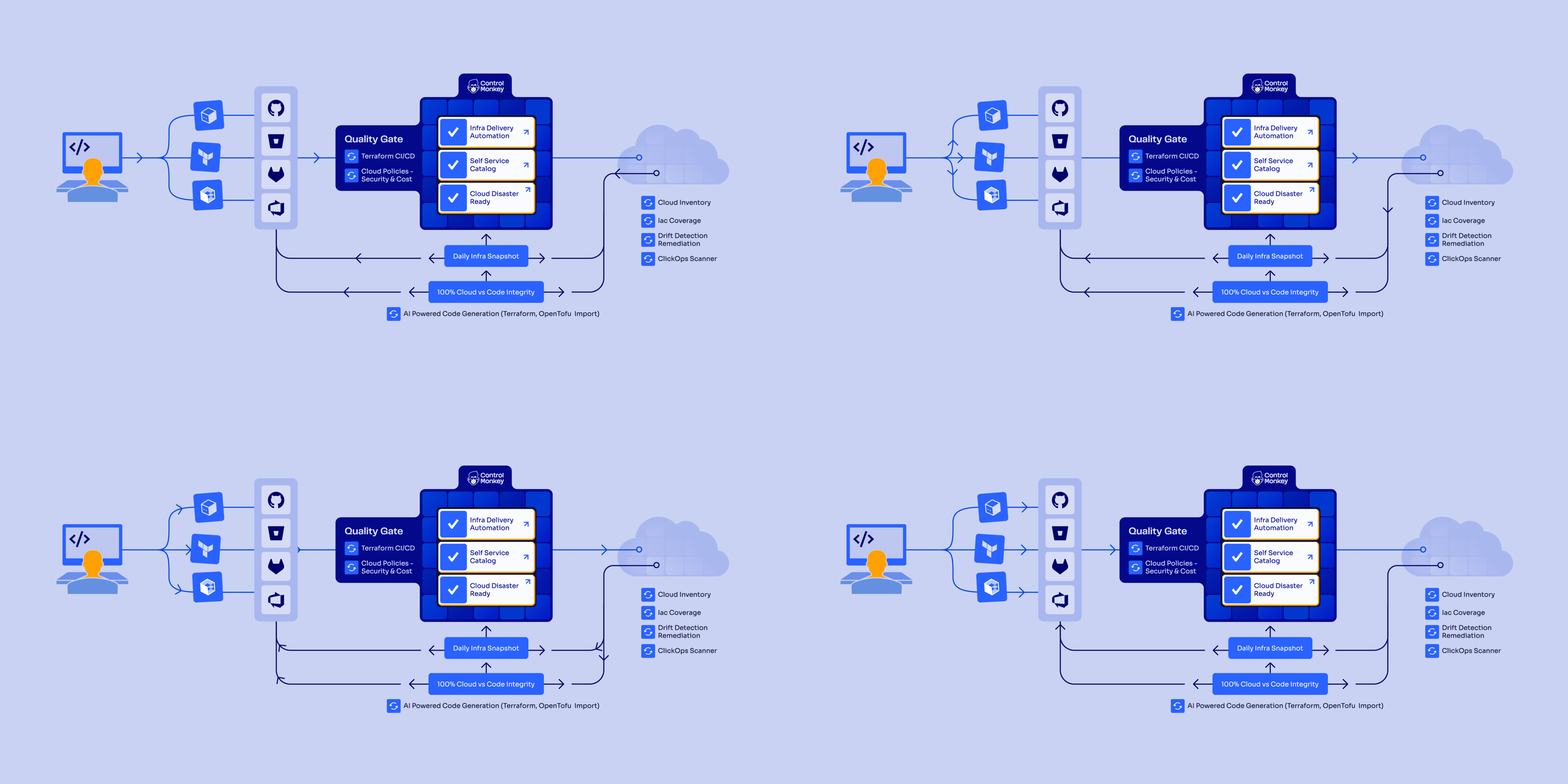
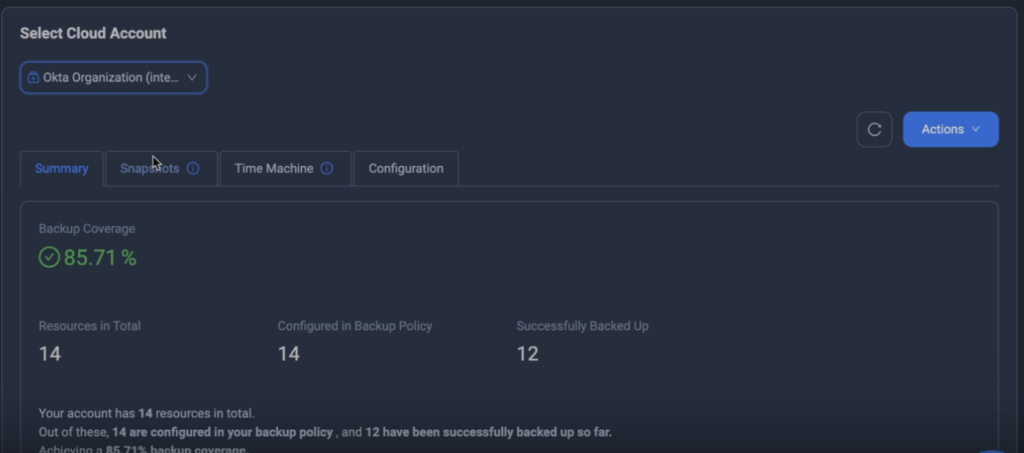
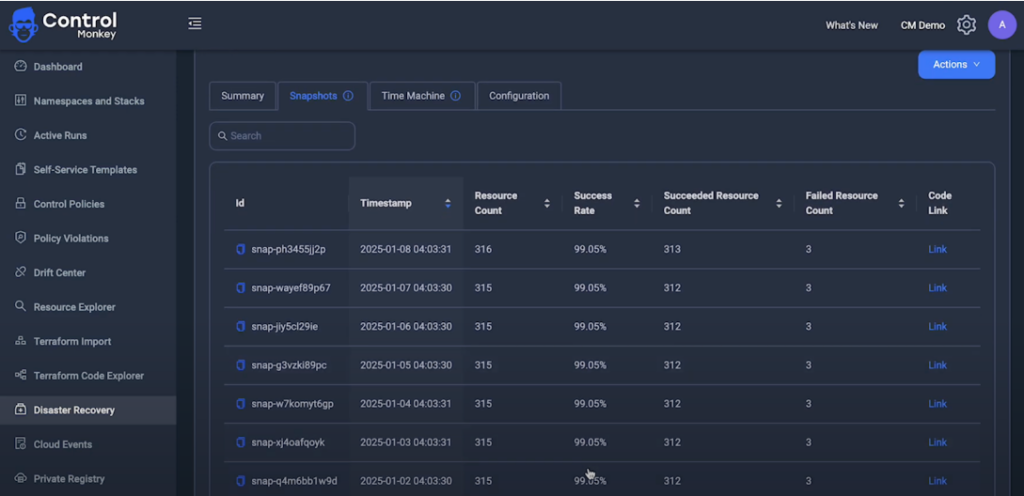
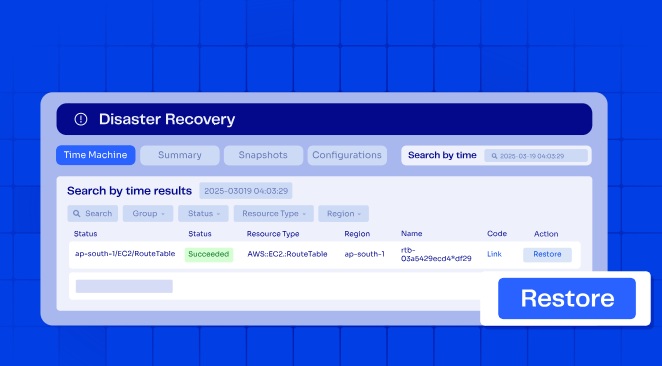
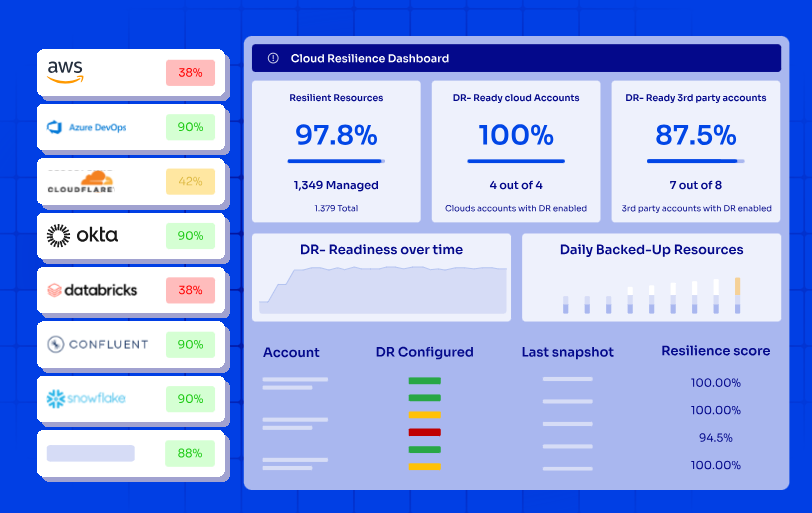
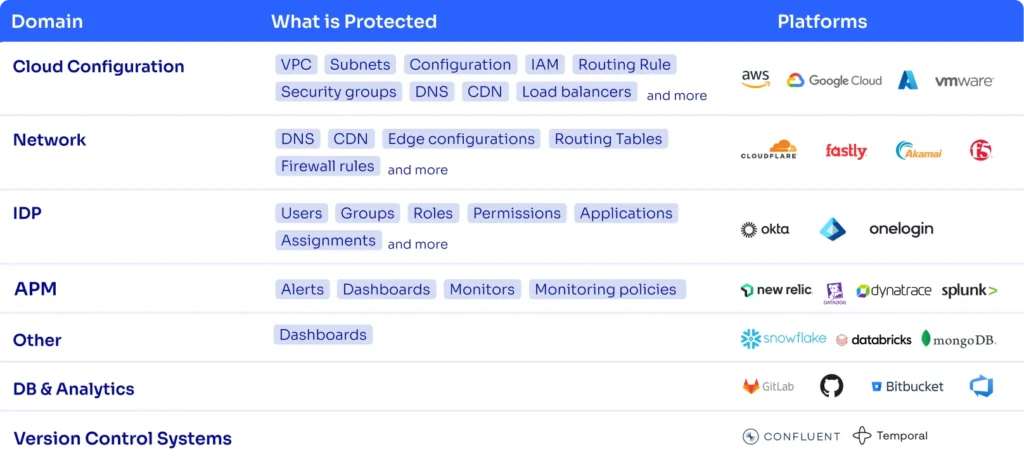
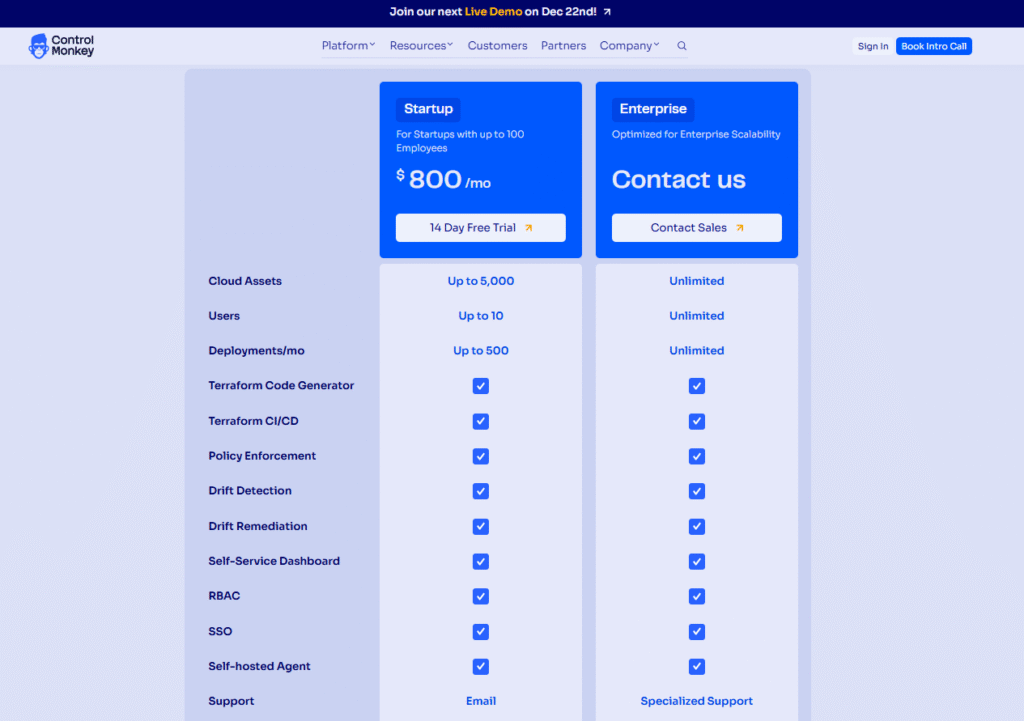
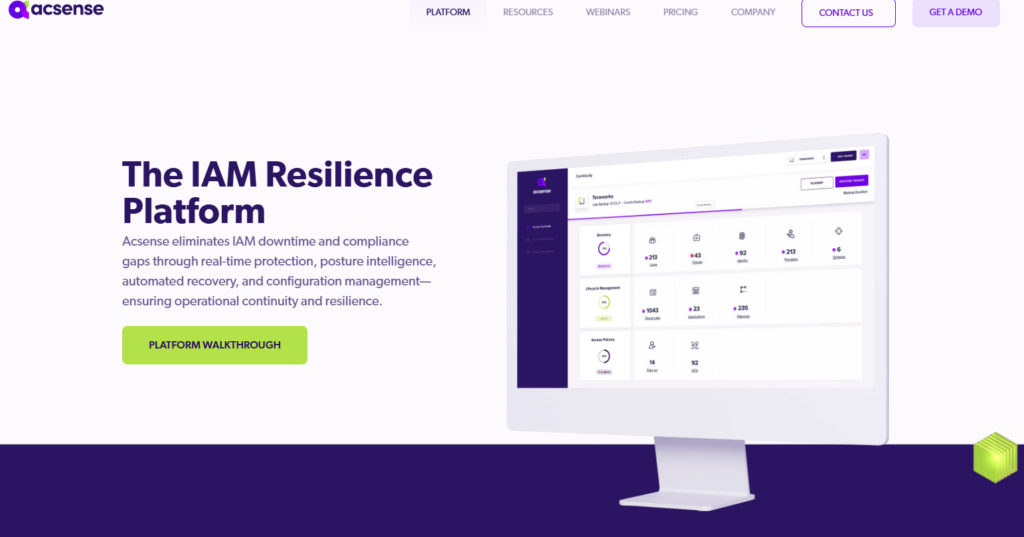
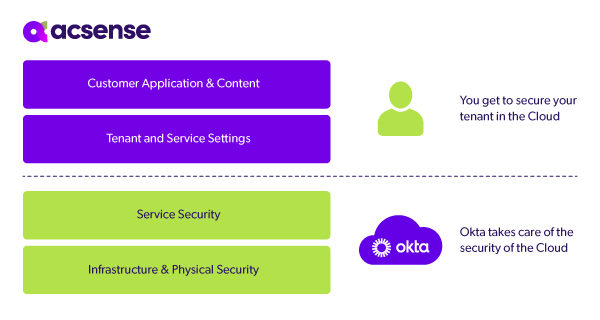
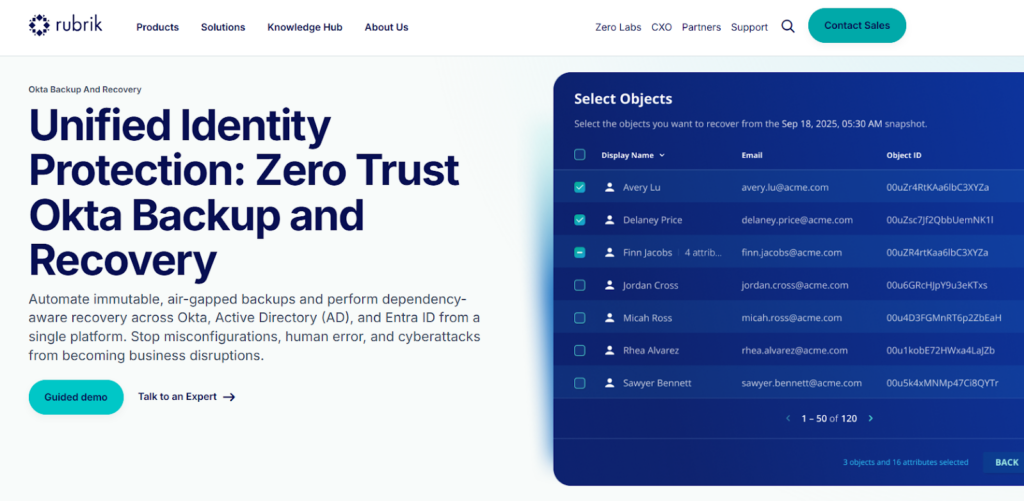
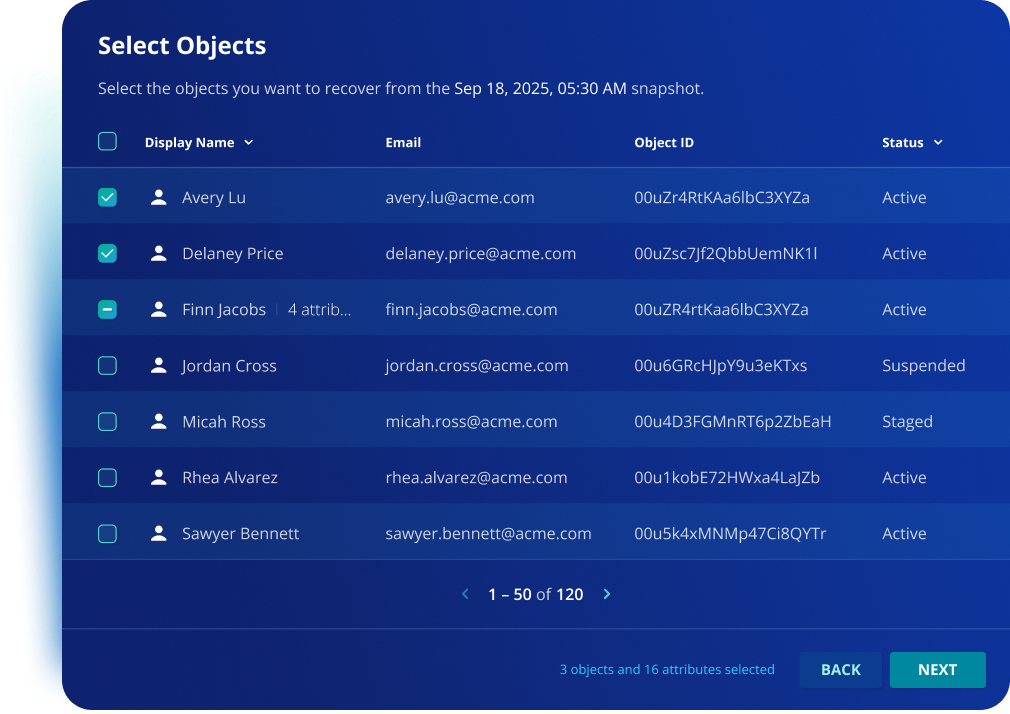
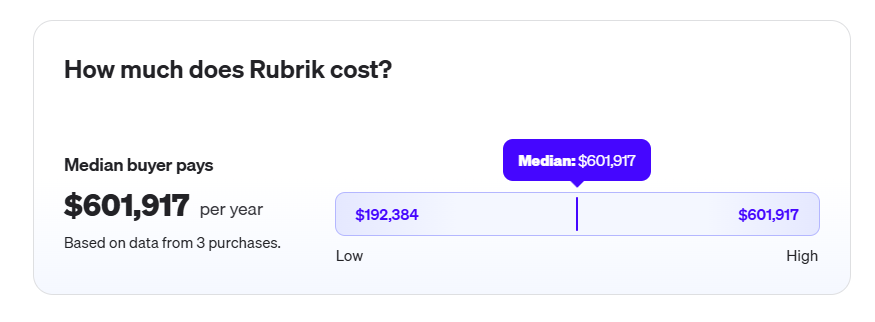
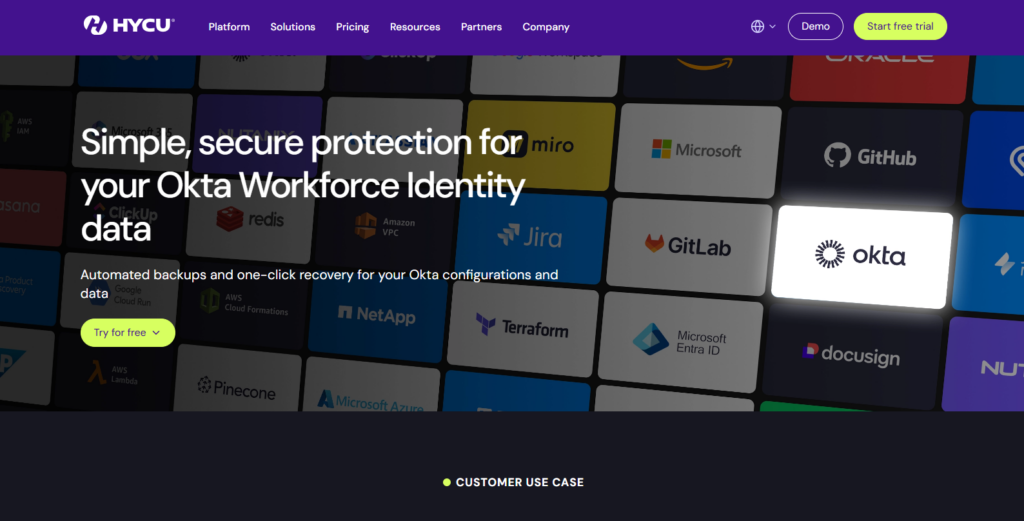
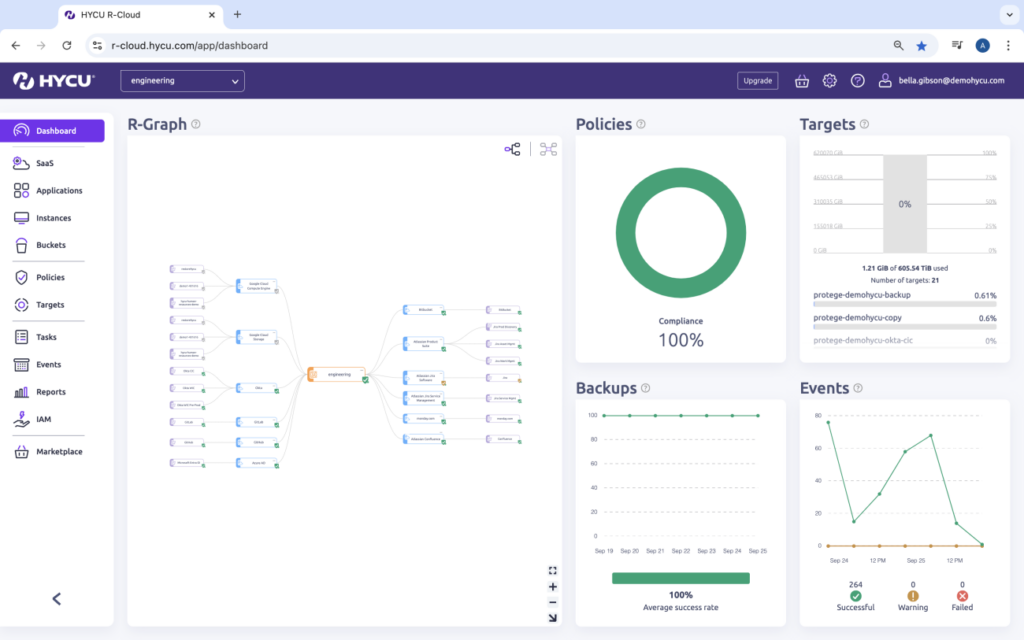
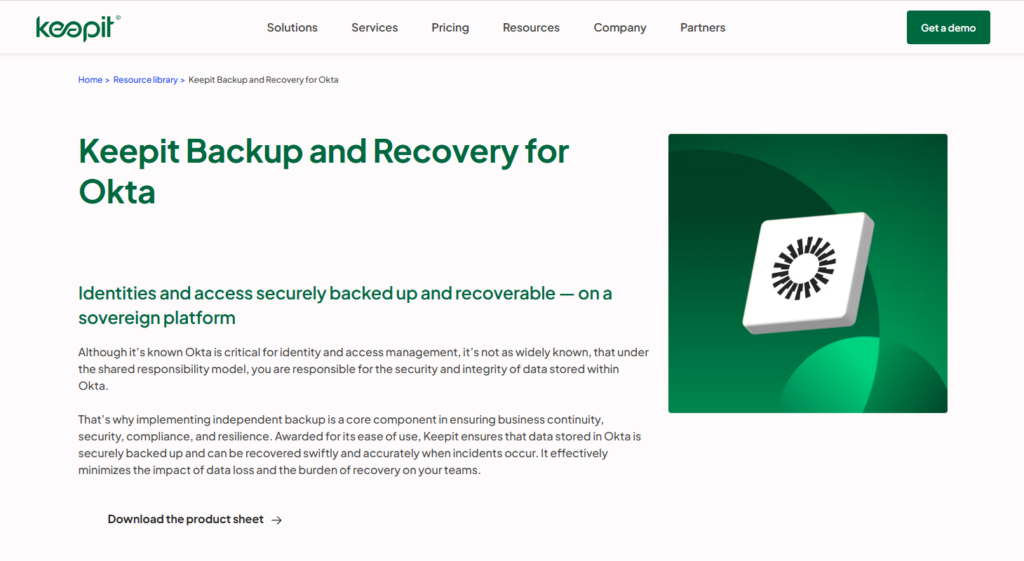
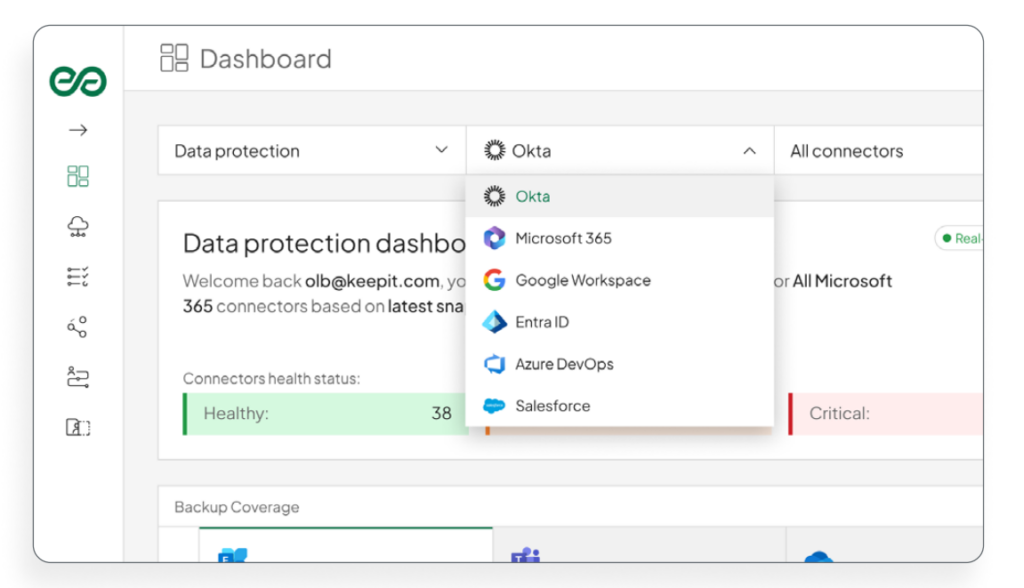
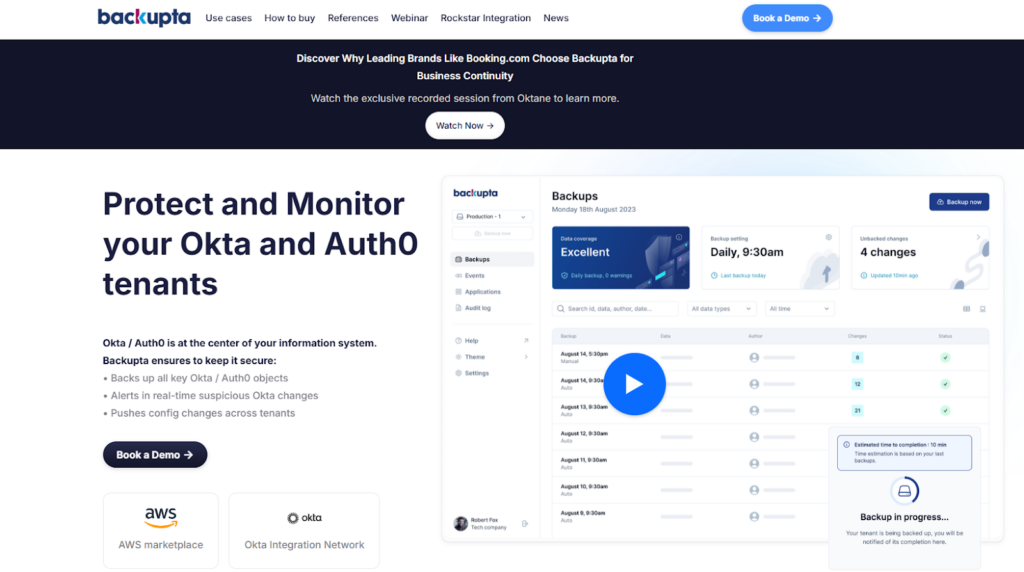
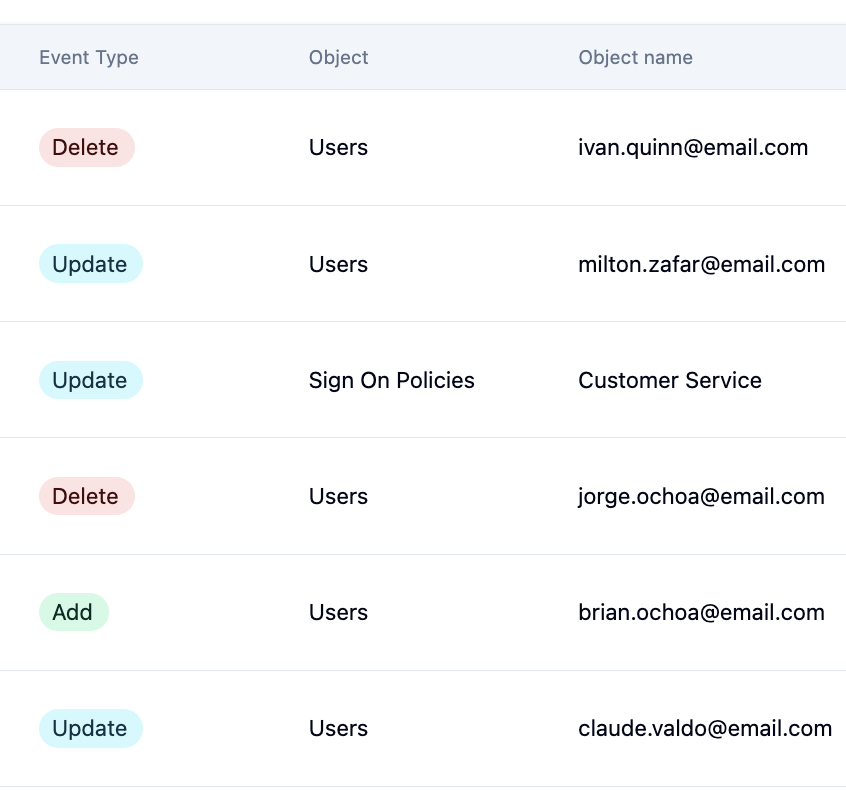
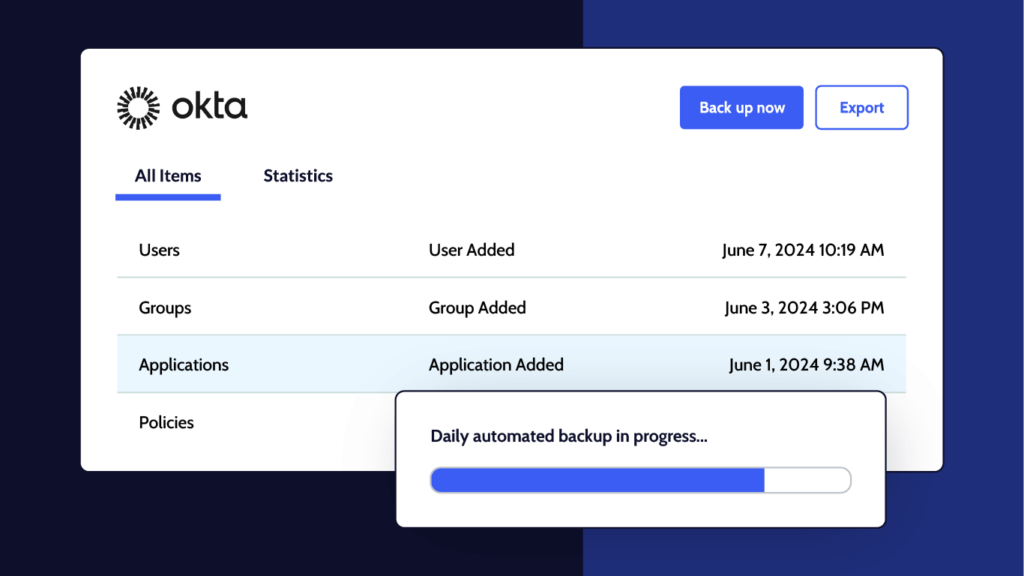
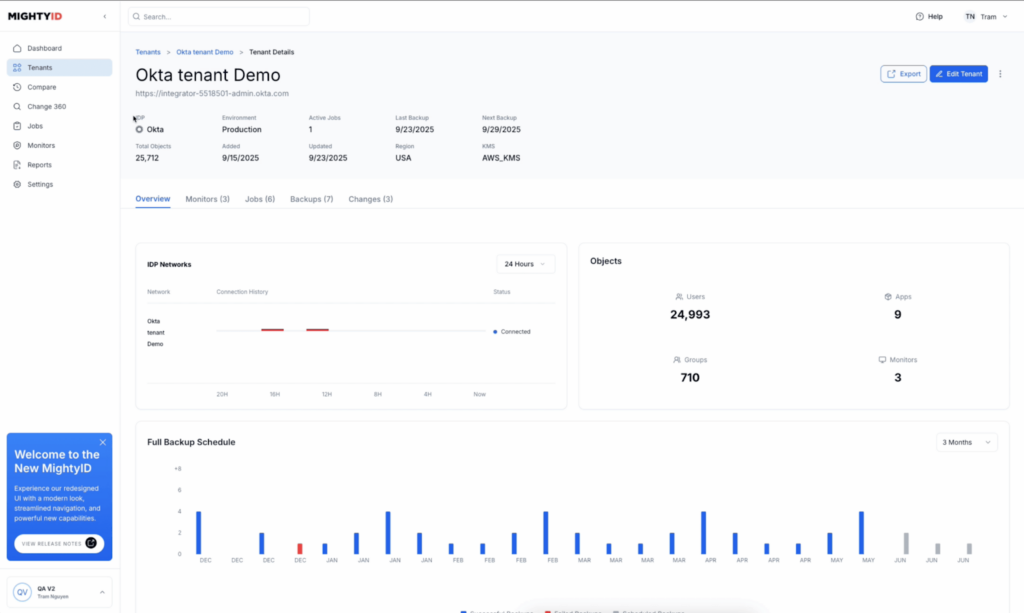
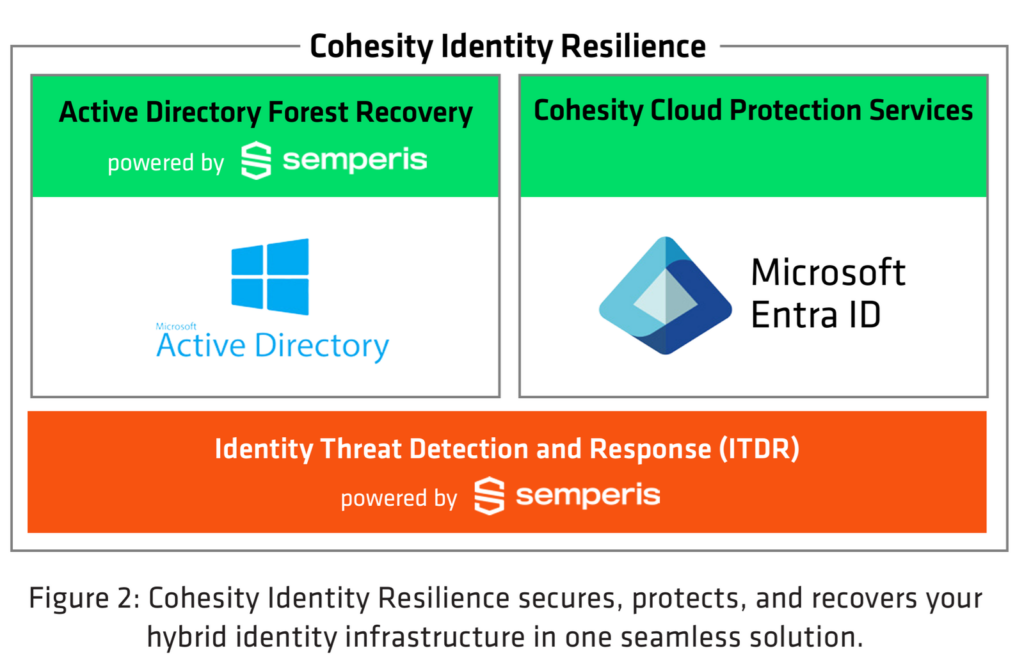
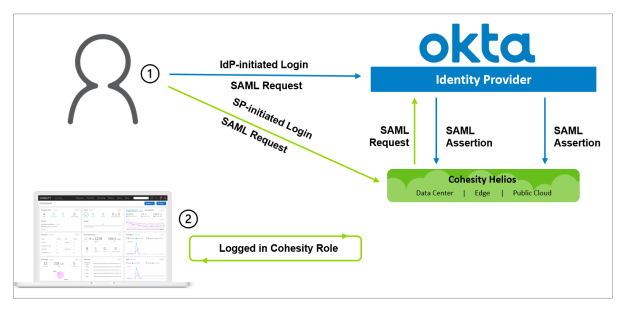
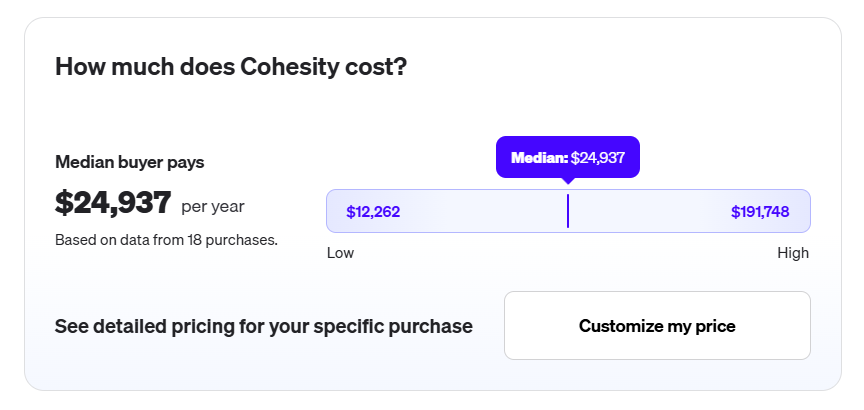
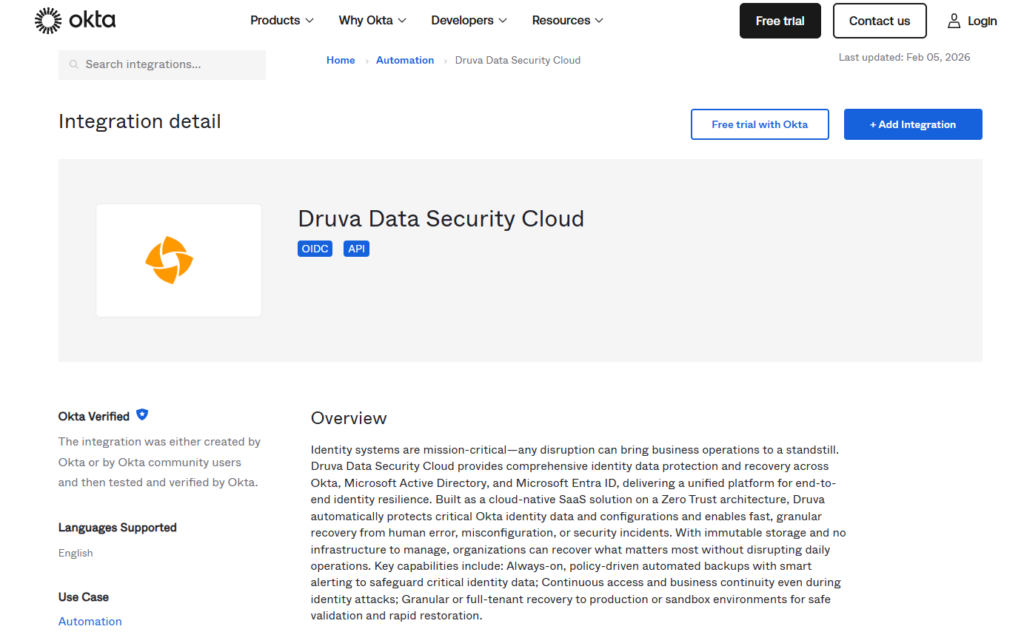
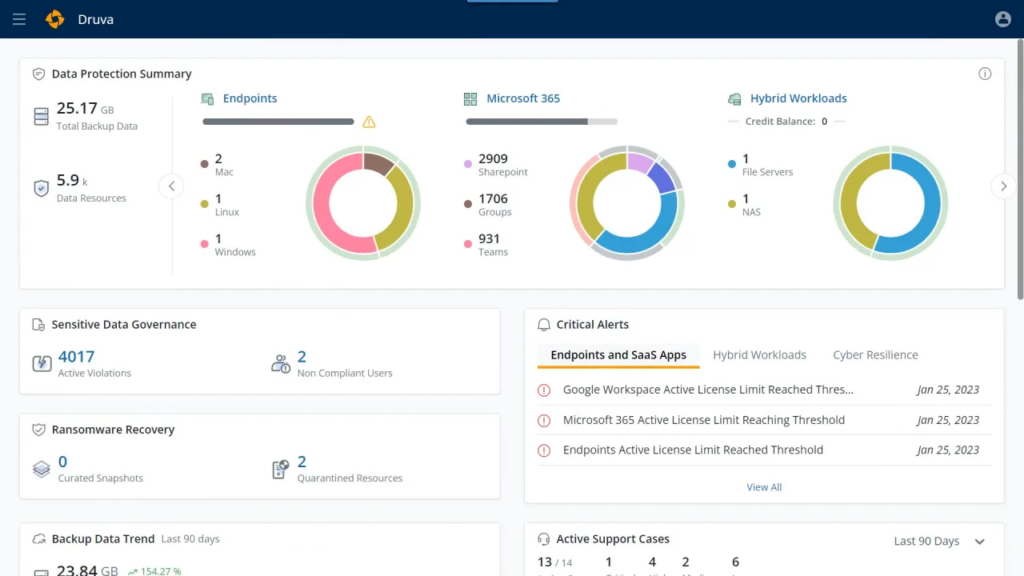
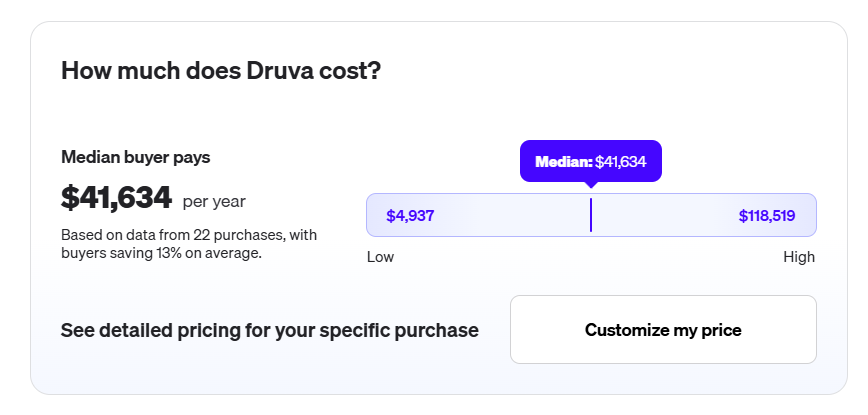


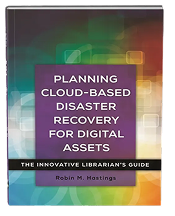
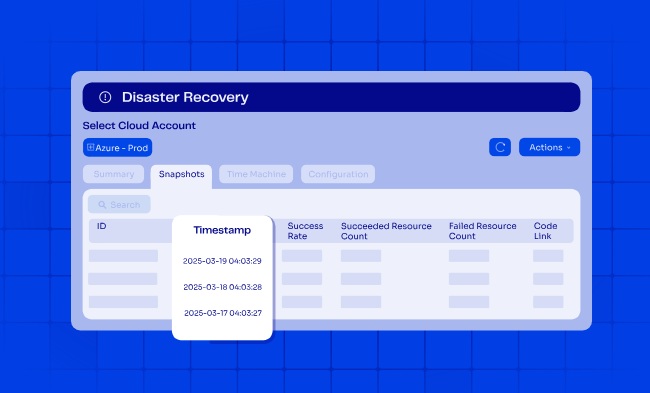
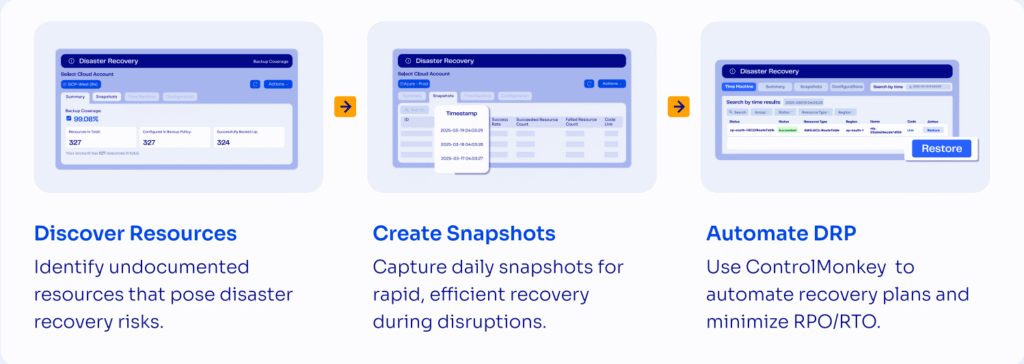
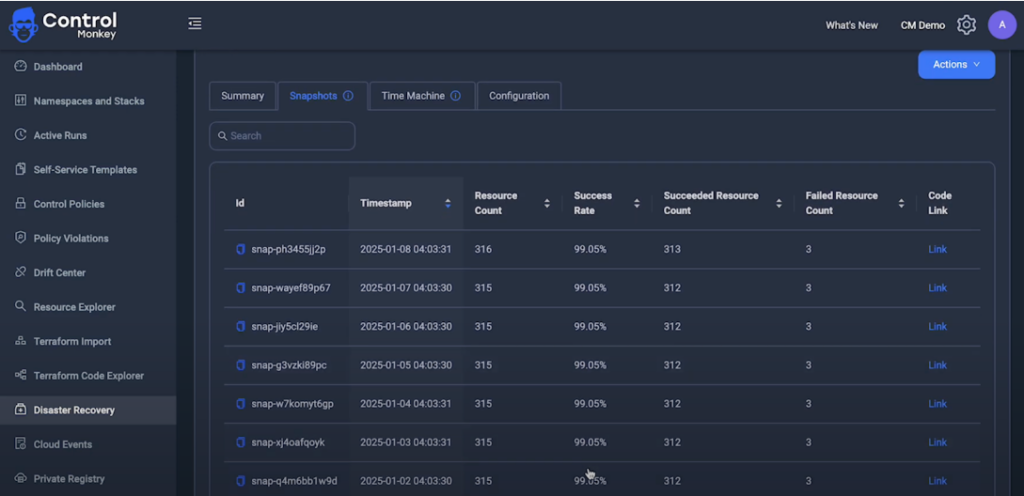
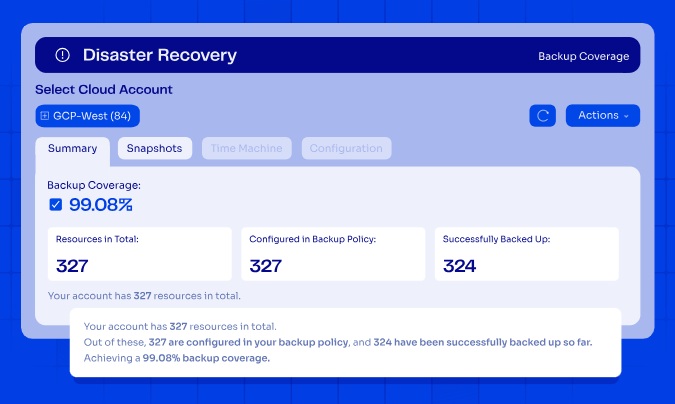
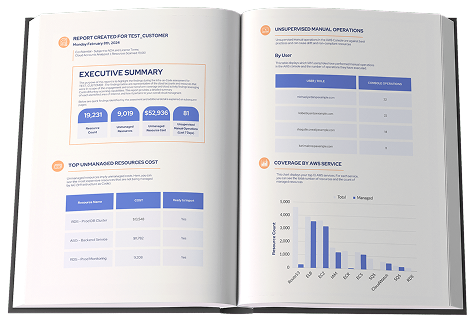
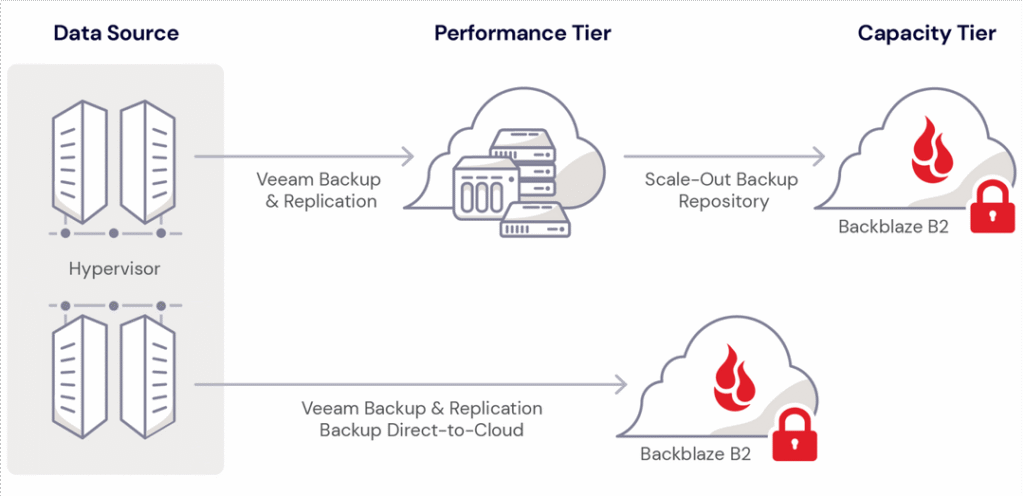
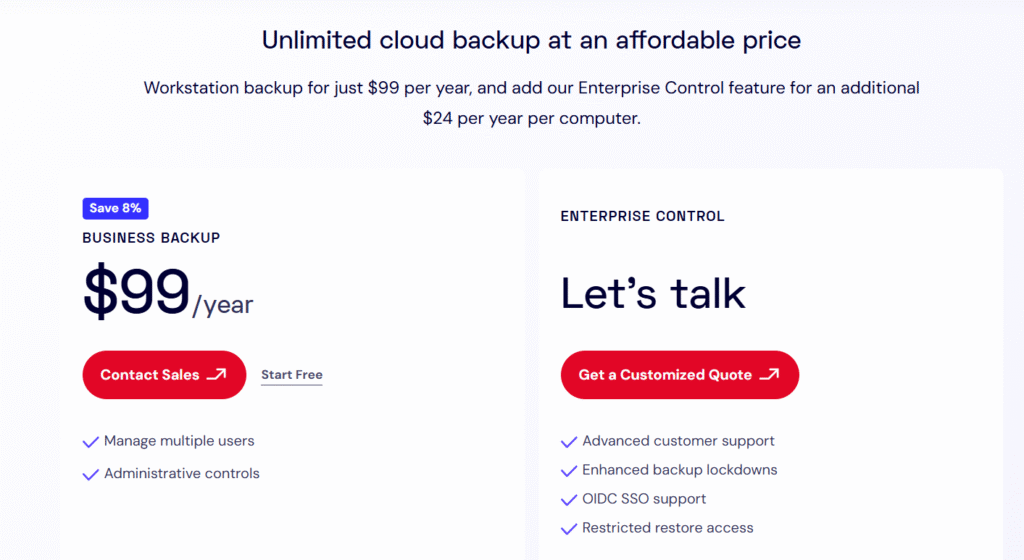
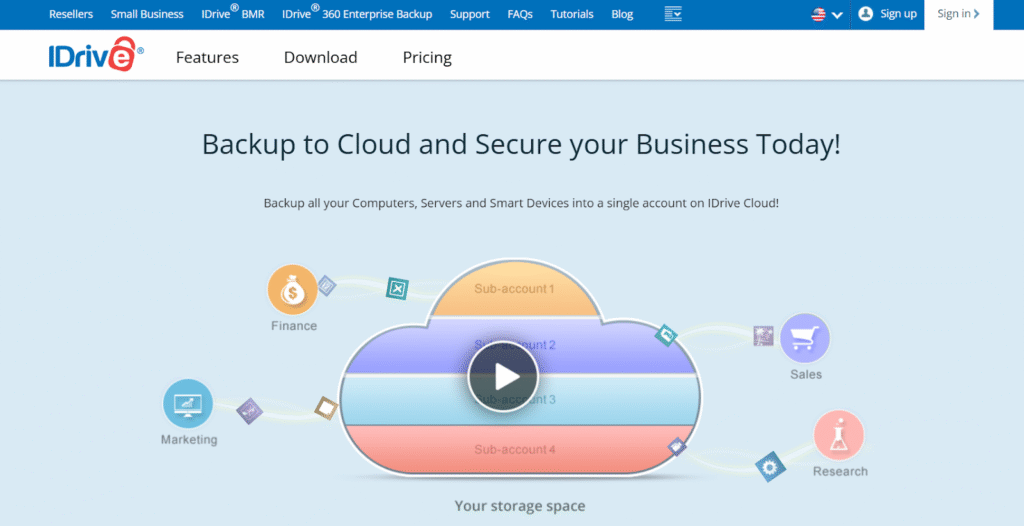
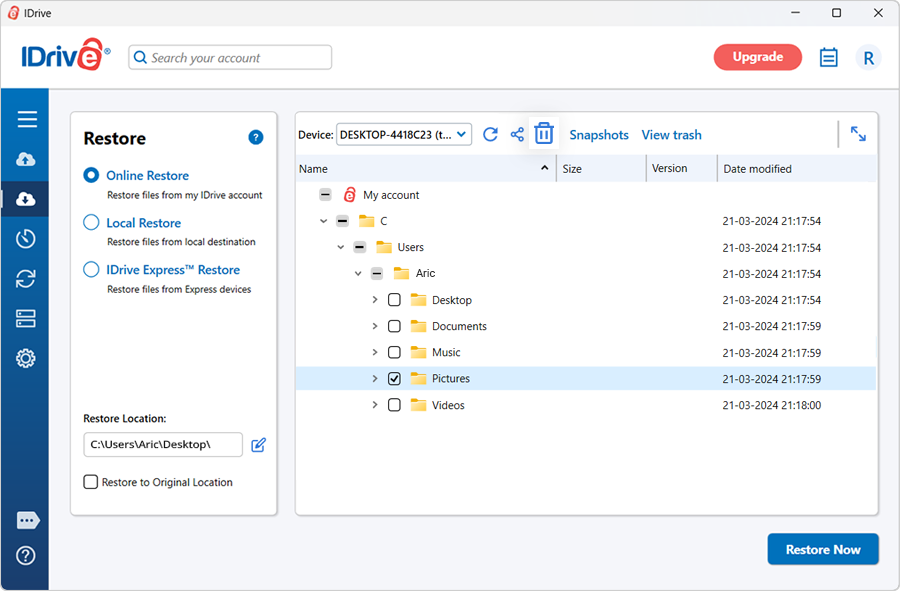
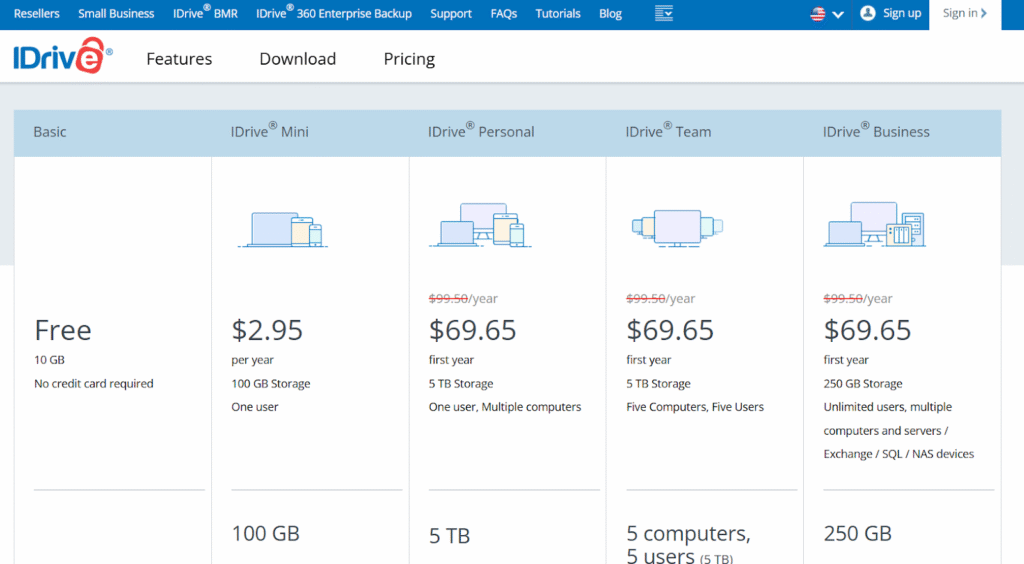
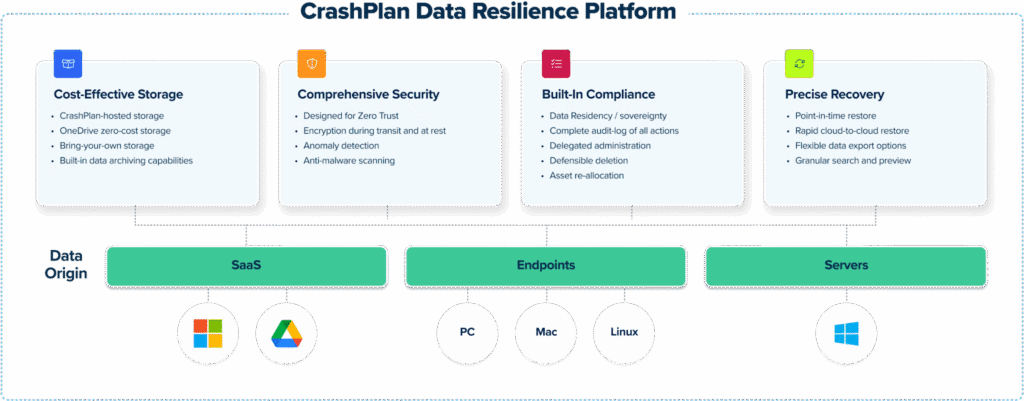
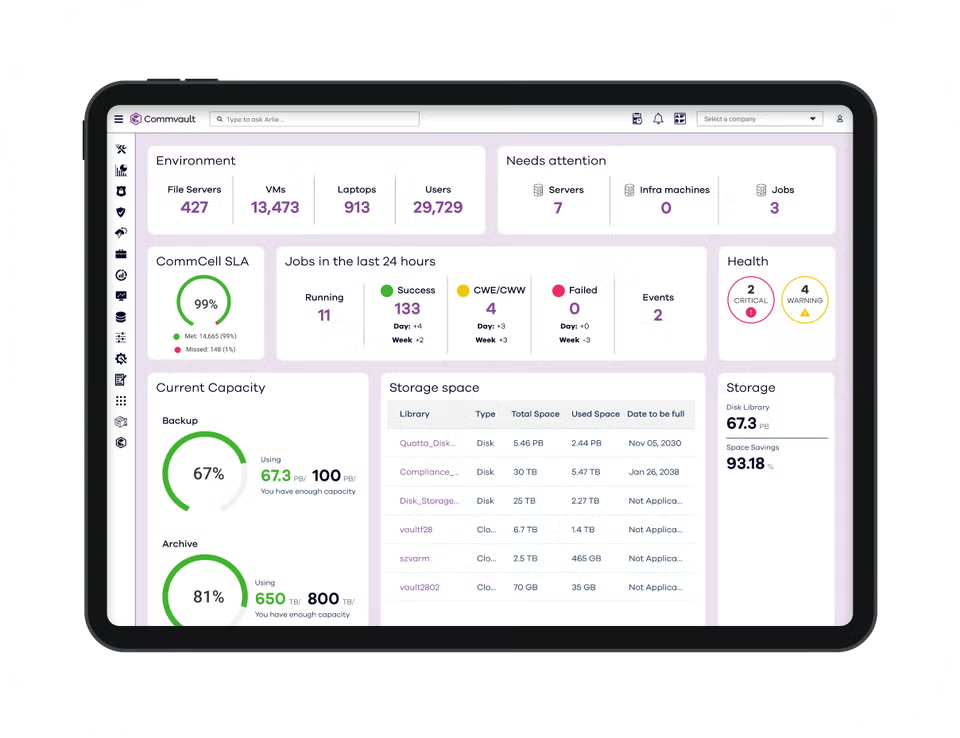
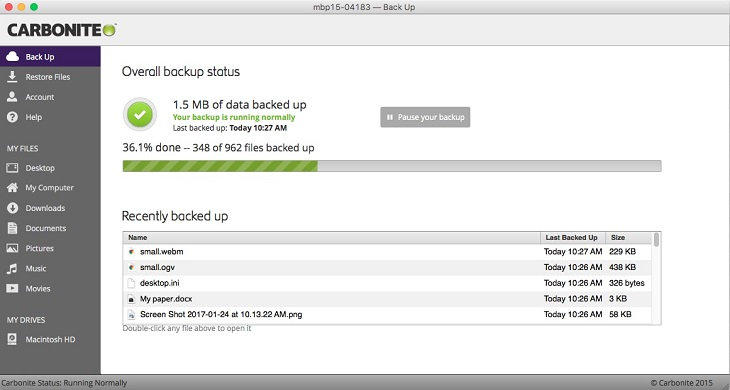
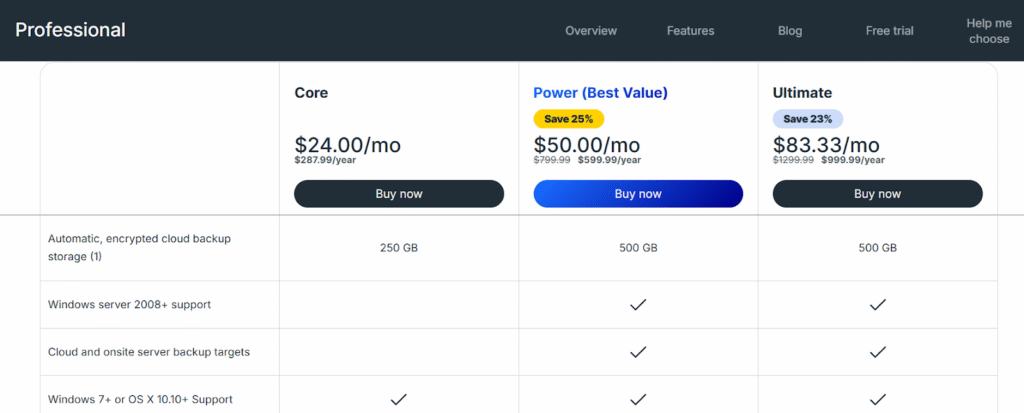
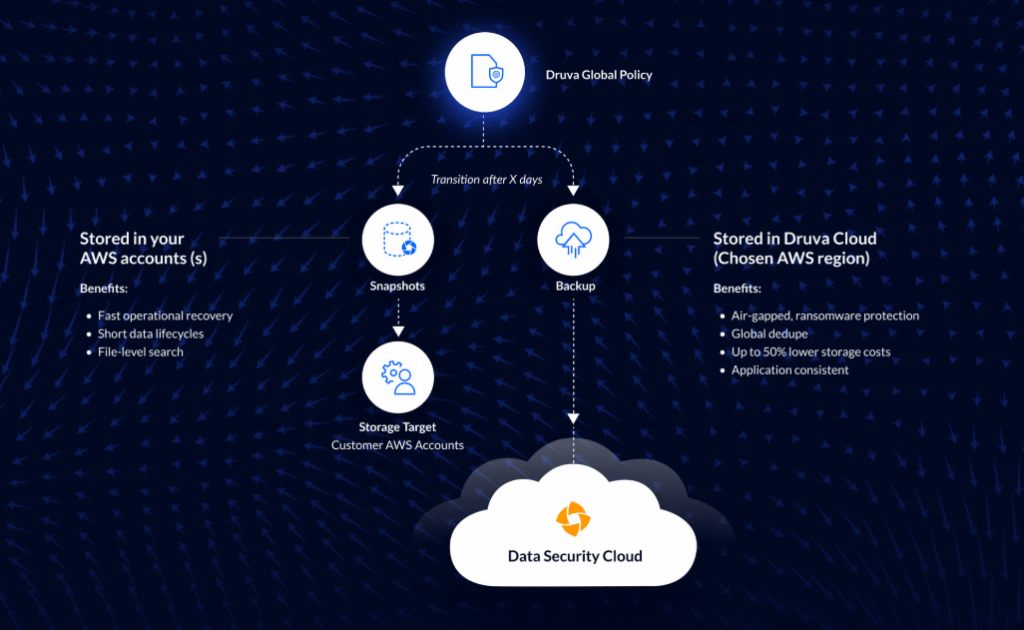
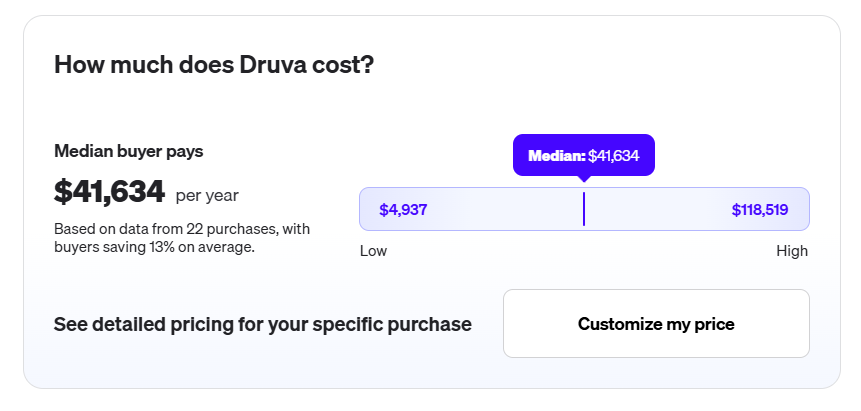
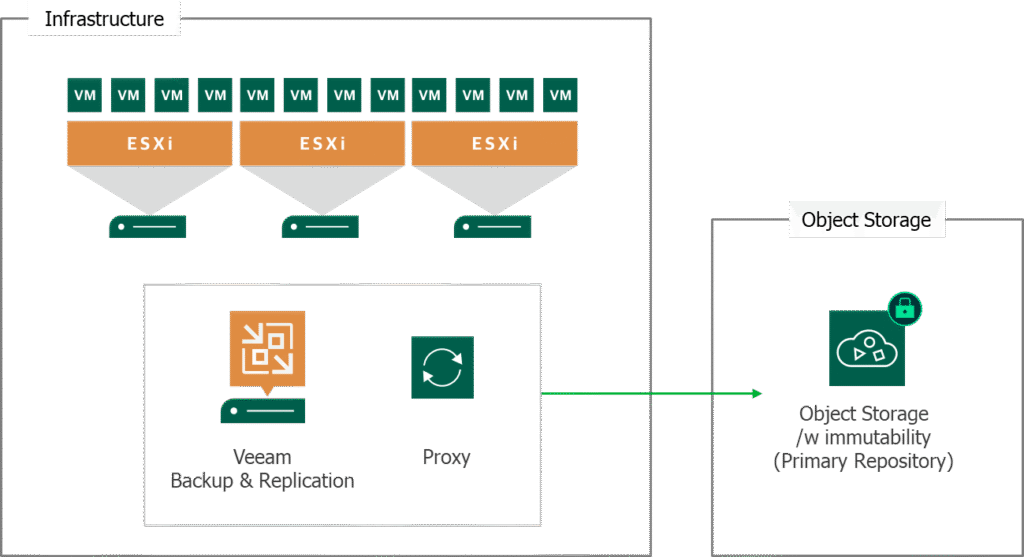
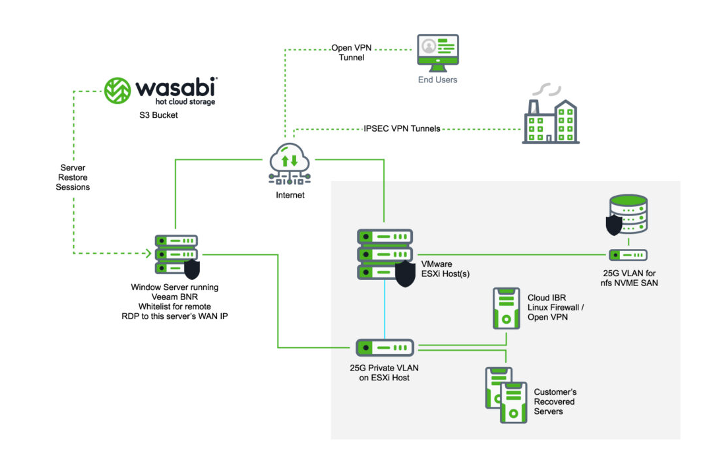
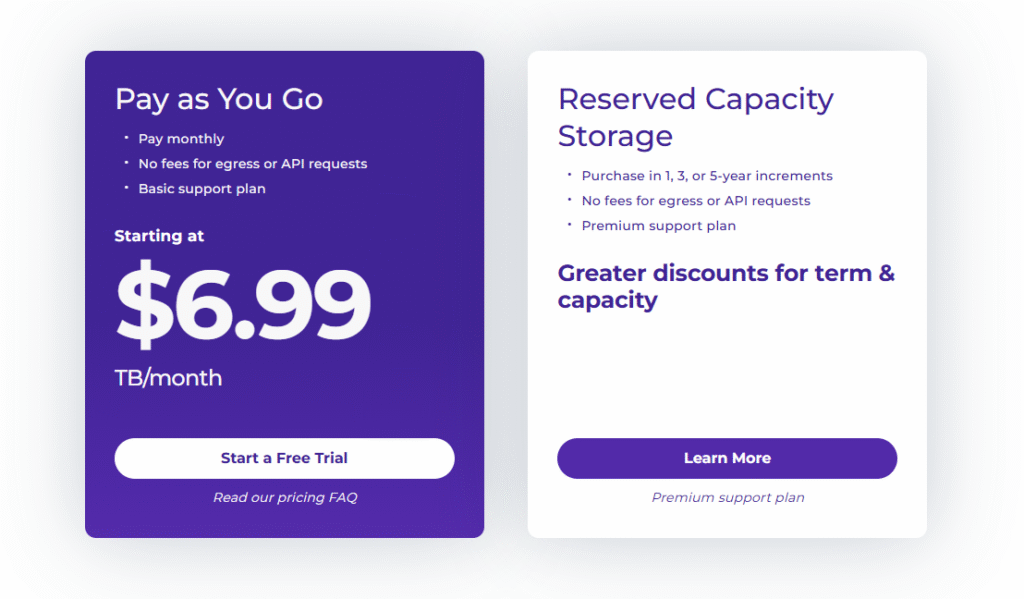
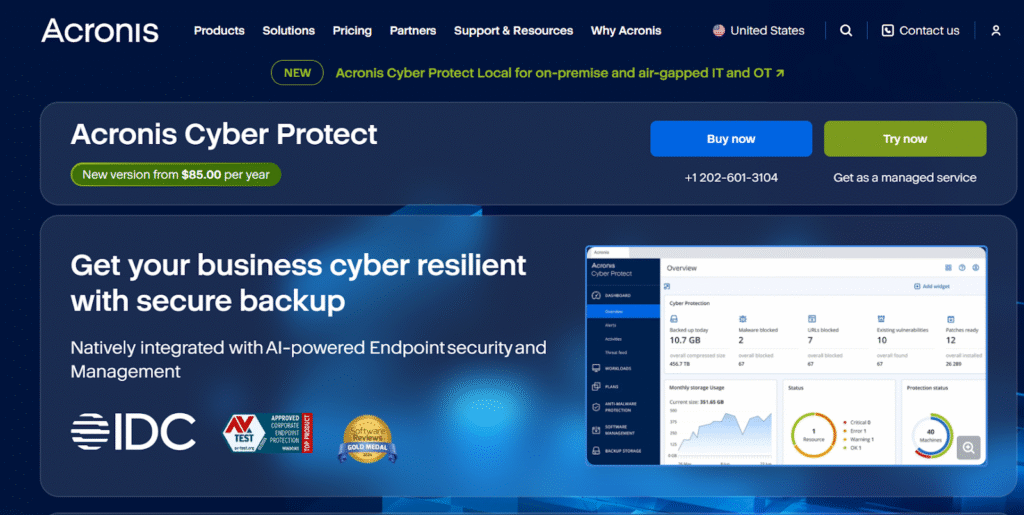
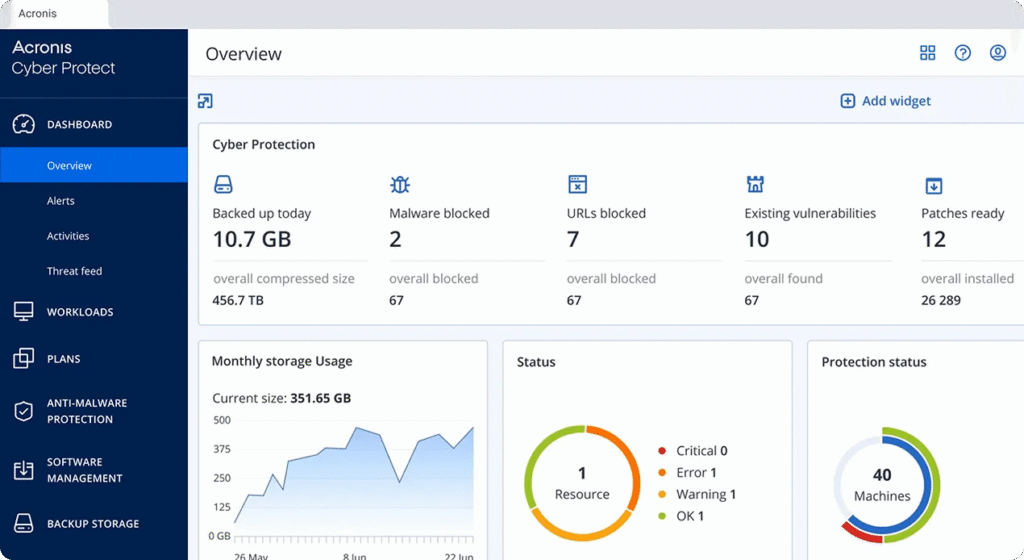
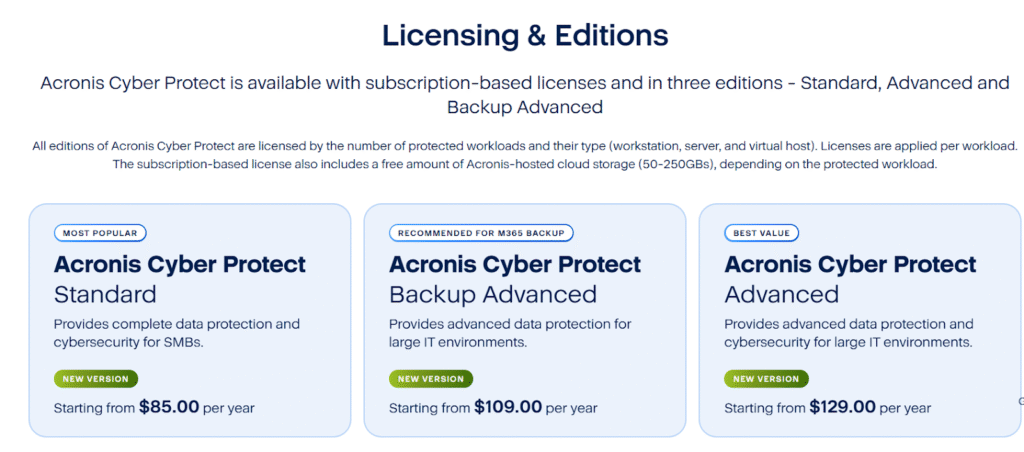
![Rubrik vs. Commvault: Who Actually Wins on Value For Money? [2026]](https://controlmonkey.io/wp-content/uploads/2026/02/Rubrik-vs.-Commvault.png)
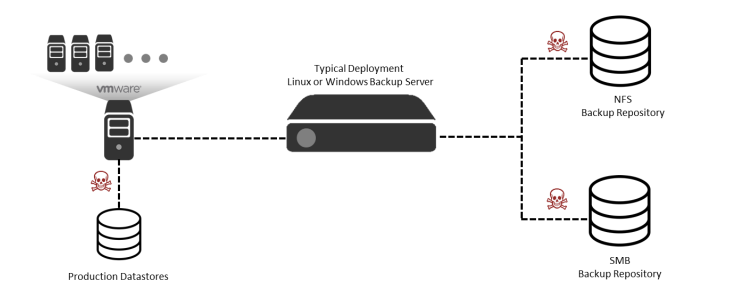
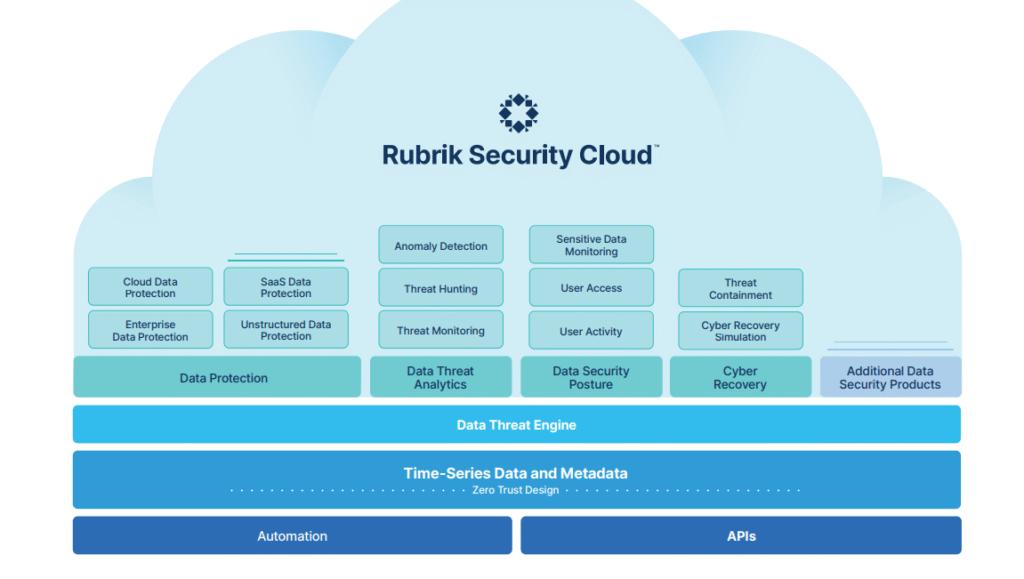
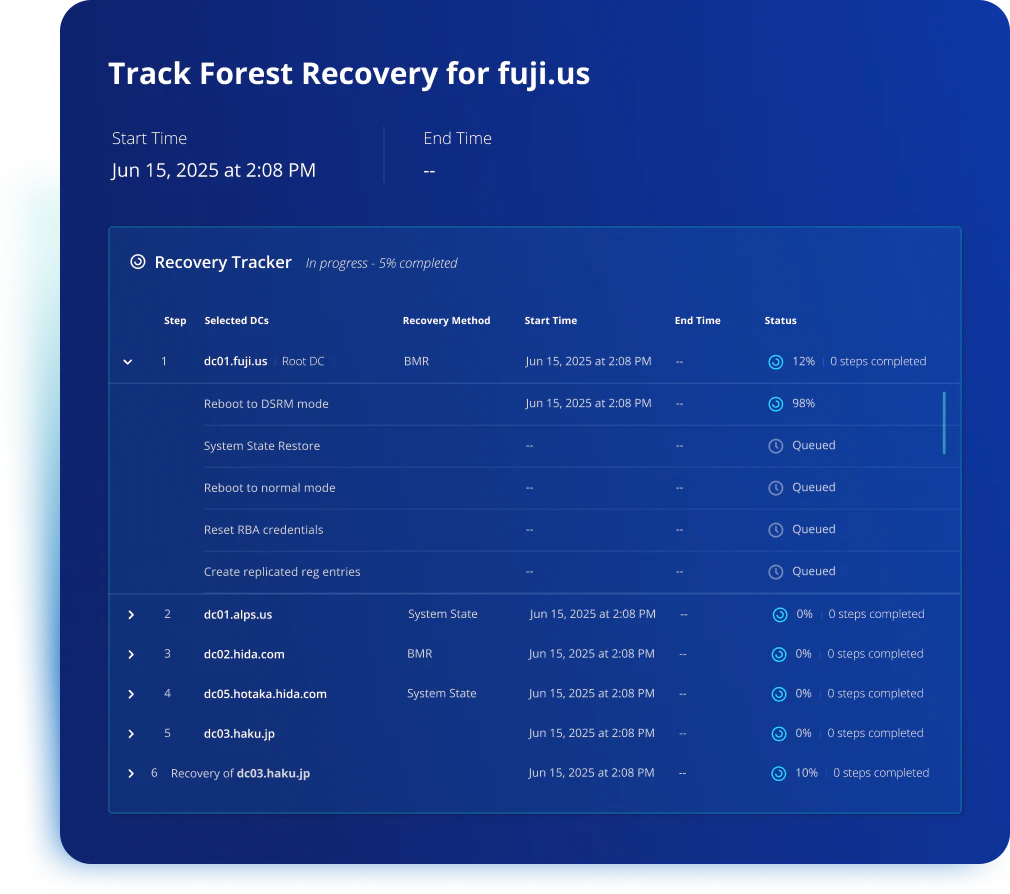
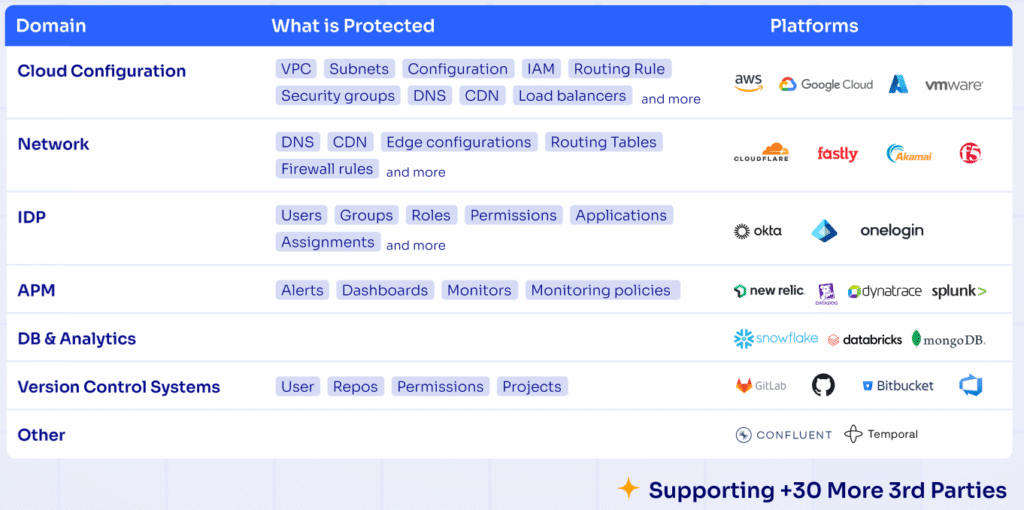

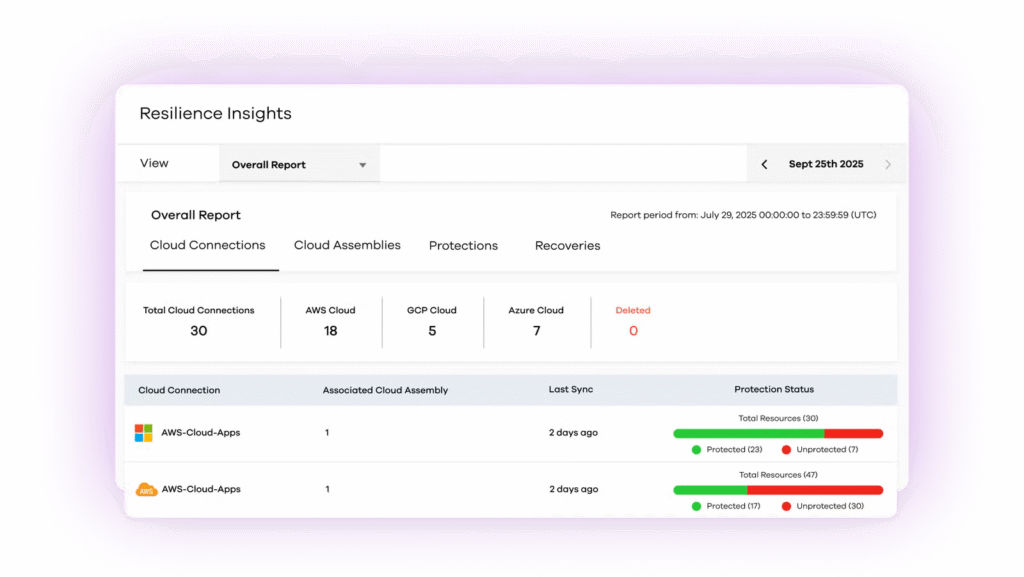



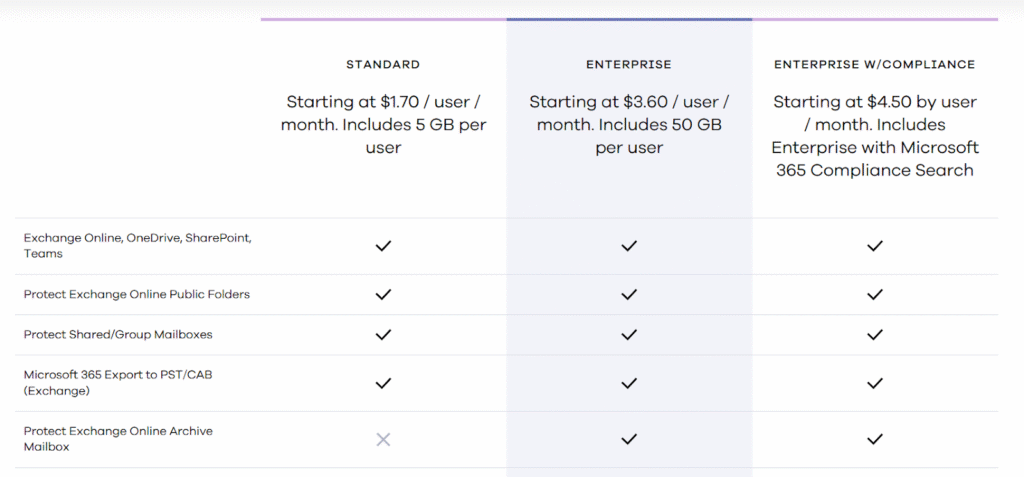


![Terraform Cloud vs. Terraform Enterprise vs. ControlMonkey: Which Platform to Pick? [2026]](https://controlmonkey.io/wp-content/uploads/2026/02/Terrafrom-Cloud-vs-Terrafrom-Enterprise.png)
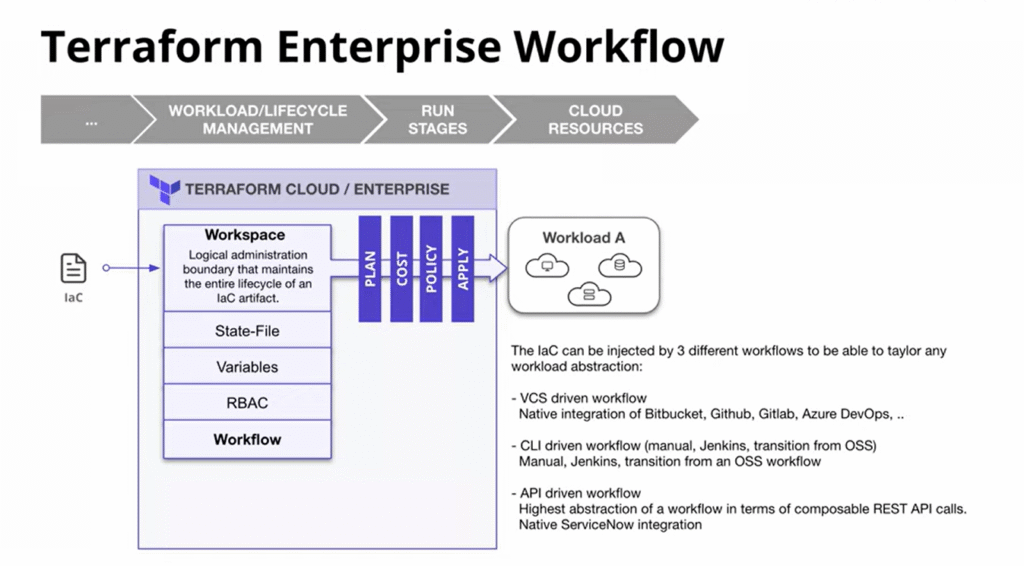
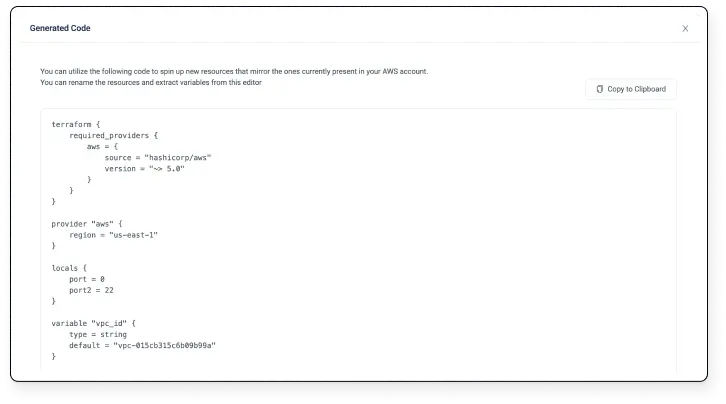
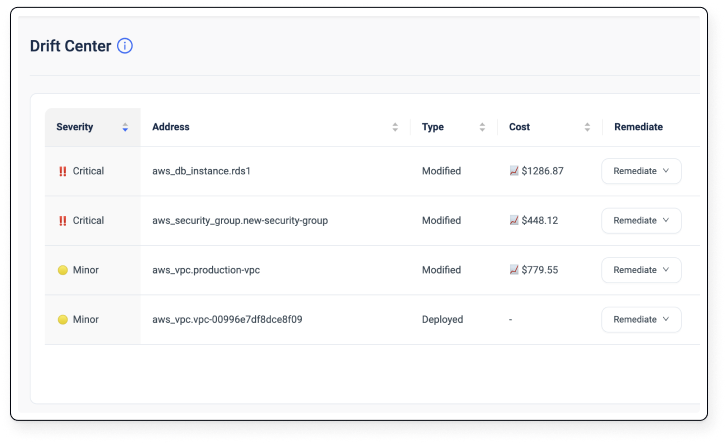
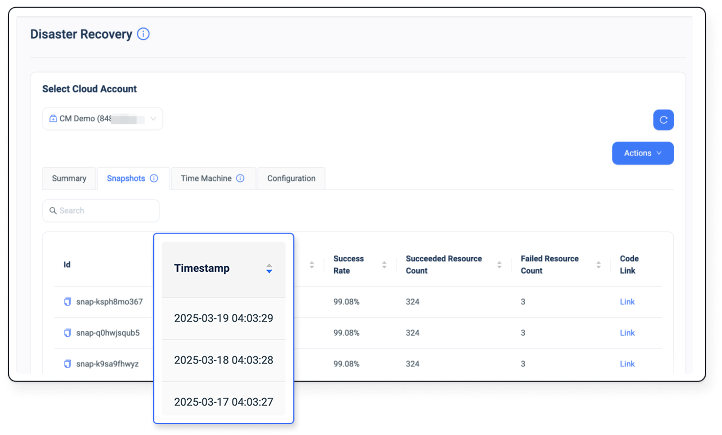
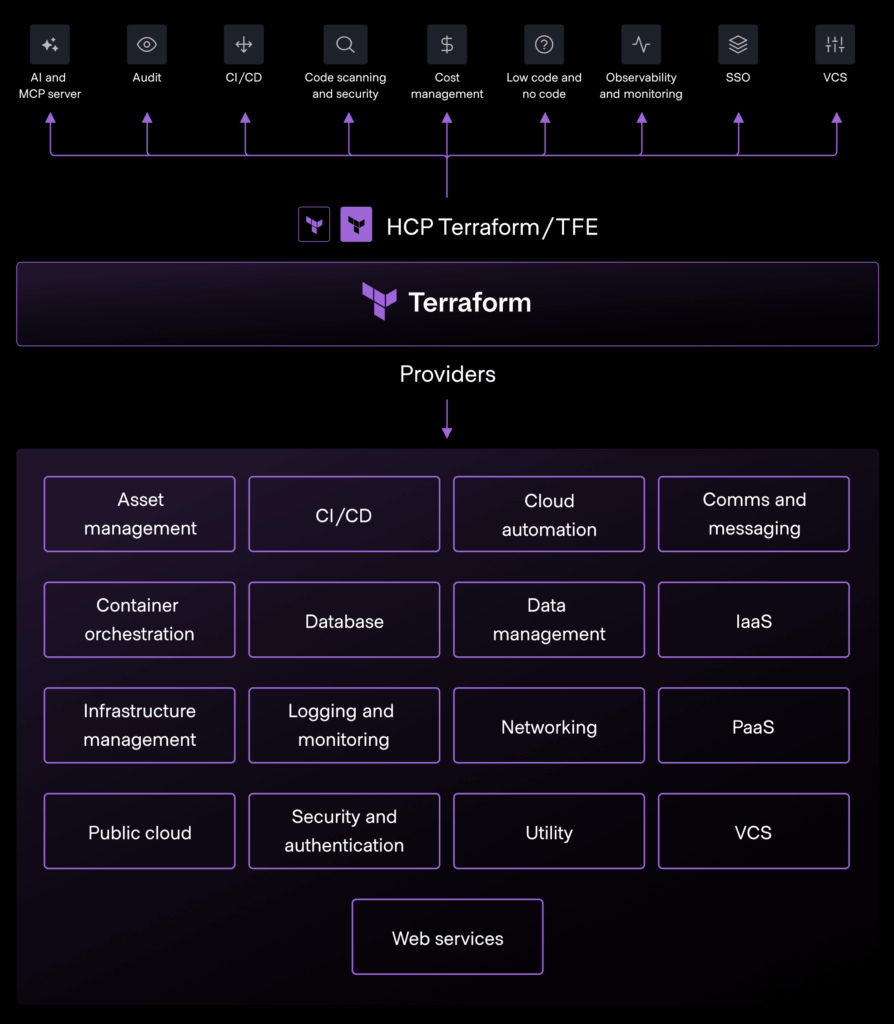
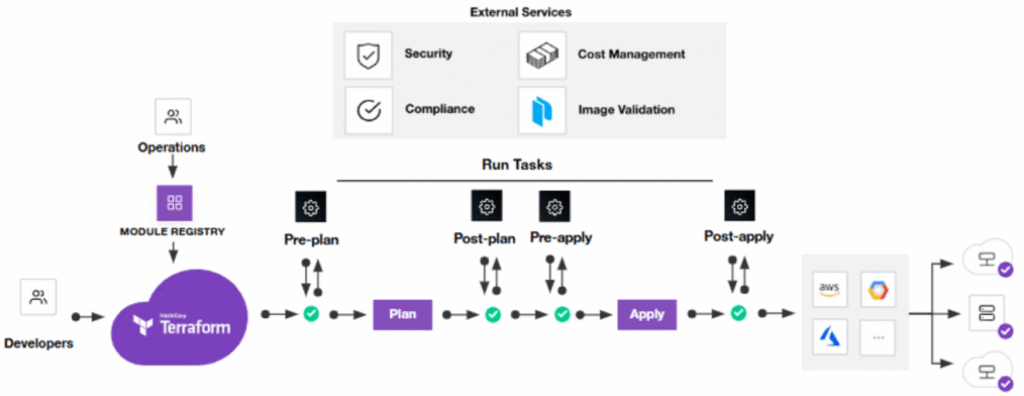
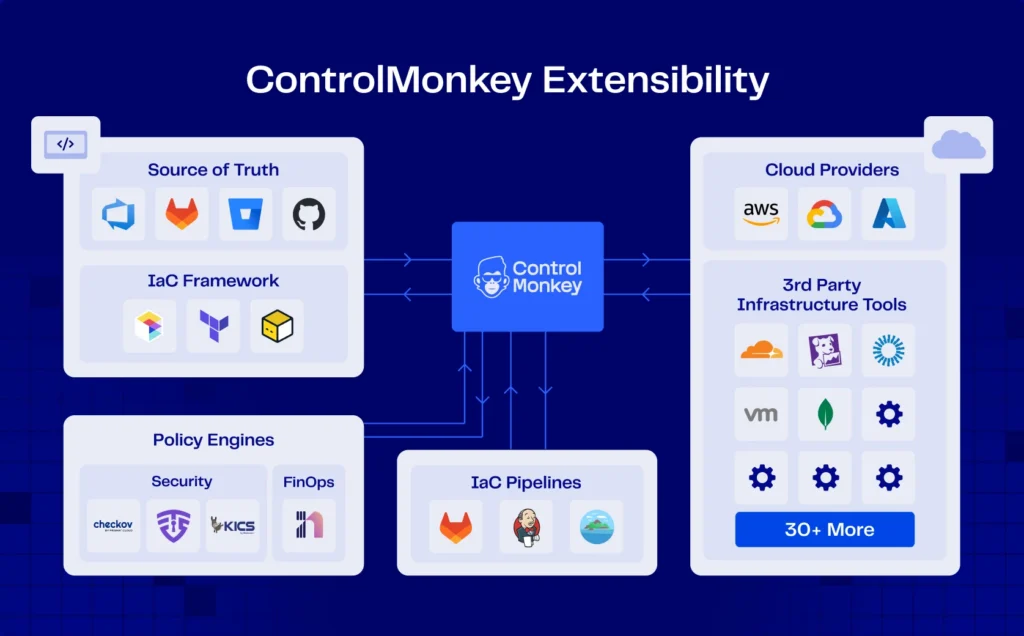
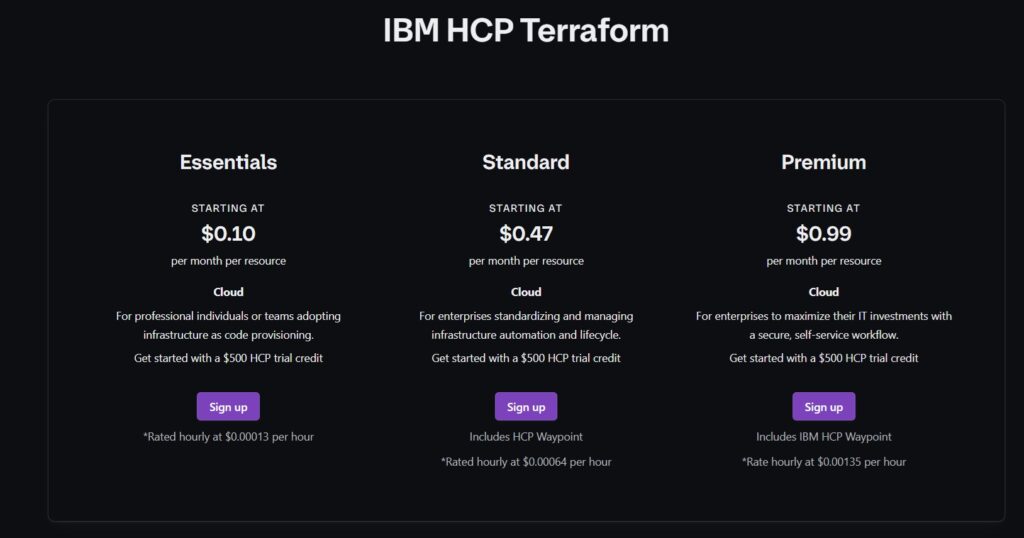
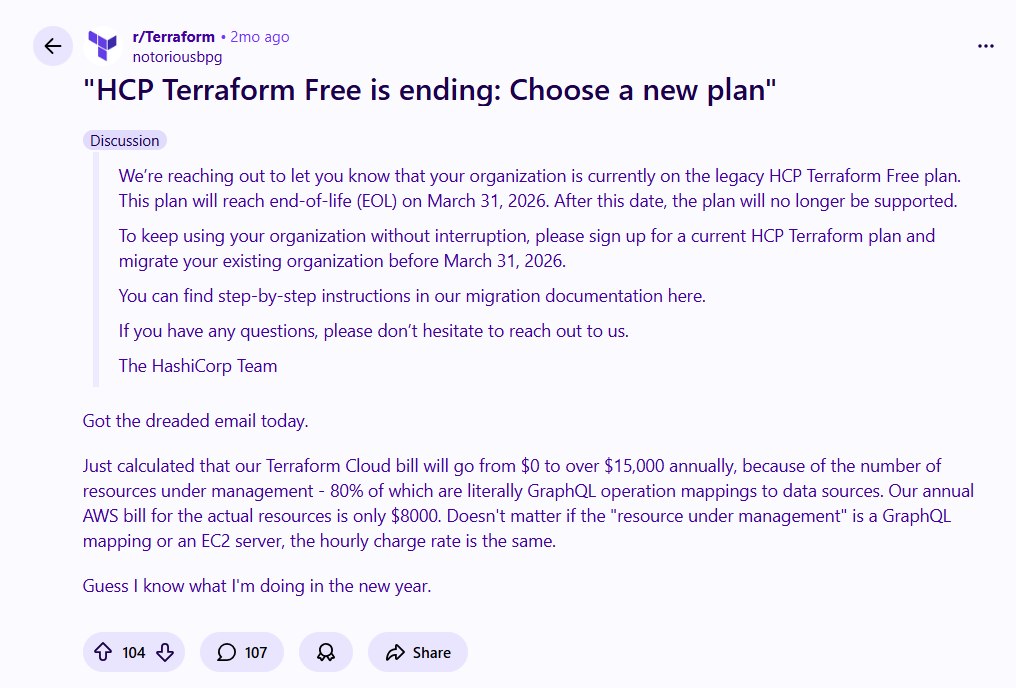
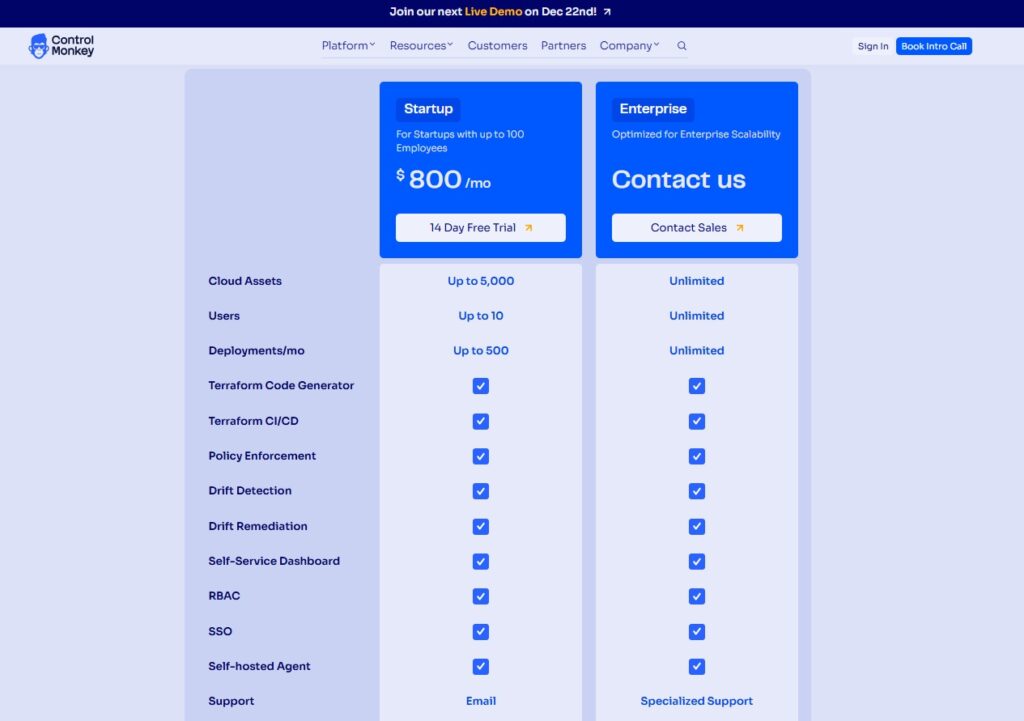
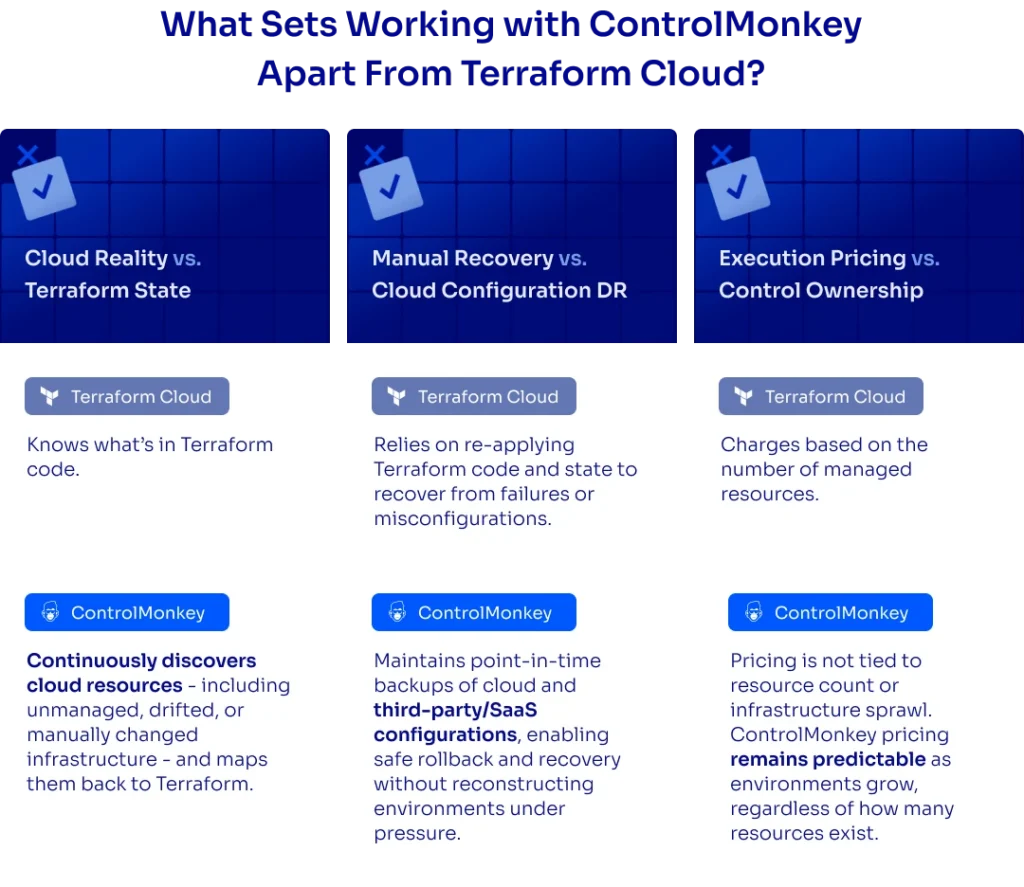

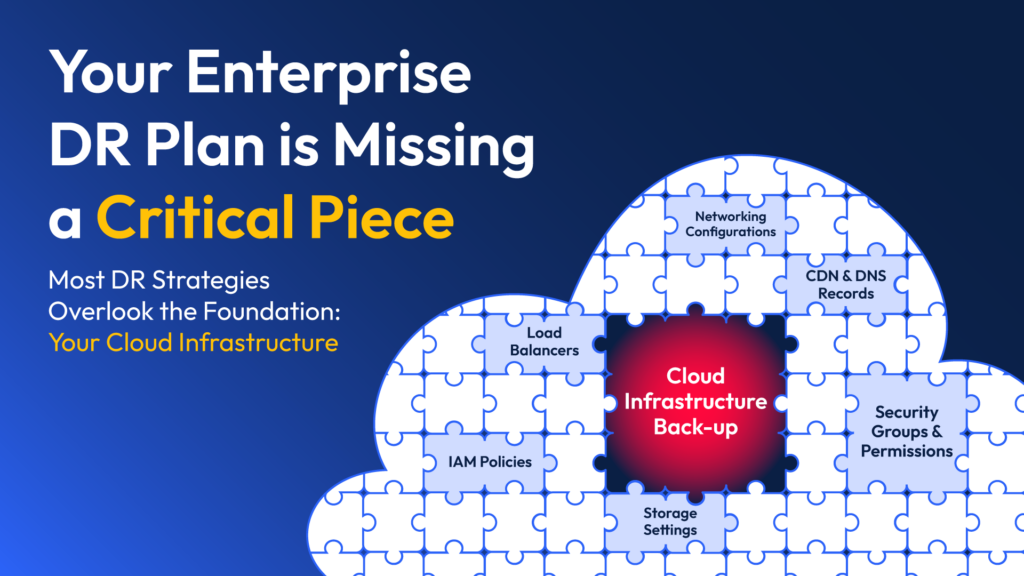
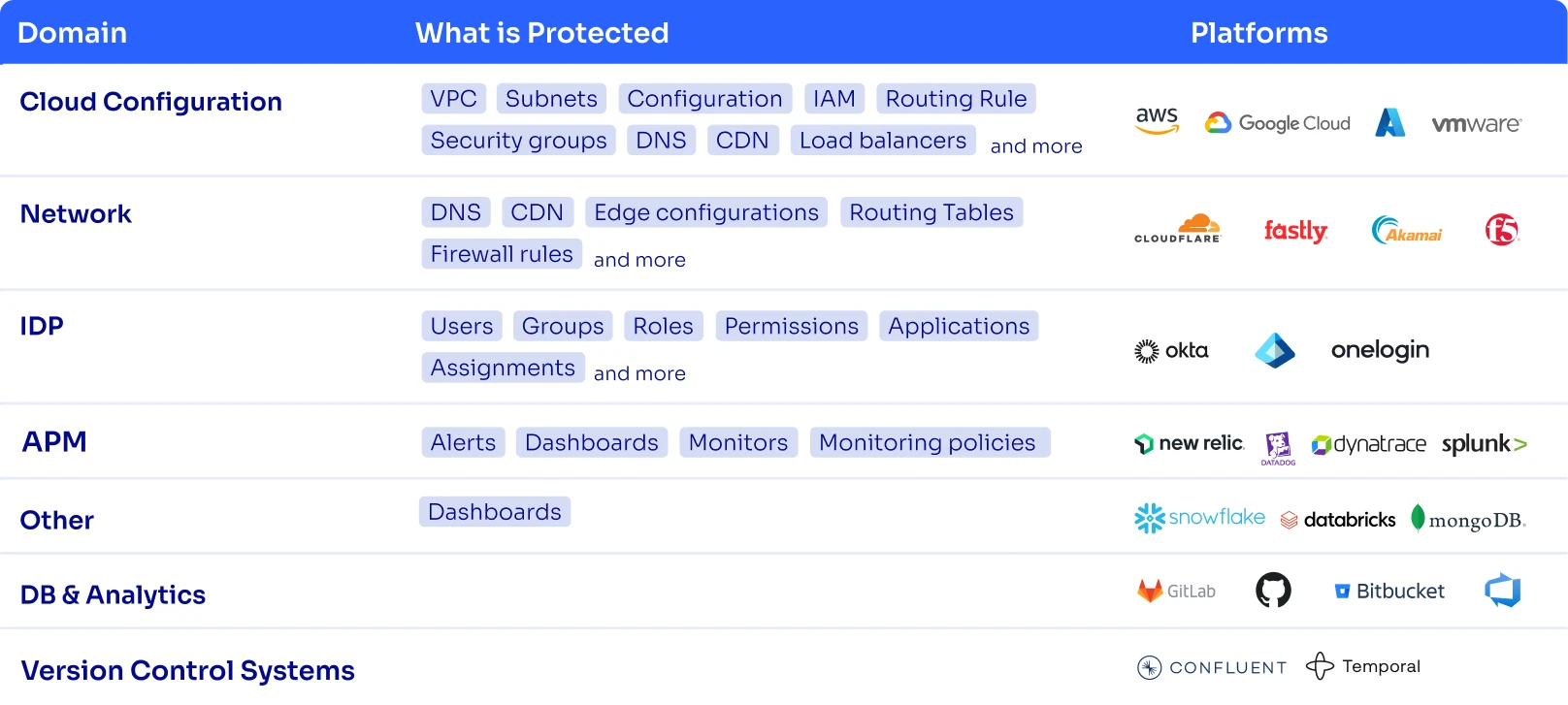


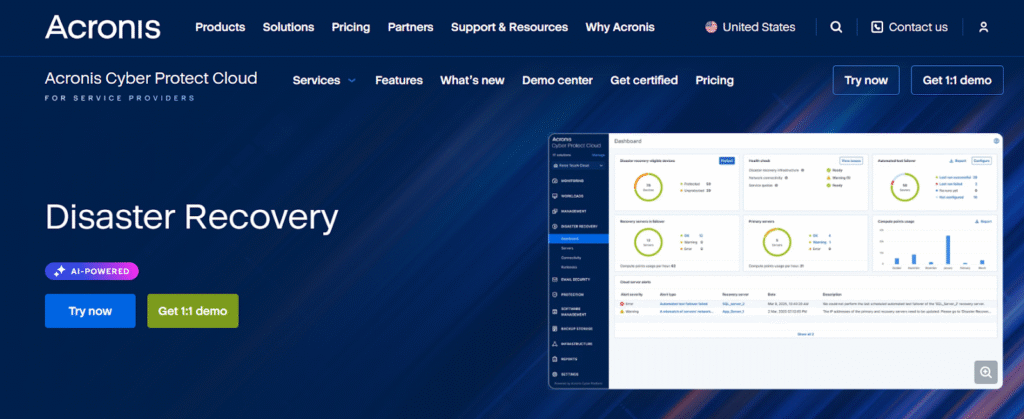

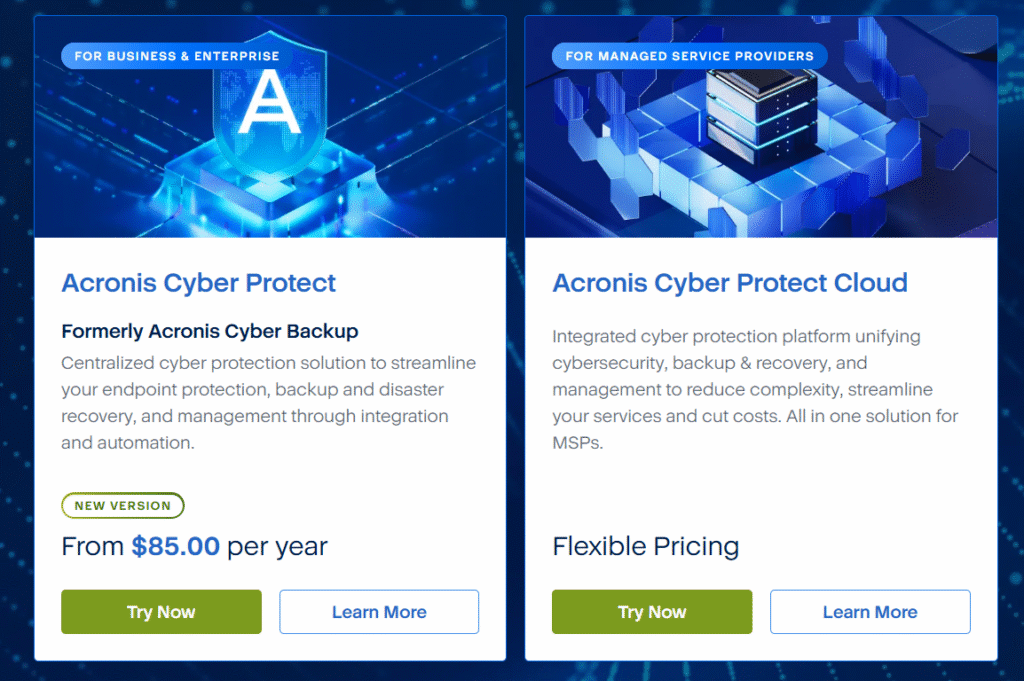

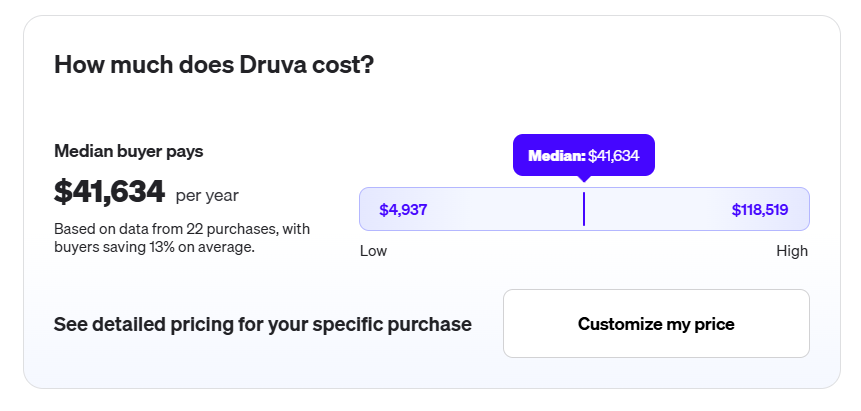
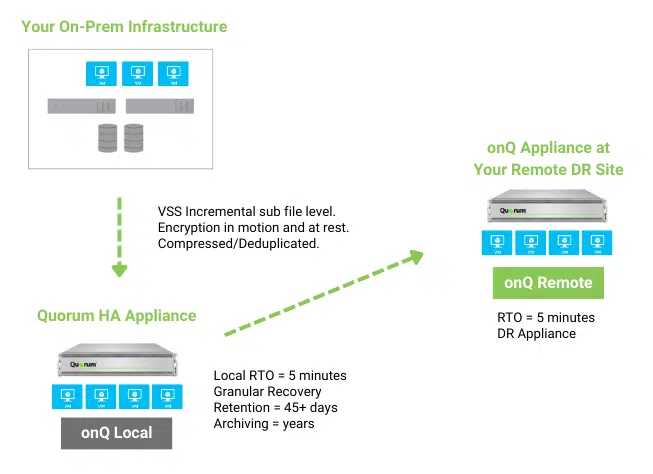
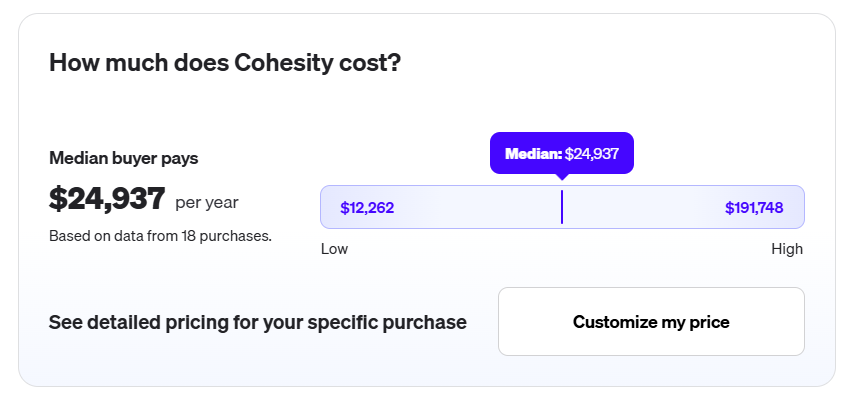
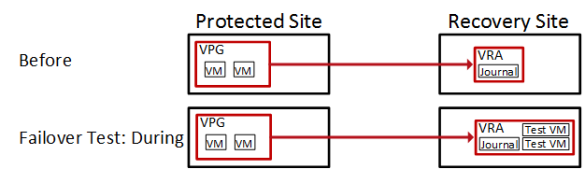
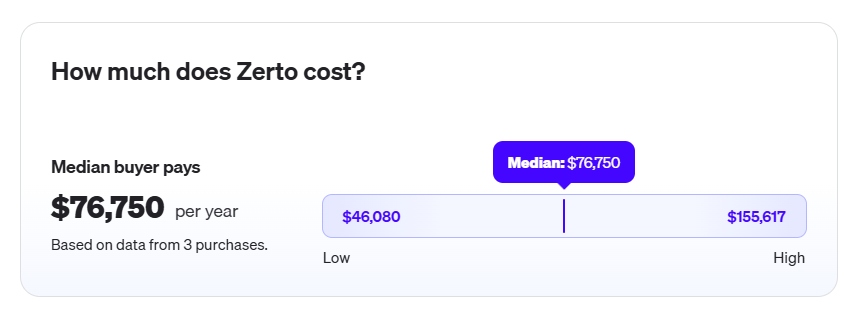
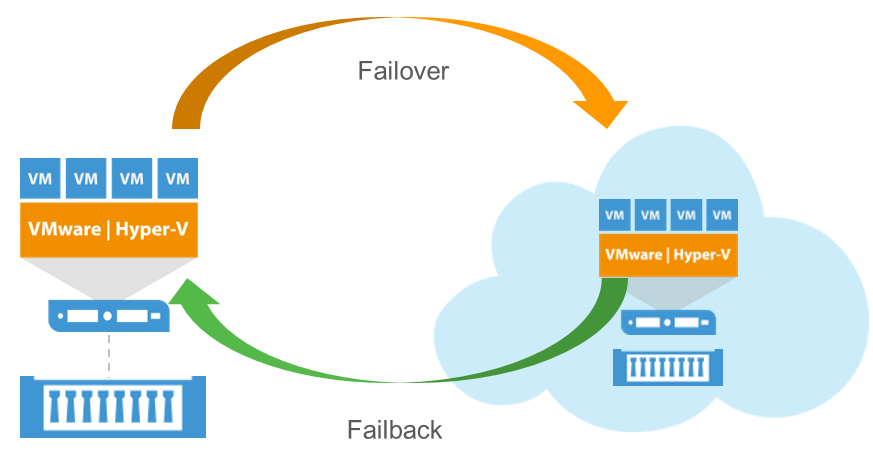
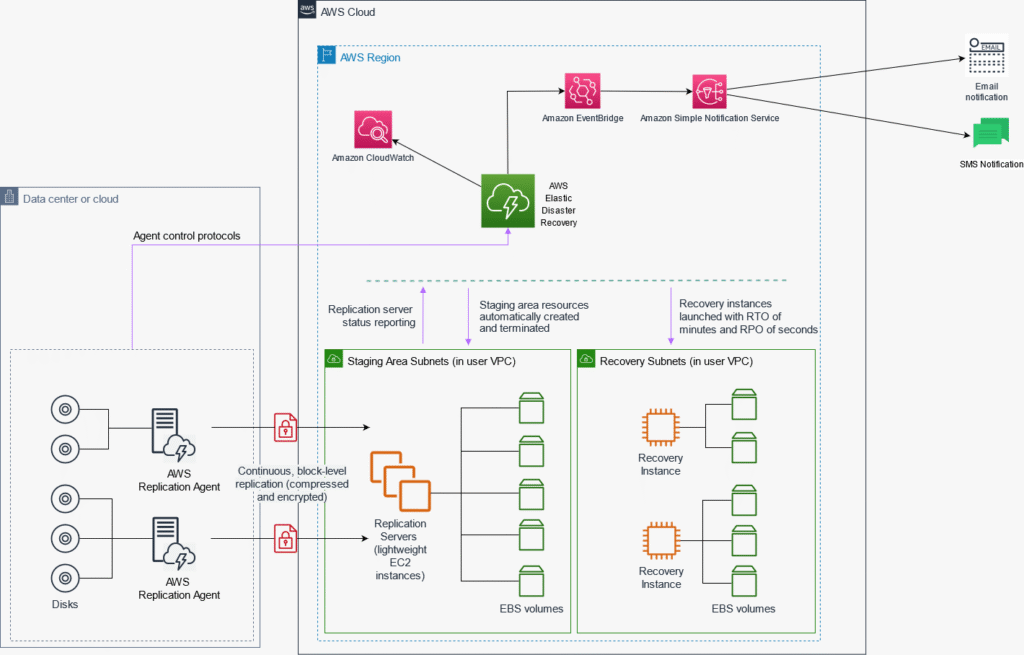
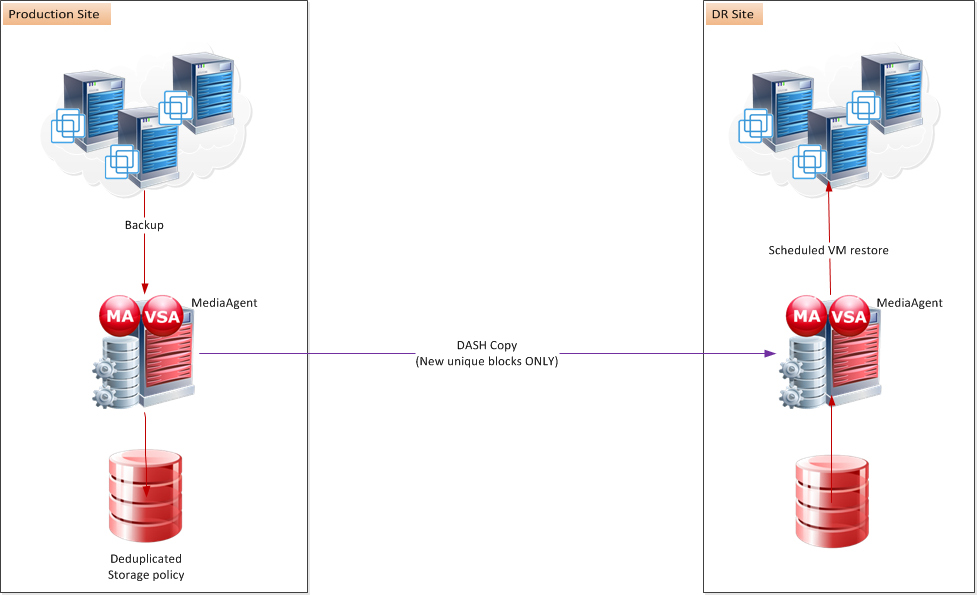
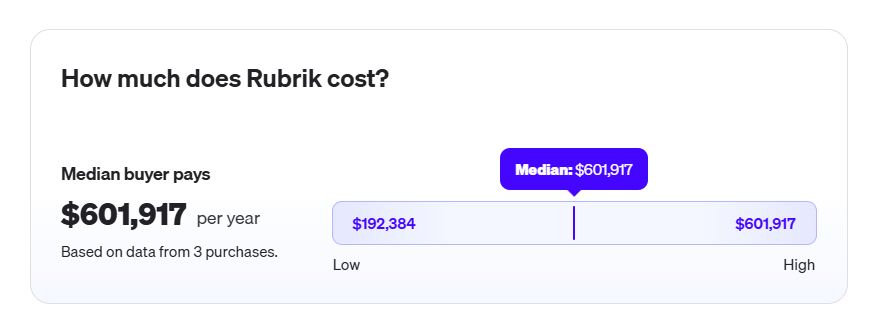
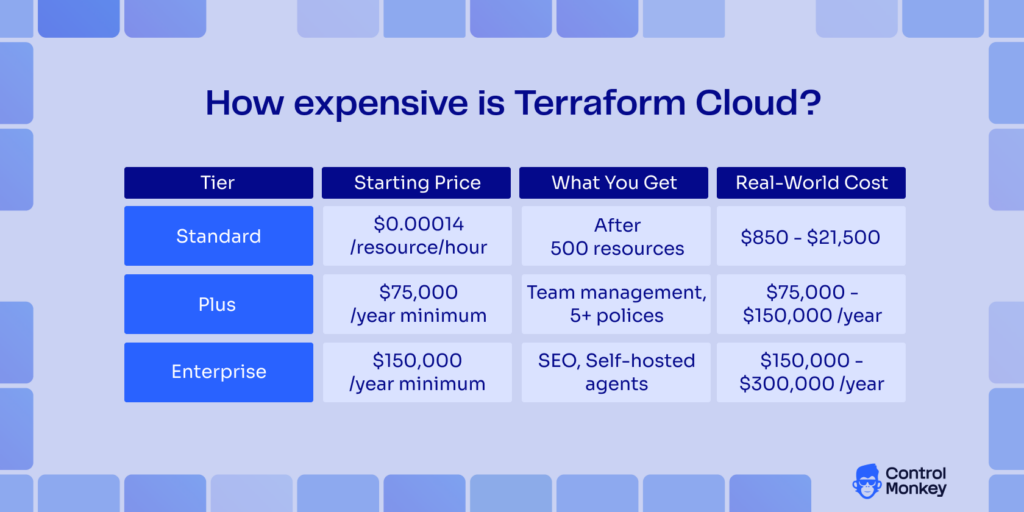
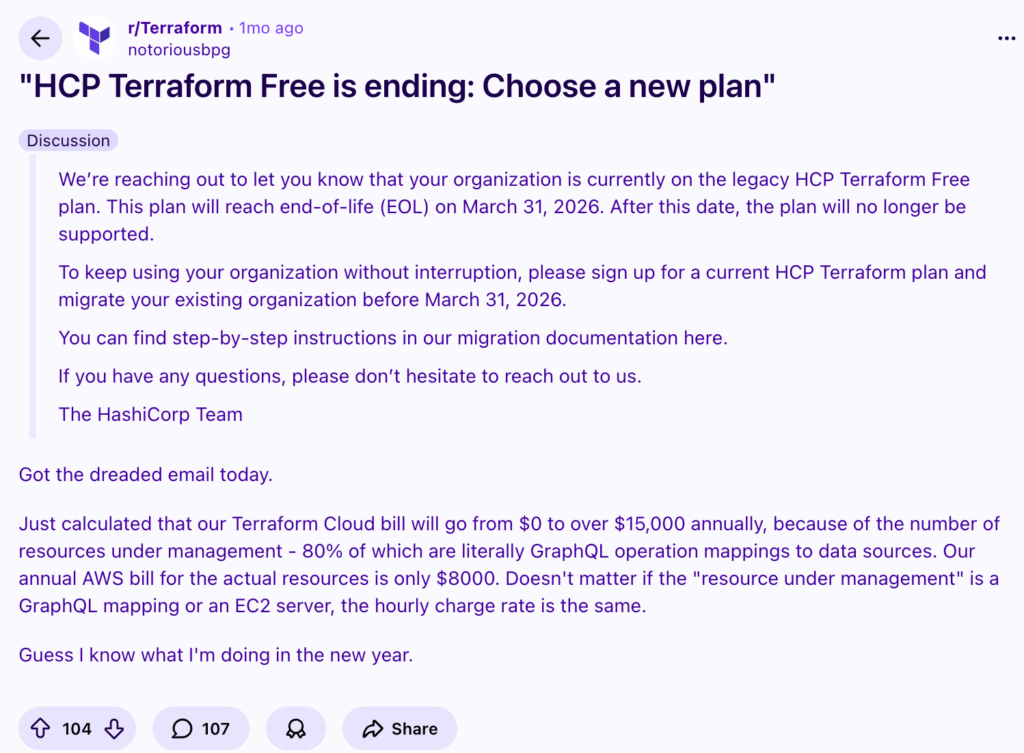
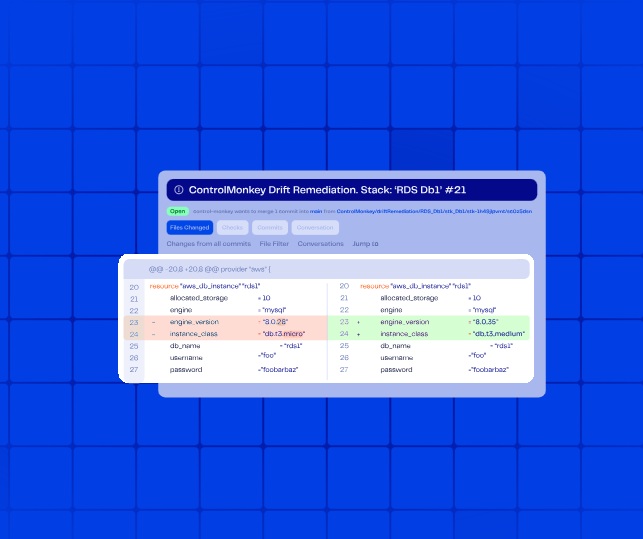
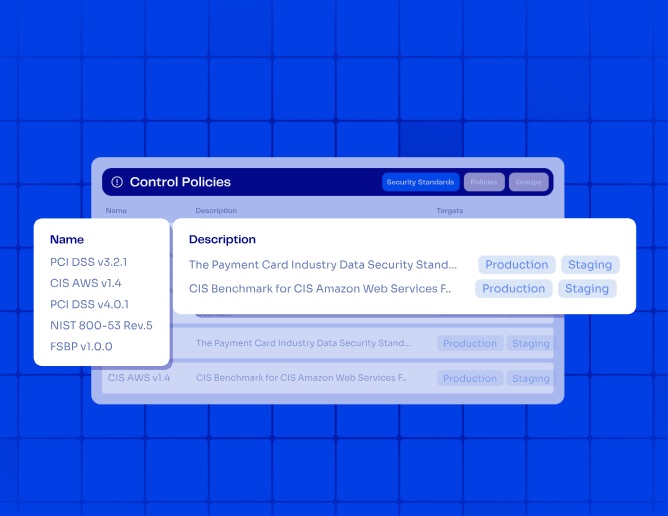
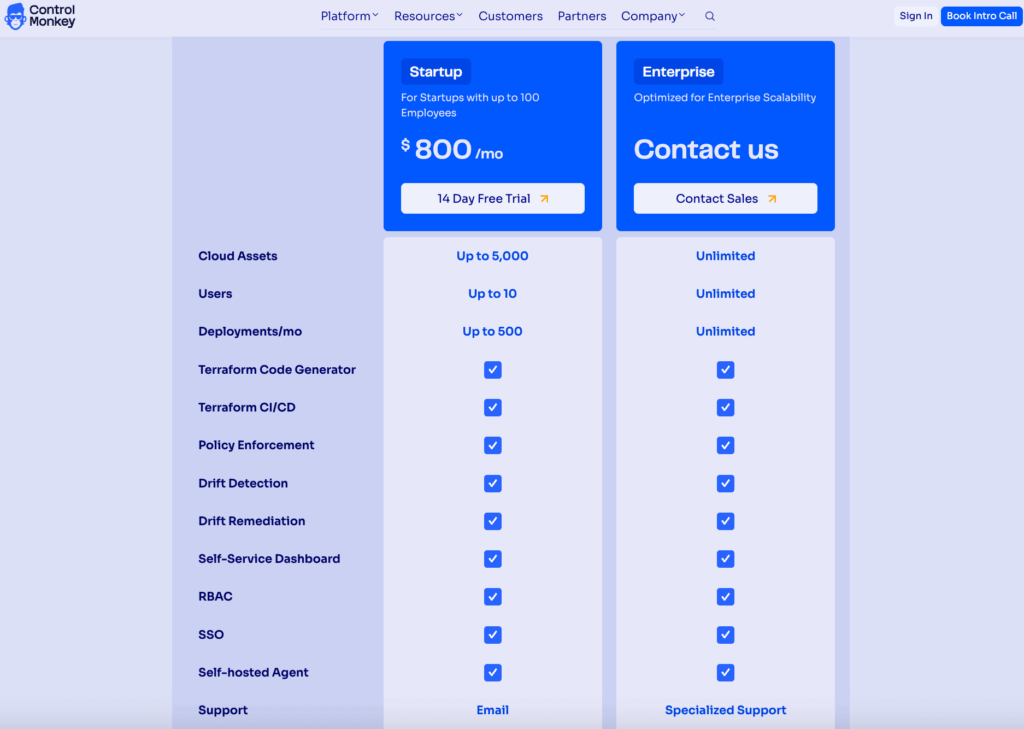
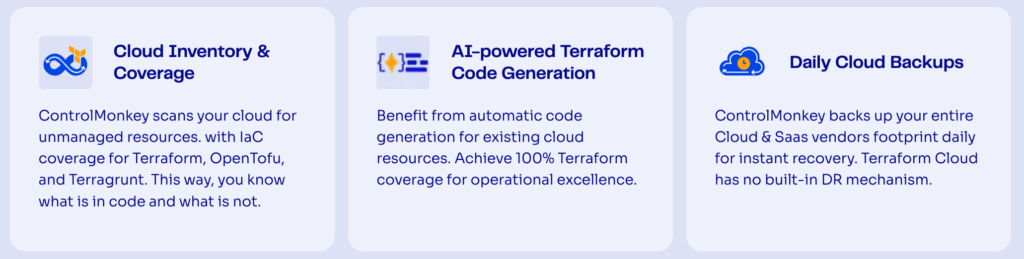
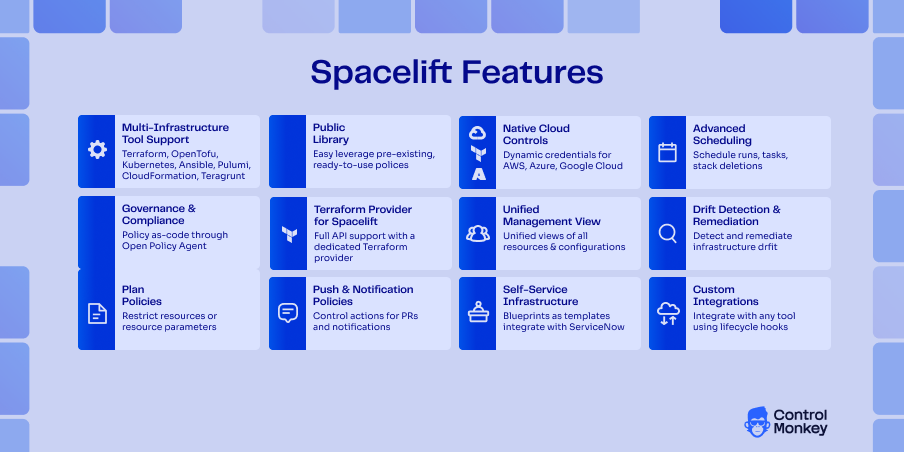
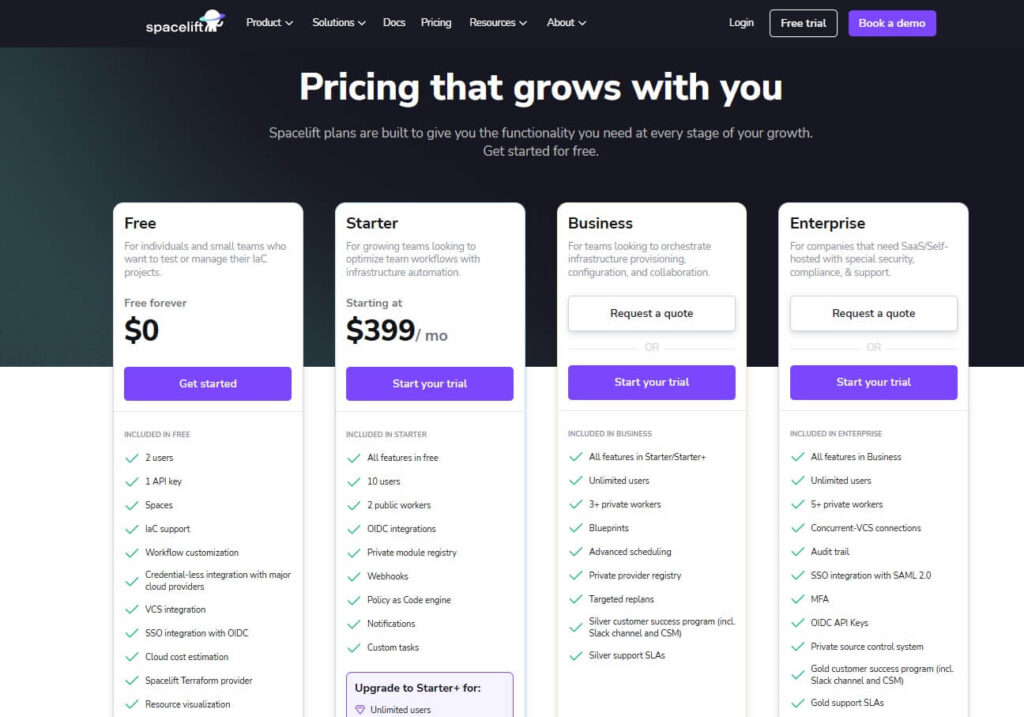
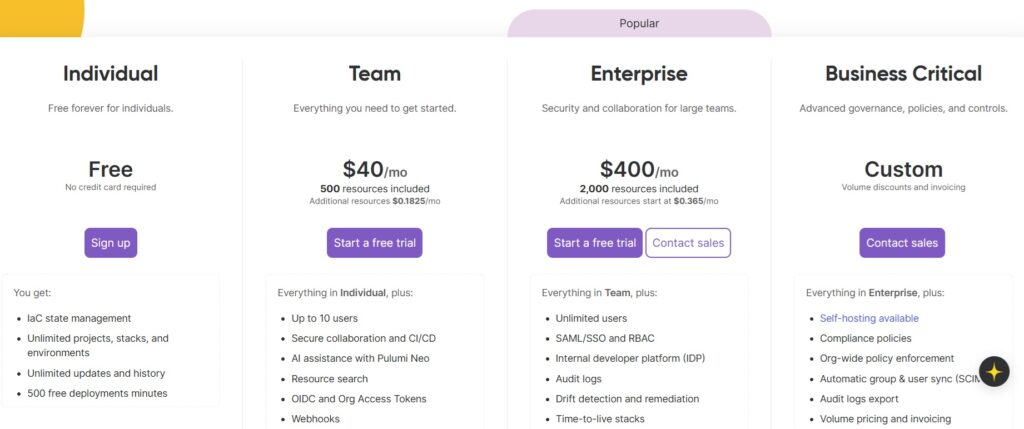
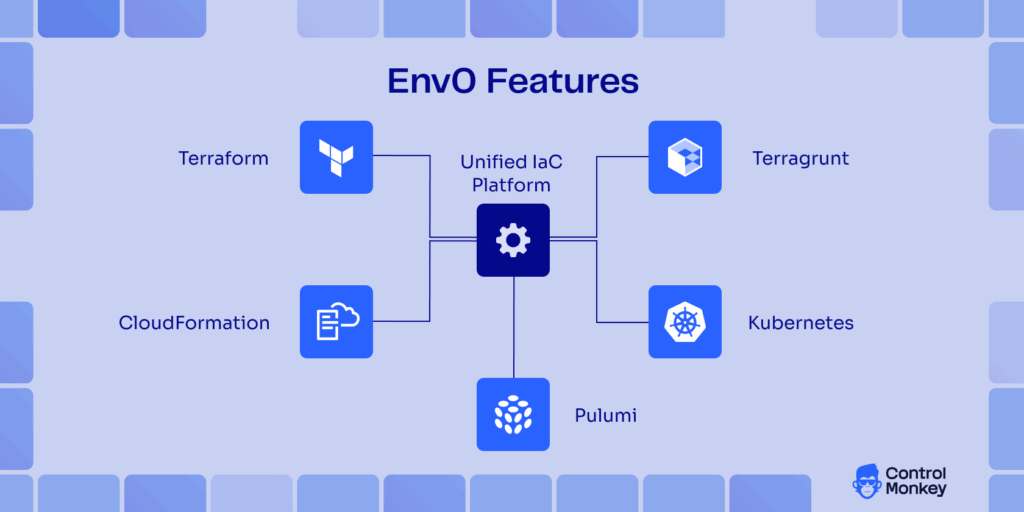
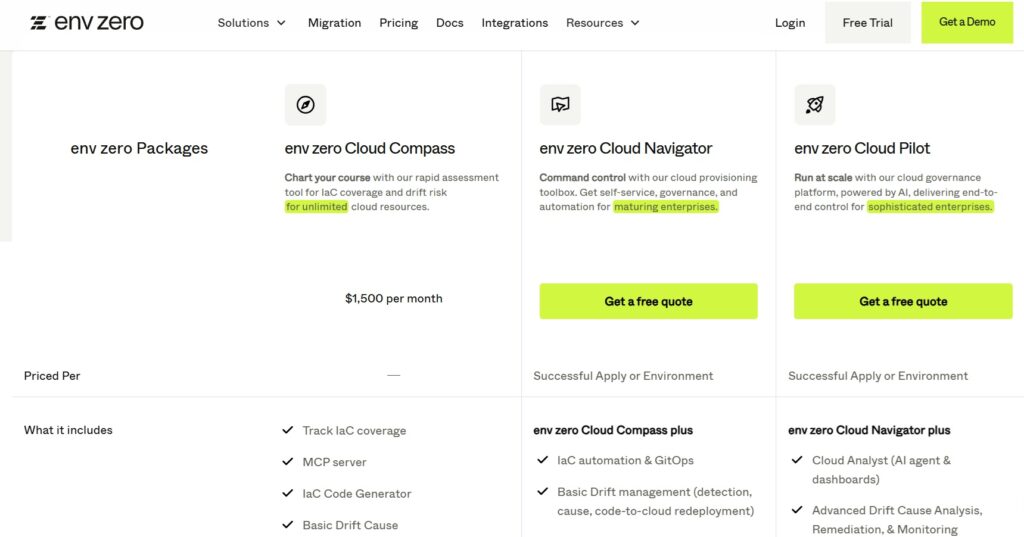



![Spacelift vs. Terraform Cloud vs. ControlMonkey: Which Platform to Pick? [2026]](https://controlmonkey.io/wp-content/uploads/2026/01/Spacelift-vs.-Terraform-Cloud-vs.-ControlMonkey.png)