Join our next Live Demo on April 9th!

Resource Blog News Customers Stories

Updated: Nov 04, 2025 Upd: 04.11.25

3 min read

ControlMonkey Supports Existing Pipelines Integration

Zack Bentolila

Zack Bentolila

Marketing Director

ControlMonkey Supports Existing Pipelines Integration

Meeting Teams Where They Are

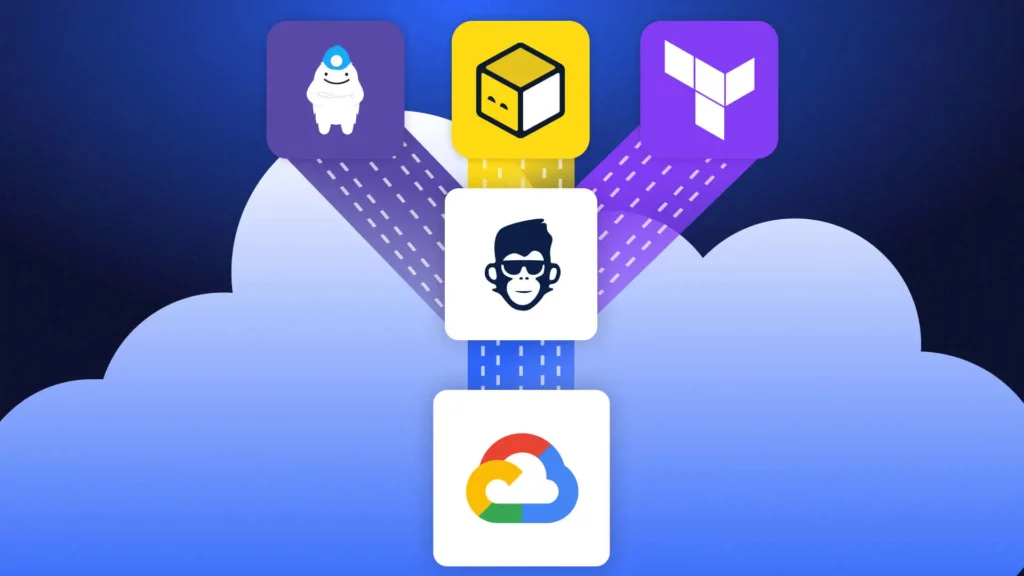
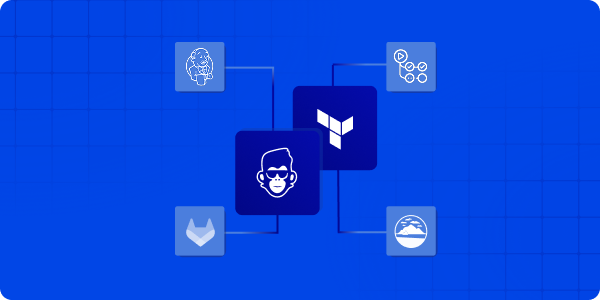
Until now, ControlMonkey’s automation engine managed the full Infrastructure as Code (IaC) lifecycle –  plan, apply, and governance – through our managed pipeline. With the new support for IaC Pipeline Integration into customers’ existing pipelines, ControlMonkey now connects directly to the pipelines you already use –  Jenkins, GitHub Actions, GitLab CI, or Atlantis.

We call this Bring Your Own Pipeline (BYOP) model –  a way for teams to keep their existing workflows while adding ControlMonkey’s policy, visibility, and audit layers on top. The new IaC Pipeline Integration seamlessly fits into this approach.

Your pipeline stays the same. ControlMonkey adds governance, audit and visibility around it.

Introducing IaC Pipeline Integration

ControlMonkey can connect directly with your CI/CD systems to evaluate IaC plans, enforce policies, and centralize visibility across all environments. This new IaC integration ensures your pipeline is part of a robust infrastructure.

Key Capabilities

  • Works with any IaC pipeline – Integrate with Jenkins, GitHub Actions, GitLab CI, or Atlantis or your home-grown solution and include IaC Pipeline integration.
  • Built-in policy evaluation – Automatically check plans against cost, compliance, and security rules and provide feedback loop.
  • Unified visibility – Track all plans and apply across teams from one dashboard of your existing pipeline and controlmonkey.
  • No pipeline migration required – Integrate ControlMonkey in minutes, with no pipeline migration required with no need for training or enablement for the wider team. 

“Our goal isn’t to change the way teams work – it is to strengthen it. That’s why we added IaC Pipeline Integration to ControlMonkey to help with delivery flows to add governance, visibility, and audit control – not slow team down.”

Ori Yemini - ControlMonkey CTO Headshot Photo

Ori Yemini,

CTO

How does IaC Pipeline Integration Works?

ControlMonkey’s Integration – How does it work?

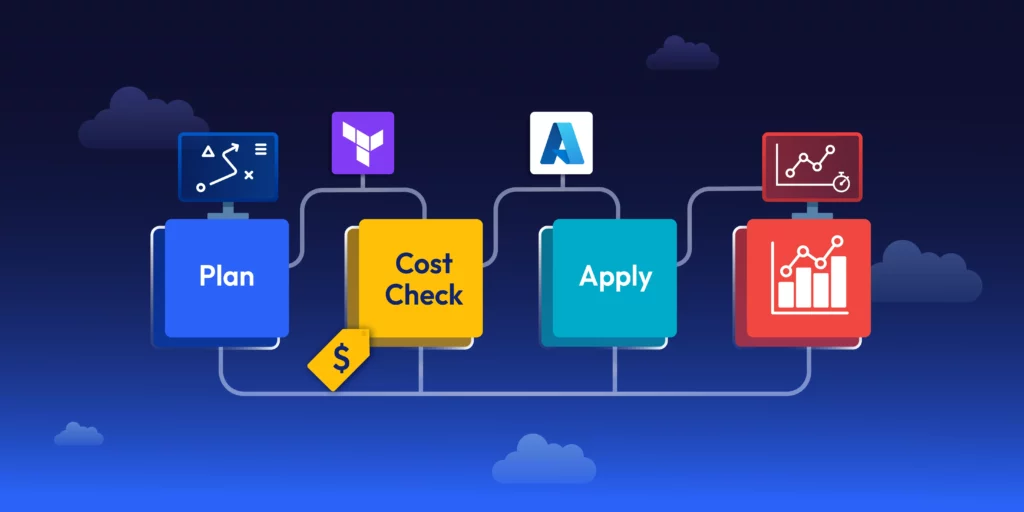
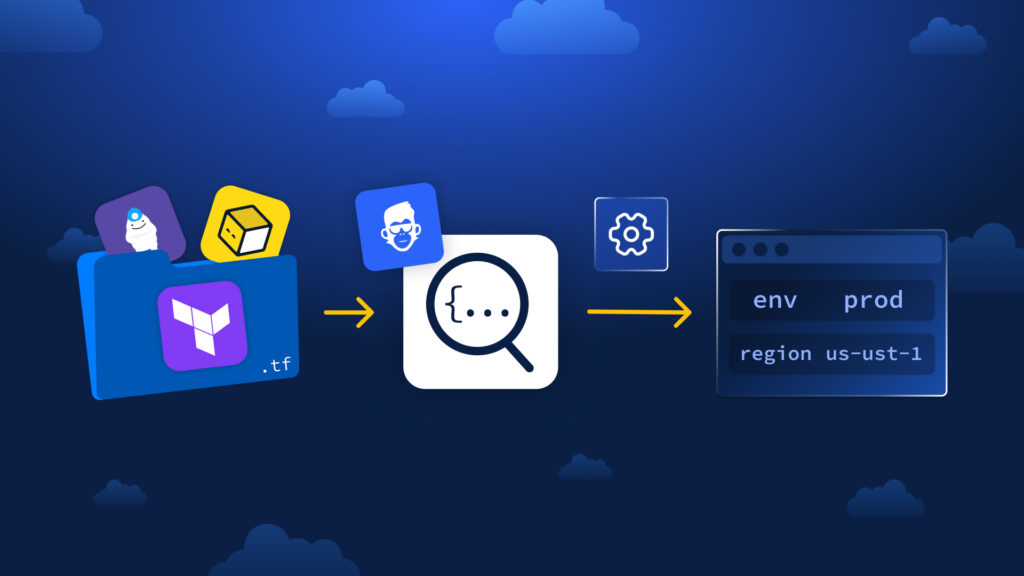
  1. Keep your existing pipeline.
    Continue running Terraform, OpenTofu, or other IaC frameworks in Jenkins, GitHub Actions, GitLab CI, or Atlantis –  no change to your setup.
  2. Add a ControlMonkey step after the plan.
    After your pipeline runs the plan phase, send the plan output to ControlMonkey through a simple API call.
  3. ControlMonkey evaluates the plan.
    The platform checks the plan against defined cost, security, and compliance policies, then returns a clear result and detailed findings.
  4. Run Terraform/OpenTufo apply as usual.
    Your pipeline continues to apply infrastructure changes as before.
  5. Send apply logs for visibility.
    Apply logs are sent to ControlMonkey, creating a complete audit trail and deployment history across environments. This is a crucial step of IaC Pipeline Integration.

This setup takes just a few configuration lines. After that, your pipelines gain ControlMonkey’s governance, compliance, and audit capabilities –  without moving or refactoring anything.

Benefits of IaC Pipeline Integration to ControlMonkey

IaC Pipeline Integration gives organizations a consistent governance layer across their   deployments. ControlMonkey provides a unified view of infrastructure activity –  ensuring every deployment is compliant, traceable, and auditable. With the integration of IaC pipelines, these benefits expand even further.

Teams can:

  • Apply cost, security, and compliance rules consistently across environments.
  • Review every change from one interface.
  • Provide instant audit evidence for SOC 2, ISO 27001, or internal compliance.
  • Detects configuration drift and prevents policy violations before they reach production.

Ready to connect your pipeline?

Connect ControlMonkey to your existing IaC pipelines and standardize governance across Terraform, OpenTofu, and beyond. Join our next Product Showdown to see it in action

Bottom CTA Background

A 30-min meeting will save your team 1000s of hours

A 30-min meeting will save your team 1000s of hours

Book Intro Call

Author
Zack Bentolila

Zack Bentolila

Marketing Director

Zack is the Marketing Director at ControlMonkey, with a strong focus on DevOps and DevSecOps. He was the Senior Director of Partner Marketing and Field Marketing Manager at Checkmarx. There, he helped with global security projects. With over 10 years in marketing, Zack specializes in content strategy, technical messaging, and go-to-market alignment. He loves turning complex cloud and security ideas into clear, useful insights for engineering, DevOps, and security leaders.

    Sounds Interesting?

    Request a Demo

    Resource Blog News Customers Stories

    Updated: Oct 09, 2025 Upd: 09.10.25

    2 min read

    New Security Posture Dashboard

    Zack Bentolila

    Zack Bentolila

    Marketing Director

    New Security Posture Dashboard

    We’re excited to introduce the Security Posture Dashboard: unified view of existing Cloud vulnerabilities across your cloud accounts, regions, and vendors. The goal is to give Security and DevSecOps teams a clear, detective lens into their current security posture, so they can understand the risks already present in their environments and decide where to focus first.

    The Security Posture Dashboard surfaces all vulnerabilities in your cloud infrastructure, regardless of Infrastructure as Code (IaC) coverage. This complements the IaC Risk Index, which focuses on the intersection of vulnerabilities and IaC coverage – showing which issues could be prevented by shifting to automation vulnerabilities and IaC coverage. It shows which risks can be removed by using automation.

    While some vendors help you see what’s missing from IaC, ControlMonkey Iac Platform shows you every security exposure across your cloud whether IaC-managed or not.

    Introducing Security Posture Dashboard

    With the new dashboard, you can:

    • Unify visibility into vulnerabilities across every cloud environment.
    • Drill down instantly by account, region, vendor, or resource type.
    • Filter by severity to prioritize the most urgent exposures.
    • Spot misconfigurations such as public IPs, open ports, or weak databases setups.
    • Connect findings to IaC strategy and prevent issues with automation and quality gates.

    Linking Cloud Security to IaC Coverage

    By combining the Security Posture Dashboard with the IaC Risk Index, organizations can see not only what risks exist, but also how much those risks shrink when infrastructure is fully governed by IaC.

    • Security teams and DevSecOps gain a complete picture of all vulnerabilities in the cloud – regardless of IaC coverage.
    • Cloud and DevOps leaders can demonstrate the measurable reduction in risk when moving workloads into IaC pipelines.

    For Cloud and DevOps leaders, the IaC Risk Index adds an essential layer of context. By showing the overlap between vulnerabilities and IaC coverage, we can see which risks we can prevent. This creates a clear link between using IaC and lower security risks. It gives leaders the proof they need to push for automation, improve governance, and show progress to stakeholders.

    Learn More about Security Posture Dashboard

    Explore the new Security Posture Dashboard in our upcoming Product Showdown.

    Bottom CTA Background

    A 30-min meeting will save your team 1000s of hours

    A 30-min meeting will save your team 1000s of hours

    Book Intro Call

    Author
    Zack Bentolila

    Zack Bentolila

    Marketing Director

    Zack is the Marketing Director at ControlMonkey, with a strong focus on DevOps and DevSecOps. He was the Senior Director of Partner Marketing and Field Marketing Manager at Checkmarx. There, he helped with global security projects. With over 10 years in marketing, Zack specializes in content strategy, technical messaging, and go-to-market alignment. He loves turning complex cloud and security ideas into clear, useful insights for engineering, DevOps, and security leaders.

      Sounds Interesting?

      Request a Demo

      Frequently Asked Questions

      The Security Posture Dashboard is a detective view of all existing vulnerabilities across your cloud accounts, regions, and vendors. It helps Security and DevSecOps teams understand their current risk exposure and decide where to focus remediation efforts.

      The Security Posture Dashboard shows all vulnerabilities, regardless of Infrastructure as Code (IaC) coverage. The IaC Risk Index shows the intersection of vulnerabilities and IaC coverage, highlighting which risks could be prevented by adopting IaC automation.

      The dashboard is designed primarily for Security and DevSecOps teams, but it also helps Cloud and DevOps leaders quantify risk reduction when shifting workloads into IaC pipelines

      No. The Security Posture Dashboard is a detective tool that reveals existing vulnerabilities in your infrastructure. Prevention comes when you combine it with ControlMonkey’s IaC automation capabilities and guardrails, as reflected in the IaC Risk Index

      Yes. The Security Posture Dashboard provides visibility across cloud accounts, regions, and vendors, giving a unified view of vulnerabilities in AWS, Azure, GCP, and more.

      Resource Blog News Customers Stories

      Updated: Sep 17, 2025 Upd: 17.09.25

      3 min read

      More Visibility: Cloud Compliance Dashboard

      Zack Bentolila

      Zack Bentolila

      Marketing Director

      More Visibility: Cloud Compliance Dashboard

      With customers like Rapyd, Coralogix, and ReasonLabs already benefiting from compliance visibility, ControlMonkey is raising the bar for proactive cloud governance.

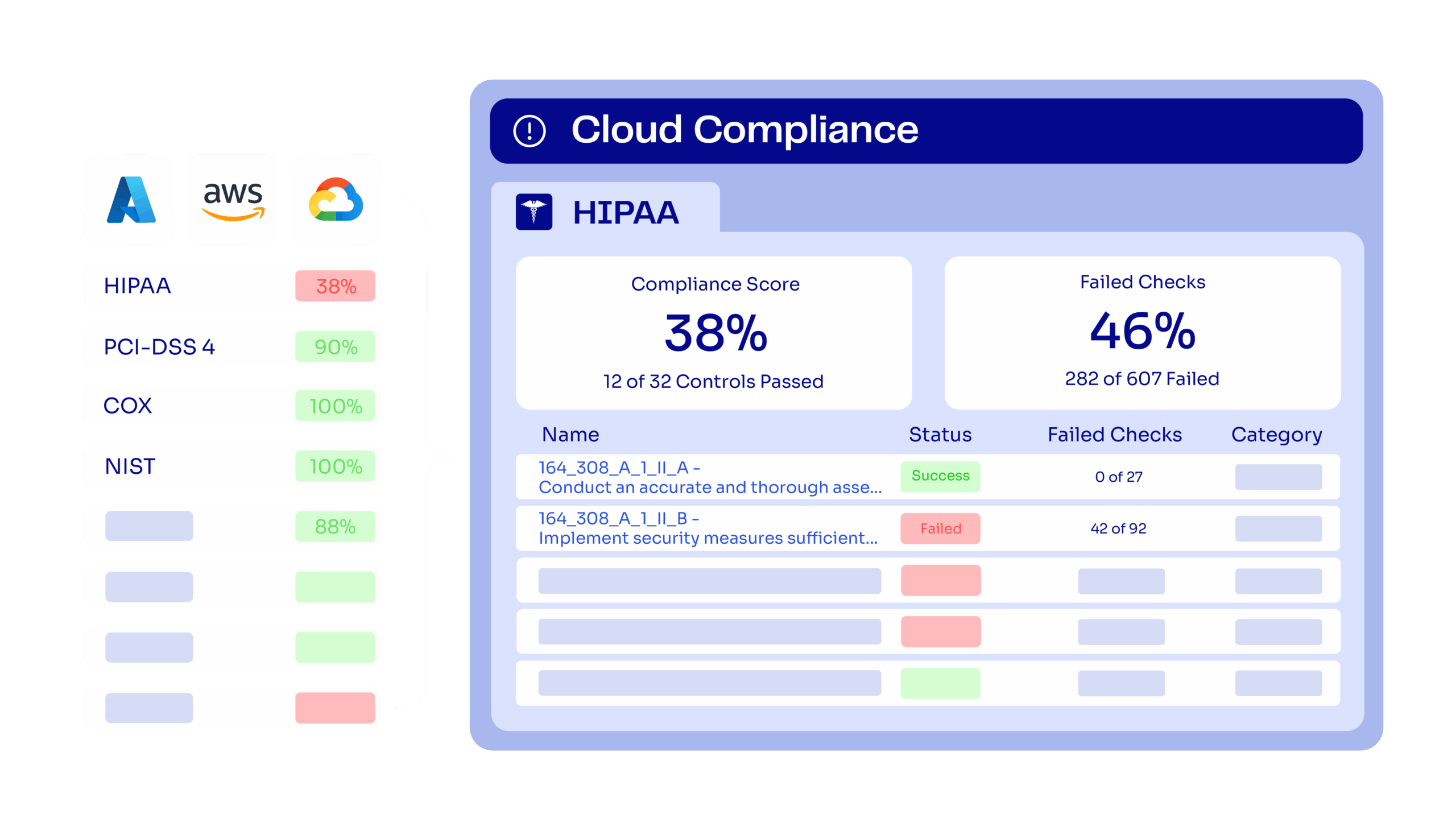
      For teams managing their Terraform, OpenTofu, or Terragrunt environments, compliance is often a moving target. The new Cloud Compliance Dashboard in ControlMonkey delivers a unified, drill-down view into your compliance posture across AWS, Azure, and GCP helping you identify gaps before they turn into risks.

      Introducing Cloud Compliance Dashboarding

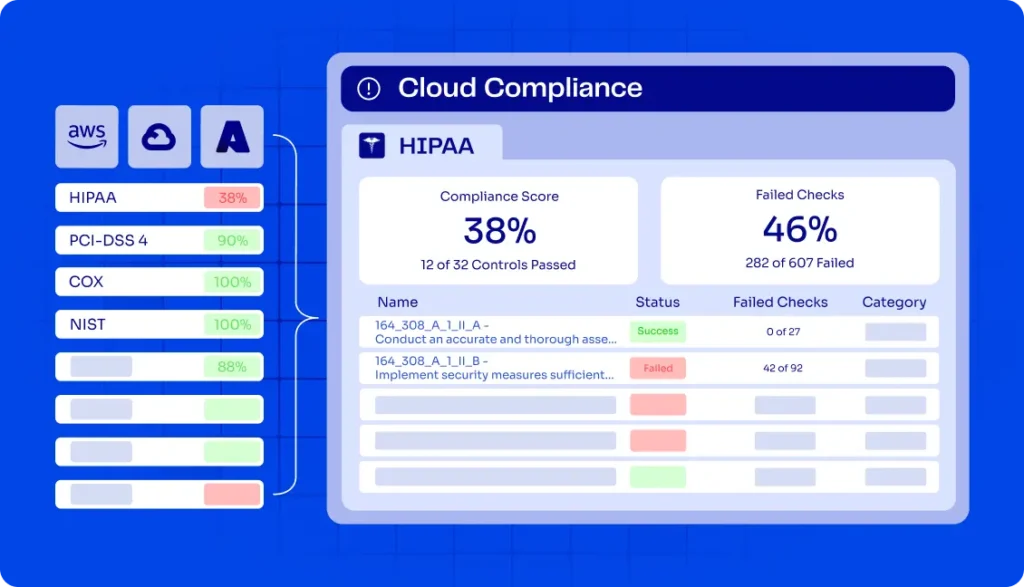
      The Compliance Dashboard gives DevOps and Cloud managers the ability to select relevant standards, track consolidated scores, and drill down into failed controls and resources.

      Supported frameworks include:

      • CIS Benchmarks (2.0, 2.1, 3.0)
      • PCI DSS 4.0
      • HIPAA Security Rule
      • MITRE ATT&CK
      • ENS_RD2022 (Spanish National Security Framework)
      • DORA Regulation
      • And more – Full List below
      FakeUI of ControlMonkey Cloud Compliance Dashboard

      Teams can move from high-level compliance scores down to specific failed checks, pinpoint which resources triggered non-compliance (for example, an exposed EC2 instance), and shift compliance from reactive audits to proactive prevention.

      Stay Ahead with Cloud Governance and Infrastructure Control

      The dashboard provides decision-makers with measurable clarity. I Teams can continuously check compliance instead of just reacting to audit findings. They can enforce IaC policies on a large scale and strengthen infrastructure pipelines. This means:

      • Improved visibility into your compliance score
      • Reduced risk with drill-down checks at the resource level
      • IaC alignment through proactive enforcement
      • Scalable governance across multi-cloud environments

      “When teams gain full visibility and proactive compliance controls, they stop reacting to problems and start preventing them. That’s how you consistently raise your compliance score.” said Ori Yemini, CTO, ControlMonkey

      Customer Perspectives

      2 of Control monkey customers already enjoying full IaC coverage visibility:

      More IaC coverage means fewer security issues — period. What stood out with ControlMonkey was how easy it became to do things the right, modern way. When infrastructure and security teams can finally collaborate by design, that’s when security actually works

      image of Nir Rothenberg sharing qoute of Testimonial about ControlMonkey iac Platform

      Nir Rothenberg

      CISO

      As a company that manages huge clusters of AWS resources, the ControlMonkey Platform and specifically its GitOps pipeline capabilities is an integral part of our infrastructure deployment process, enabling us to shift left our infrastructure policies, best practices, and guardrails to make sure our production environment is stable, compliant and secure

      image of Yoni Farin sharing qoute of Testimonial about ControlMonkey iac Platform

      Yoni Farin

      Coralogix

      See it for yourself

      Join our next Product Showdown to experience the Cloud Compliance Dashboard in action.

      Supported Frameworks include:

      Find below full list of framework support by cloud provider:

      AWS

      • CISA
      • SOC 2
      • CIS Benchmarks (1.4, 1.5, 2.0, 3.0, 4.0.1, 5.0)
      • MITRE ATT&CK
      • GDPR
      • AWS Foundational Security Best Practices
      • ISO/IEC 27001:2013 & 2022
      • KISA ISMS-P 2023 (incl. Korean version)
      • HIPAA Security Rule
      • GxP 21 CFR Part 11
      • GxP EU Annex 11
      • NIST 800-171 Rev 2
      • NIST 800-53 Rev 4 & Rev 5
      • PCI DSS 4.0 & PCI DSS 3.2.1
      • AWS Well-Architected Framework (Security & Reliability Pillars)
      • AWS Account Security Onboarding
      • AWS Foundational Technical Review
      • AWS Audit Manager Control Tower Guardrails
      • NIST Cybersecurity Framework (CSF) 1.1
      • ENS_RD2022
      • RBI Cyber Security Framework
      • FFIEC Cybersecurity Assessment
      • FedRAMP (Low & Moderate, Rev 4)
      • NIS2 Directive

      Azure

      • PCI DSS 4.0
      • SOC 2
      • ISO/IEC 27001:2022
      • CIS Benchmarks (2.0, 2.1, 3.0, 4.0)
      • ENS_RD2022
      • MITRE ATT&CK
      • NIS2 Directive

      GCP

      • MITRE ATT&CK
      • SOC 2
      • CIS Benchmarks (2.0, 3.0, 4.0)
      • ENS_RD2022
      • PCI DSS 4.0
      • ISO/IEC 27001:2022
      • NIS2 Directive
      Bottom CTA Background

      A 30-min meeting will save your team 1000s of hours

      A 30-min meeting will save your team 1000s of hours

      Book Intro Call

      Author
      Zack Bentolila

      Zack Bentolila

      Marketing Director

      Zack is the Marketing Director at ControlMonkey, with a strong focus on DevOps and DevSecOps. He was the Senior Director of Partner Marketing and Field Marketing Manager at Checkmarx. There, he helped with global security projects. With over 10 years in marketing, Zack specializes in content strategy, technical messaging, and go-to-market alignment. He loves turning complex cloud and security ideas into clear, useful insights for engineering, DevOps, and security leaders.

        Sounds Interesting?

        Request a Demo

        Frequently Asked Questions About Cloud Compliance

        Nope. The laws themselves (like PCI DSS, HIPAA, GDPR) are the same globally.
        What changes is how they are implemented in each cloud.
        For example, CIS Benchmarks have AWS, Azure, and GCP-specific versions to match each platform’s services.

        Yes. The dashboard lets you move from an overall compliance score down to failed controls and specific failed checks, including the exact resource that caused the failure.

        ControlMonkey supports dozens of frameworks across AWS, Azure, and GCP.
        including CIS Benchmarks, PCI DSS, HIPAA, ISO 27001, NIST, SOC 2, GDPR, NIS2, FedRAMP, and more – Full list is just above.
        Each framework is mapped per cloud provider to reflect provider-specific services.

        Resource Blog News Customers Stories

        Updated: Nov 09, 2025 Upd: 09.11.25

        2 min read

        Azure Organization Integration Support 

        Aharon Twizer

        Aharon Twizer

        CEO & Co-founder

        Azure Organization Integration Support 

        Azure Organization Integration is now available in ControlMonkey, making it easier than ever for enterprises to govern and scale their Azure environments. For teams managing their Terraform, OpenTofu, or Terragrunt deployments across multiple subscriptions, this integration eliminates the need to onboard subscriptions one by one – delivering instant visibility, compliance, and automation at scale.

        Introducing Azure Organization Integration

        With Azure Organization Integration, ControlMonkey now supports seamless onboarding across dozens—or even hundreds—of Azure subscriptions in just a click.
        You can also control what subscriptions to connect to ControlMonkey by choosing one or more Azure Management Groups.

        Top benefits include:

        • One-click onboarding for all Azure subscriptions
        • Unified cloud inventory across the entire Azure footprint
        • Automated backups spanning every subscription
        • Consistent IaC governance across cloud environments
        • Enterprise-ready scale to support regulated and governed organizations

        “For enterprises operating Azure at scale, onboarding and governance must be frictionless. With Azure Organization Integration, we’re giving customers complete visibility, backup, and IaC governance across every subscription in just one step"

        Ori Yemini - ControlMonkey CTO Headshot Photo

        Ori Yemini

        CTO, ControlMonkey

        ControlMonkey for Cloud Governance 

        By extending our multi-cloud enterprise capabilities, Azure Integration ensures teams:

        • Gain visibility across all Azure subscriptions without manual setup
        • Reduce risk with governed, consistent controls across accounts
        • Strengthen IaC adoption and compliance at enterprise scale
        • Confidently operate in regulated environments with full coverage

        Ready to take control?

        Explore Azure Organization today and bring order to your multi-subscription cloud – Lean More in our Product Showdown Next Week.

        Bottom CTA Background

        A 30-min meeting will save your team 1000s of hours

        A 30-min meeting will save your team 1000s of hours

        Book Intro Call

        Author
        Aharon Twizer

        Aharon Twizer

        CEO & Co-founder

        Co-Founder and CEO of ControlMonkey. He has over 20 years of experience in software development. He was the CTO of Spot.io, which was bought by NetApp for more than $400 million. There, he led important tech innovations in cloud optimization and Kubernetes. He later joined AWS as a Principal Solutions Architect, helping global partners solve complex cloud challenges. In 2022, he started ControlMonkey to help DevOps teams discover, manage, and scale their cloud infrastructure with Infrastructure as Code. Aharon loves creating tools that help engineering teams. These tools make it easier to manage the complexity of modern cloud environments.

          Sounds Interesting?

          Request a Demo

          Frequently Asked Questions About Azure Organization Integration

          Azure Organization Integration allows enterprises to connect all their Azure subscriptions in one step, instead of onboarding each subscription individually. It is especially valuable for teams managing Terraform, OpenTofu, or Terragrunt at scale.

           It simplifies onboarding, provides full cloud inventory, enables automated backups, and ensures IaC governance across every subscription. critical for large and regulated environments.

           Yes. Just like AWS Organization and GCP Organization integration, Azure Organization Integration extends multi-cloud enterprise governance and IaC coverage. Read More about GCP Organization Support. 

           No. With Azure Organization Integration, you can onboard dozens or even hundreds of subscriptions in one click.

          Resource Blog News Customers Stories

          Updated: Nov 26, 2025 Upd: 26.11.25

          3 min read

          IaC Risk Index

          Zack Bentolila

          Zack Bentolila

          Marketing Director

          IaC Risk Index

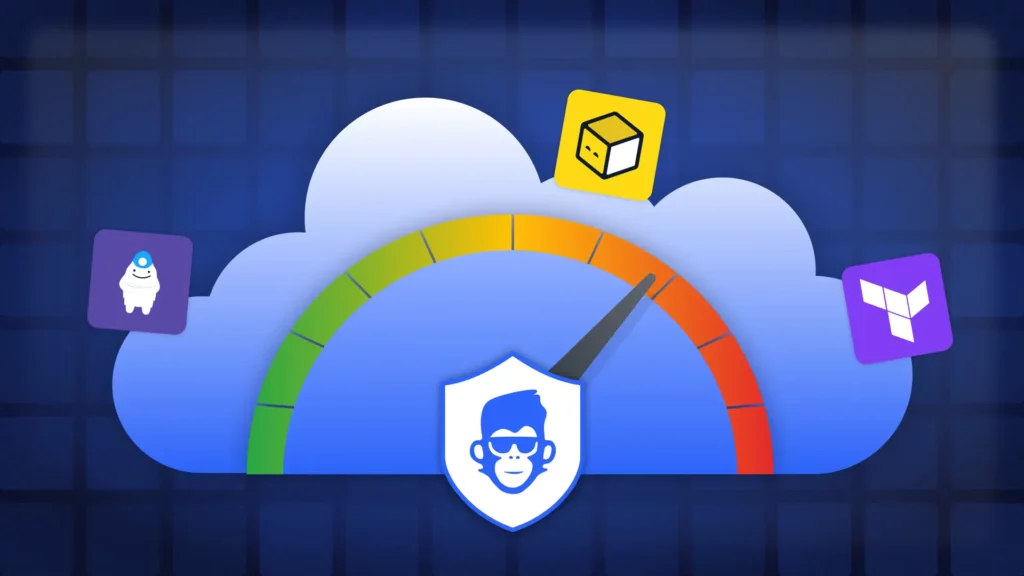
          Today, ControlMonkey is proud to announce the launch of the IaC Risk Index. The IaC Risk Index is a new part of the IaC Platform that transforms the dialogue surrounding cloud security between DevOps and Security teams by highlighting the security discrepancies between infrastructure deployment and cloud-related risks. It provides a comprehensive perspective that correlates Terraform coverage with security vulnerabilities, enabling teams to identify weaknesses, comprehend their origins, and implement measures for remediation.

          Introducing the IaC Risk Index

          The IaC Risk Index enhances cloud security by providing clarity and control in five key aspects:

          IaC-Aware Risk Scoring

          A color-coded benchmark that helps teams assess risk posture by environment. In production, green is the goal—anything less is exposure:

          • 🔴 Red (<50% coverage): High risk. Most infrastructure is unmanaged.
          • 🟠 Orange (50–80%): Medium risk. Some governance, but critical gaps remain.
          • 🟡 Yellow (80–90%): Low risk. Strong coverage, not yet complete.
          • 🟢 Green (90–100%): Full control. Infrastructure is governed by code, policy, and pipeline.

          Vulnerability Mapping by Delivery Method

          See whether a vulnerable resource was created manually, drifted from code, or fully governed:

          • Unmanaged: ControlMonkey imports the resource into Terraform, remediates with a secure-by-default fix, and enforces governance policies.
          • Managed but Drifted: Drift is resolved first, then an IaC-based security patch is applied with proactive policies.
          • Managed and In-Sync: ControlMonkey patches directly in Terraform and ensures compliance is maintained.

          Coverage Gap Detection

          Instantly identify which resources fall outside Terraform governance—and why.

          One-Click Remediation

          Import unmanaged resources, generate compliant code, and resolve risk at the source.

          Shared Dashboard for Cloud & Security

          Align both teams around a single, real-time view of infrastructure coverage and risk exposure.


          ControlMonkey’s IaC Risk Index provides a unified view of infrastructure risk by mapping IaC coverage to active cloud vulnerabilities—enabling precise, policy-driven remediation.

          What’s behind IaC Risk Index

          “We found that unmanaged infrastructure—resources not governed by Terraform or delivered through a secure pipeline – carry up to 2x the security risk of governed resources,” said Aharon Twizer, CEO and co-founder of ControlMonkey.

          “And yet, most enterprises can’t answer a basic question: What percentage of our infrastructure is governed by code? Our research shows actual coverage is typically 30–40% lower than teams assume—highlighting significant hidden risk.”

          IaC Risk Index from a CISO Perspective

          “More IaC coverage means fewer security issues – period,” said ,Rapyd CISO, Nir Rothenberg”. What stood out with ControlMonkey was how easy it became to do things the right, modern way. When infrastructure and security teams can finally collaborate by design, that’s when security actually works.”

          image of Nir Rothenberg sharing qoute of Testimonial about ControlMonkey iac Platform

          Nir Rothenberg

          CISO at Rapyd about the new security release of ControlMonkey

          What’s in It for Me? Why look into Cloud Risk Now?

          The IaC Risk Index empowers cloud and security leaders to:

          1. Improve visibility into unmanaged or drifted infrastructure
          2. Reduce risk by exposing vulnerabilities at their origin – delivery
          3. Strengthen IaC alignment with secure-by-default remediation
          4. Scale confidently with a governance model that’s measurable and proactive

          Explore the IaC Risk today

          The IaC Risk Index is available now to all ControlMonkey customers at no additional cost.
          New to ControlMonkey? Access a IaC Risk Assessment as part of our onboarding and discovery process.  Learn more and request a meeting

          Bottom CTA Background

          A 30-min meeting will save your team 1000s of hours

          A 30-min meeting will save your team 1000s of hours

          Book Intro Call

          Author
          Zack Bentolila

          Zack Bentolila

          Marketing Director
          Zack is the Marketing Director at ControlMonkey, with a strong focus on DevOps and DevSecOps. He was the Senior Director of Partner Marketing and Field Marketing Manager at Checkmarx. There, he helped with global security projects. With over 10 years in marketing, Zack specializes in content strategy, technical messaging, and go-to-market alignment. He loves turning complex cloud and security ideas into clear, useful insights for engineering, DevOps, and security leaders.
            Sounds Interesting?

            Request a Demo

            FAQs

            It provides visibility into IaC coverage gaps, correlates those gaps with active security vulnerabilities, and guides precise, state-aware remediation. This enables security and DevOps teams to reduce risk before it reaches production.

            Also support OpenTofu, Terragrunt, CloudFormation.

            The IaC Risk Index is available to all ControlMonkey customers at no additional cost. New users can also access it as part of a free IaC Risk Assessment during onboarding.

            Resource Blog News Customers Stories

            Updated: Nov 25, 2025 Upd: 25.11.25

            1 min read

            Email Alerts for IaC Events in ControlMonkey

            Zack Bentolila

            Zack Bentolila

            Marketing Director

            Email Alerts for IaC Events in ControlMonkey

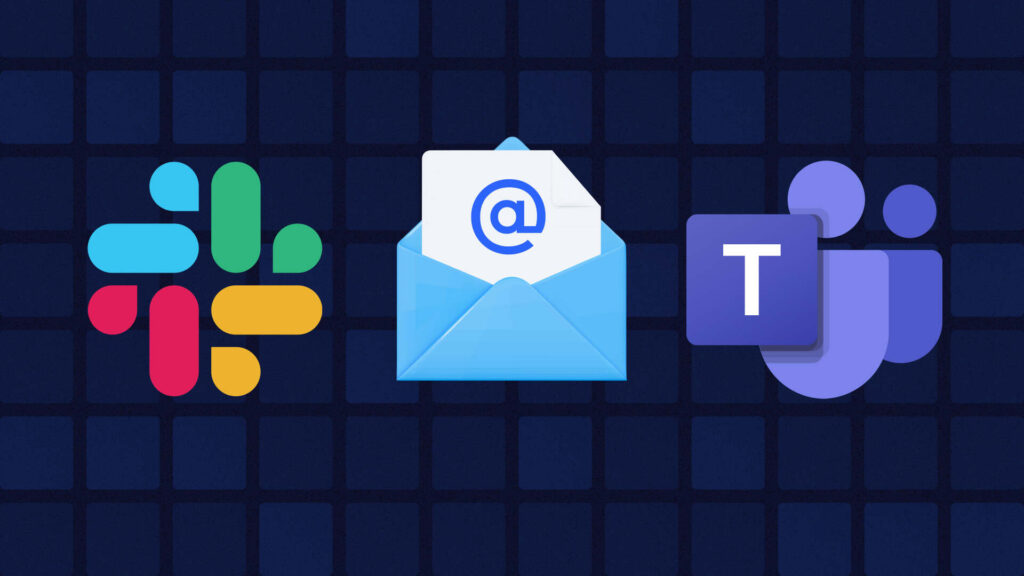
            Cloud Infrastructure changes happen fast. With ControlMonkey you already get alerts in Slack or Teams — but sometimes, email just makes more sense. Now you can get ControlMonkey notifications in your inbox too.

            Introducing Email Notifications in ControlMonkey

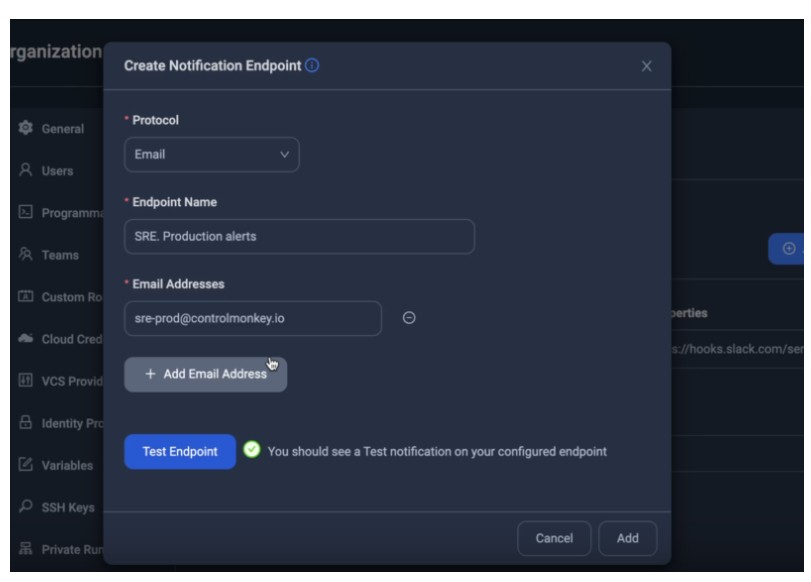
            You can now receive ControlMonkey alerts via email — giving your teams more flexibility in how and where they stay informed.

            • Get notified when drift and ClickOps are detected, a plan starts, or a deploy completes
            • Route alerts to individual users or shared team inboxes (e.g., [email protected])
            • Use email alongside Slack or Teams for layered visibility
            • Configure per namespace (e.g. project) for clear audience

            screenshot of the email alerts

            Stay Ahead with Cloud Governance and Infrastructure Control

            This small update allows DevOps and SRE teams the flexibility to receive notifications across various platforms, rather than being confined to just one channel. It supports stronger governance, faster response, and better alignment with incident workflows and team preferences.

            Whether you’re monitoring Terraform plans, managing approvals, or tracking production changes – ControlMonkey ensures you’re always informed 

            FAQs

            1. Slack (via Slack Webhook or Slack App)
            2. Microsoft Teams (via Teams Webhook)
            3. Email

            You can subscribe to notifications for a variety of events, including:

            • AWS Console Operations – when someone performs an action directly through the AWS Console.
            • Deployment Started – when ControlMonkey begins applying infrastructure changes.
            • Deployment Finished – when infrastructure changes have been successfully completed.
            • Deployment Failed – when an attempt to apply infrastructure changes has failed.
            • Approval Required – when a deployment is paused and awaiting user approval.
            • Approval Timeout – when a deployment is cancelled because it was waiting too long for approval.
            • Policy Violation Approval Required – when a deployment is waiting for approval after failing internal policy checks.
            • Drift Detected – when differences between your planned infrastructure and actual resources are detected.
            • Plan Started – when ControlMonkey starts preparing a set of changes.
            • Plan Finished – when preparation of infrastructure changes is completed successfully.
            • Plan Failed – when preparation of infrastructure changes encounters an error.

            You can set notifications at multiple levels to best suit your needs:

            • Entire Organization
            • Specific Namespace (a logical group of stacks)
            • Specific Stack (an individual set of infrastructure defined by Terraform)
            • Cloud Provider Account (for example, a particular AWS account)
            • This granularity ensures you’re informed about exactly what’s important to you, avoiding unnecessary noise.

            Bottom CTA Background

            A 30-min meeting will save your team 1000s of hours

            A 30-min meeting will save your team 1000s of hours

            Book Intro Call

            Author

            Zack Bentolila

            Zack Bentolila

            Marketing Director

            Zack is the Marketing Director at ControlMonkey, with a strong focus on DevOps and DevSecOps. He was the Senior Director of Partner Marketing and Field Marketing Manager at Checkmarx. There, he helped with global security projects. With over 10 years in marketing, Zack specializes in content strategy, technical messaging, and go-to-market alignment. He loves turning complex cloud and security ideas into clear, useful insights for engineering, DevOps, and security leaders.

              Sounds Interesting?

              Request a Demo

              Resource Blog News Customers Stories

              Updated: Jan 20, 2026 Upd: 20.01.26

              3 min read

              Enforce Module-Only Resource Provisioning with new Control Policy

              Enforce Module-Only Resource Provisioning with new Control Policy

              Modern DevOps teams rely on Terraform and Terraform modules. Using Terraform modules is a best practice for making sure your entire organization is following your security & compliance controls. By using modules you create pre-defined, compliant blueprints of what good infrastructure looks like. Many of our customers have a problem. How can we ensure that everyone in the organization uses our modules? How Terraform provisioning can be easy?  What if an engineer uses a “Plain” Terraform resource instead of the module we created for it?

              Sadly when engineers bypass the agreed modules and use raw cloud resources it breaks the governance of the cloud teams.. That’s why ControlMonkey now enforces Module-Only Resource Provisioning, ensuring every infrastructure component is created through your approved Terraform modules, not improvised code.

              Introducing: Enforce Module-Only Resource Provisioning

              Let’s take a real example. You’ve built a secure internal module that provisions an AWS S3 bucket—or maybe an Azure Storage Account. You’ve tested it, tagged it, locked in the right enforcements. But someone on the team skips the module and spins up a bucket with raw Terraform code or an external template.

              Now you’ve got untagged resources, inconsistent naming, or worse—security gaps.

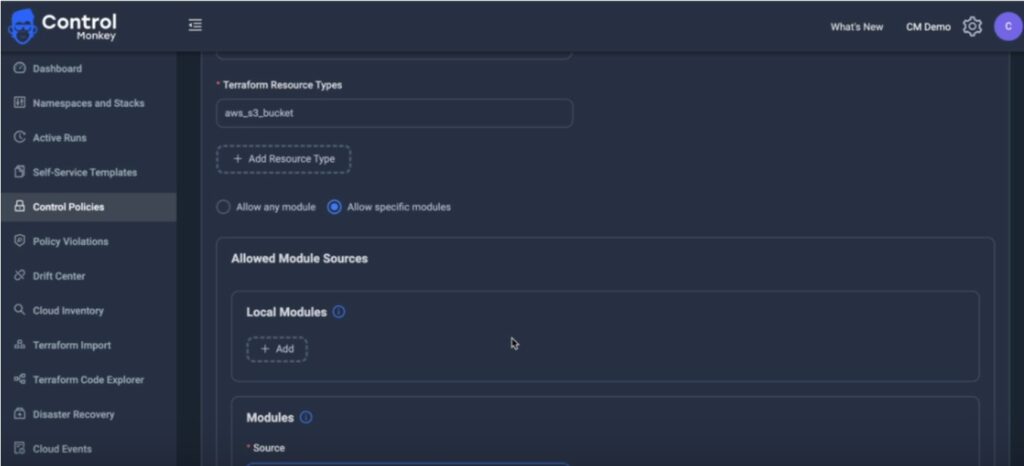
              With our latest control policy – you can stop this before it happens. You could see how teams can provision resources with Terraform, giving you full confidence in your IaC standards

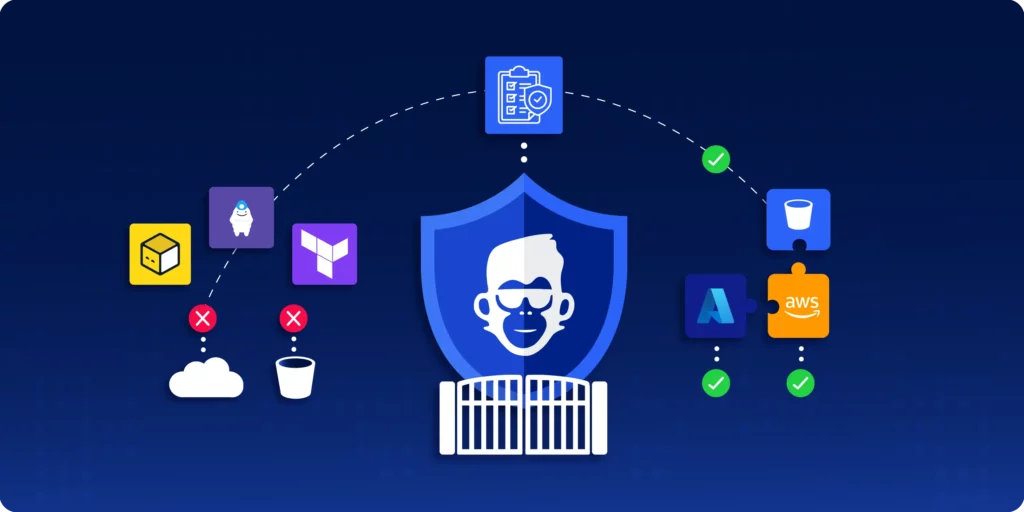
              • Enforce resource creation only via approved Terraform modules
              • Catch module violations at PR time or through ongoing scans
              • Prevent unauthorized use of raw resource blocks or external modules
              • Strengthen cost tagging, security, and compliance through IaC
              • Eliminate configuration drift caused by inconsistent provisioning practices
              System Screenshot – showing Terraform Provisioning

              Stay Ahead with Cloud Governance and Terraform Provisioning

              Writing good Terraform modules is one thing, but enforcing using them across the organization is a whole different ball game.
              With the right policies in place and a robust centralized automation – you can do it.

              With ControlMonkey you enforce how YOUR infrastructure is provisioned—from the first line of code.

              Explore Module-Only Resource Provisioning in ControlMonkey today.

              Frequently Asked Questions About Terraform Provisioning

              Module-only resource provisioning ensures that certain Terraform resources—like AWS S3 buckets or Azure storage accounts—can only be created using your pre-approved modules. This prevents developers from using raw Terraform resource blocks or unauthorized modules, maintaining consistency and governance across infrastructure.

              Enforcing the use of modules ensures that infrastructure is provisioned using tested, secure, and compliant code. It helps prevent misconfigurations, untagged resources, and drift—common issues that arise when teams bypass shared standards in Infrastructure as Code (IaC) workflows.

              ControlMonkey applies provisioning policies during pull requests and via ongoing scans of your Terraform codebase. If someone tries to provision a resource outside the allowed modules, ControlMonkey flags or blocks the action—ensuring compliance from day one through Day 2 operations.

              Frequently Asked Questions About Terraform Provisioning

              What is module-only resource provisioning in Terraform?

              Module-only resource provisioning ensures that certain Terraform resources—like AWS S3 buckets or Azure storage accounts—can only be created using your pre-approved modules. This prevents developers from using raw Terraform resource blocks or unauthorized modules, maintaining consistency and governance across infrastructure.

              Why is module enforcement important in IaC provisioning?

              Enforcing the use of modules ensures that infrastructure is provisioned using tested, secure, and compliant code. It helps prevent misconfigurations, untagged resources, and drift—common issues that arise when teams bypass shared standards in Infrastructure as Code (IaC) workflows.

              How does ControlMonkey enforce Terraform provisioning policies?

              ControlMonkey applies provisioning policies during pull requests and via ongoing scans of your Terraform codebase. If someone tries to provision a resource outside the allowed modules, ControlMonkey flags or blocks the action—ensuring compliance from day one through Day 2 operations.

              Bottom CTA Background

              A 30-min meeting will save your team 1000s of hours

              A 30-min meeting will save your team 1000s of hours

              Book Intro Call

                Sounds Interesting?

                Request a Demo

                Resource Blog News Customers Stories

                Updated: Aug 20, 2025 Upd: 20.08.25

                3 min read

                Restrict specific Terraform Modules versions with Control Policies

                Restrict specific Terraform Modules versions with Control Policies

                Terraform Modules  are a great way to reduce the amount of code engineers write for similar infrastructure resources and are considered an efficient way to replicate cloud services across environments.

                An essential aspect of using modules is versioning, which enables cloud teams to systematically release module upgrades. This ensures the use of a more secure and compliant infrastructure by keeping the modules up-to-date.

                However, controlling strictly which Module versions and sources engineers are allowed to use becomes a massive challenge at scale.
                An everyday use case is if, for example, I upgrade a few of my Terraform Modules with extra security measures and want to ensure that engineers are using the latest version.

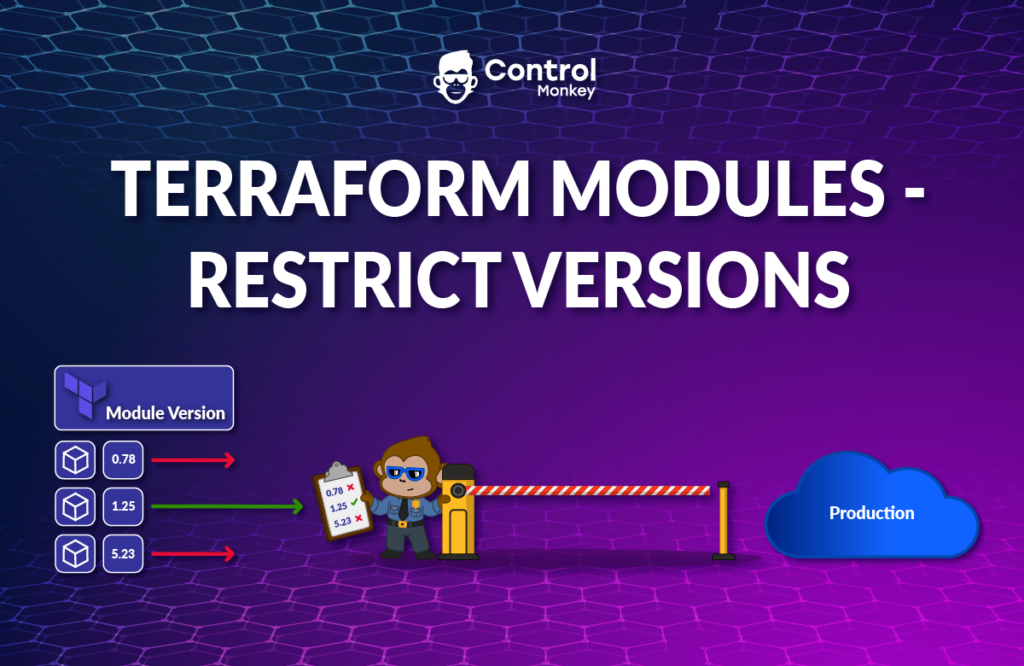
                To tackle this challenge, we proudly announce the latest enhancement to our Terraform CI/CD engine, Terraform Modules – Restrict Versions control policies.

                ControlMonkey users can now easily create Control Policies that allow or restrict Terraform Modules Sources or Versions as part of the Infrastructure CI/CD.

                Terraform Modules – Restrict Versions consists of 3 types of policies:

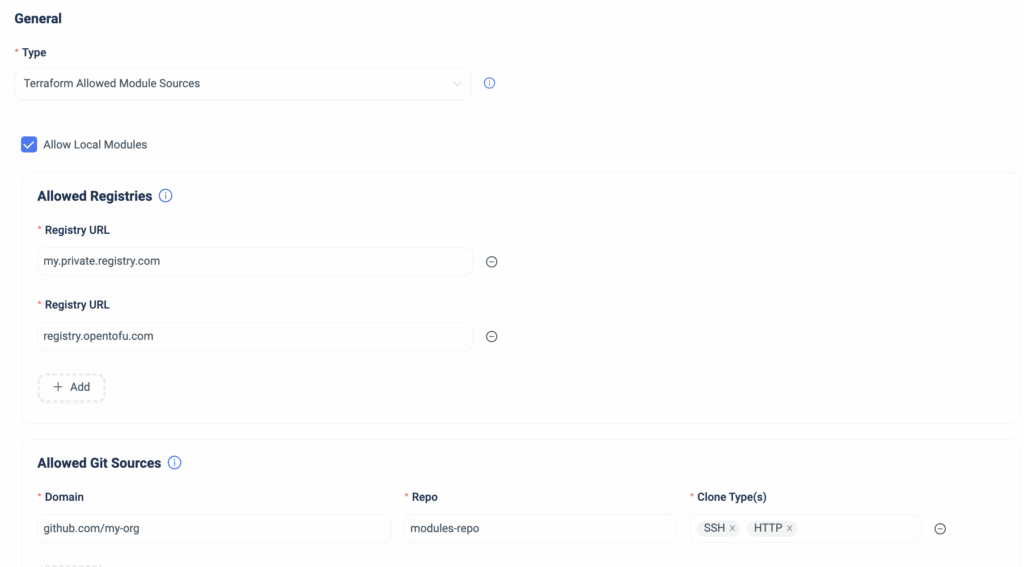
                Terraform Allowed Module Sources Policy

                This policy enforces that all the Terraform Modules used in the code reside in a pre-approved Registry or an organization’s GitHub repo.

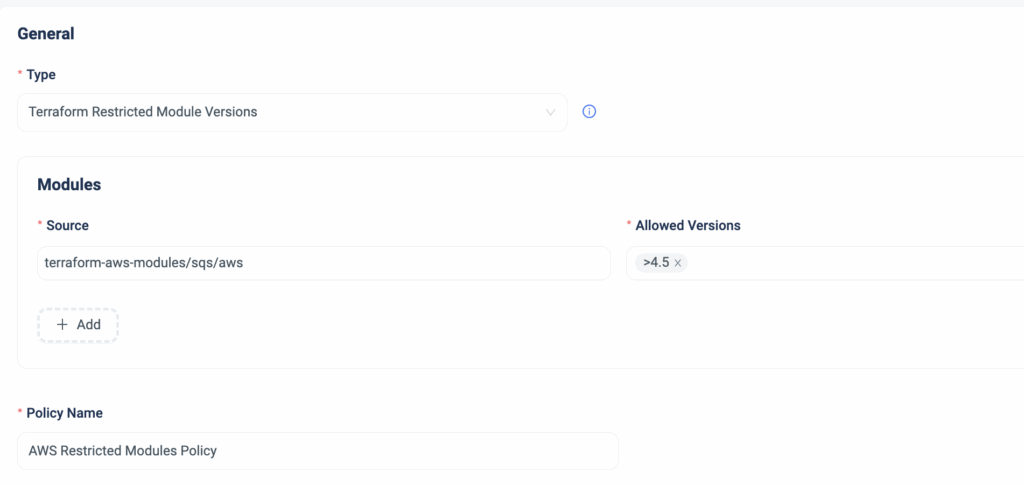
                Terraform Restricted Module Versions Policy

                This policy enforces the Terraform Modules versions that can be used in the code.
                The value can be a specific version, a range of versions, or from a particular version and above.

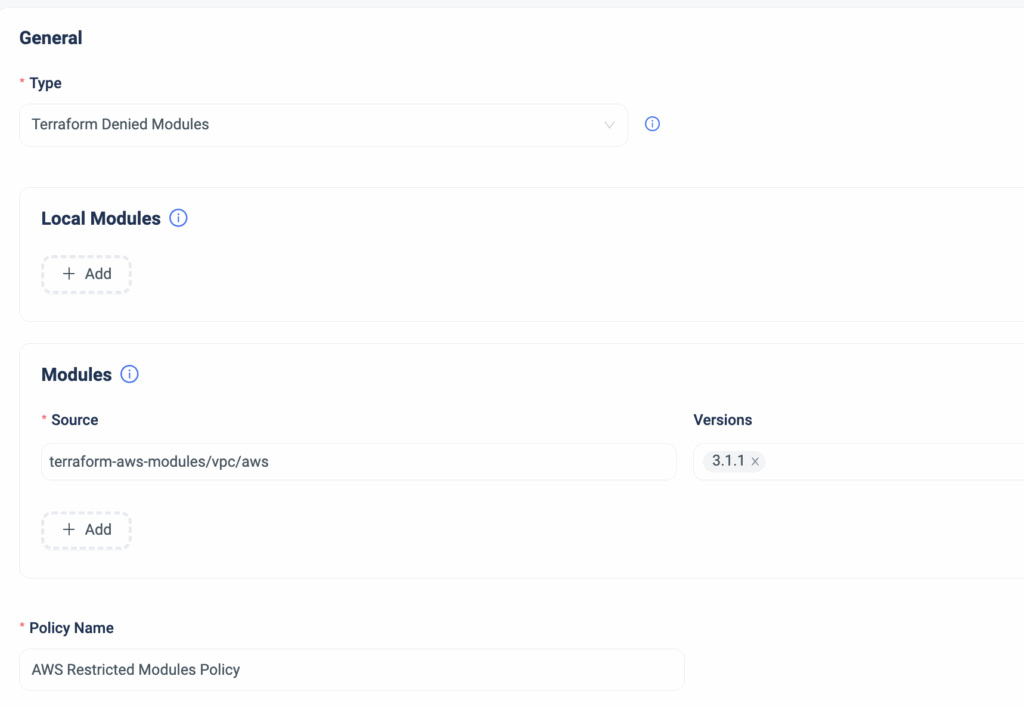
                Terraform Denied Modules Policy

                This policy ensures that Terraform Modules from unauthorized sources are not used.
                For instance, if there is a folder in your Git repository containing legacy modules that should not be used, you can designate these as ‘Denied.’ This provides immediate feedback to all users, preventing accidental usage

                Summary

                In case one of these policies is violated, ControlMonkey will warn the user who issues a PR that either their Terraform Module version is outdated, the Terraform Module path they are trying to use is restricted, or the specific Terraform Module they wish to use is restricted.

                Managing and Governing Terraform Modules at scale is a massive challenge for infrastructure teams and, in some instances, poses a risk to the organization.
                With ControlMonkey, you can create policies that strengthen your control over Terraform Modules and ensure they remain an efficiency driver rather than an operational burden with just a few clicks.

                Are you looking for the best way to stay on top of your Terraform Modules?
                Our Terraform experts can’t wait to show you around .

                Bottom CTA Background

                A 30-min meeting will save your team 1000s of hours

                A 30-min meeting will save your team 1000s of hours

                Book Intro Call

                  Sounds Interesting?

                  Request a Demo

                  Resource Blog News Customers Stories

                  Updated: Aug 20, 2025 Upd: 20.08.25

                  2 min read

                  Shift-left Security on Azure with Managed Policies

                  Test User

                  Test User

                  CTO & Co-Founder

                  Shift-left Security on Azure with Managed Policies

                  We are excited to announce another milestone in our multi-cloud support, with a major enhancement to our Terraform CI/CD solution.
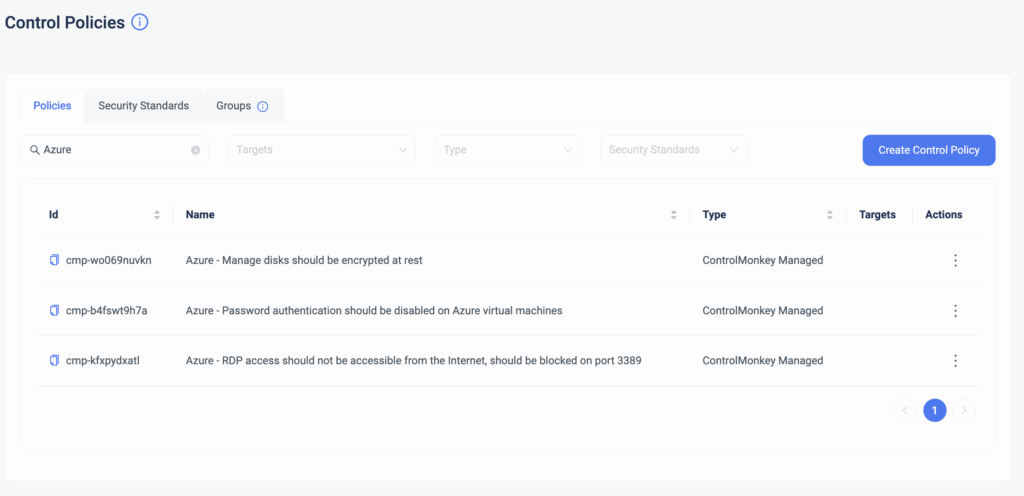
                  Starting today, ControlMonkey’s Managed Security Policies are also available for Azure Cloud!

                  These Security Policies are predefined, managed, and maintained by ControlMonkey.
                  Rather than writing and maintaining common security policies with OPA, you get managed security policies that are enforced whenever someone changes your Terraform code right out of the box.

                  Cloud Engineering teams can granularly select which unit of deployment the Security Policy will be enforced and the enforcement level (warning or block).
                  So, if you need to separate and divide your policy enforcement across environments, you can easily do that with ControlMonkey.

                  The benefits of Managed Security Policies:

                  • You get a library of pre-defined security policies straight out of the box.
                  • Save time on writing, managing, and maintaining these policies.
                    ControlMonkey does all the heavy lifting for you.
                  • By shifting left your security, you are:
                    • Preventing security issues before they reach production
                    • Saving time on manual code review.
                    • Enable a proactive operations mode Vs. reacting to security misconfigurations.
                    • Educating Cloud Engineering teams on the organization’s security standards.

                  If you’re using Azure today and looking to turn on your proactive mode, let’s talk.

                  Bottom CTA Background

                  A 30-min meeting will save your team 1000s of hours

                  A 30-min meeting will save your team 1000s of hours

                  Book Intro Call

                  Author

                  Test User

                  Test User

                  CTO & Co-Founder

                  Lorem ipsum dolor sit amet, consectetur adipisicing elit. Animi architecto consequuntur dicta dolor, excepturi ipsam iste laudantium, magnam molestiae obcaecati odio quam quas repellendus sed, sint magnam molestiae.

                    Sounds Interesting?

                    Request a Demo

                    Resource Blog News Customers Stories

                    Updated: Aug 20, 2025 Upd: 20.08.25

                    2 min read

                    Control Policy Groups

                    Control Policy Groups

                    We are pleased to announce the latest enhancement to our Terraform CI/CD solution for infrastructure – ControlPolicy Groups.

                    Our Terraform CI/CD solution for infrastructure enables ControlMonkey users to define proactive policies that will be enforced at the Pull Request level and prevent security, cost, and compliance misconfigurations.
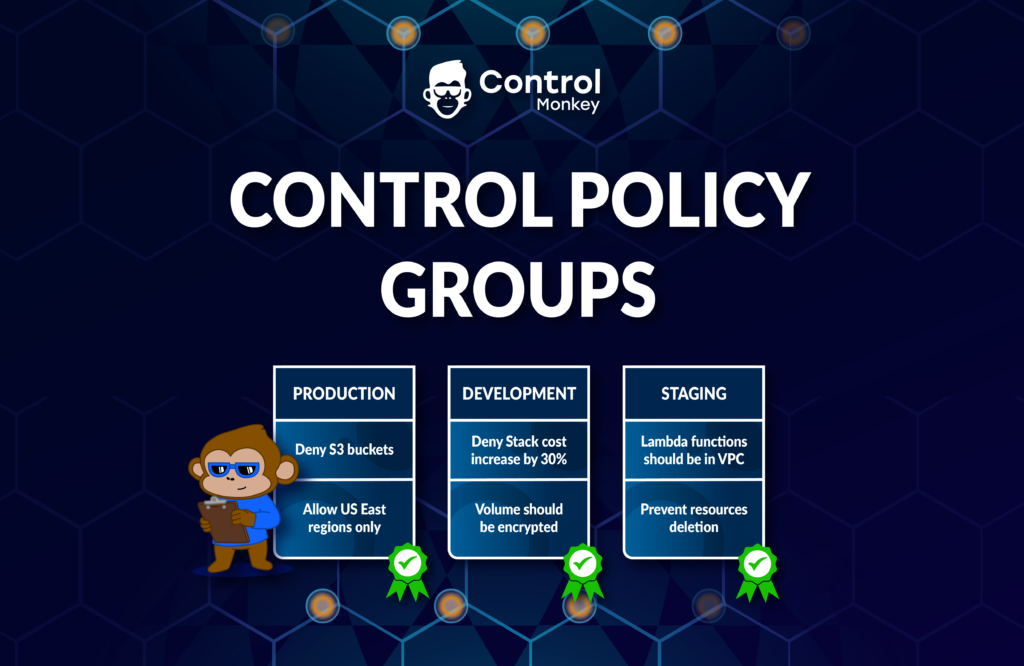
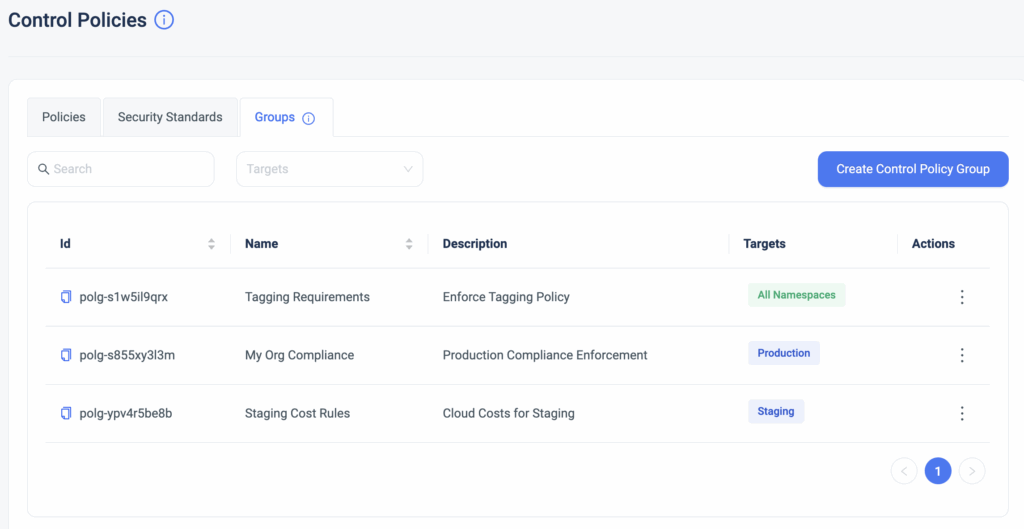
                    Starting today, our users can group together control policies and apply them to specific environments by namespaces or stacks.

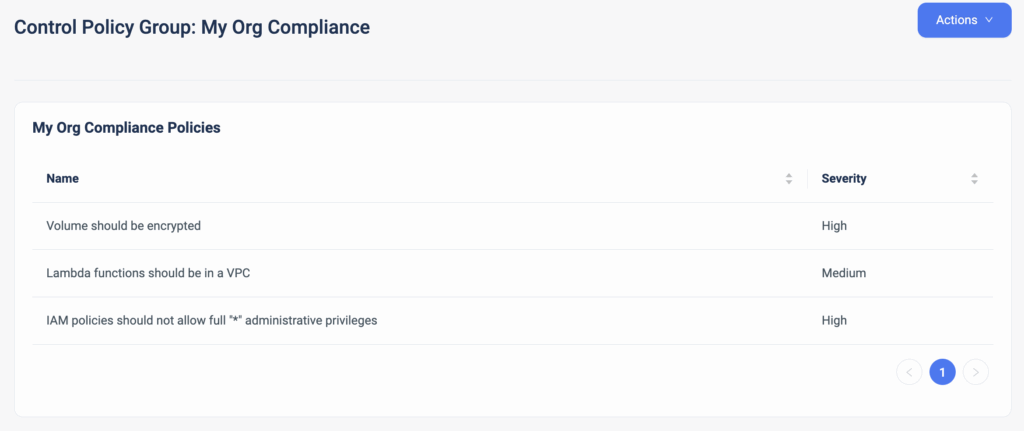
                    This allows for custom-made policy packages that meet your organization’s guardrails. For example, if your organization requires each resource to be tagged with specific keys and all data volumes to be encrypted, you can now group these two policies together to create your own custom compliance.
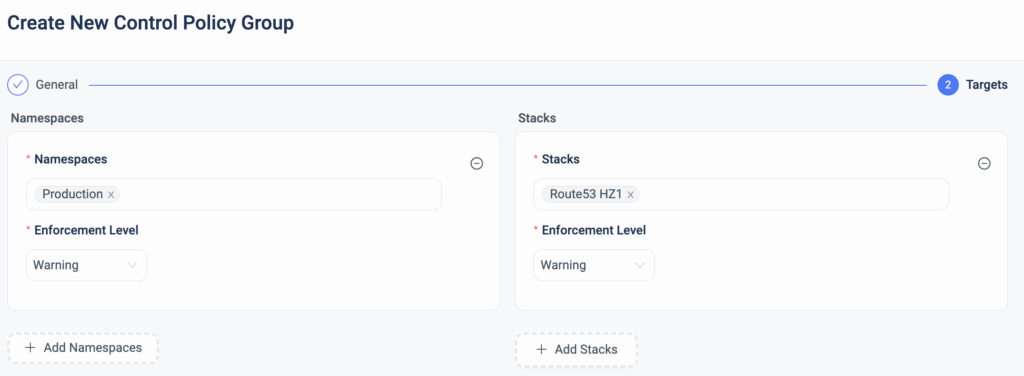
                    You can enforce these groups on a specific ControlMonkey namespace or stack, providing the granularity you need.

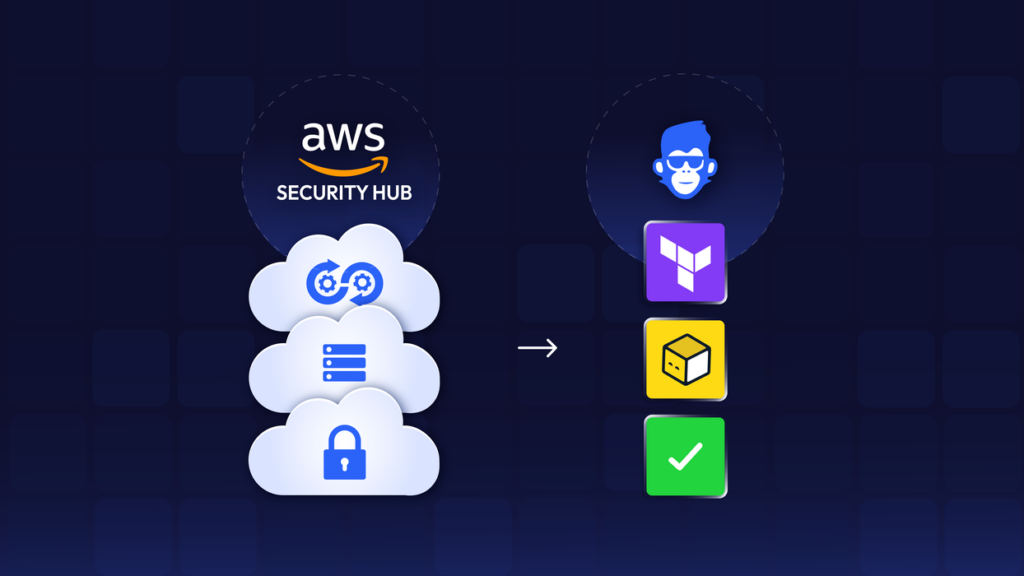
                    Your development environment has its own requirements, while your production environment likely requires more rigid policies to be enforced. Unlike account-level policy mechanisms (e.g., AWS SecurityHub), with ControlMonkey policies, you can mix and match the appropriate policies for the relevant infrastructure stacks

                    You can select the severity level for each policy, which is then translated to an enforcement level (Warning, Hard/Soft Mandatory).

                    ControlMonkey also makes it super easy to granularly apply a policy group to a certain namespace or stack. For example, you can group together all of your SOC2 compliance policies and enforce those policies only in production environments that are required to be SOC-compliant.

                    Enforce the guardrails of your cloud environment with our out-of-the-box policy manager and prevent costly misconfigurations.

                    Bottom CTA Background

                    A 30-min meeting will save your team 1000s of hours

                    A 30-min meeting will save your team 1000s of hours

                    Book Intro Call

                      Sounds Interesting?

                      Request a Demo
                      Cookies banner

                      We use cookies to enhance site navigation, analyze usage, and support marketing efforts. For more information, please read our. Privacy Policy