Join our next Live Demo on Mar 30th!

Resource Blog News Customers Stories

Updated: Jan 20, 2026 Upd: 20.01.26

2 min read

Proactively Enforce NIST 800-53 Compliance with ControlMonkey Compliance Packages

Proactively Enforce NIST 800-53 Compliance with ControlMonkey Compliance Packages

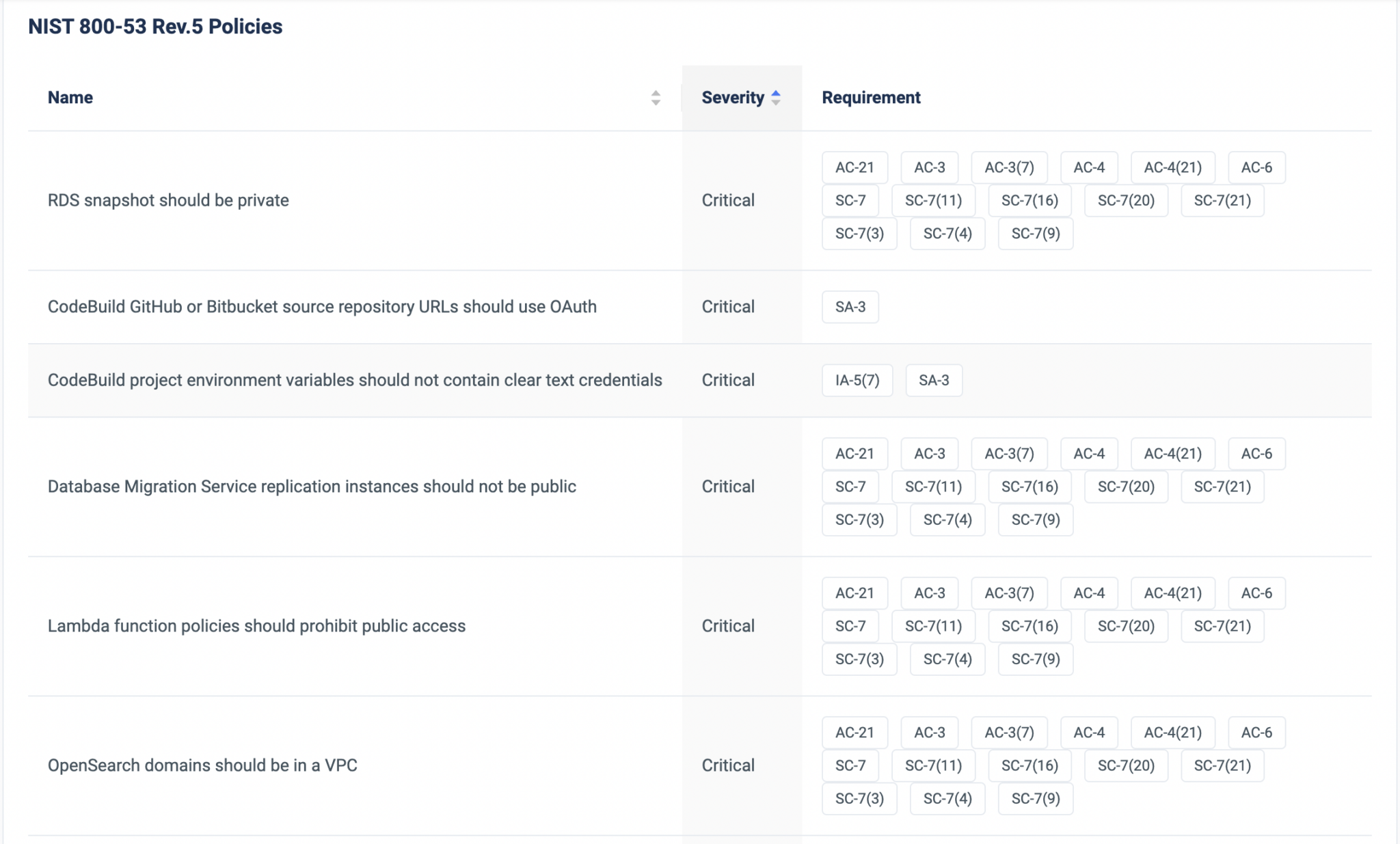
Today we are glad to announce that we have added NIST Compliance to our Proactive Compliance Packages enforcement, as part of the Terraform CI/CD solution.

ControlMonkey Terraform CI/CD solution enables DevOps teams to proactively enforce compliance and security policies during the infrastructure CI/CD and prevent issues and misconfigurations in production.

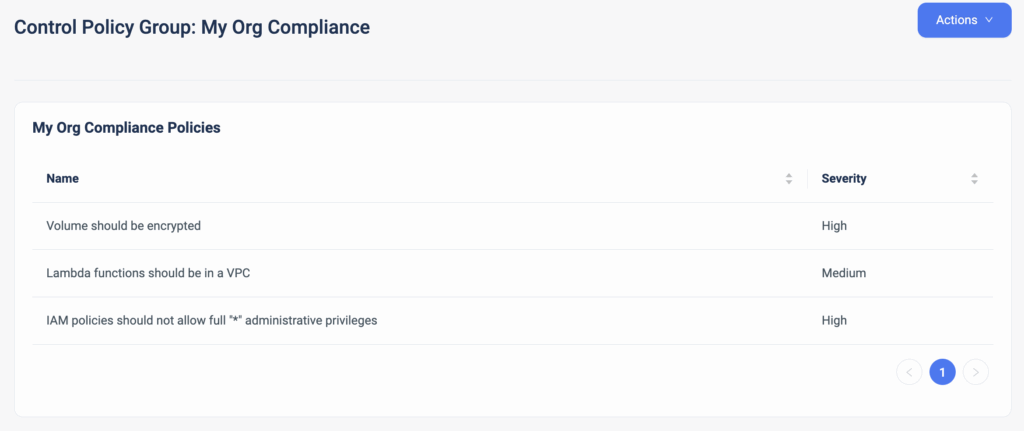
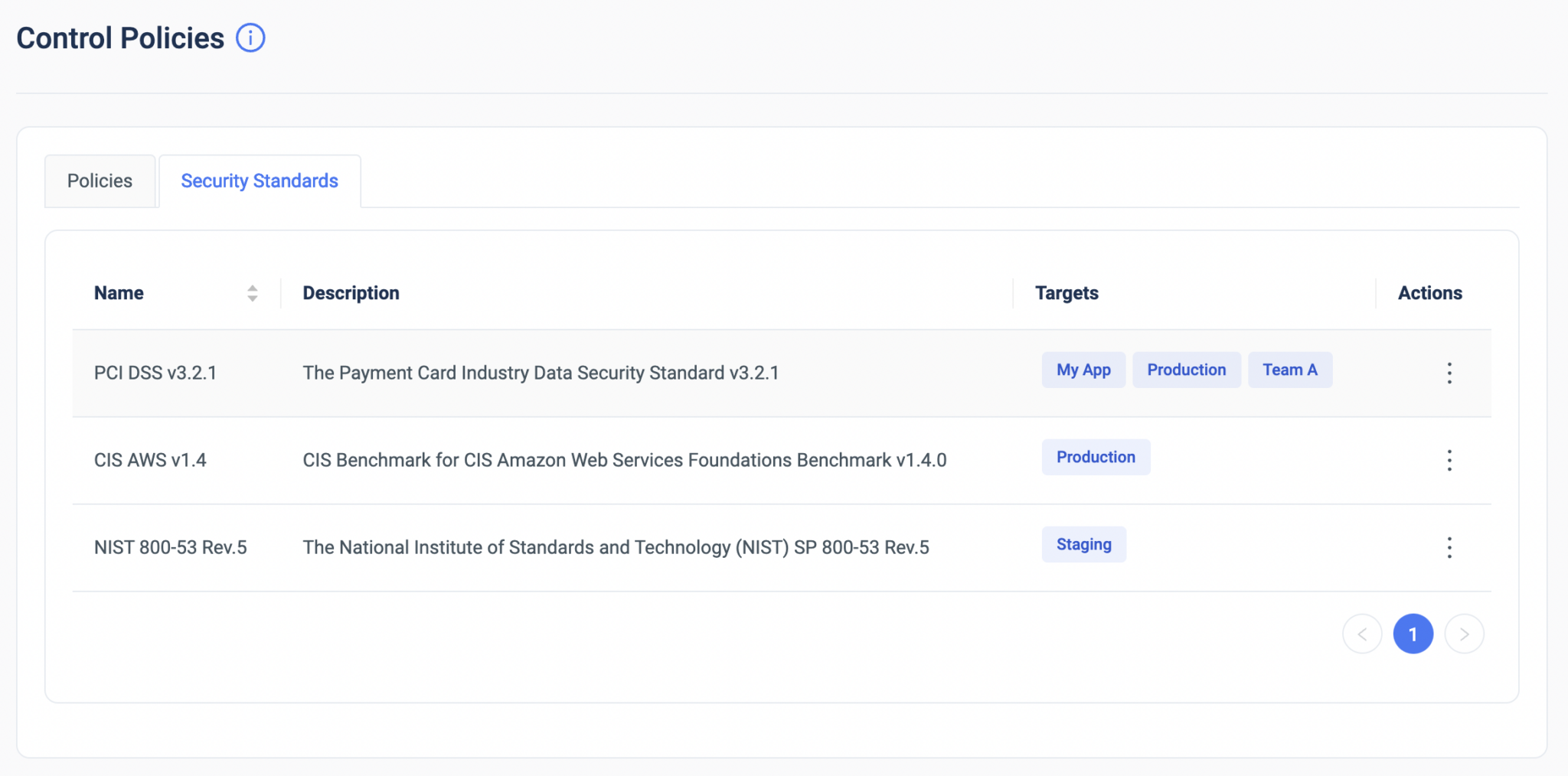
Starting today, our users can enforce NIST 800-53 compliance standards on any Terraform pull request, and ControlMonkey will validate the resources configuration, as part of the infrastructure CI/CD.


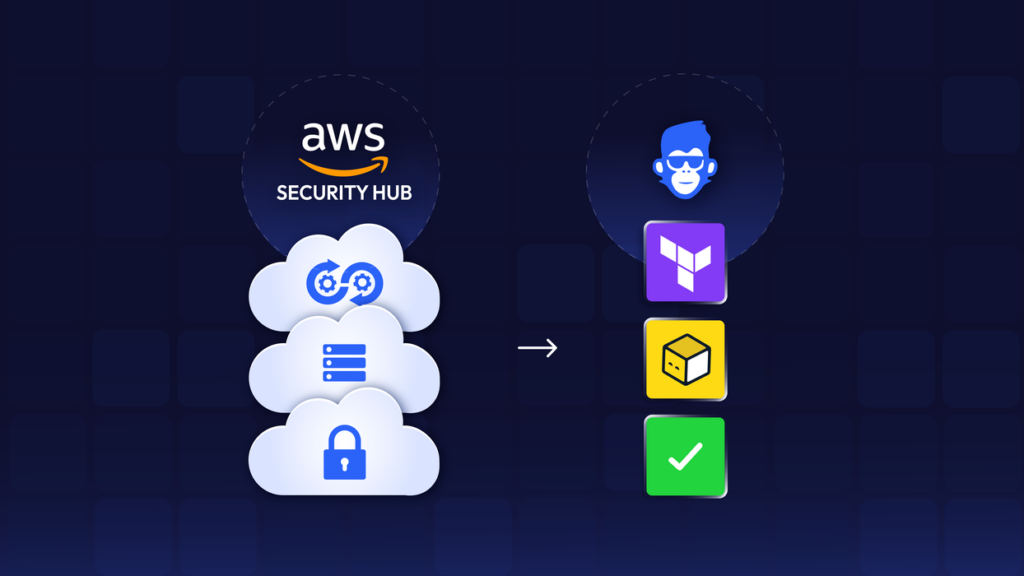
Organizations usually run compliance validations in a detective way, after the resources are deployed to production, using tools like AWS Security Hub.

This capability enables DevOps teams to easily enforce NIST Compliance standards proactively, rather than responding to non-compliant resources in production, and risk getting penalized for NIST compliance violations.
If regulation requires your infrastructure to be NIST compliant, you can validate every resource’s compliance proactively, out of the box, with zero effort.

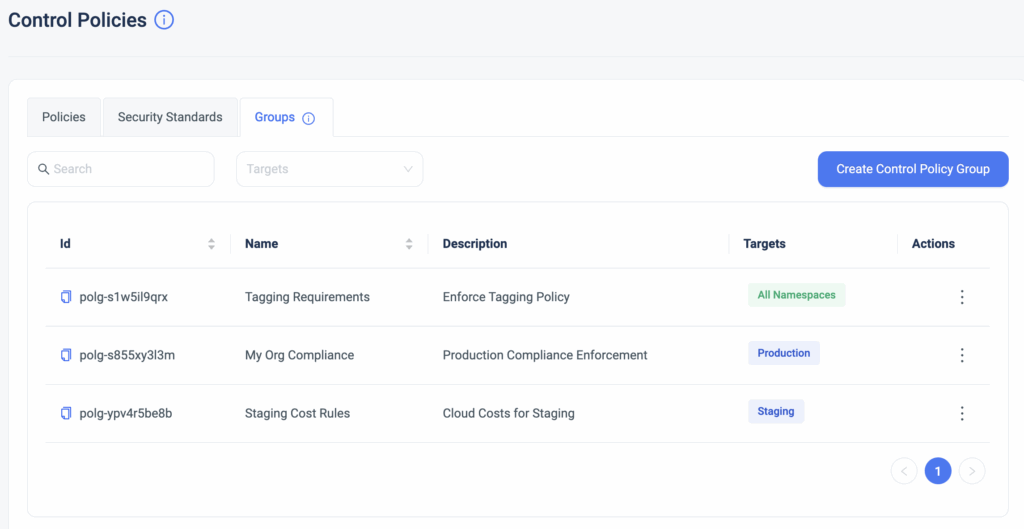
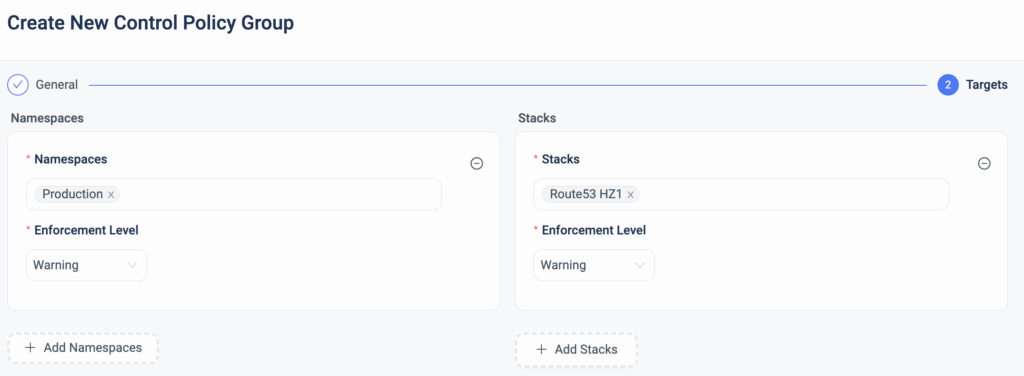
On top of that, users have enhanced customization and granularity and can enforce compliance using various enforcement levels and apply them to specific stacks or namespaces.

Shift left your infrastructure compliance, keep your environment in ‘Always-Compliant’ mode, and allow your team to build faster without sacrificing control.

Bottom CTA Background

A 30-min meeting will save your team 1000s of hours

A 30-min meeting will save your team 1000s of hours

Book Intro Call

    Sounds Interesting?

    Request a Demo

    Resource Blog News Customers Stories

    Updated: Aug 20, 2025 Upd: 20.08.25

    2 min read

    Approval Policies

    Approval Policies

    ControlMonkey solution for Terraform CI/CD acts as a quality gate for any changes performed to the infrastructure in the Git repository, so whenever someone pushes new code, we run a procedure called ‘Deployment’ that validates the code change and runs ‘Terraform Apply’, in case all tests pass successfully.

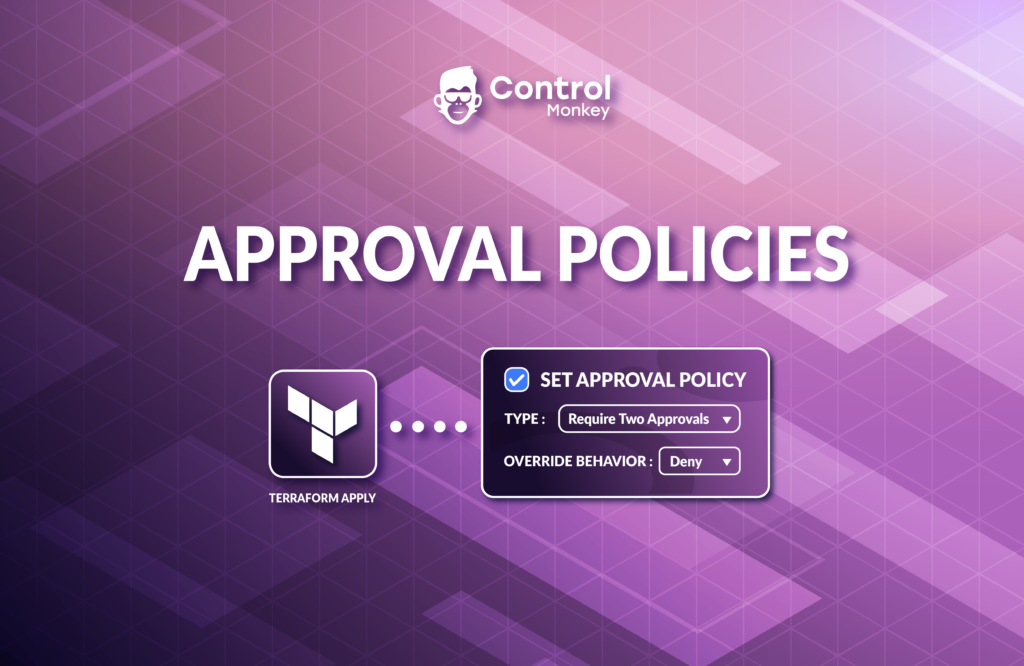
    Today we are pleased to announce that we have enhanced our CI/CD solution with Approval Policies, an additional validation mechanism for any infrastructure change done in your Git repository.
    Starting today, ControlMonkey users can set approval policies that require the review of any requested infrastructure change.
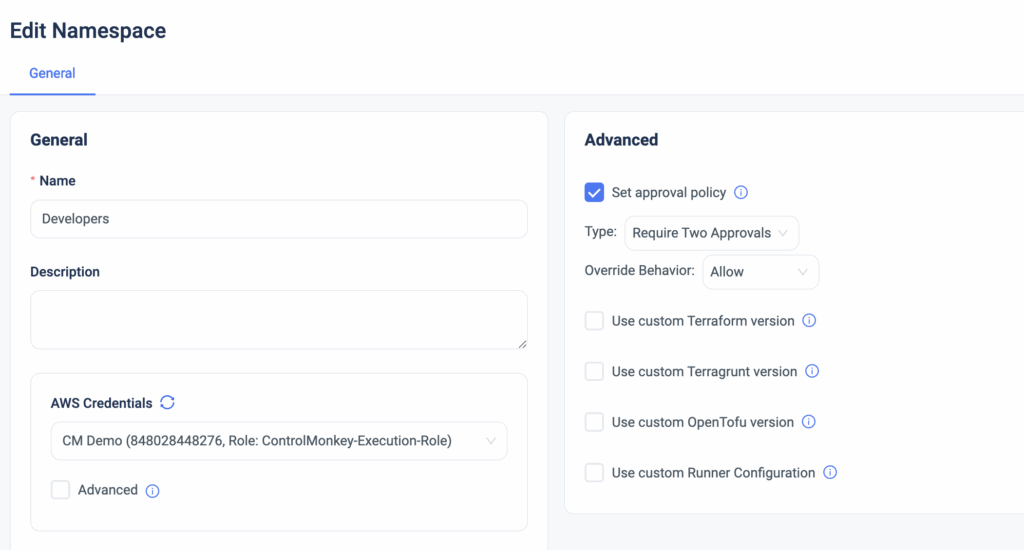
    These approval policies can be applied to a namespace or to a specific stack for that extra layer of granularity.

    Setting approval policies introduces a manual approval step before the ‘Terraform Apply’ command actually runs. By default, Every deployment requires manual approval.

    Types of approval policies:

    • Auto Approve
    • Require 1 approval
    • Require 2 approvals

    Changes to production are always risky, but with ControlMonkey Approved Policies, you can add an extra layer of control and prevent costly misconfigurations before every ‘Terraform Apply’ is executed.

    Approval Policies are predefined and are available out of the box, so no manual policy writing is needed here.
    Interested to learn how ControlMonkey streamlines every infrastructure change and helps companies like yours in their Day 2?
    Our team is waiting to speak with you!

    Bottom CTA Background

    A 30-min meeting will save your team 1000s of hours

    A 30-min meeting will save your team 1000s of hours

    Book Intro Call

      Sounds Interesting?

      Request a Demo

      Resource Blog News Customers Stories

      Updated: Aug 20, 2025 Upd: 20.08.25

      1 min read

      Terraform Providers Explorer

      Test User

      Test User

      CTO & Co-Founder

      Terraform Providers Explorer

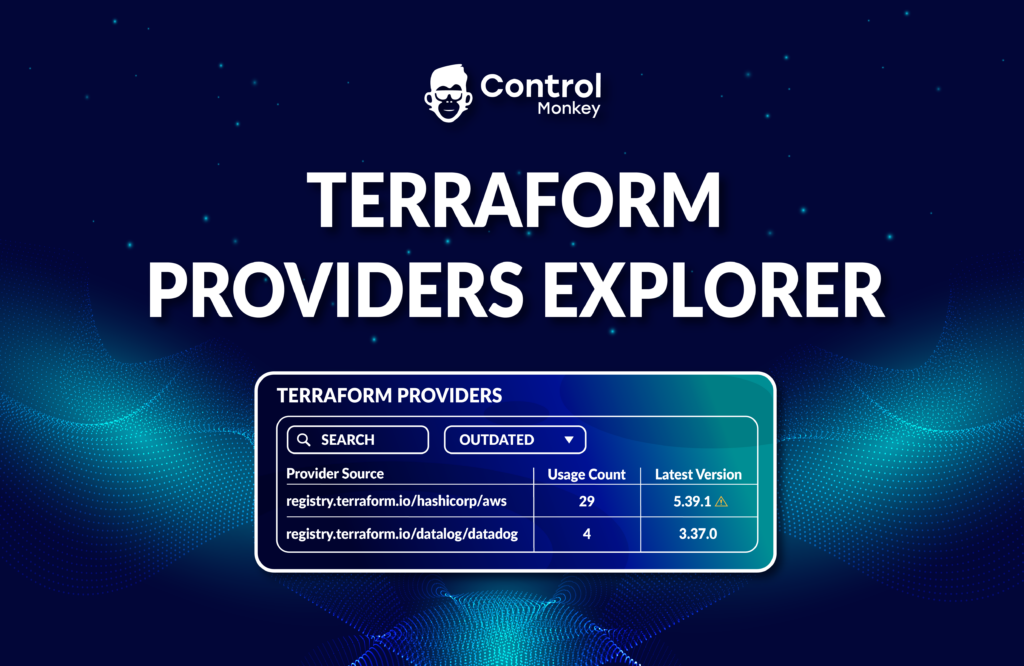
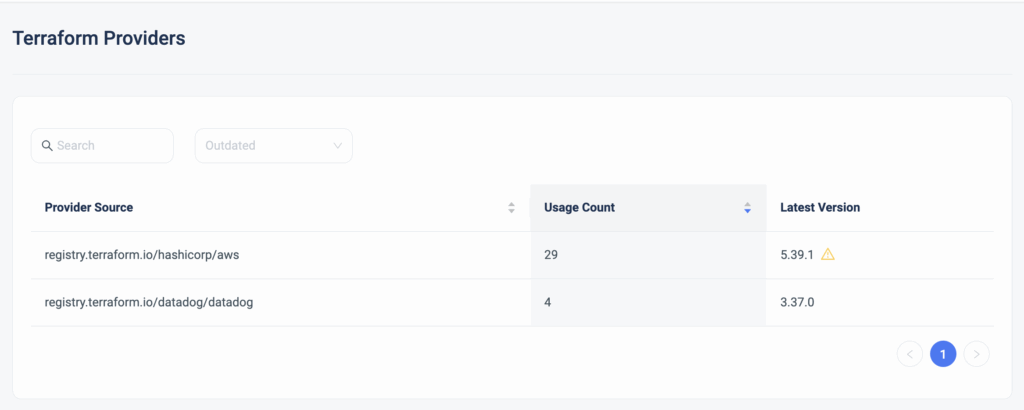
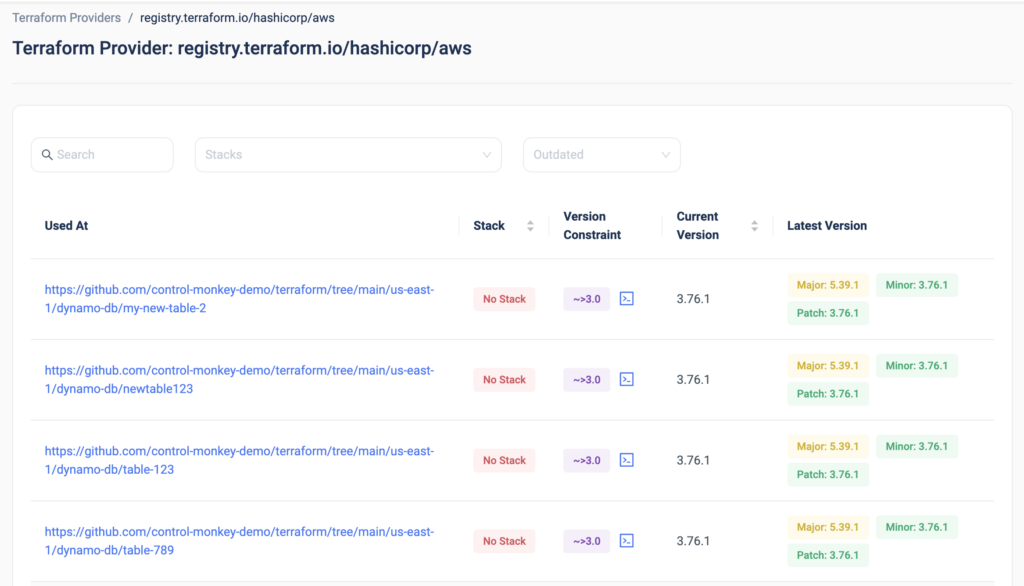
      Today we are happy to announce the release of the latest enhancement to our Terraform Insights product, Terraform Providers Explorer.


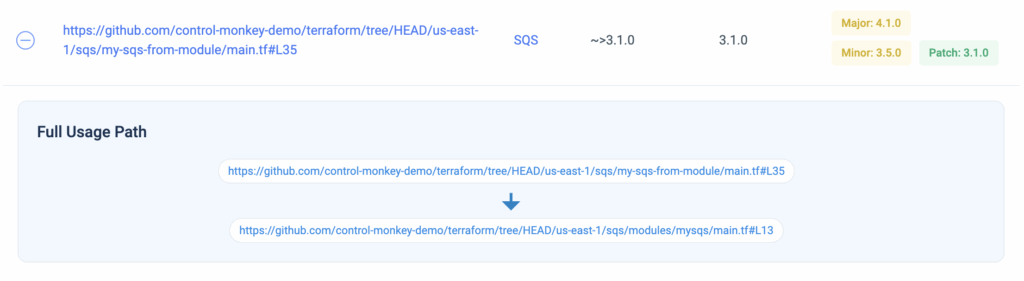
      DevOps teams leveraging Terraform don’t have any real visibility into which Terraform Providers are being used in their Terraform code, where are they used in the code, and whether or not they are not the latest version is being used.

      Moreover, once you click on one of the providers, you can drill down into each provider and gain visibility into:

      • The code path in which the provider is being used
      • Which ControlMonkey stack is that provider related to
      • What is the version constraint
      • What is the used version
      • What are the latest versions available

      Want to upgrade your Terraform provides? The days of scrolling through 1000s lines of Terraform code to discover which providers are being used and with which versions are over.

      With ControlMonkey you get end-to-end visibility of everything related to Terraform Operations in a single dashboard so you will never be left in the dark.

      Interested in learning more?
      Join our Live Product Showdown next week to see our platform’s capabilities!

      Bottom CTA Background

      A 30-min meeting will save your team 1000s of hours

      A 30-min meeting will save your team 1000s of hours

      Book Intro Call

      Author

      Test User

      Test User

      CTO & Co-Founder

      Lorem ipsum dolor sit amet, consectetur adipisicing elit. Animi architecto consequuntur dicta dolor, excepturi ipsam iste laudantium, magnam molestiae obcaecati odio quam quas repellendus sed, sint magnam molestiae.

        Sounds Interesting?

        Request a Demo

        Resource Blog News Customers Stories

        Updated: Aug 20, 2025 Upd: 20.08.25

        1 min read

        Terraform Repo Scanner

        Test User

        Test User

        CTO & Co-Founder

        Terraform Repo Scanner

        Here at ControlMonkey, we strive to provide a completely customer-centric Terraform Operations platform for our users, right from the onboarding.

        So today we are happy to announce a huge enhancement to the ControlMonkey platform onboarding with our new release, Terraform Repo Scanner.
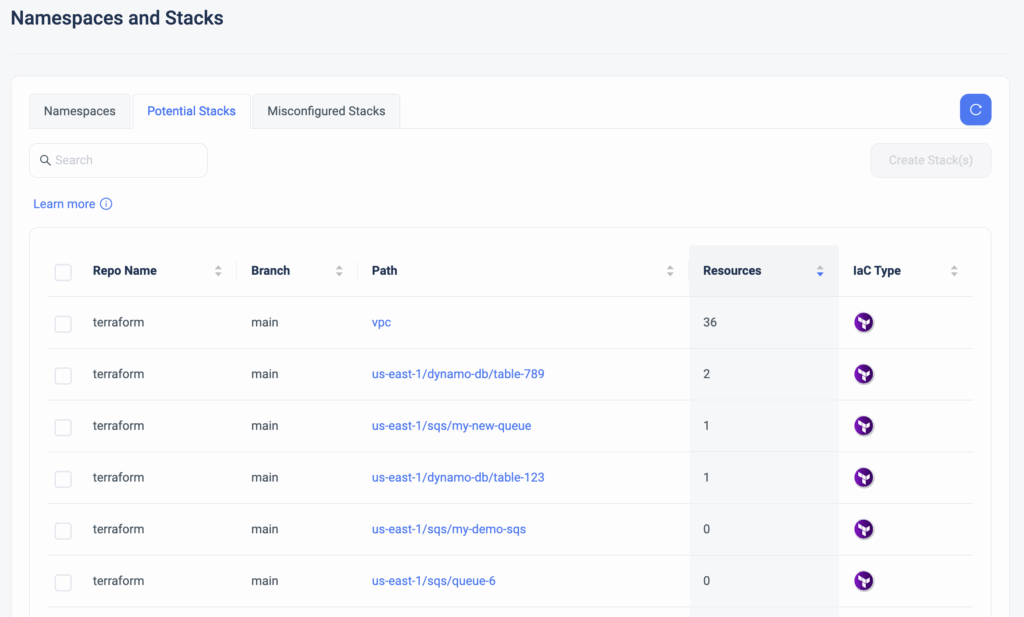
        This new capability automatically scans all the repos that contain the Terraform/Terragrunt/OpenTofu code and displays all the paths that are not managed by ControlMonkey, the IaC type, and the number of resources under that path, and with a single click enables the user to create “Stacks” in the ControlMonkey platform.

        This is big news for new ControlMonkey customers who are onboarding their accounts because rather than manually creating “stacks” based on existing paths in the repo, they can generate all the stacks in one shot, saving them precious time.

        So if you have your own Terraform Code and are looking to leverage ControlMonkey’s advanced solutions like Terraform CI/CD with proactive policies and Drift Detection & Remediation, you can now onboard in a few clicks, with absolutely zero code changes.

        Onboarding ControlMonkey has never been easier, and we’re happy seeing our new customers save time starting from the onboarding.

        Bottom CTA Background

        A 30-min meeting will save your team 1000s of hours

        A 30-min meeting will save your team 1000s of hours

        Book Intro Call

        Author

        Test User

        Test User

        CTO & Co-Founder

        Lorem ipsum dolor sit amet, consectetur adipisicing elit. Animi architecto consequuntur dicta dolor, excepturi ipsam iste laudantium, magnam molestiae obcaecati odio quam quas repellendus sed, sint magnam molestiae.

          Sounds Interesting?

          Request a Demo

          Resource Blog News Customers Stories

          Updated: Aug 20, 2025 Upd: 20.08.25

          2 min read

          Managed Cost Policies

          Managed Cost Policies

          We are proud to announce the release of our latest enhancement to ControlMonkey Terraform CI/CD solution, Managed Cost Policies.

          Our Terraform CI/CD solution enables DevOps to set proactive Control Policies on any new pull request.
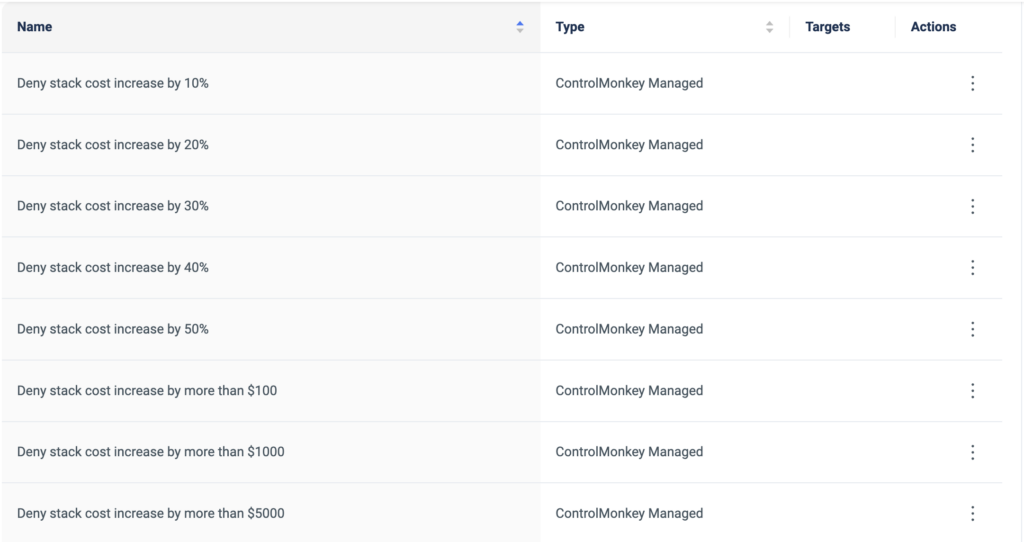
          Up until today, ControlMonkey users easily created proactive cost policies that enforced their organization’s budget control on new deployments, and now with this release, these policies are available out of the box.

          ControlMonkey’s managed cost policies are predefined policies, which are managed and maintained by ControlMonkey.
          Rather than writing and maintaining common cost policies from scratch (with OPA or any equivalent language), we are now offering proactive cost policies to enforce the stack’s budget during the CI/CD.

          Additionally, DevOps teams can choose on which namespaces or stacks these policies will be enforced, and also the enforcement level (warning or block).
          So if you need to separate and divide your policy enforcement across environments, you now have the deeper level of granularity to do so.

          The advantages of the ControlMonkey Managed Cost Policies:

          • You get a library of pre-defined cost policies to select from, straight out of the box.
          • Save time on writing, managing, and maintaining these policies, ControlMonkey does all the heavy lifting for you.
          • By shifting left your FinOps, you are:
            • Preventing budget deviations before they reach production
            • Educating the DevOps team on the organization’s FinOps standards

          This feature came as a request we got from a few of our customers, so we are glad to see this come to life.
          We are proud to collaborate with our customers on designing and building the ControlMonkey platform.

          Want to Shift Left your FinOps efforts and always remain cost-efficient?
          Our team is waiting to chat with you!

          Bottom CTA Background

          A 30-min meeting will save your team 1000s of hours

          A 30-min meeting will save your team 1000s of hours

          Book Intro Call

            Sounds Interesting?

            Request a Demo

            Resource Blog News Customers Stories

            Updated: Aug 24, 2025 Upd: 24.08.25

            3 min read

            One-click Terraform Drift Remediation 

            Tal Sten

            Tal Sten

            Head of Sales

            One-click Terraform Drift Remediation 

            Terraform Drifts occur whenever there is a discrepancy between your desired configuration state (The Terraform Code) and your actual configuration state (Running configuration of the resource).  

            These drifts pose a security, compliance, and cost risk to your environment.

            Just a few weeks ago we announced our Drift Source capability that helps to investigate who created the drift, but the main challenge we heard from our customers is the time it takes to actually remediate the drift.
            They asked us if we could automate the entire Drift remediation process, and that is exactly what we did.

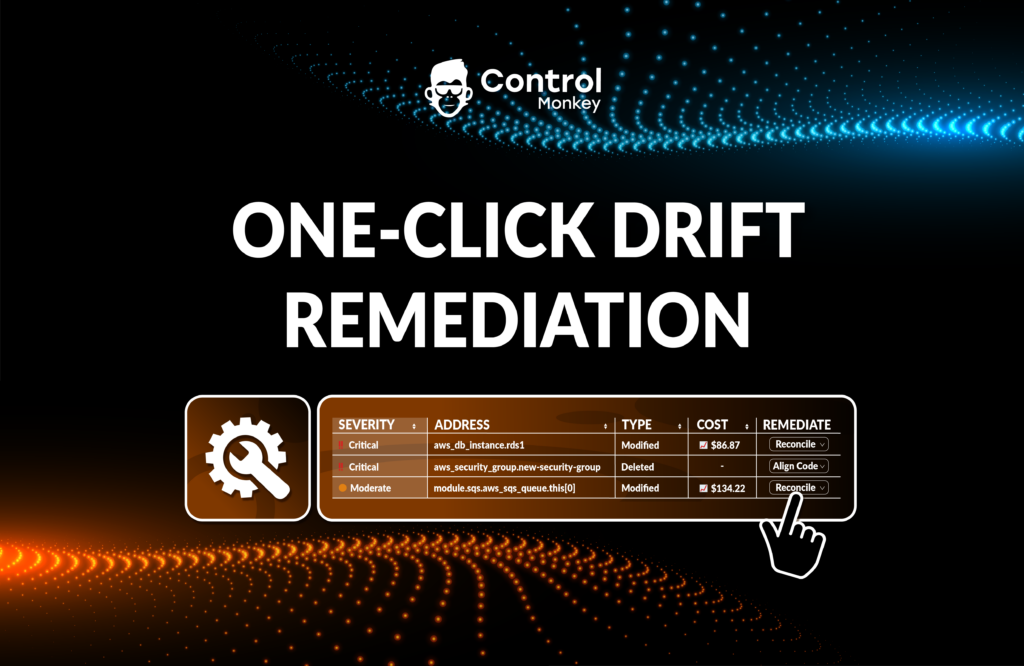
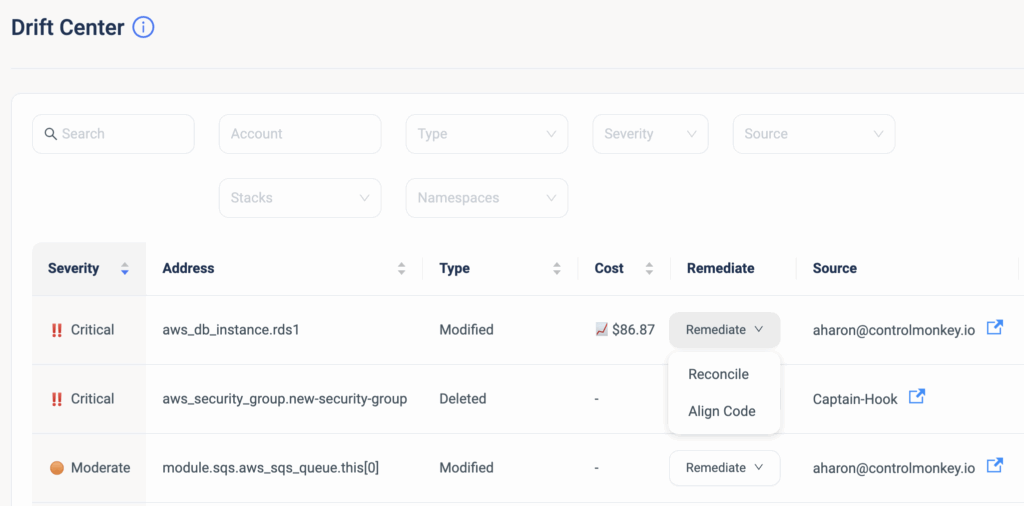
            Starting today, we are enhancing our Drift Center’s capabilities and providing our users with the ability to remediate against Terraform Drifts, with One-click Drift Remediation

            This means that you can seamlessly resolve Terraform Drifts, directly from the ControlMonkey dashboard, saving your DevOps time and preventing unnecessary risks to your production environment. 

            ControlMonkey offers two methods to remediate Terraform Drifts: 

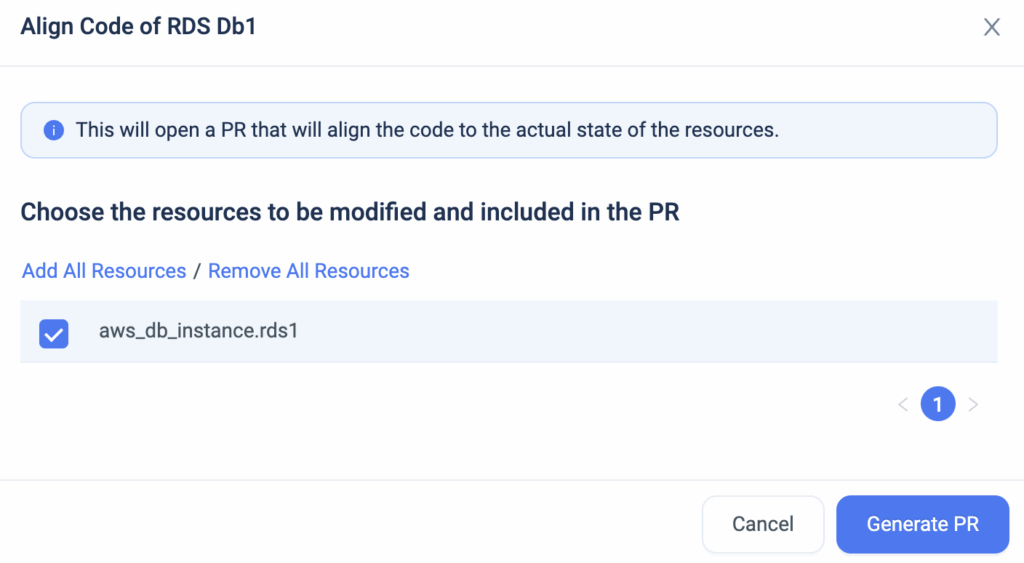
            Remediate with ‘Align Code’

            In cases where you are certain that the running configuration is the right one, you can use this remediation action to align your Terraform code to what’s running in production.
            Yes, that’s right, ControlMonkey is going to alter your existing code to match the resources’ actual state.
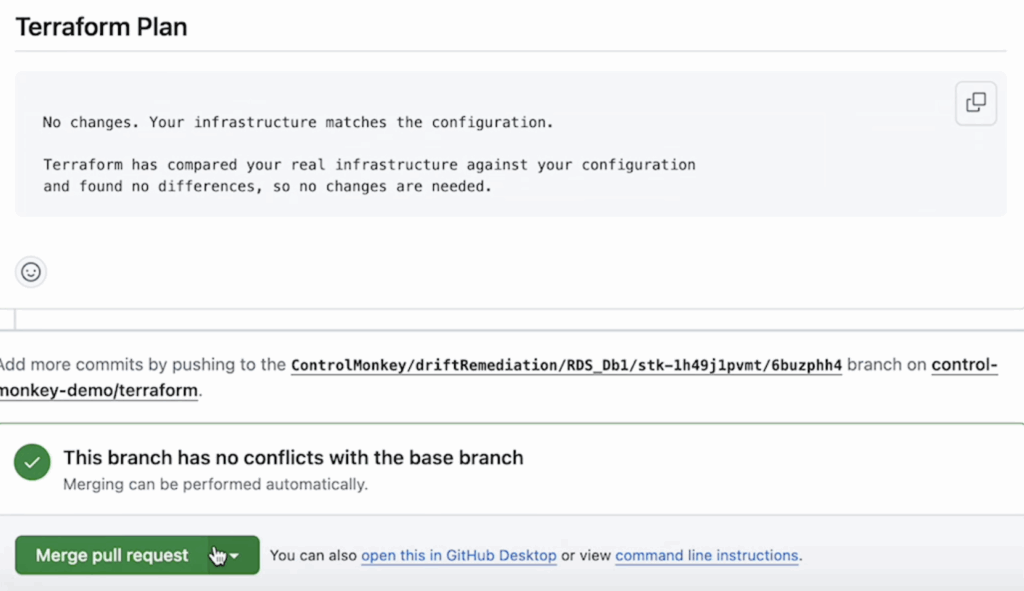
            When you resolve the drift with the ‘Align Code’ option, ControlMonkey creates a new PR (Pull request) in your Git repository and provides a fix to your Terraform Code which is 100% validated.

            ControlMonkey opens a new branch in your Git repository, and whenever the PR is ready, you get a
            1-click link to view the new PR.
            ControlMonkey also supports fixing the code when you’re using Terraform Modules. Say there’s a drift due to a variable in a module, ControlMonkey will sort it out by fixing the value of the variable that’s sent to the module:


            As part of our Terraform CI/CD pipeline, whenever a new PR is created, we automatically start a ‘Terraform Plan’ to the branch of the stack. After the Terraform Plan is completed and the drift is resolved, you can then merge the PR to your main branch. 

            Remediate with ‘Reconcile’

            In cases where you are certain that the Terraform code is the right configuration, you can use this remediation action which performs a ‘Terraform apply’.
            When you resolve the drift with reconcile, ControlMonkey updates the resources’ configuration in production and overrides the running configuration to what’s configured in the code. 

            To summarize, ControlMonkey Drift Center is now the one-stop-shop to detect, investigate, and seamlessly remediate Terraform drifts. 

            Bottom CTA Background

            A 30-min meeting will save your team 1000s of hours

            A 30-min meeting will save your team 1000s of hours

            Book Intro Call

            Author

            Tal Sten

            Tal Sten

            Head of Sales

              Sounds Interesting?

              Request a Demo

              Resource Blog News Customers Stories

              Updated: Aug 20, 2025 Upd: 20.08.25

              2 min read

              Terraform Modules Explorer

              Test User

              Test User

              CTO & Co-Founder

              Terraform Modules Explorer

              Terraform Modules dramatically reduce the amount of code you have to write for similar infrastructure resources and are considered the most efficient way to replicate services across your AWS account.

              However, DevOps teams leveraging Terraform modules have no visibility into which Terraform Modules are being used, if their source is a registry or local Git repository, where are they used in the code, and whether or not they are running on the latest version.

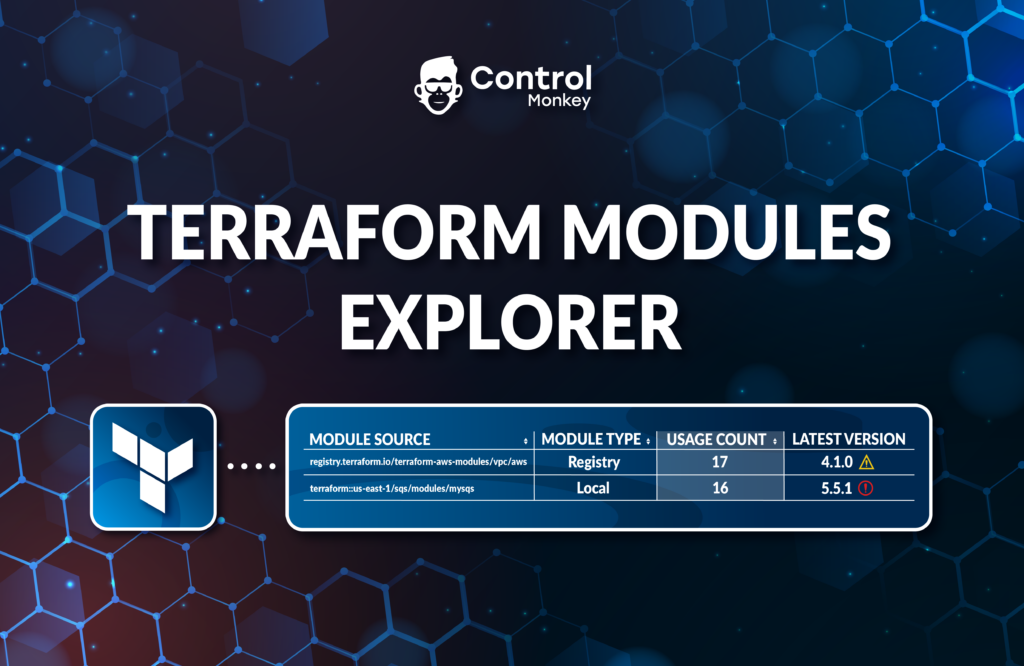
              A crucial part of staying on top of your Terraform Operations is having that visibility, so today we are proud to announce the latest enhancement to our Cloud Inventory solution, Terraform Modules Explorer.

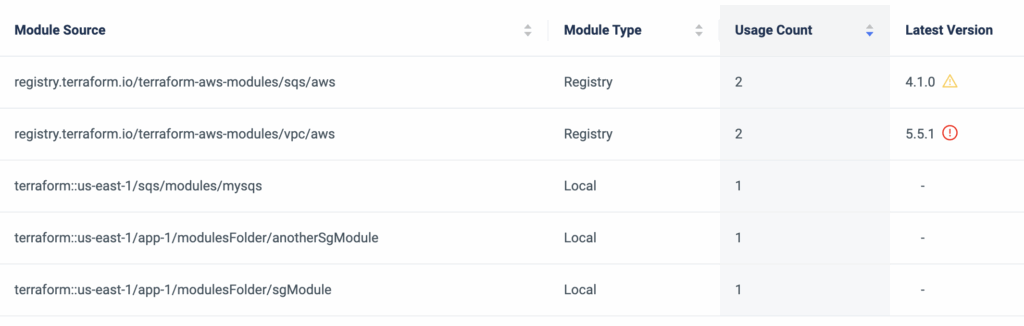
              ControlMonkey scans your entire Terraform repositories for Terraform Modules and provides a dashboard view where you can investigate your Terraform Modules SBOM (Software bill of materials), and understand exactly:

              • What Terraform Modules are being used by you.
              • The source of the modules – Registry or a local Git directory.
              • How many times are they being used and where exactly they are used in the code.
              • The version constraint you’ve set and whether or not you use an outdated version.


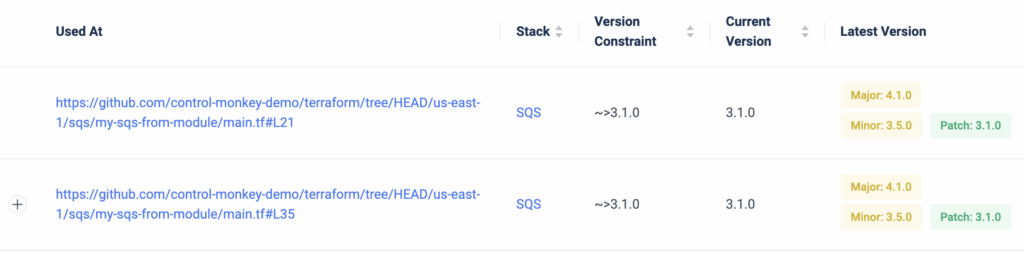
              Besides providing a holistic view of Terraform Modules, ControlMonkey also enables you to drill down on any Terraform Module to see exactly where it resides in the code and provides a 1-click link to the specific line in your Git repository.
              Consider the time you could save in identifying all usages of a module when planning an upgrade.
              Moreover, you also gain visibility into which Constraint Version is being used and whether or not it’s outdated.

              In some cases, multiple Terraform Modules are used in the same piece of code (main module and sub-modules), so ControlMonkey also provides a view of the full module path.

              With Terraform Modules Explorer you can also export the Terraform Modules SBOM in cases of compliance audits or security questionnaires where you need to provide this information to a security officer or auditor.

              To summarize, Terraform Modules Explorer solves the challenge of staying on top of your Terraform Modules, makes modules upgrade much easier and provides DevOps teams with full visibility into what was once unknown or unclear.

              Bottom CTA Background

              A 30-min meeting will save your team 1000s of hours

              A 30-min meeting will save your team 1000s of hours

              Book Intro Call

              Author

              Test User

              Test User

              CTO & Co-Founder

              Lorem ipsum dolor sit amet, consectetur adipisicing elit. Animi architecto consequuntur dicta dolor, excepturi ipsam iste laudantium, magnam molestiae obcaecati odio quam quas repellendus sed, sint magnam molestiae.

                Sounds Interesting?

                Request a Demo

                Resource Blog News Customers Stories

                Updated: Aug 20, 2025 Upd: 20.08.25

                1 min read

                Console Operations Notifications

                Console Operations Notifications

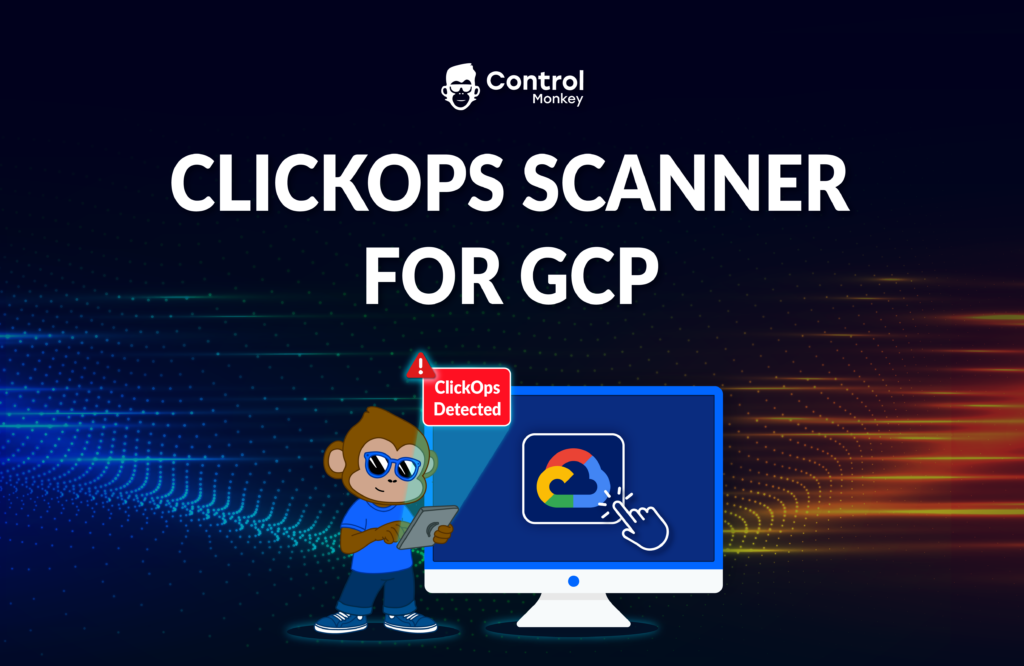
                ControlMonkey is all about helping organizations shift their cloud operations from ClickOps (working from the AWS console) to GitOps with Terraform.

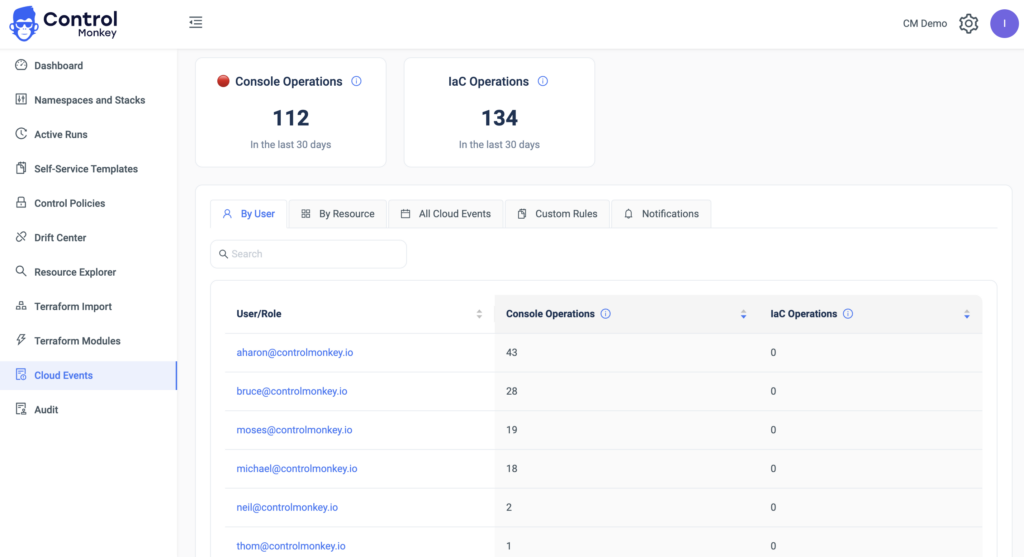
                As part of our Cloud Inventory tool, we are already monitoring all the infrastructure modifications made from the AWS console and the reflective user who made them.
                Wouldn’t it be great to be notified in real-time whenever someone makes such an operation and prevent drifts or misconfigurations?


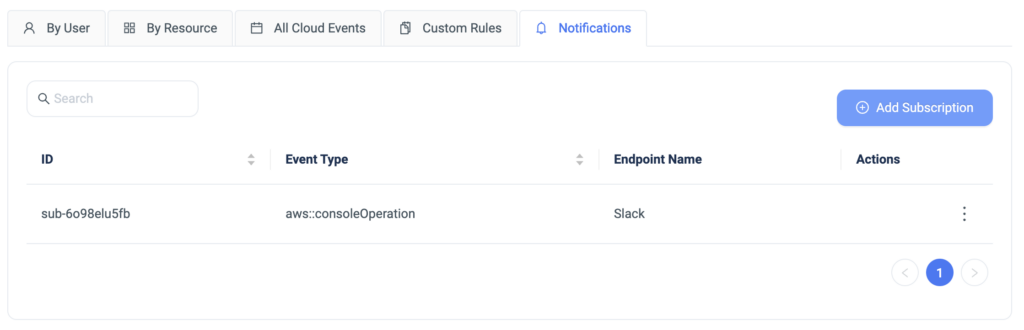
                Today we are happy to announce the latest enhancement, Cloud Operations Notifications.
                ControlMonkey users can now be notified in real-time to SlackTeams on any Click Operations done from the AWS console.

                Despite believing that you are running fully GitOps, setting additional guardrails, and getting real-time alerts helps you avoid surprises and educateenable the organization to work in a GitOps methodology, and not through the AWS console.

                Bottom CTA Background

                A 30-min meeting will save your team 1000s of hours

                A 30-min meeting will save your team 1000s of hours

                Book Intro Call

                  Sounds Interesting?

                  Request a Demo

                  Resource Blog News Customers Stories

                  Updated: Aug 20, 2025 Upd: 20.08.25

                  2 min read

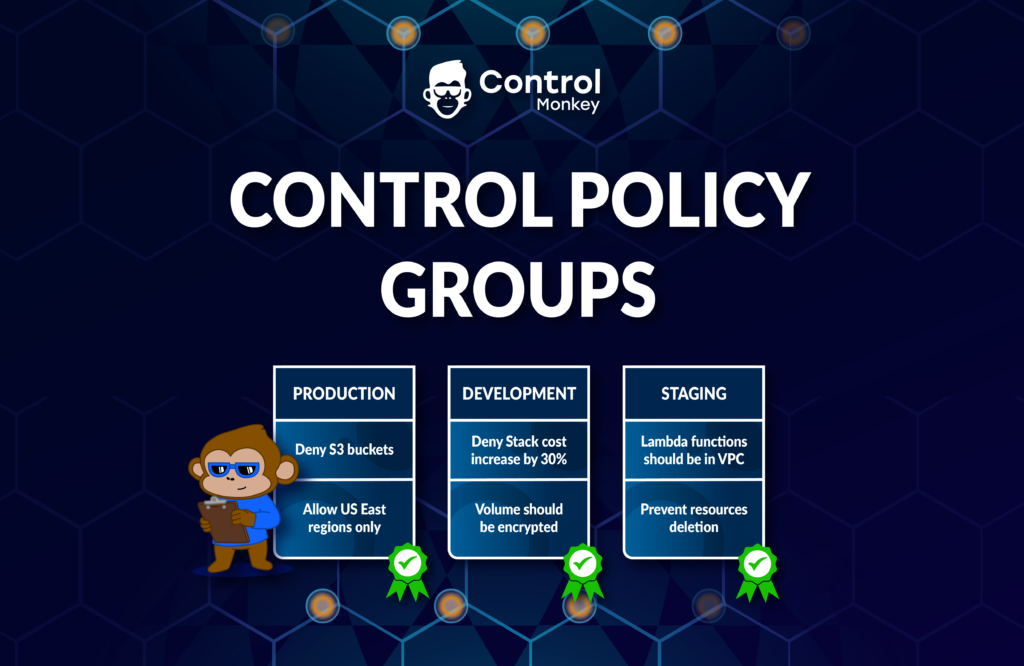
                  Control Policies – Prevent Deletion

                  Test User

                  Test User

                  CTO & Co-Founder

                  Control Policies – Prevent Deletion

                  A few weeks ago we’ve added our support for Control Policies – Control Policies serve as preventive controls, as part of our CI/CD Pipeline, to help avoid errors and misconfigurations in production environments..
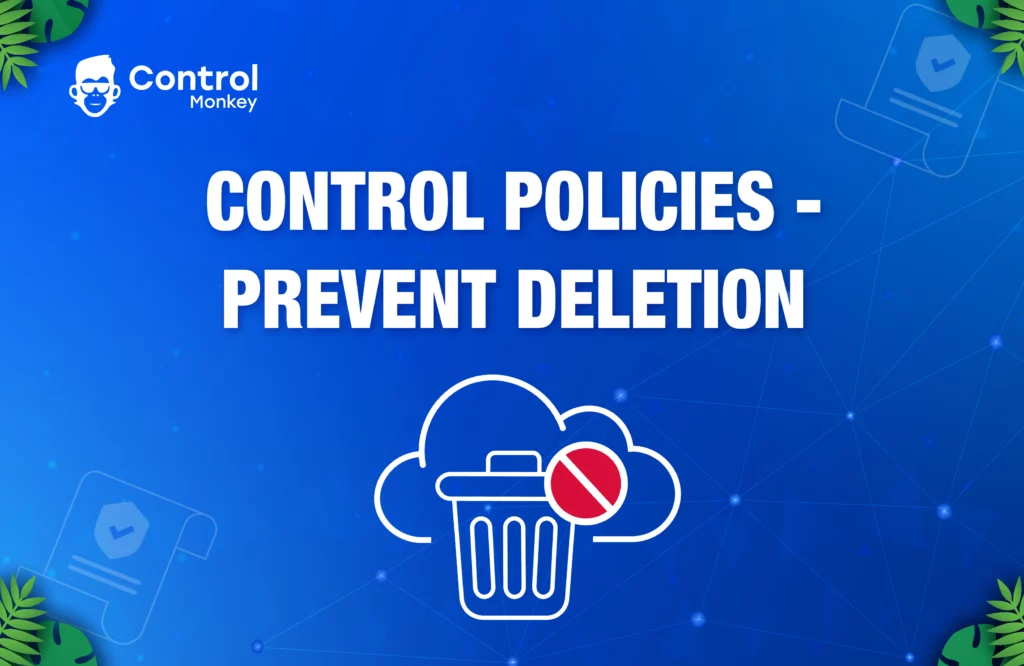
                  Today, we are pleased to announce a new Control Policy – ‘Prevent Deletion’.

                  Many of our customers have requested a policy that would warn or block accidental deletion of resources when running ‘Terraform Apply.’ Terraform can terminate resources in two cases: when a resource is intentionally removed from the Terraform code, or when a user modifies a resource’s properties, expecting an in-place update. However, Terraform may actually perform a replacement-update, deleting the resource and creating a new one. This can be a dangerous situation, as end-users might not anticipate the replacement of an entity, which could result in downtime.

                  Our new ‘Prevent Deletion’ policy ensures that no deletion operations will occur as part of the Terraform pipeline. By integrating this policy with the ControlMonkey CI/CD pipeline, users receive instant feedback, warning or blocking them before the operation takes place. This new policy not only saves DevOps teams valuable time on code review but also helps prevent downtimes and service interruptions in production environments.
                  The ‘Prevent Deletion’ policy is a valuable addition to the dozens of preventive policies already supported by ControlMonkey. These policies assist our customers in shifting left their cloud configuration management and streamlining their infrastructure delivery. By utilizing Control Policies, organizations can bolster their cloud infrastructure’s security and stability while minimizing the risk of misconfigurations and unexpected downtimes.
                  In summary, ControlMonkey’s new ‘Prevent Deletion’ policy is a powerful tool for managing cloud infrastructure and ensuring the safe deployment of resources. If you’re looking to enhance your cloud configuration management and safeguard your production environments, consider implementing ControlMonkey’s comprehensive suite of preventive control policies.

                  Bottom CTA Background

                  A 30-min meeting will save your team 1000s of hours

                  A 30-min meeting will save your team 1000s of hours

                  Book Intro Call

                  Author

                  Test User

                  Test User

                  CTO & Co-Founder

                  Lorem ipsum dolor sit amet, consectetur adipisicing elit. Animi architecto consequuntur dicta dolor, excepturi ipsam iste laudantium, magnam molestiae obcaecati odio quam quas repellendus sed, sint magnam molestiae.

                    Sounds Interesting?

                    Request a Demo

                    Resource Blog News Customers Stories

                    Updated: Aug 20, 2025 Upd: 20.08.25

                    2 min read

                    SOC2 Compliance with IaC

                    SOC2 Compliance with IaC

                    SOC2 is a compliance standard that measures a company’s ability to securely manage customer data. As part of the audit process, companies must demonstrate that they have effective controls in place to ensure the security, availability, processing integrity, confidentiality, and privacy of customer data.

                    Managing cloud infrastructure with Terraform can greatly assist companies to meet SOC2 compliance requirements in several ways:

                    • Consistency: Terraform management provides a consistent way to manage infrastructure across environments, ensuring that security controls are consistently applied.
                    • Auditable: Managing your Terraform code in a version-controlled and auditable manner can help demonstrate compliance with SOC2 requirements.
                    • Automation: Automating your Terraform deployment reduces the risk of human error and ensures that controls are consistently applied.
                    • Security: Adding security checks to your Terraform deployment to ensure compliance, such as resource-level access controls, encryption, and secure network communication.
                    • Reporting: Audit reporting is an essential aspect of compliance and security, as it allows companies to demonstrate that they have effective controls in place and are meeting regulatory requirements. 

                    Overall, using Terraform management tools as part of a comprehensive security program can help companies meet SOC2 compliance requirements and demonstrate their commitment to security best practices.

                    Today, ControlMonkey has launched a new solution to help companies achieve and maintain their SOC2 compliance. Check out our new solution page to see how ControlMonkey can help with your SOC2 compliance. ControlMonkey assists with:

                    • Environment separation: Ensuring that different environments are isolated and managed separately to maintain security and compliance.
                    • Audit reports: Provide detailed audit reports for your auditor to demonstrate compliance.
                    • Standardized deployment process: Streamlining the deployment process for infrastructure updates with approvals, ensuring consistency and control.
                    • Security and compliance tests: Enabling shift-left methodology by integrating security and compliance tests into your infrastructure deployment process.

                    If you’re about to run your SOC2 audit, check out our new solution to save time and ensure your infrastructure is always compliant.
                    With ControlMonkey’s assistance, you can confidently navigate the SOC2 compliance process and demonstrate your commitment to maintaining the highest security standards for your customers’ data.

                    Bottom CTA Background

                    A 30-min meeting will save your team 1000s of hours

                    A 30-min meeting will save your team 1000s of hours

                    Book Intro Call

                      Sounds Interesting?

                      Request a Demo
                      Cookies banner

                      We use cookies to enhance site navigation, analyze usage, and support marketing efforts. For more information, please read our. Privacy Policy