
ControlMonkey now supports OneLogin Backup and Recovery, helping security, IT, IAM, and platform teams protect critical OneLogin configurations with versioned recovery points and restore known-good configurations when something goes wrong.
OneLogin is a critical part of the identity layer that connects employees to the applications they need to work. The configurations behind that access can change constantly – and a deleted, misconfigured, malicious, or unintended change can quickly become an identity and business continuity problem.
ControlMonkey brings OneLogin into a broader configuration disaster recovery strategy, helping teams protect identity configuration alongside the other critical configuration layers their business depends on.
Introducing OneLogin Backup and Recovery
ControlMonkey extends its Cyber Resilience Platform to OneLogin, giving teams a reliable way to protect the configuration behind their identity environment.
With ControlMonkey, teams can:
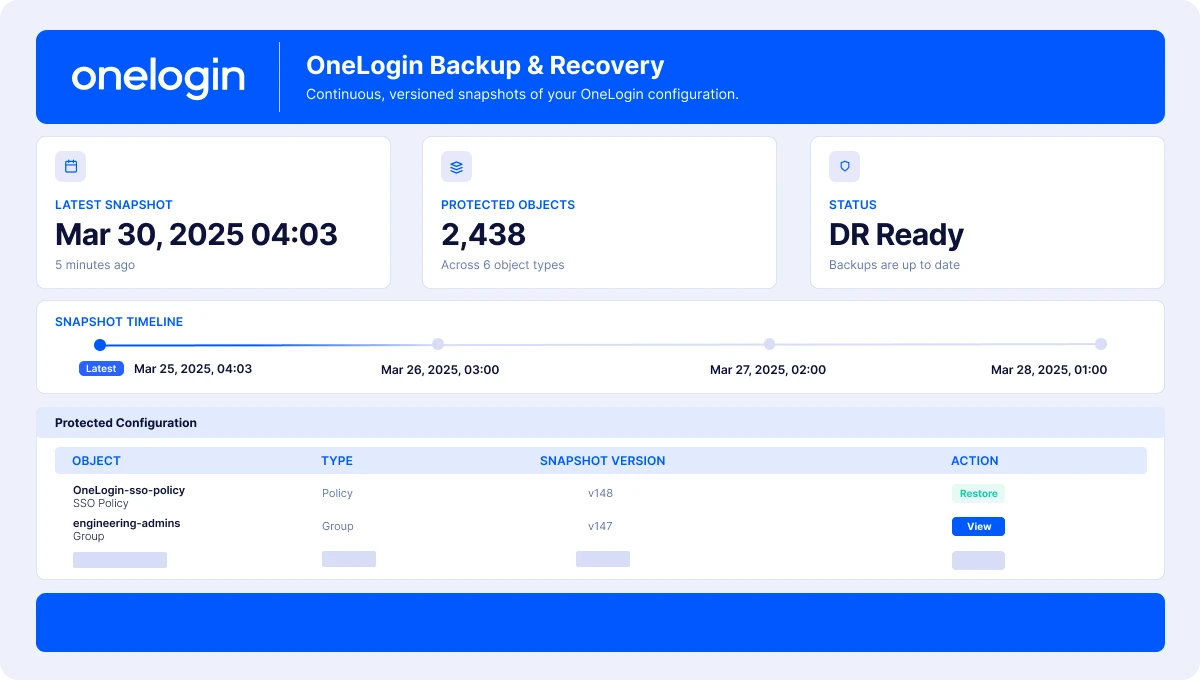
- Automatically back up OneLogin configurations with versioned recovery points.
- Track configuration changes over time and understand what changed and when.
- Identify unexpected changes that could impact identity operations.
- Restore previous known-good configurations instead of rebuilding settings manually.
- Strengthen identity recovery readiness as part of a broader configuration disaster recovery strategy.
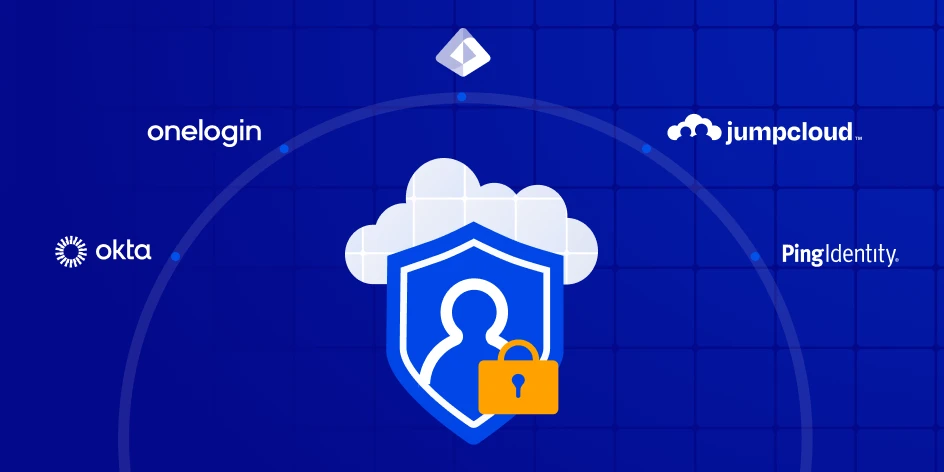
- Unified IdP Recovery Center – ControlMonkey helps OneLogin backup and recovery by reducing complexity by bringing into the same platform both Okta, Entra and other cloud and third-party configurations.
Why Do You Need a Resilience Solution for OneLogin?
OneLogin controls a critical part of how users authenticate and access business applications. If an important identity configuration is changed or deleted, the impact can spread quickly: employees can lose access, security controls can be affected, and IT and security teams can be forced to investigate and rebuild configuration under pressure.
There are a few risk vectors:
- It could be an honest mistake by an administrator.
- It could be a malicious actor changing identity configuration to disrupt access or weaken security controls.
- It could be an over-permissioned AI agent or automation making a change it shouldn’t.
ControlMonkey gives teams a reliable recovery path for OneLogin configuration. Instead of relying on manual investigation or tribal knowledge, teams can track configuration changes over time, identify creations, modifications, and deletions, and restore a previous known-good state when needed.
How OneLogin Backup and Recovery Works
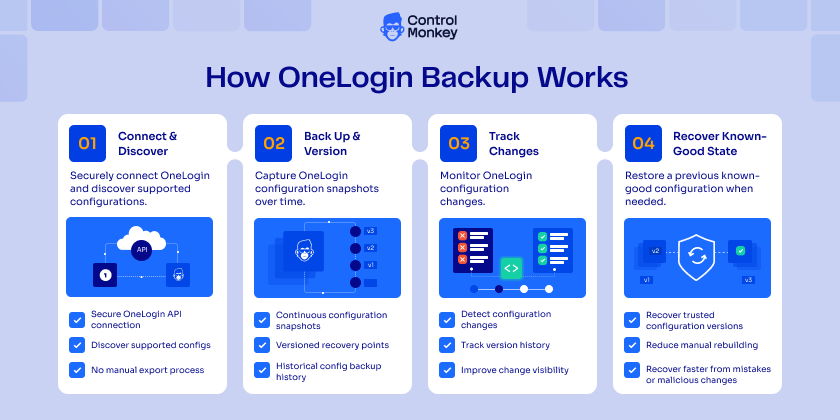
1. Connect OneLogin to ControlMonkey
ControlMonkey securely connects to your OneLogin environment and discovers supported configuration resources.
2. Automatically Back Up Configurations
ControlMonkey continuously captures supported OneLogin configurations and maintains versioned recovery points over time.
3. Track Every Configuration Change
Teams can see how OneLogin configuration changes between versions, helping them investigate unexpected modifications, deletions, and other configuration events.
4. Recover a Known-Good Configuration
If something goes wrong, teams can recover a previous version of the affected configuration instead of manually rebuilding it from memory.
How ControlMonkey Is Different
OneLogin provides APIs that organizations can use to retrieve and manage configuration. In fact, OneLogin specifically documents its Apps API as a way to back up application configuration so changes can be restored to a previous state. Its Get App API can retrieve application configuration for backup or cloning.
That gives engineering and IAM teams building blocks for creating their own backup workflows.
But an API is not the same as a managed configuration disaster recovery strategy.
Teams building OneLogin backup directly around APIs still need to determine how configuration is collected, where it is stored, how versions are maintained, how changes are investigated, and how recovery is performed when something goes wrong.
ControlMonkey turns OneLogin configuration protection into part of a broader recovery strategy alongside the other configuration layers the business depends on.
ControlMonkey vs. Native / API-Based OneLogin Backup
| ControlMonkey | Native / API-Based OneLogin Backup | |
|---|---|---|
| Focus | Provides managed OneLogin configuration backup and recovery as part of a broader cloud and SaaS configuration disaster recovery strategy | OneLogin provides administrative APIs that can be used to retrieve, create, update, and manage supported identity configuration |
| Backup Approach | Automatically captures supported OneLogin configurations and maintains versioned recovery points | Teams can use OneLogin APIs to retrieve configuration and build their own backup, storage, versioning, and recovery workflows |
| Configuration Coverage | Protects supported OneLogin configuration resources through ControlMonkey | Coverage depends on the APIs available for each OneLogin resource; OneLogin notes that its Apps API does not currently support provisioning settings |
| Version History | Maintains versioned configuration recovery points so teams can identify and return to a previous known-good state | Teams need to determine how retrieved OneLogin configuration is stored and versioned as part of their own backup implementation |
| Change Visibility | Gives teams a history of protected configuration changes to help investigate modifications and deletions | OneLogin APIs provide access to platform resources, while teams building an API-based backup process need to create the surrounding versioning and comparison workflow |
| Recovery Approach | Gives teams a managed path for recovering supported OneLogin configuration to a previous known-good state | OneLogin APIs can create and update supported resources, giving teams building blocks for developing their own recovery workflows |
| Operational Effort | Backup, versioning, configuration history, and recovery are managed through ControlMonkey | Requires engineering or IAM teams to develop and maintain the process around OneLogin APIs, including storage, versioning, automation, and recovery logic |
| Broader Resilience | Makes OneLogin part of a wider configuration disaster recovery strategy covering critical cloud, SaaS, network, identity, security, observability, and infrastructure configuration | OneLogin’s native APIs are designed to manage and retrieve OneLogin resources rather than provide cross-platform configuration disaster recovery |
| Best Fit | Organizations that want managed OneLogin configuration recovery as part of a unified cyber resilience strategy | Teams that want to build and maintain their own OneLogin configuration backup process using available APIs |
Bottom line: OneLogin provides APIs that can be used to build configuration backup workflows. ControlMonkey turns that configuration protection into a managed, versioned recovery strategy – without requiring teams to build and maintain the entire backup and recovery process themselves.
Strengthen Identity Resilience and Recovery Readiness
Identity is part of the critical infrastructure of modern businesses. If the configuration behind that identity layer is lost or damaged, recovering applications and data alone may not be enough to get the business operating normally again.
ControlMonkey helps security, IT, IAM, and platform teams maintain versioned OneLogin backups, understand configuration changes, and restore known-good configurations when human error, malicious activity, or automated changes put identity operations at risk.
🚀 Ready to protect your identity configuration? Explore OneLogin Backup and Recovery with ControlMonkey.