
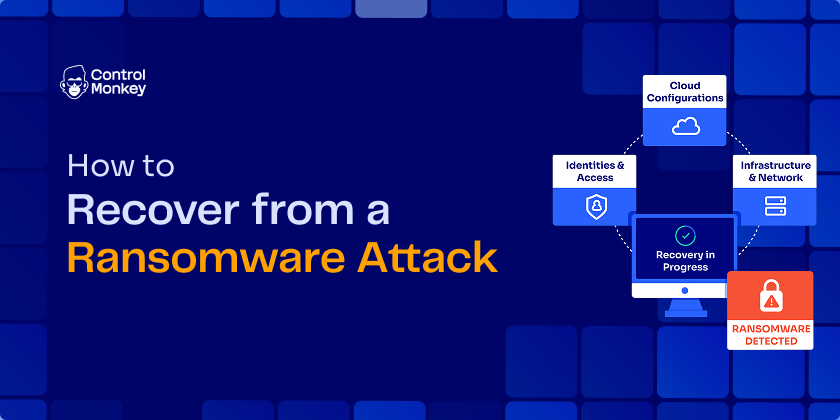
Picture the worst Monday of your career: the restore job finishes, every file comes back, and nothing runs. The servers, permissions, and network paths those files depend on are gone. To recover from a ransomware attack, you contain the breach, investigate it, rebuild a clean environment, restore data, validate, and monitor. This guide walks through each step, including the environment layer most recovery plans miss.
TL;DR
- Recovery is not finished when your files come back. It is finished when the business is back online.
- Data backup restores files. It does not restore the infrastructure configuration, IAM policies, and networking those files run on.
- The environment layer, not data restore speed, is what determines your RTO.
- Practitioners who lived through it report days to restore data and weeks to rebuild the environment around it.
- ControlMonkey turns a weeks-long rebuild into a controlled restore by continuously capturing a known-good state of your full environment.
Can a Company Recover from a Ransomware Attack?
Yes, most companies recover from a ransomware attack. The outcome hinges on preparation: clean backups, a tested recovery plan, and the ability to rebuild your environment, not just your data. Recovery is a when-and-how-fast question, not a whether question.
The “how fast” part is where businesses live or die. Every day of downtime burns revenue, customer trust, and contractual SLA commitments. A ransomware attack does not just encrypt data. It halts business operations until both the data and the systems around it come back.
97% of organizations that had data encrypted got it back, yet only 53% fully recovered within a week. Source: Sophos State of Ransomware 2025, a survey of 3,400 organizations hit by ransomware.
Practitioners put the stakes more bluntly. Here is one r/sysadmin verdict on a company estimating two weeks just to restore email:
“If it takes two weeks just to get email back operational, the business is done. Like going out of business done.” u/Jayhawker_Pilot, r/sysadmin
So what separates a three-day recovery from a three-week one? Rarely backup quality alone. The dividing line is whether a team can rebuild its full environment fast. That capability is what moves RTO, the number your executives actually track. Closing that gap is what the rest of this guide covers.
Why Data Backup Alone Isn’t Enough for Ransomware Recovery
Data backup supports ransomware recovery, but it was never the whole of it. Attackers know backups are your undo button, so they go after them first. Erase or encrypt the backups, and the ransom becomes the only exit. A hardened ransomware backup strategy built on immutable backups is table stakes. It still protects only one layer.
Attackers attempted to compromise backups in 94% of ransomware attacks, and 57% of those attempts succeeded. Median recovery costs ran eight times higher when they did: $3M versus $375K. Source: Sophos research surveying nearly 3,000 ransomware victims.
Now the part most recovery plans skip. Even with clean data, you have nowhere safe to put it. Restoring into a compromised environment restores the attacker’s foothold along with the files.
Recover from a Ransomware Attack: What Needs to Come Back Online First
- Files and databases
- Infrastructure configuration (compute, storage, VPCs)
- IAM policies and permissions
- Network settings (DNS, firewall rules, routing)
- Third-party dependencies and integrations
A 24/7 medical practice hit by Akira through an out-of-support VPN learned the same lesson mid-incident. The data came back from MSP backups quickly. The locked-out Active Directory and network did not:
“The network damage is a near rebuild of the full network, and im perfectly ok with that it needs an overhaul and update.” u/travvy13, r/sysadmin
“We’ll rebuild from code” sounds like a plan until you audit it. IaC rarely captured the ClickOps changes, drift, or third-party wiring, so IaC is not a resilience strategy.
The flowchart below shows where a data-only restore leaves you, and the path that avoids the weeks-long detour:
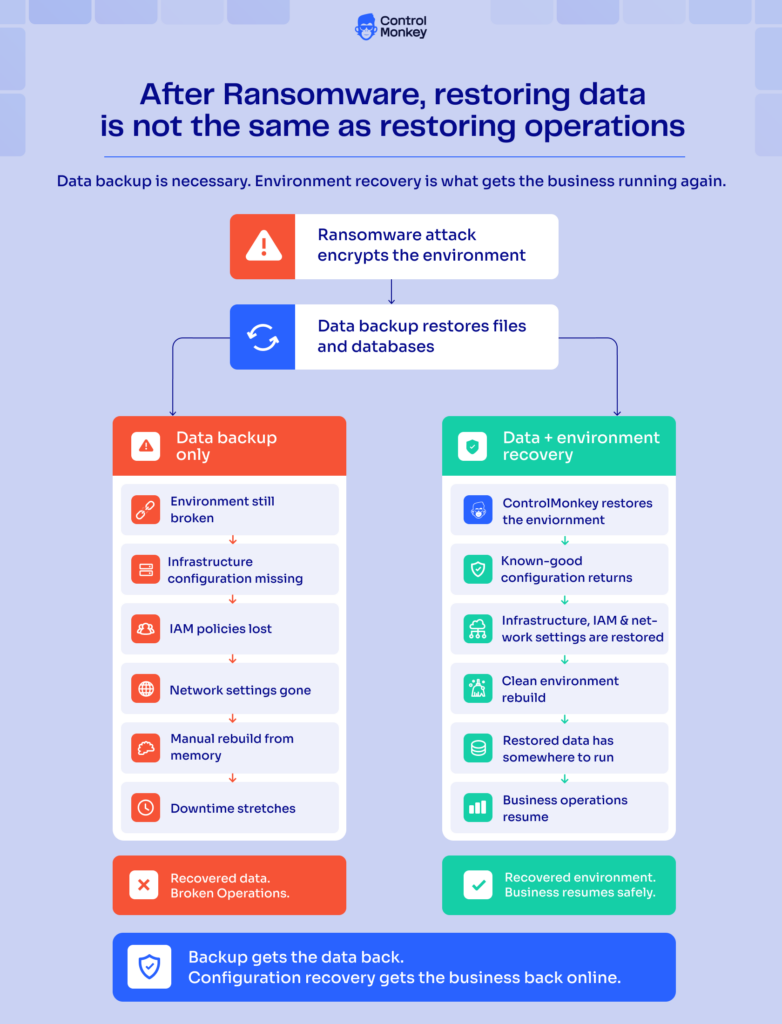
This is the recovery gap ControlMonkey closes. Cyber resilience today stops at data; ControlMonkey handles your whole environment. It continuously captures your infrastructure configuration, IAM policies, and network settings as a known-good state. When something breaks, it restores that state on demand as part of an infrastructure disaster recovery capability. It complements your data backup rather than replacing it, whether your team runs Terraform, ClickOps, scripts, or a mix of everything.

When Your Backups Work and You're Still Down
You have verified the data layer. Now find out whether the rest of your environment could be rebuilt tomorrow, before an attacker runs that test for you.
7 Steps to Recover from a Ransomware Attack
These seven steps to recover from a ransomware attack cover the full sequence, not just the data restore. Steps 1 through 3 contain the incident. Steps 4 through 7 rebuild the environment, restore data onto it, and prove the recovery holds.
Step 1: Isolate and contain the attack
Disconnect affected systems from the network immediately, and disable shared drives and VPN access. The CISA #StopRansomware Guide is the authoritative containment checklist; follow it. In the first 24 to 48 hours:
- Isolate infected systems; if several subnets look impacted, take the network offline at the switch level
- Take backups offline before the attacker reaches them
- Do not power off or wipe machines; volatile memory holds forensic evidence
- Coordinate over out-of-band channels like phone calls, not compromised email
Step 2: Preserve evidence and engage your response team
Photograph the ransom note, preserve logs, and capture forensic images before anything gets rebuilt. Notify your cyber insurance carrier, legal counsel, and incident response retainer on day one; their sign-off gates every later step. Practitioners consistently report that waiting on insurance and forensics approval, not technical work, caused their longest delays.
Step 3: Identify the attack vector before touching anything
Root cause comes before restore. If you do not know how the attackers got in, restoring systems restores their access too. The top-voted advice (317 upvotes) in one r/sysadmin post-mortem:
A 24/7 medical practice hit by Akira through an out-of-support VPN learned the same lesson mid-incident. The data came back from MSP backups quickly. The locked-out Active Directory and network did not:
“Before you do anything, you have to identify the vector of the attack… Restoring corrupt systems and data will only be a waste of time.” u/throwaway_wi_guy, r/sysadmin
The forensics findings, meaning the entry vector and the compromise window, are the artifact that clears your rebuild to start.
Step 4: Rebuild a clean environment from a known-good state
Stand up new infrastructure instead of cleaning the old: fresh VPCs, IAM policies, security groups, DNS, and third-party wiring. A clean environment rebuild cuts reinfection risk, and it is where recoveries stall for weeks when nobody captured the environment as code. ControlMonkey maintains a continuously updated known-good state of your infrastructure configuration, a time machine for your infrastructure. The rebuild becomes a restore instead of an archaeology project. Explore Infrastructure Disaster Recovery.
Step 5: Restore data onto the clean environment
Now the data restore pays off. Scan every backup for malware before restoring; ransomware dwell time means even recent copies may carry the infection. Restore in the priority order your cloud disaster recovery plan defines. A fintech would start with the checkout flow, not the marketing site.
Step 6: Validate everything before going live
Restored is not the same as operational. Run recovery testing against workloads, permissions, and integrations: can users log in, do scheduled jobs run, do third-party APIs still authenticate? Confirm the attack vector is closed, then get written IR sign-off before reconnecting to production and the internet.
Step 7: Monitor, harden, and retest
Watch closely for reinfection in the first weeks; footholds survive rushed rebuilds. Patch the entry vector and harden the platform, starting with AWS ransomware protection if you run on AWS. Then schedule recurring recovery tests so your next RTO is measured, not guessed. Drift detection keeps the known-good state current between tests.
How Long Does It Take to Recover from a Ransomware Attack?
Recovering from a ransomware attack typically takes days to several weeks. Well-prepared teams restore critical systems within days. Full recovery commonly runs into weeks, because environment rebuild, verification, and investigation holds consume most of the clock, not data restore speed.
The anatomy of that timeline surprises most teams. Data restore is the fast part, often hours to days. The weeks go to rebuilding infrastructure configuration, validating every system, and waiting on forensic and insurance holds.
Only 53% of ransomware victims fully recover within a week, per the Sophos State of Ransomware 2025 survey of 3,400 organizations. Nearly half face outages that stretch longer.
The comparison below shows where the clock actually goes in each recovery model:
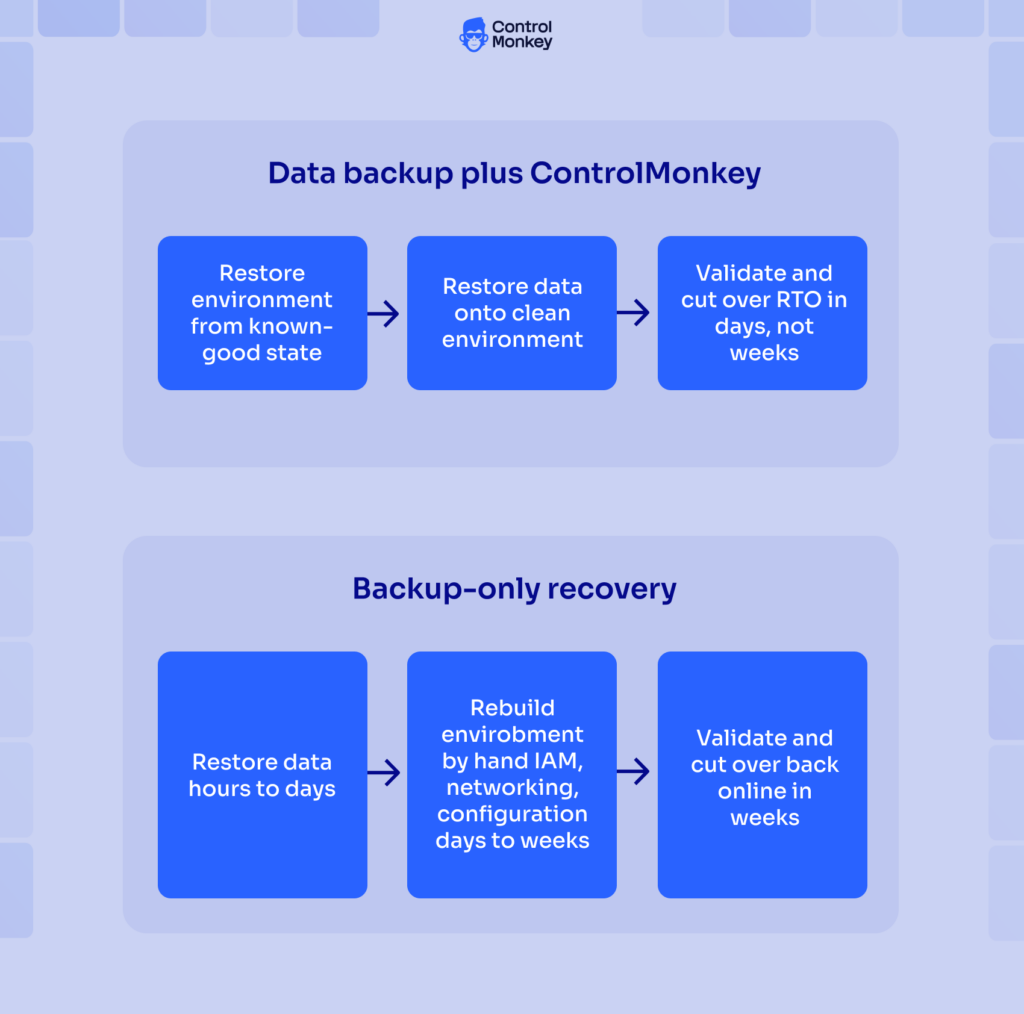
Two things compress the timeline. The first is a tested cloud disaster recovery strategy with RTO targets per tier. NIST’s Guide for Cybersecurity Event Recovery (SP 800-184) makes the same point: build and test the recovery playbook before the incident. The second is an environment you can recreate on demand. Teams with a captured known-good state restore infrastructure in hours, moving from the two-month cohort toward the three-day one. Infrastructure configuration determines RTO. That is the whole argument in one sentence.
Ransomware Recovery FAQ: What Practitioners Actually Ask
Backups are not enough to recover from a ransomware attack. It restores your data, not the environment it runs on. Full recovery also requires rebuilding infrastructure configuration, IAM policies, network settings, and third-party integrations. Treat data backup as one layer of a wider disaster recovery plan, not the plan itself.
Restoring into the same environment after a ransomware attack is not considered safe. Attackers often leave behind persistence mechanisms that survive a data restore, allowing them to regain access or re-encrypt systems. Best practice is to recover into a clean environment first, then restore trusted infrastructure configurations, identity services, and application data.
Rebuilding Active Directory or IAM after a ransomware attack is often necessary because identity systems should be treated as compromised. Restoring trusted IAM policies, roles, permissions, and directory configurations from backup is significantly faster and more reliable than rebuilding them manually, helping organizations recover identity services more quickly.
The first thing you should do after a ransomware attack is isolate affected systems to prevent the attack from spreading while preserving forensic evidence. Once the incident is contained, engage your incident response team, legal counsel, and cyber insurance provider before beginning recovery. Only after the environment is secured should you restore infrastructure, identity, and application data.
Closing the Ransomware Recovery Gap Before the Next Attack
Ransomware recovery is measured in business operations restored, not files restored. The environment layer- your infrastructure configuration, IAM, networking, and dependencies- is what determines how long that takes. You cannot schedule the attack. You can schedule the rehearsal and test whether your environment could be rebuilt today.
A continuously captured known-good state changes how you recover from a ransomware attack: the rebuild project becomes a restore operation. ControlMonkey keeps that state current, so your cyber resilience and business continuity cover the whole environment instead of stopping at the data.

A 30-min meeting will save your team 1000s of hours
A 30-min meeting will save your team 1000s of hours
Author