Join our next Live Demo on Mar 30th!

Resource Blog News Customers Stories

Updated: Aug 20, 2025 Upd: 20.08.25

2 min read

Allowed AWS Console Operations

Allowed AWS Console Operations

Last month we released the feature ‘Console Operations Notifications’, which notifies ControlMonkey users whenever someone performs operations from the AWS console.

The feedback we got from our customers was outstanding, but some of them also indicated that there are certain actions that they allow their teams to perform in the AWS console, so they wanted to have a mechanism to allow-list those actions that are permitted in their organization.

So to support this request we have developed a new capability, ‘Allowed Console Operations’.

‘Allowed Console Operations’ enables ControlMonkey users to define rules for specific actions that are permitted to be performed in the AWS console. 
For example: Updating Lambda function code from the AWS console.

This feature’s granularity allows ControlMonkey users to apply the rule to a specific account, region, resource name, or resource type. 
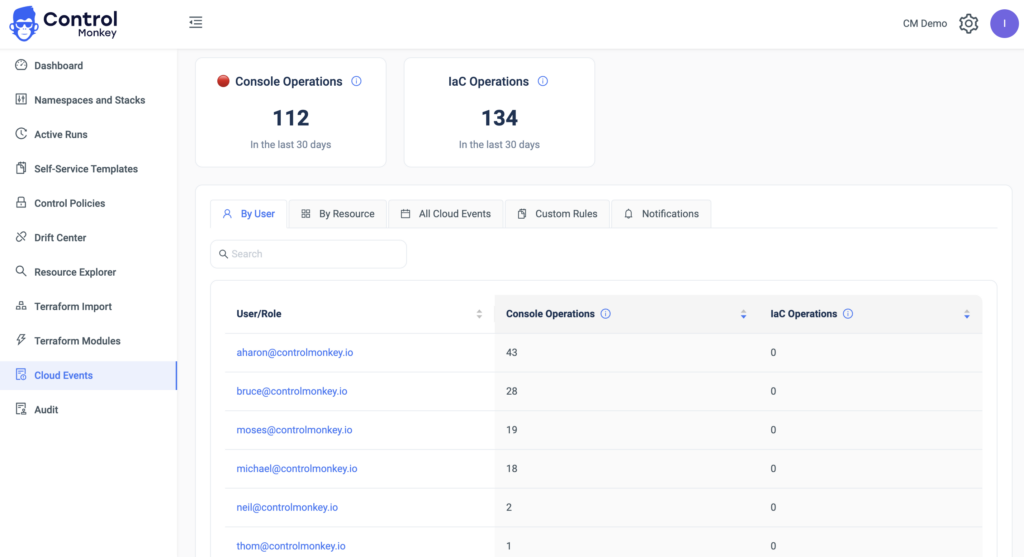
To make things easier, we have also added the option to create an allowed console operation rule directly from a console operations event in our cloud events dashboard, in 2 clicks. 

While our vision is enabling our customers to minimize their ClickOps in the AWS console, this capability adds that extra layer of customization which allows them to also reduce unnecessary ClickOps and also the notifications for permitted actions. 

Bottom CTA Background

A 30-min meeting will save your team 1000s of hours

A 30-min meeting will save your team 1000s of hours

Book Intro Call

    Sounds Interesting?

    Request a Demo

    Resource Blog News Customers Stories

    Updated: Sep 04, 2025 Upd: 04.09.25

    2 min read

    Drift auto-sync

    Zack Bentolila

    Zack Bentolila

    Marketing Director

    Drift auto-sync

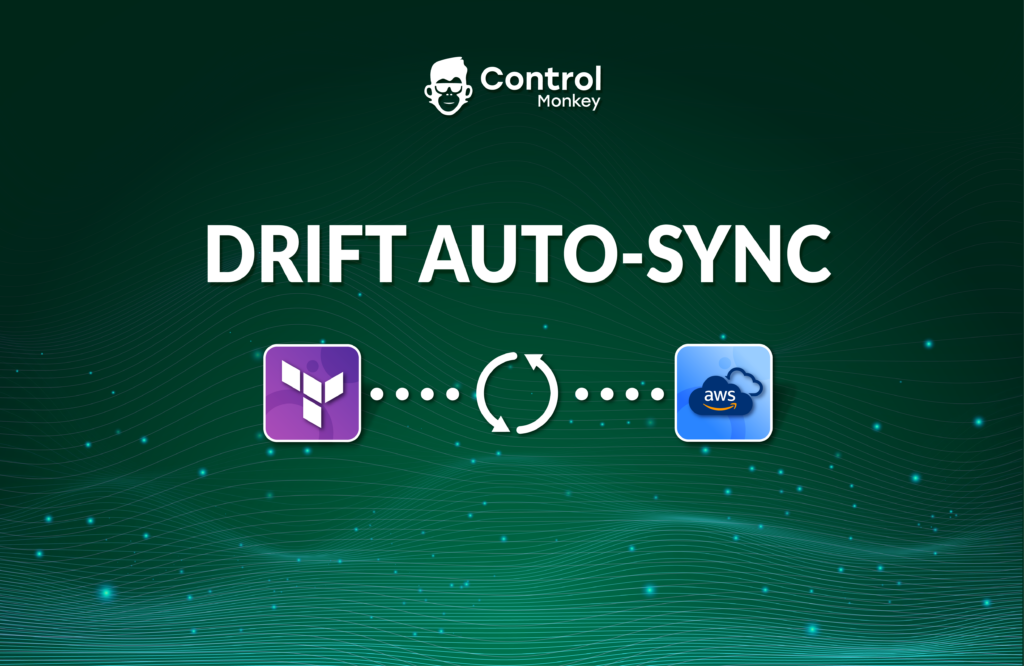
    Today we are excited to announce the latest enhancement to ControlMonkey’s Drift Center, Drift auto-sync.

    What is Drift auto-sync?

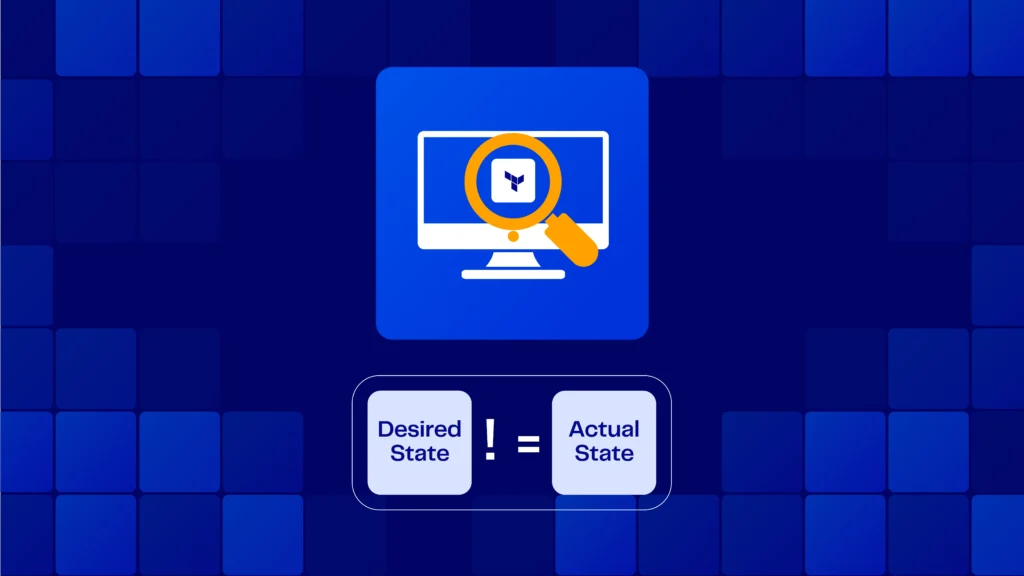
    Our Drift Center helps DevOps teams identify and address discrepancies. These lie between the specified configuration in the Terraform, OpenTofu and Terragrunt code and the actual state of resources in the cloud environment.

    Whenever a drift is detected and ‘Drift auto-sync’ is enabled, ControlMonkey will automatically trigger a deployment (reconciliation). This is to align the AWS resource (The “Actual State”) to the Terraform Code (The “Desired state”).

    This feature is very similar to ArgoCD reconciliation capability.

    The new capability is a checkbox configuration that is part of the stack’s configuration. This capability is included to all levels of subscription.

    Drift auto-sync supports 2 types of Terraform Drifts:

    1. Drift that originated from a configuration change that was made from the AWS, GCP or Azure console. This change was not from Terraform Apply.
    2. Drift that originated from a change to a Terraform Data Source.
      e.g An auto-scaling group configuration fetches an image ID from a Data Source and that image ID has changed. This occurs since the last deployment, causing the Auto-scaling group to drift because it has the old image.

    What next?

    So if your stack is heavily dependent on data sources and you want to validate that you are always using the latest values, then the Drift auto-sync is the ideal solution. It will automatically reconcile the resource and save you the trouble of manually resolving the drift.

    Join our Product Showdown this week to see it in action

    Bottom CTA Background

    A 30-min meeting will save your team 1000s of hours

    A 30-min meeting will save your team 1000s of hours

    Book Intro Call

    Author

    Zack Bentolila

    Zack Bentolila

    Marketing Director

    Zack is the Marketing Director at ControlMonkey, with a strong focus on DevOps and DevSecOps. He was the Senior Director of Partner Marketing and Field Marketing Manager at Checkmarx. There, he helped with global security projects. With over 10 years in marketing, Zack specializes in content strategy, technical messaging, and go-to-market alignment. He loves turning complex cloud and security ideas into clear, useful insights for engineering, DevOps, and security leaders.

      Sounds Interesting?

      Request a Demo

      Resource Blog News Customers Stories

      Updated: Aug 20, 2025 Upd: 20.08.25

      1 min read

      Console Operations Notifications

      Console Operations Notifications

      ControlMonkey is all about helping organizations shift their cloud operations from ClickOps (working from the AWS console) to GitOps with Terraform.

      As part of our Cloud Inventory tool, we are already monitoring all the infrastructure modifications made from the AWS console and the reflective user who made them.
      Wouldn’t it be great to be notified in real-time whenever someone makes such an operation and prevent drifts or misconfigurations?


      Today we are happy to announce the latest enhancement, Cloud Operations Notifications.
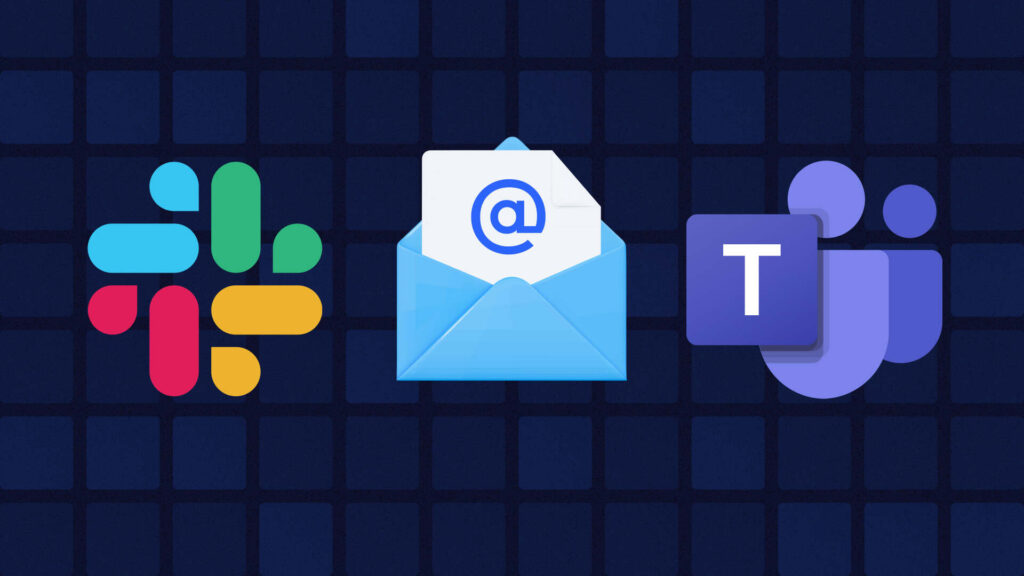
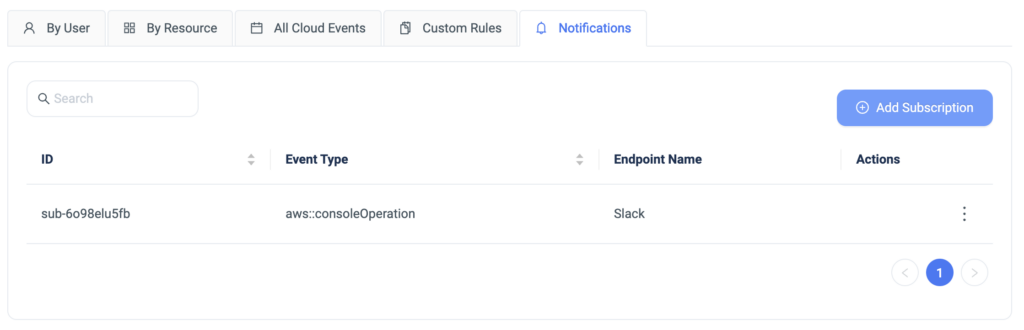
      ControlMonkey users can now be notified in real-time to SlackTeams on any Click Operations done from the AWS console.

      Despite believing that you are running fully GitOps, setting additional guardrails, and getting real-time alerts helps you avoid surprises and educateenable the organization to work in a GitOps methodology, and not through the AWS console.

      Bottom CTA Background

      A 30-min meeting will save your team 1000s of hours

      A 30-min meeting will save your team 1000s of hours

      Book Intro Call

        Sounds Interesting?

        Request a Demo

        Resource Blog News Customers Stories

        Updated: Aug 20, 2025 Upd: 20.08.25

        1 min read

        Infrastructure Cost Breakdown

        Infrastructure Cost Breakdown

        Today we are happy to announce the latest enhancement to ControlMonkey Cloud Inventory Tool, Infrastructure Cost Breakdown.

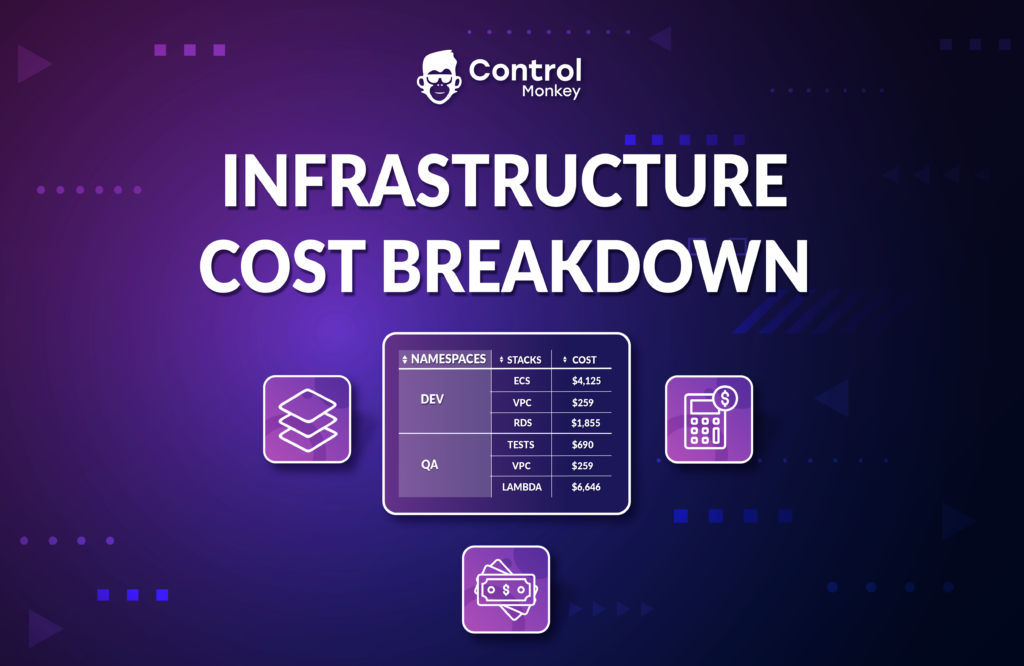
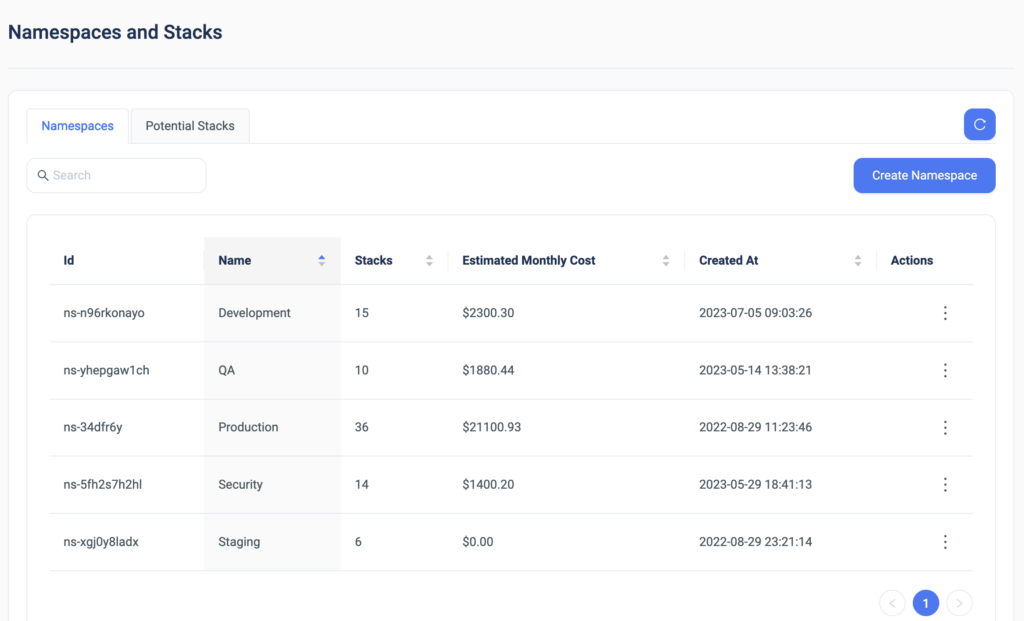
        With Infrastructure Cost Breakdown, ControlMonkey users can see the estimated monthly cost of any specific stack or namespace in their cloud account and validate if they’re within budget.

        You can also logically divide namespaces per team (e.g. DEV, QA) and have certain costs attributed to a particular team.

        Infrastructure Cost Breakdown doesn’t require any configuration, you get this capability out of the box as part of our hierarchy mechanism of namespaces and stacks.

        Note: The monthly cost estimation takes into consideration only the base cost of non-usage-priced AWS resources. For example, for resources such as Lambda functions, we can only predict the base cost, not the actual usage cost.

        We are leveraging Infracost’s technology for this feature, so big kudos to the team there.

        Bottom CTA Background

        A 30-min meeting will save your team 1000s of hours

        A 30-min meeting will save your team 1000s of hours

        Book Intro Call

          Sounds Interesting?

          Request a Demo

          Resource Blog News Customers Stories

          Updated: Oct 20, 2025 Upd: 20.10.25

          2 min read

          Terraform Drift Source

          Terraform Drift Source

          We are pleased to announce the latest enhancement to ControlMonkey’s Drift Center, Terraform Drift Source!

          The Drift Center helps DevOps teams identify and address discrepancies between the specified configuration in the Terraform code and the actual state of resources in the cloud environment.

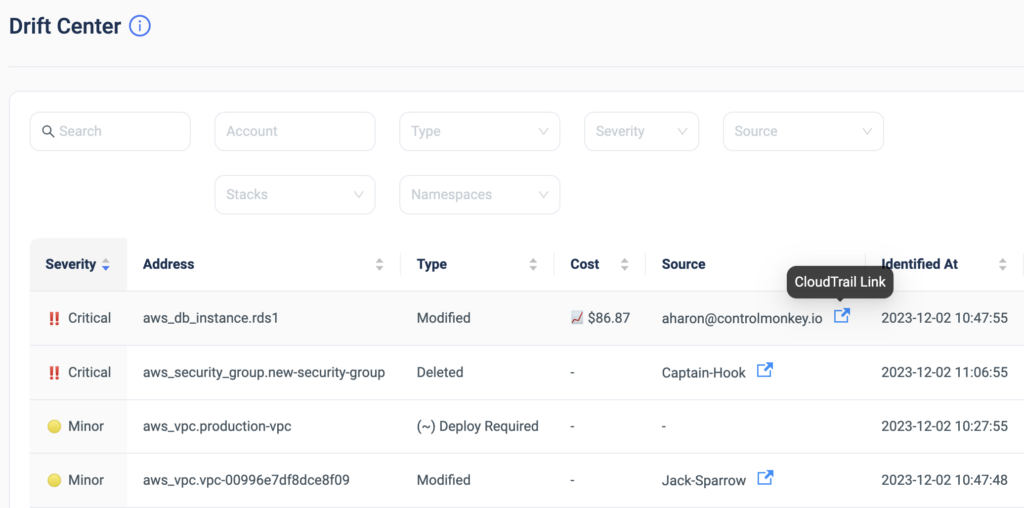
          Starting today, ControlMonkey users can detect who is the AWS user/role that modified the resources’ configuration not through Terraform and caused the drift.
          Understanding immediately who or what is responsible for the Terraform drift significantly lowers the time to resolution of the drift.

          This amazing capability is a perfect example of how powerful it is to have your Terraform Operations platform fully integrated with your cloud account!

          The drift source can be a remote DevOps team member, a developer, or a 3rd party tool.
          So finding the source can be a long and irritating process.

          Our algorithm automatically matches between Terraform drifts and CloudTrail events and indicates who is responsible for the drift.

          Drift Center

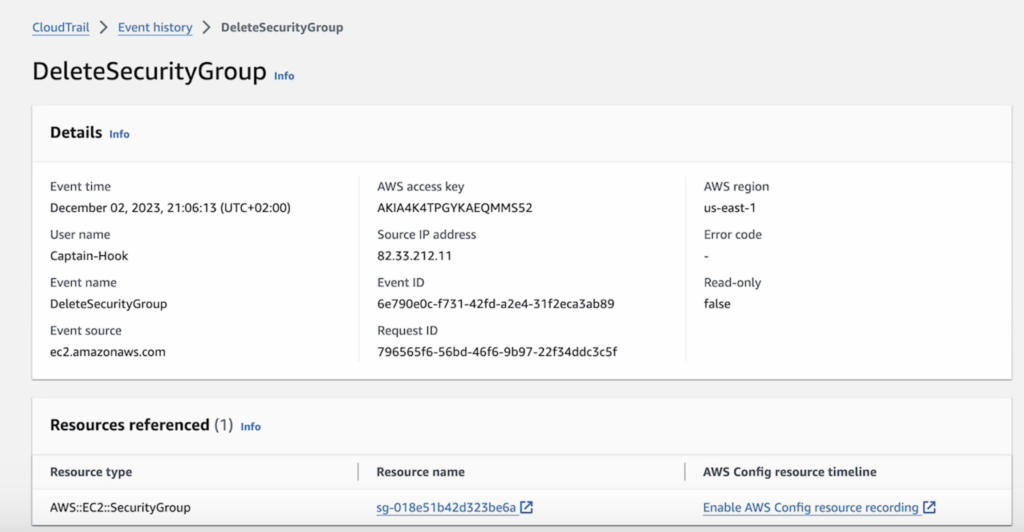
          Besides providing the drift source, ControlMonkey also offers a one-click link to the CloudTrail event of the configuration change to streamline the investigation process even further.

          CloudTrail event

          ControlMonkey’s ‘Drift Center‘ is the only solution that provides DevOps teams with valuable cloud insights that help them resolve drifts faster, and more efficiently.

          Detecting and resolving Terraform Drifts faster helps keep your cloud secure, compliant, and cost-efficient.


          Bottom CTA Background

          A 30-min meeting will save your team 1000s of hours

          A 30-min meeting will save your team 1000s of hours

          Book Intro Call

            Sounds Interesting?

            Request a Demo

            Resource Blog News Customers Stories

            Updated: Aug 20, 2025 Upd: 20.08.25

            2 min read

            Enhanced Resource Explorer

            Test User

            Test User

            CTO & Co-Founder

            Enhanced Resource Explorer

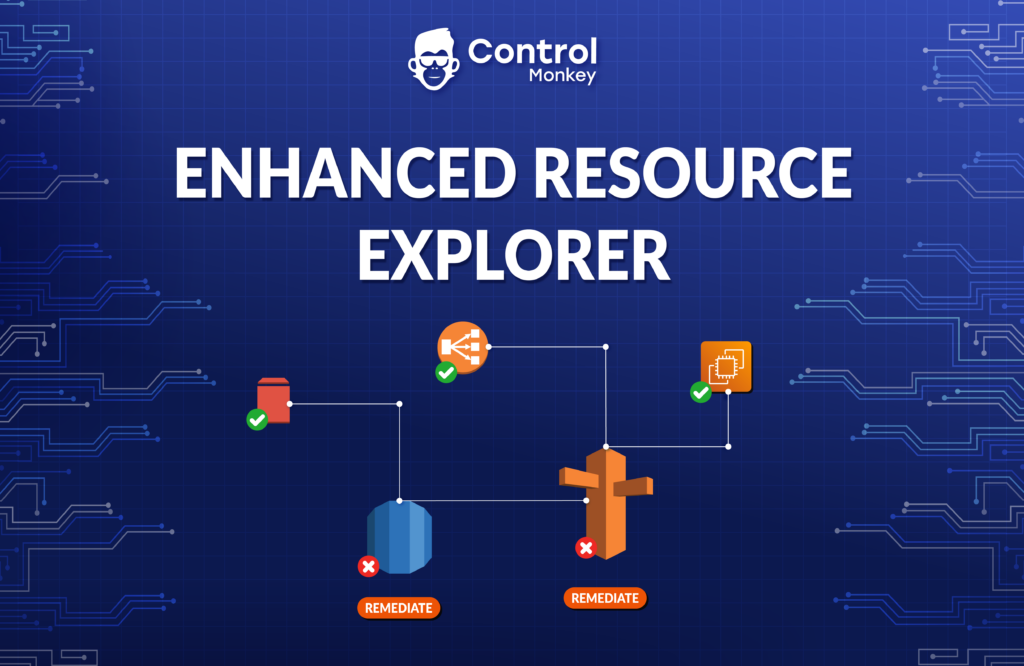
            Today we are excited to announce the launch of our enhanced resource explorer.
            ControlMonkey’s resource explorer is a simplified dashboard that helps DevOps teams discover and investigate all of their AWS resources.

            With Resource Explorer, you can:

            • Search for AWS resources per account, region, Resource Type, VPC, and even by tags.
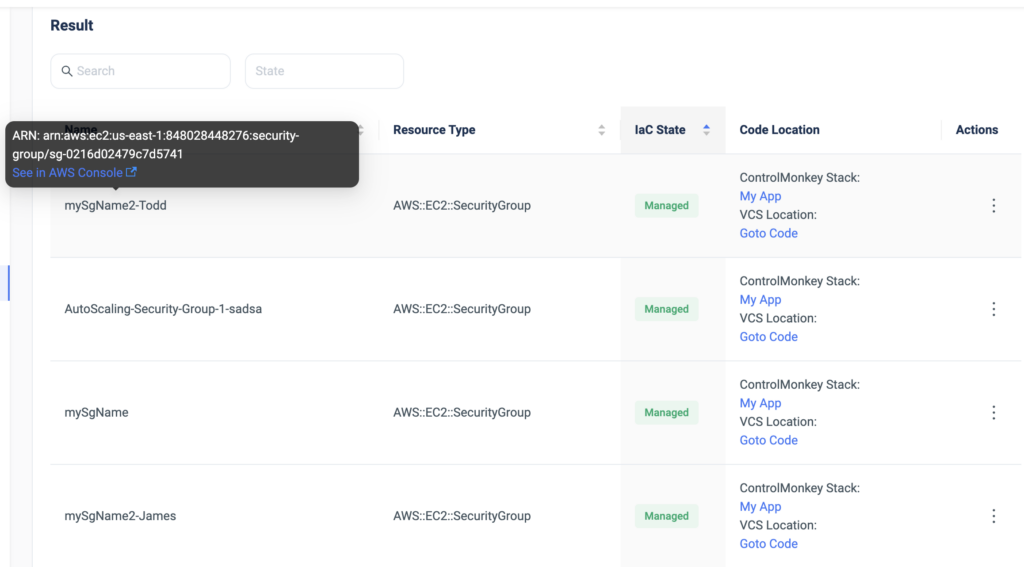
            • Get an indication of whether this resource is managed by Terraform alongside a 1-click button that opens the resource’s corresponding code in your GIT repository.
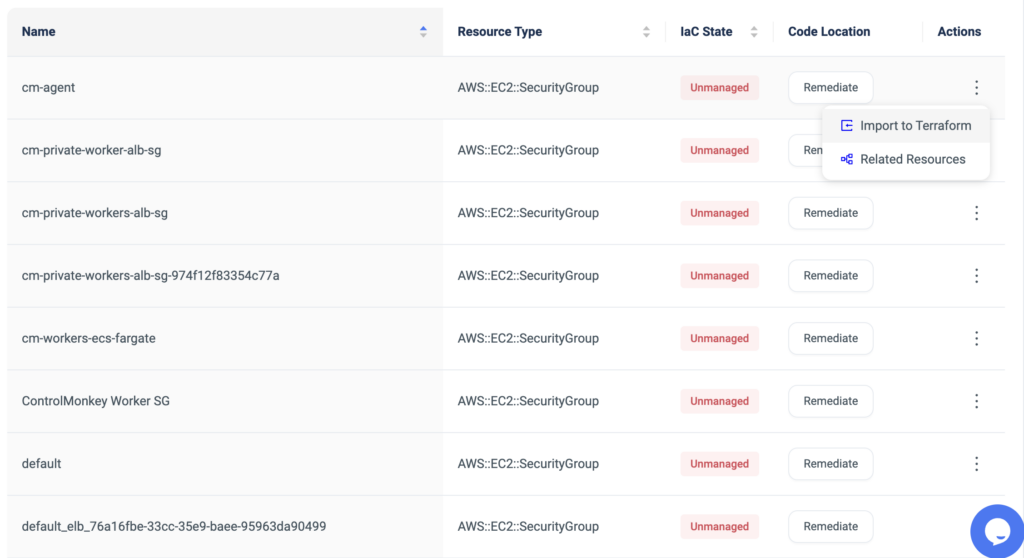
            • Get an indication of whether this resource is unmanaged by Terraform alongside a 1-click remediation button for a quick resolution.
            • Easily see the resource’s ARN alongside a 1-click button that opens the resource in the AWS console.
            • Find related resources. For example: who’s using a security group? what IAM users are using an IAM policy?

            Resource Explorer provides you with complete visibility into your Cloud Infrastructure, saves precious time when searching for resources, and makes sure your Terraform coverage is maximized.

            With ControlMonkey, you can seamlessly detect resources that are not managed by Terraform, and in a few clicks you can import those into Terraform code using our ‘Terraform Import Engine’.
            Our ‘Smart Stacking Algorithm’ automatically identifies related resources and proactively allows the user to import the entire related stack, rather than importing them one by one.

            1-click import of unmanaged resources to Terraform

            ControlMonkey’s Resource Explorer also serves as your Terraform knowledge base, providing your team an easy way to locate Terraform code across your Git repositories regardless of specific team member seniority or tenure within the organization.

            Harness terraform to its full potential, maximize your terraform coverage, and achieve secure and compliant AWS environments.

            Bottom CTA Background

            A 30-min meeting will save your team 1000s of hours

            A 30-min meeting will save your team 1000s of hours

            Book Intro Call

            Author

            Test User

            Test User

            CTO & Co-Founder

            Lorem ipsum dolor sit amet, consectetur adipisicing elit. Animi architecto consequuntur dicta dolor, excepturi ipsam iste laudantium, magnam molestiae obcaecati odio quam quas repellendus sed, sint magnam molestiae.

              Sounds Interesting?

              Request a Demo

              Resource Blog News Customers Stories

              Updated: Aug 20, 2025 Upd: 20.08.25

              1 min read

              Manage CodeBuild with Terraform

              Test User

              Test User

              CTO & Co-Founder

              Manage CodeBuild with Terraform

              Today ControlMonkey is pleased to announce that we have reinforced our “Import to Terraform” solution with the capability to Import AWS CodeBuild resources to Terraform. 

              AWS CodeBuild is a fully managed integration service that compiles source code, runs tests, and produces ready-to-use software packages.

              However, when managing CodeBuild in a manual ClickOps methodology, and not through Terraform Code, the risk factor of misconfigurations increases.

              Since CodeBuild is a crucial component for delivering applications and services to production, any misconfiguration of it may critically affect the Software Delivery process, which in turn slows down business.

              With ControlMonkey, DevOps can easily import and manage their CodeBuild:

              The benefits of managing CodeBuild with Terraform & ControlMonkey:

              • Get out-of-the-box Drift Detection on any deviation from your desired CodeBuild state
              • Leverage Infrastructure CI/CD to validate any changes to your CodeBuild artifacts
              • Set Proactive Policies to avoid any misconfigurations that could lead to downtime

              So if you’re still managing your CodeBuild projects through the AWS console, now’s the time to manage them with Terraform.

              Bottom CTA Background

              A 30-min meeting will save your team 1000s of hours

              A 30-min meeting will save your team 1000s of hours

              Book Intro Call

              Author

              Test User

              Test User

              CTO & Co-Founder

              Lorem ipsum dolor sit amet, consectetur adipisicing elit. Animi architecto consequuntur dicta dolor, excepturi ipsam iste laudantium, magnam molestiae obcaecati odio quam quas repellendus sed, sint magnam molestiae.

                Sounds Interesting?

                Request a Demo

                Resource Blog News Customers Stories

                Updated: Aug 20, 2025 Upd: 20.08.25

                1 min read

                ControlMonkey achieves DevOps ISV Partner Competency

                ControlMonkey achieves DevOps ISV Partner Competency

                We’re honored to share that AWS has granted ControlMonkey the DevOps ISV Partner Competency.

                AWS DevOps Competency

                AWS DevOps Competency Partners are businesses that have demonstrated expertise in delivering DevOps solutions on AWS Infrastructure.

                We have been identified by AWS as a partner that offers a range of services and software products that simplify provisioning and managing infrastructure, automate software release processes, and integrate security best practices, policies, and guardrails into CI/CD pipelines.

                ControlMonkey is AWS native and we are thankful for being technologically recognized by the amazing team at AWS.

                With this competency, we’re looking forward to expanding our partnership to new frontiers

                Bottom CTA Background

                A 30-min meeting will save your team 1000s of hours

                A 30-min meeting will save your team 1000s of hours

                Book Intro Call

                  Sounds Interesting?

                  Request a Demo

                  Resource Blog News Customers Stories

                  Updated: Aug 20, 2025 Upd: 20.08.25

                  1 min read

                  Proactive FinOps – Cost Policies

                  Proactive FinOps – Cost Policies

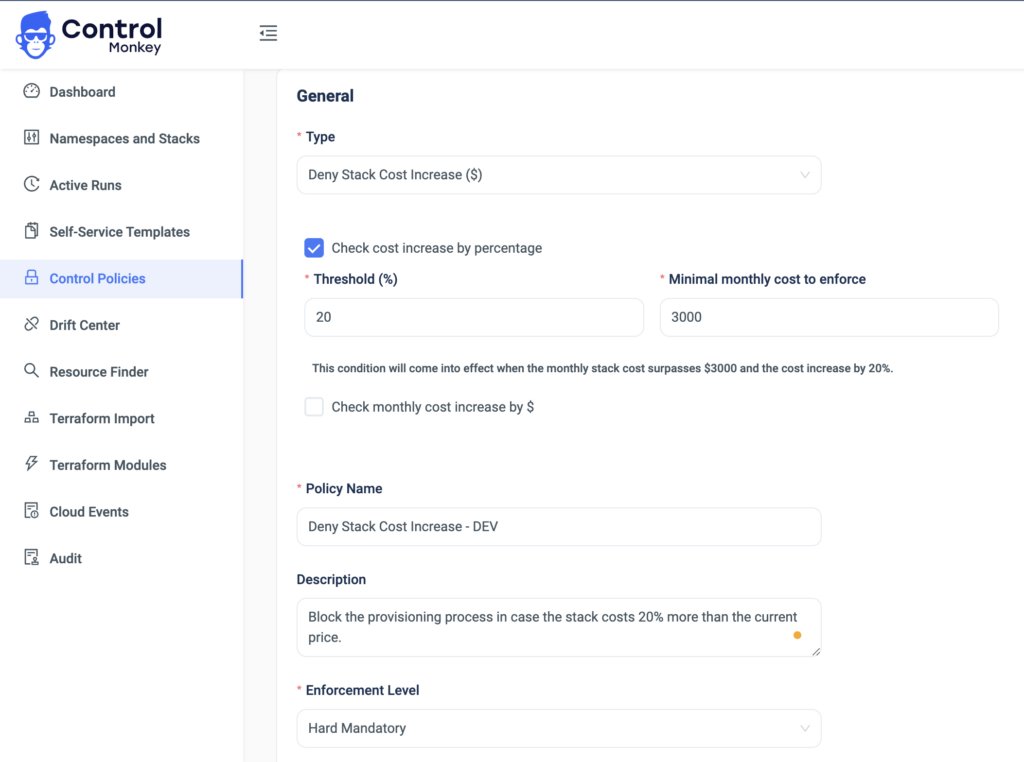
                  Today ControlMonkey is happy to announce a new capability that enables our users to take a Proactive FinOps approach by setting custom ‘Cost Policies’ on their cloud environment as part of their Terraform pipeline.

                  ControlMonkey’s Control Policies serve as proactive controls as part of our GitOps CI/CD Pipeline and help DevOps avoid errors and misconfigurations in production environments.
                  Leveraging Cost Policies is the best practice for enforcing budget restrictions in your cloud environment before resources are provisioned and before costing you money.

                  With the new ‘Cost Policy’ rule, ControlMonkey automatically alerts the user or blocks an infrastructure deployment in case the newly provisioned resources cost more than allowed (Threshold is configurable).

                  Don’t react to costly FinOps mistakes in production, prevent them from happening.

                  Bottom CTA Background

                  A 30-min meeting will save your team 1000s of hours

                  A 30-min meeting will save your team 1000s of hours

                  Book Intro Call

                    Sounds Interesting?

                    Request a Demo

                    Resource Blog News Customers Stories

                    Updated: Aug 20, 2025 Upd: 20.08.25

                    2 min read

                    Import to Terraform – Smart Stacking

                    Import to Terraform – Smart Stacking

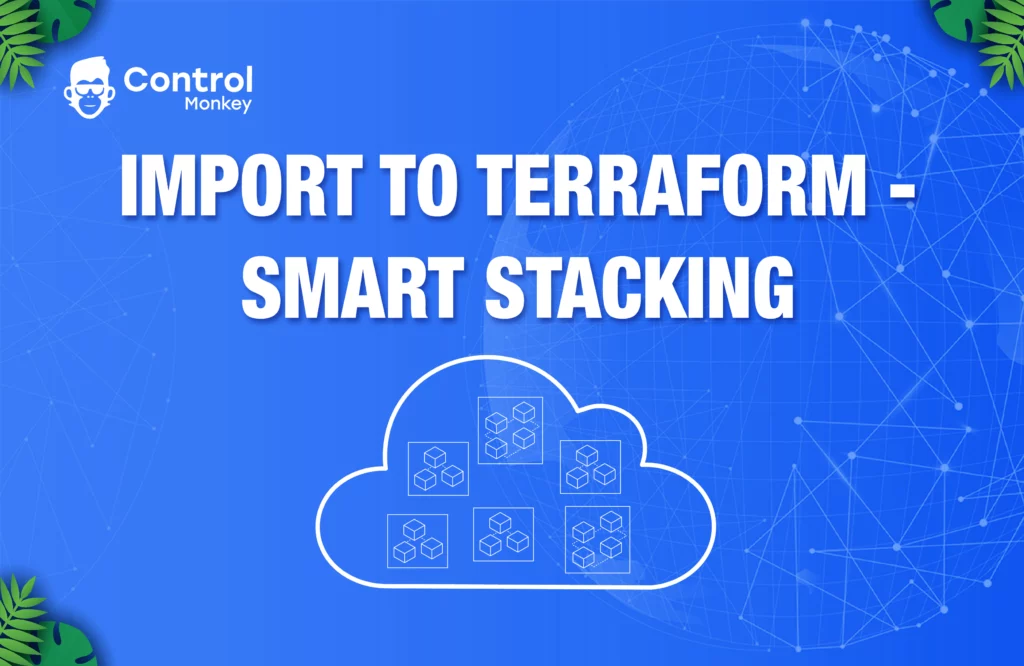
                    A significant update to ControlMonkey’s capability to import existing AWS environments to Terraform – Smart Stacking! When shifting to Infrastructure as Code (IaC), creating small stacks of related resources is essential for efficient management. For example, an AutoScaling Group with its Launch Configuration and security group.

                    Why Smart Stacking?

                    Generating Terraform code for each resource and running ‘Terraform Import’ on each one separately is a tedious and time-consuming task. With ControlMonkey’s Smart Stacking, our platform automatically learns the user environment architecture, builds models of related resources using our contextual algorithm, and generates the Terraform code and State file for each model. That means users don’t have to run Terraform Import themselves; we do it for them and provide them with a 100% validated State file.
                    We are the only platform that provides a State file when generating Terraform code for our users.

                    In addition, we provide users with the ability to alter these models and add/remove resources as they see fit. With the new Smart Stacking capability, AWS users can now shift their existing resources to Terraform even more easily and safely. If you’re looking to shift to Infrastructure as Code and don’t know where to start, look no further than ControlMonkey. Our import to Terraform solution is designed to help make your transition smooth and seamless, with the added benefit of Smart Stacking.

                    Bottom CTA Background

                    A 30-min meeting will save your team 1000s of hours

                    A 30-min meeting will save your team 1000s of hours

                    Book Intro Call

                      Sounds Interesting?

                      Request a Demo
                      Cookies banner

                      We use cookies to enhance site navigation, analyze usage, and support marketing efforts. For more information, please read our. Privacy Policy