Join our next Live Demo on Feb 19th!

Resource Blog News Customers Stories

Updated: Aug 20, 2025 Upd: 20.08.25

1 min read

Discover your IaC coverage on GCP

Discover your IaC coverage on GCP

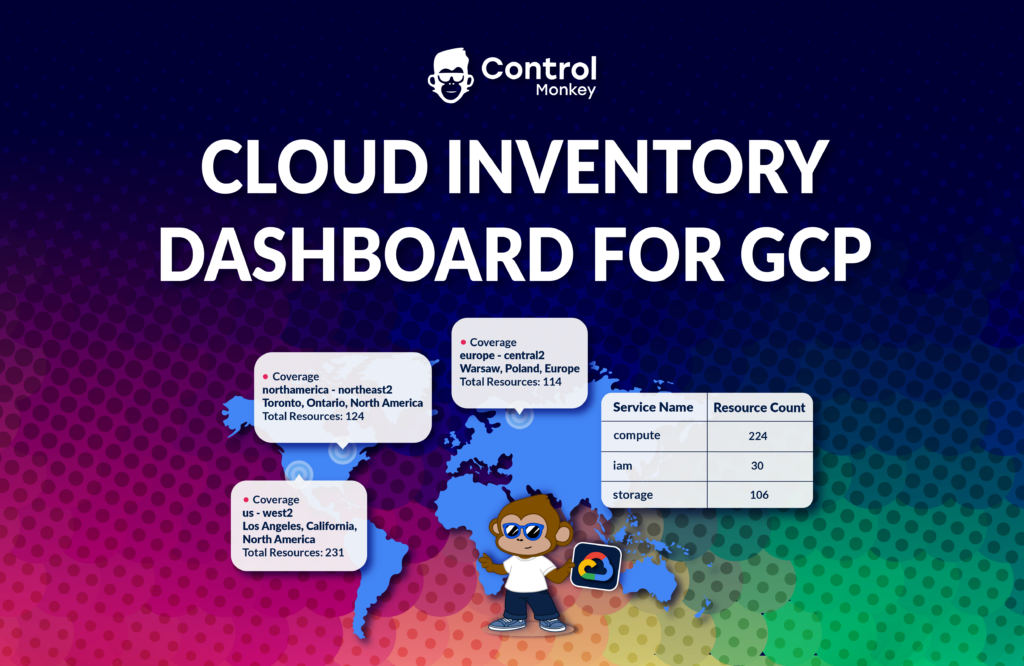
Last month, we announced the release of the Cloud Inventory Dashboard for GCP, the first significant capability of our cloud visibility solution for GCP.
We’re happy to announce another milestone in our multi-cloud support with ControlMonkey’s IaC Coverage for GCP.

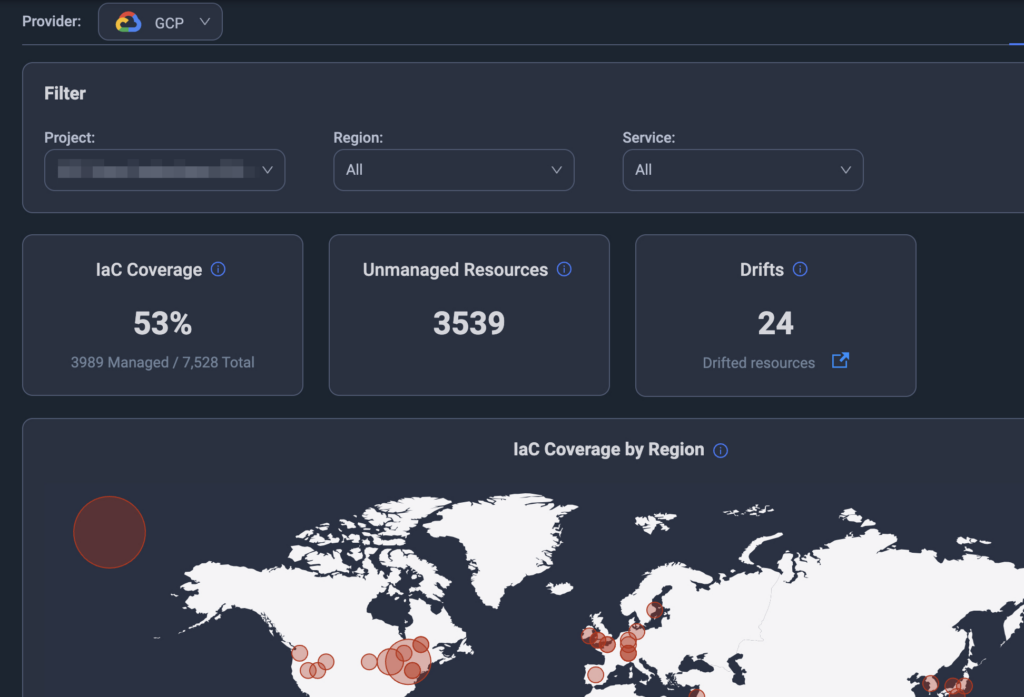
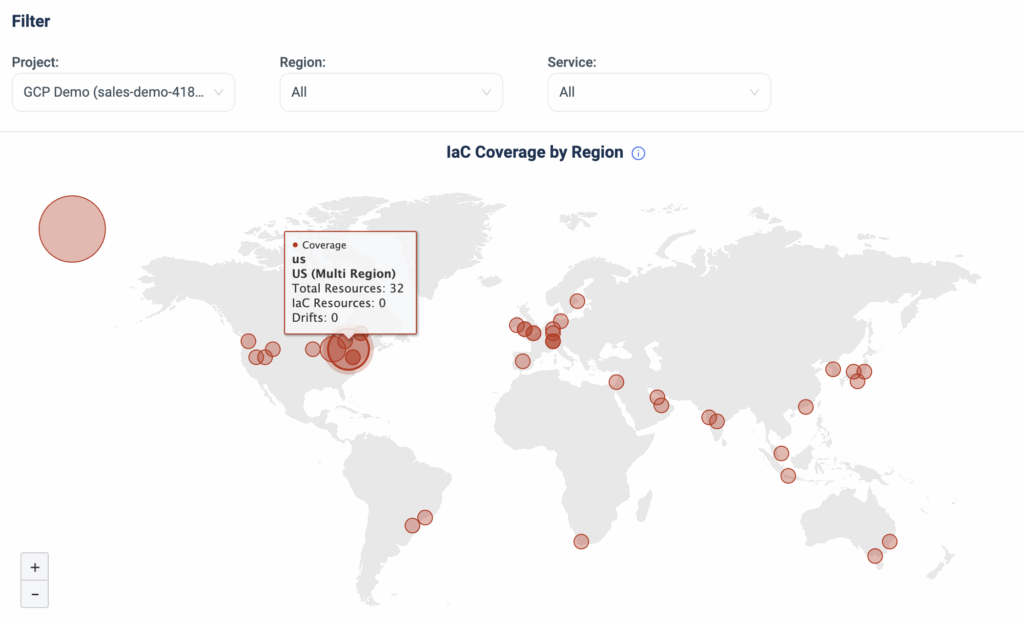
Starting today, ControlMonkey customers with GCP environments can gain complete visibility into their GCP Projects and understand the following:

  1. What is their IaC coverage across projects
  2. What is the IaC coverage per region
  3. How many resources are unmanaged by IaC

As well as:

  1. IaC Coverage over time
  2. IaC Distribution across IaC tools

With this new capability, companies running GCP workloads at scale with multiple projects in multiple regions can get a bird’s-eye view of their IaC coverage.

The release of the GCP IaC Coverage reinforces ControlMonkey’s multi-cloud capabilities and provides our customers with a centralized view across clouds, subscriptions/accounts/projects, and regions.

We are just getting started. In the coming months, we plan to release many exciting new capabilities for our GCP customers.

Are you running on GCP? Our team would love to jump on a call and show you how ControlMonkey can help.

Bottom CTA Background

A 30-min meeting will save your team 1000s of hours

A 30-min meeting will save your team 1000s of hours

Book Intro Call

    Sounds Interesting?

    Request a Demo

    Resource Blog News Customers Stories

    Updated: Aug 20, 2025 Upd: 20.08.25

    1 min read

    Cloud Inventory Dashboard for Google Cloud Platform

    Cloud Inventory Dashboard for Google Cloud Platform

    As part of our multi-cloud vision of the ControlMonkey platform, we are happy to announce another milestone in our integration with GCP (Google Cloud Platform).

    We kicked off our GCP support with Managed Security Policies for GCP a few months ago, and today, we are releasing the Cloud Inventory Dashboard for GCP.

    ControlMonkey customers with GCP environments can now gain a 30K view of their projects and understand:

    • Resources distribution across geo-region
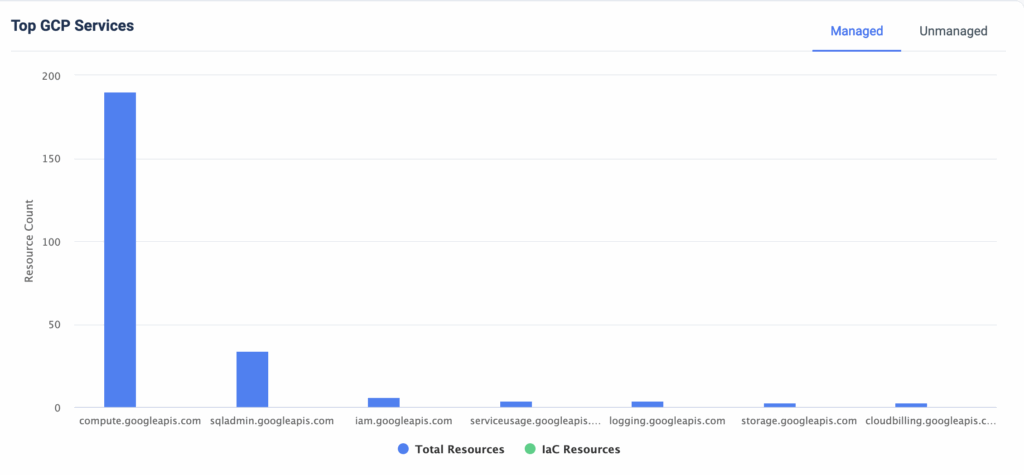
    • Resources distribution across services
    GCP Cloud Inventory Dashboard – Map View
    GCP Cloud Inventory Dashboard – Top Services

    With this new capability, companies running GCP workloads at scale with multiple projects in multiple regions can get a bird’s-eye view of their cloud resources.

    The release of the GCP Cloud Inventory Dashboard reinforces ControlMonkey’s multi-cloud capabilities and provides our customers with a centralized view across clouds, subscriptions/accounts/projects, and regions.

    We plan to release many exciting new capabilities for our GCP customers soon, so stay tuned!

    Running on GCP or multi-cloud? Our team would love to jump on a call and show you how ControlMonkey can help.

    Bottom CTA Background

    A 30-min meeting will save your team 1000s of hours

    A 30-min meeting will save your team 1000s of hours

    Book Intro Call

      Sounds Interesting?

      Request a Demo

      Resource Blog News Customers Stories

      Updated: Oct 20, 2025 Upd: 20.10.25

      2 min read

      Explore your Terraform Git Repositories

      Explore your Terraform Git Repositories

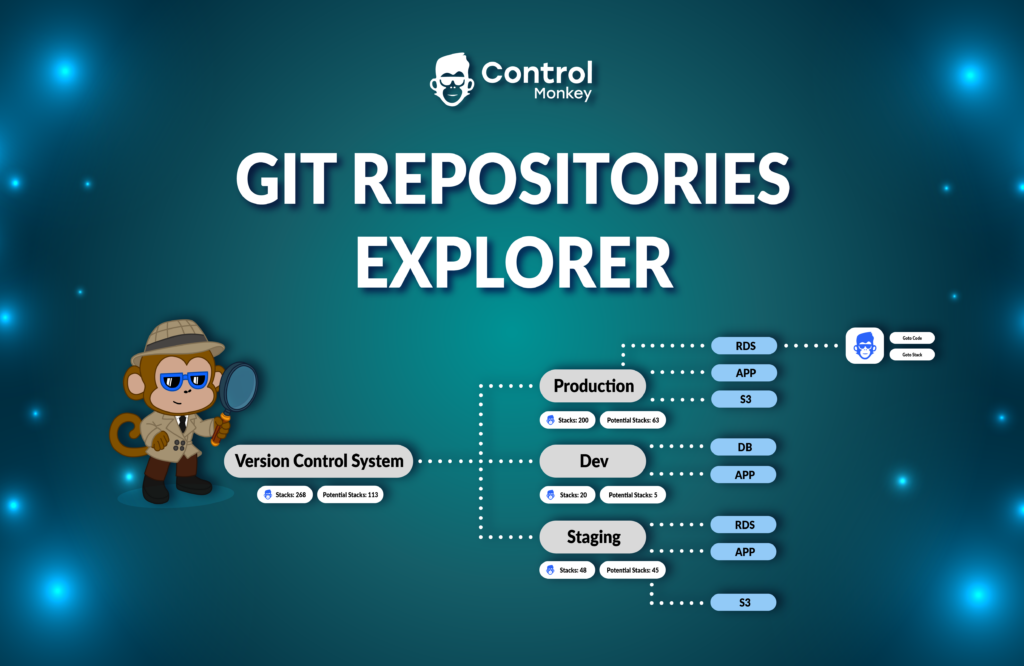
      We are happy to announce that we have reinforced our Terraform Knowledge Hub solution, giving you full visibility into your Terraform Git repository tree.

      Since its initial release, we have upgraded our Terraform Explorer Dashboard with many awesome capabilities, such as the Terraform Modules Explorer and the Terraform Providers Explorer.

      We often encounter customers who manage large-scale Terraform codebases across multiple Git repositories and various version control systems (GitHub, GitLab, BitBucket, Azure DevOps). These customers struggle to track where their Terraform code resides and determine which code is managed with GitOps methodologies or has drift detection mechanisms in place.

      Today, we have added a new view to our Terraform Explorer Dashboard called ‘Code Tree.’
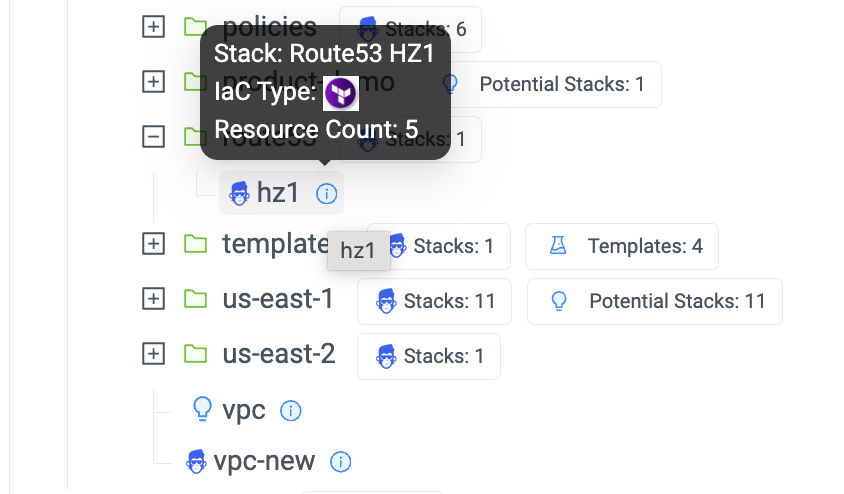
      Code Tree scans your Git repos in your version Control System and provides a birds-eye view of:

      • Where ControlMonkey detected Terraform/Terragrunt/OpenTofu Code:


      • Which sub-directories of code are managed by ControlMonkey Stacks and benefits from Terraform CI/CD, Security Policies, Drift Detection & Remediation and more:


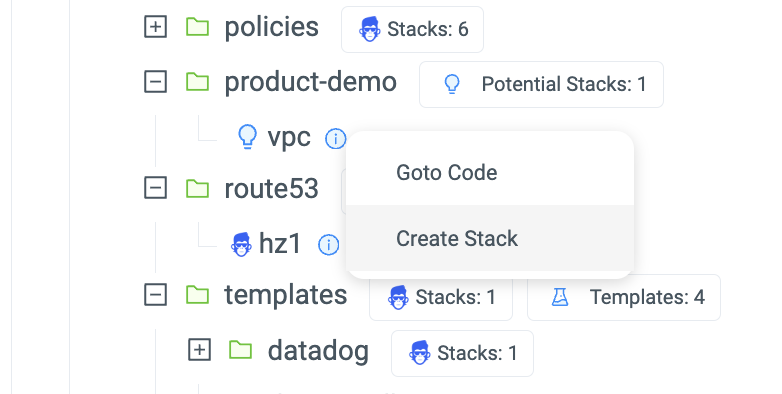
      • Which sub-directories are currently not managed by ControlMonkey (aka potential stacks) but can be with a 1-Click:


      With Code Tree, ControlMonkey users gain a 30,000-foot view of their entire code-base and understand exactly which parts of their environment are not yet managed by ControlMonkey.

      Managing Terraform stacks with ControlMonkey provides the advanced layer of Terraform Automation:

      1. Infrastructure CI/CD with Control Policies to enforce security and compliance standards
      2. Drift Detection and remediation capabilities to quickly resolve any code discrepancies.

      If you have a large-scale Terraform Codebase and you find yourself struggle to manage it efficiently we would love to chat!

      Bottom CTA Background

      A 30-min meeting will save your team 1000s of hours

      A 30-min meeting will save your team 1000s of hours

      Book Intro Call

        Sounds Interesting?

        Request a Demo

        Resource Blog News Customers Stories

        Updated: Aug 20, 2025 Upd: 20.08.25

        1 min read

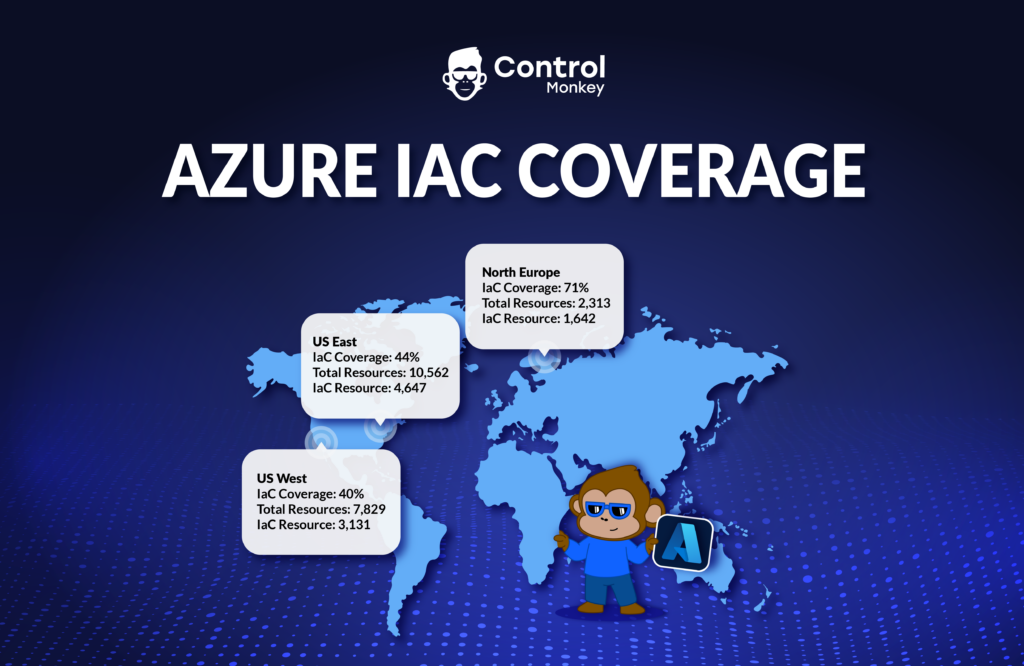
        Discover your IaC coverage on Azure

        Discover your IaC coverage on Azure

        2 months ago, we announced the support of Resource Explorer for Azure environments, which was the first major release for ControlMonkey on Azure.
        We’re happy to announce another milestone in our multi-cloud support with ControlMonkey
        IaC Coverage Dashboard for Azure.

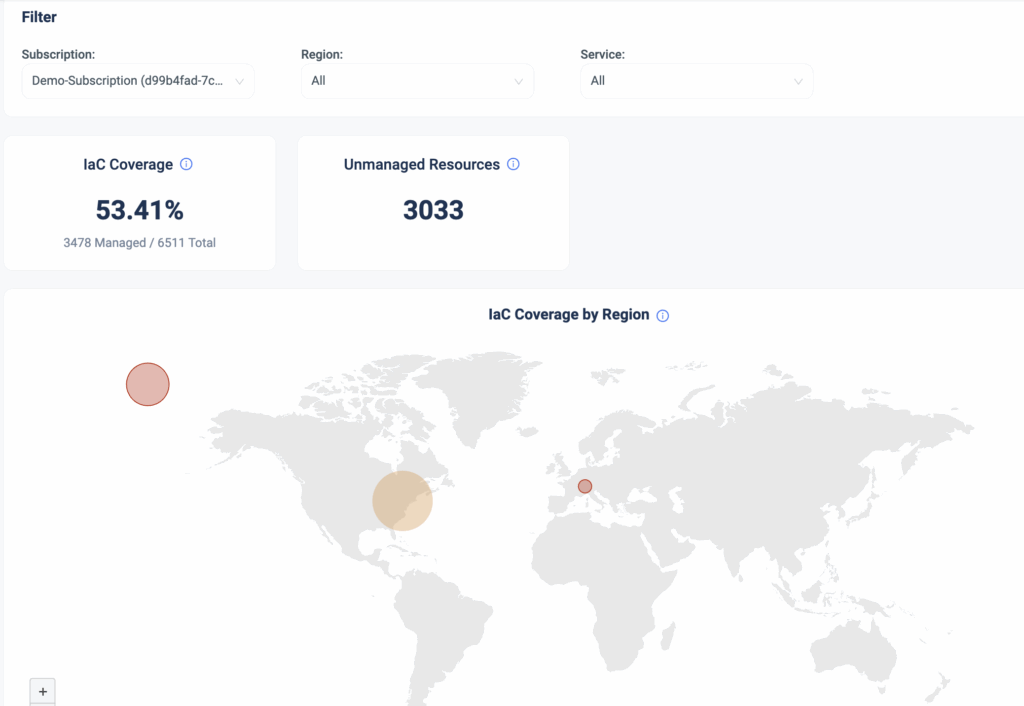
        Starting today, ControlMonkey customers with Azure environments can gain visibility into their Azure Subscriptions and understand:

        1. What is their IaC coverage across their subscription
        2. What is the IaC coverage per region
        3. How many resources are unmanaged by IaC

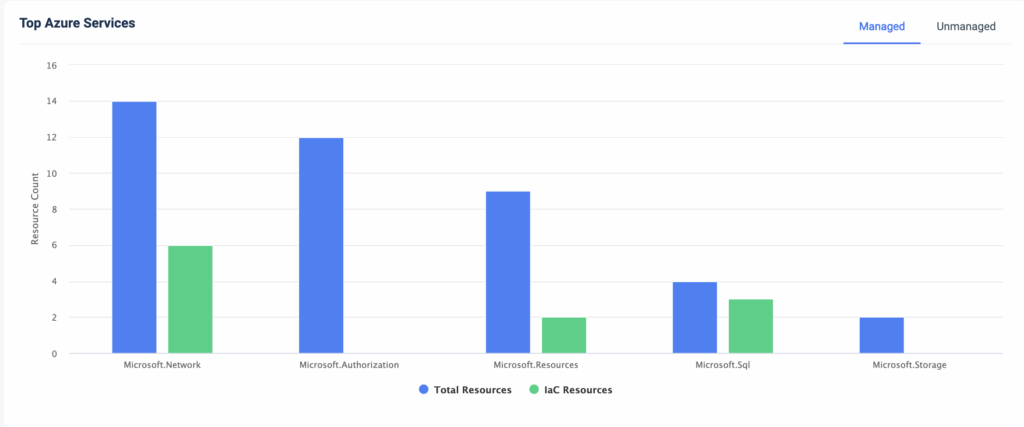
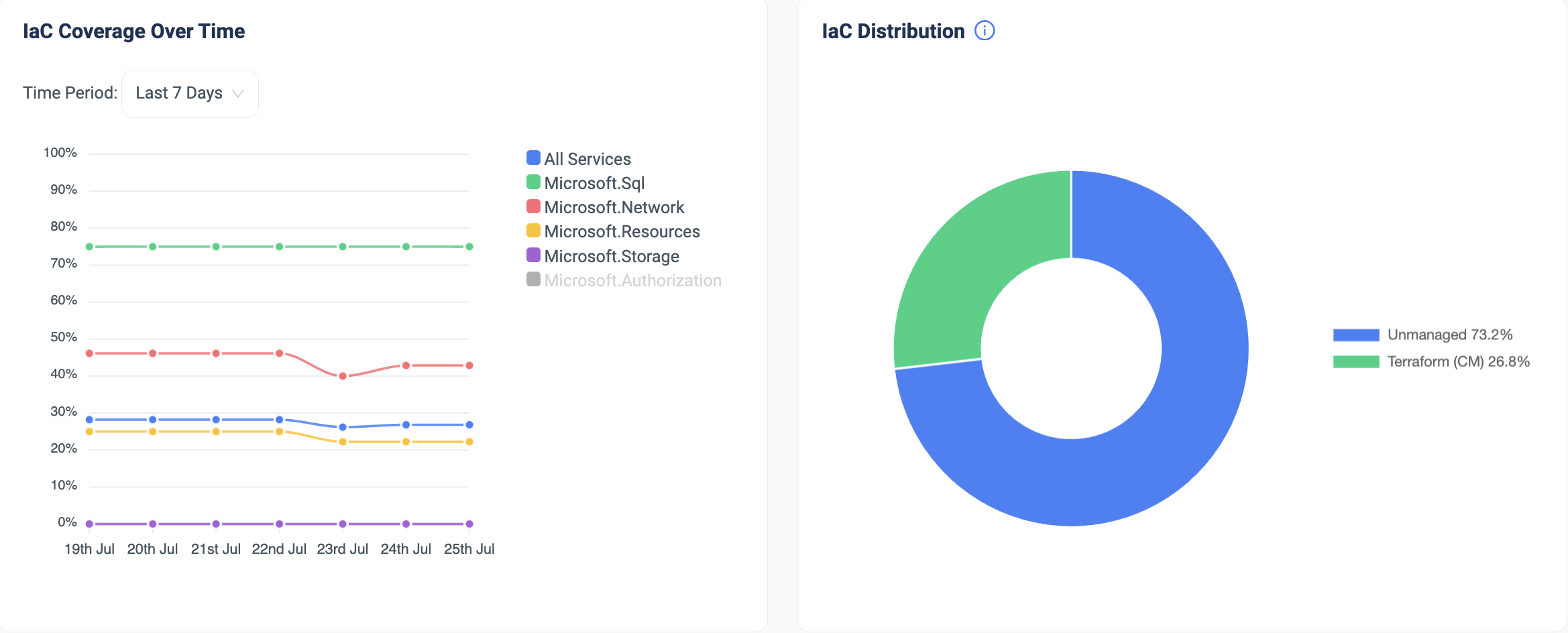
        As well as:

        1. Top Azure resources and their IaC coverage
        2. IaC Coverage over time
        3. IaC Distribution across IaC tools

        With this new capability, companies running Azure workloads at scale with multiple subscriptions in multiple regions can get a bird’s-eye view of their IaC coverage.

        The release of Azure IaC Dashboard reinforces ControlMonkey’s multi-cloud capabilities and provides our customers with a centralized view across clouds, subscriptions/accounts, and regions.

        This is just the tip of the iceberg. We have many exciting new capabilities for our Azure customers planned until the end of the year, so stay tuned!

        Running on Azure? Our team would love to jump on a call and show you how ControlMonkey can help.

        Bottom CTA Background

        A 30-min meeting will save your team 1000s of hours

        A 30-min meeting will save your team 1000s of hours

        Book Intro Call

          Sounds Interesting?

          Request a Demo

          Resource Blog News Customers Stories

          Updated: Jan 20, 2026 Upd: 20.01.26

          2 min read

          One-to-one mapping between infrastructure resources and Terraform code.

          One-to-one mapping between infrastructure resources and Terraform code.

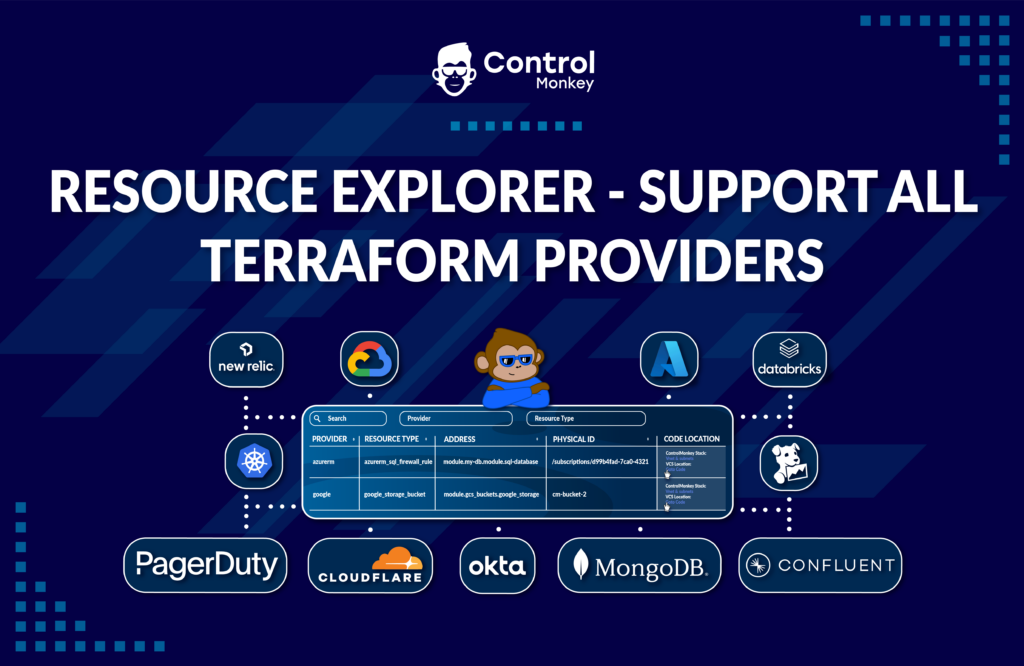
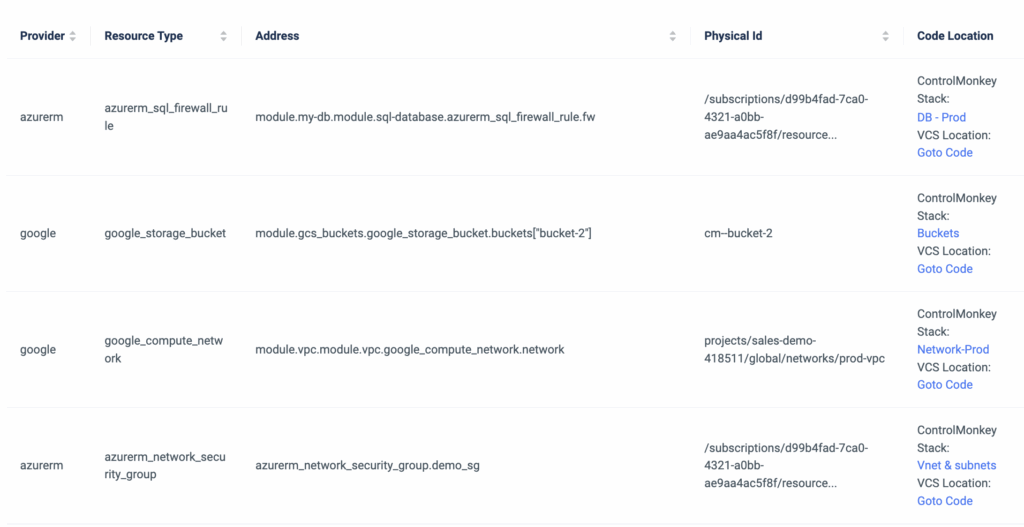
          ControlMonkey’s resource explorer is a simplified dashboard that is part of our Terraform Insights product. It helps DevOps teams discover and easily investigate all of their cloud resources and the corresponding Terraform code in their Git repo.

          Until now, Our Resource Explorer has supported only AWS & Azure Terraform Providers, but today, we are happy to announce that it supports ALL Terraform Providers.

          The Terraform Provider view serves as your Terraform knowledge base, providing your team with an easy way to locate Terraform code across your Git repositories regardless of specific team member seniority or tenure within the organization.

          It provides a one-click link for each cloud resource that opens the corresponding line of code in your GIT repository.

          Imagine a scenario where a new engineer joins the team and needs to modify an Azure Vnet or GCP SQL Database. They need to understand where the resource is located in the Terraform code.
          What would be the best way to locate that resource in a large environment with thousands of lines of code?

          Not manually, that’s for sure.

          So, if you need a clear mapping between your resource infrastructure provider (Datadog, Azure, Okta, or GCP, etc) and the exact location in your Terraform code, you can do it seamlessly with ControlMonkey.

          It doesn’t matter which Terraform Provider you are using, ControlMonkey provides a clear one-to-one mapping between your infrastructure resources and the Terraform code.

          Don’t let your team waste time searching for needles in a haystack.

          Book a 30-minute Intro Call with our experts and learn how ControlMonkey changes the Terraform Automation game.

          Bottom CTA Background

          A 30-min meeting will save your team 1000s of hours

          A 30-min meeting will save your team 1000s of hours

          Book Intro Call

            Sounds Interesting?

            Request a Demo

            Resource Blog News Customers Stories

            Updated: Aug 20, 2025 Upd: 20.08.25

            2 min read

            Resource Explorer support for Azure Resources

            Resource Explorer support for Azure Resources

            Today, we are super excited to announce that we are continuing our expansion beyond AWS and adding support to Microsoft Azure in our Resource Explorer.

            Until now, ControlMonkey’s resource explorer helped DevOps teams discover and investigate their AWS resources. Starting today, we have added the option to discover and investigate Azure resources.

            Azure users can leverage our Resource Explorer to:

            • Search for Azure resources per subscription, region, resource type, and name.
            • Determine whether this resource is managed by Terraform code or not.
            • Access the resource’s corresponding code in your GIT repository with a 1-click link.
            • Access the resource’s corresponding ControlMonkey stack with a 1-click link.

            With Resource Explorer, you can search for any Azure resource, gain visibility into your Terraform coverage, and easily access the corresponding Terraform Code in your GIT repository or corresponding ControlMonkey stack.

            ControlMonkey’s Resource Explorer serves as the organization’s Terraform knowledge base, providing your team an easy way to locate Terraform code across your Git repositories regardless of specific team member seniority or tenure within the organization.

            Save precious time when searching for resources and ensure that all your Azure resources are covered with Terraform Code.

            This is one of many Azure enhancements we will release this year, so stay tuned to what’s coming next!

            Bottom CTA Background

            A 30-min meeting will save your team 1000s of hours

            A 30-min meeting will save your team 1000s of hours

            Book Intro Call

              Sounds Interesting?

              Request a Demo

              Resource Blog News Customers Stories

              Updated: Aug 20, 2025 Upd: 20.08.25

              1 min read

              Terraform Providers Explorer

              Test User

              Test User

              CTO & Co-Founder

              Terraform Providers Explorer

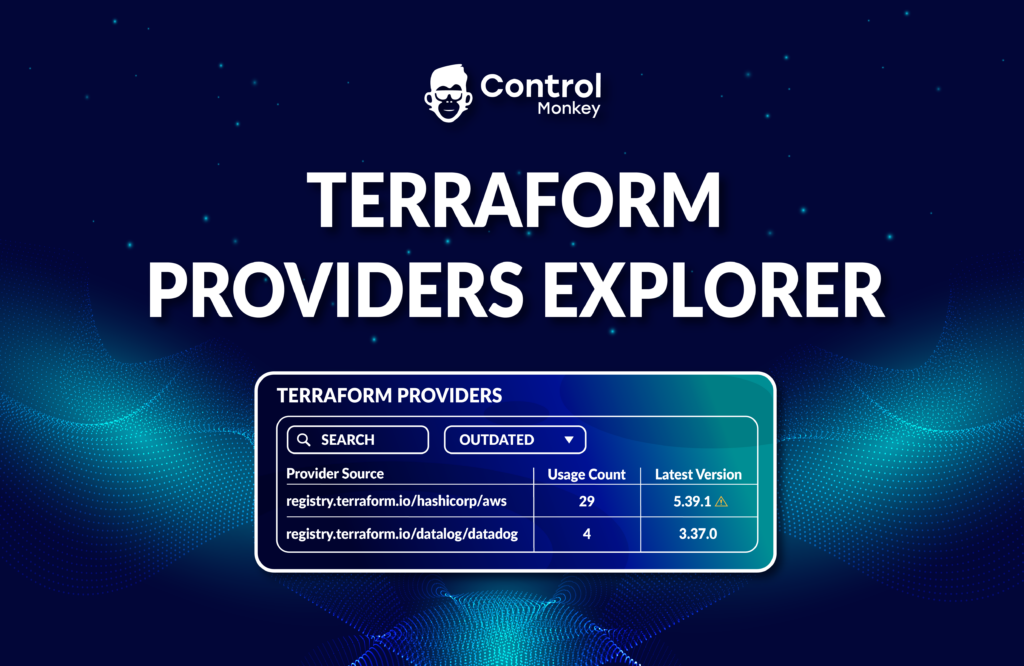
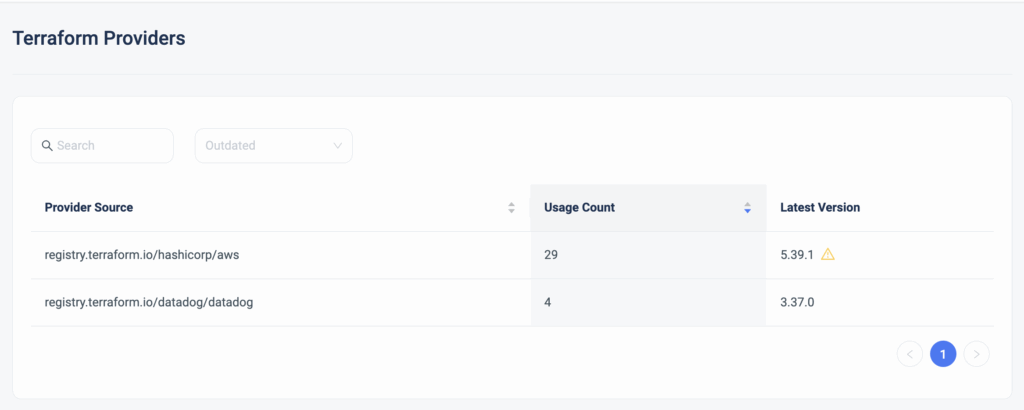
              Today we are happy to announce the release of the latest enhancement to our Terraform Insights product, Terraform Providers Explorer.


              DevOps teams leveraging Terraform don’t have any real visibility into which Terraform Providers are being used in their Terraform code, where are they used in the code, and whether or not they are not the latest version is being used.

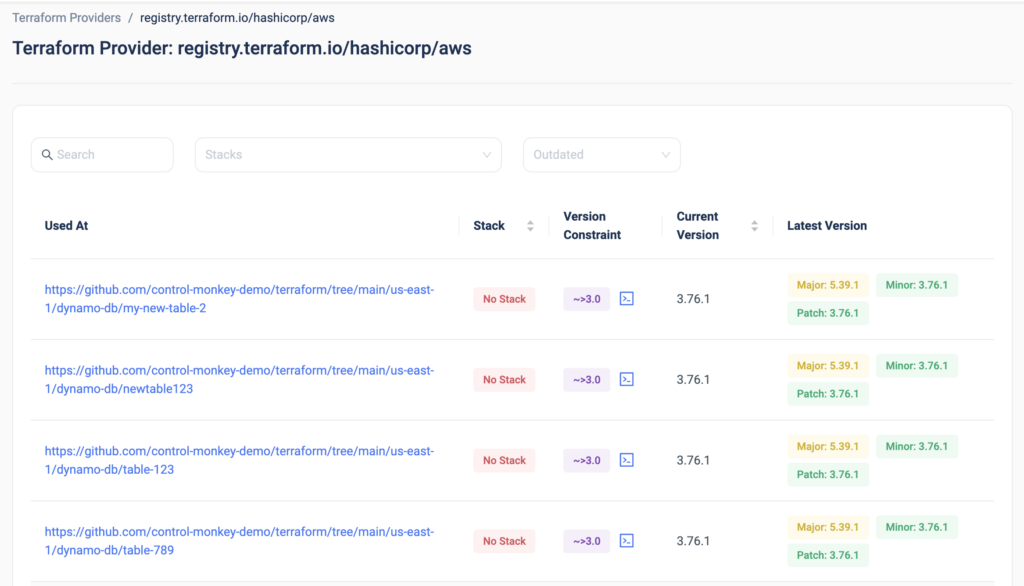
              Moreover, once you click on one of the providers, you can drill down into each provider and gain visibility into:

              • The code path in which the provider is being used
              • Which ControlMonkey stack is that provider related to
              • What is the version constraint
              • What is the used version
              • What are the latest versions available

              Want to upgrade your Terraform provides? The days of scrolling through 1000s lines of Terraform code to discover which providers are being used and with which versions are over.

              With ControlMonkey you get end-to-end visibility of everything related to Terraform Operations in a single dashboard so you will never be left in the dark.

              Interested in learning more?
              Join our Live Product Showdown next week to see our platform’s capabilities!

              Bottom CTA Background

              A 30-min meeting will save your team 1000s of hours

              A 30-min meeting will save your team 1000s of hours

              Book Intro Call

              Author
              Test User

              Test User

              CTO & Co-Founder

              Lorem ipsum dolor sit amet, consectetur adipisicing elit. Animi architecto consequuntur dicta dolor, excepturi ipsam iste laudantium, magnam molestiae obcaecati odio quam quas repellendus sed, sint magnam molestiae.

                Sounds Interesting?

                Request a Demo

                Resource Blog News Customers Stories

                Updated: Aug 20, 2025 Upd: 20.08.25

                1 min read

                Terraform Repo Scanner

                Test User

                Test User

                CTO & Co-Founder

                Terraform Repo Scanner

                Here at ControlMonkey, we strive to provide a completely customer-centric Terraform Operations platform for our users, right from the onboarding.

                So today we are happy to announce a huge enhancement to the ControlMonkey platform onboarding with our new release, Terraform Repo Scanner.
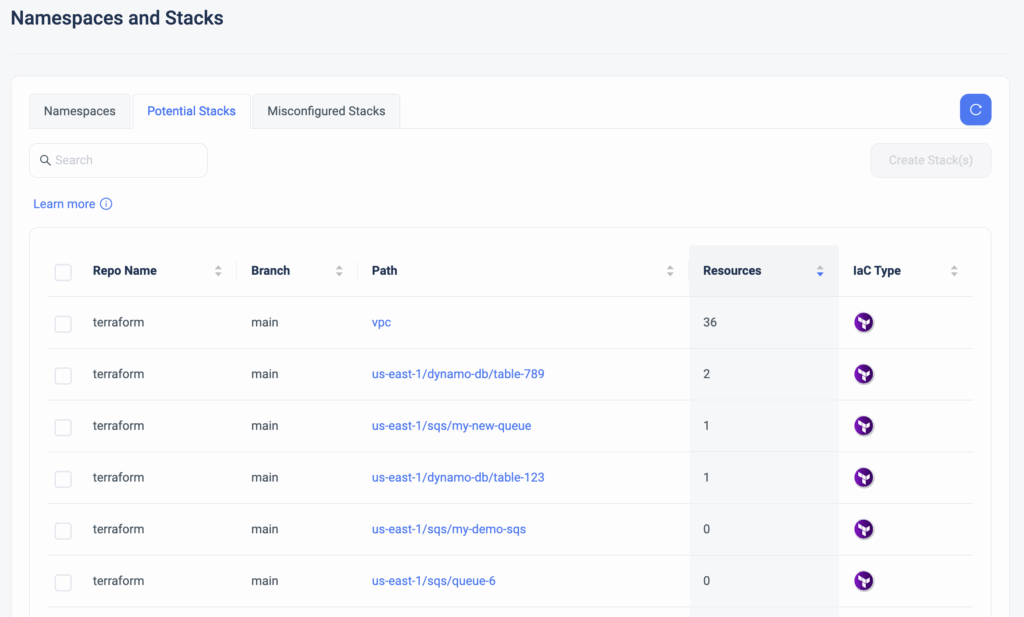
                This new capability automatically scans all the repos that contain the Terraform/Terragrunt/OpenTofu code and displays all the paths that are not managed by ControlMonkey, the IaC type, and the number of resources under that path, and with a single click enables the user to create “Stacks” in the ControlMonkey platform.

                This is big news for new ControlMonkey customers who are onboarding their accounts because rather than manually creating “stacks” based on existing paths in the repo, they can generate all the stacks in one shot, saving them precious time.

                So if you have your own Terraform Code and are looking to leverage ControlMonkey’s advanced solutions like Terraform CI/CD with proactive policies and Drift Detection & Remediation, you can now onboard in a few clicks, with absolutely zero code changes.

                Onboarding ControlMonkey has never been easier, and we’re happy seeing our new customers save time starting from the onboarding.

                Bottom CTA Background

                A 30-min meeting will save your team 1000s of hours

                A 30-min meeting will save your team 1000s of hours

                Book Intro Call

                Author
                Test User

                Test User

                CTO & Co-Founder

                Lorem ipsum dolor sit amet, consectetur adipisicing elit. Animi architecto consequuntur dicta dolor, excepturi ipsam iste laudantium, magnam molestiae obcaecati odio quam quas repellendus sed, sint magnam molestiae.

                  Sounds Interesting?

                  Request a Demo

                  Resource Blog News Customers Stories

                  Updated: Aug 20, 2025 Upd: 20.08.25

                  2 min read

                  IaC Posture cross AWS Accounts in a Single Holistic View

                  IaC Posture cross AWS Accounts in a Single Holistic View

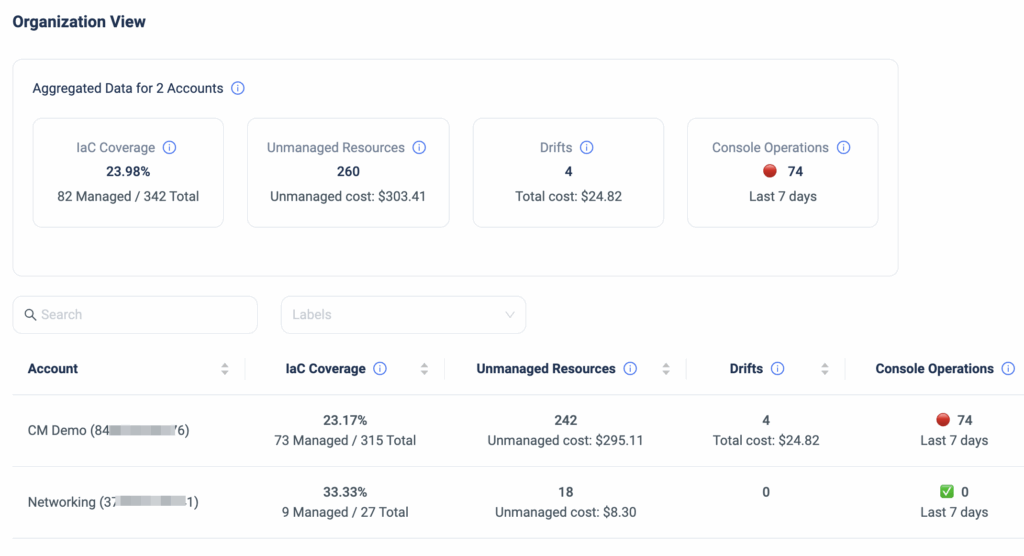
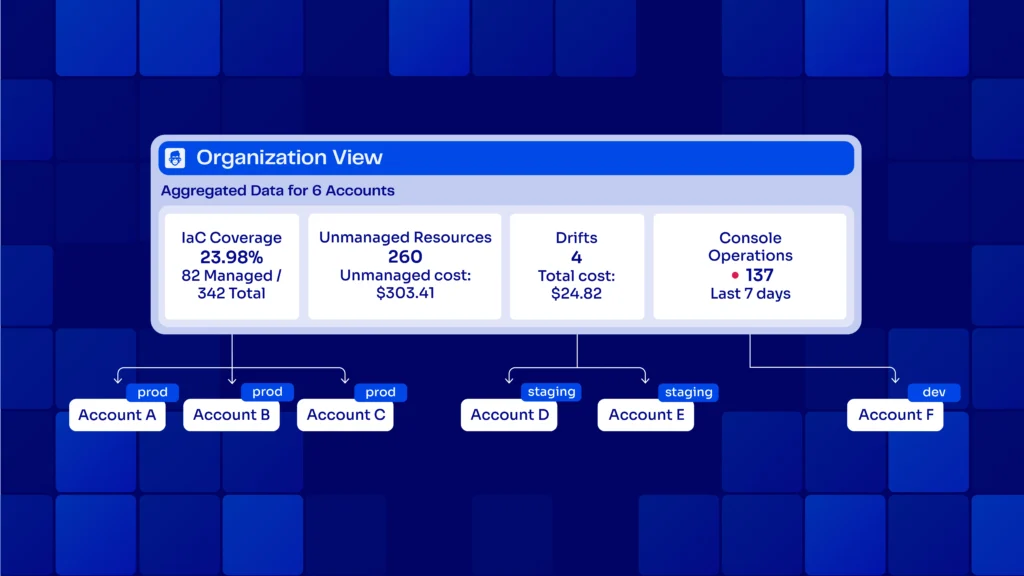
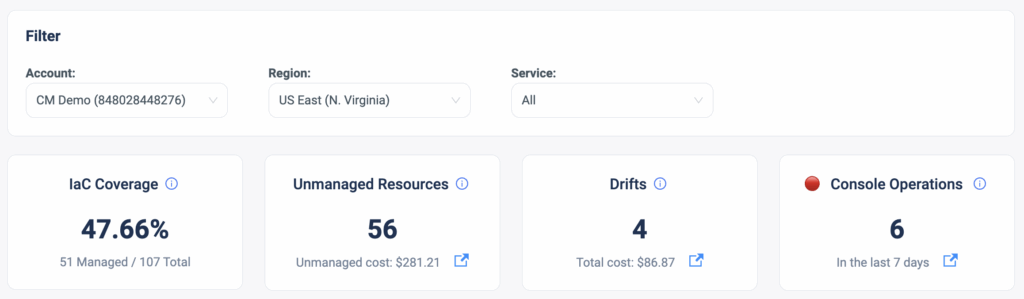
                  As part of the main dashboard view in the ControlMonkey platform, our users gain visibility into several metrics of interest that provide an overview of the AWS account’s status in terms of IaC coverage, Unmanaged Resources, Terraform Drifts, and Console Operations (ClickOps).

                  About IaC Posture Dashboard

                  These metrics help our customers understand the level of control they have over their cloud accounts and point out the gaps that require resolution.
                  For example, Console Operations are a source for Terraform drifts that can potentially cause misconfigurations.

                  However, our large customers who hold dozens of AWS accounts requested a holistic view that will help them oversee the bigger picture of their organization. Meaning, that rather than toggling between accounts to get the environments’ status, they wanted to get a 30K feet view of all their accounts in one dashboard.

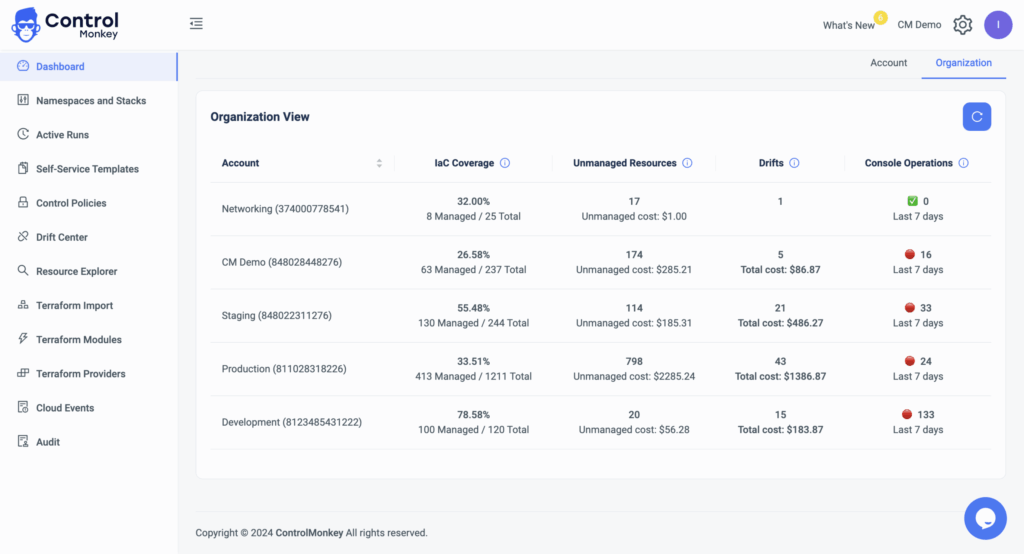
                  So today we are pleased to announce the latest enhancement to our Cloud Inventory dashboard, Organization View.

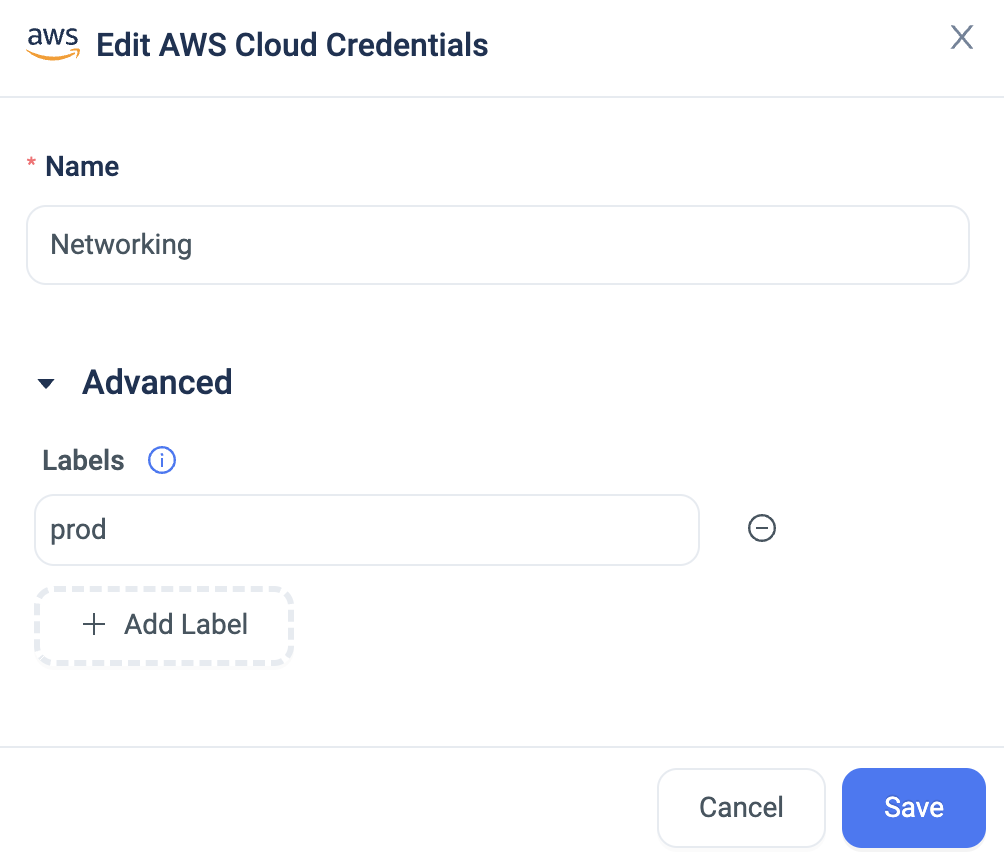
                  Organization View: IaC Posture Dashboard

                  The Dashboard Organization View is a Cross-organization visualization of all your AWS accounts, with the option to drill down into any specific account, with a click of a button.
                  This dashboard provides DevOps with a clear and general view of all their AWS accounts so they can understand the gaps and level of control they have over their cloud.

                  Do you have dozens of accounts and are interested in learning how ControlMonkey helps you manage them more efficiently?
                  Our team is waiting to speak with you !

                  Bottom CTA Background

                  A 30-min meeting will save your team 1000s of hours

                  A 30-min meeting will save your team 1000s of hours

                  Book Intro Call

                    Sounds Interesting?

                    Request a Demo

                    Resource Blog News Customers Stories

                    Updated: Aug 20, 2025 Upd: 20.08.25

                    2 min read

                    Terraform Modules Explorer

                    Test User

                    Test User

                    CTO & Co-Founder

                    Terraform Modules Explorer

                    Terraform Modules dramatically reduce the amount of code you have to write for similar infrastructure resources and are considered the most efficient way to replicate services across your AWS account.

                    However, DevOps teams leveraging Terraform modules have no visibility into which Terraform Modules are being used, if their source is a registry or local Git repository, where are they used in the code, and whether or not they are running on the latest version.

                    A crucial part of staying on top of your Terraform Operations is having that visibility, so today we are proud to announce the latest enhancement to our Cloud Inventory solution, Terraform Modules Explorer.

                    ControlMonkey scans your entire Terraform repositories for Terraform Modules and provides a dashboard view where you can investigate your Terraform Modules SBOM (Software bill of materials), and understand exactly:

                    • What Terraform Modules are being used by you.
                    • The source of the modules – Registry or a local Git directory.
                    • How many times are they being used and where exactly they are used in the code.
                    • The version constraint you’ve set and whether or not you use an outdated version.


                    Besides providing a holistic view of Terraform Modules, ControlMonkey also enables you to drill down on any Terraform Module to see exactly where it resides in the code and provides a 1-click link to the specific line in your Git repository.
                    Consider the time you could save in identifying all usages of a module when planning an upgrade.
                    Moreover, you also gain visibility into which Constraint Version is being used and whether or not it’s outdated.

                    In some cases, multiple Terraform Modules are used in the same piece of code (main module and sub-modules), so ControlMonkey also provides a view of the full module path.

                    With Terraform Modules Explorer you can also export the Terraform Modules SBOM in cases of compliance audits or security questionnaires where you need to provide this information to a security officer or auditor.

                    To summarize, Terraform Modules Explorer solves the challenge of staying on top of your Terraform Modules, makes modules upgrade much easier and provides DevOps teams with full visibility into what was once unknown or unclear.

                    Bottom CTA Background

                    A 30-min meeting will save your team 1000s of hours

                    A 30-min meeting will save your team 1000s of hours

                    Book Intro Call

                    Author

                    Test User

                    Test User

                    CTO & Co-Founder

                    Lorem ipsum dolor sit amet, consectetur adipisicing elit. Animi architecto consequuntur dicta dolor, excepturi ipsam iste laudantium, magnam molestiae obcaecati odio quam quas repellendus sed, sint magnam molestiae.

                      Sounds Interesting?

                      Request a Demo
                      Cookies banner

                      We use cookies to enhance site navigation, analyze usage, and support marketing efforts. For more information, please read our. Privacy Policy