Join our next Live Demo on Feb 19th!

Resource Blog News Customers Stories

Updated: Aug 20, 2025 Upd: 20.08.25

2 min read

Import Code Pipeline to Terraform

Import Code Pipeline to Terraform

Today ControlMonkey is pleased to announce that we have reinforced our Terraform Import Engine  with the ability to Import AWS Code Pipeline  resources to Terraform.

AWS CodePipeline is a continuous integration and continuous delivery (CI/CD) service provided by Amazon Web Services (AWS). It automates the build, test, and deployment phases of your release process for software applications.

AWS CodePipeline is commonly used to automate the software release process, ensuring that code changes are tested and deployed quickly and consistently, thus reducing manual errors and speeding up the delivery of features to end-users. It promotes best practices such as infrastructure as code, version control, and automated testing.

ControlMonkey now supports one-click Terraform Import of the following Code Pipeline resources:

Pipeline (aws_codepipeline)
Custom Action Type (aws_codepipeline_custom_action_type)
Webhook (aws_codepipeline_webhook)


Managing AWS CodePipeline with Terraform offers several benefits:

  1. Infrastructure as Code (IaC): Terraform allows you to define your CodePipeline configuration in code, which can be version-controlled, reviewed, and managed just like your application code.
    This enables you to maintain consistency and reproducibility in your pipeline configurations.
  2. Consistency: With Terraform, you can ensure that your CodePipeline setups are consistent across different environments (e.g., development, staging, production) by using the same Terraform configuration with appropriate variables for each environment.
  3. Versioning and Rollbacks: Since Terraform configurations are version-controlled, you can track changes made to your CodePipeline setups over time and easily roll back to previous versions if needed. This helps in maintaining a history of changes and troubleshooting any issues that may arise.

Do you have Code Pipeline resources that you would like to shift to Terraform?
Feel free to book an intro meeting  with us to learn more!

Bottom CTA Background

A 30-min meeting will save your team 1000s of hours

A 30-min meeting will save your team 1000s of hours

Book Intro Call

    Sounds Interesting?

    Request a Demo

    Resource Blog News Customers Stories

    Updated: Aug 20, 2025 Upd: 20.08.25

    3 min read

    Import Network Firewall to Terraform

    Import Network Firewall to Terraform

    Today ControlMonkey is pleased to announce that we have reinforced our Terraform Import Engine with the ability to Import Network Firewall resources to Terraform.

    AWS Network Firewalls are leveraged in order to prevent malicious attacks on the application by defining multiple allow/deny rules on the networking layer.

    However, in large-scale cloud environments with a lot of moving parts, the chance for mistakes misconfigurations rises.
    For example, downtimes can be caused for your application’s users by blocking your VPC to legitimate connections, and on the other hand, misconfigured firewall rules can expose your application to malicious attacks.
    On top of that, you would also want to track all the changes made to your Firewall rules and have the ability to roll back at any given moment to the previous state.

    Therefore, managing your Network Firewall configuration with Terraform is highly important and is considered the ideal solution for scale.
    But what if you already have a running firewall that you span up manually from the AWS console?
    How do you import that to Terraform?

    Luckily, ControlMonkey now supports one-click Terraform Import of the following Network Firewall resources:

    Network Firewall (aws_networkfirewall_firewall)
    Network Firewall Policy (aws_networkfirewall_firewall_policy)
    Network Rule Group (aws_networkfirewall_rule_group)

    ControlMonkey automatically generates the Terraform code + the Terraform state file so you can shift your Network Firewall management from ClickOps to GitOps in a few minutes with absolutely zero effort.

    Managing AWS network firewalls with Terraform code offers several advantages:

    1. Infrastructure as Code (IaC): Terraform allows you to define your AWS network firewall configurations as code, making it easier to manage, version control, and replicate across different environments (such as development, staging, and production). This approach enhances consistency and reduces the risk of configuration drift.
    2. Automation: Terraform enables you to automate the provisioning, configuration, and management of AWS network firewalls. This automation can save time and reduce the potential for human error that may occur with manual configuration changes.
    3. Scalability: With Terraform, you can easily scale your AWS network firewall configurations up or down based on changing requirements. You can dynamically adjust rules, add new firewall instances, or modify existing configurations as needed, without the need for manual intervention.
    4. Visibility and Auditability: Using Terraform, you can maintain a clear and documented history of changes to your AWS network firewall configurations. This enhances visibility into your infrastructure and facilitates auditing and compliance efforts.
    5. Collaboration: Terraform code can be easily shared and collaborated on by teams of developers and operations engineers. This collaborative approach promotes knowledge sharing, improves communication, and fosters best practices in managing AWS network firewalls.
    6. Integration with CI/CD Pipelines: Terraform can be integrated into your continuous integration and continuous delivery (CI/CD) pipelines, allowing you to automate the deployment of changes to your AWS network firewall configurations as part of your software delivery process. This helps streamline the development lifecycle and ensures that infrastructure changes are tested and deployed consistently.

    Overall, managing AWS network firewalls with Terraform code provides greater control, automation, scalability, and visibility, leading to more efficient and reliable infrastructure management in the cloud.

    Want to learn more? Feel free to book an intro meeting with us.

    Bottom CTA Background

    A 30-min meeting will save your team 1000s of hours

    A 30-min meeting will save your team 1000s of hours

    Book Intro Call

      Sounds Interesting?

      Request a Demo

      Resource Blog News Customers Stories

      Updated: Aug 20, 2025 Upd: 20.08.25

      2 min read

      Import WAFV2 to Terraform

      Import WAFV2 to Terraform

      Today ControlMonkey is pleased to announce that we have reinforced our Terraform Import Engine with the ability to Import WAFV2 resources to Terraform.

      AWS WAF is a web application firewall that lets you monitor the HTTP and HTTPS requests that are forwarded to various AWS services and also lets you control access to your content.

      Managing WAFV2 in a manual ClickOps methodology and not through Terraform Code increases the risk of misconfigurations which may lead to security incidents.

      With ControlMonkey, DevOps can easily import and manage their WAFV2:

      aws_wafv2_ip_set
      aws_wafv2_regex_pattern_set
      aws_wafv2_rule_group
      aws_wafv2_web_acl

      Manage your WAF with Terraform and benefit from:

      1. Modular Deployment: Terraform allows for the creation and management of AWS WAFconfigurations in a modular and reproducible manner, making it easier to deploy and manage security policies across different projects.
      2. Code Reusability: Using Terraform, you can define WAF configurations as code, making it possible to reuse these configurations in multiple projects. This is particularly useful when dealing with both global and regional WAF instances, allowing for efficient code reuse and consistency.
      3. Improved Visibility and Monitoring: Terraform enables the definition of CloudWatch metrics and sampled requests for better visibility into web traffic inspection. This allows for improved monitoring and analysis of the effectiveness of WAF rules.
      4. Flexibility in Scope Definition: Terraform provides flexibility in defining the scope of WAF configurations, such as specifying whether it is for CloudFront (global) or regional resources (e.g., API Gateway). This flexibility ensures that WAF configurations align with the specific needs and architecture of different services.

      Want to learn more? Feel free to book an intro meeting with us.

      Bottom CTA Background

      A 30-min meeting will save your team 1000s of hours

      A 30-min meeting will save your team 1000s of hours

      Book Intro Call

        Sounds Interesting?

        Request a Demo

        Resource Blog News Customers Stories

        Updated: Aug 20, 2025 Upd: 20.08.25

        2 min read

        Enhanced Resource Explorer

        Test User

        Test User

        CTO & Co-Founder

        Enhanced Resource Explorer

        Today we are excited to announce the launch of our enhanced resource explorer.
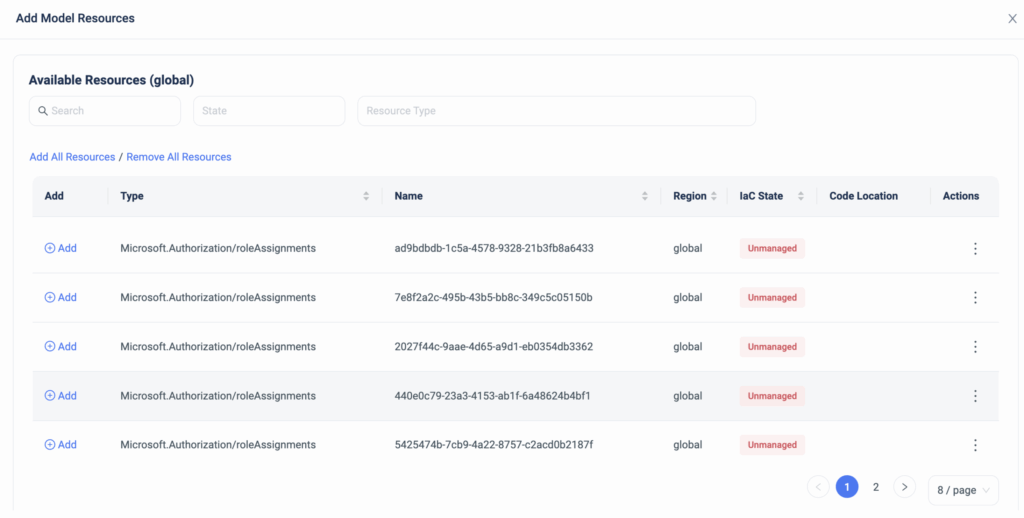
        ControlMonkey’s resource explorer is a simplified dashboard that helps DevOps teams discover and investigate all of their AWS resources.

        With Resource Explorer, you can:

        • Search for AWS resources per account, region, Resource Type, VPC, and even by tags.
        • Get an indication of whether this resource is managed by Terraform alongside a 1-click button that opens the resource’s corresponding code in your GIT repository.
        • Get an indication of whether this resource is unmanaged by Terraform alongside a 1-click remediation button for a quick resolution.
        • Easily see the resource’s ARN alongside a 1-click button that opens the resource in the AWS console.
        • Find related resources. For example: who’s using a security group? what IAM users are using an IAM policy?

        Resource Explorer provides you with complete visibility into your Cloud Infrastructure, saves precious time when searching for resources, and makes sure your Terraform coverage is maximized.

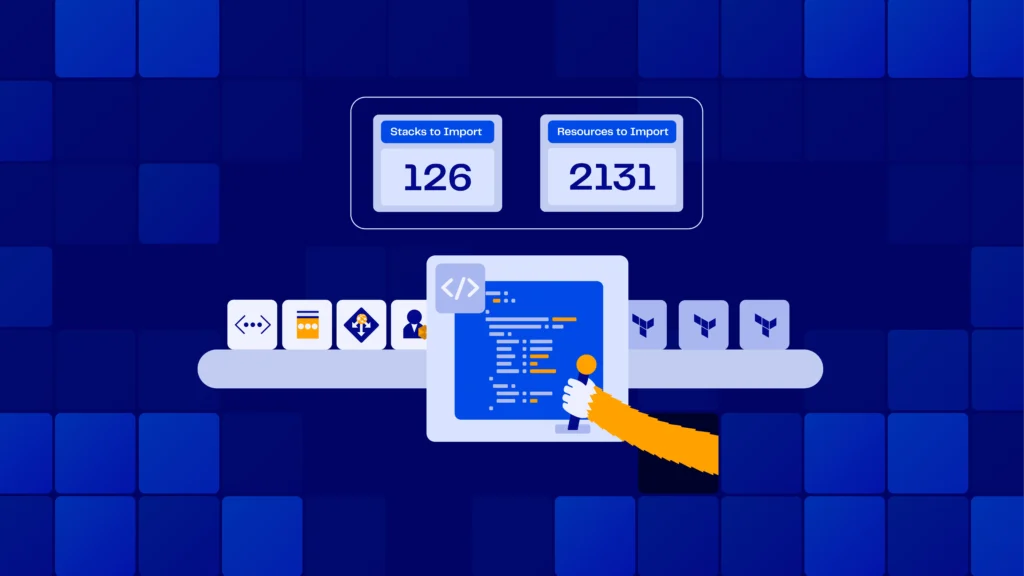
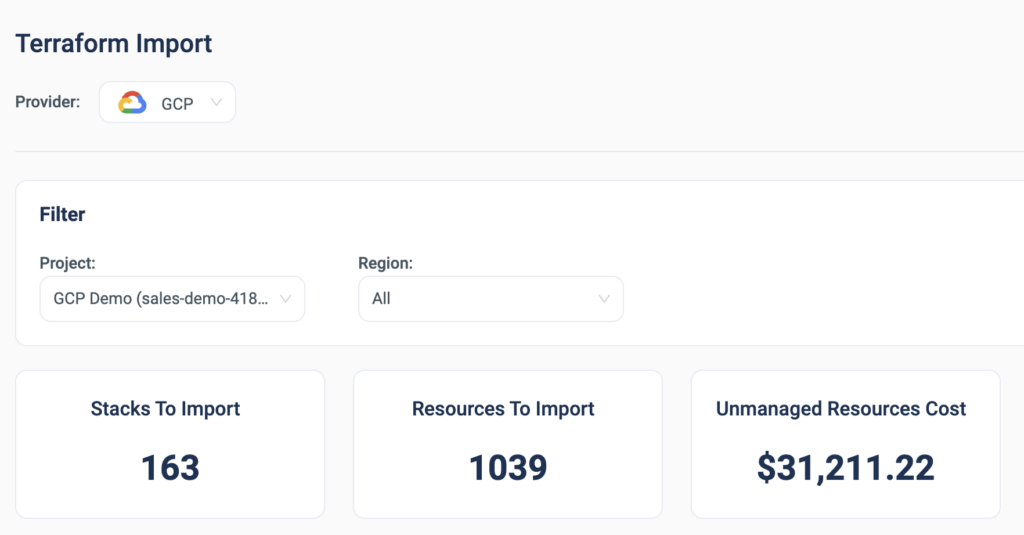
        With ControlMonkey, you can seamlessly detect resources that are not managed by Terraform, and in a few clicks you can import those into Terraform code using our ‘Terraform Import Engine’.
        Our ‘Smart Stacking Algorithm’ automatically identifies related resources and proactively allows the user to import the entire related stack, rather than importing them one by one.

        1-click import of unmanaged resources to Terraform

        ControlMonkey’s Resource Explorer also serves as your Terraform knowledge base, providing your team an easy way to locate Terraform code across your Git repositories regardless of specific team member seniority or tenure within the organization.

        Harness terraform to its full potential, maximize your terraform coverage, and achieve secure and compliant AWS environments.

        Bottom CTA Background

        A 30-min meeting will save your team 1000s of hours

        A 30-min meeting will save your team 1000s of hours

        Book Intro Call

        Author
        Test User

        Test User

        CTO & Co-Founder

        Lorem ipsum dolor sit amet, consectetur adipisicing elit. Animi architecto consequuntur dicta dolor, excepturi ipsam iste laudantium, magnam molestiae obcaecati odio quam quas repellendus sed, sint magnam molestiae.

          Sounds Interesting?

          Request a Demo

          Resource Blog News Customers Stories

          Updated: Aug 20, 2025 Upd: 20.08.25

          1 min read

          Manage CodeBuild with Terraform

          Test User

          Test User

          CTO & Co-Founder

          Manage CodeBuild with Terraform

          Today ControlMonkey is pleased to announce that we have reinforced our “Import to Terraform” solution with the capability to Import AWS CodeBuild resources to Terraform. 

          AWS CodeBuild is a fully managed integration service that compiles source code, runs tests, and produces ready-to-use software packages.

          However, when managing CodeBuild in a manual ClickOps methodology, and not through Terraform Code, the risk factor of misconfigurations increases.

          Since CodeBuild is a crucial component for delivering applications and services to production, any misconfiguration of it may critically affect the Software Delivery process, which in turn slows down business.

          With ControlMonkey, DevOps can easily import and manage their CodeBuild:

          The benefits of managing CodeBuild with Terraform & ControlMonkey:

          • Get out-of-the-box Drift Detection on any deviation from your desired CodeBuild state
          • Leverage Infrastructure CI/CD to validate any changes to your CodeBuild artifacts
          • Set Proactive Policies to avoid any misconfigurations that could lead to downtime

          So if you’re still managing your CodeBuild projects through the AWS console, now’s the time to manage them with Terraform.

          Bottom CTA Background

          A 30-min meeting will save your team 1000s of hours

          A 30-min meeting will save your team 1000s of hours

          Book Intro Call

          Author

          Test User

          Test User

          CTO & Co-Founder

          Lorem ipsum dolor sit amet, consectetur adipisicing elit. Animi architecto consequuntur dicta dolor, excepturi ipsam iste laudantium, magnam molestiae obcaecati odio quam quas repellendus sed, sint magnam molestiae.

            Sounds Interesting?

            Request a Demo

            Resource Blog News Customers Stories

            Updated: Aug 20, 2025 Upd: 20.08.25

            2 min read

            Manage CloudWatch with Terraform

            Test User

            Test User

            CTO & Co-Founder

            Manage CloudWatch with Terraform

            Today ControlMonkey is pleased to announce that we have reinforced our “Import to Terraform” solution with the capability to Import CloudWatch Alarms and Dashboards to Terraform. 

            AWS CloudWatch is a great solution to monitor your Application and Infrastructure health with collected metrics. 

            However, configuring the alerts and dashboards can be a long and mundane process, so shifting the configuration to Terraform is an easy way to manage and replicate your CloudWatch alarms and metrics. 

            With ControlMonkey, DevOps can seamlessly codify their CloudWatch Alarms (cloudwatch_metric_alarm) and CloudWatch Dashboards (aws_cloudwatch_dashboard).

            The benefits of managing the alarm and dashboard configuration with Terraform:  

            • Every change in the configuration goes through a structured review process that prevents issues in monitoring production environments. 
            • The ability to easily replicate configured alarms to other resources.
              e.g. Let’s say you’re spinning up 5 new load balancers, rather than manually configuring the CloudWatch metrics for each one individually, With Terraform you can easily replicate the configuration to all load balancers simultaneously.
            • In case someone changes the dashboard configuration and you want to roll it back, if the configuration is managed by Terraform, you can do that swiftly. 

            So if you’re running CloudWatch with multiple alarms and dashboards, now’s the time to manage it with Terraform. 

            Bottom CTA Background

            A 30-min meeting will save your team 1000s of hours

            A 30-min meeting will save your team 1000s of hours

            Book Intro Call

            Author
            Test User

            Test User

            CTO & Co-Founder

            Lorem ipsum dolor sit amet, consectetur adipisicing elit. Animi architecto consequuntur dicta dolor, excepturi ipsam iste laudantium, magnam molestiae obcaecati odio quam quas repellendus sed, sint magnam molestiae.

              Sounds Interesting?

              Request a Demo

              Resource Blog News Customers Stories

              Updated: Aug 20, 2025 Upd: 20.08.25

              1 min read

              Create Custom Terraform Modules

              Test User

              Test User

              CTO & Co-Founder

              Create Custom Terraform Modules

              Creating custom Terraform modules is the most efficient way to replicate services on your AWS account. 

              However, writing the code for the Terraform modules is a long and tedious process for DevOps engineers. 

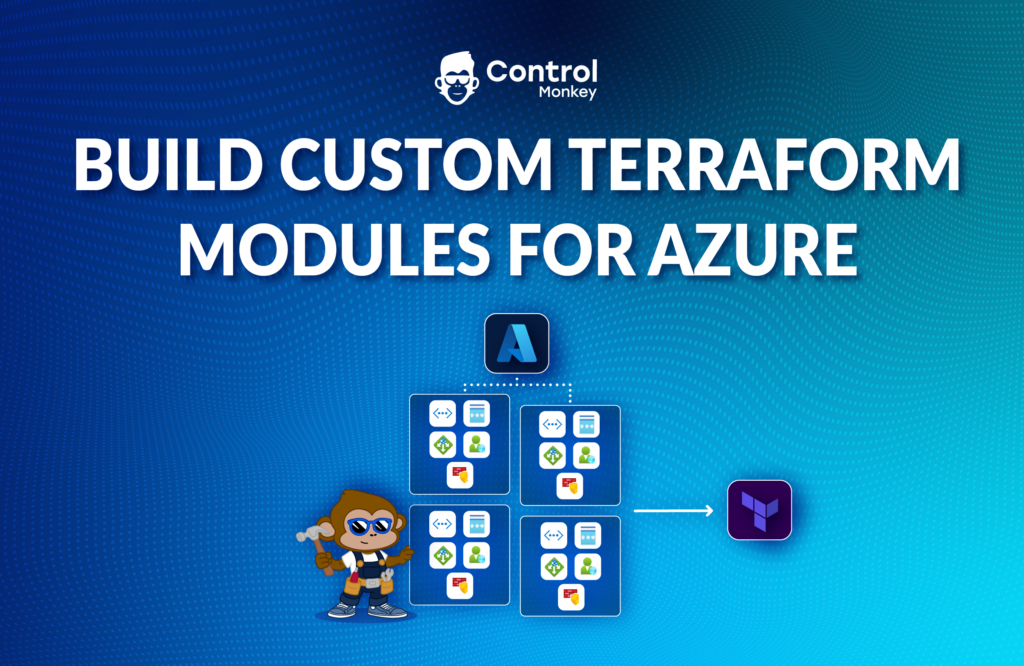
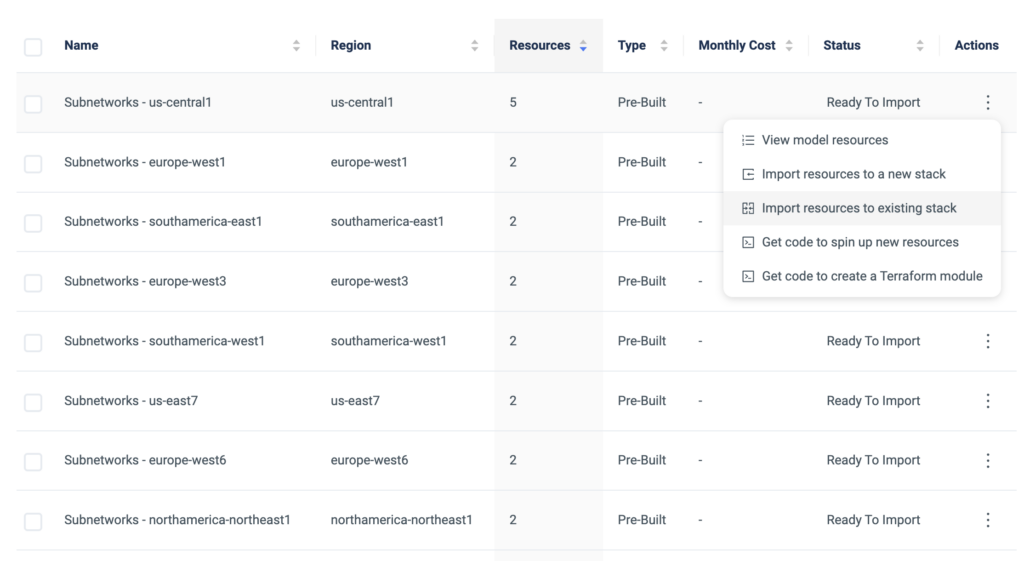
              So today ControlMonkey is happy to announce the support of creating Terraform Modules directly from our Terraform Import Engine dashboard.

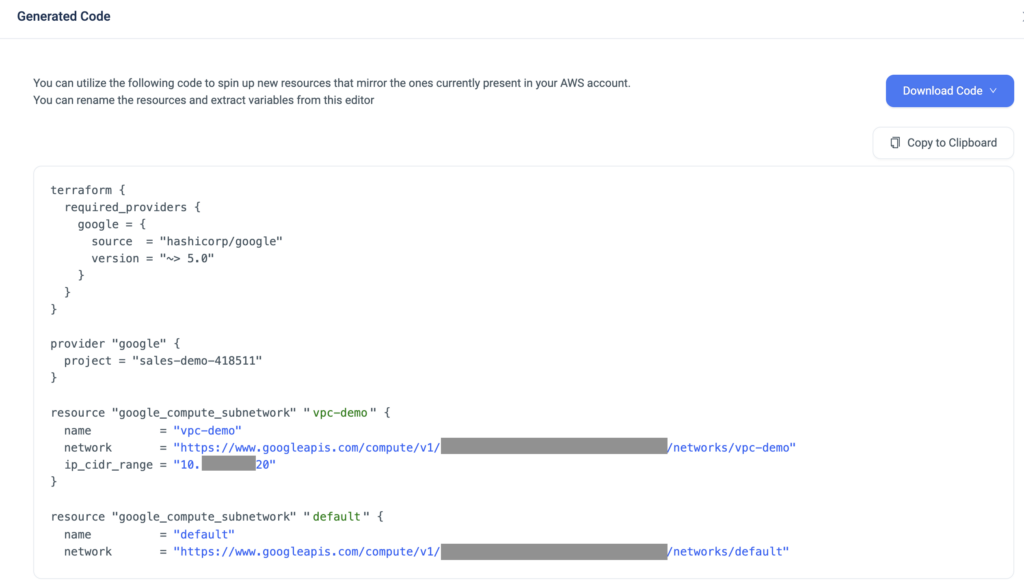
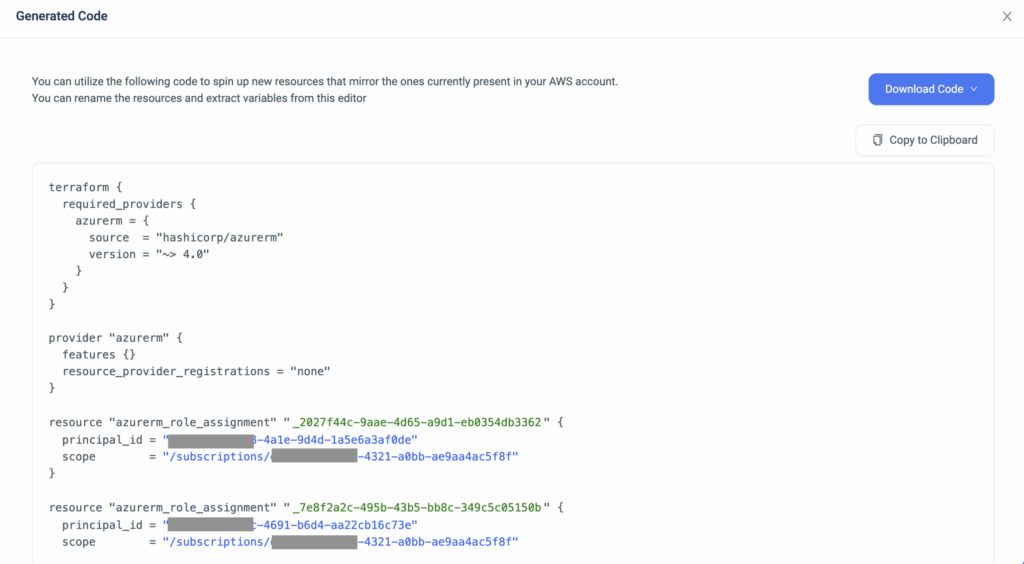
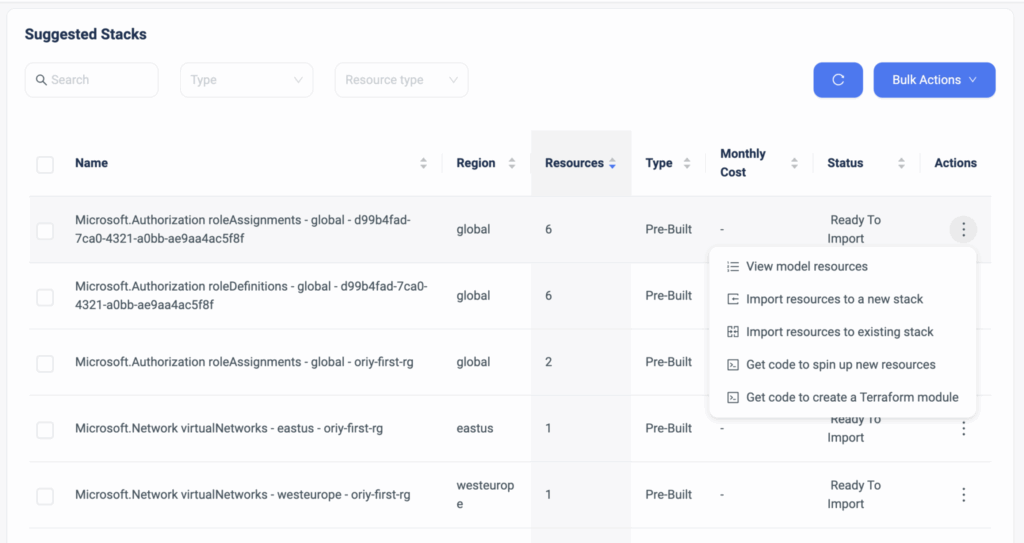
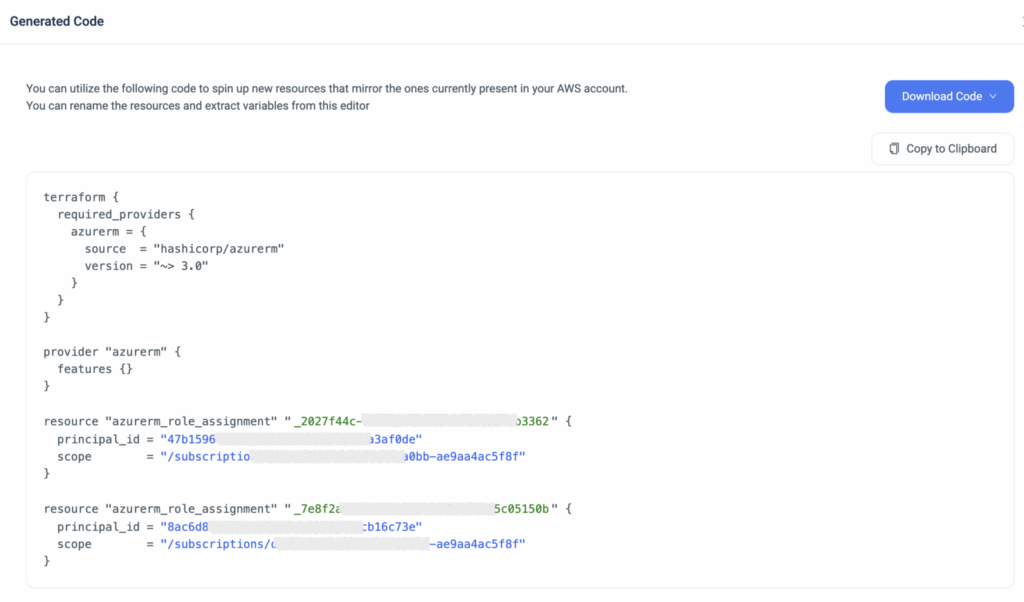
              ControlMonkey enables DevOps to create their own custom Terraform modules by easily selecting which AWS resources to bundle together, and in a few clicks ControlMonkey generates the Terraform module code for them. 

              After the code is generated, users can rename the resources and extract variables if any extra customization is required.  

              This capability Custom Terraform modules save DevOps engineers time 

              • Automatically generating the Terraform module code, rather than doing it manually.
              • Determining the relationship between the resources by leveraging ControlMonkey’s
                ‘Smart Stacking’ technology.
              • Replicating resourcesenvironments in a fast and productive way. 
              Bottom CTA Background

              A 30-min meeting will save your team 1000s of hours

              A 30-min meeting will save your team 1000s of hours

              Book Intro Call

              Author

              Test User

              Test User

              CTO & Co-Founder

              Lorem ipsum dolor sit amet, consectetur adipisicing elit. Animi architecto consequuntur dicta dolor, excepturi ipsam iste laudantium, magnam molestiae obcaecati odio quam quas repellendus sed, sint magnam molestiae.

                Sounds Interesting?

                Request a Demo

                Resource Blog News Customers Stories

                Updated: Aug 20, 2025 Upd: 20.08.25

                2 min read

                Transit Gateway Terraform Import

                Test User

                Test User

                CTO & Co-Founder

                Transit Gateway Terraform Import

                Transit Gateway, a key networking component in Amazon Web Services (AWS), allows seamless connectivity between multiple Virtual Private Clouds (VPCs) and on-premises networks. However, managing the various networking resources such as EC2 Transit Gateway (aws_ec2_transit_gateway), EC2 Transit Gateway Route Table (aws_ec2_transit_gateway_route_table), and EC2 Transit Gateway VPC attachments (aws_ec2_transit_gateway_vpc_attachment) along with configurations associated with Transit Gateway, including CIDR blocks, VPC IDs, regions, and more, can be challenging and time-consuming.

                But what happens if you make changes to your networking configuration and something breaks? This is where ControlMonkey comes to the rescue with its latest feature: Transit Gateway Import. Today, AWS users can rejoice as ControlMonkey offers an effortless solution to import their Transit Gateway configurations into Terraform, eliminating the need for manual code generation and resource imports.

                With ControlMonkey’s Transit Gateway Import, there’s no more need to painstakingly write Terraform code or run ‘Terraform Import’ commands on each individual resource. ControlMonkey automates the entire process, saving valuable time and effort. This streamlined approach ensures a smooth and error-free import of Transit Gateway configurations into Terraform.

                But that’s not all. ControlMonkey goes a step further with its innovative ‘Smart Stacking’ algorithm. Rather than spending hours searching for resources related to your Transit Gateway configuration, ControlMonkey does the heavy lifting for you. The ‘Smart Stacking’ algorithm intelligently identifies and imports all the necessary resources, ensuring a comprehensive import process.

                One of the key benefits of managing your Transit Gateway using Terraform is the integration with a GitOps pipeline. ControlMonkey enables networking teams to leverage Terraform’s infrastructure management capabilities within a GitOps workflow. This integration allows for easy inspection and review of every change made to the networking configuration, making the life of networking teams significantly easier.

                ControlMonkey’s Transit Gateway Import feature revolutionizes networking configuration management in AWS. By automating the import process, integrating with Terraform and GitOps, and leveraging the power of ‘Smart Stacking,’ ControlMonkey empowers networking teams to streamline their operations. 

                Bottom CTA Background

                A 30-min meeting will save your team 1000s of hours

                A 30-min meeting will save your team 1000s of hours

                Book Intro Call

                Author

                Test User

                Test User

                CTO & Co-Founder

                Lorem ipsum dolor sit amet, consectetur adipisicing elit. Animi architecto consequuntur dicta dolor, excepturi ipsam iste laudantium, magnam molestiae obcaecati odio quam quas repellendus sed, sint magnam molestiae.

                  Sounds Interesting?

                  Request a Demo

                  Resource Blog News Customers Stories

                  Updated: Aug 20, 2025 Upd: 20.08.25

                  2 min read

                  Import to Terraform – Smart Stacking

                  Import to Terraform – Smart Stacking

                  A significant update to ControlMonkey’s capability to import existing AWS environments to Terraform – Smart Stacking! When shifting to Infrastructure as Code (IaC), creating small stacks of related resources is essential for efficient management. For example, an AutoScaling Group with its Launch Configuration and security group.

                  Why Smart Stacking?

                  Generating Terraform code for each resource and running ‘Terraform Import’ on each one separately is a tedious and time-consuming task. With ControlMonkey’s Smart Stacking, our platform automatically learns the user environment architecture, builds models of related resources using our contextual algorithm, and generates the Terraform code and State file for each model. That means users don’t have to run Terraform Import themselves; we do it for them and provide them with a 100% validated State file.
                  We are the only platform that provides a State file when generating Terraform code for our users.

                  In addition, we provide users with the ability to alter these models and add/remove resources as they see fit. With the new Smart Stacking capability, AWS users can now shift their existing resources to Terraform even more easily and safely. If you’re looking to shift to Infrastructure as Code and don’t know where to start, look no further than ControlMonkey. Our import to Terraform solution is designed to help make your transition smooth and seamless, with the added benefit of Smart Stacking.

                  Bottom CTA Background

                  A 30-min meeting will save your team 1000s of hours

                  A 30-min meeting will save your team 1000s of hours

                  Book Intro Call

                    Sounds Interesting?

                    Request a Demo

                    Resource Blog News Customers Stories

                    Updated: Aug 20, 2025 Upd: 20.08.25

                    2 min read

                    EKS Import to Terraform in One-click

                    EKS Import to Terraform in One-click

                    ControlMonkey is adding a new feature for its import to Terraform solution that will make managing AWS EKS clusters a whole lot easier. With just one click, ControlMonkey users can now import their existing running EKS clusters to Terraform, without the need to reprovision the clusters.

                    For those unfamiliar with EKS, it is Amazon’s managed Kubernetes service that simplifies the deployment, management, and scaling of containerized applications using Kubernetes. The EKS service is composed of multiple resources like EKS clusters, EKS node groups, EKS Fargate profiles, EKS add-ons, and more.

                    Since its introduction in 2018, there have been a lot of EKS clusters out there that were set up manually or with scripts. ControlMonkey has received several requests from its users asking to import their existing running EKS clusters to Terraform, without having to reprovision the clusters since they are already running production workloads.

                    Fortunately, ControlMonkey not only supports Terraform code generation but also enables seamless import of the running resources to Terraform with a pre-generated validated Terraform state file. This feature makes managing EKS clusters a breeze, as it eliminates the need for manual intervention and reduces the risk of errors.

                    With ControlMonkey’s new feature, users can now import EKS resources like AWS EKS Cluster(aws_eks_cluster), AWS EKS Node Group(aws_eks_nodegroup), AWS EKS Farget Profile(aws_eks_fargate_profile) and more in just one click. This makes it incredibly easy to manage and maintain their EKS clusters in a more streamlined and efficient manner.

                    The new capability adds to ControlMonkey’s existing Terraform import capability for ECS clusters, helping containerized workloads on AWS to be managed with Terraform, regardless of the orchestrator


                    In conclusion, with just one click, users can now import their existing running EKS clusters to Terraform, without the need to reprovision them, making it easier to manage and maintain their resources. This is a great step forward for the DevOps community and will help companies manage their EKS clusters more efficiently and with less manual intervention. If you are looking for a solution to help manage your EKS clusters in Terraform, look no further than ControlMonkey’s import to Terraform solution.

                    Bottom CTA Background

                    A 30-min meeting will save your team 1000s of hours

                    A 30-min meeting will save your team 1000s of hours

                    Book Intro Call

                      Sounds Interesting?

                      Request a Demo
                      Cookies banner

                      We use cookies to enhance site navigation, analyze usage, and support marketing efforts. For more information, please read our. Privacy Policy