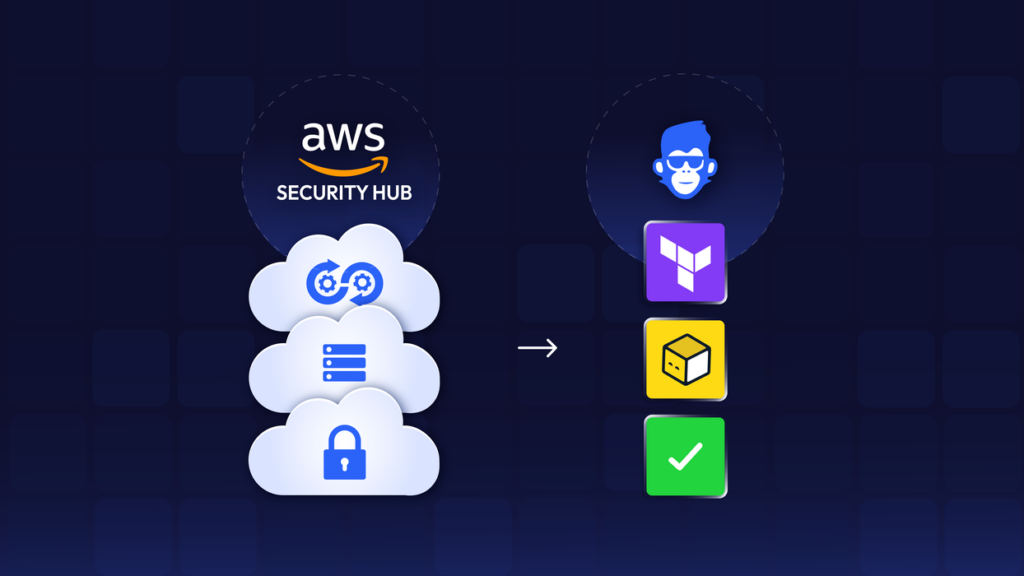
ControlMonkey is all about helping organizations shift their cloud operations from ClickOps (working from the AWS console) to GitOps with Terraform.
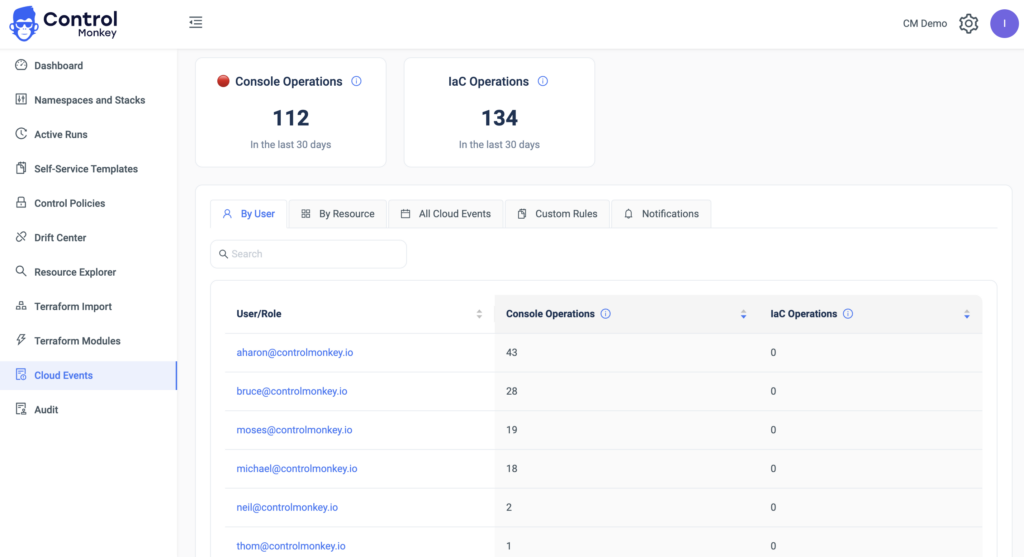
As part of our Cloud Inventory tool, we are already monitoring all the infrastructure modifications made from the AWS console and the reflective user who made them. Wouldn’t it be great to be notified in real-time whenever someone makes such an operation and prevent drifts or misconfigurations?
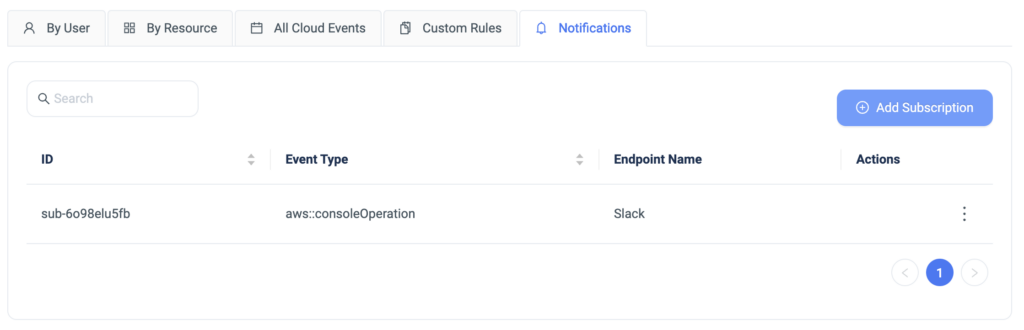
Today we are happy to announce the latest enhancement, Cloud Operations Notifications. ControlMonkey users can now be notified in real-time to SlackTeams on any Click Operations done from the AWS console.
Despite believing that you are running fully GitOps, setting additional guardrails, and getting real-time alerts helps you avoid surprises and educateenable the organization to work in a GitOps methodology, and not through the AWS console.
A 30-min meeting will save your team 1000s of hours
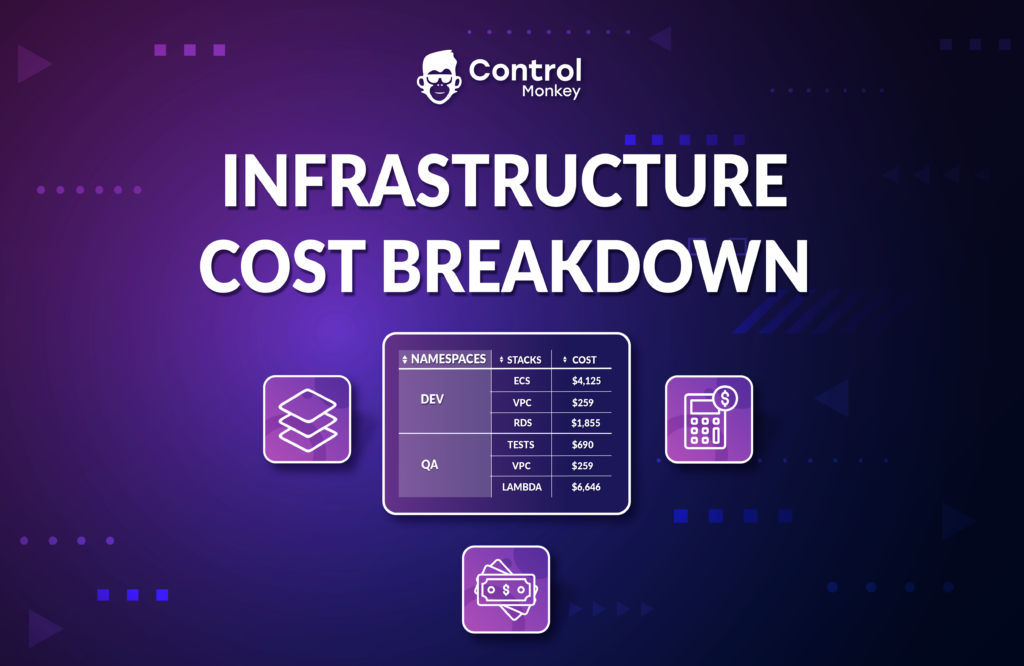
Today we are happy to announce the latest enhancement to ControlMonkey Cloud Inventory Tool, Infrastructure Cost Breakdown.
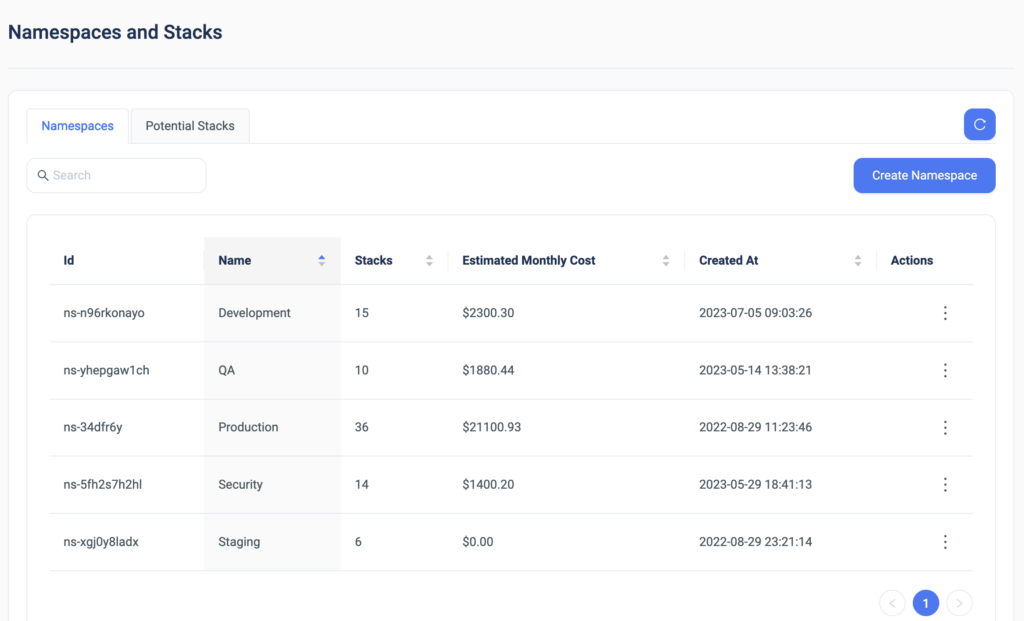
With Infrastructure Cost Breakdown, ControlMonkey users can see the estimated monthly cost of any specific stack or namespace in their cloud account and validate if they’re within budget.
You can also logically divide namespaces per team (e.g. DEV, QA) and have certain costs attributed to a particular team.
Infrastructure Cost Breakdown doesn’t require any configuration, you get this capability out of the box as part of our hierarchy mechanism of namespaces and stacks.
Note: The monthly cost estimation takes into consideration only the base cost of non-usage-priced AWS resources. For example, for resources such as Lambda functions, we can only predict the base cost, not the actual usage cost.
We are leveraging Infracost’s technology for this feature, so big kudos to the team there.
A 30-min meeting will save your team 1000s of hours
We are pleased to announce the latest enhancement to ControlMonkey’s Drift Center, Terraform Drift Source!
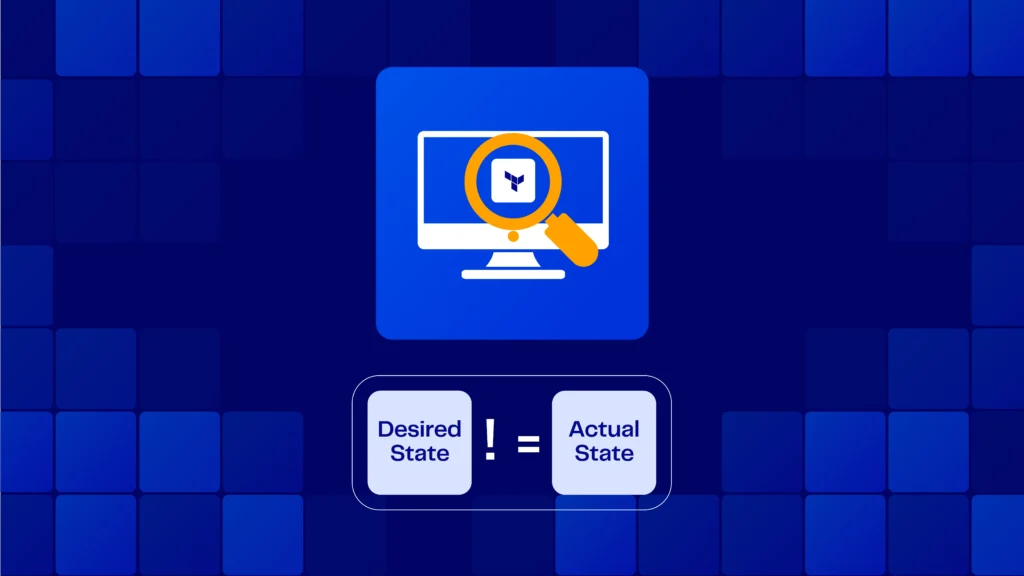
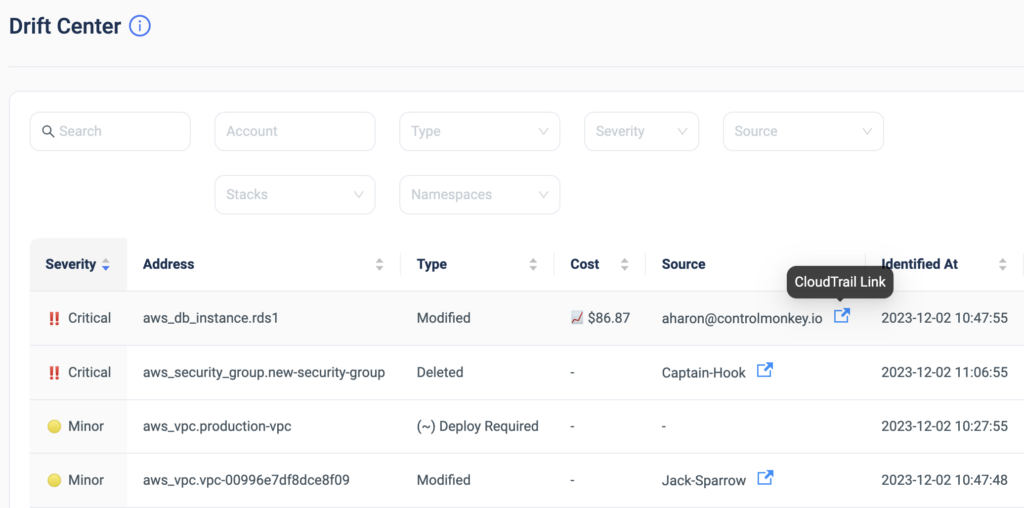
The Drift Center helps DevOps teams identify and address discrepancies between the specified configuration in the Terraform code and the actual state of resources in the cloud environment.
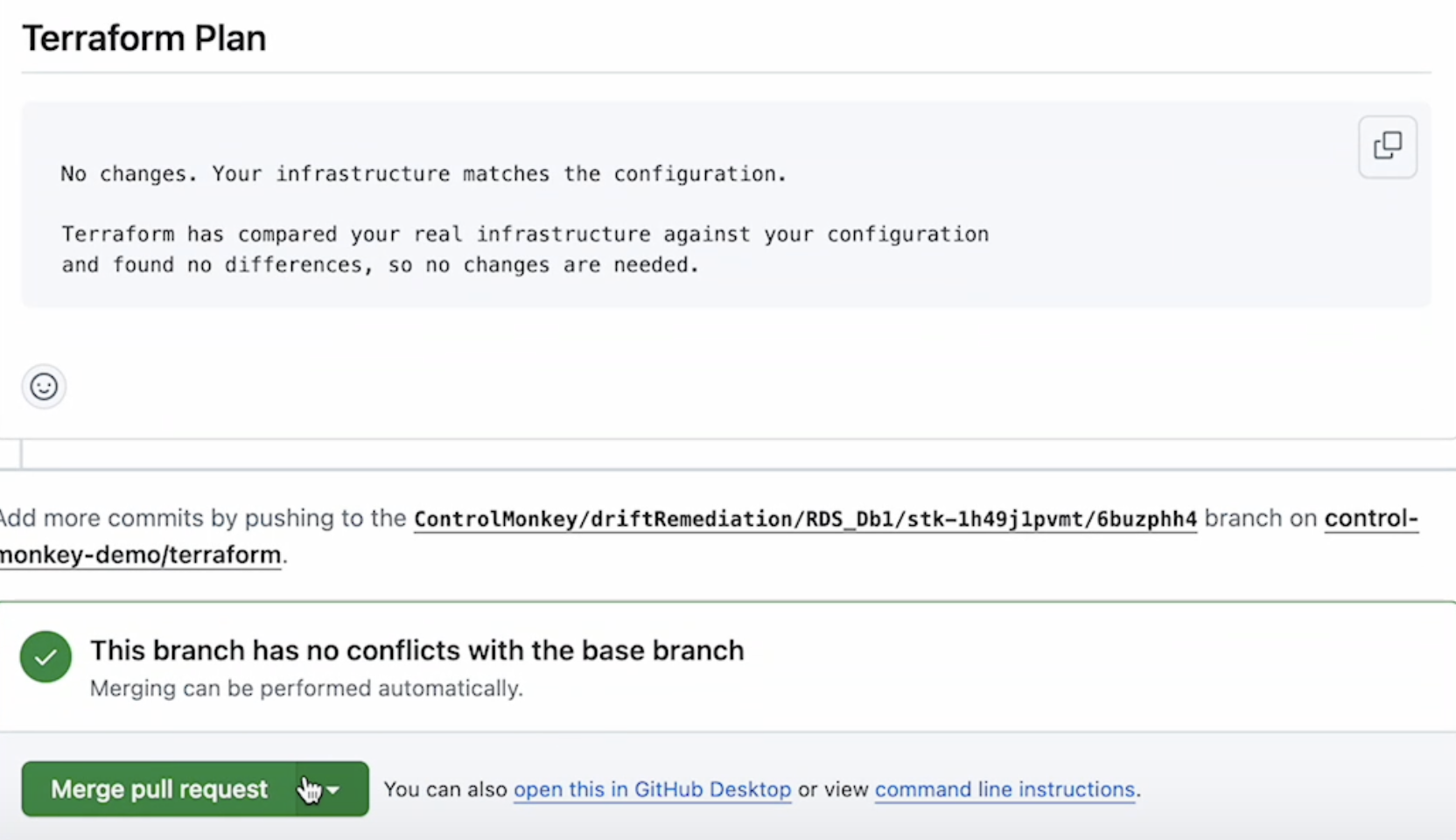
Starting today, ControlMonkey users can detect who is the AWS user/role that modified the resources’ configuration not through Terraform and caused the drift. Understanding immediately who or what is responsible for the Terraform drift significantly lowers the time to resolution of the drift.
This amazing capability is a perfect example of how powerful it is to have your Terraform Operations platform fully integrated with your cloud account!
The drift source can be a remote DevOps team member, a developer, or a 3rd party tool. So finding the source can be a long and irritating process.
Our algorithm automatically matches between Terraform drifts and CloudTrail events and indicates who is responsible for the drift.
Drift Center
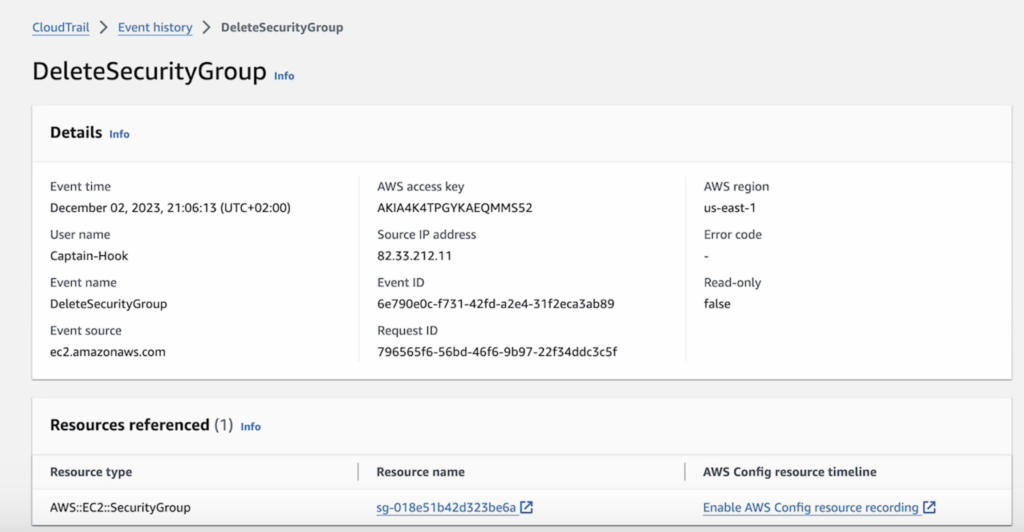
Besides providing the drift source, ControlMonkey also offers a one-click link to the CloudTrail event of the configuration change to streamline the investigation process even further.
CloudTrail event
ControlMonkey’s ‘Drift Center‘ is the only solution that provides DevOps teams with valuable cloud insights that help them resolve drifts faster, and more efficiently.
Detecting and resolving Terraform Drifts faster helps keep your cloud secure, compliant, and cost-efficient.
A 30-min meeting will save your team 1000s of hours
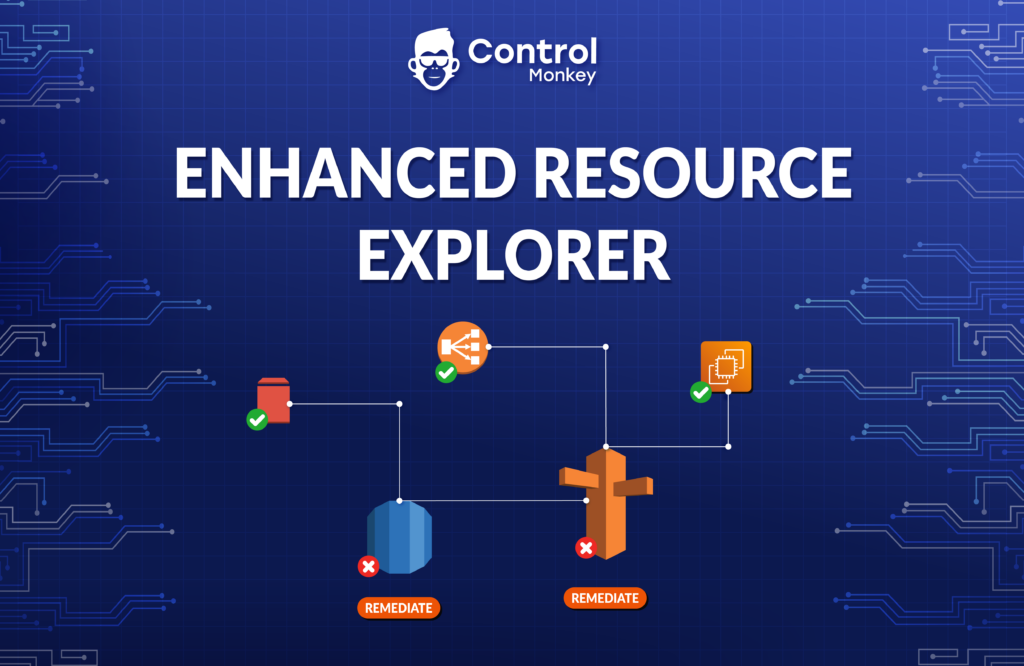
Today we are excited to announce the launch of our enhanced resource explorer. ControlMonkey’s resource explorer is a simplified dashboard that helps DevOps teams discover and investigate all of their AWS resources.
With Resource Explorer, you can:
Search for AWS resources per account, region, Resource Type, VPC, and even by tags.
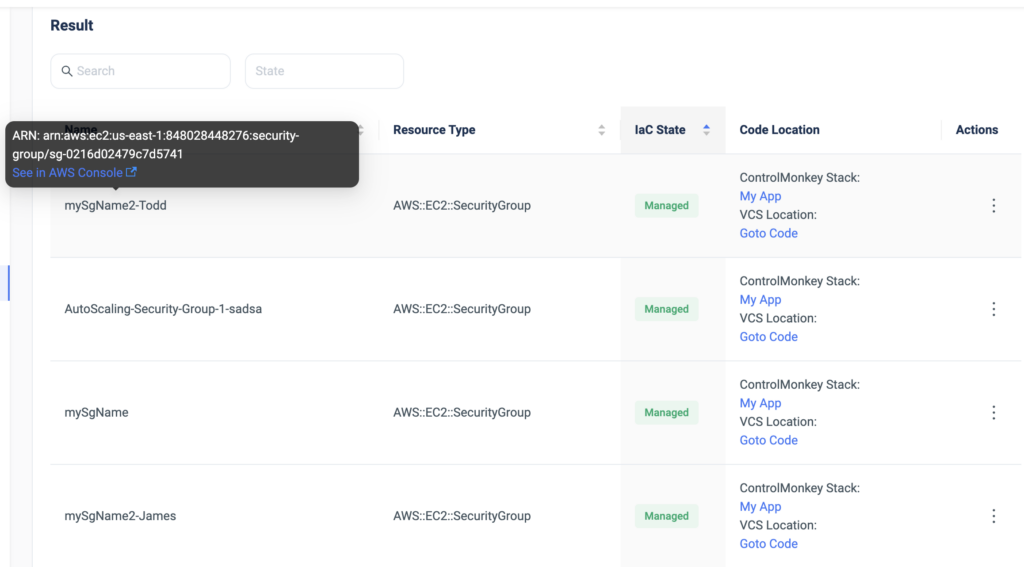
Get an indication of whether this resource is managed by Terraform alongside a 1-click button that opens the resource’s corresponding code in your GIT repository.
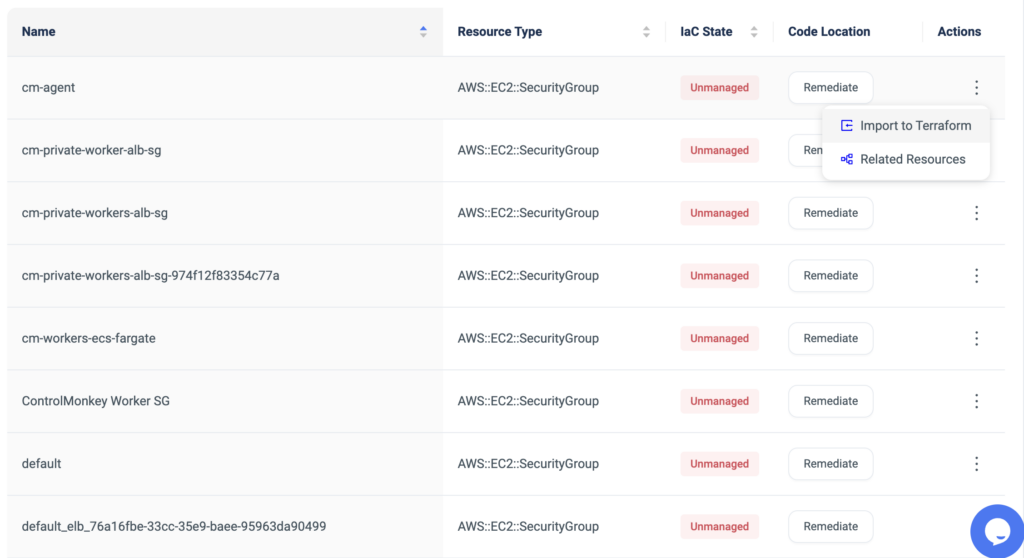
Get an indication of whether this resource is unmanaged by Terraform alongside a 1-click remediation button for a quick resolution.
Easily see the resource’s ARN alongside a 1-click button that opens the resource in the AWS console.
Find related resources. For example: who’s using a security group? what IAM users are using an IAM policy?
Resource Explorer provides you with complete visibility into your Cloud Infrastructure, saves precious time when searching for resources, and makes sure your Terraform coverage is maximized.
With ControlMonkey, you can seamlessly detect resources that are not managed by Terraform, and in a few clicks you can import those into Terraform code using our ‘Terraform Import Engine’. Our ‘Smart Stacking Algorithm’ automatically identifies related resources and proactively allows the user to import the entire related stack, rather than importing them one by one.
1-click import of unmanaged resources to Terraform
ControlMonkey’s Resource Explorer also serves as your Terraform knowledge base, providing your team an easy way to locate Terraform code across your Git repositories regardless of specific team member seniority or tenure within the organization.
Harness terraform to its full potential, maximize your terraform coverage, and achieve secure and compliant AWS environments.
A 30-min meeting will save your team 1000s of hours
Lorem ipsum dolor sit amet, consectetur adipisicing elit. Animi architecto consequuntur dicta dolor, excepturi ipsam iste laudantium, magnam molestiae obcaecati odio quam quas repellendus sed, sint magnam molestiae.
SOC2 is a compliance standard that measures a company’s ability to securely manage customer data. As part of the audit process, companies must demonstrate that they have effective controls in place to ensure the security, availability, processing integrity, confidentiality, and privacy of customer data.
Managing cloud infrastructure with Terraform can greatly assist companies to meet SOC2 compliance requirements in several ways:
Consistency: Terraform management provides a consistent way to manage infrastructure across environments, ensuring that security controls are consistently applied.
Auditable: Managing your Terraform code in a version-controlled and auditable manner can help demonstrate compliance with SOC2 requirements.
Automation: Automating your Terraform deployment reduces the risk of human error and ensures that controls are consistently applied.
Security: Adding security checks to your Terraform deployment to ensure compliance, such as resource-level access controls, encryption, and secure network communication.
Reporting: Audit reporting is an essential aspect of compliance and security, as it allows companies to demonstrate that they have effective controls in place and are meeting regulatory requirements.
Overall, using Terraform management tools as part of a comprehensive security program can help companies meet SOC2 compliance requirements and demonstrate their commitment to security best practices.
Today, ControlMonkey has launched a new solution to help companies achieve and maintain their SOC2 compliance. Check out our new solution page to see how ControlMonkey can help with your SOC2 compliance. ControlMonkey assists with:
Environment separation: Ensuring that different environments are isolated and managed separately to maintain security and compliance.
Audit reports: Provide detailed audit reports for your auditor to demonstrate compliance.
Standardized deployment process: Streamlining the deployment process for infrastructure updates with approvals, ensuring consistency and control.
Security and compliance tests: Enabling shift-left methodology by integrating security and compliance tests into your infrastructure deployment process.
If you’re about to run your SOC2 audit, check out our new solution to save time and ensure your infrastructure is always compliant. With ControlMonkey’s assistance, you can confidently navigate the SOC2 compliance process and demonstrate your commitment to maintaining the highest security standards for your customers’ data.
A 30-min meeting will save your team 1000s of hours
Here at ControlMonkey, we have been dedicated to helping cloud users to simplify their infrastructure management by supporting the import of existing resources into Terraform in a click of a button.
Many of our customers have found it challenging to manage large Terraform state files due to several reasons.
Slower performance: As the state file grows larger, Terraform may take longer to load and manipulate it. This can slow down your infrastructure deployment and management processes.
Increased risk of corruption: A larger state file is more prone to corruption due to network issues or other unexpected interruptions during state operations. If your state file becomes corrupted, you could lose all of your infrastructure’s configuration data.
Harder to manage: It can be challenging to manage a large state file with many resources, especially if they are spread across multiple environments or teams. It can be harder to identify and resolve conflicts, track changes, or collaborate effectively.
Limited scalability: A large state file can become a bottleneck in your infrastructure deployment pipeline, limiting your ability to scale your infrastructure as your organization grows.
To avoid these issues, it’s best to keep your state file as small as possible. This can be done by breaking your infrastructure into smaller, more manageable pieces to simplify deployment and management.
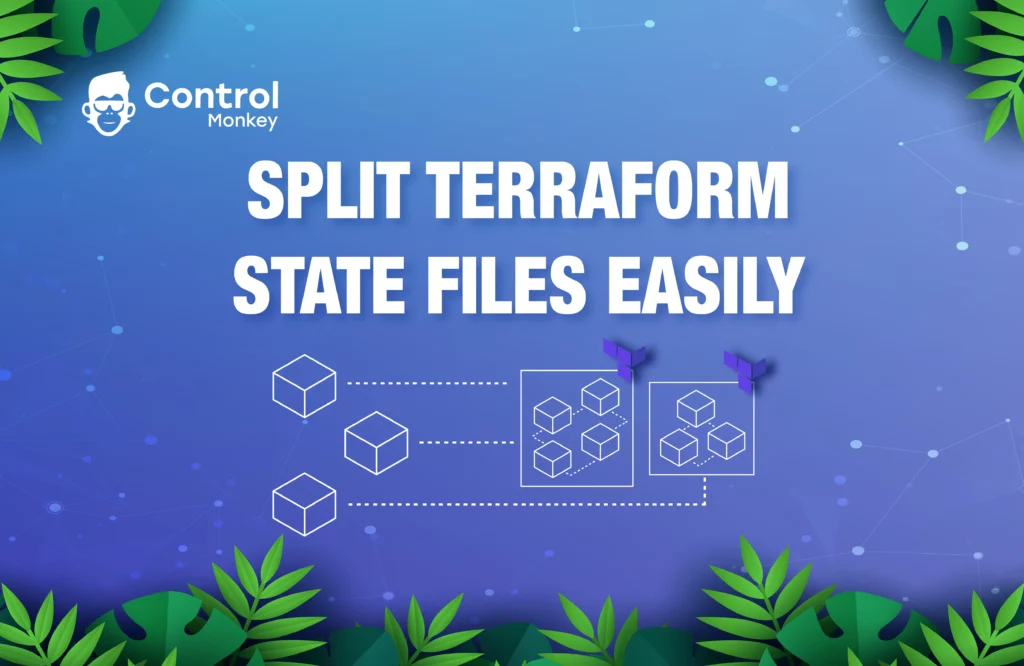
Today we are thrilled to announce our new feature that supports splitting existing Terraform state files into smaller state files! This enhancement is designed to address your key concerns when it comes to the management of big Terraform state files. You can now ensure that your infrastructure stacks represent your unit of deployments, move a resource from one Terraform state file to another, or split a single state file into smaller units as your company grows.
As mentioned, managing Terraform state files can be challenging, with the ever-present risk of rendering them invalid when making changes. Our new feature aims to mitigate these risks. You can now choose the resources you want to add to your existing ControlMonkey stack without worrying about potential issues with Terraform commands. We will perform a dry-run of the import command, verifying that the state file is valid and drift-free. The dry-run check is crucial in minimizing risks to the operational state file during the import process.
Unlike other platforms that simply generate Terraform code, ControlMonkey goes the extra mile. We prepare the Terraform state file and ensure it is 100% aligned with the actual state of your AWS resources. This guarantees seamless integration and improved infrastructure management.
With the addition of this new feature, we remain committed to delivering robust Infrastructure as Code solutions tailored to your needs. If you’re looking to break down your state files into smaller pieces or increase your Terraform coverage, don’t hesitate to reach out to us. Our team of experts is ready to help you elevate your infrastructure management experience.
A 30-min meeting will save your team 1000s of hours
Lorem ipsum dolor sit amet, consectetur adipisicing elit. Animi architecto consequuntur dicta dolor, excepturi ipsam iste laudantium, magnam molestiae obcaecati odio quam quas repellendus sed, sint magnam molestiae.
We’re thrilled to roll out Cloud Events! This new feature allows customers to track changes made to their AWS cloud resources, including creations, updates, and deletions.
It completes the missing piece of the puzzle of how to manage your infrastructure right with GitOps methodology. Managing your cloud with Terraform and GitOps is the way to go but many of our customers asked us: How can we make sure that nobody is making changes outside of our Terraform pipeline?
Cloud Events provides customers with deeper insights into their day-to-day cloud operations, including which AWS resources were changed most often, who made the changes, and from what platform or tool they did it, whether from the AWS console or Terraform.
By pinpointing resources that are frequently changed manually, customers can prioritize which resources to import into Terraform first, where changes are made in a controlled, automated, and repeatable fashion.
The new feature benefits both customers who use Terraform to manage their cloud infrastructure and those who choose to do it manually(although we recommend not managing your cloud manually 🙂 )
In conclusion, By using Cloud Events customers can be confident that all Infrastructure changes have been made through their Terraform pipeline and that all Infrastructure changes have been reviewed and authorized before being delivered and deployed.
Starting today, Cloud Events is available to all ControlMonkey customers. Feel free to utilize this capability to gain insights into what’s happening in your cloud resources, track changes, identify which resources are changed manually most frequently, and import the mentioned resources into Terraform to reduce human error.
ControlMonkey will continue to deliver trailblazing solutions that help customers gain full control of their cloud, making it easier to manage and automate.
*The feature is relying on AWS CloudTrail and requires read-only permissions to the service API.
A 30-min meeting will save your team 1000s of hours
Lorem ipsum dolor sit amet, consectetur adipisicing elit. Animi architecto consequuntur dicta dolor, excepturi ipsam iste laudantium, magnam molestiae obcaecati odio quam quas repellendus sed, sint magnam molestiae.
Resource Finder (Mapping between Terraform code and AWS resources)
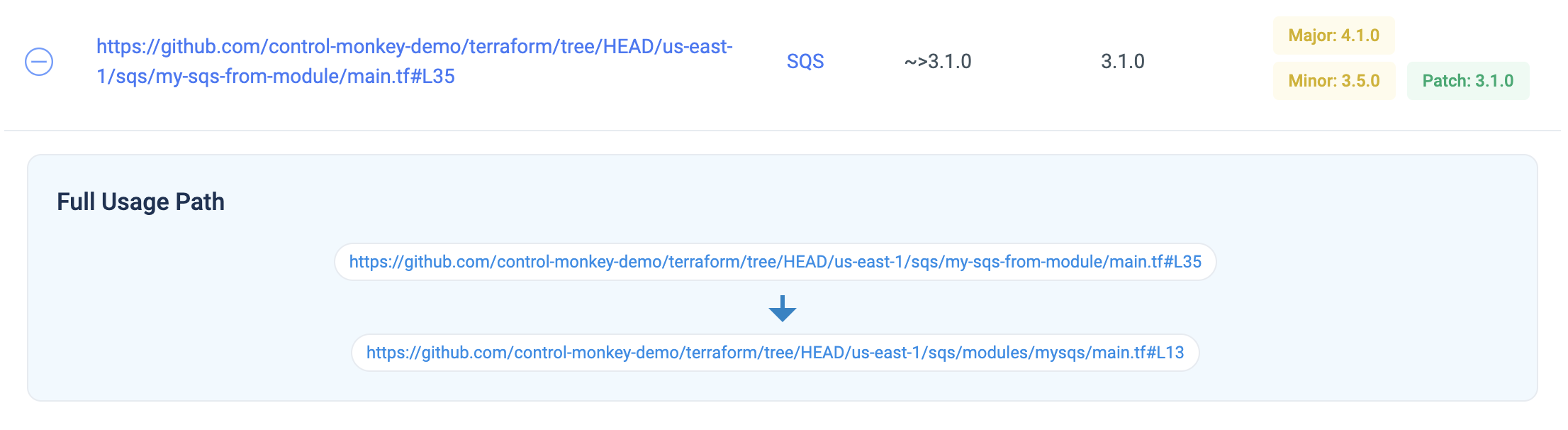
Feature Alert! ControlMonkey rolls out Resource Finder! ControlMonkey’s Resource Finder is a new tool that correlates between the customer’s AWS cloud environment and their Terraform code repositories. By combining those 2 data sources ControlMonkey creates a one-to-one mapping between each AWS resource and the corresponding Terraform resource that manages that AWS resource.
This is an important feature for achieving full cloud visibility and control by finding exactly where each resource is managed in the Terraform repository. Also, by having this one-to-one mapping a customer can easily identify AWS resources that are unmanaged by Terraform to identify “holes” and gaps in the environment’s Terraform coverage.
This helps our customers in several ways:
If a DevOps member just joined the team and we want to task them with configuring a specific resource, they can use the ControlMonkey platform to easily pinpoint where the code for that resource is located.
The Resource Finder becomes the “knowledge base” for the customer. This knowledge hub is shared by all members of the DevOps team, so they all have an easy way to find the code location for all resources, removing bottlenecks and dependencies.
If the resource is not managed by Infrastructure as Code, you are given an indication of that. You can then use ControlMonkey’s “IaC Import” feature to automatically generate code for it.
A 30-min meeting will save your team 1000s of hours